1
AXIS 247S Installation Guide
Page 3
AXIS 247S
Installation Guide
This installation guide provides instructions for installing the AXIS 247S Video Server on
your network. For all other aspects of using the product, please see the User’s Manual,
available on the CD included in this package, or from www.axis.com/techsup
Installation steps
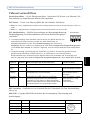
Check the package contents against the list below.
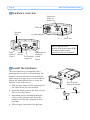
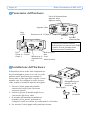
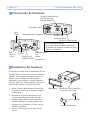
Hardware overview. See page 4.
Install the hardware. See page 4.
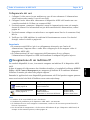
Set an IP address. See page 5.
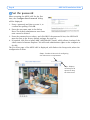
Set the password. See page 8.
ENGLISH
ENGLISH
1.
2.
3.
4.
5.
Important!
This product must be used in
compliance with local laws
and regulations.
Package contents
Item
Models/variants/notes
AXIS 247S Video Server
Terminal connector kit
4-pin and 2-pin connector blocks for connecting external devices
Mounting kit
Metal plate and bracket for wall or cage mounting
CD
AXIS Network Video Product CD, including product documentation, installation
tools and other software
Printed Materials
AXIS 247S Installation Guide (this document)
Axis Warranty Document
Optional Accessory
Connector Cable
Cable with 6 pin Mini-DIN connector for audio in, video in and power out
PoE Midspan
Power over Ethernet midspan (1 port)
Important!
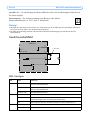
• There are two alternative connections available for power out, video in and audio in,
providing flexible installation. Do not connect more than one video/audio source as the
AXIS 247S is a one-channel video server and can only accommodate one video/audio
stream.
• The AXIS 247S can deliver a maximum of 5W (420mA) to a camera (from power out or
Mini-DIN connector) and 50mA from the I/O terminal connector.