1
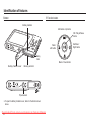
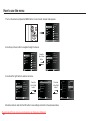
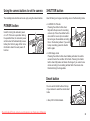
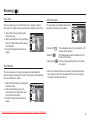
Self-timer (
) / Right button
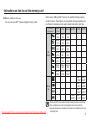
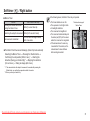
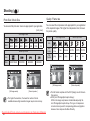
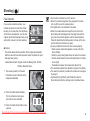
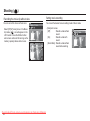
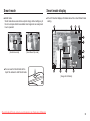
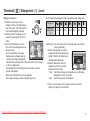
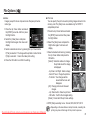
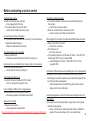
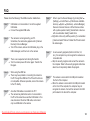
In the following cases, the Motion Timer may not operate.
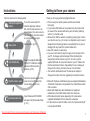
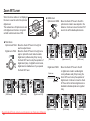
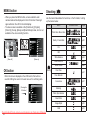
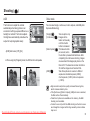
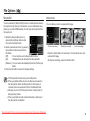
Motion Timer
Motion
Pressing the Shuter button after
setting the Motion Timer
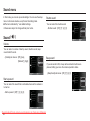
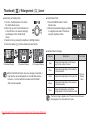
Icon & Self-timer lamp
Blink (1 second interval)
Detecting the subject's movement
Blink (0.25 second interval)
No movement is detected
Turn on and the image is taken
after 2 seconds
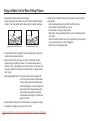
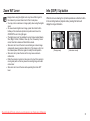
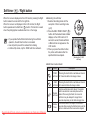
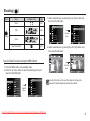
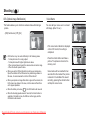
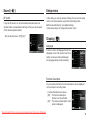
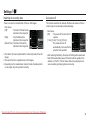
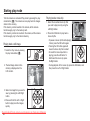
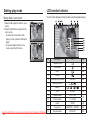
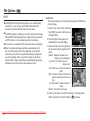
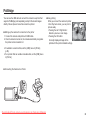
The Motion Timer flows are as followings. (Movie Clip mode excluded)
Selecting the Motion Timer Pressing the Shutter button Confirming the composition (Within 6 sec.)*1 Starting the
detection (Swing your hands fully)*2 Stopping the detection
(Do not move) Taking an image (after 2 sec.)
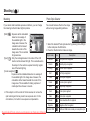
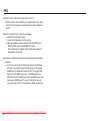
The focus distance is over 3m.
The exposure is too bright or dark
In backlight conditions.
The movement is insignificant
The movement is detected beyond
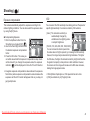
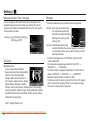
The detection range of
Motion Timer
the center part (50%) of the sensor
where the movement is recognized.
If the camera doesn`t sense any
movement for 30 seconds, or the
camera doesn’t sense stillness
after sensing movement
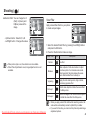
*1: The camera detects the subject's movement 6 seconds after pressing the
Shtter button, so confirm the composition within 6 seconds.
*2: Move your body or hands fully.
Downloaded From camera-usermanual.com Samsung Manuals
37