1
ICMB Card
Establishing communication between servers using the ICMB card is a two-step process.
First, install the ICMB card in each server. Then, make sure that the software required for
the card is in place. Software for the ICMB card includes firmware on the card and
software already included in the ISC software. ISC software is included in the server
software kit accompanying the baseboard.
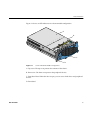
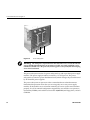
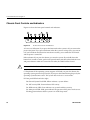
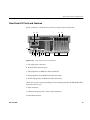
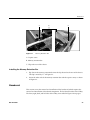
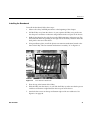
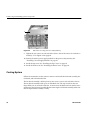
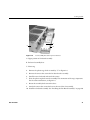
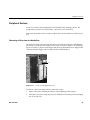
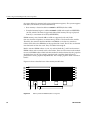
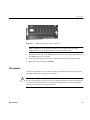
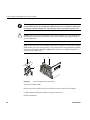
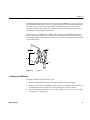
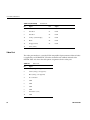
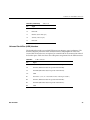
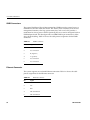
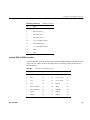
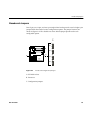
Figure 3-7 shows an ICMB card. A filler panel is attached to the ICMB card with two
screws. The panel, noted by “B”, is identical to any filler panel for a PCI add-in board.
You attach the filler panel to the rear of a chassis in the same way that you would attach
a PCI add-in board.
C
A
B
Figure 3-7
ICMB Card
Installing an ICMB Card
To install an ICMB card, follow these steps:
1.
Remove the ICMB card and internal cable from their protective wrapper.
2. Designate a PCI slot for the ICMB card. The card does not plug into the connector on
the baseboard, but the card does use the opening at the rear of the chassis.
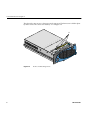
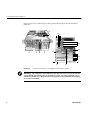
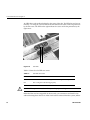
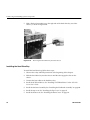
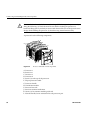
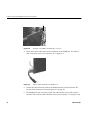
3. Secure the filler panel to the chassis. On most systems, you use one screw. The screw
is noted by “A” in Figure 3-8.
007-4276-001
71