1
3.11. ITEM NAME EXTENSIONS
23
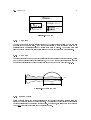
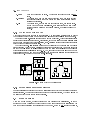
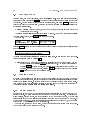
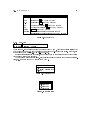
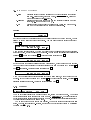
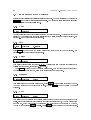
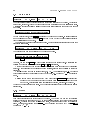
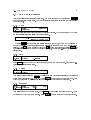
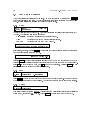
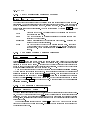
In this example, we then press the VOICE EDIT button, keep it held, and press the key D3 on
the keyboard. Typhoon will jump to one of the two groups that was played by that key.
.Voice
001:STRINGS
>Grp >Param
01
1.Range
>Bot >Top >Min >Max
C2
C4
0 127
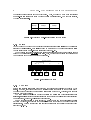
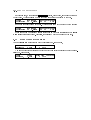
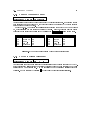
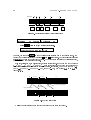
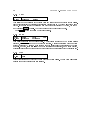
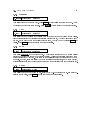
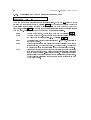
If we were to press the same key again. Typhoon would jump to the next of the two groups:
.Voice
001:STRINGS
>Grp >Param
02
1.Range
>Bot >Top >Min >Max
C2
C4
0 127
\Fast jumps" can be performed almost everywhere in Typhoon; consideration to monitor
mode is also taken into account. Generally, the rule is: \What you hear is what you get."
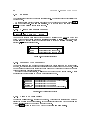
3.11 Item Name Extensions
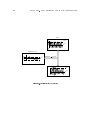
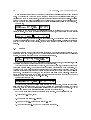
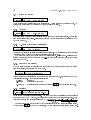
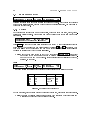
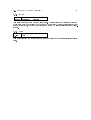
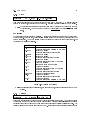
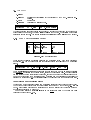
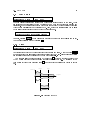
Names of stereo items are extended with the subscript \2 ". For example,
>Wave
001:BELL2
>Func
1.Trim
>Start >End
>Auto >Go
0
3373
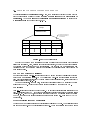
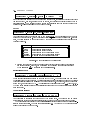
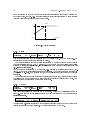
Names of modied items (or items that have not yet been saved) are extended with the superscript \ ". For example,
>Wave
002:KICK
>Func
1.Trim
>Start >End
>Auto >Go
0
1270