1
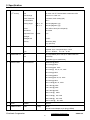
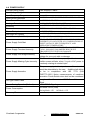
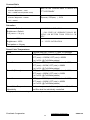
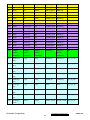
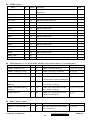
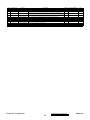
31
1280 x 960 @
50 Hz,
49.4 KHz
32
1280 x 960 @
60 Hz,
59.7 KHz
33
1280 x 960 @
75 Hz,
75.2 KHz
34
1280 x 1024 @
50 Hz,
52.7 KHz
35
1280 x 1024 @
60 Hz,
64 KHz
DMT
36
1280 x 1024 @
75 Hz,
80 KHz
DMT
DMT
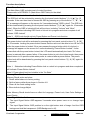
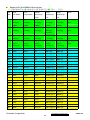
*1. Tolerance ≧ ±2KHz (if no overlapping issue)
*2. Any timing not in the list, it should display as normal or show on “OUT OF RANGE” OSD message without
blanking.
*3. The image quality of 85Hz mode might be worse than 75Hz.
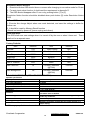
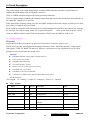
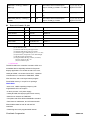
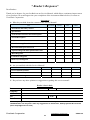
Primary Presets
1280x1024 @ 60Hz
User Presets
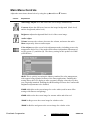
Number of User Presets (recognized timings) Available: 10 presets total in FIFO configuration
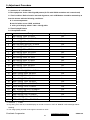
Changing Modes
● Maximum Mode Change Blank Time for image stability : 5 seconds (Max), excluding “Auto
Adjust” time
● Under DOS mode (640 x 350, 720 x 400 & 640 x 400),
execute “Auto Adjust”
it should recall factory setting when
● The monitor needs to do “Auto Adjust” the first time a new mode is detected
(see section “0-Touch™ Function Actions”)
● While running Change Mode, Auto Adjust or Memory Recall, the image shall blank
ViewSonic Corporation
11
Confidential - Do Not Copy
VG921m-4