1
ENGLISH
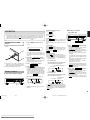
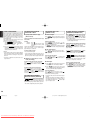
START SOUND MODE
When a Super Audio CD hybrid layer discs that has
both a Super Audio CD high sound quality stereo
area and an Audio CD area information are to be
played, this player makes it possible to set the layer/
area (Super Audio CD or Audio CD) to be
preferentially played.
This setting can be made when the tray is closed
and there is no disc in the disc tray.
q Press SOUND MODE button on the player.
The currently selected layer/area is displayed.
If the Super Audio CD is selected : Super Audio CD
If the Audio CD is selected
: CD
w Press the SOUND MODE button again to display
the layer/area to be played first, and then leave
the setting for at least two seconds to register the
setting for the start sound mode.
Caution
* Start sound mode has a memory retention function
where the settings remain stored and unchanged
even when the disc is changed or the power is
turned off.
* At the time of shipment, the sound mode is set to
Super Audio CD.
PLAYING YOUR FAVORITE
TRACKS OF A DISC
7 Specify track number to play
(Direct Search)
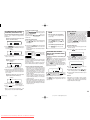
Specify track number with numerical buttons (0-9)
on the remote
REPEATED DISC PLAY
(REPEAT PLAY)
7 All track repeat
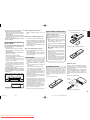
When REPEAT button on the remote is pressed,
“ ” “ALL” indicator will light up and all track repeat
play begins.
(example)
To Return to Normal Play
3rd track : Press 3 .
12th track : Press 1 and then press 2
(within approximately 1.5
seconds).
If the first pressed number is only in the digit of ones
and not in the digit of tens, search begins
approximately 0.5 second after.
Press REPEAT button two times. “ ” “ALL”
indicator will disappear, repeat mode will be off and
it returns to normal play mode.
* If REPEAT button is pressed when in program
mode, programmed tracks are played repeatedly.
If a wrong number is pressed
Press REPEAT button on the remote two times.
“ ”, “1” indicators will light and the track will be
played repeatedly.
Press correct number again.
* If you specify a track number that doesn’t exist on
the disc, the indicator returns to the display shown
prior to this operation. Please specify a correct track.
7 Skipping to the previous or next
track (Track Skip)
Press REPEAT button. “ ” “1” indicator will
disappear, repeat mode will be off and it returns to
normal play mode.
7 A-B Repeat
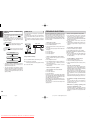
q Press A–B button on the remote at your chosen
starting point. The “A-B” indicator will blink.
To listen to a track prior to the current track
w Press A–B button again at your chosen end
point. “A-B” “ ” indicator will light up and the
chosen section will be played repeatedly.
If
,
buttons on the main unit or
,
buttons on the remote are kept pressing
during playback, track search begins. Release the
button when the point you want to listen to gets close.
To Exit from Random Play and Return to Normal Play
Press the
STOP button, and then press the
RANDOM button while playback is stopped.
The RNDM (random) indicator goes off, and random
play is released.
If
buttons on the main unit or
button
on the remote are Pressed during Random Play
It jumps to the next track of the shuffled order.
If
To Exit from One Track Repeat
Press
buttons on the main unit or
button on the remote the number of times you want
to proceed tracks.
PLAYING YOUR FAVORITE
PARTS OF A DISC (SEARCH)
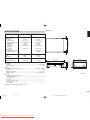
When RANDOM button on the remote is pressed
in stop mode, and then
PLAY button is pressed,
the unit shuffles track order automatically and plays
all the tracks in the shuffled order. The RNDM
(random) indicator lights.
• The gap between tracks will be approximately 2
seconds during random play.
7 One Track Repeat
To listen to a track posterior to the current track
Press
buttons on the main unit or
button on the remote go back to the beginning of the
current track. Then press
buttons on the
main unit or
button on the remote the number
of times you want to go back.
PLAYING TRACKS IN A RANDOM
SEQUENCE (RANDOM PLAY)
,
buttons on the main unit or
,
buttons on the remote are Pressed during
Random Play
Search will be done only in the current track. Search
does not go to the previous or next track.
To Listen to Random Play Repeatedly
Press REPEAT button on the remote once during
random play. Every time the order will be shuffled.
• If RANDOM button is pressed during program
play, the programmed tracks will be shuffled.
To Exit from A-B Repeat
Press A–B button on the remote. “A-B” “ ”
indicator will disappear, A-B repeat mode will be off
and it returns to normal play mode.
* A-B repeat cannot be done when random play is
going on.
* The end point (where “A-B” indicator is blinks) of
the repeat section cannot be set before the time of
the starting point (where “A-B” “ ” indicator light
up) of the repeat section.
* No sound is output during the search operation.
10
SA8001U_01_Eng
Page 10
Downloaded From DvDPlayer-Manual.com Marantz Manuals
06.1.25, 3:42 PM
Adobe PageMaker 6.5J/PPC