1
left page (14) of C81 Philippe, SUG en, A31008-H3330-A1-1-7619 (30.03.2006, 17:55)
General instructions
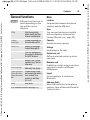
Standard functions
Printing via USB
Functions which appear repeatedly
in the options menu are listed here.
This Mobile Printing Ready product is
designed to provide easy printing
from mobile phones by connecting
the mobile phone to the printer with
a USB data cable (first select Printö,
then Via USB and then connect the
USB cable).
§Options§
Open menu.
Edit
Open the entry to edit.
View
Display entry.
Delete
Delete entry.
New entry
Create new entry.
Sendö
Select transmission service
and medium for sending.
Printö
Printout on a suitable terminal via, Bluetooth or USB.
Reply/
Reply to all
The sender becomes the
recipient, "Re:" is placed
before the subject, and the
received text is transferred
into the new message.
Save
Store entry.
Save to ª
Save recipient in Contacts.
Sort
Set sort criteria
(alphabetical, type, time).
I
ñ
Rename
Rename selected entry.
Additional highlighting functions:
Capacity
Display memory capacity.
Import
Device ready to receive data (vcard, vcal, vnotes) via
Bluetooth.
Attributes
Display properties of the
highlighted object.
Help
Display help text.
This product follows the guidelines
Version 1.0 for PictBridge from
Mobile Imaging and Printing Consortium (MIPC).
Mark mode
For some applications (e.g. deleting
several SMS messages) you can
highlight several entries on the tab
in order to perform multiple functions at once.
§Options§
Mark text
§Options§
Open menu.
Activate mark mode.
Select entry/entries.
Mark or unmark.
Open menu.
Mark all
Mark all entries.
Unmark all
Unmark all marked entries.
Delete
marked
All marked entries are
deleted.
© Siemens AG 2003, E:\Auftrag\Siemens\MobilePhones\C81 Philippe\en\SUG\S_PHILIPPE_Startup.fm
Template: X75, 140x105mm,Version 2.2; VAR Language: en; VAR issue date: 060119
14