1
On-Screen Display Menu
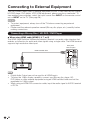
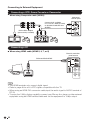
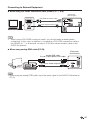
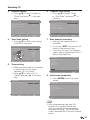
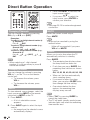
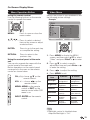
On-Screen Display Menu Operation
Example
Enter
Enter
Example
Select
Return
Exit
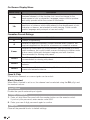
The bar above is an operational guide for
the remote control. The bar will change in
accordance with each menu setting screen.
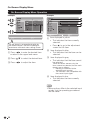
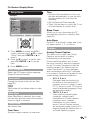
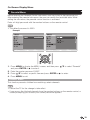
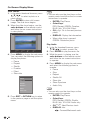
"..Press ,/-.to enter the desired item
or return to the upper level menu.
# Press */+.to select the desired item.
$ Press ,/-.to adjust the item.
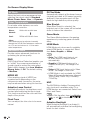
". Item displayed in yellow
• This indicates the item currently
selected.
• Press - to go to the adjustment
screen for this item.
# Item displayed in blue
• This indicates that the item can be
selected.
$ Item displayed in gray
• This indicates that the item cannot
be selected.
There are various reasons why the
items cannot be selected, but the main
reasons are as follows:
— Nothing is connected to the
selected input terminal.
— The function is not compatible with
the current input signal.
% Item displayed in box
• This indicates the item currently
selected.
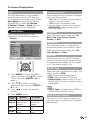
• Menu options differ in the selected input
modes, but the operating procedures
are the same.
!#"