1
GIR 253536463B D790-D790A_Sagemcom_EN.book Page 11 Jeudi, 1. août 2013 9:11 09
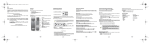
Listening to your outgoing message
Menu > ANSW.MACH > OUTGOING MESS. > PLAY
Set up your telephone...
The currently used outgoing message is played.
Associating a new handset
Erasing your outgoing message
You can associate other handsets with your base by following a pairing
process.
Menu > ANSW.MACH > OUTGOING MESS. > DELETE
Confirm the instructions on the screen.
FROM A HANDSET REGISTERED ON YOUR BASE:
Messages
To enable pairing mode on your base from a registered handset:
Listening to your messages
Menu > ANSW.MACH > MESSAGES > PLAY
The messages are played in chronological order (from oldest to newest).
At the end of the last message, the answering machine will stop
automatically.
Menu > SETTINGS > ADVANCED SET. > SET BASE >
REGISTR.MODE
OR FROM THE BASE:
To enable the pairing mode, press and hold
(on the rear of the
base).
Managing your messages
When playing back messages, press the following buttons:
To...
From the handset
Go on to the next message
1 press
THEN FROM THE NEW HANDSET:
Enable pairing mode on the handset.
Menu > SETTINGS > ADVANCED SET. > SET HANDSET >
REGISTRATION
Return to the start of the message 1 press
Return to the previous message
2 presses
Pause/Resume Playback
1 press
Delete the message being played 1 press
11