1
XD10 Cinema Media Player, Installation and Operating Guide
Version 1.0
Table Of Contents
XD10 Cinema Media Player .......................................................................................................................... i
Introduction................................................................................................................................................. vii
DTS Customer Service ..............................................................................................................................viii
Returning Units for Service ......................................................................................................................... ix
Installation Checklist .................................................................................................................................... x
1.
1.1.
1.2.
1.3.
1.4.
1.5.
1.6.
1.7.
1.8.
OPERATIONAL OVERVIEW .............................................................................................1-1
Loading Discs ................................................................................................................................1-1
1.1.1. Contents File Management ................................................................................................1-1
1.1.2. About DTS Movie Discs....................................................................................................1-1
1.1.3. About DTS Trailer Discs ...................................................................................................1-2
Basic Operation..............................................................................................................................1-2
1.2.1. Loading a Disc (General) ...................................................................................................1-2
1.2.2. Loading a 2-disc Movie .....................................................................................................1-3
1.2.3. Loading a 1-disc movie......................................................................................................1-3
1.2.4. Loading a 3-disc movie......................................................................................................1-3
1.2.5. CD-ROM Read Error .........................................................................................................1-4
1.2.6. Splice in the DTS Logo Trailer Film .................................................................................1-4
1.2.7. Running a Show .................................................................................................................1-4
1.2.8. Changeover ........................................................................................................................1-4
1.2.9. Film Breaks and Edits ........................................................................................................1-4
Routine Maintenance .....................................................................................................................1-5
After the Show ...............................................................................................................................1-5
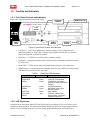
Controls and Indicators ..................................................................................................................1-6
1.5.1. Front Panel Controls and Indicators...................................................................................1-6
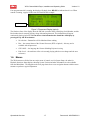
1.5.2. LCD Playscreen .................................................................................................................1-6
Menus.............................................................................................................................................1-7
Playback.......................................................................................................................................1-10
1.7.1. Soundtrack .......................................................................................................................1-10
1.7.2. Video................................................................................................................................1-11
1.7.2.1. Play Menu..................................................................................................................1-11
1.7.2.2. Status Menu ...............................................................................................................1-11
1.7.2.3. Control Menu.............................................................................................................1-12
1.7.2.4. Video Logging...........................................................................................................1-12
1.7.3. CSP Language..................................................................................................................1-13
1.7.4. Contents ...........................................................................................................................1-14
1.7.5. CSP Lamp Status .............................................................................................................1-14
System Setup................................................................................................................................1-15
1.8.1. TC Reader Offset .............................................................................................................1-15
1.8.2. Audio Setup .....................................................................................................................1-16
1.8.2.1. Level Adjustment ......................................................................................................1-16
1.8.2.2. Language Versions ....................................................................................................1-16
1.8.2.3. Audio Tests................................................................................................................1-17
1.8.3. Video Setup......................................................................................................................1-18
1.8.3.1. Set Image ...................................................................................................................1-18
1.8.3.2. Set Player Zone..........................................................................................................1-19
1.8.3.3. Set AutoStop..............................................................................................................1-19
1.8.3.4. Set Application ..........................................................................................................1-19
1.8.3.5. Set Test/Normal.........................................................................................................1-20
1.8.3.6. Factory Settings .........................................................................................................1-20
iii
Document #: 9301E692001.0