1
the call from).
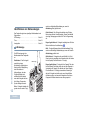
Receiving and Responding to a Radio Call
See Privacy on page 33 for more information.
LED
Receiving and Responding to a Group Call
To receive a call made to a group of users, your radio must be
configured as part of that group.
Procedure:
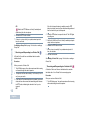
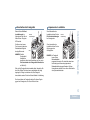
1 The LED blinks green. Your radio unmutes and the incoming
call sounds through the radio's speaker.
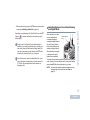
2 To respond, hold the radio vertically 1 to 2 inches (2.5 to 5.0
cm) from your mouth.
3
The LED lights up solid green while the radio is transmitting and
blinks when the radio is receiving.
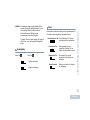
NOTE: The LED lights up solid green while the radio is
transmitting and double blinks green when the radio is
receiving a privacy-enabled call.
To unscramble a privacy-enabled call, your radio
must have the same Privacy Key, OR the same Key
Value and Key ID (programmed by your dealer) as
the transmitting radio (the radio you are receiving
If the Channel Free Indication feature is enabled, you
hear a short alert tone the moment the transmitting radio
releases the PTT button, indicating the channel is free for
you to respond.
Press the PTT button to respond to the call.
OR
Receiving and Making Calls
Once the channel, subscriber ID, or group ID is set, you can
proceed to receive and respond to calls.
If the Voice Interrupt feature is enabled, press the PTT
button to stop the current call from the transmitting radio and
free the channel for you to talk/respond.
4 The LED lights up solid green.
5 Wait for the Talk Permit Tone to finish (if enabled) and speak
clearly into the microphone.
15
English





































































![Bedienungsanleitung standard [deutsch]](http://vs1.manualzilla.com/store/data/006921579_1-4090b773ef21ef930ff7092d22cd960f-150x150.png)