1
4. Scanner Not Listed In Drop-down List
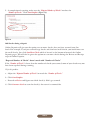
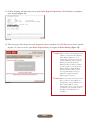
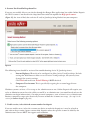
If you are successfully able to scan checks through the Ranger Flex application, but within Online Deposit
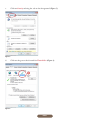
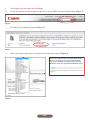
the CR-50 scanner is not listed in the drop down box under the options for High speed scanners
(Figure 43), the issue is likely due to Active X and/or JavaScript being blocked on your computer.
Figure 43
The following items should be reviewed for troubleshooting Active X/JavaScript issues:
a.
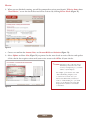
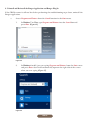
Internet Explorer: IE needs to be configured to allow Active X and JavaScript. Default
settings for Web Browsers allow access to Active X and JavaScript, but you may have
changed the security settings.
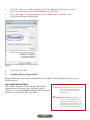
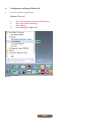
Click Tools and make sure ActiveX Filtering is NOT checked.
b.
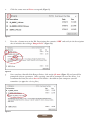
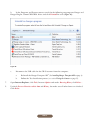
Computer User Account: This is specifically targeting the account logged in on
the computer.
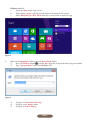
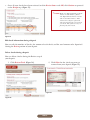
Windows systems can have a User setup as the administrator or not. Online Deposit will require you
to be an Administrator or have the ability to run IE as an administrator (you would need to have the
administrator login information). On most personal computers, your account is set as administrator.
Business computers range quite drastically in terms of how the accounts are setup. (See step 2 in the
section for Scanner Set-up on page 06)
5. Unable to view/select desired account number for deposit
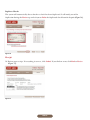
If you are unable to see/select the account you desire to make the deposit to, it may be related to
your role on that account. Agents cannot make deposits unless the specific account is added by the
Administrator. Contact BECU for support and resolution.
PAGE 29