1
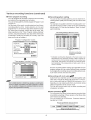
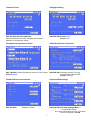
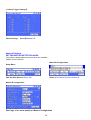
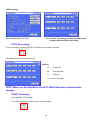
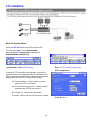
Changing Motion Area
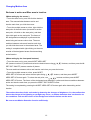
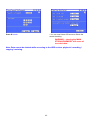
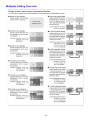
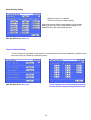
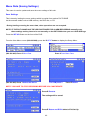
Red area is active and Blue area is inactive.
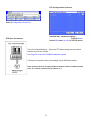
(When setting by the mouse:)
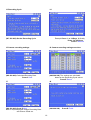
• To set the area one by one, left-click the desired
area. The area switches between active and
inactive each time you click the mouse.
• To set the multiple areas at a time, right-click the
start point of the active area (to cancel to set the
start point, left-click on the start point), and then
right-click again on the end point. The frame of
the designated area displays in yellow and the
areas being set become colour less. The area
switches between active and inactive each time
you left-click the mouse in the selected area. The
setting is completed with right-clicking on the area
outside of the designated areas after determining
active/inactive.
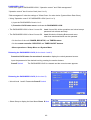
(When setting by the front panel buttons:)
• To set the area one by one, press M-DET AREA SET
UP (camera number 13) button and select the desired area using
buttons, and then press the M-
DET DOT ON/OFF (camera number 9) button.
The area switches between active and inactive each time you press the button.
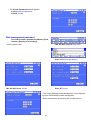
• To set the multiple areas at a time, press M-DET
AREA SET UP button and select the start point Using
buttons, and then press M-DET
AREA SET UP button again. To select the end point, use
buttons and then press M-DET
AREA SET UP button. The frame of the designated area displays in yellow and the area switches between
active and inactive each time you press the M-DET DOT ON/OFF button.
The setting is completed by pressing the M-DET AREA SET UP button again after determining active/
inactive.
The motion detection of this unit works by detecting the changes of brightness. So, the malfunction
due to the change of the lightning or sunlight may occur, or motion detection does not function on
the conditions such as the colours of the background and the clothes are the same.
Be sure to test Motion Detection function sufficiently.
13