1
Meijer.com
Viewing photos or videos in Playback mode
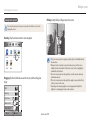
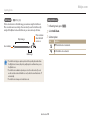
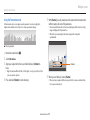
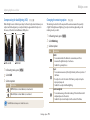
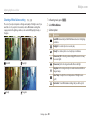
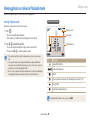
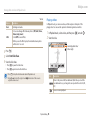
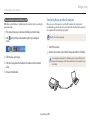
Viewing panoramic photos
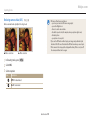
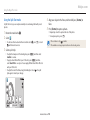
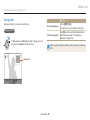
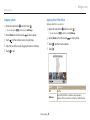
Viewing animated photos
View photos captured in Panorama mode.
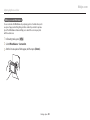
View animated GIF files repeatedly that were captured in Motion Photo mode.
1
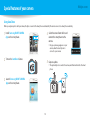
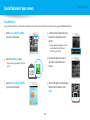
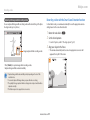
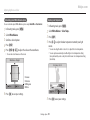
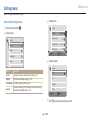
In Playback mode, scroll to a panoramic photo.
2
Press [o] or touch
1
2
3
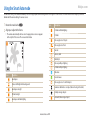
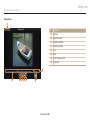
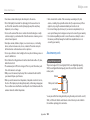
• The entire panoramic photo appears on the screen.
.
• The camera automatically scrolls through the photo from left to right for a
horizontal panoramic photo and from top to bottom for a vertical panoramic
photo. The camera then switches to Playback mode.
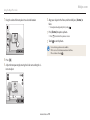
• While playing back a panoramic photo, press [o] to pause or resume.
• After you have paused the playback of a panoramic photo, press
[D/c/F/t] or drag the image to move the photo horizontally or
vertically, depending on the direction you moved when capturing the photo.
3
Press [b] to return to Playback mode.
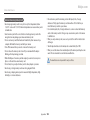
You can play the panoramic photo by pressing [o] or touching
only if the
longest side of the photo is two or more times longer than the shortest side.
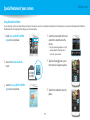
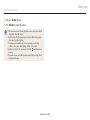
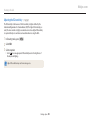
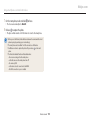
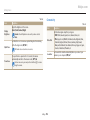
In Playback mode, scroll to a GIF file.
Press [o] or touch
.
Press [b] to return to Playback mode.
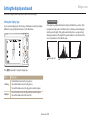
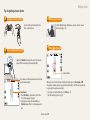
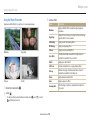
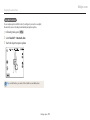
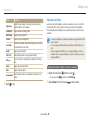
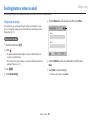
Playing a slide show
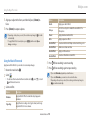
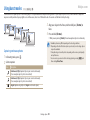
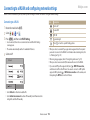
Apply effects and audio to a slide show of your photos. The slide show function
does not work for videos and GIF files.
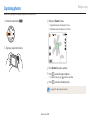
1
2
3
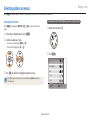
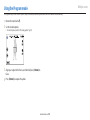
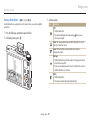
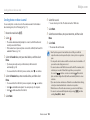
In Playback mode, press [m].
Select Slide Show Options.
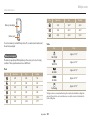
Select a slide show effect option.
• Skip to step 4 to start a slide show with no effects.
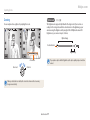
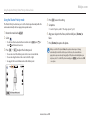
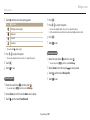
* Default
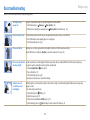
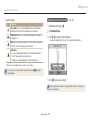
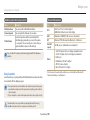
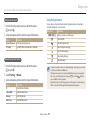
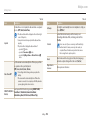
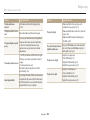
Option
Description
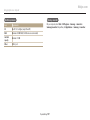
Play Mode Set whether or not to repeat the slide show. (One Play*, Repeat)
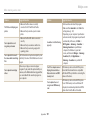
Interval
Playback/Editing 94
• Set the interval between photos. (1 sec*, 3 sec, 5 sec, 10 sec)
• You must set the Effect option to Off to set the interval.