1
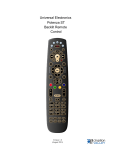
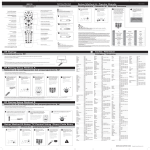
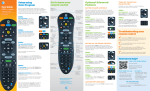
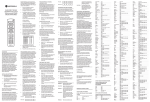
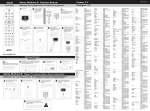
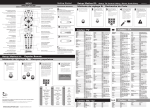
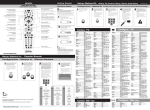
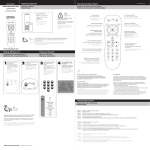
Universal Electronics Potenza ST Backlit Remote Control Version 1.0 (August 2013) The Remote IPTV Middleware Version 7.0 Page 5 Playback Controls Your remote control offers standard capabilities, as well as enhanced remote control buttons that function similarly to DVD controls. Here’s what each button does: List Select to see a list of recorded programs. Press the LIST button a second time to see what is scheduled to be recorded. Press LIST a third time to access your Series Rules. Live Select to return to the current part of a live broadcast. Skip Forward Skip forward 30 seconds while watching a recording or live TV. Skip Back Skip backward ten seconds while watching a recording or while watching live TV. Play Begin or resume watching a recording. Also display/remove the status bar. Fast Forward Fast forward through parts of a recording. Press multiple times to go forward faster. Record Record a program Pause Pause the program you are currently watching. While paused, the FastForward button will play the program frame by frame in slow motion. Stop Stop watching a recording or stop a recording that is in progress. Rewind Rewind through parts of a recording. Press multiple times to rewind faster. Guide Access the program Guide. Press a second time for alternate view. S E A R C H B R Arrows/Browse/Search/OK Press to navigate through the guides, menu options O or to make selections. W S IPTV Middleware Version 7.0 Page 6 E PROGRAM YOUR REMOTE CONTROL This remote control is already pre-programmed to control your Set Top Box (STB). The instructions below will program this remote to control your TV. 1. Manually turn ON the TV that you want to setup on the remote 2. Press and Hold until the TV key blinks twice 3. Press and release the TV key. The TV key will stay lit. 4. Find your TV and brand from the chart below and note the DIGIT key assigned to your brand. Press and hold down the DIGIT key for your device/brand while pointing the remote to the device. 5. Let go of the key when your device turns OFF. Setup for that device is complete. To program this remote control to your other devices , see the instructions below the table. TV DVD/VCR Audio DIGIT BRAND DIGIT BRAND DIGIT BRAND 1 Insignia 1 Insignia 1 Bose 2 LG 2 LG 2 Denon 3 Panasonic 3 Panasonic 3 LG 4 Philips/Magnavox 4 Philips, Magnavox 4 Onkyo 5 Samsung 5 RCA 5 Panasonic 6 Sanyo 6 Samsung 6 Philips 7 Sharp 7 Sharp 7 Pioneer 8 Sony 8 Sony 8 Samsung 9 Vizio 9 Toshiba 9 Sony 0 Westinghouse 0 VIZIO 0 Yamaha *If you model of device is not on this list, please call _______________________ for a list of additional device codes. Unlocking the Default Setting to Make AUD, DVD, and VCR Buttons Programmable The AUD, DVD and VCR mode keys have a default setting which means they are automatically set to the STB. If you would like to program these mode keys to your devices, please follow the instructions below to lock the default setting. 1. Press and Hold 2. Type until the mode key blinks twice. . 3. Then press the mode key you desire to program twice. 4. This will remove the STB mode and a new Audio, DVD or VCR code can now be programmed. 5. Follow steps 1 through 5 on the first page of this brochure replacing the word “TV” with the name of the mode key you just unlocked. PROGRAMMING DEVICE CONTROL The Potenza ST Universal Remote Control is preprogrammed to operate the set-top box provided by your television service provider, an RCA TV, a Toshiba DVD player, an RCA VCR, and a Pioneer audio receiver. To control devices other than the default brands, perform the following steps; otherwise skip this section. NOTES: For control of a Combo device (for example, a TV/VCR combo), skip this section and per-form the instructions on “Setting Up a Combo Unit” on page 9. Also refer to “Device Table” on page 7 to find out which devices can be programmed onto each device key. If you have another brand of set-top box you would like to control, you’ll need to unlock the STB ID Lock before changing the set-top box code (see “Programming ID Lock” on page 12). 1. Turn on a device and, if applicable, insert video media, (e.g., cassette or disc). NOTE: Please read steps 2 through 5 completely before proceeding. Highlight or write down the codes and device you wish to program before moving on to step 2. 2. On the remote control, press a device key once (i.e., VCR, DVD, AUD, TV, or STB ); it will blink once. 3. Press and hold SETUP until the selected mode key blinks twice, then release SETUP . 4. Use the “Manufacturer’s Codes” starting on page 17) to locate the type of device and brand name and then enter the first four-digit code for your device. If performed correctly, the selected mode key will blink twice. NOTE: If the selected mode key emits a long blink, the entry is invalid. Repeat steps 2 through 4 and try entering the same code again. 5. Aim the remote control at the device and press POWER once. The device should turn off. If it does not, repeat steps 2 through 4, trying each code for your brand until you find one that works. If it still does not respond, try searching for the code (see “Searching for Your Code” on page 9). NOTE: If the device does not have a POWER key (e.g., DVD and VCR) , press the (Play) key. 6. Repeat steps 1 through 5 for each device you want the remote control to operate. For future reference, write down each working device code in the boxes below. TV Code AUD Code DVD Code AUD Code STB Code Device Type: Code 8 SETTING UP A COMBO UNIT If you own a combo unit such as a TV/VCR Combo or a TV/DVD Combo, you need to follow special steps to set it up. Perform the following instructions to control combo device: 1. For a TV/VCR Combo, turn on your TV/VCR Combo and insert a video cassette. (For a TV/DVD Com bo, inser t a DVD). 2. On the remote control, press VCR once; it will blink once. Then press and hold SETUP until the VCR key blinks twice. 3. Use the “Manufacturer’s Codes” starting on page 17 to locate the brand name and enter the first four-digit code for your combo device (for example, TV/VCR). If you perform this procedure correctly, the VCR key w ill blink twice. NOTE: If the VCR key did not blink twice after entering the codes last digit, repeat steps 2 through 3 and try entering the same code again. If you’ve located a setup code that works for your combo device (for example, a TV/VCR Combo) and a separate TV code is also listed, you’ll need to program this code into the remote control to access volume control ( see “Programming Device Control” starting on page 8). 4. Aim the remote control at your combo device (for example, TV/VCR Combo) and press POWER once. The device should turn off. If it does not respond, repeat steps 2 through 3, trying each code listed for your brand until you find one that works. If it still does not respond, try searching for the code (“Searching for Your Code” starting on page 9). 5. For future reference, write down each working device code in the boxes below: TV Code TV/VCR Code TV/DVD Code Device Type: Code SEARCHING FOR YOUR CODE If your home entertainment device does not respond to the Potenza ST Universal Remote Control after trying all of the codes listed for your brand, or if your brand is not listed at all, try searching for your code. For example, to search for a code for your TV: 1. Turn on your TV. 2. On the remote control, press TV once; it will blink once. Then press and hold SETUP until the TV key blinks twice. 3. Type 9 9 1 . The TV key will blink twice. 4. Aim the remote control at the TV and press POWER once. 5. Press and release the CH+ key continuously, then stop when the TV turns off. NOTE: In the search mode, the remote control will send IR codes from its library to the selected device, starting with the most popular code first. 6. Press POWER . The TV should turn on, then press SETUP once to lock in the code. The LED will blink twice to indicate that the code is saved. NOTE: If the TV does not turn on during step 6, then slowly press and release CH- to go back through 9 the codes, then press SETUP when the TV turns on. 7. To search for the codes of your other devices, repeat steps 1 through 6, but substitute the appropriate key (e.g., TV, AUD, DVD, AUX, or STB ) for the device you are searching for. PROGRAMMING MASTER POWER KEY The Potenza ST Remote Control has a unique feature that allows you to sequentially turn up to five of your home entertainment devices on or off with a single key press. Note: The Master Power (POWER) only works in STB mode. If it is not programmed, only the set-top box will turn on or off. In any other mode, pressing Master Power (POWER) once will turn the selected device on or off. Programming the Master Power Key 1. Press and hold SETUP key until the last device key blinks twice. 2. Enter 9 9 5 and release. Note: The LED will blink 2 times after any three-digit programming sequence is entered correctly 3. Press POWER once. 4. Press device keys you want in the power sequence (STB, TV, AUD, DVD, VCR). 5. Press and hold SETUP key until the last device key blinks twice (3 seconds). To play back the power sequence, press the POWER key while in STB mode. Clearing the Master Power Key 1. Press and hold SETUP key until the last device key blinks twice. 2. Enter 9 9 5 and release. Note: The LED will blink 2 times after any three-digit programming sequence is entered correctly 3. Press POWER key and release. 4. Press and hold SETUP key until the STB key blinks twice (3 seconds). PROGRAMMING CHANNEL CONTROL LOCK By default, the remote control’s channel-control capabilities are not locked to the set-top box mode. However, you can activate the feature to lock these keys to the STB Mode. This will guarantee you do not inadvertently change a channel on your TV or VCR. The affected keys are 1 through 0, CH+, CH-, and LAST. Locking Channel Control (to a Source Mode) 1. Press and hold SETUP key until it blinks twice. 2. Enter 9 7 3 and release. Note: The LED will blink 2 times after any three-digit programming sequence is entered correctly. 3. Press the CH+ key and release. 4. Press the STB device key to lock channel control to the STB mode. *Default channel control lock is in unlocked state. Un-Locking Channel Control 1. Press and hold SETUP key until it blinks twice. 2. Enter 9 7 3 and release. Note: The LED will blink 2 times after any three-digit programming sequence is entered correctly. 3. Press the CH- key and release. *Default channel control lock is in unlocked state. PROGRAMMING VOLUME LOCK Volume Lock allows you to control the volume through the device identified as having your primary speakers(s), regardless of which mode you are using. On the Potenza ST Remote by default the global volume Lock is set to TV, so you can control TV volume while in the TV, DVD, AUX, or STB mode. The volume lock feature is programmable. Perform individual Volume Unlock on a selected device to set its volume control for independent operation. NOTE: The audio mode’s (AUD) volume controls are active regardless of Volume Lock settings. However, if you lock the volume controls to the AUD mode, you will control the audio device’s volume in all other modes (i.e. TV, DVD, AUX, or STB). This can be an advantage if, for example, you always listen to home entertainment devices through your device’s speakers. Programming Global Volume Lock The user can globally lock the volume controls to one source mode (Device Key): 1. Press and hold SETUP key until the device key blinks twice. 2. Enter 9 9 3 and release. Note: The LED will blink 2 times after any three-digit programming sequence is entered correctly. 3. Press VOL + key and release. 4. Press Device Key you want to be the master audio source (TV, AUD). Programming Global Volume Unlock The user can reset the volume controls to that one source mode: 1. Press and hold SETUP until the device key blinks twice. 2. Enter 9 9 3 and release. Note: The LED will blink 2 times after any three-digit programming sequence is entered correctly. 3. Press VOL - key and release. Programming Single-Device Volume lock 1. Press the desired Device Key (TV, AUD) to lock the volume to and release. 2. Press and hold SETUP key until it blinks twice. 3. Enter 9 9 3 and release. Note: The LED will blink 2 times after any three-digit programming sequence is entered correctly. 4. Press the Device Key (STB, TV, AUD) that you want to have the volume control locked to the device selected in step 1. 5. Press SETUP and release. Note: The last selected device LED will blink 2 times if programming sequence is entered correctly. Note: After you select a device that has volume unlocked (i.e. STB), pressing VOL+, VOL-, or Mute, will control only that device’s volume. CHECKING THE CODES If you have set up your remote control by searching for your device code (previous section), you may need to find out which four-digit code is operating your equipment. For example, to find out which code is operating your TV: 1. On the remote control, press TV once; it will blink once. Then press and hold SETUP until the TV key blinks twice. 2. Enter 9 9 0 . The TV key will blink twice. 3. To view the code for the first digit, press 1 once. Count the number of times the TV key blinks (e.g., 3 blinks = 3) and write down the number in the left most TV Code box above. NOTE: If a code digit is 0, the selected mode key will not blink. 4. Repeat step 3 three more times for the remaining digits. Use 2 for the second digit, 3 for the third digit, and 4 for the fourth digit. Finish writing down the code in the TV Code boxes above 5. To check for other device codes, repeat steps 1 through 4, but substitute the appropriate key (e.g., TV, AUD, DVD, AUX, or STB ) for the device you are checking. Write down the codes in the appropriate boxes above. USING LEARNING The Potenza ST Universal Remote Control includes a Learning feature (not available on all models) so you can add functions that are unique to your home entertainment devices (e.g.,VCR Tracking Up or Down). However, there are some considerations. Learning Precautions • Your original remote controls must be in working order for learning to work properly. • Learned keys are mode-specific, so each one can store a unique function for each mode.• Do not use the following keys for learning: Device Keys, SETUP, Record (•), Tune-In Keys . • Learning capacity is approximately 16 to 25 keys, depending on the code being learned. • Certain device functions are not learnable including multi-frequency types, some high frequency ones, and other unusual formats. • For optimum learning, avoid high levels of ambient light such as natural sunlight or energy-efficient fluorescent lights. • Please have your original remote controls NOTE: handy before programming learning. Programming a Learned Key NOTE: If more than 15 seconds pass between key presses, the remote exits programming. 1. Press and hold SETUP until the last-selected mode key blinks twice, then press 9 7 5 . NOTE: If the LED displays one long flash instead, either your batteries are low, or the Potenza ST Universal Remote Control has a memory fault. 2. Press a mode key once (i.e., TV, AUD, DVD, AUX, or STB ) to assign a mode for learning. 3. Press the desired key on the Potenza ST once to store the feature to be learned. 4. Place the Potenza ST Remote Control head-to-head (about 2" apart) from your original remote control . Also locate the key (on your original remote control) that you want the Potenza ST Universal Remote Control to learn. 5. On the original remote, press and hold the key to be learned. The Potenza ST Remote Control’s LED will blink 10 rapidly, then turn off. Continue holding the key on the original remote until the LED blinks twice. NOTE: If the LED displays one long blink, a learning error has occurred. Try repeating this step again until a successful capture occurs. If the function is still not captured, press and hold SETUP to exit programming and review the “Learning Precautions” on the previous page. If needed, also see “Troubleshooting” on page 15. After review, start programming again at step 1. 6. Repeat steps 2 through 5 for another mode and/or key or press and hold SETUP until the active mode key LED blinks twice to exit programming. Deleting a Single Learning Key This process returns the key to its original programming for the mode you select. You can also delete learned programming by teaching a different function to the key (see “Programming a Learned Key” on page 10) NOTE: If more than 15 seconds pass between key presses, the remote exits programming. 1. Press and hold SETUP until the last-selected mode key blinks twice, then press 9 7 6 . 2. Press a mode key once (i.e., TV, AUD, DVD, AUX, or STB ). The LED on the selected mode key will blink once. 3. Press the key containing the learned function to be deleted twice. The active MODE key will blink twice. 4. Repeat steps 2 through 3 for another key or press and hold SETUP to exit programming. Deleting All Learned Keys in a Specific Mode NOTE: If more than 15 seconds pass between key presses, the remote exits programming. 1. Press and hold SETUP until the last-selected mode key blinks twice, then press 9 7 6 . 2. Press a mode key twice (i.e., TV, AUD, DVD, AUX, or STB ) to clear all the learned keys for that mode. The mode key LED blinks twice. 3. Repeat step 2 for another mode or press and hold SETUP to exit programming. 11 TROUBLESHOOTING PROBLEM: Device key does not blink when you press a key. SOLUTION: Replace the batteries with two (2) new AA batteries (see “Installing Batteries” on page 8). PROBLEM: Device key blinks when you press a key, but home entertainment device does not respond. SOLUTION: Make sure you are aiming the remote control at your home entertainment device and that you are within 15 feet of the device you are trying to control. PROBLEM: The remote control does not control home entertainment devices or commands are not performing properly. SOLUTION: Try all listed codes for the device brand being set up. Make sure all devices can be operated with an infrared remote control. PROBLEM: TV/VCR Combo does not respond properly. SOLUTION: Use the VCR codes for your brand. Some combo units may require both a TV code and a VCR code for full operation (see page 9). PROBLEM: No volume on a second TV. SOLUTION: Follow instructions under “Changing Volume Lock” on page 12. PROBLEM: PLAY and STOP keys do not work on a Motorola DCT-2000 cable converter. SOLUTION: Re-program the STB key for cable code 0476 (see “Programming Device Control” on page 8). PROBLEM: Tried Search Method and still could not find a working code. SOLUTION: Try the Search Method again after clearing out the device key as follows: a. Press and hold SETUP until device key blinks twice. b. Enter 9 9 2 . c. Press and release the device key to be cleared twice. PROBLEM: Remote control does not turn on Sony or Sharp TV/VCR Combo. SOLUTION: For power on, these products require programming TV codes on the remote control. For Sony, use TV code 0000 and VCR code 0032. For Sharp, use TV code 0093 and VCR code 0048. FCC NOTICE This equipment has been tested and found to comply with the limits for a class B digital device, pursuant to part 15 of the FCC Rules. These limits are designed to provide reasonable protection against harmful interference in a residential installation. This equipment generates, uses and can radiate radio frequency energy and if not installed and used in accordance with the instructions, may cause harmful interference to radio communications. However, there is no guarantee that interference will not occur in a particular installation. If this equipment does cause harmful interference to radio or television reception, which can be determined by turning the equipment off and on, the user is encouraged to try to correct the interference by one or more of the following measures: • • • • Reorient or relocate the receiving antenna. Increase the separation between the equipment and receiver. Connect the equipment into an outlet on a circuit different from that to which the receiver is connected. Consult the dealer or an experienced radio/TV technician for help. This equipment has been verified to comply with the limits for a class B computing device, pursuant to FCC Rules. In order to maintain compliance with FCC regulations, shielded cables must be used with this equipment. Operation with non-approved equipment or unshielded cables is likely to result in interference to radio and TV reception. The user is 15 Final Brand Setup Code List – Potenza ST ###### Setup Codes For Audio - Amplifier (A) ###### Anthem 2220 Classé 1915 Denon 2134, 2706 Halcro 1934 Harman/Kardon 3045 Krell 2463 Marantz 2138, 2463 Parasound 1934 ###### Setup Codes For Cable Set Top Box (C) ###### ADB 2254 Amino 1898 Cisco 1877 Motorola 1376 Pace 1877, 1376 Pioneer 1877 Samsung 1877 Scientific Atlanta 1877 ###### Setup Codes For Audio - Accessory (M) ###### Acoustic Research 2226 Altec Lansing 2251 Apple 1115 Definitive Technology 3645 Denon 2502 Dynavox 3231 Haier 3516 Harman/Kardon 3517 iLive 3175 Jamo 2228 JBL 3535 JVC 3049 LG 3217 Martin Logan 3526 Onkyo 3326 Panasonic 3409 Philips 2675 Polk Audio 2228, 3429 Proficient 3661 Roku 1828 Samsung 2660 Sharp 3097 Sony 2610 Version 1.0 (August 2013) SpeakerCraft Toshiba VIZIO Yamaha ZVOX 3661 3627 2454 2021, 2116 2332, 2334 ###### Setup Codes For Video - Accessory (N) ###### ABS 1272 Alienware 1272 Apple 2615 CyberPower 1272 D-Link 3671, 1554, 1731, 2186 Gateway 1272 Hewlett Packard 1272 Howard Computers 1272 Hush 1272 iBUYPOWER 1272 Iomega 2558 LG 3373 Linksys 1272 Logitech 3272 Magnavox 3339 Media Center PC 1272 Microsoft 2049, 1272 Mind 1272 Netgear 3324, 3292, 2033, 2036 NiveusMedia 1272 Northgate 1272 Popcorn Hour 2260 RCA 3335 Ricavision 1272 Roku 3061, 2371 Seagate 2698 Sony 2713, 1272 Stack 9 1272 Systemax 1272 Tagar Systems 1272 Toshiba 1272 Touch 1272 Viewsonic 1272 VIZIO 3670 Voodoo 1272 Western Digital 2558 Xbox 2049 ZT Group 1272 Version 1.0 (August 2013) ###### Setup Codes For Audio - Receiver (R) ###### Aiwa 0158, 0189, 0121, 1089, 1641 Altec Lansing 2595 AMC 1077 Anam 1609 Apex Digital 1774 Arcam 1189, 0189 Audiotronic 1189 Bose 1933, 1629, 1229, 1841, 1253 Carver 1189, 0189, 0121, 1089 Coby 1263, 1389, 2698, 2748 Curtis 1389 Denon 2857, 1360, 2516, 2820, 2279, 3001, 3347, 3380, 2247, 1142 Dynex 2971 Fisher 1801 Garrard 0463 Gateway 1517 Glory Horse 1263 GPX 3214 Harman/Kardon 2241, 1304, 2443, 0110, 0189, 0891, 1306, 2670, 3418 Hitachi 1801 iLive 2013 Insignia 2169, 2175, 1030, 1077, 2472, 1751, 1893, 2126, 2474, 2929, 2966 Integra 1805, 1320, 2503, 2730, 0135 iSymphony 2442 JBL 2241, 0110, 1306 JVC 1676, 2239, 1374, 3115, 2331, 0074, 1263, 1495, 1871, 2040 Kenwood 1313, 1570, 1293, 0186 Klipsch 3092 LG 2197, 2676, 2284, 1293 Linn 0189 Magnavox 1189, 1269, 0189, 1089, 1831 Marantz 1189, 1269, 0189, 1089, 1289, 2114 McIntosh 1289 Micromega 1189 Musicmagic 1089 Myryad 1189 Nakamichi 1313 NexxTech 1751 Norcent 1389, 1751 Nova 1389 Onkyo 1805, 2730, 1320, 2503, 2451, 1531, 0135 Optimus 1023, 0186 Panasonic 2967, 1633, 2452, 1763, 1548, 1275, 1288, 3309, 3055, 2745, 1764, 2221, 1308, 1518, 1676, 2105, 1316 Version 1.0 (August 2013) Philips Pioneer Polk Audio Proscan RadioShack RCA Rio Samsung Sansui Sanyo Sharp Sharper Image Sherwood Sonic Blue Sony Stereophonics Sunfire Teac Technics Thorens Toshiba Victor Wards Yamaha Zenith 2459, 2311, 0189, 1831, 1269, 1189, 0891, 1266, 1089 1935, 2612, 1123, 1023, 1384 0189, 1289, 2244, 2270 1254 1263 1609, 1023, 1254, 2041, 2426, 2611, 2655, 2719, 3281, 3297, 0054, 1123 1869 1868, 2809, 1295, 2713, 3154, 1500, 2137, 1304 0189, 1089 1469, 1801 0186 1263 1077, 1517, 1653, 1905, 2169 1869 1622, 1759, 0158, 2172, 1758, 1822, 2475, 1058, 2522, 3257, 3372, 1441, 1258, 1158, 1858, 1658, 2216, 1558, 2671, 3456 1023 1313 0463 1633, 1308, 1518 1189 1123, 1788 0074 0158, 0189, 0054 2061, 2467, 3030, 0176, 1276, 0376, 1331, 1815, 3313, 3580, 1375, 1376, 2455, 0186, 3267, 3270, 3626 2197, 1293, 1869 ###### Setup Codes For Satellite Set Top Box (S) ###### Ballard Rural Telephone Cooperative 0775 Bell 0775 City of Cawker City Cable 0775 Country Vision Cable 0775 DirecTV 1377 Dish Network 0775 Dishpro 0775 Echostar 0775 Frontier Communications 0775 GOI 0775 HTS 0775 Hughes Network Systems 1377 Humax 1377 JVC 0775 Milestone Communications 0775 Qwest 1377 Version 1.0 (August 2013) Samsung Satellite Operations TDS Telecom Teleview Communications Telus Triangle Communication System United Satellite America United States Wireless USA Wireless Satellite TV Windstream World Satellite Cable Systems 1377 0775 0775 0775 0775 0775 0775 0775 0775 0775 0775 ###### Setup Codes For Television (T) ###### Acer 1339 Admiral 0093, 0463 Advent 1570 Affinity 3716, 3717 Aiko 0092 Aiwa 1362 Akai 0812, 0702, 1675, 0765, 1385 America Action 0180 Anam 0180 AOC 1589, 2087, 1365, 1590, 2014, 2479, 3707, 3720 Aomni 1623 Apex Digital 2397, 0748, 0879, 0765, 1217 Astar 1548, 1738 Asus 3340 Audiovox 1564, 0451, 0180, 0092, 1276, 1766, 1769, 1865, 1868, 2121, 2413, 3065 Auria 2087, 2277 Aventura 0171 Bell & Howell 0154 Berkshire 0047 Bradford 0180 Broksonic 0463, 1938 Candle 0056 Carver 0054 Celebrity 0000 Celera 0765 Champion 1362 Changhong 0765 Citizen 0060, 0092, 0056 Clarion 0180 Coby 3478, 3627, 2315, 2344, 2306, 2314, 2326, 2338, 2340, 2345, 2347, 2348, 2560, 3629, 1538 Commercial Solutions 1447, 0047 Version 1.0 (August 2013) Concerto Contec Craig Crosley Crown Curtis Curtis Mathes CXC Cytron Daewoo Dell Denon Digital Lifestyles Disney Dumont Durabrand Dynex Electric Mirror Electroband Electrograph Electrohome Element Elite Emerson Emprex Envision Epson ESA Fisher Fluid Fujitsu Funai Futuretech Gateway GE GFM Gibralter Go Video GoldStar GPX Grunpy Haier Hallmark Hannspree 0056 0180 0180, 3423 0054, 0000 0180 2397, 3577, 2352, 2466, 2855, 3228, 1326 0702, 0054, 0093, 0060, 0047, 0154, 0451, 0145, 1661, 0056, 1347, 1959 0180 1326 1661, 0661, 0092, 0154, 0451 1264, 1080, 1863, 2491 0145 1765 1665, 1892 0017 0178, 0171, 0463, 0180, 1665 2049, 1463, 1785, 1810, 2184 3166 0000 1755, 1623 0463, 1570, 1670 1886, 1687, 2183, 2964, 3559 1457 1864, 1394, 1886, 0171, 0178, 0154, 0451, 0463, 0180, 1661, 1665, 1913, 1944, 1963, 2183, 2776, 3559 1765 1589, 2087, 1365, 2014 1122 0812, 0171, 1944, 1963 0154, 1362 2964 0809 0000, 0171, 0180, 1271, 1904, 1963 0180 1756, 1755 1447, 0178, 0047, 0051, 0451, 0765, 1347, 1547 1864, 1886, 0171, 1665, 1963 0017 1823, 1831 0178, 0056 3196 0180 1753, 1749, 2309, 1748, 3382, 1570, 2293 0178 1348, 1351, 2786 Version 1.0 (August 2013) Harley Davidson Harman/Kardon Harvard Havermy Hello Kitty Hewlett Packard Hisense Hitachi iLo Infinity Initial Insignia Inteq iSymphony JBL JCB JCM Jensen JVC KDS KEC KLH Konka KTV Lasonic LG Lloyd's LodgingStar Luxman LXI MAG Magnasonic Magnavox Marantz Matsushita Maxent MB Quart Megatron Memorex MGA 1904 0054 0180 0093 0451, 2776 1642 3519, 2183, 0748, 1314, 1660, 2098 1643, 0145, 1145, 0056, 0679, 1576, 1904, 2756 1394, 1463, 1286, 1665, 1684, 1990 0054 1990 2049, 1641, 1326, 1564, 1423, 2002, 1785, 1892, 2184, 2417, 2751, 0171, 0463, 2088, 1963, 1660, 1517, 1385 0017 3094, 3118, 3382 0054 0000 2256 1326, 2541 , 1774, 1601, 2271, 2264, 0053, 0650, 0463, 0731, 1253, 1670, 1923, 2321 1498, 1687 0180 0765 1385, 1831 0180 3198 1423, 2731, 2358, 2424, 0178, 3397, 1265, 2834, 3098, 2612, 0017 1904 3147 0056 0156, 0054, 0178, 0047, 0154 1498, 1687 1913 1867, 1454, 1455, 2597, 2372, 1866, 0054, 0171, 0706, 1365, 1904, 1913, 1944, 1963, 1990, 2902, 3708, 1755, 0051 1454, 0054, 1398 0250, 0650 1755, 1757 1868 0178, 0145 0463, 0178, 0154, 0150, 1570, 1665, 1670, 1785, 1892, 1924, 1927, 1938 0178, 0150 Version 1.0 (August 2013) Midland Mintek Mitsubishi Motorola MTC Multitech NAD Naxa NEC NetTV Nexus Electronics Nikko Norcent Norwood Micro NTC NuVision Ölevia Onwa Optimus Optoma Optonica Orion Panasonic PARK Penney Philco Philips Pioneer Planar Polaroid Portland Prima Prism Proscan Proton Proview Pulsar Quasar RadioShack RCA Realistic 0047, 0017, 0051 1990 1250, 0150, 1797, 0093, 0178 0093 0060, 0056 0180 0156, 1156, 0178, 0056 2104, 3154, 3382 0056, 1398, 1704, 1797, 2293 1755 2183 0178, 0092 1589, 0748, 1365, 1590 1286 0092 1657, 2158 1610, 1144, 1240 0180 0250, 0650, 0154, 1913, 1924, 1927 1348 0093 0463, 1463, 1938, 3540 1480, 1291, 0250, 0650, 2264, 1927, 1924, 1947, 0051, 1941, 1310, 1271, 1946 2104 0156, 0178, 0060, 0047, 0051, 1347 1394, 0054, 0171, 1271, 1665, 1963 1454, 1867, 2372, 1744, 1455, 2374, 2597, 1866, 0690, 0054, 2704, 1394, 0171, 1365, 1944, 1990, 2902 1457, 0679, 1260, 1398 1589 1523, 1498, 0765, 1276, 1286, 1314, 1326, 1385, 1538, 1687, 1766, 1767, 1769, 2002, 2121 0451, 0092, 1661 1753, 1749, 1785 0051 1447, 0047, 1347, 2147, 2183, 2256, 3577 0178 1498, 1687 0017 0250, 1291, 0650, 0051, 1924, 1927 0178, 0047, 0154, 0180, 0056, 1904 1447, 2746, 2434, 2932, 2247, 2187, 0047, 1781, 0093, 3577, 3147, 2855, 2002, 1959, 1547, 1385, 1347, 0679, 0051, 1661, 0090 0178, 0154, 0180, 0056 Version 1.0 (August 2013) RevolutionHD Runco Sampo Samsung Sansui Sanyo Sceptre Scotch Scott Sears Seiki Seleco Sens Sharp Sheng Chia Sherwood Sigmac Signature Solé Sony Soundesign Soyo Spectroniq Squareview SSS Starlite SunBriteTV Superscan Supersonic Supreme SVA Sylvania Symphonic Syntax Tandy Tatung TCL Technics Techwood Teknika Telefunken Thomas America TMK TNCi 1623 0017, 1398 1755 2051, 0812, 0702, 0060, 1060, 0766, 0814, 1959, 2596, 0650, 0178, 0056 0171, 0463, 1463, 1670, 1892, 1904, 1938, 3540, 3564 1142, 0154, 1362, 0054, 0088 0878, 1217, 1360, 1599, 2337, 2506, 2528 0178 0178, 0180 0156, 0054, 0178, 0047, 0171, 0154, 0056, 1904 0178, 2964, 3559, 3560 1351 1865 2360, 0818, 0093 0093 1399, 3061 3423, 3477 0054 1623 0810, 0000, 1300, 0834, 1685, 1904 0178, 0180 1831 1498, 1687 0171 0180 0180 1610, 2337, 2528, 2935 0864, 0093, 1944 1753, 2104, 3154, 3593 0000 0748, 1963 1864, 1394, 1886, 0171, 1944, 1963, 1271, 0054, 1314, 1665, 1913, 3563 1394, 0171, 0180, 1904, 1913, 1944 1610, 1144, 1240 0093 1756, 1286 2434, 3183 0250, 0051 0051, 0056 0054, 0060, 0180, 0150, 0092, 0056 0702, 0056 1904 0178, 0056 0017 Version 1.0 (August 2013) Toshiba TruTech TVS US Logic Venturer Victor Vidikron Vidtech Viewsonic Viore VisionQuest Vivitek VIZIO Wards Waycon Westinghouse White Westinghouse Wyse Zenith 1524, 1656, 2724, 0156, 1156, 0822, 1256, 2006, 0060, 0154, 1265, 2684, 1959, 1945, 1704, 0650, 1369 1665, 1723, 2066 0463 1286 1865, 1868 0053 0054, 1398 0178 2087, 2014, 2049, 0864, 1755, 1564, 0885, 1330, 1365, 1542, 1578, 1627, 2277, 3706 1684, 2104, 2352, 3094, 3118, 3382 3380 1369 1758, 3758, 2757, 3358, 2512, 1756, 0864, 0885 0156, 1156, 0054, 0000, 0178, 0060, 0047, 0154, 0017, 0051, 0180, 0056, 1347 0156 1712, 3579, 0885, 3382, 1300, 1577, 3094, 3470, 0889, 1282, 2293, 0451, 1217 0463, 1661 1365 1423, 0017, 2358, 2731, 0000, 0178, 0047, 0463, 1265, 1145, 0145, 0092, 1661, 1365, 1904, 2612 ###### Setup Codes For Video - VCR (V) ###### Accurian 0000 Admiral 0048 Adventura 0000 Aiwa 0037, 0000 Allegro 0039 American High 0035 Audiovox 0037 Calix 0037 Canon 0035 Carver 0081 Citizen 0037 Craig 0037 Crosley 0081, 0000 Curtis Mathes 0060, 0035, 0162 Daewoo 0045 Denon 0042 DirecTV 0739 Durabrand 0039 Dynatech 0000 Electrohome 0037, 0043 Version 1.0 (August 2013) Electrophonic Emerex Emerson Fuji Funai Garrard GE GFM GoldStar Gradiente Harley Davidson Harman/Kardon Headquarter Hitachi Hughes Network Systems Humax Instant Replay JVC KEC Kenwood Kodak Lloyd's LXI Magnasonic Magnavox Marantz Marta Matsushita MEI Memorex MGA Minolta Mitsubishi Motorola MTC Multitech NEC Nikko Olympus Optimus Panasonic Penney Pentax Philco Philips 0037 0032 0037, 0000, 0043, 0593, 1593 0035, 0033 0000, 0593, 1593 0000 0060, 0035, 0202 1593 0037, 1237 0000 0000 0081 0046 0000, 0042, 0593 0042 0739 0035 0067 0037 0067 0035, 0037 0000 0037 0593 0035, 0039, 0081, 0000, 0593, 1593 0035, 0081 0037 0035, 0162 0035 0035, 0162, 0037, 0048, 0039, 0000, 0046, 1237 0043 0042 0067, 0043 0035, 0048 0000 0000 0067 0037 0035 1062, 0162, 0037, 0048, 0593 1062, 0035, 0162, 0616 0035, 0037, 0042, 1237 0042 0035 0739, 0035, 0081 Version 1.0 (August 2013) Pilot Pioneer Polk Audio Presidian Proscan Pulsar Quarter Quartz Quasar RadioShack Radix Randex RCA Realistic ReplayTV Runco Samsung Sanky Sansui Sanyo Scott Sears Sharp Signature Sonic Blue Sony STS Sylvania Symphonic Tashiko Teac Technics Teknika Thomas America TiVo Toshiba Totevision Vector Video Concepts Videomagic Villain Wards XR-1000 Zenith 0037 0067 0081 1593 0060, 0202 0039 0046 0046 0035, 0162 0000 0037 0037 0060, 0035, 0042, 0202 0035, 0037, 0048, 0000, 0046 0616 0039 0045 0048, 0039 0000, 0067 0046 0045, 0043 0035, 0037, 0000, 0042, 0046, 1237 0048, 0848 0035 0616 1232, 0032, 0035, 0033, 0000, 0636 0042 0035, 0081, 0000, 0043, 0593, 1593 0000, 0593, 1593 0037 0000 0035, 0162 0035, 0037, 0000 0000 0739, 0636 0045, 0043 0037 0045 0045 0037 0000 0060, 0035, 0048, 0039, 0081, 0033, 0045, 0000, 0042, 0046 0035, 0000 0037, 0039, 0033, 0000 Version 1.0 (August 2013) ###### Setup Codes For Video - DVD (Y) ###### Accurian 0675, 1416 Anthem 2820 Apex Digital 0672, 0717, 0755, 0794, 0797, 1004, 1020, 1056, 1061 Arrgo 1023 Audio Authority 2555 Audiovox 0717 B&K 0655 BBK 1224 Bel Canto Design 1571 Blaupunkt 0717 Blue Parade 0571 Broksonic 1419 California Audio 0490 Labs Cambridge Audio 2808 Cinea 0831 CineVision 0833 Citizen 2116 Coby 2494, 0778, 0852, 1086, 1107, 1165, 1351 Craig 0831 Curtis 2235, 3401, 3403 CyberHome 0816, 1023, 1129, 1502 Daewoo 0705, 0833, 1234, 1242 Denon 2258, 1634, 2748, 0490 DigitalMax 1738 Digix 3850 Disney 0675, 1270, 3246 Dual 1068 Durabrand 1023, 1127 Dynex 2596 Electrohome 2116 Emerson 0675, 2213 Fisher 0670 Funai 0675 Gateway 1158 GE 0522, 0717 GFM 0675 Go Video 1075, 0741, 0744, 0833, 1044, 1158 GoldStar 0741 GPX 2235 Greenhill 0717 Grundig 0539, 0705 Harman/Kardon 0702, 1229, 2927, 0582, 3228 Hello Kitty 0831 Hitachi 0573, 0664 Version 1.0 (August 2013) Hiteker Humax Initial Insignia Integra Irradio JBL JVC Kenwood KLH Lenoxx Lexicon LG LiteOn Loewe Magnavox Marantz McIntosh Memorex Messiah Entertainment Microsoft Mintek Mitsubishi NAD Naxa Nesa Norcent Nyko Ölevia Onkyo Oppo Panasonic Philco Philips Pioneer Polaroid Polk Audio Presidian Pro Vision Proceed Proscan RCA RE-BL Rotel 0672 1500, 1588 0717 2095, 2596, 2428, 0675, 0741 2147, 0627, 0571, 1769, 1634 0646 0702 1164, 0623, 2365, 1602, 0558, 0867, 1275, 2855, 3025 0534, 0490 0717, 1020, 1149 1127 2545 0741, 1602 1058, 1158, 1416, 1738 0511 0675, 0539, 0646, 1354, 1506, 0503 2414, 0539, 2481, 3444 1273, 1533 2213, 0831, 1270, 2331, 3153 2396 2083, 0522 0717 1521 0741 2235 0717 1003, 1107 2340 2331 2147, 1627, 0627, 0503, 1769, 2215, 2562 2545, 0575, 1224, 2185 1641, 0490, 3641, 1579, 1762, 0703, 0503 0675 2056, 0539, 2434, 0646, 2084, 1354, 0503, 0675, 1158, 1267, 1340, 1506 2442, 0142, 1571, 0571, 0525, 0631, 1512, 2854 1020, 1061, 1086 0539 0675, 1738 0778 0672 0522 0522, 2213, 0571, 2919, 2587, 1500, 0717, 1769 2555 0623 Version 1.0 (August 2013) Samsung Sanyo Schneider Sensory Science Sharp Sherwood Shinsonic Sony Sylvania Symphonic Technics Theta Digital TiVo Toshiba Urban Concepts Viore VIZIO WB Electronics Xbox Yamaha Zenith 0199, 0573, 2069, 1075, 1573, 1470, 2329, 2369, 2113, 1044, 2269, 2489, 2556, 3492, 0490 0670, 0873 0646 1158 2250, 0630, 0675, 1419 1043, 3052, 3925 0533 1516, 1633, 0533, 1033, 1533, 0864, 1070, 0772, 1536, 1540 Sylvania 0675 0675 0490, 0703 0571 1503 2705, 0503, 3157, 2277, 1510, 1608, 1154, 1588, 1503, 1769 0503 2553 2563, 1226 2555 0522, 2083 0497, 2298, 0539, 0490, 0646, 0545, 0817, 1354, 1416, 3995 0503, 0741 Version 1.0 (August 2013)