1
Appendix E. Numbering
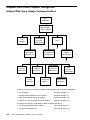
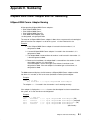
HiSpeed WAN Comm. Adapter and Port Numbering
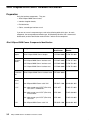
HiSpeed WAN Comm. Adapter Naming
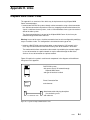
All the operating HiSpeed WAN Comm. adapters:
• 4Port HiSpeed WAN Comm.,
• 1Port HiSpeed WAN Comm.,
• 1Port HiSpeed WAN Comm–B,
• 1Port WAN Comm Adapter (ISA)
are designated, using the prefix fun.
The name of a HiSpeed WAN Comm. adapter is funx, where x represents the chronological
order of insertion of an adapter in a slot of the system. x is then linked to this slot.
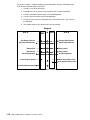
Example:
1. A first HiSpeed WAN Comm. adapter is inserted in the slot number 3, it is
designated as fun0,
2. A second HiSpeed WAN Comm. adapter is inserted in the slot number 2, it is
designated as fun1,
3. The adapter fun0 is removed from slot number 3 and inserted in slot number 1, it
is then designated as fun2,
4. Because of a breakdown, the adapter fun1 is removed from slot number 2, and a
new adapter replaces it in slot number 2.
If the new adapter is of the same type as the old one, it continues to be
designated as fun1. If the new adapter is of another type as the old one, it is
designated as fun3.
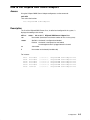
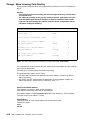
The lsdev command displays the link between a HiSpeed WAN Comm. adapter and the
slot where it is inserted, as well as the state (Available or Defined) of the adapter.
Example:
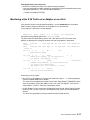
lsdev –C –l fun0
fun0 Available 00–03 1port Hispeed WAN Comm Adapter
The adapter fun0 is inserted in the slot number 3 and is working correctly.
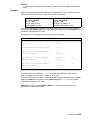
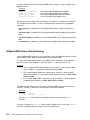
If the adapter is displayed as Defined, it means that the adapter has been removed from
the system, or it is out of order or not configurated.
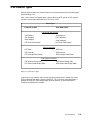
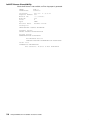
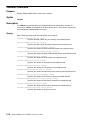
Example:
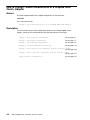
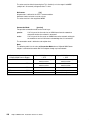
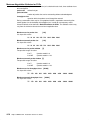
lsdev –C | grep fun
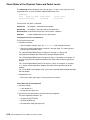
fun0
Available 00–03
fun1
Defined
00–04
fun2
Available 00–02
fun3
Defined
00–01
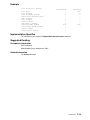
1port
4port
1port
1port
Hispeed
Hispeed
Hispeed
Hispeed
WAN
WAN
WAN
WAN
Comm
Comm
Comm
Comm
Adapter (OK)
Adapter (removed)
Adapter–B (OK)
Adapter
(out of order)
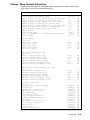
Adapters and Ports Numbering
E-1