1
Table of Contents
1. Introduction........................................................................................................... 1
1.1 Panel Description ....................................................................................................................... 2
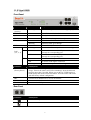
1.1.1 Vigor3100...................................................................................................................... 2
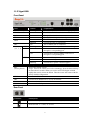
1.1.2 Vigor3100G ................................................................................................................... 3
1.1.3 Vigor3100i ..................................................................................................................... 4
1.1.4 Vigor3100V ................................................................................................................... 5
1.1.5 Vigor3120...................................................................................................................... 6
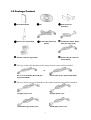
1.2 Package Content........................................................................................................................ 7
2. Install Your Vigor Router ...................................................................................... 9
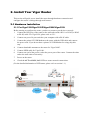
2.1 Hardware Installation.................................................................................................................. 9
2.1.1 For Vigor3100/Vigor3100G/Vigor3100V/Vigor3100i..................................................... 9
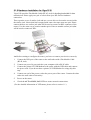
2.1.2 Hardware Installation for Vigor3120............................................................................ 10
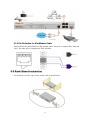
2.1.3 Pin Definition for Flat Module Cable ........................................................................... 11
2.2 Rack Mount Instruction .............................................................................................................11
2.3 Web Configuration.................................................................................................................... 12
2.4 Printer Installation..................................................................................................................... 14
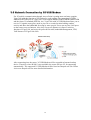
2.5 Network Connection by 3G USB Modem................................................................................. 19
3. Wireless LAN Settings for Vigor3100G............................................................. 21
3.1 Basic Wireless LAN Concept ................................................................................................... 21
3.2 Boost Up Your Wireless Speed ................................................................................................ 21
3.3 General Settings....................................................................................................................... 22
4. Trouble Shooting ................................................................................................ 23
4.1 Checking If the Hardware Status Is OK or Not......................................................................... 23
4.2 Checking If the Network Connection Settings on Your Computer Is OK or Not ...................... 24
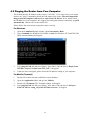
4.3 Pinging the Router from Your Computer .................................................................................. 26
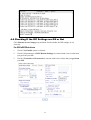
4.4 Checking If the ISP Settings are OK or Not ............................................................................. 27
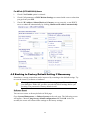
4.5 Backing to Factory Default Setting If Necessary...................................................................... 28
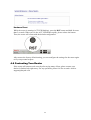
4.6 Contacting Your Dealer ............................................................................................................ 29
iv