1
Watching TV
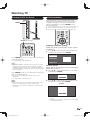
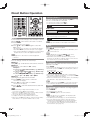
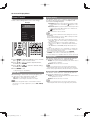
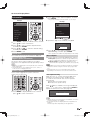
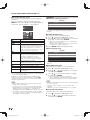
Turning On/Off the Power
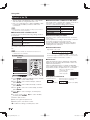
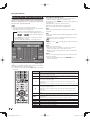
Initial Installation
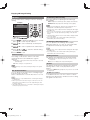
When you turn on the TV for the first time, it will
automatically memorize the broadcasting channels
available in the region where you live. Perform the
following steps before you press POWER on the
remote control unit.
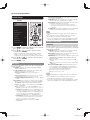
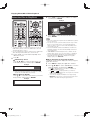
POWER
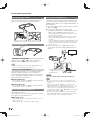
1. Insert the batteries into the remote control unit. (See page 11.)
2. Connect the antenna cable to the TV. (See page 11.)
3. Plug in the AC cord to the AC outlet. (See page 10.)
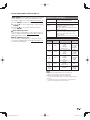
POWER (On/Standby)
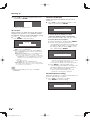
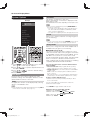
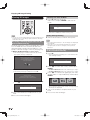
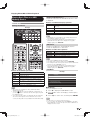
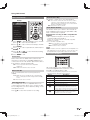
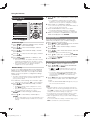
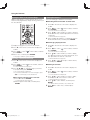
Language (Language setting)
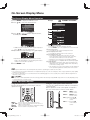
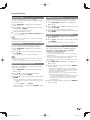
Select from among 3 languages: English, French
and Spanish.
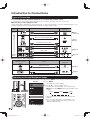
1 Press a/b to select the desired language listed
on the screen, and then press ENTER.
Language
Location & Time
English
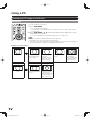
Press POWER on the TV or on the remote control unit
to turn the power on.
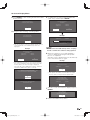
TV Location
Antenna & Cable/STB
Français
• The Power LED on the TV lights up.
Air/Cable
Español
CH Search
Completed
• The Initial Installation starts when the TV powers on for the
first time. If the TV has been turned on before, the Initial
Installation will not be invoked. For changing the settings of
the Initial Installation, perform "EZ setup" on the Initial Setup
menu on page 35.
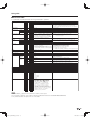
Press POWER on the TV or on the remote control unit
again to turn the power off.
• The TV enters standby and the image on the screen
disappears.
• The Power LED on the TV turns off.
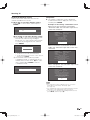
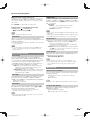
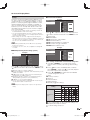
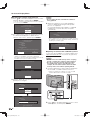
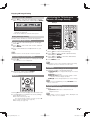
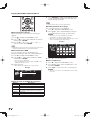
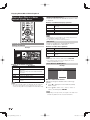
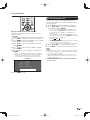
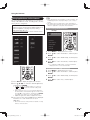
Location & Time
Make settings for the country, area and time zone
where you use the TV.
2 Press a/b to select "United States" or "Canada",
and then press ENTER.
United States
Canada
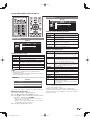
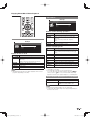
3 Press a/b to select the time zone where you are
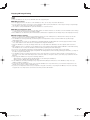
• If you are not going to use this TV for a long period of time,
be sure to remove the AC cord from the AC outlet.
• Weak electric power is still consumed even when the TV is
turned off.
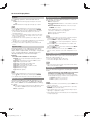
using the TV, and then press ENTER.
Example
EST
CST
MST
PST
Alaska
Hawaii
• The time zone differs depending on the selected
country.
• The factory preset value is the time zone for the capital
of the selected country.
19
PRO-70_60X5FD_E.indb 19
2011/07/01 16:38:19