1
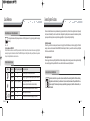
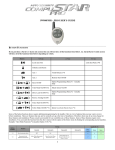
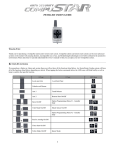
Warranty Coverage Quick Reference Caution: The Manufacture’s warranty will be voided if this product is installed by anyone other than an authorized CompuStar dealer. For complete warranty details visit www.compustar.com or the last page of this manual. CompuStar remotes carry a 1 year warranty from original date of purchase. v @m Warranty registration can be completed online by visiting www.compustar.com. Please complete the registration form within 10 days of purchase. We no longer include a mail-in warranty registration card with each unit - registration must be done online. To verify that an authorized dealer installed your system, we highly recommend that you keep a copy of the original proof of purchase, such as the dealer invoice in a safe place. When servicing or loaning your vehicle to others, the CompuStar system should be placed in Valet mode. Valet mode prevents the system from remote starting and disables all alarm functions. IMPORTANT: While in Valet mode the CompuStar will still lock and unlock power lock systems. The system can be put into valet one of three ways; 1. Turn the vehicle’s key to the ignition “on” position and tap lock/unlock and key/start buttons simultaneously for 0.5 seconds. The parking lights will flash once and the remote will beep and LED flash once to confirm the system is in valet mode. Repeat this process to take the system out of valet mode. The parking lights will flash twice and remote will beep twice and LED flash twice to confirm the system is out of valet mode. Remote Reference 2BSHLEDR (2-Way 2Button Remote) Applicable to the following models 2BSHLED-S (remote start only) By Firstech, LLC 4 2. You can put the system into valet by turning the ignition key “on” and then “off” five times within 7 seconds. The parking lights will flash once to confirm the system is in valet mode. Shortly after the first flash, the parking lights will flash twice. 3. (Optional Feature) If your system is set up for a secure valet option, you will not be able to put the system into valet until the proper code has been entered with the secure valet switch. Until programmed, the default code is (3, 3). 5 By Firstech, LLC