1
3.12 Turning ON/OFF the Electrical Appliances for a Determined Time Period
SMS
1. In order to instantly turn ON a specified PGM output and keep it in this state for a determined time period, send
the following SMS text message to the system’s phone number from any out of 10 preset user phone numbers:
SMS text message content:
ssss_Coo:ON:hr.mn.sc or ssss_out-name:ON:hr.mn.sc
Value: oo – PGM output number, range – [1... 76]; hr – hours, range – [00... 23], mn – minutes, range – [00... 59];
sc – seconds, range – [00... 59]; out-name – PGM output name.
Example: 1111_Pump:ON:00.00.25
2. In order to instantly turn OFF a specified PGM output and keep it in this state for a determined time period,
send the following SMS text message to the system’s phone number from any out of 10 preset user phone
numbers:
SMS text message content:
ssss_Coo:OFF:hr.mn.sc or ssss_out-name:OFF:hr.mn.sc
Value: oo – PGM output number, range – [1... 76]; hr – hours, range – [00... 23], mn – minutes, range – [00... 59];
sc – seconds, range – [00... 59]; out-name – PGM output name.
Example: 1111_C3:OFF:13.25.56
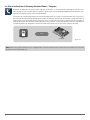
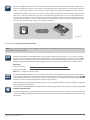
3. The system will reply with confirmation by SMS text message to the user phone number that sent the SMS text
message.
SMS
SMS
User
ESIM364
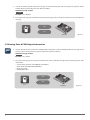
Fig. No. 36
NOTE: PGM output can be turned ON for a determined time period only when it is in OFF state.
NOTE: PGM output can be turned OFF for a determined time period only when it is in ON state.
MANUAL ELDES ESIM364 V1.3
41