1
Trend Micro™ Mobile Security 2.0 for iOS – Product Guide
5.
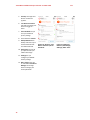
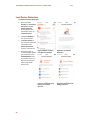
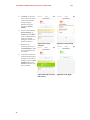
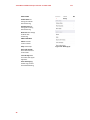
Once Lost Device
Protection is activated,
tap its panel in the
Console and a Device
Located screen displays,
with a link to the Lost
Device Protection Portal
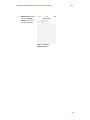
6.
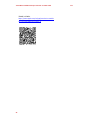
Copy and email this link
to your PC or Mac, so
you can access the portal
later if your device is lost
or stolen.
v1.2
Figure 43. Lost Device
Protection | Device Located
Lost Device Protection Portal
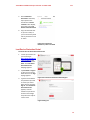
To access the Lost Device Protection Portal:
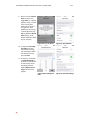
1.
Launch your browser on
your PC and type
http://www.trendmicro
.com/LostDevice into
the search field, and hit
Enter. The Lost Device
Protection Portal
webpage appears.
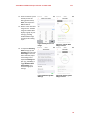
2.
Tap Find Now or Sign in
to sign into your Trend
Micro account. The Sign
In page appears.
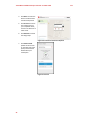
3.
Type the email address
and password you used
to create your Trend
Micro account and click
Sign in. The Lost Device
Protection Portal
appears, with the
location of your device
shown on the Google
map. Zoom the map for
a closer view.
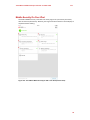
Figure 44. Lost Device Protection Portal Sign In
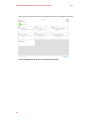
Figure 45. Sign In
21