1
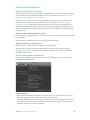
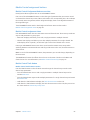
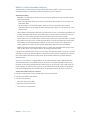
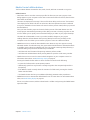
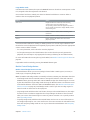
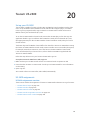
Mackie Control Global View buttons
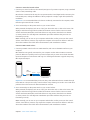
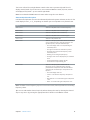
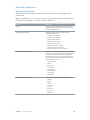
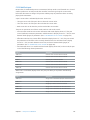
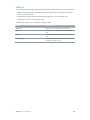
The GLOBAL VIEW button is used in conjunction with the other eight GLOBAL VIEW buttons to
display (and edit) specific types of channel strips. Pressing any of the buttons activates All View;
when this view is active, the green LED to the right of the GLOBAL VIEW button is lit.
When you press one of the Global View buttons, the corresponding type of channel strip appears
in the main LCD. You can edit each channel strip with the corresponding channel strip controls.
Pressing multiple buttons (Audio Tracks, Instruments, and Aux, for example) displays all channels
of the selected types.
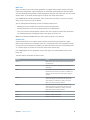
View (and edit) multiple All View channel strips
mm While holding down any button in the Global View zone, press another button to add this
channel strip type to those currently displayed. If a channel strip type is already displayed,
pressing its button removes it from the display.
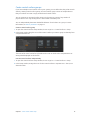
For example, to display both the audio and output channel strips, hold down the AUDIO TRACKS
button, then press the OUTPUTS button.
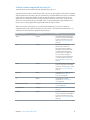
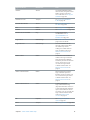
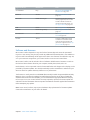
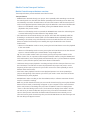
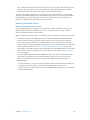
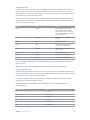
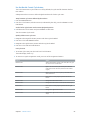
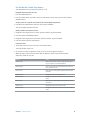
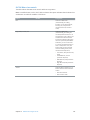
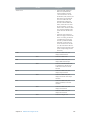
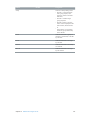
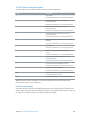
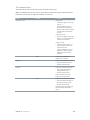
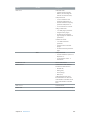
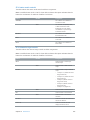
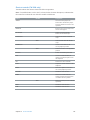
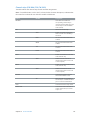
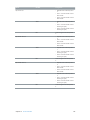
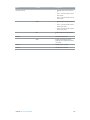
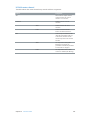
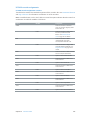
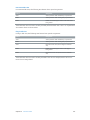
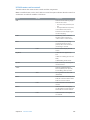
Mackie Control function keys
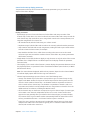
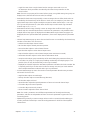
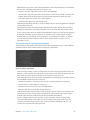
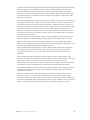
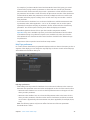
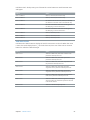
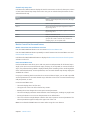
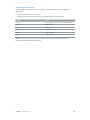
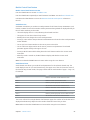
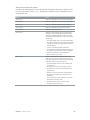
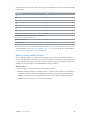
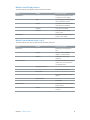
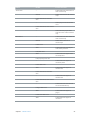
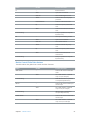
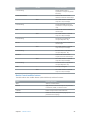
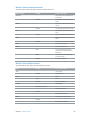
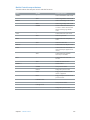
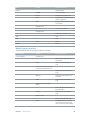
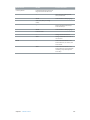
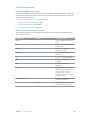
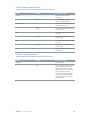
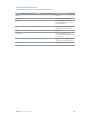
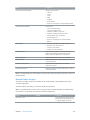
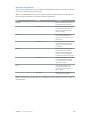
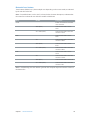
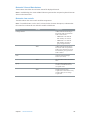
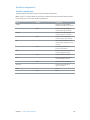
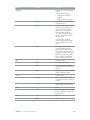
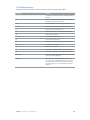
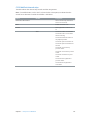
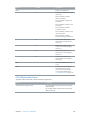
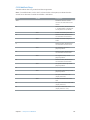
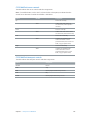
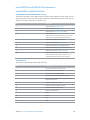
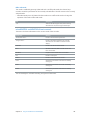
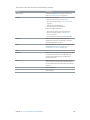
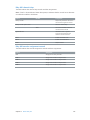
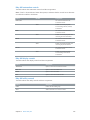
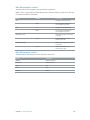
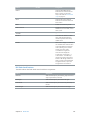
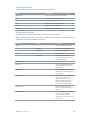
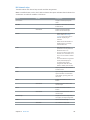
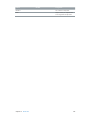
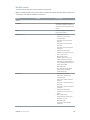
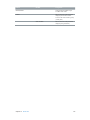
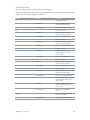
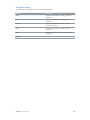
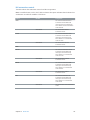
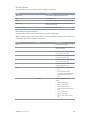
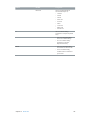
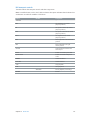
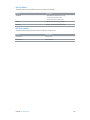
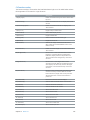
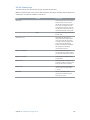
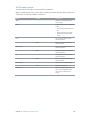
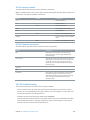
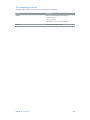
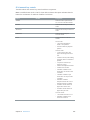
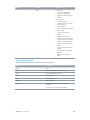
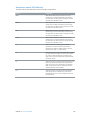
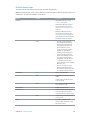
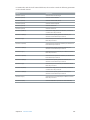
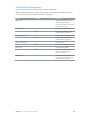
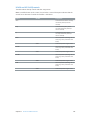
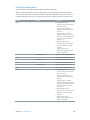
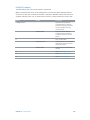
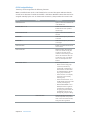
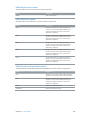
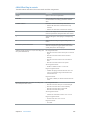
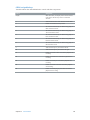
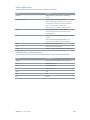
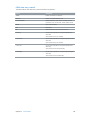
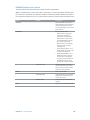
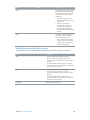
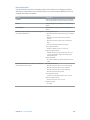
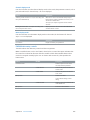
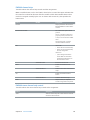
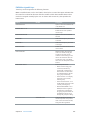
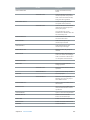
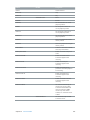
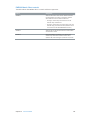
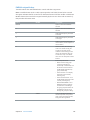
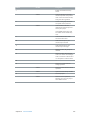
The eight function key buttons, labeled F1 through F8, are assigned as follows.
Hold down the specified modifier button while pressing one of the function keys to perform the
function or command:
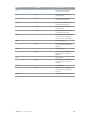
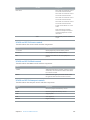
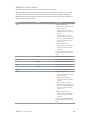
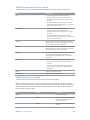
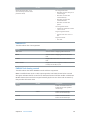
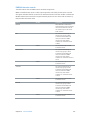
Function key
No modifier
SHIFT
CMD/ALT
F1
Screenset 1
Open/close Tracks
window
Cut
F2
Screenset 2
Open/close Mixer
Copy
F3
Screenset 3
Open/close Event List
Paste
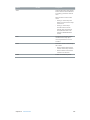
F4
Screenset 4
Open/close Score Editor
Clear
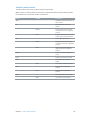
F5
Screenset 5
Open/close Step Editor
Select All
F6
Screenset 6
Open/close Piano Roll
Editor
Select All Following
F7
Screenset 7
Open/close Control bar
Select Similar Regions/
Events
F8
Screenset 8
Open/close Audio Bin
Select Inside Locators
Chapter 4    Mackie Control
77