1
Preparation
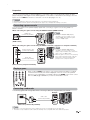
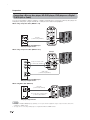
Connecting a Blu-ray disc player, HD-DVD player, DVD player or a Digital
TV STB (Air or Cable)
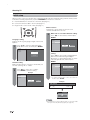
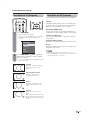
You can use the INPUT 1, INPUT 2, INPUT 3 or INPUT 7 terminals when connecting to a Blu-ray disc player, HDDVD player, DVD player, a Digital TV STB (Air or Cable) and other audiovisual equipment.
When using composite cable. (INPUT 1 or 2)
Example
AV cable
(commercially available)
Blu-ray disc player/HD-DVD player/
DVD player/Digital TV STB
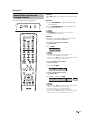
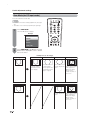
When using component cable. (INPUT 1 or 3)
Example
Component video cable
(commercially available)
Audio cable
(commercially available)
Blu-ray disc player/HD-DVD player/
DVD player/Digital TV STB
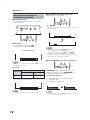
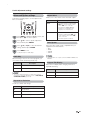
When using DVI cable. (INPUT 7)
DVI cable
(commercially available)
Ø 3.5 mm stereo minijack cable
(commercially available)
DVD player/Digital TV STB
NOTE
• To enjoy the AQUOS 1080p display capability, connect your external equipment using a component cable and set the
equipment to 1080p output.
• See page 15 for connecting a DVD player or a Digital TV STB to the HDMI terminal.
14