1
BROADCASTING
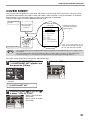
This function allows you to send the same original to as many as 100 different locations with just one operation.
Once the original is loaded, it is scanned and stored in memory. The fax numbers you have entered are then
automatically dialed in succession, and the original is transmitted to each location.
beep
Recipient A
Your fax machine
ory
mem
Fax received
Faxes sent beep
in order
Recipient B
Select
broadcast sending
Original is scanned
into memory
Fax received
beep
Recipient C
Fax received
1
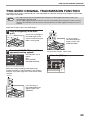
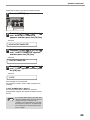
Place the original face up and push it
gently into the original feeder tray.
3
Original face up
2
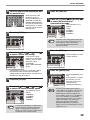
Dial the numbers of the receiving
machines using one or more of the
following methods:
• Press one or more Rapid keys.
• Enter Speed Dial numbers with the numeric
keys.
• Press one or more Group keys.
• Enter a number with the numeric keys.
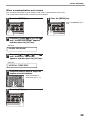
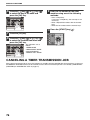
Press the [BROADCAST] key.
4
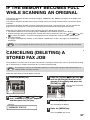
Press the [OK] key.
To enter another fax number, return to step 3.
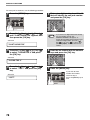
Adjust the resolution
and/or contrast settings if
desired.
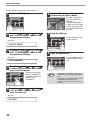
5
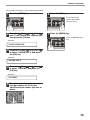
Press the [START] key (
).
Transmission will begin.
Note
Adjust the resolution and contrast settings
after the [BROADCAST] key has been
pressed.
67