1
I350.book Page 12 Friday, October 9, 2009 3:20 PM
Dialing Options
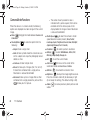
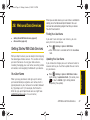
When you enter numbers in standby mode, you will
see a variety of dialing options displayed as softkeys on
the device’s screen.
To initiate an option, press the corresponding softkey.
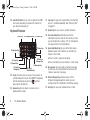
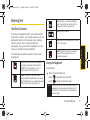
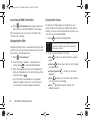
䢇 Keypad/Hide Keypad (left softkey): Displays an
onscreen keypad containing the following buttons:
dialing keys, Contacts, Call History, Talk, and End.
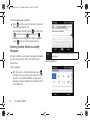
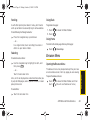
䢇 Menu (right softkey): Accesses the dialer’s menu
options and provides you the following selections:
䡲 Contacts...: Displays the Contacts entry page where
you can choose to either save the current phone
number as a new entry or look up an existing
entry.
䡲 Open Contact: (once highlighted) displays the
details for a Contact if the entered number
matches a previously created entry.
䡲 Open Call: (once highlighted) displays the time of
the last call and options such as Call and Send text
message.
12
1A. Device Basics
䡲
Save to Contacts: Enter a seven-digit or ten-digit
number (phone number and area code) and
begin the process of saving the information as a
new entry. See “Adding a New Contacts Entry” on
page 28.
䡲 Send Text Message: Send a text message to the
currently entered (or selected) number.
䡲 Company Directory: Displays your current company
phone numbers, contacts, and email information
(Microsoft Exchange accounts only).
䡲 Paste: Insert copied text or data.
䡲 Speed Dial: Assign the current number to an
available Speed Dial location (2–99). See
“Assigning Speed Dial Numbers” on page 30.
X
Note
Speed Dial location #1 is reserved for your voicemail.
䡲
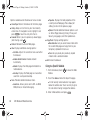
Options...: Provides access to the device’s Settings
䡲
View: Provides a filter of the onscreen display by
showing entries based on three criteria: Calls and
Contacts, All Calls, or Speed Dial.
page.