1
NNTN8062B_Brightwater_i686_Nextel_UG.book Page 132 Friday, May 6, 2011 3:11 PM
To turn Bluetooth on:
12. Bluetooth
1. Press / >Tools > Bluetooth > Setup > Power.
2. Select On and press r to enable Bluetooth.
To turn Bluetooth off:
⽧
Turning Bluetooth On and Off (page 132)
1. Press / > Tools > Bluetooth > Setup > Power.
⽧
Bluetooth Menu (page 133)
2. Select Off and press r to disable Bluetooth.
⽧
Connecting Bluetooth Devices (page 133)
⽧
Sending Items via Bluetooth (page 135)
Turning Bluetooth On and Off
Bluetooth is a short-range communications technology
that allows you to connect wirelessly to a number of
Bluetooth devices, such as headsets and hands-free
car kits, and Bluetooth-enabled handhelds, computers,
printers, and wireless phones. The Bluetooth
communication range is usually up to approximately
30 feet. By default, your device’s Bluetooth feature is
turned off. Turning Bluetooth on makes your phone
“discoverable” by other in-range Bluetooth devices.
To turn discoverable mode on:
䊳
Press / > Tools > Bluetooth > Setup >
Find Me Duration.
For the duration selected under Find Me Duration,
the phone will be discoverable by other devices
that are within range.
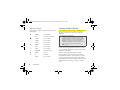
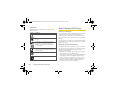
Bluetooth Status Indicators
The Bluetooth status indicators on your phone’s display
screen shows your Bluetooth connection status at a
glance:
No Status Indicator – Bluetooth is disabled (default
status)
B – Status indicator will blink when the phone is in
discovery mode.
132
12. Bluetooth