1
4
System Setup and Installation
Installing Software
Installing Software
Installing the Software Controller and Data System
For details of installation procedures for the software, refer to the 1290
Infinity Diode Array Detector Manual and the software manuals.
Installing the Agilent Lab Advisor Software
For details of installation procedures for the Agilent Lab Advisor software,
refer to the software documentation on the Lab Advisor DVD.
Agilent Lab Advisor replaces and extends upon the diagnostic functions that
were formerly only in the ChemStation software.
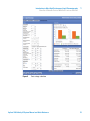
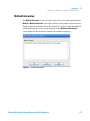
Agilent Lab Advisor is a Windows®-based application that continuously
monitors instruments in the lab in real time and increases productivity
through automatic notification of maintenance and service needs with the use
of advanced counters. This allows a problem to be fixed before it impacts
results. The software includes an extensive suite of user information and
documentation, a set of calculators and tools to help set up, calibrate, and
maintain your instrument, and tests and diagnostic routines to verify proper
performance. Agilent Lab Advisor also provides feedback and solutions for
any instrument errors that may arise. The software will work with or without
Agilent data systems.
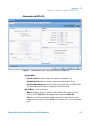
The software monitors:
• LC module status
• Early Maintenance Feedback (to determine the need for upgrade or
replacement)
In addition, the software:
• Automates useful tests,
• Attempts to identify supported LAN-based instruments that are powered
on and connected to your PC or lab’s network,
• Automatically suggests replacements parts and troubleshooting tasks for
some common instrument problems.
72
Agilent 1290 Infinity LC System Manual and Quick Reference