1
United States
January 2, 2003
Maintenance & Service Guide
Presario 1660 Model
MSG Index | Home Page | Notice | Preface | Product Description | Troubleshooting
Illustrated Parts Catalog | Removal & Replacement Procedures | Specifications
Pin Assignments | Battery Pack Operations
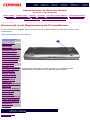
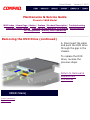
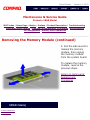
Removing the Diskette Drive
Electrostatic
Discharge
Service
Consideration
Cables and
Connectors
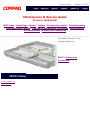
To remove
the diskette
drive,
complete the
following
steps:
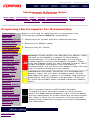
1. Prepare
the computer
for
disassembly.
Preparing the
Computer for
Disassembly
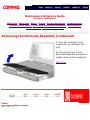
2. Remove
the palmrest
assembly.
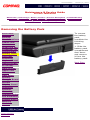
Battery Pack
3. Remove
the keyboard
and
heatspreader.
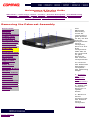
Palmrest
Assembly
Keyboard and
Heatspreader
Processor
Hard Drives
Upper CPU
Cover
DVD Drive
Battery
Charger
Board
Modem
Display Panel
Assembly
Speaker
Assembly
Diskette
Drive
Fan Assembly
System
Board
Memory
Module
4. Remove
the hard
drive.
5. Remove
the Upper
CPU cover.
6. Remove
the charger
board.
7. Remove
the speakers.
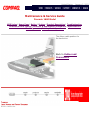
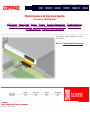
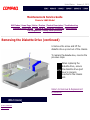
8. Disconnect
the diskette
drive data
cable from the
system board
by pulling out
the cable lock
lip about 1 or 2
mm at each
end, then
removing the
cable .
Next Step
privacy statement
legal notices