1
Problem
Possible cause
Solution
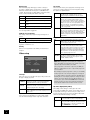
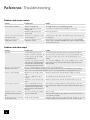
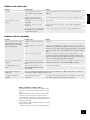
No sound!
Incorrect input selected on audio
device (decoder, receiver, amplifier,
etc.)
Select the appropriate input on the audio device (consult that product’s
handbook)
Bad audio connection (analogue or
digital) from DV78 to audio device
Check connections at both ends and, if necessary, try an alternative cable
A two-channel source, such as a CD, is
being played
There is no fault
The ‘Audio’ is set incorrectly in the
‘Setup’ menu
Enter the ‘Setup’ menu and change the ‘Audio’ setting to ‘Bitstream/2ch.’
(see page 9)
Bad connection between the DV78 and
the amplifier/receiver or the amplifier/
receiver and the speakers
Check connections at both end and, if necessary, try alternative cables
No sound from the centre/rear
speakers
English
Problems with audio output
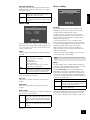
Problems with disc playability
Problem
Possible cause
Solution
Player loads disc but does not play,
or play-back halts unexpectedly
(perhaps with the message ‘Invalid
Region’ being displayed)
Not all discs play automatically when
loaded
Press PLAY
There is a fault in the manufacturing of
the disc
Some discs are manufactured incorrectly, and are known to cause problems
on ARCAM (and other) DVD players. Naturally, we aim to support all discs; from
time-to-time we issue software upgrades for the player that fixes new problems
of which we are aware. Please contact ARCAM customer support for further
details.
The disc is from the wrong region
DVD discs are designed to be played only in the region that they are sold in
(for example, discs from the USA are ‘Region 1’ and discs from Europe are
‘Region 2’). Your player is factory-configured to play discs from the region it is
to be sold in, and may not play discs from other regions.
Disc does not play and ‘Bad Disc’ is
displayed
The disc is damaged or dirty, or does
not contain any files that the DV78 can
handle
Remove disc from tray and check surfaces for damage or dirt. In the case of a
CD-ROM, check that the disc contains valid MP3/WMA or JPEG files.
Some MP3/WMA files cannot be
played
There are some restrictions on the
type of MP3/WMA files that the DV78
player can play
See page 18 of this Handbook
The player takes a long time to
identify a CD
Since this is a DVD player (primarily), it checks for discs in the following order: DVDs, SVCDs, VCDs, CDs. Therefore it
takes longer to identify a CD than any other disc type.
The front-panel display is not
illuminated
The front-panel display has been
switched off
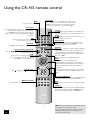
The front panel supports three different levels of illumination. Press the ‘DISP’
button on the remote control to select your preferred level
Before contacting customer services
If any problem persists or cannot be cured using the advice
given, either contact your Arcam dealer or Arcam customer
support.
Before contacting Arcam customer services with a question
however, it is useful to have various version and region
numbers available. This information is displayed in the top left
corner of the screen when the player is first switched on (or
brought out of standby).
This information is shown for approximately two seconds, and
has the following format:
software version/ drive version/ Arcam region/ DVD region
DV78
21