1
Editing
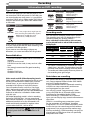
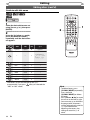
Information on disc editing
You can edit a disc recorded using the PAL system. It is not possible to edit discs recorded using the NTSC system.
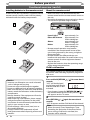
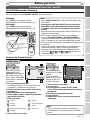
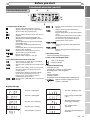
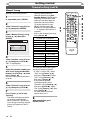
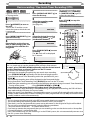
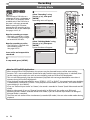
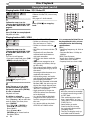
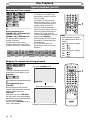
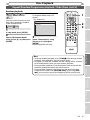
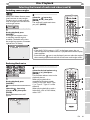
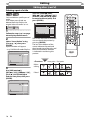
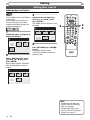
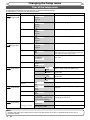
Guide to a title list
The title list enables you to check the titles recorded on a disc easily. You can choose a title to play back
from the screen and easily edit the titles as you wish. The items on the title list are as follows.
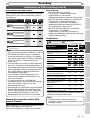
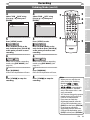
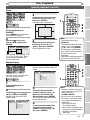
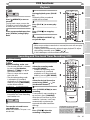
Press [TOP MENU].
<Main Title List>
<Specific title options>
1
Original
Original
1
2
1
3
Title Delete
Scene Delete
Edit Title Name
Chapter Mark
15/04/06 19:00 P12 XP
4
Index Picture
5
Protect
6
15/04/06 19:00 P12 XP
0:00:59
2
3
4
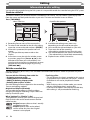
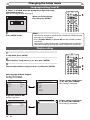
1 Recording format status of the current disc.
2 To select a title recorded on the disc for editing,
move the cursor to the title and press [ENTER].
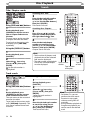
3 If the title is protected, the protect icon will
appear.
• It is not possible to protect a title on the
Playlist.
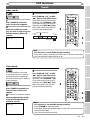
4 Arrow icons mean the title list includes a next
or previous page. Press [Cursor { / B] in the
direction of the icon you wish to follow. You
can also quick review the six thumbnails at once
between the first and last pages by pressing
[SKIP H / G].
9 8
7
6
5
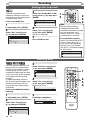
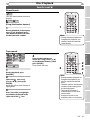
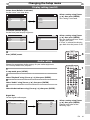
5 Available title editing menu items vary
depending on the disc and format types.
6 You can edit the title and details as you wish.
7 Time status bar of the recording.
• After editing, playback starts from this point.
8 The selected title from the title list thumbnails.
• The selected title is played back automatically.
9 Playback status of the current disc.
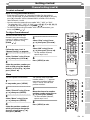
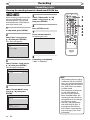
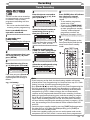
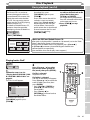
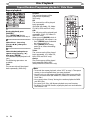
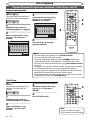
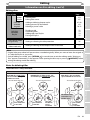
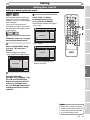
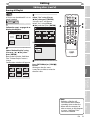
Edit the recorded disc
You will find editing discs is easy. This unit offers convenient edit functions which are possible only with
DVD-RW/-R discs.
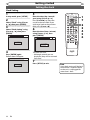
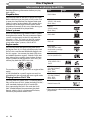
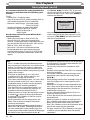
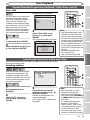
Finalising a Disc
You can edit the following from a title list.
• This will allow a disc that is recorded on this unit to
• Assigning a name to a title
be played back on a different DVD player - without
• Setting pictures for thumbnails
finalisation it will not be playable on another
• Adding or deleting chapter marks
player.
• Deleting titles or parts of titles
(Possible editing functions depend on the recording • After finalising a disc in Video mode, you cannot
edit any information that is on that disc.
format and editing method.)
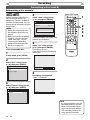
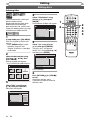
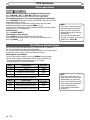
• If you have recorded in VR mode on DVD-RW disc,
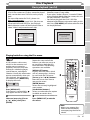
Original and Playlist (VR mode)
then editing is still permitted after finalising.
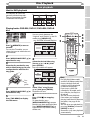
You can edit the recordings in Playlist without
changing the original recordings. Playlist does not
take up much disc space.
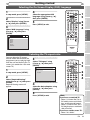
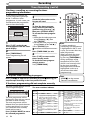
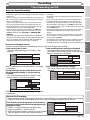
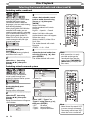
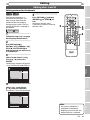
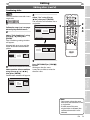
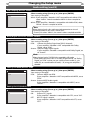
What “Original” or “Playlist” is for?
Throughout this manual, you will find Original and
Playlist which refer to the actual content and the
edited version.
• Original content refers to what’s actually
recorded on the disc.
• Playlist content refers to the edited
version of the disc; how the Original
content is to be played.
Original
Playlist
62
EN