1
Introduction
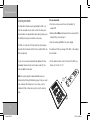
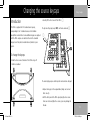
Installing the batteries
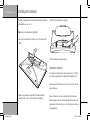
The MSR+ is supplied with four AA batteries, and these need to be
• Insert the four AA batteries accordingly:
installed before you can use it.
Note: Dispose of used batteries thoughtfully.
• Press the tab and remove the battery cover on the back of the
MSR+:
• Push the battery cover back into place.
Low battery indicator
The indicator normally lights up when you press a key. If it flashes
twice after releasing a key, this indicates that the battery is low.
Always replace all four batteries at the same time. Do not mix old
and new batteries.
• Make sure you observe the polarity of the batteries and the
polarity marks + and – inside the battery compartment.
Replace the batteries as soon as possible after the low battery
indicator appears, and after removing the old batteries replace the
new batteries within two minutes, or you risk losing any codes you
2
G Series MSR 2
have programmed.
7/7/03, 3:16:24 pm