1
Top and bottom views
1 2
3
No.
Item
Description
1
Volume control key
Increases and decreases the tablet volume.
2
Screen rotation lock
switch
Use this switch to lock the screen rotation or
allow the screen to match the tablet’s orientation.
3
Microphone
Receives audio for video chats and Internet calls.
Back view
1
1
No.
Item
Description
1
Speakers
Emits stereo audio.
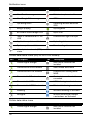
LED Indicators
LED color
State
Off
Description
Tablet is off.
White
Steady
Orange
Steady
Tablet is charging.
Orange
Flashing
Charging error.
8
The tablet is booting up, waking up, or fully charged.