1
IC-718.qxd
02.9.6 14:29
Page 31
RECEIVE AND TRANSMIT
5
■ Function for CW
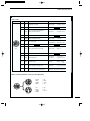
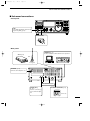
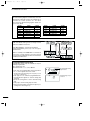
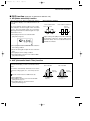
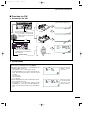
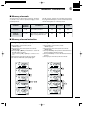
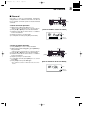
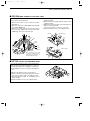
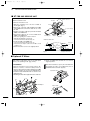
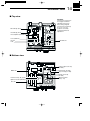
ï Connection for CW
Initial set mode setting (p. 45)
13
9 10 11 12
5 6 7 8
1 2 3 4
: normal
[ACC]
[ELEC KEY]
For no break-in operation:
Connect an external switch such as
a foot switch; or use the RTTY
SEND terminal for all bands.
12
(See p. 33)
Paddle
: reverse
13
9 10 11
5 6 7 8
1 2 3 4
: off
Straight key
▲
▲
See p. 32 for connection details:
Paddle operation from front panel
MIC connector.
[MICROPHONE]
: UP/DN key
Microphone
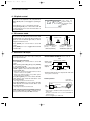
ï CW operation
q Connect a paddle or straight key as above.
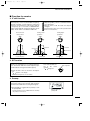
w Select CW (or CW-REV) mode with [MODE].
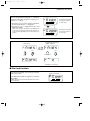
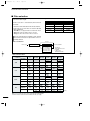
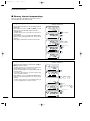
eSet CW break-in operation as semi break-in, full
break-in or OFF. (See p. 42)
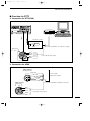
• Push [SET] for 1 sec. to enter quick set mode.
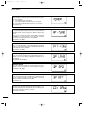
• Push [∫ UP]/[√ DN] one or more times until “BK–IN” appears, then rotate the main dial to select the desired
condition:
FL: full break-in
SE: semi break-in
oF: no break-in
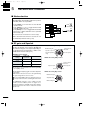
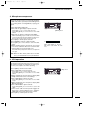
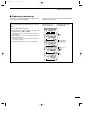
r Set the CW delay time when semi break-in operation is selected. (See p. 43)
• Push [SET] for 1 sec. to enter quick set mode; push [∫
UP]/[√ DN] one or more times until “BK–DELAY” appears, then rotate the main dial to set the desired delay
time.
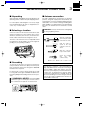
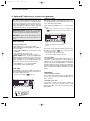
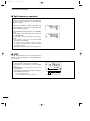
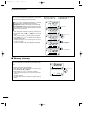
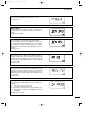
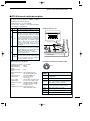
CW mode and semi
break-in operation
is selected.
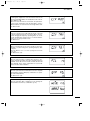
Delay time of 6 dots
is selected in quick
set mode for semi
break-in operation.
31