1
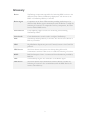
Glossary
Broker
XenDesktop component responsible for brokering HDX sessions to the
different VDAs within a XenDesktop deployment. Also known as the
DDC or XenDesktop Delivery Controller.
Broker Agent
Component on the Linux VDA machine providing the desktop to be
delivered. The Broker Agent communicates with the Broker to enable the
brokering of sessions. It is composed of two key components, the VDA
Service and the HDX Service.
Citrix Director
Citrix helpdesk/support console for monitoring and controlling
XenDesktop VDAs.
Citrix Studio
Citrix administration console used to configure XenDesktop.
DDC
XenDesktop Desktop Delivery Controller. Also known as the Broker or
Delivery Controller.
HDX
High Definition Experience protocol. Formerly known as the Citrix ICA
protocol.
HDX Service
The Linux daemon that remotes the desktop being delivered. It
communicates with the VDA service to enable the brokering of sessions.
RHEL
Red Hat Enterprise Linux. A commercial Linux distribution provided by
Red Hat.
VDA
Virtual Desktop Agent. Also referred to as the Broker Agent.
VDA Service
The Linux daemon that communicates with the Broker to enable the
brokering of sessions. It also communicates with the HDX Service for
remote session delivery.
2