1
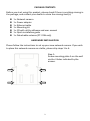
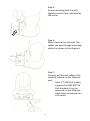
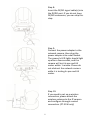
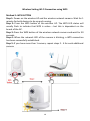
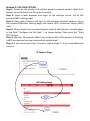
PACKAGE CONTENTS Before you start using this product, please check if there is anything missing in the package, and contact your dealer to claim the missing item(s): 1 x Network camera 1 x Power adapter 1 x Ethernet cable 1 x Mounting kit 1 x CD with utility software and user manual 1 x Quick installation guide 1 x Detachable antenna (PT-31W only) HARDWARE INSTALLATION Please follow the instructions to set up your new network camera. If you wish to place this network camera on a table, please skip steps 1 to 6. Step 1: Screw mounting plate A on the wall via the 4 holes indicated by the arrows. 2