1
Crestron TPS-4500V & TPS-4500LV
12 Inch Tilt/Lectern Touchpanels
Communication Settings
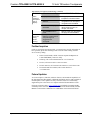
Connection of a PC to the TPS-4500V/LV touchpanel can be direct via the RS-232
port on the touchpanel or through a control system (Cresnet). Both methods of
connection provide setup for RS-232 communication.
NOTE: For laptops and other PCs without a built-in RS-232 port, Crestron
recommends the use of PCMCIA cards, rather than USB-to-serial adapters. If a
USB-to-serial adapter must be used, Crestron has tested the following devices with
good results:
Belkin (large model) F5U103
I/O Gear GUC232A
Keyspan USA-19QW
Other models, even from the same manufacturer, may not yield the same results.
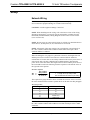
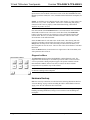
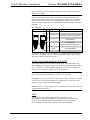
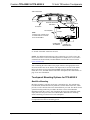
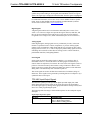
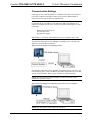
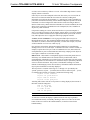
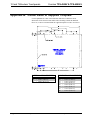
To prepare the TPS-4500V/LV for uploading or upgrading, refer to the following
figure for a typical connection diagram.
Typical Connection Diagram when Uploading a Project
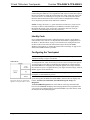
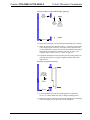
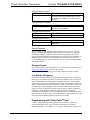
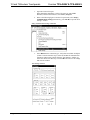
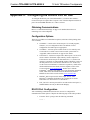
To prepare the TPS-4500V/LV for uploading or upgrading directly from a PC, refer
to the following figure. Connect the RS-232 port of the computer directly to the RS232 port of the touchpanel. Refer to page 15 for RS-232 cable information.
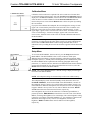
NOTE: Directly connecting to the touchpanel over RS-232 provides a faster
transmission speed than Cresnet.
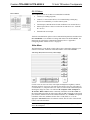
Typical Connection Diagram when Uploading a Project Directly to the Touchpanel
NOTE: For cable pinouts, refer to “RS-232” on page 15.
Operations Guide - DOC. 6160
12 Inch Tilt/Lectern Touchpanels with Video: TPS-4500V & TPS-4500LV • 33