1
Gigaset A510-A510A / IM-MEA EN / A31008-M2202-A601-2-UZ19 / answering_m.fm / 11.05.2012
Operating the Gigaset A510A base answering machine
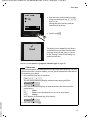
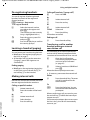
Deleting an announcement
§Menu§ ¤ Voice Mail ¤ Announcements
¤ Delete Announcement
§OK§
Press the display key to confirm
the prompt.
The pre-recorded announcement is used
again after a personal announcement is
deleted.
Please note
Deleting announcements can take some
time.
Playing back messages
The date and time of each message is logged
(provided this has been set, ¢ page 16) and
displayed during the playback. If Calling Line
Identification is activated, the caller's
number is displayed. If the caller's number is
saved in the directory, their name is displayed.
New messages that have not yet been
played back are indicated on the display
with an icon and number:
u The content (spoken message).
First, the info block is played black followed
by the content.
The status of the call, the callers number or
the callers name and the date/time of the
call is displayed.
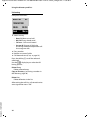
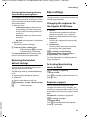
Stopping and controlling playback
Controlling message playback depends on
when you press the relevant key.
During message playback:
2
t or
1
s or
I
L
Ã
03
The message key f on the handset flashes.
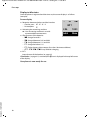
To listen to messages:
Version 4, 16.09.2005
f ¤ Answ. Mach.: 01+02
or
§Menu§ ¤ Voice Mail ¤ Play Messages ¤ if you
have entered a number for the network
mailbox: ¤ Answer Machine
If you have new messages, playback will
start with the first new message, otherwise
with the first old message. The loudspeaker
on the handset switches on automatically.
To switch it off, press the speaker key d.
A message comprises two parts:
u An info block, comprising number/date/
time and
36
Stop playback. Press again to
resume.
During the info block announcement: Skip to the start of the previous message.
During playback of the content:
Skip to the start of the current message.
Go to the start of the next message.
During the info block announcement: Skip info block.
During playback of the content:
Skip to the content of the next message.
Skipping back from the first message means
you skip to the last message, skipping forward from the last message means you skip
to the first message.
If playback is interrupted for over a minute,
the answering machine returns to idle status.
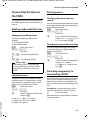
Additional functions during message
playback
§Menu§
Press the display key. Playback
stops.
Select the relevant function using q:
Dial Number
Dial the number.
Continue
Continue message playback.