1
Blackberry REV.D
A5 size
96/04/08
Chapter 2
pass 1
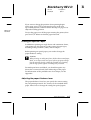
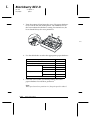
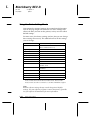
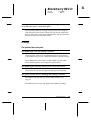
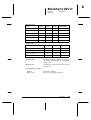
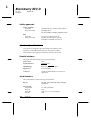
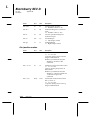
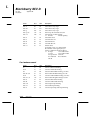
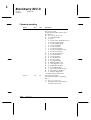
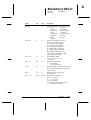
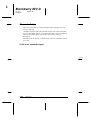
6. At this point, you are in Table B. Press the Font or LF/FF
button to move through the printer settings listed in
Table B, and notice how the control panel lights change to
indicate your position.
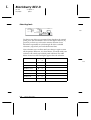
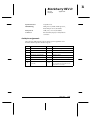
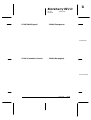
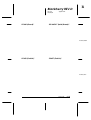
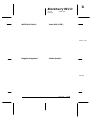
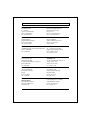
Table B
Font lights
1
2
Pause
light
F
O
O
Character table
Table C
F
N
O
Page length
Table D
O
F
O
Skip-over-perforation
Table E
N
F
O
Auto tear off
Table E
F
O
N
Graphic print direction
Table F
F
N
N
Software
Table G
O
F
N
AGM
Table E
N
F
N
Auto line feed
Table E
F
O
F
Interface
Table H
F
N
F
Bit rate
Table I
O
F
F
Parity bit
Table J
N
F
F
Data length
Table K
F
F
F
EXT/ACK
Table E
F
F
O
State reply
Table E
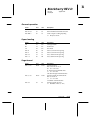
Setting
Go to
submenu
N = on, O = off, F = flashing
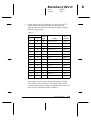
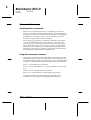
For example, if you want to change the Interface setting,
press Font or LF/FF until Font 1 is flashing, Font 2 is off,
and the Pause light is flashing. The printer beeps once each
time you press the button while in Table B.
Using the Printer
2-27
R