1
R-90GC(S) O/M
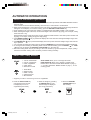
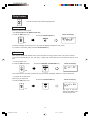
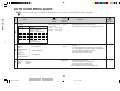
Sound Setting
This oven is preset with the Sound On. The sound can be turned off.
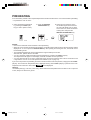
*To turn off the sound.
1. Press the HELP key 3 times.
Check the display.
2. Press the STOP/CLEAR key.
x3
The time of day will
appear in the display.
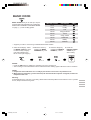
*To turn on the sound.
1. Press the HELP key 3 times.
2. Press the INSTANT COOK/START key.
Check the display.
x3
The time of day will
appear in the display.
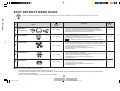
Refresh Cycle
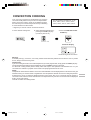
The oven has a catalyst which assists with smoke and odour removal.
Use the Refresh Cycle to:
•Condition the heater before using the oven for the first time.
•Remove any unwanted odour.
•Keep the catalyst in optimum condition.
•Assist with cleaning the oven. Leave the oven to cool for approx. 10 minutes before cleaning (see CARE AND
CLEANING on page 23).
NOTES:
1. Remove the turntable from the oven before the Refresh Cycle. No food should be in the oven.
2. The Refresh Cycle takes 30 minutes.
3. During the Refresh Cycle some smoke and odour may occur.
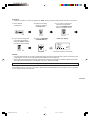
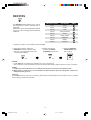
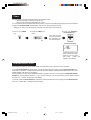
1. Press the HELP key 4 times.
2. Press the INSTANT COOK/START key.
x4
Check the display.
CONV.
COOK
The time begins to
count down.
Warning:
Accessible parts (e.g. oven door, oven cavity, dishes and accessories) will become hot when in use. To prevent
burns, always use thick oven gloves.
Help
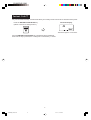
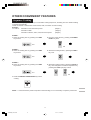
When the indicator light above the HELP key is flashing, press the key to read valuable information.
19
R-90GC(S) O/M,15-24
19
03.7.11, 2:15 PM