1
CUT
Effects controls and indicators
3
4
5
DISSOLVE
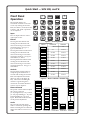
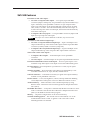
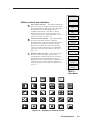
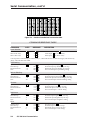
Effect button and LED — This button enables the
Effect menu which is displayed on the LCD. With
the menu enabled, the Effect LED is lit. Rotate the
encoder knob to scroll through the various
switching effects menus. See Table A. Effects
include cut, dissolve, soft wipe, hard wipe, soft
curtains, hard curtains, square, diamond, circle, X
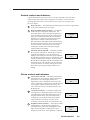
effect, and + effect. See figure 3-3.
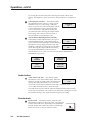
Transition button and LED — This button defines
how the selected effect appears. When the
Transition button is selected, the Transition LED is
lit and the LCD displays the Transition menus.
Rotate the encoder knob to select the transition
options. Transition options may vary depending
on the effect selected. See Tables B, C, D, and
figure 3-4.
Duration button and LED — This button allows
the user to select the length of time for the
switching effect. When the button is pressed, the
Duration LED is lit and the duration screen is
displayed on the LCD. Rotate the encoder knob to
scroll though 0.1-second increments of duration,
from 0.2 seconds to 5.0 seconds. See Table E, and
figure 3-4.
SOFT
WIPE
HARD
WIPE
SOFT
CURTAINS
HARD
CURTAINS
SQUARE
DIAMOND
CIRCLE
X
EFFECT
+
EFFECT
Table A ––
Effect Menus
Cut
Dissolve
Fade
to
Black
Fade
from
Black
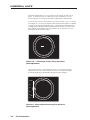
Figure 3-3 — Examples of switching effects
SVS 100 Operation
3-3