1
18
English
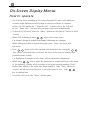
Video mode
Language
Management
Image-I
Image-II
Audio
Keystone
Color Temp.
16:9 / 4:3
Reset
Yes
No
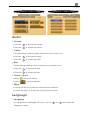
Image-II (Video mode)
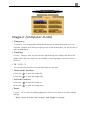
4 Keystone Correction
Adjust image distortion caused by tilting the projector. (±16 degrees)
16 : 9 / 4 : 3
You can select this function to fit your desired aspect ratio type.
Color Temperature
Adjust the color temperature. The range is from 6500K to 9000K . The factory default is
7750K . With the higher temperature, the screen looks colder; with the lower temperature,
the screen looks warmer.
Reset
Choose “ Yes” to return the display parameters of the current mode to its factory default
settings.
* Reset items include both Image-I and Image-II settings.