1
Radio with CD (Base)
Finding a Station
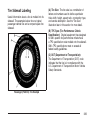
BAND: Press this button to switch between FM1,
FM2 or AM. The display shows the selection.
f (Tune): Turn this knob to select radio stations.
© SEEK ¨: Press the right or left SEEK
arrow to go to the next or to the previous station
and stay there.
To scan stations, press and hold either SEEK
arrow for a few seconds until you hear a beep. The
radio goes to a station, plays for a few seconds,
then goes to the next station. Press either
SEEK arrow again to stop scanning.
Playing the Radio
The radio only seeks and scans stations with a
strong signal that are in the selected band.
O (Power/Volume): Press this knob to turn the
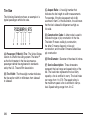
4 (Information): Press this button to switch the
display between the radio station frequency
and the time. When the ignition is off, press this
button to display the time.
system on and off.
Turn this knob clockwise or counterclockwise to
increase or decrease the volume.
The radio remembers the previous volume setting
whenever the radio is turned on. You can still
manually adjust the volume by using the
volume knob.
219