1
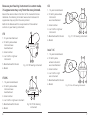
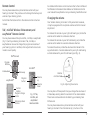
Directional microphone system
According to your hearing needs, your Siemens hearing
instrument can be adjusted to focus on sounds in front of you
(directional mode) for when you are having a face-to-face
conversation in a noisy environment. The hearing system can
also be adjusted for when you are in more quiet environments
and want to hear the sounds around you (omnidirectional). Your
Hearing Care Professional may program the operation of the
directional microphone system to function automatically or in
conjunction with the remote control based on your particular
hearing requirements.
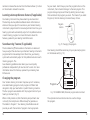
Telecoil
signal from the telephone. When you are finished speaking on the
phone, move the handset away from the hearing instrument and
the microphone mode will re-establish itself.
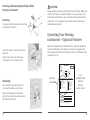
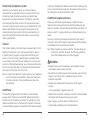
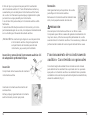
AutoPhone magnet accessory
There is an AutoPhone magnet accessory available for your
telephone that can be used with the AutoPhone feature of your
hearing instrument. Ask your Hearing Care Professional about this
accessory and if it is appropriate for your individual hearing care
needs.
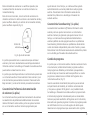
You must use the original magnet provided with your hearing
instrument. Using other magnets may cause irreversible damage
to the electronics of your hearing instrument.
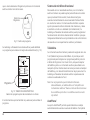
Your Siemens Hearing instrument may be equipped with a T-coil
(telecoil) for telephone use. It may be programmed to work in
a specific listening program in conjunction with the program
button. In the T-coil mode, place the telephone receiver close
to your hearing instrument for best reception. By trying various
positions of the telephone receiver, you will discover what works
best for you. Your Audiologost or Hearing Care Professional can
advise you on the proper use of the T-coil.
Note: When magnets are properly cared for, they are safe to use
and can last a lifetime. However, the following guidelines
should be followed while using these magnets.
Note: In order for the telecoil to function properly, your telephone
must be “hearing aid compatible”. Check your telephone’s
instruction manual to find out whether your phone has
this capability.
• Be careful not to place magnets near computers, color monitors,
television sets, floppy disks, video/audio tape, and other
electronic equipment.
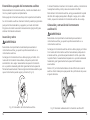
AutoPhone®
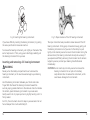
The AutoPhone® option allows the telecoil to automatically
engage when a “hearing aid compatible” telephone handset is
brought close to the hearing instrument. To operate, bring the
telephone handset close to the hearing instrument. The telecoil
will automatically engage to the presence of the electromagnetic
20
WARNING
• Magnets can pose risks to electronics and magnetic storage media when placed in close proximity.
• Magnets may interfere with the operation of life support
systems,
such as pacemakers, magnetic valves, etc.
• Make certain to maintain a distance of at least 4 inches between
the magnet and the area of your support system.
• Keep magnets out of the reach of children or pets.
• If accidentally swallowed, seek medical attention.
21