1
Overview of system error alarms
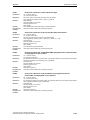
SINUMERIK 802D sl
Overview of alarms
List of action numbers
System reactions on alarms
Appendix
Diagnostics Manual
Index
Valid for
Control system
SINUMERIK 802D sl
06/2007 Edition
Software version
1.4
1
2
3
4
A
I
SINUMERIK® Documentation
Printing history
Brief details of this edition and previous editions are listed below.
The status of each edition is shown by the code in the "Remarks" column.
Status code in the "Remarks" column:
A ....
New documentation.
B ....
Unrevised reprint with new order number
C ....
Revised edition with new status
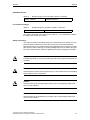
Edition
Order No.
Remark
12/2004
6FC5398-2CP10-0BA0
O
06/2007
6FC5398-2CP10-1BA0
C
Registered trademarks
All designations with the trademark symbol ® are registered trademarks of Siemens AG. Other designations in this documentation may be trademarks whose use by third parties for their own purposes may infringe the rights of the owner.
Disclaimer
We have checked the contents of this document for agreement with the hardware and software described. Nevertheless, as deviations cannot
be precluded entirely, we cannot guarantee complete accuracy of the information contained herein. The information contained in this document
is, however, reviewed regularly and any necessary changes will be included in the next edition.
Copyright © Siemens AG 1995 - 2007
Order No.6FC5398-2CP10-1BA0
Siemens-Aktiengesellschaft
Subject to change without prior notice
Preface
Structure of the documentation
The SINUMERIK documentation is organized in 3 parts:
• General Documentation
• User Documentation
• Manufacturer/Service Documentation
An overview of publications, which is updated monthly and also provides information about the language versions available, can be found on the Internet at:
http://www.siemens.com/motioncontrol
Select "Support" -> "Technical Documentation" ->"Overview of Publications"
The Internet version of the DOConCD (DOConWEB) is available at:
http://www.automation.siemens.com/doconweb
Information about training courses and FAQs (Frequently Asked Questions) can
be found in internet under:
http://www.siemens.com/motioncontrol under menu option "Support".
Target group
This publication is intended for project engineers, commissioners, machine operators and service and maintenance personnel.
Benefits
The Diagnostics Manual enables the intended target group to evaluate error and
fault indications and to respond accordingly.
It allows the operator at the machine tools:
− To correctly assess special situations when operating the machine.
− To ascertain the reaction of the system to the special situation.
− To utilize the possibilities for continued operation following the special
situation.
− To follow references to other documentation containing further details.
" Siemens AG 2007 All Rights Reserved
SINUMERIK 802D sl, Diagnostics Manual, 06/2007 Edition
iii
Preface
06/2007
Standard scope
This Diagnostics Manual describes only the functionality of the standard version.
Extensions or changes made by the machine tool manufacturer are documented
by the machine tool manufacturer.
Other functions not described in this documentation might be executable in the
control. However, no claim can be made regarding the availability of these functions when the equipment is first supplied or in the event of servicing.
Further, for the sake of simplicity, this documentation does not contain all detailed
information about all types of the product and cannot cover every conceivable
case of installation, operation or maintenance.
Technical Support
If you have any questions, please contact the following hotline:
Europa / Afrika
Phone
+49 180 5050 - 222
Fax
+49 180 5050 - 223
Internet
http://www.siemens.de/automation/support-request
Amerika
Phone
+1 423 262 2522
Fax
+1 423 262 2200
E-Mail
mailto:[email protected]
Asien / Pazifik
Phone
+86 1064 719 990
Fax
+86 1064 747 474
E-Mail
mailto:[email protected]
Note
Country-specific telephone numbers for technical support are provided under the
following Internet address:
http://www.siemens.com/automation/service&support.
iv
" Siemens AG 2007 All Rights Reserved
SINUMERIK 802D sl, Diagnostics Manual, 06/2007 Edition
06/2007
Preface
Questions regarding documentation
If you have any queries (suggestions, corrections) in relation to this documentation, please fax or email us:
Fax
+49 9131 98 - 63315
E-mail
mailto:[email protected]
Fax form: See the reply form at the end of the document.
SINUMERIK Internet address
http://www.siemens.com/sinumerik
EC Declaration of Conformity
The EC Declaration of Conformity for the EMC Directive can be found/obtained
on the Internet:
http://www.ad.siemens.de/csinfo
under the Product/Order No. 15257461
at the relevant branch office of the A&D MC group of Siemens AG
Subject matter of this manual
This manual is intended as a work of reference. It allows the operator at the
machine tool:
− To correctly assess special situations when operating the machine.
− To ascertain the reaction of the system to the special situation.
− To utilize the possibilities for continued operation following the special situation.
− To follow references to other documentation containing further details.
Scope
This manual describes the alarms from the NC kernel (NCK) area, PROFIBUS,
the cycles and the PLC.
Additional alarms from the HMI (Human Machine Interface) area may occur as
well. These alarms are displayed on the operator panel in the form of self-explanatory text. They are not subject of this Diagnostics Guide.
For special situations in conjunction with the integrated PLC, please refer to the
SIMATIC S7-200 documentation.
" Siemens AG 2007 All Rights Reserved
SINUMERIK 802D sl, Diagnostics Manual, 06/2007 Edition
v
Preface
06/2007
Sorting
The alarms are sorted by ascending alarm number in each section. There are
gaps in the sequence.
Structure of alarm description
Each alarm consists of an alarm number and alarm text. There are four description categories:
• Explanation
• Response
• Remedy
• Program continuation
For a more detailed explanation of the "Reaction" category, please refer to
section: "System reactions on alarms"
For a more detailed explanation of the "Program continuation" category, please
refer to the section: "Clear criteria for alarms"
Safety
Danger
Please check the situation in the plant on the basis of the description of the active
alarm(s). Eliminate the causes for the occurrence of the alarms and acknowledge
in the manner indicated. Failure to observe this warning will place your machine,
workpiece, stored settings and possibly even your own safety at risk.
NCK alarms
Table -1
vi
Number ranges of the alarm numbers
002 000 - 009 999
General alarms
010 000 - 019 999
ISO alarms
020 000 - 029 999
Axis/spindle alarms
030 000 - 099 999
Functional alarms
060 000 - 064 999
Cycle alarms SIEMENS
065 000 - 069 999
Cycle alarms user
" Siemens AG 2007 All Rights Reserved
SINUMERIK 802D sl, Diagnostics Manual, 06/2007 Edition
06/2007
Preface
PROFIBUS alarms
Table -2
Number ranges of the message numbers, continued
380000 - 380502
PROFIBUS alarms
PLC alarms/messages
Table -3
Number ranges of the alarm numbers, continued
400000 - 400015
General alarms
The actions described in the alarm texts ("Action %---") are explained in detail in
the table in the "Action list" section.
Safety information
This manual contains information which you should observe to ensure your own
personal safety as well as to protect the product and connected equipment.
Notices referring to your personal safety are highlighted in the manual by a safety
alert symbol; notices referring to property damage only have no safety alert symbol. These notices shown below are graded according to the degree of danger.
Danger
Indicates that death or severe personal injury will result if proper precautions are
not taken.
t
Warning
means that there can be severe physical injury or even death if the corresponding
safety measures are not followed.
Caution
means that there can be slight physical injury if the corresponding safety measures are not followed.
Caution
means that there can be damage to property if the corresponding safety measures are not followed.
" Siemens AG 2007 All Rights Reserved
SINUMERIK 802D sl, Diagnostics Manual, 06/2007 Edition
vii
Preface
06/2007
NOTICE
indicates that an undesirable result or state may occur if the corresponding
instruction is not followed.
In the event of a number of levels of danger prevailing simultaneously, the warning corresponding to the highest level of danger is always used. A warning notice
accompanied by a safety alert symbol indicating a risk of bodily injury can also
indicate a risk of property damage.
Qualified persons
The associated device/system must only be set up and operated using this documentation. The device/system must be commissioned and operated by qualified
personnel only. Qualified personnel as defined under the safety guidelines in this
documentation are those who are authorized to start up, earth and label units,
systems and circuits in accordance with the relevant safety standards.
viii
" Siemens AG 2007 All Rights Reserved
SINUMERIK 802D sl, Diagnostics Manual, 06/2007 Edition
Table of Contents
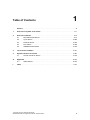
1
Preface. . . . . . . . . . . . . . . . . . . . . . . . . . . . . . . . . . . . . . . . . . . . . . . . . . . . . . . . . . . . . . . -iii
1
Overview of system error alarms . . . . . . . . . . . . . . . . . . . . . . . . . . . . . . . . . . . . . . . 1-11
2
Overview of alarms. . . . . . . . . . . . . . . . . . . . . . . . . . . . . . . . . . . . . . . . . . . . . . . . . . . 2-13
2.1
NCK alarms/ISO alarms . . . . . . . . . . . . . . . . . . . . . . . . . . . . . . . . . . . . . . . . 2-13
2.2
Cycle alarms . . . . . . . . . . . . . . . . . . . . . . . . . . . . . . . . . . . . . . . . . . . . . . . . 2-269
2.3
Profibus alarms . . . . . . . . . . . . . . . . . . . . . . . . . . . . . . . . . . . . . . . . . . . . . . 2-332
2.4
PLC alarms . . . . . . . . . . . . . . . . . . . . . . . . . . . . . . . . . . . . . . . . . . . . . . . . . 2-338
2.5
SINAMICS-Parameters . . . . . . . . . . . . . . . . . . . . . . . . . . . . . . . . . . . . . . . . 2-340
3
List of action numbers . . . . . . . . . . . . . . . . . . . . . . . . . . . . . . . . . . . . . . . . . . . . . . . 3-341
4
System reactions on alarms . . . . . . . . . . . . . . . . . . . . . . . . . . . . . . . . . . . . . . . . . . 4-367
4.1
A
Appendix . . . . . . . . . . . . . . . . . . . . . . . . . . . . . . . . . . . . . . . . . . . . . . . . . . . . . . . . . . A-373
A.1
I
Cancel criteria for alarms . . . . . . . . . . . . . . . . . . . . . . . . . . . . . . . . . . . . . . 4-370
Abbreviations. . . . . . . . . . . . . . . . . . . . . . . . . . . . . . . . . . . . . . . . . . . . . . . . A-373
Index . . . . . . . . . . . . . . . . . . . . . . . . . . . . . . . . . . . . . . . . . . . . . . . . . . . . . . . . . . . . . . I-377
" Siemens AG 2007 All Rights Reserved
SINUMERIK 802D sl, Diagnostics Manual, 06/2007 Edition
ix
x
" Siemens AG 2007 All Rights Reserved
SINUMERIK 802D sl Diagnostics Manual, 06/2007 Edition
Overview of system error alarms
1
System fault
Alarms with alarm number 1xxx are system errors that indicate internal error
states. The internal error number transmitted provides the developer important
information with regard to the error cause and the error location.
These system error alarms are not described in detail! If they occur with the supplied control systems at all, please contact the following hotline specifying
− the alarm number
− the alarm text and
− the internal system error number contained therein.
The indications regarding your country-specific hotline are provided in the foreword under Technical Support.
" Siemens AG 2007 All Rights Reserved
SINUMERIK 802D sl, Diagnostics Manual, 06/2007 Edition
1-11
Overview of system error alarms
1-12
06/2007
" Siemens AG 2007 All Rights Reserved
SINUMERIK 802D sl, Diagnostics Manual, Edition 06/2007
Overview of alarms
2.1
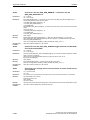
2000
2
NCK alarms/ISO alarms
PLC sign-of-life monitoring
Definitions:
The PLC must give a sign of life within the specified period. An alarm is issued if this does not happen.
Reaction:
NC not ready.
Local alarm reaction.
Channel not ready.
NC Start disable in this channel.
Interface signals are set.
Alarm display.
NC Stop on alarm.
Remedy:
This alarm also occurs after a PLC Stop.
(PLC Stop with programming tool,
PLC Stop from commissioning switch,
PLC Stop from alarm)
If none of these cases apply, contact the hotline stated at the beginning of the document and state the
number of the operating system error.
Program Continuation:
Switch control OFF - ON.
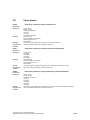
2001
PLC has not started up
Definitions:
The PLC must give at least one sign of life within the specified period after Power On.
Reaction:
NC not ready.
Local alarm reaction.
Channel not ready.
NC Start disable in this channel.
Interface signals are set.
Alarm display.
NC Stop on alarm.
Remedy:
Contact the hotline stated at the beginning of the document.
Program Continuation:
Switch control OFF - ON.
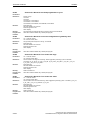
2100
NCK battery warning threshold reached
Definitions:
The undervoltage monitor of the NCK battery has reached the prewarning threshold. This is at 2.7-2.9
V (nominal voltage of the battery is 3.0-3.1 V at 950 mAh).
Reaction:
Alarm display.
Remedy:
Please inform the authorized personnel/service department. The battery must be replaced within the
next 6 weeks. After this period, the voltage can drop below the alarm limit of 2.4-2.6 V if the RAMs to
be buffered take up a lot of current.
Program Continuation:
Clear alarm with the Delete key or NC START.
" Siemens AG 2007 All Rights Reserved
SINUMERIK 802D sl, Diagnostics Manual, 06/2007Edition
2-13
Overview of alarms
06/2007
NCK alarms/ISO alarms
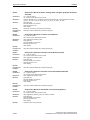
2101
NCK battery alarm
Definitions:
The undervoltage monitoring (2.4 - 2.6 V) of the NCK battery has responded during cyclic operation.
Reaction:
Alarm display.
Remedy:
If the NCK battery is replaced without interrupting the power supply, no data will be lost. This means
that production can continue without taking any further steps. (A buffer capacitor on the NCK holds
the supply voltage for at least 30 minutes and the battery can be replaced within this time even when
the control is switched off).
Program Continuation:
Clear alarm with the Delete key or NC START.
2102
NCK battery alarm
Definitions:
The undervoltage monitoring (2.4 - 2.6 V) of the NCK battery was detected during system power-up.
Reaction:
NC not ready.
The NC switches to follow-up mode.
Channel not ready.
NC Start disable in this channel.
Interface signals are set.
Alarm display.
NC Stop on alarm.
Remedy:
Please inform the authorized personnel/service department. Pull out the battery/fan unit from the NC
module and replace the battery (type: lithium battery with lead, size 1/2 AA, 850 mAh, min. 3.2 V).
The system must then be reinitialized because it must be assumed that data has been lost in the buffered RAM during the last power-off phase as a result of insufficient supply voltage (refer to Section
2.2 in the Installation and Start-up Guide for the procedure).
The following data might have been corrupted or entirely lost:
- NC machine data
- Drive machine data
- Option data
- Setting data
- User variable
- Global subroutines
- Cycles and macros, as well as
- PLC machine data
- PLC basic program
- PLC user program, and all
- PLC user data
User data in the NCK and PLC (e.g. tool and workpiece data) that have been altered by the manufacturing process since the last data backup must be updated manually to match the present machine
status!
Program Continuation:
Switch control OFF - ON.
2110
NCK temperature alarm
Definitions:
The temperature sensor has reached the response threshold of 60 degrees C +/- 2.5 degrees C.
Reaction:
Alarm display.
Remedy:
In order to reset the sensor, the temperature must be reduced by 7 degrees C.
Program Continuation:
Clear alarm with the Delete key or NC START.
2120
NCK fan alarm
Definitions:
The fan consists of a 26 V DC motor with electronic commutator (rated speed: approx. 8700 rpm). The
commutator signal is used for speed monitoring, response speed: < 7500 rpm.
Reaction:
Alarm display.
Remedy:
Please inform the authorized personnel/service department. The unit with the fan and NCK battery
must be replaced.
Program Continuation:
Clear alarm with the Delete key or NC START.
2-14
" Siemens AG 2007 All Rights Reserved
SINUMERIK 802D sl, Diagnostics Manual, 06/2007Edition
06/2007
Overview of alarms
NCK alarms/ISO alarms
2130
5V/24V encoder or 15V D/A converter undervoltage
Definitions:
A failure has occurred in the power supply to the encoder (5V/24V) or D/A converter (+/-15 V).
Reaction:
NC not ready.
The NC switches to follow-up mode.
Mode group not ready, also effective for single axes
NC Start disable in this channel.
Axes of this channel must be re-referenced.
Interface signals are set.
Alarm display.
NC Stop on alarm.
Remedy:
Please inform the authorized personnel/service department. Check the encoder and cable for shortcircuits (the fault must not recur when you remove the cable). Check the voltage supply.
Program Continuation:
Switch control OFF - ON.
2140
The actual service switch position forces the SRAM to be cleared at the
next Power On (general reset active)
Definitions:
The initialization switch is currently set to overall reset. This means that the module's SRAM is deleted
with the next module reset. The NC data memory is cleared during this operation.
Reaction:
NC not ready.
Interface signals are set.
Alarm display.
Remedy:
Reset initialization switch to zero.
Program Continuation:
Alarm display showing cause of alarm disappears. No further operator action necessary.
2190
Hardware plug-in module for communication with the digitizer missing
Definitions:
MD $MN_ASSIGN_DIGITIZE_TO_CHAN was used to activate the digitizing function by assigning it
to a channel. The function requires a hardware module (RS422 board plugged into the NCU) for communication with the digitizing unit. This module was not found when booting.
Reaction:
Interface signals are set.
Alarm display.
Remedy:
Please inform the authorized personnel/service department. Plug in communications module or cancel channel assignment.
Program Continuation:
Switch control OFF - ON.
2194
Link axis active and $MN_MM_SERVO_FIFO_SIZE != 3
Definitions:
At least one axis is to be distributed via NCU link, then the machine data
$MN_MM_SERVO_FIFO_SIZE must be 3. Occurs only with an NCU link system.
Reaction:
NC not ready.
Channel not ready.
NC Start disable in this channel.
Interface signals are set.
Alarm display.
NC Stop on alarm.
Remedy:
Set $MN_SERVO_FIFO_SIZE to 3.
Program Continuation:
Switch control OFF - ON.
2200
Channel %1 fast punching/nibbling not possible in several channels
Parameters:
%1 = Channel number
Definitions:
An attempt was made to activate fast nibbling or punching in a channel while it has already been active
in another channel. Fast punching and nibbling is only possible simultaneously in the same channel.
Reaction:
NC Start disable in this channel.
Interface signals are set.
Alarm display.
NC Stop on alarm.
Remedy:
Fast nibbling and punching simultaneously in 1 channel only.
" Siemens AG 2007 All Rights Reserved
SINUMERIK 802D sl, Diagnostics Manual, 06/2007Edition
2-15
Overview of alarms
06/2007
NCK alarms/ISO alarms
Program Continuation:
2900
Clear alarm with the RESET key. Restart part program
Reboot is delayed
Definitions:
This alarm indicates a delayed reboot.
The alarm occurs only when the reboot is carried out by the HMI and the MD 10088
REBOOT_DELAY_TIME is set higher than zero.
The alarm can be suppressed with SUPPRESS_ALARM_MASK BIT 20.
Reaction:
NC not ready.
The NC switches to follow-up mode.
Mode group not ready, also effective for single axes
NC Start disable in this channel.
Interface signals are set.
Alarm display.
NC Stop on alarm.
Alarm reaction delay is cancelled.
Remedy:
See MD 10088 REBOOT_DELAY_TIME and
MD 11410 SUPPRESS_ALARM_MASK
Program Continuation:
Switch control OFF - ON.
3000
Emergency stop
Definitions:
The EMERGENCY STOP request is present at the NC/PLC interface
(V 26000000.1).
Reaction:
NC not ready.
Mode group not ready, also effective for single axes
NC Start disable in this channel.
Interface signals are set.
Alarm display.
NC Stop on alarm.
Alarm reaction delay is cancelled.
Remedy:
Check that an EMERGENCY STOP cam was not approached and that no EMERGENCY STOP button was pressed. Check PLC user program.
Corrected the cause of EMERGENCY STOP and acknowledge it via the NC/PLC interface (V
26000000.2).
Program Continuation:
Teileprogramm neu starten.Clear alarm with the RESET key in all channels of this mode group.
Restart part program.
3001
Internal emergency stop
Definitions:
This alarm is not displayed.
Reaction:
NC not ready.
Local alarm reaction.
Mode group not ready, also effective for single axes
NC Start disable in this channel.
NC Stop on alarm.
Remedy:
No remedy required
Program Continuation:
Teileprogramm neu starten.Clear alarm with the RESET key in all channels of this mode group.
Restart part program.
4000
Channel %1 machine data %2[%3] has gap in axis assignment
Parameters:
%1 = channel number
%2 = string: MD identifier
Definitions:
The assignment of a machine axis to a channel by the machine data 20070
AXCONF_MACHAX_USED must be contiguous. At system power-up (Power On) gaps are detected
and displayed as an alarm.
Reaction:
NC not ready.
Mode group not ready, also effective for single axes
NC Start disable in this channel.
Interface signals are set.
Alarm display.
NC Stop on alarm.
2-16
" Siemens AG 2007 All Rights Reserved
SINUMERIK 802D sl, Diagnostics Manual, 06/2007Edition
06/2007
Overview of alarms
NCK alarms/ISO alarms
Remedy:
Please inform the authorized personnel/service department.
Configure MD 20070 AXCONF_MACHAX_USED for the axis assignment in the channel without gaps;
i.e. with increasing channel indices, a machine axis must be assigned until a zero is entered for the
first time (no machine axis).
All MD with higher indices must then contain a zero (0).
The order of the machine axis numbers is not relevant.
Program Continuation:
Switch control OFF - ON.
4002
Channel %1 machine data %2[%3] assigns an axis not defined in channel
Parameters:
%1 = channel number
%2 = string: MD identifier
%3 = index: MD array index
Definitions:
Only axes that have been activated in the channel via MD 20070 AXCONF_MACHAX_USED [kx]=m
may be declared by means of MD 20050 AXCONF_GEOAX_ASSIGN_TAB [gx]=k.
gx ...geometry axis index:k ...channel axis number
kx ...channel axis indexm ...machine axis No.
Reaction:
NC not ready.
Mode group not ready, also effective for single axes
NC Start disable in this channel.
Interface signals are set.
Alarm display.
NC Stop on alarm.
Remedy:
Please inform the authorized personnel/service department.
Check and correct MD 20050 AXCONF_GEOAX_ASSIGN TAB and
MD 20070 AXCONF_MACHAX_USED.
Program Continuation:
Switch control OFF - ON.
4004
Channel %1 machine data %2 axis %3 defined repeatedly as geometry
axis
Parameters:
%1 = channel number
%2 = string: MD identifier
%3 = axis index
Definitions:
An axis may only be defined once as a geometry axis.
Reaction:
Mode group not ready.
Channel not ready.
NC Start disable in this channel.
Interface signals are set.
Alarm display.
NC Stop on alarm.
Remedy:
Correct MD 20050 AXCONF_GEOAX_ASSIGN_TAB
Program Continuation:
Switch control OFF - ON.
4005
Maximum number of axes in channel %1 exceeded. Limit %2
Parameters:
%1 = Channel number
%2 = Upper limit for the number of axes in the channel
Definitions:
Machine data $MC_AXCONF_MACHAX_USED defines which machine axes can be used in this
channel. This simultaneously defines the number of active axes in the channel. This upper limit has
been exceeded. Note: The channel axis gaps may cause certain indices of
AXCONF_MACHAX_USED to remain unused and therefore do not count as active channel axes.
Example:
- CHANDATA(2)
- $MC_AXCONF_MACHAX_USED[0] = 7
- $MC_AXCONF_MACHAX_USED[1] = 8
- $MC_AXCONF_MACHAX_USED[2] = 0
- $MC_AXCONF_MACHAX_USED[3] = 3
" Siemens AG 2007 All Rights Reserved
SINUMERIK 802D sl, Diagnostics Manual, 06/2007Edition
2-17
Overview of alarms
06/2007
NCK alarms/ISO alarms
- $MC_AXCONF_MACHAX_USED[4] = 2
- $MC_AXCONF_MACHAX_USED[5] = 0
- $MC_AXCONF_MACHAX_USED[6] = 1
- $MC_AXCONF_MACHAX_USED[7] = 0
This channel uses the five machine axes 1, 2, 3, 8, 7, i.e. it has 5 active channel axes.
Reaction:
NC not ready.
Channel not ready.
NC Start disable in this channel.
Interface signals are set.
Alarm display.
NC Stop on alarm.
Remedy:
Modify $MC_AXCONF_MACHAX_USED.
Program Continuation:
Switch control OFF - ON.
4010
Invalid identifier used in machine data %1[%2]
Parameters:
%1 = string: MD identifier
%2 = index: MD array index
Definitions:
When defining names for machine axes, one of the following syntax rules for the identifier to be
entered has been violated:
1.The identifier must be an NC address letter (A, B, C, I, J, K, U, V, W, X, Y, Z), possibly with a numerical extension.
2.The identifier must begin with 2 arbitrary capital letters but not with $ (reserved).
3.The identifier must not be a vocabulary word of the NC language (e.g. SPOS).
Reaction:
NC not ready.
Mode group not ready, also effective for single axes
NC Start disable in this channel.
Interface signals are set.
Alarm display.
NC Stop on alarm.
Remedy:
Please inform the authorized personnel/service department.
Enter the identifier for user-defined names with correct syntax in the displayed MD.
Machine axes:MD 10000 AXCONF_MACHAX_NAME_TAB
Program Continuation:
Switch control OFF - ON.
4011
Channel %1 invalid identifier used in machine data %2[%3]
Parameters:
%1 = channel number
%2 = string: MD identifier
%3 = index: MD array index
Definitions:
When defining names in the channel-specific tables for geometry axes and channel axes, one of the
following syntax rules for the identifier to be entered has been violated:
The identifier must be an NC address letter (A, B, C, I, J, K, U, V, W, X, Y, Z), possibly with a numerical
extension.
The identifier must begin with 2 arbitrary capital letters but not with $ (reserved for system variable).
The identifier must not be a vocabulary word of the NC language (e.g. SPOS).
Reaction:
NC not ready.
Mode group not ready, also effective for single axes
NC Start disable in this channel.
Interface signals are set.
Alarm display.
NC Stop on alarm.
Remedy:
Please inform the authorized personnel/service department.
Enter the identifier for user-defined names with correct syntax in the displayed MD
Geometry axes:MD 20060 AXCONF_GEOAX_ASSIGN_TAB
Channel axes:MD 10000 AXCONF_MACHAX_NAME_TAB
Program Continuation:
Switch control OFF - ON.
2-18
" Siemens AG 2007 All Rights Reserved
SINUMERIK 802D sl, Diagnostics Manual, 06/2007Edition
06/2007
Overview of alarms
NCK alarms/ISO alarms
4012
Invalid identifier used in machine data %1[%2]
Parameters:
%1 = string: MD identifier
%2 = index: MD array
Definitions:
The selected identifier is invalid. The following are valid identifiers:
• AX1 - AXn: Machine axis identifiers
Reaction:
NC not ready.
Channel not ready.
NC Start disable in this channel.
Interface signals are set.
Alarm display.
NC Stop on alarm.
Remedy:
Use the correct identifier.
Program Continuation:
Switch control OFF - ON.
4020
Identifier %1 used several times in machine data %2
Parameters:
%1 = string: Identifier
%2 = string: MD identifier
Definitions:
To determine the name in the channel-specific tables (arrays) for machine axes an identifier already
existing in the control has been used.
Reaction:
NC not ready.
Mode group not ready, also effective for single axes
NC Start disable in this channel.
Interface signals are set.
Alarm display.
NC Stop on alarm.
Remedy:
Please inform the authorized personnel/service department.
Select for the identifier to be entered a character string that is not yet used in the system (max. 32
characters).
Program Continuation:
Teileprogramm neu starten.Clear alarm with the RESET key in all channels of this mode group.
Restart part program.
4021
Channel %1 identifier %2 used several times in machine data %3
Parameters:
%1 = channel number
%2 = string: identifier
%3 = string: MD identifier
Definitions:
To determine the name in the channel-specific tables for geometry axes and channel axes an identifier
already existing in the control has been used.
Reaction:
NC not ready.
Mode group not ready, also effective for single axes
NC Start disable in this channel.
Interface signals are set.
Alarm display.
NC Stop on alarm.
Remedy:
Please inform the authorized personnel/service department.
Select for the identifier to be entered a character string that is not yet used in the system (max. 32
characters).
Program Continuation:
Switch control OFF - ON.
4030
Parameters:
Channel %1 axis identifier missing in machine data %2[%3]
%1 = channel number
%2 = string: MD identifier
%3 = index: MD array index
" Siemens AG 2007 All Rights Reserved
SINUMERIK 802D sl, Diagnostics Manual, 06/2007Edition
2-19
Overview of alarms
06/2007
NCK alarms/ISO alarms
Definitions:
An axis identifier is expected for the displayed MD in accordance
with the axis configuration in the AXCONF_MACHAX_USED
and MD 20050 AXCONF_GEOAX_ASSIGN_TAB.
Reaction:
NC not ready.
Mode group not ready, also effective for single axes
NC Start disable in this channel.
Interface signals are set.
Alarm display.
NC Stop on alarm.
Remedy:
Please inform the authorized personnel/service department.
Check axis configuration and enter the missing identifier into the MD or, should the axis not exist,
specify for this channel axis the machine axis 0 in MD 20070 AXCONF_MACHAX_USED. If this concerns a geometry axis that is not to be used (this applies only for 2-axis machining, e.g. on lathes),
then channel axis 0 must be entered additionally in MD 20050 AXCONF_GEOAX_ASSIGN_TAB for
the relevant geometry axis.
Program Continuation:
Switch control OFF - ON.
4032
Channel %1 wrong identifier for facing axis in %2
Parameters:
%1 = channel number
%2 = string: MD identifier
Definitions:
According to the axis configuration in MD 20150 GCODE_RESET_VALUES or MD 20100
DIAMETER_AX_DEF, a facing axis identifier is expected at the specified location.
Reaction:
Mode group not ready.
Channel not ready.
NC Start disable in this channel.
Interface signals are set.
Alarm display.
NC Stop on alarm.
Remedy:
Please inform the authorized personnel/service department.
Add the correct identifier.
Program Continuation:
Switch control OFF - ON.
4040
Channel %1 axis identifier %2 not consistent with machine data %3
Parameters:
%1 = channel number
%2 = string: axis identifier
%3 = string: MD identifier
Definitions:
The use of the specified axis identifier in the displayed MD is not consistent the channel's axis configuration stated in the MD 20070 AXCONF_MACHAX_USED and MD 20050
AXCONF_GEOAX_ASSIGN_TAB.
Reaction:
NC not ready.
Mode group not ready, also effective for single axes
NC Start disable in this channel.
Interface signals are set.
Alarm display.
NC Stop on alarm.
Remedy:
Please inform the authorized personnel/service department.
Check and correct the identifier used in the MD 10000 AXCONF_
MACHAX_NAME_TAB, MD 20080 AXCONF_CHANAX_NAME_TAB and/or MD 20050
AXCONF_GEOAX_NAME_TAB.
Program Continuation:
Switch control OFF - ON.
2-20
" Siemens AG 2007 All Rights Reserved
SINUMERIK 802D sl, Diagnostics Manual, 06/2007Edition
06/2007
Overview of alarms
NCK alarms/ISO alarms
4045
Channel %1 conflict between machine data %2 and machine data %3
Parameters:
Definitions:
Using the specified machine data %1 leads to a conflict with machine data %2.
Reaction:
NC not ready.
Mode group not ready, also effective for single axes
NC Start disable in this channel.
Interface signals are set.
Alarm display.
NC Stop on alarm.
Remedy:
Correct the specified machine data.
Program Continuation:
Switch control OFF - ON.
4050
NC code identifier %1 cannot be reconfigured to %2
Parameters:
%1 = String: Old identifier
%2 = String: New identifier
Definitions:
Renaming of an NC code was not possible for one of the following reasons:
The old identifier does not exist
The new identifier is within another type range.
NC codes/vocabulary words can be reconfigured per machine data as long as you stay within the type
range.
Type 1: "true" G codes:G02, G17, G33, G64, ...
Type 2: named G codes:CIP, TRANS, ...
Type 3: addresses which can be set:X, Y, I, J, K, MEAS
Reaction:
NC not ready.
Mode group not ready, also effective for single axes
NC Start disable in this channel.
Interface signals are set.
Alarm display.
NC Stop on alarm.
Remedy:
Please inform the authorized personnel/service department.
Correct MD 10712 NC_USER_CODE_CONF_NAME_TAB (protection level 1).
The list must be built up as follows:
Even address:Identifier to be modified
Following odd address:New identifier
E.g.:NC_USER_CODE_CONF_NAME_TAB[10] = "ROT"
NC_USER_CODE_CONF_NAME_TAB [11] = " "
deletes the function ROT from the control
Program Continuation:
Switch control OFF - ON.
4060
Standard machine data loaded (%1, %2)
Parameters:
Definitions:
Startup with defaults values by means of:
Operation (e.g. commissioning switch)
MD 11200 INIT_MD
Loss of remanent data
Startup operation with backup data, without saving current data
Reaction:
Alarm display.
Remedy:
After automatically loading the standard MDs, the individual MDs must be entered/loaded in the relevant system.
Program Continuation:
Clear alarm with the RESET key. Restart part program
4062
Backup data loaded
Definitions:
The user data saved in the flash memory are loaded to the SRAM.
Reaction:
Alarm display.
Remedy:
Load specific machine data again.
Program Continuation:
Clear alarm with the RESET key. Restart part program
" Siemens AG 2007 All Rights Reserved
SINUMERIK 802D sl, Diagnostics Manual, 06/2007Edition
2-21
Overview of alarms
06/2007
NCK alarms/ISO alarms
4065
Buffered memory was restored from backup medium (potential loss of
data!)
Definitions:
A possible inconsistency was detected in the buffered memory during power-up.
The buffered memory was initialized with the last backup copy. Changes in the buffered memory,
which have been made since the last backup copy update, have been lost. The reason for this procedure is that the backup time is exceeded. Make sure that the required operating time of the control
corresponds to the specifications in your Installation & Start-Up Guide.
The current backup copy of the buffered memory has been created by the last internal data backup
carried out via the "Save data" softkey on the HMI.
Reaction:
NC not ready.
NC Start disable in this channel.
Interface signals are set.
Alarm display.
Remedy:
Restart the control.
Program Continuation:
Switch control OFF - ON.
4066
Buffered memory of FFS restored from backup medium (potential loss of
data!)
Definitions:
For PC-NC: A possible data integrity error was detected in the FFS memory during power-up. The FFS
memory was initialized with the last backup copy. Changes in the FFS memory, which have been
made since the last backup copy update, have been lost.
!! Only for PC-NC: Backup copies of the buffered memory are updated (on the hard disk) every time
the control is shut down normally.
Reaction:
NC not ready.
NC Start disable in this channel.
Interface signals are set.
Alarm display.
Remedy:
Start the control again.
Program Continuation:
Switch control OFF - ON.
4070
Normalizing machine data has been changed
Definitions:
The control uses internal physical units (mm, degrees, s, for paths, velocities, acceleration, etc.). During programming or data storage, some of these values are input and output using different units
(rev./min, m/s2, etc.).
The conversion is carried out using scaling factors which can be entered (system-specific MD array
10230 SCALING_FACTORS USER_DEF[n] (n ... Index number 0 - 10) when the relevant masking bit
is set to "1".
If the masking bit is set to "0" then scaling takes place with the internal standard factors.
The following machine data influence the scaling of other MDs:
MD 10220 SCALING_USER_DEF_MASK
MD 10230 SCALING_FACTORS_USER_DEF
MD 10240 SCALING_SYSTEM_IS_METRIC
MD 10250 SCALING_VALUE_INCH
MD 30300 IS_ROT_AX
After these data are changed, the NC must be restarted. Only then will the input of dependent data be
performed correctly.
Reaction:
Alarm display.
Remedy:
Please inform the authorized personnel/service department.
If the alarm has been displayed after downloading an MD file which is consistent within itself, then the
download operation must be repeated with a new NC power-up. (The file contains scaling-dependent
machine data in front of the scaling factors).
Program Continuation:
Clear alarm with the Delete key or NC START.
4071
Check the position of the encoder
Definitions:
A machine data that affects the position of an absolute encoder has been changed. Please check the
position values.
Reaction:
Alarm display.
Remedy:
Please inform the authorized personnel/service department.
2-22
" Siemens AG 2007 All Rights Reserved
SINUMERIK 802D sl, Diagnostics Manual, 06/2007Edition
06/2007
Overview of alarms
NCK alarms/ISO alarms
Program Continuation:
4075
Clear alarm with the Delete key or NC START.
Machine data %1 (and maybe others) not changed due to missing
permission level %2
Parameters:
%1 = string: MD identifier
%2 = write-protection level of MD
Definitions:
On executing a TOA file, an attempt has been made to write an item of data with a higher protection
level than the access authorization currently set in the control.
The item of data affected was not written.
This alarm is set only when access violation is detected for the first time.
Reaction:
Alarm display.
Remedy:
Set the required access level per password entry or delete the machine data concerned from the MD
file.
Program Continuation:
Clear alarm with the Delete key or NC START.
4076
%1 Machine data could not be changed with permission level %2
Parameters:
%1 = number of MD
%2 = access authorization set
Definitions:
On executing a TOA file, an attempt has been made to write data with a higher protection level than
the access authorization currently set in the control.
The data affected was not written.
This alarm is issued when acknowledging Alarm 4075. It can be cleared only with Power On.
Reaction:
NC Start disable in this channel.
Alarm display.
Remedy:
Set the required access level by means of keyswitch or password entry or delete the machine data
concerned from the MD file program.
Program Continuation:
Switch control OFF - ON.
4077
New value %1 of MD %2 not set. Requested %3 bytes too much %4
memory.
Parameters:
%1 = New value of machine data
%2 = Machine data number
%3 = Number of bytes to many requested
%4 = Type of memory
Definitions:
An attempt was made to enter a new value in the specified memory configuration machine data.
The change is not made, since it would result in the user memory being deleted. This is because the
memory requested exceeded the available capacity.
The third parameter specifies the number of bytes by which the maximum user memory was
exceeded.
The fourth parameter specifies the type of memory whose limit was exceeded.
"D" stands for dynamic or non-buffered user memory (this is where the LUD variables are stored and
the interpolation buffer size is entered, for example). The capacity of this memory type is defined by
the current memory expansion and the value in MD18210 MM_USER_MEM_DYNAMIC.
"S" stands for static or buffered user memory (typically the part programs but also compensation data,
R parameters and tool data). The capacity of this memory type is defined by the current memory
expansion and the value in MD 18230 MM_USER_MEM_BUFFERED.
Reaction:
Alarm display.
Remedy:
If the modification was unintentional, simply continue.
The alarm has no negative effects.
The remedy depends on the access authorization and the current memory expansion of the NC.
The intended change is mot possible -> try again with a lower value. Observe how the value of the
byte number changes.
Buy more memory? This option depends on the particular model used.
The NC user memory setting may be smaller than possible. The MDs (see above) can be altered using
the relevant access authorization.
Program Continuation:
Clear alarm with the Delete key or NC START.
" Siemens AG 2007 All Rights Reserved
SINUMERIK 802D sl, Diagnostics Manual, 06/2007Edition
2-23
Overview of alarms
06/2007
NCK alarms/ISO alarms
4080
Incorrect configuration of indexing axis in MD %1
Parameters:
%1 = String: MD identifier
Definitions:
The assignment of a position table to an indexing axis or the contents of a position table contains an
error, or the length of a position table has been parameterized with 0.
Reaction:
NC not ready.
Mode group not ready, also effective for single axes
NC Start disable in this channel.
Interface signals are set.
Alarm display.
NC Stop on alarm.
Remedy:
Please inform the authorized personnel/service department. 3 MD identifiers are output, depending
on the type of error.
1. $MA_INDEX_AX_ASSIGN_TAB (axis-specific MD 30500: The error is due to multiple assignment
of a position table (NCK MD 10910/10930 INDEX_AX_POS_TAB_n) to axes with different types (linear/rotary axis).
2. $MN_INDEX_AX_POS_TAB_n (NCK MD 10910/10930): The contents of the displayed table n contain an error.
- The entered positions must be arranged in increasing size.
- A particular position must not be set more than once.
- If the table is assigned to one or several modulo axes, then the contents must be within the 0 to <
360 degree range.
3. $MN_INDEX_AX_LENGTH_POS_TAB_n (NCK MD 10900/10920): The length of the displayed
position table n was specified with 0.
Program Continuation:
Clear alarm with the RESET key. Restart part program
4090
Too many errors during power-up
Definitions:
More than <n> errors occurred during control power-up.
Reaction:
NC Start disable in this channel.
Alarm display.
Remedy:
Set the machine data correctly.
Program Continuation:
Switch control OFF - ON.
4100
System cycle time/scan time divider corrected for digital drive
Definitions:
The machine data 10050 SYSCLOCK_CYCLE_TIME (system clock cycle) and/or MD 10080
SYSCLOCK_SAMPL_TIME_RATIO (dividing factor of the position control cycle for actual value
acquisition) have been corrected. The sampling cycle to which the digital drive is synchronized (drive
clock cycle) must be a multiple of 4, 8, 16 or 32 of 31.25µs.
The modifications were so made that, due to the selection of the system clock cycle time in MD 10050
SYSCLOCK_CYCLE_TIME, the programmable hardware divider 1 was readjusted in such a way that
the selected time and the basic drive cycle result in a 31.25µs grid. If this requirement is unfeasible
(e.g. because the system clock cycle is not a multiple of 31.25µs), the system clock cycle is automatically increased until the basic drive cycle is in a 31.25µs grid.
The new value of the SYSCLOCK_CYCLE_TIME can be obtained from the MD 10050.
The position control cycle can be set with the following gradations:
- up to 4ms: 125µs step
- up to 8ms: 250µs step
- up to 16ms: 0.5ms step
- up to 32ms: 1ms step
Reaction:
Alarm display.
Remedy:
No remedial measures are required. The alarm display can be canceled with Reset.
Program Continuation:
Clear alarm with the Delete key or NC START.
4101
Position control cycle for digital drive reduced to %1 ms
Parameters:
%1 = String (time in ms)
Definitions:
The position control clock divisor in the NCK MD 10060 POSCTRL_SYSCLOCK_TIME_RATIO was
set such that a position control cycle time of more than 16 ms resulted. The boundary value for the
drive actuator 611D is however 16 ms.
Reaction:
Alarm display.
2-24
" Siemens AG 2007 All Rights Reserved
SINUMERIK 802D sl, Diagnostics Manual, 06/2007Edition
06/2007
Overview of alarms
NCK alarms/ISO alarms
Remedy:
No remedial measures are required. The alarm display is canceled with Reset.
Program Continuation:
Switch control OFF - ON.
4102
Default values for drive cycle times differ
Definitions:
External control modules of the 611D bus and the controls within the CCU3 module have different
default values for the current and speed control cycle times.
Reaction:
Interpreter stop
NC Start disable in this channel.
Interface signals are set.
Alarm display.
Remedy:
External control modules of the 611D bus and the controls within the CCU3 module have different
default values for the current and speed control cycle times.
Check the specified values and modify accordingly (see MD_CURRCTRL_CYCLE_TIME and
MD_SPEEDCTRL_CYCLE_TIME).
Program Continuation:
Switch control OFF - ON.
4110
IPO cycle factor changed to %1
Parameters:
%1 = String (new IPO cycle)
Definitions:
The IPO cycle divisor was set to a value which was not an integral multiple of the position control cycle
divisor.
The divisor (MD 10070 IPO_SYSCLOCK_TIME_RATIO) was increased.
IPO_SYSCLOCK_TIME_RATIO has been modified on systems with PROFIBUS DP because of the
modified DP cycle in the SDB (MD 10050 SYSCLOCK_CYCLE_TIME).
Reaction:
Alarm display.
Remedy:
Machine data 10070 IPO_SYSCLOCK_TIME_RATIO has been modified.
Program Continuation:
Clear alarm with the RESET key. Restart part program
4111
PLC cycle increased to %1 ms
Parameters:
Definitions:
The PLC cycle divisor was set to a value which was not an integral multiple of the IPO cycle divisor.
The divisor (MD 10 074 PLC_IPO_TIME_RATIO) has been increased.
Reaction:
Alarm display.
Remedy:
Adapt machine data.
Program Continuation:
Clear alarm with the RESET key. Restart part program
4112
Servo cycle changed to %1 ms
Parameters:
%1 = String (new servo cycle)
Definitions:
MD 10060 POSCTRL_SYSCLOCK_TIME_RATIO has been modified because of the modified DP
cycle in SDB1000 (10050 SYSCLOCK_CYCLE_TIME).
Reaction:
Alarm display.
Remedy:
Machine data 10060 POSCTRL_SYSCLOCK_TIME_RATIO RATIO has been modified.
Program Continuation:
Clear alarm with the RESET key. Restart part program
4113
Sysclock cycle changed to %1 ms
Parameters:
%1 = String (new PLC cycle)
Definitions:
MD 10050 SYSCLOCK_CYCLE_TIME has been modified because of the modified DP cycle in the
SDB.
Reaction:
Alarm display.
Remedy:
Machine data 10050 SYSCLOCK_CYCLE_TIME has been modified.
Program Continuation:
Clear alarm with the RESET key. Restart part program
" Siemens AG 2007 All Rights Reserved
SINUMERIK 802D sl, Diagnostics Manual, 06/2007Edition
2-25
Overview of alarms
06/2007
NCK alarms/ISO alarms
4114
Error in DP cycle of SDB-Type-2000
Parameters:
%1 = String (new PLC cycle)
Definitions:
The DP cycle in the SDB contains an error and cannot be set.
The default value of MD 10050 SYSCLOCK_CYCLE_TIME is set.
Reaction:
Alarm display.
Remedy:
Correct the SDB.
Program Continuation:
Switch control OFF - ON.
4115
Time ratio communication to Ipo changed to %1
Parameters:
%1 = String (new PLC cycle time)
Definitions:
The value of the machine data 10072 has been adapted. This can only occur, if the value of the
machine data is smaller than one and the time thus calculated is no multiple of the position control
cycle.
Reaction:
Alarm display.
Remedy:
The machine data $MN_COM_IPO_TIME_RATIO has been adapted. Please check to ensure that the
calculated value is correct.
Program Continuation:
Clear alarm with the RESET key. Restart part program
4150
Channel %1 invalid M function subprogram call configured
Parameters:
Definitions:
In MD MD 10715 M_NO_FCT_CYCLE, an M function that is occupied by the system has been specified for the configuration of the subprogram call and cannot be replaced by a subprogram call (M0 to
M5, M17, M19, M30, M40 to M45, M70). When external language is active, M96 to M99 are also
blocked
Reaction:
Mode group not ready.
Channel not ready.
NC Start disable in this channel.
Interface signals are set.
Alarm display.
NC Stop on alarm.
Remedy:
Configure an M function which is not used by the system (M0 to M5, M17, M19, M30, M40 to M45 and
M70) in MD 10715 M_NO_FCT_CYCLE.
Program Continuation:
Switch control OFF - ON.
4152
Illegal configuration of the 'Block display with absolute values' function
Definitions:
The "Block display with absolute values" function has been illegally parameterized:
- An illegal block length has been set with MD 28400 MM_ABSBLOCK:
While ramping up, the machine data will be checked for the following value range:
0, 1, 128 to 512
- An invalid display range has been set with MD 28402 MM_ABSBLOCK_BUFFER_CONF[]. While
ramping up, the machine data will be checked for the following upper and lower limits:
0 <= $MC_MM_ABSBLOCK_BUFFER_CONF[0] <= 8
0 <= $MC_MM_ABSBLOCK_BUFFER_CONF[1] <= (MD 28060 MM_IPO_BUFFER_SIZE + MD
28070 MM_NUM_BLOCKS_IN_PREP).
Alarm 4152 is issued if the limits are violated.
Reaction:
Mode group not ready.
Channel not ready.
NC Start disable in this channel.
Interface signals are set.
Alarm display.
NC Stop on alarm.
Remedy:
Configure block length/display range within the permissible limits.
Program Continuation:
Switch control OFF - ON.
2-26
" Siemens AG 2007 All Rights Reserved
SINUMERIK 802D sl, Diagnostics Manual, 06/2007Edition
06/2007
Overview of alarms
NCK alarms/ISO alarms
4160
Channel %1 invalid M function number configured for spindle switchover
Parameters:
Definitions:
%1=Channel number
An M function was specified in MD 20094 SPIND_RIGID_TAPPING_M_NR to configure the M function number for spindle switchover to axis mode. The M function number is assigned by the system
and cannot be used for the switchover (M1 to M5,M17, M30, M40 to M45).
Reaction:
Mode group not ready.
Channel not ready.
NC Start disable in this channel.
Interface signals are set.
Alarm display.
NC Stop on alarm.
Remedy:
Configure an M function which is not used by the system (M1 to M5, M17, M30, M40 to M45) in MD
20094 SPIND_RIGID_TAPPING_M_NR.
Program Continuation:
Switch control OFF - ON.
4181
Channel %1 invalid assignment of an M auxiliary function number
Parameters:
%1 = channel number
Definitions:
In machine data 22254 AUXFU_ASSOC_M0_VALUE or 22256 AUXFU_ASSOC_M1_VALUE, a
number has been specified for the configuration of a new predefined M function which is occupied by
the system, and cannot be used for an assignment. (M0 to M5, M17, M30, M40 to M45).
Reaction:
Mode group not ready.
Channel not ready.
NC Start disable in this channel.
Interface signals are set.
Alarm display.
NC Stop on alarm.
Remedy:
Configure an M function in machine data 22254 AUXFU_ASSOC_M0_VALUE or 22256
AUXFU_ASSOC_M1_VALUE which is not occupied by the system (M1 to M5, M17, M30, M40 to
M45).
Program Continuation:
Switch control OFF - ON.
4182
Channel %1 invalid M auxiliary function number in %2%3, MD reset
Parameters:
%1 = channel number
%2 = machine data identifier
%3 = if necessary, MD index
Definitions:
In the specified machine data, a number has been specified for the configuration of an M function
which is occupied by the system, and cannot be used for an assignment.
(M0 to M5, M17, M30, M40 to M45 and also M98, M99 with applied ISO dialect).
The value set by the user has been reset to the default value by the system.
Reaction:
Mode group not ready.
Channel not ready.
NC Start disable in this channel.
Interface signals are set.
Alarm display.
NC Stop on alarm.
Remedy:
Configure an M function in the specified machine data which is not occupied by the system (M0 to M5,
M17, M30, M40 to M45 and also M98, M99 with applied ISO dialect).
Program Continuation:
Clear alarm with the RESET key. Restart part program
4183
Parameters:
Channel %1 M auxiliary function number %2 used several times (%3 and
%4)
%1 = channel number.
%2 = M auxiliary function number.
%3 = machine data identifier.
%4 = machine data identifier.
" Siemens AG 2007 All Rights Reserved
SINUMERIK 802D sl, Diagnostics Manual, 06/2007Edition
2-27
Overview of alarms
06/2007
NCK alarms/ISO alarms
Definitions:
In the specified machine data, a number has been used several times for the configuration of an M
function.
Reaction:
Mode group not ready.
Channel not ready.
NC Start disable in this channel.
Interface signals are set.
Alarm display.
NC Stop on alarm.
Remedy:
Check the specified machine data and create a unique assignment of M auxiliary function numbers.
Program Continuation:
Switch control OFF - ON.
4184
Channel %1 illegally predefined auxiliary function in %2%3, MD reset
Parameters:
%1 = channel number
%2 = machine data identifier
%3 = if necessary, MD index
Definitions:
In the specified machine data, a predefined auxiliary function has been illegally configured.
The value set by the user has been reset to the default value by the system.
Reaction:
Mode group not ready.
Channel not ready.
NC Start disable in this channel.
Interface signals are set.
Alarm display.
NC Stop on alarm.
Remedy:
Configure a valid value in the specified machine data.
Program Continuation:
Clear alarm with the RESET key. Restart part program
4185
Channel %1 illegal auxiliary function configured %2 %3 %4
Parameters:
%1 = channel number.
%2 = type of auxiliary function.
%3 = extension.
%4 = auxiliary function value.
Definitions:
An auxiliary function has been illegally configured.
Predefined auxiliary functions cannot be reconfigured by user-defined auxiliary functions.
Reaction:
Mode group not ready.
Channel not ready.
NC Start disable in this channel.
Interface signals are set.
Alarm display.
NC Stop on alarm.
Remedy:
Reconfigure the auxiliary function.
Program Continuation:
Clear alarm with the RESET key. Restart part program
4200
Channel %1 geometry axis %2 must not be declared a rotary axis
Parameters:
%1 = channel number
%2 = axis name
Definitions:
The geometry axes represent a Cartesian coordinate system and therefore the declaration of a geometry axis as rotary axis leads to a definition conflict.
Reaction:
NC not ready.
Mode group not ready, also effective for single axes
NC Start disable in this channel.
Interface signals are set.
Alarm display.
NC Stop on alarm.
2-28
" Siemens AG 2007 All Rights Reserved
SINUMERIK 802D sl, Diagnostics Manual, 06/2007Edition
06/2007
Overview of alarms
NCK alarms/ISO alarms
Remedy:
Please inform the authorized personnel/service department.
Remove rotary axis declaration for this machine axis.
For this purpose, the geometry axis index for the displayed geometry axis must be determined by
means of the machine data array 20060 AXCONF_GEOAX_NAME_TAB. The channel axis number
is stored with the same index in the MD array 20050 AXCONF_GEOAX_ASSIGN_TAB. The channel
axis number minus 1 provides the channel axis index under which the machine axis number is found
in the MD array 20070 AXCONF_MACHAX_USED.
Program Continuation:
Switch control OFF - ON.
4210
Parameters:
Channel %1 spindle %2 declaration as rotary axis missing
%1 = channel number
%2 = axis name, spindle number
Definitions:
If a machine axis is to be operated as a spindle, this machine axis must be declared as a rotary axis.
Reaction:
NC not ready.
Mode group not ready, also effective for single axes
NC Start disable in this channel.
Interface signals are set.
Alarm display.
NC Stop on alarm.
Remedy:
Please inform the authorized personnel/service department.
Set rotary axis declaration for this machine axis in the axis-specific MD 30300 IS_ROT_AX.
Program Continuation:
Switch control OFF - ON.
4215
Channel %1 spindle %2 declaration as modulo axis missing
Parameters:
%1 = channel number
%2 = axis name, spindle number
Definitions:
The spindle functionality requires a modulo axis (positions in [deg]).
Reaction:
Mode group not ready.
Channel not ready.
NC Start disable in this channel.
Interface signals are set.
Alarm display.
NC Stop on alarm.
Remedy:
Please inform the authorized personnel/service department.
Set MD 30310 ROT_IS_MODULO.
Program Continuation:
Switch control OFF - ON.
4220
Channel %1 spindle %2 declared repeatedly
Parameters:
%1 = channel number
%2 = axis name, spindle number
Definitions:
The spindle number exists more than once in the channel.
Reaction:
NC not ready.
Mode group not ready, also effective for single axes
NC Start disable in this channel.
Interface signals are set.
Alarm display.
NC Stop on alarm.
Remedy:
Please inform the authorized personnel/service department.
The spindle number is stored in the axis-specific MD array 35000 SPIND_ASSIGN_TO_MACHAX.
The channel to which this machine axis/
spindle is assigned is listed in the machine axis index. (The machine axis number is given in the MD
array 20070 AXCONF_MACHAX_USED).
Program Continuation:
Switch control OFF - ON.
" Siemens AG 2007 All Rights Reserved
SINUMERIK 802D sl, Diagnostics Manual, 06/2007Edition
2-29
Overview of alarms
06/2007
NCK alarms/ISO alarms
4225
Channel %1 axis %2 declaration as rotary axis missing
Parameters:
%1 = channel number
%2 = axis name, axis number
Definitions:
The modulo functionality requires a rotary axis (positions in [deg]).
Reaction:
Mode group not ready.
Channel not ready.
NC Start disable in this channel.
Interface signals are set.
Alarm display.
NC Stop on alarm.
Remedy:
Please inform the authorized personnel/service department.
Set MD 30300 IS_ROT_AX.
Program Continuation:
Switch control OFF - ON.
4230
Channel %1 data alteration from external not possible in current channel
state
Parameters:
%1 = channel number
Definitions:
It is not allowed to enter this data while the part program is being executed (e.g. setting data for spindle
speed limitation or for dry run feedrate).
Reaction:
Alarm display.
Remedy:
The data to be entered must be altered before starting the part program.
Program Continuation:
Clear alarm with the Delete key or NC START.
4240
Runtime overflow for IPO cycle or position controller cycle, IP %1
Parameters:
%1 = Program position
Definitions:
The settings for the interpolation and position control cycle were modified before the last power-up
such that too little computing time is now available for the requisite cyclic task.
The alarm occurs immediately after power-up if too little runtime is available even when the axes are
stationary and the NC program has not started. However, task overflow can occur only when computation-intensive NC functions are called during program execution.
Reaction:
NC not ready.
The NC switches to follow-up mode.
Mode group not ready, also effective for single axes
NC Start disable in this channel.
Interface signals are set.
Alarm display.
NC Stop on alarm.
Alarm reaction delay is cancelled.
Remedy:
Please inform the authorized personnel/service department.
Take greater care when optimizing the clock times NC MD 10050 SYSCLOCK_CYCLE_TIME,
MD 10060 POSCTRL_SYSCLOCK_TIME_RATIO and/or
MD 10070 IPO_SYSCLOCK_TIME_RATIO.
The test should be performed with an NC program that represents the highest load on the control. For
safety, a margin of 15 to 25% should be added to the times determined in this way.
Program Continuation:
Switch control OFF - ON.
4260
Machine data %1 illegal
Parameters:
%1 = String: MD identifier
Definitions:
The selected cam pair was not activated by MD 10450 SW_CAM_ASSIGN_TAB or more than one
cam pair has been selected.
Reaction:
Mode group not ready.
NC Start disable in this channel.
Interface signals are set.
Alarm display.
NC Stop on alarm.
Remedy:
Activate the cam pair or select only one cam pair.
2-30
" Siemens AG 2007 All Rights Reserved
SINUMERIK 802D sl, Diagnostics Manual, 06/2007Edition
06/2007
Overview of alarms
NCK alarms/ISO alarms
Program Continuation:
4270
Switch control OFF - ON.
Machine data %1 assigns not activated NCK input/output byte %2
Parameters:
%1 = string: MD identifier
%2 = index
Definitions:
The specified machine data assigns a digital input/output byte or an analog input/output signal the processing of which has not been activated to an NC function.
Reaction:
NC not ready.
Channel not ready.
NC Start disable in this channel.
Interface signals are set.
Alarm display.
NC Stop on alarm.
Remedy:
Please inform the authorized personnel/service department. Correct machine data.
Active required inputs/outputs via MD:
• MD 10350 FASTIO_DIG_NUM_INPUTS
• MD 10360 FASTIO_DIG_NUM_OUTPUTS
• MD 10300 FASTIO_ANA_NUM_INPUTS
• MD 10310 FASTIO_ANA_NUM_OUTPUTS
Activation of fast inputs/outputs does not require the corresponding hardware configuration to be
available at the control. All functions using fast inputs/outputs can also be made use of by the PLC
specification/modification defined in the VDI interface, if the response time requirements are reduced
accordingly.
Activated inputs/outputs increase the computation time requirement of the interpolation cycle because
the PLC manipulation signals are handled cyclically. Note: Deactivate any inputs/outputs not in use.
Program Continuation:
Switch control OFF - ON.
4275
Machine data %1 and %2 both assign the same NCK output byte no. %3
several times
Parameters:
%1 = string: MD identifier
%2 = string: MD identifier
%3 = No. of output
Definitions:
The specified machine data assign two NC functions to the same digital/analog output.
Reaction:
NC not ready.
Channel not ready.
NC Start disable in this channel.
Interface signals are set.
Alarm display.
NC Stop on alarm.
Remedy:
Please inform the authorized personnel/service department. Correct machine data.
Program Continuation:
Switch control OFF - ON.
4280
Assignment of NCK input/output byte via MD %1[%2] does not match
hardware configuration
Parameters:
%1 = String: MD identifier
%2 = Index: MD array
Definitions:
When booting, the required input/output module was not found at the slot specified in the MD.
Reaction:
NC not ready.
Channel not ready.
NC Start disable in this channel.
Interface signals are set.
Alarm display.
NC Stop on alarm.
Remedy:
Please inform the authorized personnel/service department. Check hardware and correct the MD if
necessary. Note: Monitoring of the hardware configuration is performed independently of the number
of activated inputs/outputs (MD 10300 - 10360 FASTIO_ANA(DIG)_NUM_INPUTS(OUTPUTS))
Program Continuation:
Switch control OFF - ON.
" Siemens AG 2007 All Rights Reserved
SINUMERIK 802D sl, Diagnostics Manual, 06/2007Edition
2-31
Overview of alarms
06/2007
NCK alarms/ISO alarms
4282
Hardware of external NCK outputs assigned repeatedly
Definitions:
Several outputs have been configured on the same hardware byte.
Reaction:
NC not ready.
Channel not ready.
NC Start disable in this channel.
Interface signals are set.
Alarm display.
NC Stop on alarm.
Remedy:
Please inform the authorized personnel/service department. Alter MD 10364
HW_ASSIGN_DIG_FASTOUT or MD 10364 HW_ASSIGN_ANA_FASTOUT.
Program Continuation:
Switch control OFF - ON.
4285
Error on terminal block %1, error code %2
Parameters:
%1 = Number of terminal block (1 ... 4)
%2 = Error code
Definitions:
An error occurred on terminal block no. %1 (sign-of-life failure, I/O module removed in current operation, etc.). All possible errors which can lead to this alarm are not yet known (and will be completed
later). Further information together with a description of the error code and its meaning will be provided
at a later date.
Error code 1: Sign-of-life failure from terminal block
Error code 10: Sign-of-life failure NC
Reaction:
NC not ready.
Channel not ready.
NC Start disable in this channel.
Interface signals are set.
Alarm display.
NC Stop on alarm.
Remedy:
Please inform the authorized personnel/service department. Check hardware.
Program Continuation:
Switch control OFF - ON.
4290
Sign of life monitoring: local P-bus not alive
Definitions:
The COM computer must alter the sign-of-life on the local P-bus in each SERVO cycle. Monitoring for
alteration takes place in the IPO cycle. If the sign of life has not altered, this alarm is triggered.
Reaction:
NC not ready.
Channel not ready.
NC Start disable in this channel.
Interface signals are set.
Alarm display.
NC Stop on alarm.
Remedy:
Please inform the authorized personnel/service department. Check hardware.
Program Continuation:
Switch control OFF - ON.
4291
Failure of module in local P-bus slot %1, error codes %2 %3 %4
Parameters:
%1 = Slot number
%2 = Error code
%3 = Error code
%4 = Error code
Definitions:
The module on the specified slot has signaled a diagnostics alarm. The error code reported corresponds to the AS300 documentation.
Reaction:
NC not ready.
Channel not ready.
NC Start disable in this channel.
Interface signals are set.
Alarm display.
NC Stop on alarm.
Remedy:
Please inform the authorized personnel/service department. Check hardware.
2-32
" Siemens AG 2007 All Rights Reserved
SINUMERIK 802D sl, Diagnostics Manual, 06/2007Edition
06/2007
Overview of alarms
NCK alarms/ISO alarms
Program Continuation:
4300
Switch control OFF - ON.
Declaration in MD %1 is not allowed for axis %2.
Parameters:
%1 = string: MD identifier
%2 = axis name, spindle number
Definitions:
Geometry axes and spindles cannot be operated as concurrent positioning axes.
Reaction:
Alarm display.
Remedy:
Please inform the authorized personnel/service department. Reset MD 30450
IS_CONCURRENT_POS_AX for the axis concerned.
Program Continuation:
Clear alarm with the RESET key. Restart part program
4310
Declaration in MD %1 index %2 is not allowed.
Parameters:
%1 = string: MD identifier
%2 = index in MD array
Definitions:
The MD values must be written in the array in ascending order.
Reaction:
Mode group not ready.
Channel not ready.
NC Start disable in this channel.
Interface signals are set.
Alarm display.
NC Stop on alarm.
Remedy:
Correct the MD
Program Continuation:
Teileprogramm neu starten.Clear alarm with the RESET key in all channels of this mode group.
Restart part program.
4320
Axis %1 function %2 %3 and %4 not allowed
Parameters:
%1 = string: Axis identifier
%2 = string: MD identifier
%3 = string: Bit
%4 = string: MD identifier
Definitions:
The functions declared by the machine data specified cannot be activated at the same time for one
axis.
Reaction:
Mode group not ready.
Channel not ready.
NC Start disable in this channel.
Interface signals are set.
Alarm display.
NC Stop on alarm.
Remedy:
Deactivate one of the functions.
Program Continuation:
Switch control OFF - ON.
4340
Channel %1 block %2 invalid transformation type in transformation no.
%3
Parameters:
%1 = channel number
%2 = transformation number
Definitions:
An invalid, i.e. undefined, number was entered in one of the machine data 24100 TRAFO_TYPE_1.
This alarm occurs only if a certain type of transformation is not possible in the specified control type.
Reaction:
Correction block is reorganized.
Interface signals are set.
Alarm display.
NC Stop on alarm at block end.
Remedy:
Valid transformation type entered
Program Continuation:
Clear alarm with the RESET key. Restart part program
" Siemens AG 2007 All Rights Reserved
SINUMERIK 802D sl, Diagnostics Manual, 06/2007Edition
2-33
Overview of alarms
06/2007
NCK alarms/ISO alarms
4341
Channel %1 block %2 no data set available for transformation no. %3
Parameters:
%1 = Channel number
%2 = Block number, label
%3 = Transformation number
Definitions:
Only a limited number of machine data sets (usually 2) is available for each related group of transformations (e.g. orientation transformations, Transmit, Tracyl, etc.). This alarm is output if an attempt is
made to set more transformations from a group.
Example:
Two orientation transformations are allowed. The machine data contains e.g.:
TRAFO_TYPE_1 = 16 ; 1st orientation transformation
TRAFO_TYPE_2 = 33 ; 2nd orientation transformation
TRAFO_TYPE_3 = 256 ; 1st transmit transformation
TRAFO_TYPE_4 = 20 ; 3rd orientation transformation ==> This entry triggers alarm
Reaction:
Correction block is reorganized.
Interface signals are set.
Alarm display.
NC Stop on alarm at block end.
Remedy:
Enter valid machine data.
Program Continuation:
Clear alarm with the RESET key. Restart part program
4342
Channel %1 invalid machine data for general 5-axis transformation error
no. %2
Parameters:
%1 = Channel number
%2 = Error type
Definitions:
The machine data which describe the axis directions and the base orientation or the input axes for the
general 5-axis transformation are invalid. The error parameter displayed specifies the cause of the
alarm:
- 1: The first axis (TRAFO5_AXIS1_*) is not defined (all three entries of the vector are 0)
- 2: The second axis (TRAFO5_AXIS2_*) is not defined (all three entries of the vector are 0)
- 3: The basic orientation (TRAFO5_BASE_ORIENT_*) is not defined (all three entries of the vector
are 0)
- 4: The first and second axis are (virtually) parallel
- 5: On TRAFO_TYPE = 56 (rotatable tool and workpiece) there is no 4-axis transformation, i.e. 2
rotary axes must always be available. (See MD TRAFO_AXES_IN_X)
- 6: The third axis (TRAFO5_AXIS3_*) is not defined (all three entries of the vector are 0) (6-axis transformation)
- 7: The normal tool vector (TRAFO6_BASE_ORIENT_NORMAL_*) is not defined (all three entries of
the vector are 0) (6-axis transformation)
- 8: The basic tool orientation (TRAFO5_BASE_ORIENT_*) and the normal tool vector
(TRAFO6_BASE_ORIENT_NORMAL_*) are (virtually) parallel (6-axis transformation)
Reaction:
Correction block is reorganized.
Interface signals are set.
Alarm display.
NC Stop on alarm at block end.
Remedy:
Set valid machine data.
Program Continuation:
Clear alarm with the RESET key. Restart part program
4343
Channel %1 attempt made to change the machine data of an active
transformation.
Parameters:
%1 = channel number
Definitions:
An attempt was made to change the machine data of an active transformation in or to activate the
machine data with RESET or NEWCONFIG.
Reaction:
Interpreter stop
Interface signals are set.
Alarm display.
NC Stop on alarm at block end.
Remedy:
Set valid machine data
2-34
" Siemens AG 2007 All Rights Reserved
SINUMERIK 802D sl, Diagnostics Manual, 06/2007Edition
06/2007
Overview of alarms
NCK alarms/ISO alarms
Program Continuation:
4345
Clear alarm with the RESET key. Restart part program
Channel %1 invalid configuration in chained transformation no. %2
Parameters:
%1 = Channel number
%2 = Transformation number
Definitions:
A chained transformation is incorrectly configured (machine data $MC_TRACON_CHAIN_1 or
$MC_TRACON_CHAIN_2). The following causes for the error are possible:
- The list of transformations to be chained starts with a 0 (at least one entry not equal to zero is
required).
- The list of transformations to be chained contains the number of a transformation which does not
exist.
- The number of a transformation in the list is greater than or equal to the number of the chained transformation. Example: The cascaded transformation is the fourth transformation in the system, i.e.
$MC_TRAFO_TYPE_4 = 8192. In this case, only values 1, 2 or 3 may be entered in the associated
list (e.g. $MC_TRACON_CHAIN_1[...]).
- The chaining setting is invalid. The following restrictions currently apply. A maximum of two transformations can be chained. The first transformation must be an orientation transformation, transmit,
peripheral curve transformation or inclined axis. The second transformation must be the inclined axis
transformation.
Reaction:
Correction block is reorganized.
Interface signals are set.
Alarm display.
NC Stop on alarm at block end.
Remedy:
Set a valid transformation chain.
Program Continuation:
Clear alarm with the RESET key. Restart part program
4346
Channel %1 invalid geoaxis assignment in machine data %2[%3]
Parameters:
%1 = channel number
%2 = name of machine data
%3 = transformation number
Definitions:
Machine data TRAFO_GEOAX_ASSIGN_TAB_1/2 contains an invalid entry.
The following causes for the error are possible:
- The entry references a channel axis that does not exist.
- The entry is zero (no axis) but the transformation needs the relevant axis as
a channel axis.
Reaction:
Correction block is reorganized.
Interface signals are set.
Alarm display.
NC Stop on alarm at block end.
Remedy:
Correct the entry in TRAFO_GEOAX_ASSIGN_TAB_1/2 or TRAFO_AXES_IN_1/2.
Program Continuation:
Clear alarm with the RESET key. Restart part program
4347
Channel %1 invalid channel axis assignment in machine data %2[%3]
Parameters:
%1 = channel number
%2 = name of the machine data
%3 = transformation number
Definitions:
Machine data TRAFO_AXIS_IN_1/2 contains an invalid entry.
The following causes for the error are possible:
- The entry references a channel axis which does not exist.
- The entry is zero (no axis) but the transformation needs the relevant axis as a channel axis.
Reaction:
Correction block is reorganized.
Interface signals are set.
Alarm display.
NC Stop on alarm at block end.
Remedy:
Correct the entry in TRAFO_AXES_IN_1/2.
Program Continuation:
Clear alarm with the RESET key. Restart part program
" Siemens AG 2007 All Rights Reserved
SINUMERIK 802D sl, Diagnostics Manual, 06/2007Edition
2-35
Overview of alarms
06/2007
NCK alarms/ISO alarms
4350
Channel %1 axis identifier %2 machine data %3 not consistent with
machine data %4
Parameters:
%1 = channel number
%2 = string: Axis identifier
%3 = string: MD identifier
%4 = string: MD identifier
Definitions:
MD 32410 JOG_AND_POS_JERK_ENABLE (jerk limitation) and MD 35240 ACCEL_TYPE_DRIVE
(acceleration reduction) have been defined as the initial setting for an axis.
However, the two functions cannot be activated at the same time for one axis.
Reaction:
Mode group not ready.
Channel not ready.
NC Start disable in this channel.
Interface signals are set.
Alarm display.
NC Stop on alarm.
Remedy:
Please inform the authorized personnel/service department. Resetting of 32410
JOG_AND_POS_JERK_ENABLE or MD 35240 ACCEL_TYPE_DRIVE.
Program Continuation:
Switch control OFF - ON.
4400
MD alteration will cause reorganisation of buffered memory (loss of
data!)
Definitions:
An MD has been altered that configures the buffered memory. If the NC powers up with the altered
data, this will lead to reorganization of the buffered memory and thus to the loss of all buffered user
data (part programs, tool data, GUD, leadscrew error compensation, ...).
Reaction:
Alarm display.
Remedy:
If the control includes user data that has not yet been saved, then a data backup must be performed
before the next NC power-up. By manually resetting the altered MD to the value it had before the last
power-up, reorganization of the memory can be avoided.
Program Continuation:
Alarm display showing cause of alarm disappears. No further operator action necessary.
4402
%1 causes a machine data reset
Parameters:
%1 = machine data
Definitions:
If this machine data is set, the current values of the machine data are overwritten with the pre-set values on next power up. Under certain circumstances, this can result in loss of data (also in the backedup memory).
Reaction:
Alarm display.
Remedy:
Please inform the authorized personnel/service department. If the control includes user data that has
not yet been saved, then a data backup must be performed before the next NCK power-up. By manually resetting the altered MD to the value it had before the last power-up, reorganization of the memory can be avoided.
Program Continuation:
Alarm display showing cause of alarm disappears. No further operator action necessary.
4502
Channel %1 anachronism %2(%3) -> %4
Parameters:
%1 = channel number
%2 = string: MD identifier
%3 = string: MD identifier
%4 = string: MD identifier
Definitions:
Previously, in MD 20110 RESET_MODE_MASK Bit4 and Bit5, the reset behavior of the 6th or 8th G
group was determined. This setting is now made in MD 20152 GCODE_RESET_MODE.
In order to ensure compatible handling of "old" data backups, the "old" values are taken from MD
20110 RESET_MODE_MASK and entered in MD 20152 GCODE_RESET_MODE.
Reaction:
Alarm display.
Remedy:
Program Continuation:
2-36
Clear alarm with the Delete key or NC START.
" Siemens AG 2007 All Rights Reserved
SINUMERIK 802D sl, Diagnostics Manual, 06/2007Edition
06/2007
Overview of alarms
NCK alarms/ISO alarms
4503
In TO unit, %1 H number %2 assigned more than once. H number linked
again.
Parameters:
%1 = TO unit
%2 = H number
Definitions:
This error can only occur when MD $MN_MM_EXTERN_CNC_SYSTEM= 1 or 2. The Power ON
effective machine data bit 10890, $MN_EXTERN_TOOLPROG_MODE, bit 3 has been reset. On
reconstructing data handling after Power ON, it has been found that different edges of the same TO
unit have the same H number. They had been linked previously. They are linked again and MD bit
$MN_EXTERN_TOOLPROG_MODE, bit 3 is set again.
Reaction:
Alarm display.
Remedy:
H numbers must be assigned only once in a TO unit. Then, machine data bit 10890,
$MN_EXTERN_TOOLPROG_MODE, bit 3 can be set = 0 and a restart can be performed.
Program Continuation:
Clear alarm with the Delete key or NC START.
4610
Invalid handwheel module for handwheel %1
Parameters:
%1 = Handwheel module
Definitions:
The handwheel module for handwheel %1 requested through machine date
$MN_HANDWHEEL_MODULE is not available for 840D systems. An 840D system is always
regarded as a module. For this reason, handwheels directly linked with 840D systems
$MN_HANDWHEEL_MODULE = 1 must always be set.
Reaction:
Interface signals are set.
Alarm display.
Remedy:
Set machine date $MN_HANDWHEEL_MODULE = 1 for the corresponding handwheel.
Program Continuation:
Switch control OFF - ON.
4611
Invalid handwheel input for handwheel %1
Parameters:
%1 = Handwheel input
Definitions:
The handwheel input for handwheel %1 requested through machine date
$MN_HANDWHEEL_INPUT is not available for 840D systems. With 840D systems, a maximum of 3
handwheels can be linked directly (1st and 2nd directly to 840D HW, 3rd handwheel through free
encoder input).
Reaction:
Interface signals are set.
Alarm display.
Remedy:
Configure machine date $MN_HANDWHEEL_INPUT for a valid input for the corresponding handwheel
Program Continuation:
Switch control OFF - ON.
4620
Invalid handwheel module for handwheel %1
Parameters:
%1 = Handwheel module
Definitions:
The handwheel module for handwheel %1 requested through machine date
$MN_HANDWHEEL_MODULE is not available for 802D systems. An 802D system is always
regarded as a module. For this reason, $MN_HANDWHEEL_MODULE = 1 must always be set for
handwheels directly linked with 802D systems.
Reaction:
Interface signals are set.
Alarm display.
Remedy:
Set machine date $MN_HANDWHEEL_MODULE = 1 for the corresponding handwheel.
Program Continuation:
Switch control OFF - ON.
4621
Invalid handwheel input for handwheel %1
Parameters:
%1 = Handwheel input
Definitions:
The handwheel input for handwheel %1 requested through machine date
$MN_HANDWHEEL_INPUT is not available for 802D systems. With 802D systems, a maximum of 2
handwheels can directly be linked.
Reaction:
Interface signals are set.
Alarm display.
" Siemens AG 2007 All Rights Reserved
SINUMERIK 802D sl, Diagnostics Manual, 06/2007Edition
2-37
Overview of alarms
06/2007
NCK alarms/ISO alarms
Remedy:
Configure machine date $MN_HANDWHEEL_INPUT for a valid input for the corresponding handwheel
Program Continuation:
Switch control OFF - ON.
4630
Invalid handwheel module for handwheel %1
Parameters:
%1 = Handwheel module
Definitions:
The reference in $MN_HANDWHEEL_MODULE for a corresponding entry in machine date array
$MN_HANDWHEEL_LOGIC_ADDRESS[] necessary for the configuration of PROFIBUS handwheels
is not available.
Reaction:
Interface signals are set.
Alarm display.
Remedy:
Configure the machine data $MN_HANDWHEEL_MODULE for the corresponding PROFIBUS handwheel so that there is a valid reference to an entry in the machine data array
$MN_HANDWHEEL_LOGIC_ADDRESS[].
Program Continuation:
Switch control OFF - ON.
4631
Invalid handwheel slot for handwheel %1
Parameters:
%1 = Handwheel slot
Definitions:
The handwheel slot for handwheel %1 requested through the machine date
$MN_HANDWHEEL_INPUT is not available for PROFIBUS handwheels.
Reaction:
Interface signals are set.
Alarm display.
Remedy:
Configure machine date $MN_HANDWHEEL_INPUT to a valid handwheel slot for the corresponding
PROFIBUS handwheel.
Program Continuation:
Switch control OFF - ON.
4632
Logical PROFIBUS handwheel slot base address for handwheel %1 not
found
Parameters:
%1 = Handwheel number
Definitions:
The logical base address of the PROFIBUS handwheel slot in machine date array
$MN_HANDWHEEL_LOGIC_ADDRESS[] indexed in machine date $MN_HANDWHEEL_MODULE
was not found.
Reaction:
Interface signals are set.
Alarm display.
Remedy:
Check if $MN_HANDWHEEL_MODULE of the corresponding handwheel is correct. Check if indexed
logical base address of PROFIBUS handwheel slot in machine date array
$MN_HANDWHEEL_LOGIC_ADDRESS[] is correct.
Program Continuation:
Switch control OFF - ON.
5000
Communication job not executable %1
Parameters:
Definitions:
The communication request (data exchange between NC and HMI,
for example: load an NC part program) cannot be executed due lack of memory. Cause: too many
parallel communication requests
Reaction:
Alarm display.
Remedy:
No remedy possible – the operation that produced to alarm must be repeated. Clear the alarm display
with Cancel.
Program Continuation:
Clear alarm with the Delete key or NC START.
2-38
" Siemens AG 2007 All Rights Reserved
SINUMERIK 802D sl, Diagnostics Manual, 06/2007Edition
06/2007
Overview of alarms
NCK alarms/ISO alarms
6000
Memory reorganized using standard machine data
Definitions:
The memory management was not able to allocate the NC user memory with the values in the
machine data. Because the total memory is available as dynamic or static memory for the NC user
(e.g. for: the number of tool offsets, the number of directories and files, etc.) and is therefore not sufficient.
Reaction:
NC not ready.
Mode group not ready, also effective for single axes
NC Start disable in this channel.
Interface signals are set.
Alarm display.
NC Stop on alarm.
Remedy:
Redefine the NC memory structure!
A specific MD for NC user memory allocation cannot be given as the cause of the alarm. Therefore,
the MD initiating the alarm must be determined on the basis of the default values in the machine data
by changing the user-specific memory structure step by step.
Usually, not just one MD has been chosen too large and therefore it is advisable to reduce the memory
area by a certain proportion in several MDs.
Program Continuation:
Teileprogramm neu starten.Clear alarm with the RESET key in all channels of this mode group.
Restart part program.
6010
Channel %1 data block %2 not or not completely created, error code %3
Parameters:
%1 = channel number
%2 = string (module name)
%3 = internal error ID
Definitions:
Data management has detected an error in power-up. The specified data block may not have been
created. The error number specifies the type of error. If the error number >100000, then there is a fatal
system error. Otherwise, the user memory area was made too small. In this case the (user) error
codes have the following meaning:
Error numberExplanation
1No memory space available
2Maximum number of possible symbols exceeded
3Index 1 lies outside valid range of values
4Name in channel already exists
5Name in NC already exists
If the alarm occurs after cycle programs, macro definitions or definitions for global user data (GUD)
have been introduced, the machine data for the NC user memory configuration have been incorrectly
configured. In all other cases, modifications to machine data that are already correct produce errors
in the user memory configuration.
The following block names (2nd parameter) are known in the NC (all system and user data blocks; in
general, only problems in the user data blocks can be remedied by user intervention)
_N_NC_OPT- System-internal: Option data, NC global
_N_NC_SEA- System-internal: Setting data, NC global
_N_NC_TEA- System-internal: Machine data, NC global
_N_NC_CEA- System-internal: 'cross error compensation'
_N_NC_PRO- System-internal: Protection zones, NC global
_N_NC_GD1- User: 1st GUD block defined by
_SGUD_DEF, NC global
_N_NC_GD2- User: 2nd GUD block defined by
_N_MGUD_DEF, NC global
_N_NC_GD3- User: 3rd GUD block defined by
_N_UGUD_DEF, NC global
_N_NC_GD4- User: 4th GUD block defined by
_N_GUD4_DEF, NC global
_N_NC_GD5- User: 5th GUD block defined by
_N_GUD5_DEF, NC global
_N_NC_GD6- User: 6th GUD block defined by
" Siemens AG 2007 All Rights Reserved
SINUMERIK 802D sl, Diagnostics Manual, 06/2007Edition
2-39
Overview of alarms
06/2007
NCK alarms/ISO alarms
_N_GUD6_DEF, NC global
_N_NC_GD7- User: 7th GUD block defined by
_N_GUD7_DEF, NC global
_N_NC_GD8- User: 8th GUD block defined by
_N_GUD8_DEF, NC global
_N_NC_GD9- User: 9th GUD block defined by
_N_GUD9_DEF, NC global
_N_NC_MAC- User: Macro definitions
_N_NC_FUN- User: Cycle programs
_N_CHc_OPT- System-internal: Option data, channel-specific
_N_CHc_SEA- System-internal: Setting data, channel-specific
_N_CHc_SEA- System-internal: Machine data, channel-specific
_N_CHc_PRO- System-internal: Protection zones, channel-specific
_N_CHc_UFR- System-internal: Frames, channel-specific
_N_CHc_RPA- System-internal: Arithmetic parameters, channel-specific
_N_CHc_GD1- User: 1st GUD block defined by
_N_SGUD_DEF, channel-specific
_N_CHc_GD2- User: 2nd GUD block defined by
_N_MGUD_DEF, channel-specific
_N_CHc_GD3- User: 3rd GUD block defined by
_N_UGUD_DEF, channel-specific
_N_CHc_GD4- User: 4th GUD block defined by
_N_GUD4_DEF, channel-specific
_N_CHc_GD5- User: 5th GUD block defined by
_N_GUD5_DEF, channel-specific
_N_CHc_GD6- User: 6th GUD block defined by
_N_GUD6_DEF, channel-specific
_N_CHc_GD7- User: 7th GUD block defined by
_N_GUD7_DEF, channel-specific
_N_CHc_GD8- User: 8th GUD block defined by
_N_GUD8_DEF, channel-specific
_N_CHc_GD9- User: 9th GUD block defined by
_N_GUD9_DEF, channel-specific
_N_AXa_OPT- System-internal: option data, axial
_N_AXa_SEA- System-internal: setting data, axial
_N_AXa_TEA- System-internal: machine data, axial
_N_AXa_EEC- System-internal: leadscrew error compensation data, axial
_N_AXa_QEC- System-internal: quadrant error compensation data, axial
_N_TOt_TOC- System-internal: tool holder data, TOA-specific
_N_TOt_TOA- System-internal: tool data, TOA-specific
_N_TOt_TMA- System-internal: magazine data, TOA-specific
c = Channel number
a = Machine axis number
t = TOA unit number
Reaction:
NC not ready.
Channel not ready.
NC Start disable in this channel.
Interface signals are set.
Alarm display.
NC Stop on alarm.
Remedy:
Correct the machine data or undo the change.
Please inform the authorized personnel/service department.
There are two determining machine data for cycle programs:
MD 18170 MM_NUM_MAX_FUNC_NAMES = max. number of all
Cycle programs
2-40
" Siemens AG 2007 All Rights Reserved
SINUMERIK 802D sl, Diagnostics Manual, 06/2007Edition
06/2007
Overview of alarms
NCK alarms/ISO alarms
Error number = 2 shows that this value is too small
MD 18180 MM_NUM_MAX_FUNC_PARAM = max. number of all
parameters defined in the cycle programs
Error number = 2 shows that this value is too small
(If this MD is modified, the memory backup is retained)
The following applies to macro definitions:
MD 18160 MM_NUM_USER_MACROS = max. number of all
Macro definitions
Error number = 2 shows that this value is too small
(If this MD is modified, the memory backup is retained)
The following applies to GUD variables:
MD 18118 MM_NUM_GUD_MODULES = max. number of all
GUD data blocks per area (NC/channel)
(if GD1, GD2, GD3, GD9 are defined, the value must be 9
MD 4 MM_NUM_ GUD_NAMES_NCK = max. number of all
global GUD variables
Error number = 2 shows that this value is too small
MD 18130 MM_NUM_GUD_NAMES_CHAN = max. number of all
Channel-specific GUD variables in the channel
Error number = 2 shows that this value is too small
MD 18150 MM_GUD_VALUES_MEM = max. memory values
all GUD variables together
Error number = 1 shows that this value is too small
Switch the control OFF - ON.
Program Continuation:
6020
Switch control OFF - ON.
Machine data have been changed - now memory is reorganized
Definitions:
Machine data have been changed that define the NC user memory allocation. Data management has
restructured the memory in accordance with the altered machine data.
Reaction:
Alarm display.
Remedy:
No remedial action is required. Any user data that are required must be input again.
Program Continuation:
Clear alarm with the RESET key. Restart part program
6030
Limit of user memory has been adapted
Definitions:
Data management checks during power-up the actually available physical user memory (DRAM,
DPRAM and SRAM) with the values in the system-specific machine data 18210
MM_USER_MEM_DYNAMIC, MD 18220 MM_USER_MEM_DPR and
MD 18230 MM_USERMEM_BUFFERED.
Reaction:
Alarm display.
Remedy:
No remedial action is required. The new maximum permissible value can be read from the reduced
machine data.
Program Continuation:
Clear alarm with the RESET key. Restart part program
6035
Instead of %1 KB the system has only %2 KB of free user memory of type
'%3'
Parameters:
%1 = free memory defined for the control model in KB
%2 = actual maximum amount of free memory in KB
%3 = type of memory, "D" = non-buffered, "S" = buffered
Definitions:
The alarm can only occur after a 'cold start' (=NCK start-up with standard machine data). The alarm
is only a notice. There is no interference with any NCK functions. It shows that the NCK has less free
user memory available than specified by Siemens for this control variant. The value of the actually
available free user memory can also be taken from the machine data 18050
INFO_FREE_MEM_DYNAMIC, 18060 INFO_FREE_MEMS_STATIC.
Siemens supplies NCK with default settings that, depending on the model, have certain (free) memory
space available for the specific settings of the actual applications. The original factory setting of NCK
systems is thus that the alarm does not occur with a cold start.
Reaction:
Alarm display.
" Siemens AG 2007 All Rights Reserved
SINUMERIK 802D sl, Diagnostics Manual, 06/2007Edition
2-41
Overview of alarms
06/2007
NCK alarms/ISO alarms
Remedy:
The cause of this message may be that the NCK is running on hardware that is not intended for this
NCK version (i.e. it has insufficient memory).
If the application runs properly with the remaining free user memory (i.e. can be started up without any
errors), the message can simply be ignored.
Program Continuation:
Clear alarm with the RESET key. Restart part program
6200
Memory for CC MD full.
Definitions:
The memory reserved for storage of compile cycle machine data is full.
Some of these machine data could not be created correctly.
Reaction:
Alarm display.
Remedy:
Please inform the authorized personnel/service department.
If the alarm is displayed on start-up of compile cycles, this may be remedied by increasing
$MN_MM_CC_MD_MEM_SIZE.
Program Continuation:
Switch control OFF - ON.
6410
TO unit %1 tool %2 has reached its prewarning limit with D = %4
Parameters:
%1 = TO unit
%2 = Tool identifier (name)
%3 = Duplo number
%4 = D number
Definitions:
Tool monitoring:
This message informs that the specified D offset has reached its prewarning limit for a time- or quantity-monitored tool.
If possible, the D number is displayed; if not, value 0 is assigned to the 4th parameter.
The actual type of tool monitoring is a tool property (see $TC TP9).
If replacement tools are not being used,
the duplo number specified has no meaning.
The alarm is triggered through the MMC or PLC (=OPI interface). The channel context is not defined.
The TO unit is specified for this reason.
Reaction:
Interface signals are set.
Alarm display.
Remedy:
For information only. The user must decide what to do.
Program Continuation:
Clear alarm with the Delete key or NC START.
6411
Channel %1 tool %2 has reached its prewarning limit with D = %4
Parameters:
%1 = TO unit
%2 = Tool identifier (name).
%3 = Duplo number
%4 = D number
Definitions:
Tool monitoring:
This message informs that the specified D offset has reached its prewarning limit for a time- or quantity-monitored tool.
If possible, the D number is displayed; if not, value 0 is assigned to the 4th parameter.
The actual type of tool monitoring is a tool property (see $TC TP9).
If replacement tools are not being used,
the duplo number specified has no meaning.
The alarm originates during NC program execution.
Reaction:
Interface signals are set.
Alarm display.
Remedy:
For information only. The user must decide what to do.
Program Continuation:
Clear alarm with the Delete key or NC START.
2-42
" Siemens AG 2007 All Rights Reserved
SINUMERIK 802D sl, Diagnostics Manual, 06/2007Edition
06/2007
Overview of alarms
NCK alarms/ISO alarms
6412
TO unit %1 tool %2 has reached its monitoring limit with D = %4
Parameters:
%1 = TO unit
%2 = Tool identifier (name)
%3 = Duplo number
%4 = D number
Definitions:
Tool monitoring:
This message informs that the specified D offset has reached its monitoring limit for a time- or quantitymonitored tool.
If possible, the D number is displayed; if not, value 0 is assigned to the 4th parameter.
The actual type of tool monitoring is a tool property (see $TC TP9).
If replacement tools are not being used, the duplo number specified has no meaning.
The alarm is triggered through the MMC or PLC (=OPI interface). The channel context is not defined.
The TO unit is specified for this reason.
Reaction:
Interface signals are set.
Alarm display.
Remedy:
For information only. The user must decide what to do.
Program Continuation:
Clear alarm with the Delete key or NC START.
6413
Channel %1 tool %2 has reached its monitoring limit with D = %4
Parameters:
%1 = TO unit
%2 = Tool identifier (name)
%3 = Duplo number
%4 = D number
Definitions:
Tool monitoring:
This message informs that the specified D offset has reached its monitoring limit for a time- or quantitymonitored tool.
If possible, the D number is displayed; if not, value 0 is assigned to the 4th parameter.
The actual type of tool monitoring is a tool property (see $TC TP9).
If replacement tools are not being used, the duplo number specified has no meaning.
The alarm originates during NC program execution.
Reaction:
Interface signals are set.
Alarm display.
Remedy:
For information only. The user must decide what to do.
Program Continuation:
Clear alarm with the Delete key or NC START.
6415
TO unit %1 tool %2 with tool edge no. %3 has reached tool monitor
warning limit
Parameters:
%1 = TO unit
%2 = Tool identifier
%3 = Cutting edge number
Definitions:
This message informs that at least one cutting edge of the time or quantity monitored tool has reached
its monitoring limit. The alarm was triggered through the OPI interface (MMC, PLC). The channel context is not defined. The TO unit was specified for this reason.
Reaction:
Interface signals are set.
Alarm display.
Remedy:
For information only. The user must decide what to do.
Program Continuation:
Clear alarm with the Delete key or NC START.
6416
Parameters:
Channel %1 tool %2 with tool edge no. %3 has reached tool monitor
warning limit
%1 = Channel number
%2 = Tool identifier
%3 = Cutting edge number
" Siemens AG 2007 All Rights Reserved
SINUMERIK 802D sl, Diagnostics Manual, 06/2007Edition
2-43
Overview of alarms
06/2007
NCK alarms/ISO alarms
Definitions:
This message informs that at least one cutting edge of the time or quantity monitored tool has reached
its monitoring limit. The limit was detected in the channel context. The alarm originated during NC program execution.
Reaction:
Interface signals are set.
Alarm display.
Remedy:
For information only. The user must decide what to do.
Program Continuation:
Clear alarm with the Delete key or NC START.
6417
TO unit %1 tool %2 with tool edge no. %3 has reached tool monitoring
limit
Parameters:
%1 = TO unit
%2 = Tool identifier
%3 = Cutting edge number
Definitions:
This message informs that at least one cutting edge of the time or quantity monitored tool has reached
its monitoring limit. The alarm was triggered through the OPI interface (MMC, PLC). The channel context is not defined. The TO unit was specified for this reason.
Reaction:
Interface signals are set.
Alarm display.
Remedy:
For information only. The user must decide what to do.
Program Continuation:
Clear alarm with the Delete key or NC START.
6418
Channel %1 tool %2 with tool edge no. %3 has reached tool monitoring
limit
Parameters:
%1 = Channel number
%2 = Tool identifier
%3 = Tool number
Definitions:
This message informs that at least one cutting edge of the time or quantity monitored tool has reached
its monitoring limit. The limit was detected in the channel context. The alarm originated during NCprogram execution.
Reaction:
Interface signals are set.
Alarm display.
Remedy:
For information only. The user must decide what to do.
Program Continuation:
Clear alarm with the Delete key or NC START.
6430
Workpiece counter: overflow in table of monitored cutting edges.
Definitions:
No further entry of cutting edges possible in the workpiece counter table.
As many cutting edges can be noted for the workpiece counter as are possible in total in the NCK.
This means that if for each tool each cutting edge is used precisely once for a workpiece then the limit
is reached.
If several workpieces are made on several tool holders/spindles simultaneously, it is possible to note
MD18100 MM_NUM_CUTTING_EDGES_IN_TOA cutting edges for the workpiece counter for all of
the workpieces.
If this alarm occurs, it means that cutting edges used subsequently are no longer quantity monitored
until the table has been emptied again, e.g. by means of the NC language command SETPIECE or
by the relevant job from MMC, PLC (PI service).
Reaction:
NC Start disable in this channel.
Interface signals are set.
Alarm display.
Remedy:
- Have you forgotten to decrement the workpiece counter?
Then program SETPIECE in the part program or in the PLCprogram, insert the command correctly.
- If the part program or the PLC is correct, then more memory should be set for the tool cutting edges
via machine data 18100 MM_NUM_CUTTING_EDGES_IN_TOA (only people with proper access
rights can do this!).
Program Continuation:
Clear alarm with the Delete key or NC START.
2-44
" Siemens AG 2007 All Rights Reserved
SINUMERIK 802D sl, Diagnostics Manual, 06/2007Edition
06/2007
Overview of alarms
NCK alarms/ISO alarms
6431
Channel %1 block %2 Function not allowed. Tool
management/monitoring is not active.
Parameters:
Definitions:
Occurs when a data management function is called which is not available because ToolMan is deactivated. For example, the language commands GETT, SETPIECE, GETSELT, NEWT, DELT.
Reaction:
Correction block is reorganized.
Interface signals are set.
Alarm display.
Remedy:
Alarm display.
Interface signals are set.
Interpreter stop.
NC Start disable.
Please inform the authorized personnel/service department.
Make sure of how the NC is supposed to be configured! Is tool management or tool monitoring needed
but not activated?
Are you using a part program that is meant for a numerical control with tool management/tool monitoring? And now this part program is started on the numerical control without tool management/tool
monitoring This does not work. Either run the part program on the appropriate NC control or edit the
part program.
Activate tool management/tool monitoring by setting the appropriate machine data.
See MD 18080 MM_TOOL_MANAGEMENT_MASK,
MD 20310 TOOL_MANAGEMENT_MASK.
Check that the necessary option is set.
Program Continuation:
Clear alarm with NC START or RESET key and continue the program.
6452
Channel %1 block %2 tool change not possible. Tool holder/spindle
number = %3 not defined.
Parameters:
%1 = Channel ID
%2 = Block number, label
%3 = Tool holder/spindle number
Definitions:
The desired tool change is not possible. The toolholder/spindle number has not been defined.
Reaction:
Correction block is reorganized.
Interface signals are set.
Alarm display.
Remedy:
General: The following must apply: 'maximum programmed address extension s (=spindle number/toolholder number)
of Ts=t, Ms=6 must be less than the value of $MN_MM_NUM_LOCS_WITH_DISTANCE.
With magazine management: Check whether the toolholder number/spindle number and the magazine data have been defined correctly.
(See also the system variables $TC_MPP1, $TC_MPP5 of the buffer magazine).
Program Continuation:
Clear alarm with NC START or RESET key and continue the program.
6500
NC memory full
Definitions:
Too many part programs have been unloaded. The task cannot be executed.
During first start-up the files in the NC file system (part of the NC memory) may be affected, for example initialization files, NC programs, etc.
Reaction:
Alarm display.
Remedy:
Delete or empty files (e.g. part programs).
Program Continuation:
Clear alarm with the Delete key or NC START.
6510
Too many part programs in the NC memory
Definitions:
The number of files in the NC file system (part of the NC memory) has reached the maximum number
possible.
Reaction:
Alarm display.
Remedy:
Delete or empty files (e.g. part programs).
Program Continuation:
Clear alarm with the Delete key or NC START.
" Siemens AG 2007 All Rights Reserved
SINUMERIK 802D sl, Diagnostics Manual, 06/2007Edition
2-45
Overview of alarms
06/2007
NCK alarms/ISO alarms
6530
Too many files in directory
Definitions:
The number of files in one directory of the NC has reached the maximum limit.
Reaction:
Alarm display.
Remedy:
Delete or empty files (e.g. part programs) in the subdirectory affected.
Program Continuation:
Clear alarm with the Delete key or NC START.
6540
Too many directories in the NC memory
Definitions:
The number of directories in the NC file system (part of the NC memory) has reached the maximum
number possible.
Reaction:
Alarm display.
Remedy:
Delete or empty directories (e.g. workpiece) that are not required.
Program Continuation:
Clear alarm with the Delete key or NC START.
6550
Too many subdirectories
Definitions:
The number of subdirectories in a directory of the NC has reached the maximum limit.
Reaction:
Alarm display.
Remedy:
Please inform the authorized personnel/service department.
Delete or empty subdirectories in the respective directory, or
Program Continuation:
Clear alarm with the Delete key or NC START.
6560
Data format not allowed
Definitions:
Illegal data have been entered in an NC file, e.g. binary data loaded as an ASCII file.
Reaction:
Alarm display.
Remedy:
Mark the file as binary data (e. g. extension: .BIN).
Program Continuation:
Clear alarm with the Delete key or NC START.
6570
NC memory full
Definitions:
The NC card file system of the NC is full. The task cannot be executed. Too many system files were
created in the DRAM.
Reaction:
Alarm display.
Remedy:
Start fewer "Execute from external" processes.
Program Continuation:
Clear alarm with the Delete key or NC START.
6580
NC memory full
Definitions:
The NC card file system of the NCK is full. The task cannot be executed. To many files have been
loaded
Reaction:
Alarm display.
Remedy:
Delete or empty files (e.g. part programs).
Program Continuation:
Clear alarm with the Delete key or NC START.
6581
NC user memory full
Definitions:
The DRAM file system of the user area is full. The order cannot be executed.
Reaction:
Alarm display.
Remedy:
Delete or unload files (e.g. parts programs)
Program Continuation:
Clear alarm with the Delete key or NC START.
6582
NC machine OEM memory full
Definitions:
The DRAM file system of the machine OEM area is full. The order cannot be executed.
Reaction:
Alarm display.
2-46
" Siemens AG 2007 All Rights Reserved
SINUMERIK 802D sl, Diagnostics Manual, 06/2007Edition
06/2007
Overview of alarms
NCK alarms/ISO alarms
Remedy:
Delete or unload files (e.g. parts programs)
Program Continuation:
Clear alarm with the Delete key or NC START.
6583
NC system memory full
Definitions:
The DRAM file system of the system area (Siemens) is full. The order cannot be executed.
Reaction:
Alarm display.
Remedy:
Delete or unload files (e.g. parts programs)
Program Continuation:
Clear alarm with the Delete key or NC START.
6584
NC memory limit TMP reached
Definitions:
The DRAM file system of the TMP (temporary) area is full. The job cannot be executed.
Reaction:
Alarm display.
Remedy:
Increase machine date $MD_MM_DRAM_FILE_MEM_SIZE or switch off the precompilation of individual or all cycles or, if need be,
delete the files in the TMP area.
Program Continuation:
Clear alarm with the Delete key or NC START.
6585
NC external memory limit reached
Definitions:
The DRAM file system of the external area (execution of the external drive) is full.
The job cannot be executed.
Reaction:
Alarm display.
Remedy:
Load the files to be executed explicitly into the NCK.
Program Continuation:
Clear alarm with the Delete key or NC START.
6600
NC card memory is full
Definitions:
The NC card file system of the NC is full. No more data can be stored on the NC card.
Reaction:
Alarm display.
Remedy:
Delete the data on the PCMCIA card.
Program Continuation:
Clear alarm with the Delete key or NC START.
6610
Too many files open on NC card
Definitions:
Too many files accessed simultaneously on the NC card
Reaction:
Alarm display.
Remedy:
Repeat the action later.
Program Continuation:
Clear alarm with the Delete key or NC START.
6620
NC card has incorrect format
Definitions:
The NC card cannot be accessed because the format is incorrect.
Reaction:
Alarm display.
Remedy:
Replace the NC card.
Program Continuation:
Clear alarm with the Delete key or NC START.
6630
NC card hardware is defective
Definitions:
The NC card cannot be accessed because the card is defective.
Reaction:
Alarm display.
Remedy:
Replace the PCMCIA card.
Program Continuation:
Clear alarm with the Delete key or NC START.
" Siemens AG 2007 All Rights Reserved
SINUMERIK 802D sl, Diagnostics Manual, 06/2007Edition
2-47
Overview of alarms
06/2007
NCK alarms/ISO alarms
6640
NC card is not inserted
Definitions:
The NC card cannot be accessed because the card is not plugged in.
Reaction:
Alarm display.
Remedy:
Plug in the NC card.
Program Continuation:
Clear alarm with the Delete key or NC START.
6650
Write protection of NC card is active
Definitions:
The NC card cannot be accessed because the write protection is active.
Reaction:
Alarm display.
Remedy:
Deactivate the write protection.
Program Continuation:
Clear alarm with the Delete key or NC START.
6660
'Flash File System' option is not set
Definitions:
The NC card cannot be accessed because the option is not enabled.
Reaction:
Alarm display.
Remedy:
Buy option.
Program Continuation:
Clear alarm with the Delete key or NC START.
6670
NC card read active
Definitions:
The alarm is active while the contents of the NC card are being read out. The FFS cannot be accessed
during this period.
Reaction:
Alarm display.
Remedy:
Wait until the read-out procedure is terminated
Program Continuation:
Alarm display showing cause of alarm disappears. No further operator action necessary.
6671
NC card write active
Definitions:
The alarm is active while the contents of the NC card are being written.
The Flash File System cannot be accessed during this period.
If a Power Off occurs while the alarm is present, the contents of the NC will be destroyed!
Reaction:
Alarm display.
Remedy:
Wait until the write procedure is terminated.
Program Continuation:
Alarm display showing cause of alarm disappears. No further operator action necessary.
6690
Cycles from NC card cannot be copied to the passive file system.
Definitions:
There is not enough space in the file system that the directories specified in the
$PCMCIA_FUNCTION_MASK can be copied from the NC card to the passive file system.
Reaction:
Alarm display.
Remedy:
Delete data in the file system.
Program Continuation:
Clear alarm with the Delete key or NC START.
6691
Cycles from the passive file system cannot be saved on the NC card
Definitions:
There is not enough space on the NC card that the directories specified in the
$PCMCIA_FUNCTION_MASK can be saved. It is possible that cycles are lost during the next booting.
Reaction:
Alarm display.
Remedy:
Delete data on the NC card or delete cycles not required.
Program Continuation:
Clear alarm with the Delete key or NC START.
2-48
" Siemens AG 2007 All Rights Reserved
SINUMERIK 802D sl, Diagnostics Manual, 06/2007Edition
06/2007
Overview of alarms
NCK alarms/ISO alarms
6692
Cycle %1 lost
Parameters:
%1 = Name of cycle
Definitions:
A cycle has been changed and due to a power failure, the backup on the PC card could not be terminated properly. The cycle is lost.
Reaction:
NC not ready.
NC Start disable in this channel.
Interface signals are set.
Alarm display.
Remedy:
Import the cycle again.
Program Continuation:
Switch control OFF - ON.
6693
File %1 lost
Parameters:
%1 = file name
Definitions:
Due to a power failure, a file change could not be terminated properly. The file is lost.
Reaction:
NC not ready.
NC Start disable in this channel.
Interface signals are set.
Alarm display.
Remedy:
Import the file again.
Program Continuation:
Switch control OFF - ON.
6698
Unknown NC card (%1/%2). Writing not possible.
Parameters:
Definitions:
The NC card cannot be accessed because a valid write algorithm is not available for the flash memory.
Reaction:
Alarm display.
Remedy:
Use a compatible NC card or enter the new manufacturer code/device code in MD 11700
PERMISSIVE_FLASH_TAB after consultation with SIEMENS.
Program Continuation:
Clear alarm with the Delete key or NC START.
7500
Block %1 invalid protection level for command %2 (protection level act.:
%3 prog.: %4)
Parameters:
%1 = block number
%2 = programmed command
%3 = current protection level of command
%4 = programmed protection level of command
Definitions:
During assignment of a protection level to a part program command using the REDEF command,
an non-permitted part program command was programmed
a protection level was programmed with a logically smaller number
(higher value) that the protection level that currently applies to this
command.
the relevant definition file does not possess sufficient write protection. The write protection for the file
must be at least as high as the highest protection level that is assigned to part program command in
his definition file.
Reaction:
Alarm display.
Remedy:
Correct the definition files /_N_DEF_DIR/_N_MACCESS_DEF or
/_N_DEF_DIR/_N_UACCESS_DEF. The language commands that are permissible for the relevant
system configuration are given in the Siemens Programming Guide or in the Manufacturer's documentation.
Program Continuation:
Clear alarm with the RESET key. Restart part program
" Siemens AG 2007 All Rights Reserved
SINUMERIK 802D sl, Diagnostics Manual, 06/2007Edition
2-49
Overview of alarms
06/2007
NCK alarms/ISO alarms
8000
Channel %1 option 'user interrupt programs' not set
Parameters:
%1 = channel number
Definitions:
The signals of NCK inputs are required in order to activate the interrupt routines and rapid lift from
contour. This function is not included.
Reaction:
Interpreter stop
NC Start disable in this channel.
Interface signals are set.
Alarm display.
Remedy:
Do not use fast interrupt inputs!
Program Continuation:
Clear alarm with the RESET key. Restart part program
8010
Option 'activation of more than %1 axes' not set
Parameters:
%1 = number of axes
Definitions:
More machine axes have been defined through MD 20070 AXCONF_MACHAX_USED than are
allowed in the system.
Reaction:
NC not ready.
Mode group not ready, also effective for single axes
NC Start disable in this channel.
Interface signals are set.
Alarm display.
NC Stop on alarm.
Remedy:
Please inform the authorized personnel/service department. The sum of all axes that have been configured through the channel-specific MD 20070 AXCONF_MACHAX_USED, must not exceed the
maximum number of axes.
Program Continuation:
Switch control OFF - ON.
8020
Parameters:
Option 'activation of more than %1 channels' not set
%1 = Number of channels
Definitions:
A 2nd channel has been indicated but the corresponding option does not exist.
Reaction:
NC Start disable in this channel.
Interface signals are set.
Alarm display.
Remedy:
In the system-specific MD 10010 ASSIGN_CHAN_TO_MODE_GROUP, reduce the number of channels to 1 or retrofit the option for a 2nd channel.
Program Continuation:
Switch control OFF - ON.
8021
Option 'activation of more than %1 mode groups' not set
Parameters:
%1 = Number of mode groups
Definitions:
The option for the number of mode groups is not compatible with the activated mode group.
Reaction:
NC Start disable in this channel.
Interface signals are set.
Alarm display.
Remedy:
Add option for more mode groups. Activate fewer mode groups.
Program Continuation:
Switch control OFF - ON.
8022
Option 'activation of more than %1KB SRAM' not set
Parameters:
%1 = Memory size
Definitions:
The option for memory extension does not correspond to the active SRAM.
Reaction:
NC Start disable in this channel.
Interface signals are set.
Alarm display.
Remedy:
Please inform the authorized personnel/service department.
- Buy option
- Activate less SRAM
2-50
" Siemens AG 2007 All Rights Reserved
SINUMERIK 802D sl, Diagnostics Manual, 06/2007Edition
06/2007
Overview of alarms
NCK alarms/ISO alarms
Program Continuation:
8023
Switch control OFF - ON.
Option 'Activation of more than %1 KB PLC user memory' not set
Parameters:
%1 = Memory size
Definitions:
The option for the memory configuration does not correspond to the PLC user memory used.
Reaction:
NC Start disable in this channel.
Interface signals are set.
Alarm display.
Remedy:
Please inform the authorized personnel/service department.
- Purchase option
- Use less PLC user memory
Program Continuation:
Switch control OFF - ON.
8030
Channel %1 block %2 option 'interpolation of more than 4 axes' not set
Parameters:
%1 = channel number
%2 = block number, label
Definitions:
The option for the number of interpolating axes does not correspond to the number of axes programmed in the interpolation group.
Reaction:
Interpreter stop
NC Start disable in this channel.
Interface signals are set.
Alarm display.
Remedy:
Only so many axes can be programmed in the part program as correspond to the configuration of the
control.
Program Continuation:
Clear alarm with the RESET key. Restart part program
8032
Option 'activation of more than %1 link axes' not set
Parameters:
%1 = Number of axes
Definitions:
The option for the number of link axes does not match the number of axes programmed in MD
$MN_AXCONF_LOGIC_MACHAX_TAB.
Reaction:
Interpreter stop
NC Start disable in this channel.
Interface signals are set.
Alarm display.
Remedy:
- Buy option
- Configure fewer link axes
Program Continuation:
Clear alarm with the RESET key. Restart part program
8034
Option 'activation of axis containers' not set
Definitions:
The option for activating the axis container function in MD $MN_AXCONF_LOGIC_MACHAX_TAB is
not enabled.
Reaction:
Interpreter stop
NC Start disable in this channel.
Interface signals are set.
Alarm display.
Remedy:
- Buy option
- Do not configure any containers
Program Continuation:
Clear alarm with the RESET key. Restart part program
" Siemens AG 2007 All Rights Reserved
SINUMERIK 802D sl, Diagnostics Manual, 06/2007Edition
2-51
Overview of alarms
06/2007
NCK alarms/ISO alarms
8037
Option 'APC activation' not set
Definitions:
The function 'Advanced Positioning Control' (APC) was activated in the control although the relevant
option has been set.
Reaction:
NC not ready.
Channel not ready.
NC Start disable in this channel.
Interface signals are set.
Alarm display.
NC Stop on alarm.
Remedy:
Deactivate the function 'Advanced Positioning Control' (APC) in the drive.
Program Continuation:
Switch control OFF - ON.
8038
Option 'activation of more than %1 lead link axes' not set
Parameters:
%1 = Number of axes
Definitions:
The option for the number of lead link axes does not match the number of configured axes in the MD
$MA_AXCONF_ASSIGN_MASTER_NCU.
Reaction:
Interpreter stop
NC Start disable in this channel.
Interface signals are set.
Alarm display.
Remedy:
- Buy option
- Configure fewer lead link axes
Program Continuation:
Clear alarm with the RESET key. Restart part program
8040
Machine data %1 reset, corresponding option is not set
Parameters:
%1 = String: MD identifier
Definitions:
A machine data has been set that is locked via an option.
Reaction:
Alarm display.
Remedy:
Please inform the authorized personnel/service department.
For retrofitting the option, please refer to your machine manufacturer or to a sales representative of
SIEMENS AG, A&D MC.
Program Continuation:
Clear alarm with the Delete key or NC START.
8041
Axis %1: MD %2 reset, corresponding option not sufficient
Parameters:
%1 = axis number
%2 = string: MD identifier
Definitions:
All of the axes selected in the machine data of the assigned option are used. The functions that belong
to the option have been selected for too many axes in the specified axial machine data.
Reaction:
Mode group not ready.
Channel not ready.
NC Start disable in this channel.
Interface signals are set.
Alarm display.
NC Stop on alarm.
Channel not ready.
Remedy:
Program Continuation:
2-52
Switch control OFF - ON.
" Siemens AG 2007 All Rights Reserved
SINUMERIK 802D sl, Diagnostics Manual, 06/2007Edition
06/2007
Overview of alarms
NCK alarms/ISO alarms
8044
Option for IPO cycle time %1 ms not set
Parameters:
%1 = illegal IPO cycle
Definitions:
The option for activation of an IPO cycle time of %1 ms has not been set.
Option - Permiss. IPO cycle time:
• Option-free >= 8 ms
• 1st step >= 6 ms
• 2nd step >= 4 ms
• 3rd step >= 2 ms
• 4th step < 2 ms
Reaction:
Interpreter stop
NC Start disable in this channel.
Interface signals are set.
Alarm display.
Remedy:
• Buy option
• Increase IPO cycle time (e.g. via MD IPO_SYSCLOCK_TIME_RATIO)
Program Continuation:
Switch control OFF - ON.
8045
Option for selected cycle settings not set
Definitions:
The option for the 810D Powerline for activation of the same current/speed/position controller/IPO
cycle time grid as with the 840D is not set. Without the option, only the set values of the 810D Standard
are permitted.
Reaction:
Interpreter stop
NC Start disable in this channel.
Interface signals are set.
Alarm display.
Remedy:
- Buy option
- Set (current/speed controller) cycle times to 810D default values.
Program Continuation:
Switch control OFF - ON.
8050
Option 'SPL inputs/outputs' not set.
Definitions:
The number of PLC I/Os has not been set in the option date for Solution Line.
Reaction:
NC Start disable in this channel.
Interface signals are set.
Alarm display.
Remedy:
Select area SI Basic or SI Comfort in the option date.
Program Continuation:
Switch control OFF - ON.
8051
Option 'Handwheel on PROFIBUS' not set
Definitions:
The option to operate handwheels on PROFIBUS is not set.
Reaction:
NC Start disable in this channel.
Interface signals are set.
Alarm display.
Remedy:
Activate option 'Handwheel on PROFIBUS'
Program Continuation:
Switch control OFF - ON.
8080
%1 option(s) is/are activated without setting the license key
Parameters:
%1 = Number of non-licensed options
Definitions:
Options were activated but no license key set to prove that they were purchased.
Reaction:
Alarm display.
Remedy:
Generate license key via Internet and enter.
Take back option.
Program Continuation:
Clear alarm with the Delete key or NC START.
" Siemens AG 2007 All Rights Reserved
SINUMERIK 802D sl, Diagnostics Manual, 06/2007Edition
2-53
Overview of alarms
06/2007
NCK alarms/ISO alarms
8081
%1 option(s) is/are activated that are not licensed by the license key
Parameters:
%1 = Number of non-licensed options
Definitions:
Options were activated, that are not licensed by the license key entered.
Reaction:
Alarm display.
Remedy:
Generate license key via Internet and enter.
Program Continuation:
Clear alarm with the Delete key or NC START.
8082
A wrong license key was entered three times, Power On required before
next try.
Definitions:
The license can be entered three times max (correctly or incorrectly).
Reaction:
Alarm display.
Remedy:
Execute NCK Power On and enter the license key (correctly).
Take back option.
Program Continuation:
Clear alarm with the Delete key or NC START.
8088
'Selection of non-grinding-specific tools' option not possible
Definitions:
The system version of the software only allows selection of grinding specific tools (i.e. tools of type
4xx).
Reaction:
Interpreter stop
NC Start disable in this channel.
Interface signals are set.
Alarm display.
Remedy:
Select a tool of type 4xx (grinding tool)
or install a standard version of the system software
Program Continuation:
Clear alarm with the RESET key. Restart part program
8098
Invalid combination of options (%1)
Parameters:
%1 = Bit mask of options
Definitions:
The following restrictions apply to this module for the combination of options:
The option "Two-channel" and the options "External language", "Nibbling", "Neural quadrant error
compensation" and "Measurement level 2" exclude one another!
Bit0 (LSB): Nibbling
Bit1
: External language
Bit2
: Neural quadrant error compensation
Bit3
: Measurement level 2
Reaction:
Mode group not ready.
Channel not ready.
NC Start disable in this channel.
Interface signals are set.
Alarm display.
NC Stop on alarm.
Remedy:
Set the options accordingly.
Program Continuation:
Switch control OFF - ON.
8100
Channel %1 block %2: function not possible
Parameters:
%1 = channel number
%2 = block number, label
Definitions:
Impossible due to embargo regulations:
• 1. Synchronized actions: Writing of feed, override and axial offsets ($AA_VC, $AC_VC, $AA_OVR,
$AA_VC and $AA_OFF) from synchronous actions as well as Continuous Dressing can be programmed only once in a block.
• 2. Extended measurement: 'Cyclic measurement' (MEAC) and 'Measurement from synchronous
action' is not possible.
2-54
" Siemens AG 2007 All Rights Reserved
SINUMERIK 802D sl, Diagnostics Manual, 06/2007Edition
06/2007
Overview of alarms
NCK alarms/ISO alarms
• 3. Axis interpolation: The number of axes interpolating with one another must not exceed 4 (this also
includes synchronous coupling of axes via synchronous actions DO POS[X]=$A..." "DO FA[X]=$A...").
Reaction:
Interpreter stop
NC Start disable in this channel.
Interface signals are set.
Alarm display.
NC Stop on alarm.
Remedy:
Modify part program.
Program Continuation:
Clear alarm with the RESET key. Restart part program
8120
Channel %1 block %2 following axis/spindle %3 generic coupling %4
required
Parameters:
%1 = Channel number
%2 = Block number
%3 = Slave axis
%4 = String
Definitions:
The option stage is inadequate for the desired function. Possible reasons:
More couplings have been created than are permitted.
The number of permissible leading axes has been exceeded for one or more couplings.
The range of functions of one or more couplings has not been released.
Reaction:
Interpreter stop
NC Start disable in this channel.
Interface signals are set.
Alarm display.
Remedy:
Buy an adequate option stage.
Reduce the number of simultaneously active couplings.
Reduce the number of leading axes per coupling or only use the released range of functions.
Program Continuation:
Clear alarm with the RESET key. Restart part program
9000
Handwheel %1 failed
Parameters:
%1 = Handwheel number
Definitions:
PROFIBUS handwheel failed
Reaction:
Interface signals are set.
Alarm display.
Remedy:
Restore connection to PROFIBUS handwheel
Program Continuation:
Alarm display showing cause of alarm disappears. No further operator action necessary.
10203
Channel %1 NC start without reference point (action=%2<ALNX>)
Parameters:
%1 = channel number
Definitions:
NC start has been activated in the MDA or AUTOMATIC mode and at least one axis that needs to be
referenced has not reached its reference point.
Reaction:
Interface signals are set.
Alarm display.
Remedy:
The start of referencing can be enabled channel-specific or axis-specific.
1.Channel-specific reference point approach: The rising edge of the interface signal "activate referencing" (V 32000001.0) starts an automatic sequence which starts the axes of the channel in the
same sequence as specified in the axis-specific MD 34 110 REFP_CYCLE_NR (axis sequence channel-specific referencing).
-1:The axis does not participate in channel-specific referencing but must be referenced for the NC
Start.
0:The axis does not participate in channel-specific referencing but does not have to be referenced for
the NC Start.
1-4:Starting sequence for the channel-specific referencing (simultaneous start with same number).
2.Axis-specific referencing: Press direction button that corresponds to the direction of approach in the
axis-specific MD 34 010 REFP_CAM_DIR_IS_MINUS (approach reference point in minus direction).
Program Continuation:
Clear alarm with NC START or RESET key and continue the program.
" Siemens AG 2007 All Rights Reserved
SINUMERIK 802D sl, Diagnostics Manual, 06/2007Edition
2-55
Overview of alarms
06/2007
NCK alarms/ISO alarms
10207
Channel %1 error when selecting or deselecting the digitize function
Parameters:
%1 = Channel number
Definitions:
An error has occurred on activating/deactivating the digitizing module; e.g. not in channel ready state,
already activated, etc.
Reaction:
Alarm display.
Remedy:
Press RESET.
Program Continuation:
Clear alarm with the Delete key or NC START.
10208
Channel %1 continue program with NC start
Parameters:
%1 = channel number
Definitions:
After block search with calculation, the control is in the desired state.
The program can now be started with NC Start or the state can be changed for the time being with
overstore/jog.
Reaction:
Interpreter stop
Alarm display.
NC Stop on alarm.
Remedy:
Press NC Start
Program Continuation:
Clear alarm with NC START or RESET key and continue the program.
10209
Channel %1 internal NC stop after block search
Parameters:
%1 = Channel number
Definitions:
Internal alarm which only initiates the alarm response NC Stop.
The alarm is output in the following situations:
- If $MN_SEARCH_RUN_MODE bit 0 ==1 and the last action block is loaded in the main run after
block search. Alarm 10208 is then activated as a function of the VDI signal PLC -> NCK channel
DBB1.6.
- Search alarm 10208 has been suppressed by the PI service _N_FINDBL (third decade of the parameter supplied with "2"). Alarm 10209 is set as a function of whether or not a search ASUB has been
configured ( $MN_SEARCHRUN_MODE bit 1) with the end of the search ASUB or the loading of the
last action block in the main run.
Reaction:
Interpreter stop
NC Stop on alarm.
Remedy:
NC-Start
Program Continuation:
Clear alarm with NC START or RESET key and continue the program.
10225
Channel %1: command denied
Parameters:
%1 = channel number
%2 = string (event name)
Definitions:
The channel contains a command that cannot be executed.
Reaction:
Alarm display.
Remedy:
Press RESET
Program Continuation:
Clear alarm with the Delete key or NC START.
Clear alarm with the Delete key or NC START.
Program Continuation:
Clear alarm with the RESET key. Restart part program
Program Continuation:
Clear alarm with the RESET key. Restart part program
2-56
" Siemens AG 2007 All Rights Reserved
SINUMERIK 802D sl, Diagnostics Manual, 06/2007Edition
06/2007
Overview of alarms
NCK alarms/ISO alarms
10261
Channel %1 communication overload for block preparation
Parameters:
%1 = Channel number
Definitions:
The internal communication between the NCK modules that evaluate the channel-specific VDI signals
(START/STOP/RESET/DDTG/ASUBS/...) and the block preparation are overloaded. The block preparation modules are not being allocated enough computing time.
Reaction:
NC not ready.
Channel not ready.
NC Start disable in this channel.
Interface signals are set.
Alarm display.
NC Stop on alarm.
Remedy:
More processor time must be allocated to the block preparation modules. Machine data
$MN_IPO_SYSCLOCK_TIME_RATIO or $MN_SYSCLOCK_CYCLE_TIME can be increased for this
purpose.
Program Continuation:
Switch control OFF - ON.
10299
Channel %1 Auto-Repos function is not enabled
Parameters:
%1 = channel number
Definitions:
The Auto-Repos function (operating mode) was selected in the channel but is not implemented.
Reaction:
Alarm display.
Remedy:
This message is purely informational.
Program Continuation:
Clear alarm with the Delete key or NC START.
10600
Parameters:
Channel %1 block %2 auxiliary function during thread cutting active
%1 = channel number
%2 = block number, label
Definitions:
An auxiliary function output is programmed in a thread cutting block.
Reaction:
Alarm display.
Remedy:
Consequential errors can occur if the machining path of the thread block is too short and further blocks
(thread blocks) follow in which no machining stop may occur.
Possible remedies:
• Program a longer path and/or a lower traversing rate.
• Output auxiliary function in another block (program section).
Program Continuation:
Clear alarm with the Delete key or NC START.
10601
Channel %1 block %2 zero velocity at block end point during thread
cutting
Parameters:
%1 = channel number
%2 = block number, label
Definitions:
This alarm occurs only when several blocks with G33 follow in succession. The block end velocity in
the specified block is zero although a further velocity block follows. Possible causes could be:
G09
Auxiliary function after motion
Auxiliary function output before the motion of the following block
Reaction:
Interpreter stop
NC Start disable in this channel.
Interface signals are set.
Alarm display.
Remedy:
Modify the NC part program by removing any programmed "Stop at end of block" G09.
Modify general MD 11110 AUXFU_GROUP_SPEC [n] for selecting the output time of an auxiliary
function group by changing "Auxiliary function output before/after the movement" to "Auxiliary function
output during the movement".
Bit 5 = 1:Auxiliary function output before the motion
Bit 6 = 1:Auxiliary function output during the motion
Bit 7 = 1:Auxiliary function output after the motion
Program Continuation:
Clear alarm with the RESET key. Restart part program
" Siemens AG 2007 All Rights Reserved
SINUMERIK 802D sl, Diagnostics Manual, 06/2007Edition
2-57
Overview of alarms
06/2007
NCK alarms/ISO alarms
10602
Channel %1 block %2 velocity limitation during thread cutting
Parameters:
%1 = Channel number
%2 = Block number, label
Definitions:
In the displayed thread block, the axis would exceed its maximum velocity when the spindle override
is in the maximum position.
Reaction:
Local alarm reaction.
Alarm display.
Remedy:
If the axis velocity is not limited (faultless thread) no remedial measures are necessary. Otherwise, a
lower spindle speed must be programmed for the thread block.
Program Continuation:
Clear alarm with the Delete key or NC START.
10604
Channel %1 block %2 thread lead increase too high
Parameters:
%1 = channel number
%2 = block number, label
Definitions:
The thread lead increase cause axis overload.
A spindle override of 100% is assumed during verification.
Reaction:
Correction block is reorganized.
Local alarm reaction.
Interface signals are set.
Alarm display.
Remedy:
Reduce the spindle speed, thread lead increase or path length in the part program.
Program Continuation:
Clear alarm with NC START or RESET key and continue the program.
10605
Channel %1 block %2 thread lead decrease too high
Parameters:
%1 = channel number
%2 = block number, label
Definitions:
The thread lead decrease is causing an axis standstill in the thread block.
Reaction:
Correction block is reorganized.
Local alarm reaction.
Interface signals are set.
Alarm display.
Remedy:
Reduce the thread lead decrease or path length in the part program.
Program Continuation:
Clear alarm with NC START or RESET key and continue the program.
10607
Channel %1 block %2 thread with frame not executable
Parameters:
%1 = channel number
%2 = block number, label
Definitions:
The current frame is corrupting the reference between the thread length and the thread lead.
Reaction:
Local alarm reaction.
NC Start disable in this channel.
Interface signals are set.
Alarm display.
NC Stop on alarm at block end.
Remedy:
Perform thread cutting with G33, G34, G35 without frame
Use G63 or G331/G332.
Program Continuation:
Clear alarm with the RESET key. Restart part program
10610
Parameters:
2-58
Channel %1 axis %2 not stopped
%1 = channel number
%2 = block number, label
" Siemens AG 2007 All Rights Reserved
SINUMERIK 802D sl, Diagnostics Manual, 06/2007Edition
06/2007
Overview of alarms
NCK alarms/ISO alarms
Definitions:
An axis/spindle has been positioned over several NC blocks using the POSA/SPOSA instruction. The
programmed target position had not yet been reached ("exact stop fine" window) when the axis/spindle was reprogrammed.
Example:
N100 POSA[U]=100
:
N125 X... Y... U... ; e.g.: U axis still travels from N100!
Reaction:
NC Start disable in this channel.
Interface signals are set.
Alarm display.
NC Stop on alarm.
Remedy:
Check and correct the part program (analyze whether motion beyond block boundaries is appropriate
here). Prevent block change by means of the vocabulary word WAITP until the positioning axes have
also reached their target position.
Example:
N100 POSA[U]=100
:
N125 WAITP[U]
N130 X... Y... U...
Program Continuation:
Clear alarm with the RESET key. Restart part program
10620
Channel %1 block %3 axis %2 at software limit switch %4
Parameters:
%1 = channel number
%2 = axis name, spindle number
%3 = block number, label
%4 = string
Definitions:
During the traversing motion, the system detected that the software limit switch would be crossed in
the direction indicated. Unable to detect overstepping of the traversing area because a motion overlay
was made by the handwheel.
Reaction:
Local alarm reaction.
NC Start disable in this channel.
Interface signals are set.
Alarm display.
NC Stop on alarm at block end.
Remedy:
The following remedies apply, depending on the cause:
Handwheel override Cancel the motion overlay and avoid this or keep it smaller when the program is
repeated.
Check the transformation of the preset/programmed zero offsets (current frame). If the values are correct, the tool holder (fixture) must be moved in order to avoid triggering the same alarm when the program is repeated, which would again cause the program to be aborted.
Program Continuation:
Clear alarm with the RESET key. Restart part program
10621
Channel %1 axis %2 rests on software limit switch %3
Parameters:
%1 = channel number
%2 = axis name, spindle number
%3 = string
Definitions:
The specified axis is already stationary at the displayed software limit.
Reaction:
Alarm display.
Remedy:
The machine data:
MD 36110 POS_LIMIT_PLUS/MD 36130 POS_LIMIT_PLUS2 and MD 36100
POS_LIMIT_MINUS/MD 36120 POS_LIMIT_MINUS2 must be checked for the software limit
switches.
Check the axis-specific interface signals: "2. Check whether 2nd software limit switch is selected with
2nd software limit switch "Plus" (V 380x1000.3) and 2nd software limit switch "Minus" (V 380x1000.2).
Program Continuation:
Alarm display showing cause of alarm disappears. No further operator action necessary.
" Siemens AG 2007 All Rights Reserved
SINUMERIK 802D sl, Diagnostics Manual, 06/2007Edition
2-59
Overview of alarms
06/2007
NCK alarms/ISO alarms
10630
Channel %1 block %2 axis %3 at working area limit %4
Parameters:
%1 = channel number
%2 = block number, label
%3 = axis, spindle number
%4 = string (+ or -)
Definitions:
The specified axis violates the working area limitation. This is recognized only in the main run either
because the minimum axis values could not be measured before the transformation or because there
is a motion overlay.
Reaction:
Local alarm reaction.
NC Start disable in this channel.
Interface signals are set.
Alarm display.
NC Stop on alarm at block end.
Remedy:
Program a different motion or do not perform a motion overlay.
Program Continuation:
Clear alarm with the RESET key. Restart part program
10631
Channel %1 axis %2 rests at working area limit %3
Parameters:
%1 = channel number
%2 = axis, spindle
%3 = string (+ or -)
Definitions:
The specified axis reaches the positive working area limitation in JOG mode.
Reaction:
Alarm display.
Remedy:
Setting data:
Check SD 43420 WORKAREA_LIMIT_PLUS and
SD 43430 WORKAREA_LIMIT_MINUS for work area limitation.
Program Continuation:
Alarm display showing cause of alarm disappears. No further operator action necessary.
10632
Channel %1 block %2 axis %3 reaches the coordinate system-specific
working area limit %4
Parameters:
%1 = Channel number
%2 = Block number, label
%3 = Axis, spindle number
%4 = String ( + or - )
Definitions:
The specified axis violates the coordinate system-specific working area limitation. This is not detected
until the main run, either because the minimum axis values could not be determined before the transformation or because there is an overlaid movement.
Reaction:
Local alarm reaction.
NC Start disable in this channel.
Interface signals are set.
Alarm display.
NC Stop on alarm at block end.
Remedy:
Program other motion or do not perform overlaid motion.
Program Continuation:
Clear alarm with the RESET key. Restart part program
10633
Channel %1 axis %2 is at coordinate system-specific working area limit
%3
Parameters:
%1 = Channel number
%2 = Axis, spindle
%3 = String ( + or - )
Definitions:
The specified axis reaches the coordinate system-specific working area limitation in JOG mode.
Reaction:
Alarm display.
Remedy:
Check the system parameter $P_WORKAREA_CS_xx for the coordinate system-specific working
area limitation.
Program Continuation:
Alarm display showing cause of alarm disappears. No further operator action necessary.
2-60
" Siemens AG 2007 All Rights Reserved
SINUMERIK 802D sl, Diagnostics Manual, 06/2007Edition
06/2007
Overview of alarms
NCK alarms/ISO alarms
10700
Channel %1 block %2 NCK protection zone %3 violated during automatic
or MDI mode
Parameters:
%1 = Channel number
%2 = Block number
%3 = Protection zone number
Definitions:
The workpiece-related NCK protection zone has been violated. Note that another tool-related protection zone is still active. The workpiece-related protected area can be traversed after a new NC Start.
Reaction:
Local alarm reaction.
Interface signals are set.
Alarm display.
NC Stop on alarm.
Remedy:
Protection zone can be traversed after a new NC Start.
Program Continuation:
Clear alarm with NC START or RESET key and continue the program.
10701
Channel %1 block %2 channel-specific protection zone %3 violated
during automatic or MDI mode
Parameters:
%1 = Channel number
%2 = Block number
%3 = Protection zone number
Definitions:
The workpiece-related channel-specific protection zone has been violated. Note that another toolrelated protection zone is still active. The workpiece-related protected area can be traversed after a
new NC Start.
Reaction:
Local alarm reaction.
Interface signals are set.
Alarm display.
NC Stop on alarm.
Remedy:
Protection zone can be traversed after a new NC Start.
Program Continuation:
Clear alarm with NC START or RESET key and continue the program.
10702
Channel %1 NCK protection zone %2 violated during manual mode
Parameters:
%1 = Channel number
%2 = Protection zone number
Definitions:
The workpiece-related NCK protection zone has been violated. Note that another tool-related protection zone is still active. The workpiece-related protected area can be traversed after a new NC Start.
Reaction:
Local alarm reaction.
Interface signals are set.
Alarm display.
Remedy:
Protection zone can be traversed after a new NC Start.
Program Continuation:
Alarm display showing cause of alarm disappears. No further operator action necessary.
10703
Channel %1 channel-specific protection zone %2 violated during manual
mode
Parameters:
%1 = Channel number
%2 = Protection zone number
Definitions:
The workpiece-related channel-specific protection zone has been violated. Note that another toolrelated protection zone is still active. The workpiece-related protected area can be traversed after a
new NC Start.
Reaction:
Local alarm reaction.
Interface signals are set.
Alarm display.
Remedy:
Protection zone can be traversed after a new NC Start.
Program Continuation:
Alarm display showing cause of alarm disappears. No further operator action necessary.
" Siemens AG 2007 All Rights Reserved
SINUMERIK 802D sl, Diagnostics Manual, 06/2007Edition
2-61
Overview of alarms
06/2007
NCK alarms/ISO alarms
10704
Channel %1 block %2 protection zone monitoring is not guaranteed
Parameters:
%1 = Channel number
%2 = Block number, label
Definitions:
New movements of a geometry axis which have been added could not be allowed for at the time of
block preparation. It is therefore not certain that the protection zones will not be violated. This is just
a warning message without further reactions.
Reaction:
Interface signals are set.
Alarm display.
Remedy:
Take other measures to ensure that the geomotry axes motion, including the additional motion, does
not violate the protection zones. (The warning comes nevertheless) or exclude additional motions.
Program Continuation:
Alarm display showing cause of alarm disappears. No further operator action necessary.
10706
Channel %1 NCK protection zone %2 reached with axis %3 during
manual mode
Parameters:
%1 = Channel number
%2 = Protection zone number
%3 = Axis name
Definitions:
The workpiece-related NCK protection zone has been reached with the specified axis. Note that
another tool-related protection zone is still active. The workpiece-related protection zone can be traversed when the PLC has issued an enable signal.
Reaction:
Local alarm reaction.
Interface signals are set.
Alarm display.
Remedy:
Please inform the authorized personnel/service department. Protection zone can be traversed after
enable signal from PLC.
Program Continuation:
Alarm display showing cause of alarm disappears. No further operator action necessary.
10707
Channel %1 channel-specific protection zone %2 reached with axis %3
during manual mode
Parameters:
%1 = Channel number
%2 = Protection zone number
%3 = Axis name
Definitions:
The workpiece-related channel-specific protection zone has been reached with the specified axis.
Note that another tool-related protection zone is still active. The workpiece-related protection zone can
be traversed when the PLC has issued an enable signal.
Reaction:
Local alarm reaction.
Interface signals are set.
Alarm display.
Remedy:
Please inform the authorized personnel/service department. Protection zone can be traversed after
enable signal from PLC.
Program Continuation:
Alarm display showing cause of alarm disappears. No further operator action necessary.
10710
Channel %1 block %2 conflict with centerless grinding
Parameters:
%1 = Channel number
%2 = Spindle number
Definitions:
Centerless grinding is active and a block has been processed that satisfies at least one of the following
conditions:
- G96 active and regulating spindle is master spindle.
- Regulating spindle is in interdependent grouping.
- Axes of centerless transformation overlap with an active transformation and a tool is active.
- Constant wheel peripheral speed for the regulating spindle is active.
Reaction:
Interpreter stop
NC Start disable in this channel.
Interface signals are set.
Alarm display.
Remedy:
Modify program.
2-62
" Siemens AG 2007 All Rights Reserved
SINUMERIK 802D sl, Diagnostics Manual, 06/2007Edition
06/2007
Overview of alarms
NCK alarms/ISO alarms
Program Continuation:
10720
Clear alarm with the RESET key. Restart part program
Channel %1 block %3 axis %2 software limit switch %4
Parameters:
%1 = channel number
%2 = axis name, spindle number
%3 = block number, label
%4 = string (+ or -)
Definitions:
For the axis, the programmed path violates the currently valid software limit switch. (The 2nd software
limit switch is selected with interface signal "2nd software limit switch Plus/Minus" in V 380x1000.2
and 0.3). The alarm is activated when preparing the part program block.
Reaction:
Correction block is reorganized.
Local alarm reaction.
Interface signals are set.
Alarm display.
Remedy:
Check the position of the axis as specified in the part program.
Check MD 36110 POS_LIMIT_MINUS/MD 36130 POS_LIMIT_MINUS2 and MD 36100
POS_LIMIT_PLUS/MD 36120 POS_LIMIT_PLUS2 for the software limit switches.
Check the axis-specific interface signals: "2. Check whether 2nd software limit switch is selected with
software limit switch "Plus/Minus" (V 380x1000.2 and .3).
Check currently active zero offsets via the current frame.
Program Continuation:
Clear alarm with NC START or RESET key and continue the program.
10721
Channel %1 block %3 axis %2 software limit switch %4
Parameters:
%1 = channel number
%2 = axis name, spindle number
%3 = block number, label
%4 = string (+ or -)
Definitions:
The planned motion violates the software limit switch for the axis. The alarm is activated during the
preparation of approach or rest blocks at REPOS.
Reaction:
Local alarm reaction.
Interface signals are set.
Alarm display.
Remedy:
Check in the NC program and current positions. Check whether 2nd software limit switch is selected
with axis-specific interface signal "2nd software limit switch Plus/Minus” (V 380x1000.2 and .3).
Check currently active zero offsets via the current frame.
Check the machine data for the software limit switch (36100 POS_LIMIT_MINUS / 36120
POS_LIMIT_MINUS2 or 36110 POS_LIMIT_PLUS / 36130 POS_LIMIT_PLUS2).
Interrupt the NC program via NC reset.
Program Continuation:
Clear alarm with the RESET key. Restart part program
10722
Channel %1 block %5 axis %2 software limit switch %6 violated, residual
distance: %7 %3<ALUN> violated
Parameters:
%1 = Channel number
%2 = Axis name, spindle number
%3 = Unit of distance
%4 = Block number, label|number+string(+/-)|residual distance
Definitions:
The path programmed for the axis violates the currently valid software limit switch. The alarm is activated when preparing the part program block.
This alarm is issued instead of alarm 10720 if bit 11=1 in the machine data
$MN_ENABLE_ALARM_MASK. Alarm 10722 offers an expanded diagnostics option for the software
limit switch violation. The condition for activation is the presence of the ALUN* alarm file in the HMI.
See also diagnostics guide for alarm 10720.
Reaction:
Correction block is reorganized.
Local alarm reaction.
Interface signals are set.
Alarm display.
" Siemens AG 2007 All Rights Reserved
SINUMERIK 802D sl, Diagnostics Manual, 06/2007Edition
2-63
Overview of alarms
06/2007
NCK alarms/ISO alarms
Remedy:
Check and correct positions in the NC program.
Please inform the authorized personnel/service department.
Machine data: 36100 POS_LIMIT_MINUS/36120 POS_LIMIT_MINUS2 and 36110
POS_LIMIT_PLUS/36130 POS_LIMIT_PLUS2 must be checked for the software limit switches.
Check the axis-specific interface signals: "2nd software limit switch plus/minus" (DB 31 -61, DBX 12.2
and 12.3) to see whether the 2nd software limit switch is selected.
Check currently active work offsets via the current frame.
Work offsets, overlaid movements ($AA_OFF), DRF and transformations components must also be
checked.
Program Continuation:
Clear alarm with NC START or RESET key and continue the program.
10723
Channel %1 block %5 axis %2 software limit switch %6 violated, residual
distance: %7 %3<ALUN>
Parameters:
%1 = Channel number
%2 = Axis name, spindle number
%3 = Unit of distance
%4 = Block number, label|number+string(+/-)|residual distance
Definitions:
The motion planned for the axis violates the currently active software limit switch.
The alarm is activated during the preparation of approach or rest blocks for REPOS.
This alarm is issued instead of alarm 10721 if bit11=1 in machine data
$MN_ENABLE_ALARM_MASK. Alarm 10723 offers an expanded diagnostics option for the software
limit switch violation. The condition for activation is the presence of the ALUN* alarm file in the HMI.
See also the Diagnostics Guide for alarm 10721.
Reaction:
Local alarm reaction.
Interface signals are set.
Alarm display.
Remedy:
Determine the cause of the offset from the initial or target position. The REPOS command is executed
at the end of an ASUB or system ASUB. See also cross reference from ASUBs.
Please inform the authorized Personnel/Service.
Check the machine data: 36100 POS_LIMIT_MINUS / 36120 POS_LIMIT_MINUS2 and 36110
POS_LIMIT_PLUS / 36130 POS_LIMIT_PLUS2 for the software limit switch.
Check the axis-specific interface signals "2nd software limit switch plus/minus" (DB31-61, DBX 12.2
and 12.3) to see whether the 2nd software limit switch is selected.
Check the currently active work offset via the current frame.
Also check the external work offsets, overlaid movements ($AA_OFF), DRF and transformation components.
Cancel the NC program with NC reset.
Program Continuation:
Clear alarm with the RESET key. Restart part program
10730
Channel %1 block %3 axis %2 working area limitation %4
Parameters:
%1 = channel number
%2 = axis name, spindle number
%3 = block number, label
%4 = string (+ or -)
Definitions:
This alarm is generated if it is determined during block preparation that the programmed path of the
axis will result in exceeding the working area limitation.
Reaction:
Correction block is reorganized.
Local alarm reaction.
Interface signals are set.
Alarm display.
Remedy:
a)Check the NC program for correct position data.
b)Check zero offsets (current frame)
c)Correct work area limitation with G25 or
d)Correct work area limitation via setting data or
Deactivate working area limitation via SD 43410 WORKAREA_MINUS_ENABLE=FALSE
Program Continuation:
Clear alarm with NC START or RESET key and continue the program.
2-64
" Siemens AG 2007 All Rights Reserved
SINUMERIK 802D sl, Diagnostics Manual, 06/2007Edition
06/2007
Overview of alarms
NCK alarms/ISO alarms
10731
Channel %1 block %3 axis %2 working area limitation %4
Parameters:
%1 = channel number
%2 = axis name, spindle number
%3 = block number, label
%4 = string (+ or -)
Definitions:
For the axis, the planned motion violates the working area limit. The alarm is activated during the preparation of approach or rest blocks at REPOS.
Reaction:
Local alarm reaction.
Interface signals are set.
Alarm display.
Remedy:
Abort part program with reset.
Program Continuation:
Clear alarm with the RESET key. Restart part program
10732
Channel %1 block %5 axis %2 working area limitation violated, residual
distance: %6 %3<ALUN>
Parameters:
%1 = Channel number
%2 = Axis name, spindle number
%3 = Unit of distance
%4 = Block number, label|residual distance
Definitions:
This alarm is generated if it is determined during block preparation that the programmed path of the
stated axis violates the working area limitation.
This alarm is issued instead of alarm 10730 if bit 11=1 in machine data
$MN_ENABLE_ALARM_MASK. Alarm 10732 offers an expanded diagnostics option for the working
area limitation violation. The condition for activation is the presence of the ALUN* alarm file in the HMI.
Reaction:
Correction block is reorganized.
Local alarm reaction.
Interface signals are set.
Alarm display.
Remedy:
a) Check NC program for correct positional data and, if necessary, make corrections.
b) Check zero offsets (current frame)
c) Correct working area limitation via G25/G26, or
d) Correct working area limitation via setting data, or
e) Deactivate working area limitation via setting data 43410 WORKAREA_MINUS_ENABLE=FALSE
Program Continuation:
Clear alarm with NC START or RESET key and continue the program.
10733
Channel %1 block %5 axis %2 working area limitation violated, residual
distance: %6 %3<ALUN>
Parameters:
%1 = Channel number
%2 = Axis name, spindle number
%3 = Unit of distance
%4 = Block number, label|residual distance
Definitions:
The motion planned for the axis violates the currently active working area limitation.
The alarm is activated during the preparation of approach or rest blocks for REPOS.
This alarm is issued instead of alarm 10731 if bit11=1 in machine data
$MN_ENABLE_ALARM_MASK. Alarm 10733 offers an expanded diagnostics option for the working
area limitation violation. The condition for activation is the presence of the ALUN* alarm file in the HMI.
Reaction:
Local alarm reaction.
Interface signals are set.
Alarm display.
Remedy:
Determine the cause of the offset from the initial or target position. The REPOS command is executed
at the end of an ASUB or system ASUB. See also cross reference from ASUBs.
Check the currently active work offset via the current frame.
Also check the external work offsets, overlaid movements ($AA_OFF), DRF and transformation components.
Cancel NC program with NC reset.
Program Continuation:
Clear alarm with the RESET key. Restart part program
" Siemens AG 2007 All Rights Reserved
SINUMERIK 802D sl, Diagnostics Manual, 06/2007Edition
2-65
Overview of alarms
06/2007
NCK alarms/ISO alarms
10735
Channel %1 block %5 axis %2 coordinate system-specific working area
limitation violated, residual distance: %6 %3<ALUN>
Parameters:
%1 = Channel number
%2 = Axis name, spindle number
%3 = Unit of distance
%4 = Block number, label|residual distance
Definitions:
This alarm is generated if it is determined during block preparation that the programmed path of the
stated axis violates the coordinate system-specific working area limitation.
Reaction:
Correction block is reorganized.
Local alarm reaction.
Interface signals are set.
Alarm display.
Remedy:
a) Check NC program for correct positional data and, if necessary, make corrections.
b) Check work offsets (current frame)
c) Correct the working area limitation with WALCS1 ... WALCS9, or
d) Correct the working area limitation in $P_WORKAREA_CS_LIMIT_PLUS or
$P_WORKAREA_CS_LIMIT_MINUS, or
e) Deactivate the working area limitation with $P_WORKAREA_CS_MINUS_ENABLE =FALSE or
$P_WORKAREA_CS_PLUS_ENABLE.
In cases d) and e), then reactivate the group of the selected coordinate system-specific working area
limitation.
Program Continuation:
Clear alarm with NC START or RESET key and continue the program.
10736
Channel %1 block %5 axis %2 coordinate system-specific working area
limitation violated, residual distance: %6 %3<ALUN>
Parameters:
%1 = Channel number
%2 = Axis name, spindle number
%3 = Unit of distance
%4 = Block number, label|residual distance
Definitions:
This alarm is generated if it is determined during block preparation that the programmed path of the
stated axis violates the coordinate system-specific working area limitation.
The alarm is activated during the preparation of approach or residual blocks for REPOS.
Reaction:
Local alarm reaction.
Interface signals are set.
Alarm display.
Remedy:
Determine the cause of the offset from the initial or target position. The REPOS command is executed
at the end of an ASUB or system ASUB. See also cross reference from ASUBs.
Check the currently active work offset via the current frame.
Also check the external work offsets, overlaid movements ($AA_OFF), DRF and transformation components.
Cancel NC program with NC reset.
Program Continuation:
Clear alarm with the RESET key. Restart part program
10740
Channel %1 block %2 too many empty blocks in WAB programming
Parameters:
%1 = channel number
%2 = block number, label
Definitions:
No more than 5 blocks may be programmed between the SAR block and the block which defines the
approach or retraction tangent.
Reaction:
Correction block is reorganized.
Local alarm reaction.
Interface signals are set.
Alarm display.
NC Stop on alarm at block end.
Remedy:
Modify part program.
Program Continuation:
Clear alarm with NC START or RESET key and continue the program.
2-66
" Siemens AG 2007 All Rights Reserved
SINUMERIK 802D sl, Diagnostics Manual, 06/2007Edition
06/2007
Overview of alarms
NCK alarms/ISO alarms
10741
Channel %1 block %2 direction reversal with WAB infeed motion
Parameters:
%1 = channel number
%2 = block number, label
Definitions:
A safety distance which has been programmed is located perpendicular to the machining plane and
not between the start and end point of the SAR contour.
Reaction:
Correction block is reorganized.
Local alarm reaction.
Interface signals are set.
Alarm display.
NC Stop on alarm at block end.
Remedy:
Modify part program.
Program Continuation:
Clear alarm with NC START or RESET key and continue the program.
10742
Channel %1 block %2 WAB distance invalid or not programmed
Parameters:
%1 = channel number
%2 = block number, label
Definitions:
Possible causes:
In a SAR block, the parameter DISR has not been specified or its value is less than or equal to 0.
During approach or retraction with circle and active tool radius, the radius of the internally generated
SAR contour is negative. The internally generated SAR contour is a circle with a radius which, when
offset with the current offset radius (sum of tool radius and offset value OFFN), yields the tool center
point path with the programmed radius DISR.
Reaction:
Correction block is reorganized.
Local alarm reaction.
Interface signals are set.
Alarm display.
NC Stop on alarm at block end.
Remedy:
Modify part program
Program Continuation:
Clear alarm with NC START or RESET key and continue the program.
10743
Channel %1 block %2 WAB programmed several times
Parameters:
%1 = channel number
%2 = block number, label
Definitions:
An attempt has been made to activate a SAR motion before a previously activated SAR motion was
terminated.
Reaction:
Correction block is reorganized.
Local alarm reaction.
Interface signals are set.
Alarm display.
NC Stop on alarm at block end.
Remedy:
Modify part program.
Program Continuation:
Clear alarm with NC START or RESET key and continue the program.
10744
Channel %1 block %2 no valid WAB direction defined
Parameters:
%1 = channel number
%2 = block number, label
Definitions:
The tangent direction for smooth approach or retraction is not defined.
Possible causes:
In the program, no further block with travel information follows the approach block.
Before a retraction block, no block with travel information has been programmed in a program.
The tangent to be used for SAR motion is vertical to the current machining plane.
Reaction:
Correction block is reorganized.
Local alarm reaction.
Interface signals are set.
Alarm display.
NC Stop on alarm at block end.
Remedy:
Modify part program.
" Siemens AG 2007 All Rights Reserved
SINUMERIK 802D sl, Diagnostics Manual, 06/2007Edition
2-67
Overview of alarms
06/2007
NCK alarms/ISO alarms
Program Continuation:
10745
Clear alarm with NC START or RESET key and continue the program.
Channel %1 block %2 WAB end position not clear
Parameters:
%1 = channel number
%2 = block number, label
Definitions:
In the SAR block and in the following block, the position has been programmed perpendicular to the
machining direction. In the SAR block, no position has been indicated in the machining plane.
Reaction:
Correction block is reorganized.
Local alarm reaction.
Interface signals are set.
Alarm display.
NC Stop on alarm at block end.
Remedy:
Modify part program.
Either remove the position data for the infeed axis from the SAR block or the following block, or program a position in the machining plane in the SAR block as well.
Program Continuation:
Clear alarm with NC START or RESET key and continue the program.
10746
Channel %1 block %2 block search stop for WAB
Parameters:
%1 = channel number
%2 = block number, label
Definitions:
A block search stop has been inserted between a SAR approach block and the following block defining
the tangent direction or between a SAR approach block and the following block defining the end position.
Reaction:
Correction block is reorganized.
Local alarm reaction.
Interface signals are set.
Alarm display.
NC Stop on alarm at block end.
Remedy:
Modify part program.
Program Continuation:
Clear alarm with NC START or RESET key and continue the program.
10747
Channel %1 block %2 retraction direction not defined for WAB
Parameters:
%1 = channel number
%2 = block number, label
Definitions:
In a SAR retraction block with quarter circle or semi-circle (G248 or G348), the end point in the
machining plane was not programmed, and either G143 or G140 without tool radius compensation is
active.
Reaction:
Correction block is reorganized.
Local alarm reaction.
Interface signals are set.
Alarm display.
NC Stop on alarm at block end.
Remedy:
Modify part program.
The following modifications are possible:
Indicate end point in the machining plane in the SAR block.
Activate tool radius compensation (effective for G140 only, not for G143).
State retraction side explicitly with G141 or G142.
Perform retraction with a straight line instead of a circle.
Program Continuation:
Clear alarm with NC START or RESET key and continue the program.
2-68
" Siemens AG 2007 All Rights Reserved
SINUMERIK 802D sl, Diagnostics Manual, 06/2007Edition
06/2007
Overview of alarms
NCK alarms/ISO alarms
10748
Channel %1 block %2 illegal retract plane with WAB
Parameters:
%1 = channel number
%2 = block number, label
Definitions:
By means of DISRP a position of the retraction plane has been programmed which is not situated
between the safety distance (DISCL) and the starting point (during approach) and/or end point (during
retraction) of the SAR movement.
Reaction:
Correction block is reorganized.
Local alarm reaction.
Interface signals are set.
Alarm display.
NC Stop on alarm at block end.
Remedy:
Modify part program
Program Continuation:
Clear alarm with NC START or RESET key and continue the program.
10750
Channel %1 block %2 tool radius compensation activated without tool
number
Parameters:
%1 = channel number
%2 = block number, label
Definitions:
A tool T... must be selected so that the control can make allowance for the associated compensation
values.
A correction data block (D1) containing the correction values (parameter P1 - P25) is automatically
assigned to each tool (T number). Up to 9 correction data blocks can be assigned to a tool by specifying the required data block with the D number (D1 - D9).
The tool radius compensation (TRC) is allowed for if function G41 or G42 is programmed. The correction values are contained in parameter P6 (geometry value) and P15 (wear value) of the active correction data block Dx.
Reaction:
Correction block is reorganized.
Interpreter stop
Local alarm reaction.
Interface signals are set.
Alarm display.
Remedy:
Before calling the TRC with G41/G42, program a tool number under the address T...
Program Continuation:
Clear alarm with NC START or RESET key and continue the program.
10751
Channel %1 block %2 danger of collision due to tool radius
compensation
Parameters:
%1 = channel number
%2 = block number, label
Definitions:
The "Bottleneck detection" (calculation of intersection for the following compensated traversing
blocks) has not been able to calculate a point of intersection for the reviewed number of traversing
blocks. So it may be that one of the equidistant paths violates the workpiece contour.
Reaction:
Correction block is reorganized.
Local alarm reaction.
Interface signals are set.
Alarm display.
NC Stop on alarm at block end.
Remedy:
Check the part program and modify the programming if possible such that inside corners with smaller
paths than the correction value are avoided. (Outside corners are not critical, since the equidistants
are extended or added to always obtain an intersection point).
Program Continuation:
Clear alarm with NC START or RESET key and continue the program.
" Siemens AG 2007 All Rights Reserved
SINUMERIK 802D sl, Diagnostics Manual, 06/2007Edition
2-69
Overview of alarms
06/2007
NCK alarms/ISO alarms
10752
Channel %1 block %2 overflow of local block buffer with tool radius
compensation
Parameters:
%1 = channel number
%2 = block number, label
Definitions:
The tool radius compensation must buffer a varying number of intermediate blocks, in order to calculate the equidistant tool path for each NC block. The size of the buffer cannot be determined by simple
means. It depends on the number of blocks without traversing information in the compensation plane
and the number of contour elements added.
The size of the buffer is fixed by the system and cannot be changed via the MDs.
Reaction:
Correction block is reorganized.
Local alarm reaction.
Interface signals are set.
Alarm display.
NC Stop on alarm at block end.
Remedy:
Reduce the size of the buffer that has been assigned by modifying the NC program. By avoiding:
Blocks without traversing information in the compensation plane.
Blocks with contour elements having a variable curvature (e.g. ellipses) and with curvature radii that
are smaller than the compensation radius. (such blocks are divided up into several subblocks).
Program Continuation:
Clear alarm with NC START or RESET key and continue the program.
10753
Channel %1 block %2 selection of the tool radius compensation only
possible in linear block
Parameters:
%1 = channel number
%2 = block number, label
Definitions:
Selection of tool radius compensation with G41/G42 may only be performed in blocks where the G
function G00 (rapid traverse) or G01 (feed) is active.
In the block with G41/G42, at least one axis in the plane G17 to G19 must be written. It is always advisable to write both axes because, as a rule, both axes are traversed when selecting the compensation.
Reaction:
Correction block is reorganized.
Local alarm reaction.
Interface signals are set.
Alarm display.
NC Stop on alarm at block end.
Remedy:
Correct the NC program and put the compensation selection in a block with linear interpolation.
Program Continuation:
Clear alarm with NC START or RESET key and continue the program.
10754
Channel %1 block %2 deselection of the tool radius compensation only
possible in linear block
Parameters:
%1 = channel number
%2 = block number, label
Definitions:
Deselection of tool radius compensation with G40 can only be performed in blocks where the G function G00 (rapid traverse) or G01 (feed) is active.
In the block with G40, at least one axis in the plane G17 to G19 must be written. It is always advisable
to write both axes because, as a rule, both axes are traversed when deselecting the compensation.
Reaction:
Correction block is reorganized.
Local alarm reaction.
Interface signals are set.
Alarm display.
NC Stop on alarm at block end.
Remedy:
Correct the NC program and put the compensation selection in a block with linear interpolation.
Program Continuation:
Clear alarm with NC START or RESET key and continue the program.
2-70
" Siemens AG 2007 All Rights Reserved
SINUMERIK 802D sl, Diagnostics Manual, 06/2007Edition
06/2007
Overview of alarms
NCK alarms/ISO alarms
10755
Channel %1 block %2 selection of the tool radius compensation via
KONT not possible at the current starting point
Parameters:
%1 = channel number
%2 = block number, label
Definitions:
When activating the cutter radius compensation with KONT the starting point of the approach block is
within the compensation circle and therefore already violates the contour.
If the cutter radius compensation is selected with G41/G42, the approach behavior (NORM or KONT)
determines the compensation movement if the present actual position is behind the contour. With
KONT, a circle is drawn with the cutter radius around the programmed initial point (= end point of the
approach block). The tangent that passes through the current actual position and does not violate the
contour is the approach movement.
If the start point is within the compensation circle around the target point, no tangent passes through
this point.
Reaction:
Correction block is reorganized.
Local alarm reaction.
Interface signals are set.
Alarm display.
NC Stop on alarm at block end.
Remedy:
Place selection of the CRC such that the starting point of the approach movements comes to rest outside of the correction circle around the target point (programmed traversing movements compensation
radius). The following options are available:
Select in the previous block
Add intermediate block
Select approach behavior NORM
Program Continuation:
Clear alarm with NC START or RESET key and continue the program.
10756
Channel %1 block %2 deselection of the tool radius compensation via
KONT not possible at the programmed end point
Parameters:
%1 = channel number
%2 = block number, label
Definitions:
On deselection of the cutter radius compensation, the programmed end point is within the compensation circle. If this point were in fact to be approached without compensation, there would be a contour
violation.
If the cutter radius compensation is deselected via G40, the approach behavior (NORM or KONT)
determines the compensation movement if the programmed end point is behind the contour. With
KONT, a circle is drawn with the cutter radius about the last point at which the compensation is still
active. The tangent passing through the programmed end position and not violating the contour is the
retraction movement.
If the start point is within the compensation circle around the target point, no tangent passes through
this point.
Reaction:
Correction block is reorganized.
Local alarm reaction.
Interface signals are set.
Alarm display.
NC Stop on alarm at block end.
Remedy:
Place deselection of the CRC such that the programmed end point comes to rest outside the compensation circle around the last active compensation point. The following options are available:
Deselection in the next block
Add intermediate block
Select retraction behavior NORM
Program Continuation:
Clear alarm with NC START or RESET key and continue the program.
" Siemens AG 2007 All Rights Reserved
SINUMERIK 802D sl, Diagnostics Manual, 06/2007Edition
2-71
Overview of alarms
06/2007
NCK alarms/ISO alarms
10757
Channel %1 block %2 changing the compensation plane while tool
radius compensation is active not possible
Parameters:
%1 = channel number
%2 = block number, label
Definitions:
In order to change the compensation plane (G17, G18 or G19) it is first necessary to deselect the cutter radius compensation with G40.
Reaction:
Correction block is reorganized.
Local alarm reaction.
Interface signals are set.
Alarm display.
NC Stop on alarm at block end.
Remedy:
Insert an intermediate block in the part program using the correction deselection. After the plane
change, the cutter radius compensation is to be selected in an approach block with linear interpolation.
Program Continuation:
Clear alarm with NC START or RESET key and continue the program.
10758
Channel %1 block %2 curvature radius with variable compensation value
too small
Parameters:
%1 = channel number
%2 = block number, label
Definitions:
The current cutter radius compensation (the cutter used) is too large for the programmed path radius.
In a block with variable tool radius compensation, a compensation must be possible either anywhere
or nowhere on the contour with the smallest and the largest compensation value from the programmed
range. There must be no point on the contour in which the curvature radius is within the variable compensation range.
If the compensation value varies its sign within a block, both sides of the contour are checked, otherwise only the compensation side.
Reaction:
Correction block is reorganized.
Local alarm reaction.
Interface signals are set.
Alarm display.
NC Stop on alarm at block end.
Remedy:
Use smaller cutters or allow for a part of the cutter radius at the time of contour programming.
Program Continuation:
Clear alarm with NC START or RESET key and continue the program.
10759
Channel %1 block %2 path is parallel to tool orientation
Parameters:
%1 = Channel number
%2 = Block number, label
Definitions:
In a block with spline or polynomial interpolation, the corrected path runs in at least one point parallel
to the tool orientation, i.e. the path has a tangent perpendicular to the compensation plane.
Straight lines running parallel to the tool orientation are permissible, as well as circles, with a circle
plane that is perpendicular to the compensation plane (application in smooth retraction from a groove).
Reaction:
Correction block is reorganized.
Local alarm reaction.
Interface signals are set.
Alarm display.
NC Stop on alarm at block end.
Remedy:
Do not use splines or polynomials when writing the contour section, but straight lines and circles
instead. Divide up the tool piece geometry and deselect the cutter radius compensation between the
various sections.
Program Continuation:
Clear alarm with NC START or RESET key and continue the program.
2-72
" Siemens AG 2007 All Rights Reserved
SINUMERIK 802D sl, Diagnostics Manual, 06/2007Edition
06/2007
Overview of alarms
NCK alarms/ISO alarms
10760
Channel %1 block %2 helical axis is not parallel to tool orientation
Parameters:
%1 = channel number
%2 = block number, label
Definitions:
With active tool radius compensation a helix is only permissible if the helix axis is parallel to the tool,
i.e. the circle plane and the compensation plane must be identical.
Reaction:
Correction block is reorganized.
Local alarm reaction.
Interface signals are set.
Alarm display.
NC Stop on alarm at block end.
Remedy:
Orient helix axis perpendicular to the machining plane.
Program Continuation:
Clear alarm with NC START or RESET key and continue the program.
10761
Channel %1 block %2 tool radius compensation for ellipse with more
than one revolution not possible
Parameters:
%1 = channel number
%2 = block number, label
Definitions:
When machining the inside of an ellipse, in parts of the ellipse the curvature radii are greater than or
smaller than the cutter radius compensation.
In ellipses, in this case the block would be split up into 4 subblocks with curvature radii that are greater
than and less than the compensation radius. Over several revolutions, there would be a tremendous
increase in the amount of calculation required by the unlimited number of resulting subblocks, and
therefore this situation is rejected by the error message.
If compensation is possible everywhere or nowhere on the ellipse, then ellipses are also permissible
that cover more than one full revolution.
Reaction:
Correction block is reorganized.
Local alarm reaction.
Interface signals are set.
Alarm display.
NC Stop on alarm at block end.
Remedy:
Use cutter with smaller radius or program motion block on blocks with no more than one revolution.
Program Continuation:
Clear alarm with NC START or RESET key and continue the program.
10762
Channel %1 block %2 too many empty blocks between two traversing
blocks with active tool radius compensation
Parameters:
%1 = channel number
%2 = block number, label
Definitions:
The maximum number of empty blocks is limited.
Reaction:
Correction block is reorganized.
Local alarm reaction.
Interface signals are set.
Alarm display.
NC Stop on alarm at block end.
Remedy:
1.Modify part program:
2.Check whether SBL2 has been selected. With SBL2, a block is generated from each part program
line which can lead to exceeding the maximum permissible number of empty blocks between two traversing blocks.
Program Continuation:
Clear alarm with NC START or RESET key and continue the program.
10763
Channel %1 block %2 path component of the block in the compensation
plane becomes zero
Parameters:
%1 = channel number
%2 = block number, label
Definitions:
Due to the collision monitoring with active tool radius compensation, the path component of the block
in the compensation plane becomes zero. If the original block contains no motion information perpendicular to the compensation plane, it means that this block is excluded.
Reaction:
Alarm display.
" Siemens AG 2007 All Rights Reserved
SINUMERIK 802D sl, Diagnostics Manual, 06/2007Edition
2-73
Overview of alarms
06/2007
NCK alarms/ISO alarms
Remedy:
The behavior is correct at narrow locations that cannot be machined with the active tool.
Modify part program.
Use tool with smaller radius if necessary.
Program Continuation:
Clear alarm with the Delete key or NC START.
10764
Channel %1 block %2 discontinuous path with active tool radius
compensation
Parameters:
%1 = channel number
%2 = block number, label
Definitions:
This alarm occurs when, with active tool radius compensation, the starting point used for calculating
the compensation is not identical to the end point of the preceding block.
Reaction:
Correction block is reorganized.
Local alarm reaction.
Interface signals are set.
Alarm display.
NC Stop on alarm at block end.
Remedy:
Modify part program.
Program Continuation:
Clear alarm with NC START or RESET key and continue the program.
10765
Channel %1 block %2 3D tool radius compensation not possible
Parameters:
%1 = channel number
%2 = block number, label
Definitions:
This alarm occurs when an attempt is made to activate the 3D tool radius compensation even though
the option required for this is not fitted in the control.
Reaction:
Correction block is reorganized.
Local alarm reaction.
Interface signals are set.
Alarm display.
NC Stop on alarm at block end.
Remedy:
The option cannot be activated by altering machine data because the necessary code is not physically
available.
Program Continuation:
Clear alarm with NC START or RESET key and continue the program.
10770
Channel %1 block %2 change of corner type due to change of orientation
with active tool radius compensation
Parameters:
%1 = Channel number
%2 = Block number, label
Definitions:
The type of a corner (inside or outside corner) depends not only on the programmed path but also on
the tool orientation. For this purpose, the programmed path is projected in the plane perpendicularly
to the actual tool orientation and the corner type is determined there. If a change in orientation is programmed (in one or several blocks) between two traversing blocks, resulting in the type of corner at
the end of the first traversing block being different from that at the start point of the second block, the
above error message is issued.
Reaction:
Correction block is reorganized.
Local alarm reaction.
Interface signals are set.
Alarm display.
NC Stop on alarm at block end.
Remedy:
Modify part program.
Program Continuation:
Clear alarm with NC START or RESET key and continue the program.
10776
Parameters:
2-74
Channel %1 block%2 axis %3 must be geometry axis if tool radius
compensation is active
%1 = channel number
%2 = block number, label
%3 = axis name
" Siemens AG 2007 All Rights Reserved
SINUMERIK 802D sl, Diagnostics Manual, 06/2007Edition
06/2007
Overview of alarms
NCK alarms/ISO alarms
Definitions:
This alarm occurs when an axis that is required for tool radius compensation is not a geometry axis.
Reaction:
Correction block is reorganized.
Local alarm reaction.
Interface signals are set.
Alarm display.
NC Stop on alarm at block end.
Remedy:
Modify part program.
Program Continuation:
Clear alarm with NC START or RESET key and continue the program.
10777
Channel %1 block %2 tool radius compensation: too many blocks with
suppression of compensation
Parameters:
%1 = channel number
%2 = block number, label
Definitions:
The maximum permissible number of blocks with active suppression of compensation for tool radius
compensation is limited.
Reaction:
Correction block is reorganized.
Local alarm reaction.
Interface signals are set.
Alarm display.
NC Stop on alarm at block end.
Remedy:
Modify part program.
Check whether SBL2 has been selected. With SBL2, a block is generated from each part program line
which can lead to exceeding the maximum permissible number of empty blocks between two traversing blocks.
Program Continuation:
Clear alarm with NC START or RESET key and continue the program.
10778
Channel %1 block %2 preprocessing stop with active tool radius
compensation
Parameters:
%1 = channel number
%2 = block number, label
Definitions:
If a preprocessing stop is detected with active tool radius compensation (either programmed by the
user or generated internally), then this warning is issued because in this situation machine movements
which were not intended by the user can occur (termination of radius compensation and new
approach). To continue machining, activate the CANCEL key and perform a restart.
Reaction:
Alarm display.
NC Stop on alarm at block end.
Remedy:
Continue machining with CANCEL and Start.
Modify part program.
Program Continuation:
Clear alarm with the Delete key or NC START.
10780
Channel %1 block %2 impermissible change of a turning or grinding tool
with active tool radius compensation
Parameters:
%1 = channel number
%2 = block number, label
Definitions:
If a preprocessing stop is detected with active tool radius compensation (either programmed by the
user or generated internally), then this warning is issued because in this situation machine movements
which were not intended by the user can occur (termination of radius compensation and new
approach).
To continue machining, activate the CANCEL key and perform a restart.
Reaction:
Correction block is reorganized.
Local alarm reaction.
Interface signals are set.
Alarm display.
NC Stop on alarm at block end.
Remedy:
Continue machining with CANCEL and Start.
Modify part program.
" Siemens AG 2007 All Rights Reserved
SINUMERIK 802D sl, Diagnostics Manual, 06/2007Edition
2-75
Overview of alarms
06/2007
NCK alarms/ISO alarms
Program Continuation:
10781
Clear alarm with NC START or RESET key and continue the program.
Channel %1 block %2 illegal orientation of involute with tool radius
compensation
Parameters:
%1 = Channel number
%2 = Block number, label
Definitions:
Tool radius compensation is possible for involutes only if the compensation plane matches the involute plane.
Reaction:
Correction block is reorganized.
Local alarm reaction.
Interface signals are set.
Alarm display.
NC Stop on alarm at block end.
Remedy:
Modify part program.
Program Continuation:
Clear alarm with NC START or RESET key and continue the program.
10782
Channel %1 block %2 illegal curve type with tool radius compensation
Parameters:
%1 = Channel number
%2 = Block number, label
Definitions:
This alarm occurs, if an attempt is made to apply the tool radius compensation to a curve type for
which this function is not implemented. The only cause at present: Involute with 3D tool radius compensation.
Reaction:
Correction block is reorganized.
Local alarm reaction.
Interface signals are set.
Alarm display.
NC Stop on alarm at block end.
Remedy:
Modify part program.
Program Continuation:
Clear alarm with NC START or RESET key and continue the program.
10783
Channel %1 block %2 tool radius compensation type requires orientation
transformation
Parameters:
%1 = Channel number
%2 = Block number, label
Definitions:
This alarm occurs, if an attempt is made to activate a tool radius compensation which must enable a
tool orientation change and the _Orientation transformation_ option is not available. This alarm can
only occur if one of the following G code is active in the G code group 22:
- CUT3DC
- CUT3DCC
- CUT3DCCD
Reaction:
Correction block is reorganized.
Local alarm reaction.
Interface signals are set.
Alarm display.
NC Stop on alarm at block end.
Remedy:
- Modify part program
- Install "Orientation transformation" option
Program Continuation:
Clear alarm with NC START or RESET key and continue the program.
2-76
" Siemens AG 2007 All Rights Reserved
SINUMERIK 802D sl, Diagnostics Manual, 06/2007Edition
06/2007
Overview of alarms
NCK alarms/ISO alarms
10784
Channel %1 block %2 illegal tool for tool radius compensation with
constraint surface
Parameters:
%1 = channel number
%2 = block number, label
Definitions:
When activating the tool radius compensation with constraint surface, an illegal tool type is active.
Only cutting tools of the tool types 1 to 399 are admitted with the following exceptions:
• 111 ball end milling cutter
• 155 Bevel cutter
• 156 Bevel cutter
• 157 Bevel cutter
Reaction:
Correction block is reorganized.
Local alarm reaction.
Interface signals are set.
Alarm display.
NC Stop on alarm at block end.
Remedy:
Use a different tool.
Program Continuation:
Clear alarm with NC START or RESET key and continue the program.
10790
Channel %1 block %2 plane change during linear programming with
angles
Parameters:
%1 = channel number
%2 = block number, label
Definitions:
The active plane was changed between the first and second subblock when programming two straight
lines with angle parameters.
Reaction:
Correction block is reorganized.
Local alarm reaction.
Interface signals are set.
Alarm display.
NC Stop on alarm at block end.
Remedy:
Modify part program
Program Continuation:
Clear alarm with NC START or RESET key and continue the program.
10791
Channel %1 block %2 invalid angle during linear programming
Parameters:
%1 = channel number
%2 = block number, label
Definitions:
No intermediate point was found when programming a contour consisting of two straight lines and an
angle specification.
Reaction:
Correction block is reorganized.
Local alarm reaction.
Interface signals are set.
Alarm display.
NC Stop on alarm at block end.
Remedy:
Modify part program.
Program Continuation:
Clear alarm with NC START or RESET key and continue the program.
10792
Channel %1 block %2 illegal interpolation type during linear
programming with angles
Parameters:
%1 = channel number
%2 = block number, label
Definitions:
Only spline or linear interpolation is permitted for programming two straight lines with angle specification. Circular or polynomial interpolation is not allowed.
Reaction:
Correction block is reorganized.
Local alarm reaction.
Interface signals are set.
Alarm display.
NC Stop on alarm at block end.
Remedy:
Modify part program.
" Siemens AG 2007 All Rights Reserved
SINUMERIK 802D sl, Diagnostics Manual, 06/2007Edition
2-77
Overview of alarms
06/2007
NCK alarms/ISO alarms
Program Continuation:
10793
Clear alarm with NC START or RESET key and continue the program.
Channel %1 block %2 second block missing during linear programming
with angles
Parameters:
%1 = channel number
%2 = block number, label
Definitions:
The second block is missing during programming of two straight lines with angle specification. This
situation only occurs if the first subblock is also the last block of a program, or if the first subblock is
followed by a block with a preprocessor stop.
Reaction:
Correction block is reorganized.
Local alarm reaction.
Interface signals are set.
Alarm display.
NC Stop on alarm at block end.
Remedy:
Modify part program.
Program Continuation:
Clear alarm with NC START or RESET key and continue the program.
10794
Channel %1 block %2 angle specification missing in 2nd block during
linear interpolation with angles
Parameters:
%1 = channel number
%2 = block number, label
Definitions:
The angle is missing from the second block during programming of two straight lines with angle specification.
This error can only occur if an angle was programmed in the preceding block, but no axis of the active
plane was programmed in that block.
The cause of the error may therefore also have been the intention to program a single straight line
with an angle in the previous block. In this case, exactly one axis of the active plane must be programmed.
Reaction:
Correction block is reorganized.
Local alarm reaction.
Interface signals are set.
Alarm display.
NC Stop on alarm at block end.
Remedy:
Modify part program.
Program Continuation:
Clear alarm with NC START or RESET key and continue the program.
10795
Channel %1 block %2 end point specification during angle programming
contradictory
Parameters:
%1 = channel number
%2 = block number, label
Definitions:
During programming of a straight line, both positions of the active plane and an angle were specified
(the position of the end point is over-specified), or the position of the programmed coordinate cannot
be reached with the specified angle. If a contour consisting of two straight lines is to be programmed
with angles, it is possible to specify the two axis positions of the plane and an angle in the second
block. The error can also occur if, due to a programming error, the preceding block cannot be interpreted as the first subblock of such a contour. A block is interpreted as the first block of a two-block
contour if an angle, but not an axis of the active plane, was programmed, and if the block is not already
the second block of a contour.
Reaction:
Correction block is reorganized.
Local alarm reaction.
Interface signals are set.
Alarm display.
NC Stop on alarm at block end.
Remedy:
Modify part program.
Program Continuation:
Clear alarm with NC START or RESET key and continue the program.
2-78
" Siemens AG 2007 All Rights Reserved
SINUMERIK 802D sl, Diagnostics Manual, 06/2007Edition
06/2007
Overview of alarms
NCK alarms/ISO alarms
10800
Channel %1 block %3 axis %2 is not a geometry axis
Parameters:
%1 = channel number
%2 = axis name, label
%3 = block number, label
Definitions:
With an active transformation or a frame with a rotation component the geometry axes are needed for
block preparation. If a geometry axis has previously been traversed as positioning axis, it retains its
status of "positioning axis" until it is again programmed as a geometry axis.
Because of the POSA motion beyond block boundaries, it is not possible to identify in the preprocessing run whether the axis has already reached its target position when the block is executed. This is,
however, an unconditional requirement for calculating the ROT component of the frame or of the transformation.
If geometry axes are used as positioning axes, then:
1. No rotation may be specified in the current overall frame.
2. No transformation may be selected.
Reaction:
Correction block is reorganized.
Local alarm reaction.
Interface signals are set.
Alarm display.
Remedy:
After selecting transformation or frame, reprogram the geometry axis now operating as positioning
axis (e.g. with WAITP) in order to revert the status to "geometry axis".
Program Continuation:
Clear alarm with NC START or RESET key and continue the program.
10810
Channel %1 block %2 master spindle not defined
Parameters:
%1 = channel number
%2 = block number, label
Definitions:
The function "Revolutional feedrate" (with G95 or G96), or "Rigid tapping" (with G331/G332) has been
programmed, although no master spindle is defined from which the speed could be derived.
For the definition the MD 20090 SPIND_DEF_MASTER_SPIND is available for the default or the
vocabulary word SETMS in the part program, thus allowing each spindle of the channel to be redefined as master spindle.
Reaction:
Correction block is reorganized.
Local alarm reaction.
Interface signals are set.
Alarm display.
Remedy:
Pre-set master spindle with MD 20090 SPIND_DEF_MASTER_SPIND[n]=m (n ... channel index, m
... spindle No.) or define with an identifier in the NC part program before a G function that requires a
master spindle is programmed.
The machine axis to drive the spindle must have a spindle number assigned in
MD 35000 SPIND_ASSIGN_TO_MACHAX[n]=m (n ... machine axis index,
m ... spindle No.). Furthermore, it must be assigned to a channel (channel index 1 or 2) via MD 20070
AXCONF_MACHAX_USED[n]=m (n ... channel axis index, m ... machine axis index).
Program Continuation:
Clear alarm with NC START or RESET key and continue the program.
10820
Channel %1 rotary axis/spindle %2 not defined
Parameters:
%1 = channel number
%2 = axis name, spindle number
Definitions:
Revolutional feed has been programmed for contouring and synchronous axes or for an axis/spindle.
However, the rotary axis/spindle from which the feed is to be deduced is not available.
Reaction:
Correction block is reorganized.
Local alarm reaction.
Interface signals are set.
Alarm display.
Remedy:
Correct part program or set the SD 43300 ASSIGN_FEED_PER_REV_SOURCE correctly.
Program Continuation:
Clear alarm with NC START or RESET key and continue the program.
" Siemens AG 2007 All Rights Reserved
SINUMERIK 802D sl, Diagnostics Manual, 06/2007Edition
2-79
Overview of alarms
06/2007
NCK alarms/ISO alarms
10860
Channel %1 block %2 feedrate not programmed
Parameters:
%1 = channel number
%2 = block number, label
Definitions:
In the displayed block, an interpolation type other than G00 (rapid traverse) is active. The F value has
not been programmed.
Reaction:
Correction block is reorganized.
Local alarm reaction.
Interface signals are set.
Alarm display.
Remedy:
Program feedrate in accordance with the interpolation type.
G93: The feedrate is specified as a time-reciprocal value under address F in [1/min].
G94 and G97: The feedrate is programmed under address F in [mm/min] or [m/min].
G95: The feedrate is programmed as revolutional feedrate under address F in [mm/revolution].
G96: The feedrate is programmed as cutting rate under address S in [m/min]. It is derived from the
current spindle speed.
Program Continuation:
Clear alarm with NC START or RESET key and continue the program.
10861
Channel %1 block %3 velocity of positioning axis %2 is zero
Parameters:
%1 = channel number
%2 = axis
%3 = block number, label
Definitions:
No axis velocity has been programmed and the positioning velocity set in the machine data is zero.
Reaction:
Correction block is reorganized.
Local alarm reaction.
Interface signals are set.
Alarm display.
Remedy:
Please inform the authorized personnel/service department. Enter a different velocity in machine data
32060 MA_POS_AX_VELO.
Program Continuation:
Clear alarm with NC START or RESET key and continue the program.
10862
Channel %1 block %2 master spindle also used as path axis
Parameters:
%1 = channel number
%2 = block number, label
Definitions:
A contour has been programmed that also includes the master spindle as contouring axis.
However, the velocity of the contour is derived from the rotational speed of the master spindle (e.g.
G95).
Reaction:
Correction block is reorganized.
Local alarm reaction.
Interface signals are set.
Alarm display.
Remedy:
Change the program so it cannot reference itself.
Program Continuation:
Clear alarm with NC START or RESET key and continue the program.
10870
Channel %1 block %2 facing axis for constant velocity not defined
Parameters:
%1 = channel number
%2 = block number, label
Definitions:
When constant cutting speed is activated via the G96 function, the spindle speed is controlled through
the position of the facing axis such that the cutting speed programmed under S [mm/min] is applied at
the tool tip.
In MD 20100 DIAMETER_AX_DEF[n,m]=x (n ... channel index, m ... spindle index, x ... axis name),
the name of the face axis [String] can be specified for each of the 5 spindles and it is used for speed
calculation.
S [1/min] = "+++OLE"
Reaction:
Correction block is reorganized.
Local alarm reaction.
Interface signals are set.
Alarm display.
2-80
" Siemens AG 2007 All Rights Reserved
SINUMERIK 802D sl, Diagnostics Manual, 06/2007Edition
06/2007
Overview of alarms
NCK alarms/ISO alarms
Remedy:
Enter the name of the facing axis in MD 20100 DIAMETER_AX_DEF for the spindles used.
Program Continuation:
Clear alarm with NC START or RESET key and continue the program.
10880
Channel %1 block %2 too many empty blocks between two traversing
blocks when inserting chamfers or radii
Parameters:
%1 = channel number
%2 = block number, label
Definitions:
Between 2 blocks containing the contour elements and to be joined with a chamfer or a radius (CHF,
RND), too many dummy blocks have been programmed without contour information.
Reaction:
Correction block is reorganized.
Local alarm reaction.
Interface signals are set.
Alarm display.
Remedy:
Modify the part program so that the maximum permissible number of empty blocks is not exceeded.
Program Continuation:
Clear alarm with NC START or RESET key and continue the program.
10881
Channel %1 block %2 overflow of local block buffer when inserting
chamfers or radii
Parameters:
%1 = channel number
%2 = block number, label
Definitions:
Between 2 blocks containing the contour elements and to be joined with a chamfer or a radius (CHF,
RND), so many dummy blocks have been programmed without contour information that the internal
buffer is too small.
Reaction:
Correction block is reorganized.
Local alarm reaction.
Interface signals are set.
Alarm display.
Remedy:
Modify the part program so that number of empty blocks is reduced.
Program Continuation:
Clear alarm with NC START or RESET key and continue the program.
10882
Channel %1 block %2 activation of chamfers or radii (non-modal) without
traversing movement in the block
Parameters:
%1 = channel number
%2 = block number, label
Definitions:
No chamfer or radius has been inserted between 2 linear or circle contours (edge breaking) because:
There is no straight line or circle contour in the plane.
There is a movement outside of the plane.
A plane change has taken place.
The maximum permissible number of empty blocks with traversing information (dummy blocks) has
been exceeded.
Reaction:
Correction block is reorganized.
Local alarm reaction.
Interface signals are set.
Alarm display.
Remedy:
Correct the part program according to the error described above.
Program Continuation:
Clear alarm with NC START or RESET key and continue the program.
" Siemens AG 2007 All Rights Reserved
SINUMERIK 802D sl, Diagnostics Manual, 06/2007Edition
2-81
Overview of alarms
06/2007
NCK alarms/ISO alarms
10883
Channel %1 block %2 chamfer or fillet has to be reduced
Parameters:
%1 = channel number
%2 = block number, label
Definitions:
This alarm is output, if at least one of the relevant blocks when inserting chamfers or radii is so short,
that the contour element to be inserted must be reduced against its originally programmed value. The
alarm occurs only if bit 4 is set in the machine data MD 11411 ENABLE_ALARM_MASK. Otherwise,
the chamfer or radius is adapted without an alarm being output.
Reaction:
Local alarm reaction.
Interface signals are set.
Alarm display.
NC Stop on alarm at block end.
Remedy:
Modify NC program of continue program without modifications after CANCEL and Start or with Start
alone.
Program Continuation:
Clear alarm with the Delete key or NC START.
10900
Channel %1 block %2 no S value programmed for constant cutting speed
Parameters:
%1 = channel number
%2 = block number, label
Definitions:
If G96 is active, the constant cutting speed under address S is missing.
Reaction:
Correction block is reorganized.
Local alarm reaction.
Interface signals are set.
Alarm display.
Remedy:
Program constant cutting speed under S in [m/min] or deselect the function G96. For example, with
G97 the previous feed is retained but the spindle continues to rotate at the current speed.
Program Continuation:
Clear alarm with NC START or RESET key and continue the program.
10910
Channel %1 block %2 irregular velocity waveform of one path axis
Parameters:
%1 = channel number
%2 = block number, label
Definitions:
With active transformation, an excessive increase in velocity occurs in one or several axes, e.g.
because the path passes close by the pole.
Reaction:
Local alarm reaction.
Alarm display.
Remedy:
Divide the NC block into several blocks (e.g. 3) so that the path section with the excess is as small as
possible and therefore of short duration. The other blocks are then traversed at the programmed
velocity.
Program Continuation:
Clear alarm with the Delete key or NC START.
10911
Channel %1 block %2 transformation prohibits to traverse the pole
Parameters:
%1 = channel number
%2 = block number, label
Definitions:
The given curve passes through the pole of the transformation.
Reaction:
Interpreter stop
Local alarm reaction.
NC Start disable in this channel.
Interface signals are set.
Alarm display.
Remedy:
Modify part program.
Program Continuation:
Clear alarm with the RESET key. Restart part program
2-82
" Siemens AG 2007 All Rights Reserved
SINUMERIK 802D sl, Diagnostics Manual, 06/2007Edition
06/2007
Overview of alarms
NCK alarms/ISO alarms
10912
Channel %1 block %2 preprocessing and main run might not be
synchronized
Parameters:
%1 = channel number
%2 = block number, label
Definitions:
The specified curve cannot be pre-calculated reliably. The reason for this is either that the axes
involved in the transformation are traversed as positioning axes or that a transformation pole is circumnavigated too frequently by the curve.
The velocity check is performed starting from this block in the main run. It is more conservative than
with anticipated calculation. The LookAhead function is deactivated. If it is not possible to take over
the velocity check into the main run, part program processing is aborted.
Reaction:
Alarm display.
Remedy:
No action is usually necessary. The velocity control operates more effectively, however, if the part program is modified.
• If a transformation pole is circumnavigated several times by the curve, it helps to split up the block
into smaller parts.
• If a positioning axis is the cause, you should check whether the axis can be traversed as a path axis.
The LookAhead function remains deactivated until preprocessing can be based on defined conditions
again (e.g. as a result of change from JOG->AUTO, tool or tool edge change).
Program Continuation:
Clear alarm with the Delete key or NC START.
10913
Channel %1 block %2 negative feed profile is ignored
Parameters:
%1 = channel number
%2 = block number, label
Definitions:
The given feed profile is in part negative. However, negative path feed is not allowed. The feed profile
is ignored. The specified feed block end value is taken when traversing over the entire block.
Reaction:
Local alarm reaction.
Alarm display.
Remedy:
No action is usually necessary. The alarm message indicates an error in the programming, however,
and this should be corrected.
Program Continuation:
Clear alarm with the Delete key or NC START.
10914
Movement not possible while transformation active - in channel %1,
block %2
Parameters:
%1 = channel number
%2 = block number, label
Definitions:
The machine kinematics does not allow the specified motion. Transformation-dependent causes could
be:
TRANSMIT:
A (circular) area exists around the pole, where positioning is not possible. The area is caused by the
fact that the tool reference point cannot be traversed as far as into the pole.
The area is defined by:
The machine data ($MC_TRANSMIT_BASE_TOOL..)
The active tool length compensation (see $TC_DP..).
- Incorporation of the tool length compensation depends on the selected working plane (see G17,..).
The machine stops before the faulty block.
Reaction:
Interpreter stop
Local alarm reaction.
NC Start disable in this channel.
Interface signals are set.
Alarm display.
Remedy:
Modify the part program.
Modify an incorrectly specified tool length compensation.
Program Continuation:
Clear alarm with the RESET key. Restart part program
" Siemens AG 2007 All Rights Reserved
SINUMERIK 802D sl, Diagnostics Manual, 06/2007Edition
2-83
Overview of alarms
06/2007
NCK alarms/ISO alarms
10930
Channel %1 block %2 interpolation type not allowed in stock removal
contour
Parameters:
%1 = channel number
%2 = block number, label
Definitions:
The contour of the stock removal cycle (CYCLE 95) contains different path commands than: G00,
G01, G02, G03, CIP or CT. The contour program may only contain contour elements that derive from
these path conditions (i.e. no thread blocks, no spline blocks, etc.).
Reaction:
Local alarm reaction.
NC Start disable in this channel.
Interface signals are set.
Alarm display.
Remedy:
Only program path elements that consist of straight lines or circles as a stock removal contour.
Program Continuation:
Clear alarm with the RESET key. Restart part program
10931
Channel %1 block %2 incorrect stock removal contour
Parameters:
%1 = channel number
%2 = block number, label
Definitions:
The contour of the stock removal cycle (CYCLE 95) contains different path commands than:
Full circle
Overlapping contour elements
Wrong start position
Reaction:
Local alarm reaction.
NC Start disable in this channel.
Interface signals are set.
Alarm display.
Remedy:
The above errors must be corrected in the program for the stock removal contour.
Program Continuation:
Clear alarm with the RESET key. Restart part program
10932
Channel %1 block %2 preparation of contour has been restarted
Parameters:
%1 = channel number
%2 = block number, label
Definitions:
The stock removal cycle CYCLE 95 was interrupted during a preparatory phase of the stock removal
contour.
Reaction:
Local alarm reaction.
NC Start disable in this channel.
Interface signals are set.
Alarm display.
Remedy:
No interruptions are permitted during contour preparation in the stock removal cycle CYCLE 95.
Program Continuation:
Clear alarm with the RESET key. Restart part program
10933
Channel %1 block %2 contour programm does not contain enough
contour blocks
Parameters:
%1 = channel number
%2 = block number, label
Definitions:
The program in which the stock removal contour is programmed contains fewer than 3 blocks with
motions in both axes in the machining plane. The cutting cycle (CYCLE 95) has been aborted.
Reaction:
Local alarm reaction.
NC Start disable in this channel.
Interface signals are set.
Alarm display.
Remedy:
Increase the size of the program with the stock removal contour to include at least 3 NC blocks with
movements in both axes of the current machining plane.
Program Continuation:
Clear alarm with the RESET key. Restart part program
2-84
" Siemens AG 2007 All Rights Reserved
SINUMERIK 802D sl, Diagnostics Manual, 06/2007Edition
06/2007
Overview of alarms
NCK alarms/ISO alarms
10934
Channel %1 block %2 array for contour segmentation is set too small
Parameters:
%1 = channel number
%2 = block number, label
Definitions:
The program in which the stock removal contour is programmed contains too many blocks with
motions in both axes in the machining plane (CYCLE 95).
Reaction:
Local alarm reaction.
NC Start disable in this channel.
Interface signals are set.
Alarm display.
Remedy:
The number of blocks in the contour program must be reduced. You should check the distribution of
the contour over several programs.
Program Continuation:
Clear alarm with the RESET key. Restart part program
10948
Channel %1 block %2 curve table %3: position jump at end of period
Parameters:
%1 = Channel number
%2 = Block number, label
%3 = Number of curve table
Definitions:
A periodic curve table was defined in which the position of the following axis at the end of the table
was different to the position at the start of the table.
Reaction:
Interpreter stop
NC Start disable in this channel.
Interface signals are set.
Alarm display.
Remedy:
Correct the part program and start it again.
Program Continuation:
Clear alarm with the RESET key. Restart part program
10962
Channel %1 block %2 function %3 not possible with path correction
Parameters:
%1 = channel number
%2 = block number, label
%3 = function name
Definitions:
With this software release, the specified function can not yet be used together with tool radius compensation. Please modify the part program or obtain a higher software version.
Reaction:
Correction block is reorganized.
Local alarm reaction.
Interface signals are set.
Alarm display.
NC Stop on alarm at block end.
Remedy:
Modify part program.
Program Continuation:
Clear alarm with NC START or RESET key and continue the program.
12000
Channel %1 block %2 address %3 programmed repeatedly
Parameters:
%1 = channel number
%2 = block number, label
%3 = source string of address
Definitions:
Most addresses (address types) may only be programmed once in an NC block, so that the block information remains unambiguous (e.g. X... T... F... etc. - Exception: G and M functions).
Reaction:
Correction block is reorganized.
Interface signals are set.
Alarm display.
Remedy:
Press the NC Stop key and select the function "Correction block" with the softkey PROGRAM CORRECTION. The correction pointer positions on the incorrect block.
Remove from the NC program addresses that occur more than once (except for those where multiple
value assignments are allowed).
Check whether the address (e.g. the axis name) is specified via a user-defined variable (this may not
be easy to see if allocation of the axis name to the variable is performed in the program through computational operations only).
" Siemens AG 2007 All Rights Reserved
SINUMERIK 802D sl, Diagnostics Manual, 06/2007Edition
2-85
Overview of alarms
06/2007
NCK alarms/ISO alarms
Program Continuation:
12010
Clear alarm with NC START or RESET key and continue the program.
Channel %1 block %2 address %3 address type programmed too often
Parameters:
%1 = channel number
%2 = block number, label
%3 = source string of address
Definitions:
For each address type, it is defined internally how often it may occur in an NC block (for instance, all
axes together form one address type for which a block limit also applies).
Reaction:
Correction block is reorganized.
Interface signals are set.
Alarm display.
Remedy:
Press the NC Stop key and select the function "Correction block" with the softkey PROGRAM CORRECTION. The correction pointer positions on the incorrect block.
The program information must be split up over several blocks (but make sure that the functions are of
the non-modal type!).
Program Continuation:
Clear alarm with NC START or RESET key and continue the program.
12020
Channel %1 block %2 illegal address modification
Parameters:
%1 = channel number
%2 = block number, label
Definitions:
Valid address types are ‚IC‘, ‚AC‘, ‚DC‘, ‚ACN‘, ‚ACP‘. Not each of these address modifications can be
used for each address type. The Programming Guide specifies which of these can be used for the
various address types. If this address modification is applied to address types that are not allowed,
then the alarm is generated, e.g.:
N10 G02 X50 Y60 I=DC(20) J30 F100
; Interpolation parameters with DC.
Reaction:
Correction block is reorganized.
Interface signals are set.
Alarm display.
Remedy:
Press the NC Stop key and select the function "Correction block" with the softkey PROGRAM CORRECT. The correction pointer positions on the incorrect block.
Apply non-modal address modifications only for permissible addresses, in accordance with the Programming Guide.
Program Continuation:
Clear alarm with NC START or RESET key and continue the program.
12040
Channel %1 block %2 expression %3 is not of data type 'AXIS'
Parameters:
%1 = Channel number
%2 = Block number, label
%3 = Source string in the block
Definitions:
Some vocabulary words require that the data in their parameters be written in variables of the type
"AXIS". For example, in the vocabulary word POS the axis identifier must be specified in the parenthesized expression, and it must be defined as a variable of the AXIS type. With the following vocabulary words only parameters of the AXIS type are possible:
AX[..], FA[..], FD[..], FL[..], IP[..], OVRA[..], PO[..], POS[..], POSA[..]
Example:
N5 DEF INT ZUSTELL=Z1 incorrect, this does not specify an axis identifier but the number “26 161”
N5 DEF AXIS ZUSTELL=Z1 correct
:
N10 POS[ZUSTELL]=120 FA[ZUSTELL]=1000
Reaction:
Correction block is reorganized.
Interface signals are set.
Alarm display.
Remedy:
Key: Press the NC Stop key and select the function "Correction block" with the softkey PROGRAM
CORRECT. The correction pointer positions on the incorrect block.
Correct the part program in accordance with the instructions given in the Programming Guide.
Program Continuation:
Clear alarm with NC START or RESET key and continue the program.
2-86
" Siemens AG 2007 All Rights Reserved
SINUMERIK 802D sl, Diagnostics Manual, 06/2007Edition
06/2007
Overview of alarms
NCK alarms/ISO alarms
12050
Channel %1 block %2 DIN address %3 not configured
Parameters:
%1 = Channel number
%2 = Block number, label
%3 = NC address in the source text block
Definitions:
The name of the NC address (e.g. X, U, X1) is not defined in the control.
Reaction:
Correction block is reorganized.
Interface signals are set.
Alarm display.
Remedy:
Study the Programming Guide and the machine data with respect to the addresses actually configured
and their significance and correct the NC block accordingly.
Program Continuation:
Clear alarm with NC START or RESET key and continue the program.
12060
Channel %1 block %2 same G group programmed repeatedly
Parameters:
%1 = Channel number
%2 = Block number, label
Definitions:
The G functions that can be used in the part program are divided into groups that are syntax defining
or non-syntax defining. Only one G function may be programmed from each G group. The functions
within a group are mutually preclusive.
The alarm refers only to the non-syntax defining G functions. If several G functions from these groups
are called in one NC block, the last of these in a group is active in each case (the previous ones are
ignored).
G FUNCTIONS:
Reaction:
Correction block is reorganized.
Interface signals are set.
Alarm display.
Remedy:
Press the NC Stop key and select the function "Correction block" with the softkey PROGRAM CORRECT. The correction pointer positions on the incorrect block.
No remedy is required: You should, however, check whether the G function last programmed really is
the one required.
Program Continuation:
Clear alarm with NC START or RESET key and continue the program.
12070
Channel %1 block %2 too many syntax-defining G functions
Parameters:
%1 = Channel number
%2 = Block number, label
Definitions:
Syntax defining G functions determine the structure of the part program block and the addresses contained in it. Only one syntax defining G function may be programmed in each NC block. The G functions in the 1st to 4th G group are syntax defining.
Reaction:
Correction block is reorganized.
Interface signals are set.
Alarm display.
Remedy:
Press the NC Stop key and select the function "Correction block" with the softkey PROGRAM CORRECT. The correction pointer positions on the incorrect block.
Analyze NC block and distribute the G functions over several NC blocks.
Program Continuation:
Clear alarm with NC START or RESET key and continue the program.
12080
Parameters:
Channel %1 block %2 syntax error in text %3
%1 = Channel number
%2 = Block number, label
%3 = Source text area
" Siemens AG 2007 All Rights Reserved
SINUMERIK 802D sl, Diagnostics Manual, 06/2007Edition
2-87
Overview of alarms
06/2007
NCK alarms/ISO alarms
Definitions:
At the text position shown, the grammar in the block is incorrect. Because there are too many possible
error possibilities, the precise error case cannot be given.
Example 1:
N10 IF GOTOF ...; The jump condition is missing!
Example 2:
N10 R-50 =12; Incorrect arithmetic parameter number
Reaction:
Correction block is reorganized.
Interface signals are set.
Alarm display.
Remedy:
Press the NC Stop key and select the function "Correction block" with the softkey PROGRAM CORRECT. The correction pointer positions on the incorrect block.
Analyze the block and correct it in accordance with the syntax rules given in the Programming Guide.
Program Continuation:
Clear alarm with NC START or RESET key and continue the program.
12090
Channel %1 block %2 unexpected parameter %3
Parameters:
%1 = Channel number
%2 = Block number, label
%3 = Invalid parameter in the text
Definitions:
The programmed function has been predefined; no parameters are allowed in its call. The first unexpected parameter is displayed.
Reaction:
Correction block is reorganized.
Interface signals are set.
Alarm display.
Remedy:
Press the NC Stop key and select the function "Correction block" with the softkey PROGRAM CORRECT. The correction pointer positions on the incorrect block.
Program function without parameter transfer.
Program Continuation:
Clear alarm with NC START or RESET key and continue the program.
12100
Channel %1 block %2 number of passes %3 not permissible
Parameters:
%1 = Channel number
%2 = Block number, label
%3 = Number of passes
Definitions:
The subroutines called with MCALL are modal, i.e. after each block with positional information a routine run is automatically performed once. For this reason, programming of the number of passes under
address P is not allowed.
The modal call is effective until another MCALL is programmed, either with a new subroutine name or
without (delete function).
Reaction:
Correction block is reorganized.
Interface signals are set.
Alarm display.
Remedy:
Press the NC Stop key and select the function "Correction block" with the softkey PROGRAM CORRECT. The correction pointer positions on the incorrect block.
Program the subroutine call MCALL without number of passes.
Program Continuation:
Clear alarm with NC START or RESET key and continue the program.
12110
Channel %1 block %2 block syntax cannot be interpreted
Parameters:
%1 = Channel number
%2 = Block number, label
Definitions:
The addresses programmed in the block are not permitted with the valid syntax-determining G function.
Example:
G1 I10 X20 Y30 F1000;
No interpolation parameter may be programmed in the linear block.
Reaction:
Correction block is reorganized.
Interface signals are set.
Alarm display.
2-88
" Siemens AG 2007 All Rights Reserved
SINUMERIK 802D sl, Diagnostics Manual, 06/2007Edition
06/2007
Overview of alarms
NCK alarms/ISO alarms
Remedy:
Press the NC Stop key and select the function "Correction block" with the softkey PROGRAM CORRECT. The correction pointer positions on the incorrect block.
Check the block structure and correct in accordance with the programming requirements.
Program Continuation:
Clear alarm with NC START or RESET key and continue the program.
12120
Channel %1 block %2 G function not separately programmed
Parameters:
%1 = Channel number
%2 = Block number, label
Definitions:
The G function programmed in this block must be alone in the block. No general addresses or synchronous actions may occur in the same block. These G functions are:
G25, G26Working area, spindle speed limitation
G110, G111, G112 Pole programming with polar coordinates
Example:
G4 F1000 M100: no M function allowed in the G4 block.
Reaction:
Correction block is reorganized.
Interface signals are set.
Alarm display.
Remedy:
Program G function by itself in the block.
Program Continuation:
Clear alarm with NC START or RESET key and continue the program.
12140
Channel %1 block %2 functionality %3 not implemented
Parameters:
%1 = Channel number
%2 = Block number, label
%3 = Software construction in the source text
Definitions:
In the full configuration of the control functions are possible that are not yet implemented in the current
version.
Reaction:
Correction block is reorganized.
Interface signals are set.
Alarm display.
Remedy:
Press the NC Stop key and select the function "Correction block" with the softkey PROGRAM CORRECT. The correction pointer positions on the incorrect block.
The displayed function must be removed from the program.
Program Continuation:
Clear alarm with NC START or RESET key and continue the program.
12150
Channel %1 block %2 operation %3 not compatible with data type
Parameters:
%1 = Channel number
%2 = Block number, label
%3 = String (violating operator)
Definitions:
The data types are not compatible with the required operation (within an arithmetic expression or in a
value assignment).
Reaction:
Correction block is reorganized.
Interface signals are set.
Alarm display.
Remedy:
Press the NC Stop key and select the function "Correction block" with the softkey PROGRAM CORRECT. The correction pointer positions on the incorrect block.
Change the definition of the used variables so that the required operations can be performed.
Program Continuation:
Clear alarm with NC START or RESET key and continue the program.
12160
Channel %1 block %2 range of values exceeded
Parameters:
%1 = Channel number
%2 = Block number, label
Definitions:
The programmed constant or the variable exceeds the value range that has previously been established by the definition of data type.
Reaction:
Correction block is reorganized.
Interface signals are set.
Alarm display.
" Siemens AG 2007 All Rights Reserved
SINUMERIK 802D sl, Diagnostics Manual, 06/2007Edition
2-89
Overview of alarms
06/2007
NCK alarms/ISO alarms
Remedy:
Press the NC Stop key and select the function "Correction block" with the softkey PROGRAM CORRECT. The correction pointer positions on the incorrect block.
Correct value of the constant or adapt data type. If the value for an integer constant is too great, it can
be specified as real constant by adding a decimal point.
Example:
R1 = 9 876 543 210 change to:R1 = 9 876 543 210.
Program Continuation:
Clear alarm with NC START or RESET key and continue the program.
12170
Channel %1 block %2 identifier %3 defined repeatedly
Parameters:
%1 = Channel number
%2 = Block number, label
%3 = Symbol in the block
Definitions:
The symbol shown in the error message has already been defined in the active part program.
Note that user-defined identifiers may occur more than once if the multiple definition occurs in other
(sub)programs, i.e. local variables may be redefined with the same name if the program has been
exited (subprograms) or has already been concluded.
This applies both to user-defined symbols (labels, variables) and to machine data (axes, DIN
addresses and G functions).
Reaction:
Correction block is reorganized.
Interface signals are set.
Alarm display.
Remedy:
The symbol already known to data management is displayed. This symbol must be looked for in the
definition part of the current program using the program editor. The 1st or 2nd symbol must be given
a different name.
Program Continuation:
Clear alarm with NC START or RESET key and continue the program.
12180
Channel %1 block %2 illegal chaining of operators %3
Parameters:
%1 = Channel number
%2 = Block number, label
%3 = Chained operators
Definitions:
Operator chaining means the writing in sequence of binary and unary operators without using any form
of parentheses.
Example:
N10 R1=R2-(-R3); Correct notation
N10 R1=R2--R3; Error!
Reaction:
Correction block is reorganized.
Interface signals are set.
Alarm display.
Remedy:
Formulate the expression correctly and unambiguously making use of parentheses. This improves
clarity and readability of the program.
Program Continuation:
Clear alarm with NC START or RESET key and continue the program.
12190
Channel %1 block %2 variable of type ARRAY has too many dimensions
Parameters:
%1 = Channel number
%2 = Block number, label
Definitions:
Array with variables of type STRING may be no more than 1-dimensional, and with all other variables
no more than 2-dimensional.
Reaction:
Correction block is reorganized.
Interface signals are set.
Alarm display.
Remedy:
Press the NC Stop key and select the function "Correction block" with the softkey PROGRAM CORRECT. The correction pointer positions on the incorrect block. Correct the definition of the array, for
multi-dimensional arrays, possibly define a second 2-dimensional array and operate with the same
array index.
Program Continuation:
Clear alarm with NC START or RESET key and continue the program.
2-90
" Siemens AG 2007 All Rights Reserved
SINUMERIK 802D sl, Diagnostics Manual, 06/2007Edition
06/2007
Overview of alarms
NCK alarms/ISO alarms
12200
Channel %1 block %2 symbol %3 cannot be created
Parameters:
%1 = Channel number
%2 = Block number, label
%3 = Symbol in the source block
Definitions:
The symbol to be created with the DEF instruction cannot be created because:
it has already been defined (e.g. as variable or function)
the internal memory location is no longer sufficient (e.g. with large arrays)
Reaction:
Correction block is reorganized.
Interface signals are set.
Alarm display.
Remedy:
Perform the following tests:
Check with the text editor whether the name to be allocated in the active program cycle (main program
and called subprograms) has already been used.
Estimate the memory requirements for the symbols already defined and reduce these if necessary by
using fewer global and more local variables.
Program Continuation:
Clear alarm with NC START or RESET key and continue the program.
12205
Channel %1 block %2 area specification missing for GUD area
Parameters:
%1 = Channel number
%2 = Block number, label
Definitions:
The area specification
(NCK or CHAN) was not programmed in the definition instruction for a GUD variable.
Reaction:
Correction block is reorganized.
Interface signals are set.
Alarm display.
Remedy:
Complete the area specification for the GUD variable definition in the GUD definition file.
The definition of a GUD variable must conform to the following syntax:
DEF <Area> <Data type> <Variable name> e.g.
DEF NCK INT intVar1
DEF CHAN REAL realVar1
Program Continuation:
Clear alarm with NC START or RESET key and continue the program.
12210
Channel %1 block %2 string %3 too long
Parameters:
%1 = Channel number
%2 = Block number, label
Definitions:
In the definition of a variable of type STRING, it has been attempted to initialize more than 100 characters. In an allocation, it has been found that the string does not fit in the given variable.
Reaction:
Correction block is reorganized.
Interface signals are set.
Alarm display.
Remedy:
Press the NC Stop key and select the function "Correction block" with the softkey PROGRAM CORRECT. The correction pointer positions on the incorrect block. Select shorter string or divide up the
character string into 2 strings. Define a larger string variable.
Program Continuation:
Clear alarm with NC START or RESET key and continue the program.
12220
Channel %1 block %2 binary constant %3 in string too long
Parameters:
%1 = Channel number
%2 = Block number, label
%3 = Binary constant
Definitions:
When initializing or allocating the value of a variable of type STRING more than 8 bits have been found
as binary constant. DEF STRING[8] OTTO = "ABC'H55''B000011111'DEF"
Reaction:
Correction block is reorganized.
Interface signals are set.
Alarm display.
" Siemens AG 2007 All Rights Reserved
SINUMERIK 802D sl, Diagnostics Manual, 06/2007Edition
2-91
Overview of alarms
06/2007
NCK alarms/ISO alarms
Remedy:
Press the NC Stop key and select the function "Correction block" with the softkey PROGRAM CORRECT. The correction pointer positions on the incorrect block. In the window for the alarm message,
the first characters of the binary constant are always displayed although the surplus bit might not be
located until further on. Therefore, the complete binary constant must always be checked for an incorrect value.
Program Continuation:
Clear alarm with NC START or RESET key and continue the program.
12230
Channel %1 block %2 hexadecimal constant %3 in string too long
Parameters:
%1 = Channel number
%2 = Block number, label
%3 = Hexadecimal constant
Definitions:
A string can also contain bytes that do not correspond to a character that can be entered or one that
is available on a keyboard with a minimized number of keys. These characters can be input as binary
or hexadecimal constants. They may occupy up to 1 byte each only - therefore be < 256, e.g.
N10 DEF STRING[2] OTTO=" 'HCA' 'HFE' "
Reaction:
Correction block is reorganized.
Interface signals are set.
Alarm display.
Remedy:
Press the NC Stop key and select the function "Correction block" with the softkey PROGRAM CORRECT. The correction pointer positions on the incorrect block. In the window for the alarm message,
the first characters of the binary constant are always displayed although the surplus bit might not be
located until further on. Therefore, the complete hexadecimal constant must always be checked for
an incorrect value.
Program Continuation:
Clear alarm with NC START or RESET key and continue the program.
12240
Channel %1 block %2 tool orientation %3 defined repeatedly
Parameters:
%1 = Channel number
%2 = Block number, label
%3 = Text
Definitions:
Only 1 tool orientation can be programmed per DIN block. This can either be defined via the 3 Euler
angles, or the end points of the axes, or through direction vectors.
Reaction:
Correction block is reorganized.
Interface signals are set.
Alarm display.
Remedy:
Press the NC Stop key and select the function "Correction block" with the softkey PROGRAM CORRECT. The correction pointer positions on the incorrect block.
Since the tool orientation can be set in 3 different ways, the most advantageous should be selected.
For this type of specification, the addresses and value assignments must be programmed and all other
orientation parameters must be removed.
Axis end points (additional axes): A, B, C axis identifiers Euler angles: A2, B2, C2 Direction vectors:
A3, B3, C3
Program Continuation:
Clear alarm with NC START or RESET key and continue the program.
12250
Channel %1 block %2 nested macro %3 not possible
Parameters:
%1 = Channel number
%2 = Block number, label
%3 = Source string
Definitions:
The macro technique supplies a 1-line instruction or series of instructions with a new identifier by
means of the keyword DEFINE. No further macro may be contained in the string of instructions (nesting). Example: N10 DEFINE MACRO1 AS G01 G91 X123 MACRO2 F100
Reaction:
Correction block is reorganized.
Interface signals are set.
Alarm display.
Remedy:
Press the NC Stop key and select the function "Correction block" with the softkey PROGRAM CORRECT. The correction pointer positions on the incorrect block.
Nested macros must be replaced by the full program information.
Program Continuation:
Clear alarm with NC START or RESET key and continue the program.
2-92
" Siemens AG 2007 All Rights Reserved
SINUMERIK 802D sl, Diagnostics Manual, 06/2007Edition
06/2007
Overview of alarms
NCK alarms/ISO alarms
12260
Channel %1 block %2 too many initialization values specified %3
Parameters:
%1 = Channel number
%2 = Block number, label
%3 = Source string
Definitions:
In the initialization of an array (array definition and value assignments to individual array elements)
there are more initialization values than array elements.
Example:
N10 DEF INT OTTO[2,3]=(..., ..., {more than 6 values})
Reaction:
Correction block is reorganized.
Interface signals are set.
Alarm display.
Remedy:
Press the NC Stop key and select the function "Correction block" with the softkey PROGRAM CORRECT. The correction pointer positions on the incorrect block.
Check the NC program to establish whether:
1.During array definition the number of array elements (n,m) was indicated correctly (DEF INT FIELDNAME[n,m] e.g. an array with 2 lines and 3 columns: n=2, m=3).
2.During initialization the value assignments have been made correctly (values of the individual field
elements separated by comma, decimal point for variables of the type REAL).
Program Continuation:
Clear alarm with NC START or RESET key and continue the program.
12261
Channel %1 block %2 initialization of %3 not allowed
Parameters:
%1 = Channel number
%2 = Block number, label
%3 = Source string
Definitions:
Frame type variables cannot be initialized in the definition. DEF FRAME LOCFRAME =
CTRANS(X,200).
Equally, no default values can be programmed for axes in the program run when initializing fields by
SET.
Reaction:
Correction block is reorganized.
Interface signals are set.
Alarm display.
Remedy:
Perform initialization in separate block in the execution part of the program:
DEF FRAME LOCFRAME LOCFRAME = CTRANS(X,200)
When using for axis variables:
Replace DEF AXIS AXIS_VAR [10] AXIS_VAR [5] = SET (X, , Y) by:
DEF AXIS AXIS_VAR [10] AXIS_VAR [5] = X AXIS_VAR [7] = Y
Program Continuation:
Clear alarm with NC START or RESET key and continue the program.
12270
Channel %1 block %2 macro identifier %3 already defined
Parameters:
%1 = Channel number
%2 = Block number, label
%3 = Source string macro name
Definitions:
The name of the macro to be selected by the instruction DEFINE is already defined in the control as:
macro name, vocabulary word, variable, configured identifier.
Reaction:
Correction block is reorganized.
Interface signals are set.
Alarm display.
Remedy:
Press the NC Stop key and select the function "Correction block" with the softkey PROGRAM CORRECT. The correction pointer positions on the incorrect block. Select DEFINE instruction with another
macro name.
Program Continuation:
Clear alarm with NC START or RESET key and continue the program.
12280
Parameters:
Channel %1 block %2 maximum macro length %3 exceeded
%1 = Channel number
%2 = Block number, label
%3 = Source string
" Siemens AG 2007 All Rights Reserved
SINUMERIK 802D sl, Diagnostics Manual, 06/2007Edition
2-93
Overview of alarms
06/2007
NCK alarms/ISO alarms
Definitions:
The string of instructions on the right side of the macro is limited to 256 characters. If an attempt is
made to define a longer character string under one macro (possible only through RS-232 input of NC
blocks, because communication between operator panel and NCK is limited to a block length of 242
characters), an alarm is displayed.
Reaction:
Correction block is reorganized.
Interface signals are set.
Alarm display.
Remedy:
Press the NC Stop key and select the function "Correction block" with the softkey PROGRAM CORRECT. The correction pointer positions on the incorrect block. Divide the functions defined under the
macro into 2 macros.
Program Continuation:
Clear alarm with NC START or RESET key and continue the program.
12290
Channel %1 block %2 arithmetic variable %3 not defined
Parameters:
%1 = Channel number
%2 = Block number, label
%3 = Source string arithmetic variable
Definitions:
Only the R parameters are predefined as arithmetic variables. All other arithmetic variables must be
defined with the DEF instruction before being used. The number of arithmetic parameters is defined
via machine data. The names must be unique and may not even appear in the control (exception: local
variable).
Reaction:
Correction block is reorganized.
Interface signals are set.
Alarm display.
Remedy:
Press the NC Stop key and select the function "Correction block" with the softkey PROGRAM CORRECT. The correction pointer positions on the incorrect block.
Define the required variable in the definition part of the program (possibly in the calling program if it is
to be a global variable).
Program Continuation:
Clear alarm with NC START or RESET key and continue the program.
12300
Channel %1 block %2 call-by-reference parameter missing on subroutine
call %3
Parameters:
%1 = Channel number
%2 = Block number, label
%3 = Source string
Definitions:
In the subroutine definition, a formal REF parameter (call-by-reference parameter) has been specified
with no actual parameter assigned to it.
The assignment takes place in the subroutine call on the basis of the position of the variable name
and not on the basis of the name!
Example:
Subroutine: (2 call-by-value parameters X and Y,
1 call-by-reference parameter Z)
PROC XYZ (INT X, INT Y, VAR INT Z)
:
M17
ENDPROC
Main program:
N10 DEF INT X
N11 DEF INT Y
N11 DEF INT Z
:
N50 XYZ (X, Y) ;REF parameter Z missing
or
N50 XYZ (X, Z) ; REF parameter Y missing!
Reaction:
Correction block is reorganized.
Interface signals are set.
Alarm display.
2-94
" Siemens AG 2007 All Rights Reserved
SINUMERIK 802D sl, Diagnostics Manual, 06/2007Edition
06/2007
Overview of alarms
NCK alarms/ISO alarms
Remedy:
Press the NC Stop key and select the function "Correction block" with the softkey PROGRAM CORRECT. The correction pointer positions on the incorrect block.
Assign a variable to all REF parameters (call-by-reference parameters) of the subroutine when calling.
No variable must be assigned to "normal" formal parameters (call-by-value parameters), as these are
defaulted with 0.
Program Continuation:
Clear alarm with NC START or RESET key and continue the program.
12310
Channel %1 block %2 axis parameter missing on procedure call %3
Parameters:
%1 = Channel number
%2 = Block number, label
%3 = Source string
Definitions:
When calling the subroutine, an AXIS parameter is missing which, according to the EXTERN declaration, should be present. With the EXTERN instruction, user-defined subroutines (procedures) are
made "known" that have a parameter transfer. Procedures with passed parameters do not require any
EXTERN declaration.
Example:
Subroutine XYZ (with the formal parameters):
PROC XYZ (INT X, VAR INT Y, AXIS A, AXIS B)
EXTERN instruction (with variable types):
EXTERN XYZ (INT, VAR INT, AXIS, AXIS)
Subroutine call (with the actual parameters):
N10 XYZ (, Y1, R_TABLE)
Variable X initialized with the value 0
Variable Y is assigned the value of variable Y1 and returns the result after the subroutine pass back
to the calling program
Variable A is supplied with the axis in R_TISCH
Variable B omitted!
Reaction:
Correction block is reorganized.
Interface signals are set.
Alarm display.
Remedy:
Press the NC Stop key and select the function "Correction block" with the softkey PROGRAM CORRECT. The correction pointer positions on the incorrect block. Program the missing AXIS parameter
in the call.
Program Continuation:
Clear alarm with NC START or RESET key and continue the program.
12320
Channel %1 block %2 parameter %3 is no variable
Parameters:
%1 = Channel number
%2 = Block number, label
%3 = Source string
Definitions:
A constant or the result of a mathematical expression has been assigned to a REF parameter instead
of a variable at the time of the subroutine call, even though only variable identifiers are allowed.
Examples:
N10 XYZ (NAME_1, 10, OTTO) or
N10 XYZ (NAME_1, 5 + ANNA, OTTO)
Reaction:
Correction block is reorganized.
Interface signals are set.
Alarm display.
Remedy:
Press the NC Stop key and select the function "Correction block" with the softkey PROGRAM CORRECT. The correction pointer positions on the incorrect block.
Remove the constant or the mathematical expression from the NC block.
Program Continuation:
Clear alarm with NC START or RESET key and continue the program.
12330
Parameters:
Channel %1 block %2 type of parameter %3 incorrect
%1 = Channel number
%2 = Block number, label
%3 = Source string
" Siemens AG 2007 All Rights Reserved
SINUMERIK 802D sl, Diagnostics Manual, 06/2007Edition
2-95
Overview of alarms
06/2007
NCK alarms/ISO alarms
Definitions:
When calling a procedure (a subroutine) it is found that the type of the actual parameter cannot be
converted into the type of the formal parameter. There are two possible cases:
Call-by-reference parameter: Actual parameter and formal parameter must be of precisely the same
type, e.g. STRING, STRING.
Call-by-value parameter: The actual parameter and the formal parameter could in principle be different if a conversion would always be possible. In the present case, however, the types are generally
not compatible, e.g. STRING ( REAL.
Reaction:
Correction block is reorganized.
Interface signals are set.
Alarm display.
Remedy:
Press the NC Stop key and select the function "Correction block" with the softkey PROGRAM CORRECT. The correction pointer positions on the incorrect block.
Check the transfer parameters of the subroutine call and according to the use, define as call-by-value
or call-by-reference parameters.
Program Continuation:
Clear alarm with NC START or RESET key and continue the program.
12340
Channel %1 block %2 number of parameters too high %3
Parameters:
%1 = Channel number
%2 = Block number, label
%3 = Source string
Definitions:
When calling a function or a procedure (predefined or user-defined) more parameters were transferred than defined.
Predefined functions and procedures:
The number of parameters has been set permanently in the NC.
User-defined functions and procedures:
The number of parameters is established by type and name in the definition.
Reaction:
Correction block is reorganized.
Interface signals are set.
Alarm display.
Remedy:
Press the NC Stop key and select the function "Correction block" with the softkey PROGRAM CORRECT. The correction pointer positions on the incorrect block.
Check whether the correct procedure/function has been called. Program the number of parameters in
accordance with the procedure/function.
Program Continuation:
Clear alarm with NC START or RESET key and continue the program.
12350
Channel %1 block %2 parameter %3 no longer possible
Parameters:
%1 = Channel number
%2 = Block number, label
%3 = Source string
Definitions:
An attempt has been made to transfer actual parameters although axis parameters located before
them have not been assigned. For procedure or function calls, assignment of parameters that are no
longer required can be omitted, if subsequently no further parameters are to be transferred. Example:
N10 FGROUP(X, Y, Z, A, B) ; max. 8 axes possible The following call-by-value parameters would then
be initialized with zero because the space-dependent assignment has been lost on account of the
omitted axis parameters. Axes that can be omitted and following parameters do not occur in the predefined procedures and functions.
Reaction:
Correction block is reorganized.
Interface signals are set.
Alarm display.
Remedy:
Press the NC Stop key and select the function "Correction block" with the softkey PROGRAM CORRECT. The correction pointer positions on the incorrect block. In predefined procedures and functions
either remove the following parameters or transfer any preceding axis parameters. In user-defined
procedures and functions, parameter transfer must be programmed in accordance with the instructions given in the machine manufacturer's programming guide.
Program Continuation:
Clear alarm with NC START or RESET key and continue the program.
2-96
" Siemens AG 2007 All Rights Reserved
SINUMERIK 802D sl, Diagnostics Manual, 06/2007Edition
06/2007
Overview of alarms
NCK alarms/ISO alarms
12360
Channel %1 block %2 dimension of parameter %3 incorrect
Parameters:
%1 = Channel number
%2 = Block number, label
%3 = Source string
Definitions:
Check the following possible errors:
1.The current parameter is an array, but the formal parameter is a variable
2.The current parameter is a variable, but the formal parameter is an array
-
Reaction:
Correction block is reorganized.
Interface signals are set.
Alarm display.
Remedy:
Press the NC Stop key and select the function "Correction block" with the softkey PROGRAM CORRECT. The correction pointer positions on the incorrect block.
Program Continuation:
Clear alarm with NC START or RESET key and continue the program.
12370
Channel %1 block %2 range of values %3 not permissible
Parameters:
%1 = Channel number
%2 = Block number, label
%3 = Source string
Definitions:
A variable has been initialized with a value range outside an initialization block. The definition of program-global variables is allowed only in special initialization blocks. These variables can be initialized
with a value range.
Reaction:
Correction block is reorganized.
Interface signals are set.
Alarm display.
Remedy:
Press the NC Stop key and select the function "Correction block" with the softkey PROGRAM CORRECT. The correction pointer positions on the incorrect block. Remove the value range specification
(begins with the vocabulary word OF) or define the variable as a global variable in the initialization
block and initialize it with a value range.
Program Continuation:
Clear alarm with NC START or RESET key and continue the program.
12380
Channel %1 block %2 maximum memory capacity reached
Parameters:
%1 = Channel number
%2 = Block number, label
Definitions:
The data definitions in this block cannot be processed because the maximum available memory for
creating the data has been filled, or because the data block cannot accommodate any further data.
The alarm can also occur if several subroutine calls are executed in sequence and no block with an
effect on the machine is generated (motion, dwell, M function).
Reaction:
Correction block is reorganized.
Interface signals are set.
Alarm display.
Remedy:
Please inform the authorized personnel/service department.
Reduce the number of variables, reduce the size of arrays, or increase the capacity of the data management system.
Program Continuation:
Clear alarm with NC START or RESET key and continue the program.
12390
Channel %1 block %2 initialization value %3 cannot be converted
Parameters:
%1 = Channel number
%2 = Block number, label
%3 = Source string
Definitions:
During initialization, a value has been assigned to a variable that does not correspond to the type of
the variable, nor can it be converted to the data type of the variable.
Summary of the type conversions:
Reaction:
Correction block is reorganized.
Interface signals are set.
Alarm display.
" Siemens AG 2007 All Rights Reserved
SINUMERIK 802D sl, Diagnostics Manual, 06/2007Edition
2-97
Overview of alarms
06/2007
NCK alarms/ISO alarms
Remedy:
Press the NC Stop key and select the function "Correction block" with the softkey PROGRAM CORRECT. The correction pointer positions on the incorrect block. Define variable type such that the initialization value can be assigned, or select the initialization value appropriate for the variable
definition.
Program Continuation:
Clear alarm with NC START or RESET key and continue the program.
12400
Channel %1 block %2 field %3 element does not exist
Parameters:
%1 = Channel number
%2 = Block number, label
%3 = Source string
Definitions:
The following causes are possible:
- Invalid index list; an axis index is missing
- Array index does not match the definition of the variable
- An attempt has been made, different to the standard access, to access a
variable for the array initialization using SET or REP.
Access to a single character or omitted indices are not possible.
A nonexistent element was addressed on initializing this array.
Reaction:
Correction block is reorganized.
Interface signals are set.
Alarm display.
Remedy:
Press the NC Stop key and select the function "Correction block" with the softkey PROGRAM CORRECT. The correction pointer positions on the incorrect block.
Array initialization: Check the array index of the addressed element. The 1st array element is given
the index [0,0], the 2nd array element [0,1] etc. The right array index (column index) is incremented
first.
In the 2nd row, the 4th element is also addressed with the index [1,3] (the indices start at zero).
Array definition: Check the array size. The 1st number indicates the number of elements in the 1st
dimension (number of rows), the 2nd number indicates the number of elements in the 2nd dimension
(number of columns).
An array with 2 rows and 3 columns must be defined by specifying [2,3].
Program Continuation:
Clear alarm with NC START or RESET key and continue the program.
12410
Channel %1 block %2 incorrect index type for %3
Parameters:
%1 = Channel number
%2 = Block number, label
%3 = Source string
Definitions:
In assigning a value to an element of an array variable, the array index was specified in a way that is
not allowed.
Only the following are allowed as array index (in square brackets):
Axis identifier, provided the array variable was defined as data type FRAME.
Integer values for all other data types.
Reaction:
Correction block is reorganized.
Interface signals are set.
Alarm display.
Remedy:
Press the NC Stop key and select the function "Correction block" with the softkey PROGRAM CORRECT. The correction pointer positions on the incorrect block.
Correct indices of the array element with respect to variable definition or define the array variable differently.
Program Continuation:
Clear alarm with NC START or RESET key and continue the program.
12420
Channel %1 block %2 identifier %3 too long
Parameters:
%1 = Channel number
%2 = Block number, label
Definitions:
-
Reaction:
Correction block is reorganized.
Interface signals are set.
Alarm display.
2-98
" Siemens AG 2007 All Rights Reserved
SINUMERIK 802D sl, Diagnostics Manual, 06/2007Edition
06/2007
Overview of alarms
NCK alarms/ISO alarms
Remedy:
Press the NC Stop key and select the function "Correction block" with the softkey PROGRAM CORRECT. The correction pointer positions on the incorrect block.
The symbol to be created or the target of program jumps (label) must conform to the system specifications, that means the name must begin with 2 letters (but the 1st sign must not be "§") and may be
up to a maximum of 32 characters.
Program Continuation:
Clear alarm with NC START or RESET key and continue the program.
12430
Channel %1 block %2 specified index is invalid
Parameters:
%1 = Channel number
%2 = Block number, label
Definitions:
In specifying an array index (in the array definition) an index was used that is outside the permissible
range.
Reaction:
Correction block is reorganized.
Interface signals are set.
Alarm display.
Remedy:
Press the NC Stop key and select the function "Correction block" with the softkey PROGRAM CORRECT. The correction pointer positions on the incorrect block.
Specify array index within the permissible range.
Value range per array dimension: 1 - 32 767.
Program Continuation:
Clear alarm with NC START or RESET key and continue the program.
12440
Channel %1 block %2 maximum number of formal arguments exceeded
Parameters:
%1 = Channel number
%2 = Block number, label
Definitions:
In the definition of a procedure (a subroutine) or in an EXTERN instruction, more than 127 formal
parameters have been specified.
Example:
PROC ABC (FORMPARA1, FORMPARA2, ...
... FORMPARA127, FORMPARA128, ...)
EXTERN ABC (FORMPARA1, FORMPARA2, ...
... FORMPARA127, FORMPARA128, ...)
Reaction:
Correction block is reorganized.
Interface signals are set.
Alarm display.
Remedy:
Press the NC Stop key and select the function "Correction block" with the softkey PROGRAM CORRECT. The correction pointer positions on the incorrect block.
Check whether all parameters need to be specified. If so, the formal parameters can be reduced by
using global variables or R parameters, or by grouping together parameters of the same type to form
an array and transfer them in this form.
Program Continuation:
Clear alarm with NC START or RESET key and continue the program.
12450
Channel %1 block %2 label defined twice
Parameters:
%1 = Channel number
%2 = Block number, label
Definitions:
The label of this block already exists.
If the NC program is compiled off-line, the complete program will be compiled block for block. During
this procedure all multiple labels are recognized; this is not always the case with on-line compilation.
(Only the actual program run is compiled here, i.e. program branches that are not passed through in
this run are disregarded and could therefore contain programming errors).
Reaction:
Correction block is reorganized.
Interface signals are set.
Alarm display.
Remedy:
Press the NC Stop key and select the function "Correction block" with the softkey PROGRAM CORRECT. The correction pointer is positioned on the block where the displayed label occurs for the second time.
Use the editor to search the part program where this label occurs for the first time, and change one of
the names.
" Siemens AG 2007 All Rights Reserved
SINUMERIK 802D sl, Diagnostics Manual, 06/2007Edition
2-99
Overview of alarms
06/2007
NCK alarms/ISO alarms
Program Continuation:
12460
Clear alarm with NC START or RESET key and continue the program.
Channel %1 block %2 maximum number of symbols exceeded with %3
Parameters:
%1 = Channel number
%2 = Block number, label
%3 = Source string
Definitions:
The max. number of variable definitions, cycle programs and/or cycle parameters that the controller's
data management system is able to handle has been exceeded.
If this alarm occurs in conjunction with alarm 15175 (cycles were loaded again), not enough memory
is available. This situation can be remedied by modifying the machine data.
If this alarm occurs in conjunction with alarm 15180 (initial.ini download failed), then this alarm shows
the name of the block causing the error.
(For a list of names and their meaning -> please refer to alarm 6010)
Reaction:
Correction block is reorganized.
Interface signals are set.
Alarm display.
Remedy:
Please inform the authorized personnel/service department.
Reduce the symbols in the block (possibly by using the array technique or by using R parameters), or
adapt the machine data (if you have access rights).
GUD data blocks can only cause errors as part of the 'initial.ini download' process.
Cycle program definitions will be reloaded for each Power On/NC-RESET. Thus, the modules can
cause errors only in conjunction with this action.
See also the explanations for alarm 6010.
Program Continuation:
Clear alarm with NC START or RESET key and continue the program.
12470
Channel %1 block %2 G function %3 is unknown
Parameters:
%1 = Channel number
%2 = Block number, label
%3 = Source string
Definitions:
In the displayed block, a non-defined G function has been programmed.
Reaction:
Correction block is reorganized.
Interface signals are set.
Alarm display.
Remedy:
Press the NC Stop key and select the function "Correction block" with the softkey PROGRAM CORRECT. The correction pointer positions on the incorrect block.
You should decide on the basis of the machine manufacturer's programming guide whether or not the
displayed G function exists or is available, or whether a standard G function has been reconfigured.
Remove G function from the part program or program function call in accordance with the machine
manufacturer's programming guide.
Program Continuation:
Clear alarm with NC START or RESET key and continue the program.
12475
Channel %1 block %2 invalid G function number %3 programmed
Parameters:
%1 = Channel number.
Definitions:
%2 = Block number, label.
%3 = G code number.
A non-allowed G function number (parameter 3) has been programmed for a G group with indirect G
code programming.
Only the G function numbers indicated in the Programming Guide "Fundamentals", Section 12.3 "List
of G functions/Path conditions" are allowed.
Reaction:
Correction block is reorganized.
Interface signals are set.
Alarm display.
Remedy:
Modify part program.
Program Continuation:
Clear alarm with NC START or RESET key and continue the program.
2-100
" Siemens AG 2007 All Rights Reserved
SINUMERIK 802D sl, Diagnostics Manual, 06/2007Edition
06/2007
Overview of alarms
NCK alarms/ISO alarms
12480
Channel %1 block %2 subroutine %3 already defined
Parameters:
%1 = Channel number
%2 = Block number, label
%3 = Source string
Definitions:
The name used in the PROC or EXTERN instruction has already been defined in another call description (e.g. for cycles).
Example:
EXTERN CYCLE85 (VAR TYP1, VAR TYP2, ...)
Reaction:
Correction block is reorganized.
Interface signals are set.
Alarm display.
Remedy:
Press the NC Stop key and select the function "Correction block" with the softkey PROGRAM CORRECT. The correction pointer positions on the incorrect block.
A program name must be selected that has not yet been used as identifier. (Theoretically, the parameter declaration of the EXTERN instruction could also be adapted to the existing subroutine in order
to avoid the alarm output. However, it would have been defined identically twice).
Program Continuation:
Clear alarm with NC START or RESET key and continue the program.
12481
Channel %1 block %2 program attribute %3 not allowed
Parameters:
%1 = Channel number
%2 = Block number, label
%3 = Source string
Definitions:
The attribute used in the PROC instruction is not permitted in the current operating mode.
The attribute SAVE, for example, is not allowed in a technology cycle.
Reaction:
Correction block is reorganized.
Interface signals are set.
Alarm display.
Remedy:
Press button NC STOP and select the function "Compensation block" using softkey PROGAM CORRECT. The cursor jumps to the incorrect block. Then delete the invalid program attribute.
Program Continuation:
Clear alarm with NC START or RESET key and continue the program.
12490
Channel %1 block %2 access permission level %3 is not valid
Parameters:
%1 = Channel number
%2 = Block number, label
%3 = Source string
Definitions:
The required access authorization has not been set. The required protection level lies outside the permitted value range.
Reaction:
Correction block is reorganized.
Interface signals are set.
Alarm display.
Remedy:
Press the NC Stop key and select the function "Correction block" with the softkey PROGRAM CORRECT. The correction pointer positions on the incorrect block.
Using the operator panel, set the current protection level to at least the same level as that of the variable with the highest level
Program protection level within the permissible value range
Only program new protection levels that are lower than the old values
Program Continuation:
Clear alarm with NC START or RESET key and continue the program.
12500
Parameters:
Channel %1 block %2 in this module %3 is not possible
%1 = Channel number
%2 = Block number, label
%3 = Source string
" Siemens AG 2007 All Rights Reserved
SINUMERIK 802D sl, Diagnostics Manual, 06/2007Edition
2-101
Overview of alarms
06/2007
NCK alarms/ISO alarms
Definitions:
The displayed vocabulary word may not be used in this type of block and at this location (all files in
the NC are designated as blocks).
Block types:
Program block
Contains a main program or subroutine
Data Block
Contains macro or variable definitions and possibly an M, H or E function
Initialization block
Contains only selected language elements for the data initialization
Reaction:
Correction block is reorganized.
Interface signals are set.
Alarm display.
Remedy:
Press the NC Stop key and select the function "Correction block" with the softkey PROGRAM CORRECT. The correction pointer positions on the incorrect block.
Remove the displayed language elements (vocabulary word) with its parameters from this block and
insert in the block provided for this purpose.
Program Continuation:
Clear alarm with NC START or RESET key and continue the program.
12510
Channel %1 block %2 too many machine data %3
Parameters:
%1 = Channel number
%2 = Block number, label
%3 = Source symbol
Definitions:
In the part program, in the machine data file (..._TEA) and in the initialization file (..._INI), no more than
2 machine data may be used per block.
Example:
N ...
N 100 $MN_OVR_FACTOR_FEEDRATE [10] = 15,
$MN_OVR_FACTOR_FEEDRATE [11] = 20
N ...
Reaction:
Correction block is reorganized.
Interface signals are set.
Alarm display.
Remedy:
Press the NC Stop key and select the function "Correction block" with the softkey PROGRAM CORRECT. The correction pointer positions on the incorrect block.
Divide up the part program block into several blocks.
If necessary, use the local variable for storing intermediate results.
Program Continuation:
Clear alarm with NC START or RESET key and continue the program.
12520
Channel %1 block %2 too many tool parameters %3
Parameters:
%1 = Channel number
%2 = Block number, label
%3 = Source symbol
Definitions:
In the part program, in the tool offset file (..._TOA) and in the initialization file (..._INI), no more than 5
tool offset parameters may be used per block.
Example:
N ...
N 100$TC_DP1 [5,1] = 130, $TC_DP3 [5,1] = 150.123,
$TC_DP4 [5,1] = 223.4, $TC_DP5 [5,1] = 200.12,
$TC_DP6 [5,1] = 55.02
N ...
Reaction:
Correction block is reorganized.
Interface signals are set.
Alarm display.
Remedy:
Press the NC Stop key and select the function "Correction block" with the softkey PROGRAM CORRECT. The correction pointer positions on the incorrect block.
Divide up the part program block into several blocks.
If necessary, use the local variable for storing intermediate results.
Program Continuation:
Clear alarm with NC START or RESET key and continue the program.
2-102
" Siemens AG 2007 All Rights Reserved
SINUMERIK 802D sl, Diagnostics Manual, 06/2007Edition
06/2007
Overview of alarms
NCK alarms/ISO alarms
12530
Channel %1 block %2 invalid index for %3
Parameters:
%1 = Channel number
%2 = Block number, label
%3 = Source string
Definitions:
In macro definitions, an attempt was made to define a G function with more than 3 decades or an M
function with more than 2 decades as identifier of the macro.
Example
DEFINE G4444 AS G01 G91 G1234
DEFINE M333 AS M03 M50 M99
M17
Reaction:
Correction block is reorganized.
Interface signals are set.
Alarm display.
Remedy:
Key: Press the NC Stop key and select the function "Correction block" with the softkey PROGRAM
CORRECT. The correction pointer positions on the incorrect block. Modify the macro definition in
accordance with the Programming Guide.
Program Continuation:
Clear alarm with NC START or RESET key and continue the program.
12540
Channel %1 block %2 Block is too long or too complex
Parameters:
%1 = Channel number
%2 = Block number, label
Definitions:
The maximum internal block length after translator processing must not exceed 200 characters.
Reaction:
Correction block is reorganized.
Interface signals are set.
Alarm display.
Remedy:
Press the NC Stop key and select the function "Correction block" with the softkey PROGRAM CORRECT. The correction pointer positions on the incorrect block.
Divide up the program block into several subblocks.
Program Continuation:
Clear alarm with NC START or RESET key and continue the program.
12550
Channel %1 block %2 name %3 not defined or option/function not
activated
Parameters:
%1 = Channel number
%2 = Block number, label
%3 = Source symbol
Definitions:
The identifier displayed has not been defined before being used.
Reaction:
Correction block is reorganized.
Interface signals are set.
Alarm display.
Remedy:
Press the NC Stop key and select the function "Correction block" with the softkey PROGRAM CORRECT. The correction pointer positions on the incorrect block.
- Correct the used name (typing error)
- Check the definition of variables and subroutines
- Check the options.
Program Continuation:
Clear alarm with NC START or RESET key and continue the program.
12552
Channel %1 block %2 tool/magazine OEM parameter not defined. Option
not set. Option not set.
Parameters:
%1 = Channel number
%2 = Block number, label
Definitions:
The programmed $TC_... Cx system variable is not known in the control.
Reaction:
Correction block is reorganized.
Interface signals are set.
Alarm display.
" Siemens AG 2007 All Rights Reserved
SINUMERIK 802D sl, Diagnostics Manual, 06/2007Edition
2-103
Overview of alarms
06/2007
NCK alarms/ISO alarms
Remedy:
Correct the name used (writing error)
$TC_DPCx, $TC_TPCx, $TC_MOPCx, $TC_MAPCx, $TC_MPPCx, $TC_DPCSx, $TC_TPCSx,
$TC_MOPCSx, $TC_MAPCSx, $TC_MPPCSx; with x=1,...10
These are the OEM parameters of the tools and magazines, the corresponding machine data value is
set to < 10, or the option 'TM OEM parameters' has not been set.
Program Continuation:
Clear alarm with NC START or RESET key and continue the program.
12553
Channel %1 block %2 name %3 option/function is not active
Parameters:
%1 = Channel number
%2 = Block number, label
%3 = Source symbol
Definitions:
The NC function that belongs to this language command is not active. Although the name of the language command is known, the use of this language command in any program is rejected with this
alarm.
Reaction:
Correction block is reorganized.
Interface signals are set.
Alarm display.
Remedy:
Press the NC Stop key and select the function "Correction block" with the softkey PROGRAM CORRECT. The correction pointer positions on the incorrect block.
• Correct the name used (typing error)
• Activate the NC function.
Program Continuation:
Clear alarm with NC START or RESET key and continue the program.
12554
Channel %1 block %2 replacement cycle %3 for the predefined
procedure is missing.
Parameters:
%1 = Channel number
%2 = Block number, label
%3 = Cycle name
Definitions:
The replacement cycle that is to be called instead of the predefined procedure
is not present / unknown in the control.
Reaction:
Correction block is reorganized.
Interface signals are set.
Alarm display.
Remedy:
Press the NC stop key and select the "Compensation block" function by pressing the PROGRAM
CORRECT softkey. The cursor will position itself in the faulty block.
- Correct the name used for the predefined procedure (write error)
- Or load the replacement cycle into one of the cycle directories (+ restart)
- Or set the machine data bit for the predefined procedure in $MN_COUPLE_CYCLE_MASK to 0 so
that the predefined procedure is executed again.
Program Continuation:
Clear alarm with NC START or RESET key and continue the program.
12555
Channel %1 block %2 function not available (identification %3)
Parameters:
%1 = Channel number
%2 = Block number, label
%3 = Detailed identification
Definitions:
The identifier is not defined for this system.
Reaction:
Correction block is reorganized.
Interface signals are set.
Alarm display.
Remedy:
Press the NC Stop key and select the function "Correction block" with the softkey PROGRAM CORRECT. The correction pointer positions on the incorrect block.
- Correct the name used (typing error)
- For low-level functions, use a more advanced software system
- Check definitions of variables, subroutines and macros
- Declare subroutine with EXTERN, load subroutine to SPF-Dir
- Check interface definition of subroutine
Program Continuation:
Clear alarm with NC START or RESET key and continue the program.
2-104
" Siemens AG 2007 All Rights Reserved
SINUMERIK 802D sl, Diagnostics Manual, 06/2007Edition
06/2007
Overview of alarms
NCK alarms/ISO alarms
12556
Channel %1 block %2 name %3 Name is already known
Parameters:
%1 = Channel number
%2 = Block number, label
%3 = Source symbol
Definitions:
The name of the symbol to be created belongs to the scope of the NC language and thus already
known. Although the NC function is not active, this name can no longer be used for GUDs, macros
and PROC definitions.
Reaction:
Correction block is reorganized.
Interface signals are set.
Alarm display.
Remedy:
Press the NC Stop key and select the function "Correction block" with the softkey PROGRAM CORRECT. The correction pointer positions on the incorrect block.
Correct the name used (typing error).
Program Continuation:
Clear alarm with NC START or RESET key and continue the program.
12560
Channel %1 block %2 programmed value %3 exceeds allowed limits
Parameters:
%1 = Channel number
%2 = Block number, label
%3 = Source string
Definitions:
In a value assignment, the permissible value range of the data type has been exceeded.
Reaction:
Correction block is reorganized.
Interface signals are set.
Alarm display.
Remedy:
Press the NC Stop key and select the function "Correction block" with the softkey PROGRAM CORRECT. The correction pointer positions on the incorrect block.
Assign value within the value range of the various data types, or if necessary use another type in order
to increase the size of the value range.
Program Continuation:
Clear alarm with NC START or RESET key and continue the program.
12570
Channel %1 block %2 too many motion synchronous actions in %3
Parameters:
%1 = Channel number
%2 = Block number, label
%3 = Source symbol
Definitions:
No more than 16 actions are allowed in a block with motion synchronous action.
Reaction:
Correction block is reorganized.
Interface signals are set.
Alarm display.
Remedy:
Reduce the number of programmed actions.
Program Continuation:
Clear alarm with NC START or RESET key and continue the program.
12571
Channel %1 block %2 %3 not permissible for motion synchronous action
Parameters:
%1 = Channel number
%2 = Block number, label
%3 = Source symbol
Definitions:
The predefined subprogram %3 specified here is not allowed in a block with motion synchronous
action. It may only be contained in a "normal" block.
Reaction:
Correction block is reorganized.
Interface signals are set.
Alarm display.
Remedy:
Modify program.
Program Continuation:
Clear alarm with NC START or RESET key and continue the program.
" Siemens AG 2007 All Rights Reserved
SINUMERIK 802D sl, Diagnostics Manual, 06/2007Edition
2-105
Overview of alarms
06/2007
NCK alarms/ISO alarms
12572
Channel %1 block %2 %3 only permissible for motion synchronous
action
Parameters:
%1 = Channel number
%2 = Block number, label
%3 = Source symbol
Definitions:
The predefined subprogram %3 specified here is only allowed in a block with motion synchronous
action. It must not be contained alone in a "normal" block.
Reaction:
Correction block is reorganized.
Interface signals are set.
Alarm display.
Remedy:
Modify program.
Program Continuation:
Clear alarm with NC START or RESET key and continue the program.
12573
Parameters:
Channel %1 block %2 motion-synchronous action: Call by reference
parameters not allowed %3
%1 = Channel number
%2 = Block number, label
%3 = Source text area
Definitions:
Call by reference parameters (keyword VAR) are not possible with technology cycles.
Reaction:
Correction block is reorganized.
Interface signals are set.
Alarm display.
Remedy:
Correct PROC instruction of technology cycle.
Program Continuation:
Clear alarm with NC START or RESET key and continue the program.
12580
Channel %1 block %2 %3 not permissible for assignment in motion
synchronous action
Parameters:
%1 = Channel number
%2 = Block number, label
%3 = Source symbol
Definitions:
The variable displayed must not be written in a motion synchronous action. Only selected variables
are permitted here, e.g. DO $AA_IW[X]=10 is not allowed.
Reaction:
Correction block is reorganized.
Interface signals are set.
Alarm display.
Remedy:
Please inform the authorized personnel/service department.
Modify part program.
In a motion synchronous action, only certain variables are allowed.
E.g. $AA_IM, $AC_DTGPB
Program Continuation:
Clear alarm with NC START or RESET key and continue the program.
12581
Channel %1 block %2 invalid read access to %3 while in motion
synchronous action
Parameters:
%1 = Channel number
%2 = Block number, label
%3 = Source symbol
Definitions:
In a motion synchronous action, the displayed variable must not be entered as a variable that is to be
read on-line, i.e.
1. The displayed variable must not be written to the left of the comparison in a motion synchronous
action. Only selected variables are permissible, e.g. WHEN $AA_OVR == 100 DO ....
2. In a motion synchronous action, the displayed variable must not be used as a $$ variable, e.g.
WHEN $AA_IM[X] >= $$P_AD[1] DO ... DO $AC_VC = $$P_F
3. The displayed variable must not be programmed as an online evaluated parameter of a synchronous procedure, e.g. DO SYNFCT(1, $AC_PARAM[0], $SA_OSCILL_REVERSE_POS2[Z])
Reaction:
Correction block is reorganized.
Interface signals are set.
Alarm display.
2-106
" Siemens AG 2007 All Rights Reserved
SINUMERIK 802D sl, Diagnostics Manual, 06/2007Edition
06/2007
Overview of alarms
NCK alarms/ISO alarms
Remedy:
Modify program.
Program Continuation:
Clear alarm with NC START or RESET key and continue the program.
12582
Channel %1 block %2 field index %3 incorrect
Parameters:
%1 = Channel number
%2 = Block number, label
%3 = Source symbol
Definitions:
$A or $V variables are assessed in real-time in motion synchronous actions, i.e. in the interpolation
cycle. All other variables (e.g. user-defined variables) are still computed at block preparation. It is not
permissible to index the index of a variable for block preparation with a real-time variable.
Example:
DEF INT INPUT[3]
WHEN $A_IN[1] == INPUT[$A_INA[1]] DO ...
The locally defined variable INPUT must not be indexed with a real-time variable.
Program editing:
WHEN $A_IN[1] == $AC_MARKER[$A_INA[1]] DO ...
Reaction:
Correction block is reorganized.
Interface signals are set.
Alarm display.
Remedy:
Modify program: Use real-time variables.
Program Continuation:
Clear alarm with NC START or RESET key and continue the program.
12583
Channel %1 block %2 variable %3 no system variable
Parameters:
%1 = Channel number
%2 = Block number, label
%3 = Source symbol
Definitions:
In motion synchronous actions, only special system variables are allowed on the left side of the compare operation for the assigned variable as input and result variable of SYNFCT and as input variable
for PUTFTOCF. Real-time synchronous access is allowed here. The programmed variable is not a
system variable.
Example:
DEF REAL OTTO, BERTA[2] DO SYNFCT(2,OTTO, $MN_...) ; Local variables or machine data are
not allowed as parameter for SYNFCT.
Reaction:
Correction block is reorganized.
Interface signals are set.
Alarm display.
Remedy:
Modify part program. Local variables or machine data are not allowed as parameters for SYNFCT.
Program Continuation:
Clear alarm with NC START or RESET key and continue the program.
12584
Channel %1 block %2 variable %3 cannot be read synchronously with
motion
Parameters:
%1 = Channel number
%2 = Block number, label
%3 = Source symbol
Definitions:
In motion synchronous actions on the left side of the compare operation, only special variables are
allowed as input variables of SYNFCT and as input variables for PUTFTOCF. Motion synchronous
access is possible here.
Example:
PUTFTOCF(1, $AA_OVR, 2, 1, 2)
The variable $AA_OVR is not allowed here.
Reaction:
Correction block is reorganized.
Interface signals are set.
Alarm display.
Remedy:
Modify part program. For the functions SYNFCT and PUTFTOCF only certain variables are allowed,
for example $AC_DTGPW.
Program Continuation:
Clear alarm with NC START or RESET key and continue the program.
" Siemens AG 2007 All Rights Reserved
SINUMERIK 802D sl, Diagnostics Manual, 06/2007Edition
2-107
Overview of alarms
06/2007
NCK alarms/ISO alarms
12585
Channel %1 block %2 variable %3 cannot be changed synchronously
with motion
Parameters:
%1 = Channel number
%2 = Block number, label
%3 = Source symbol
Definitions:
When assigning SYNFCT in motion synchronous actions and result variables, only special variables
are allowed. Real-time synchronous access is allowed here.
Example:
WHEN $AA_IM[AX1]>= 100 DO $AC_TIME=1000. The variable $AC_TIME (time from beginning of
block) cannot be written
Reaction:
Correction block is reorganized.
Interface signals are set.
Alarm display.
Remedy:
Modify part program. Only certain variables are allowed for the function SYNFCT where real-time synchronous access is possible.
Program Continuation:
Clear alarm with NC START or RESET key and continue the program.
12586
Channel %1 block %2 motion synchronous action: type conflict in
variable %3
Parameters:
%1 = Channel number
%2 = Block number
%3 = Source symbol
Definitions:
Type conversion is not possible for on-line variables $A.. or $V.., which are evaluated or written in the
interpolation cycle. Only variables of the same type can be used together in logic operations or
assigned to one another.
Example 1:
WHENEVER $AA_IM[X] > $A_IN[1] DO ...
An on-line variable of the REAL type (actual value) cannot be compared with a variable of the BOOL
type (digital input)
The operation is possible if the following change is made:
WHENEVER $AA_IM[X] > $A_INA[1] DO ...
Example 2:
WHENEVER ... DO $AC_MARKER[1]=$AA_IM[X]-$AA_MM[X]
Improvement:
WHENEVER ... DO $AC_PARAM[1]=$AA_IM[X]-$AA_MM[X]
Reaction:
Correction block is reorganized.
Interface signals are set.
Alarm display.
Remedy:
Modify part program: Use variables of the same type.
Program Continuation:
Clear alarm with NC START or RESET key and continue the program.
12587
Channel %1 block %2 motion synchronous action: operation/function %3
not allowed
Parameters:
%1 = Channel number
%2 = Block number
%3 = Operator/function
Definitions:
The specified function / operator is not permissible for logic operations of real-time variables in motion
synchronous actions. The following operators/functions are permissible:
- == >= <= > < <> + - * /
- DIV MOD
- AND OR XOR NOT
- B_AND B_OR B_XOR B_NOT
- SIN COS TAN ATAN2 SQRT POT TRUNC ROUND ABS EXP LNX SPI
Reaction:
Correction block is reorganized.
Interface signals are set.
Alarm display.
Remedy:
Modify part program.
2-108
" Siemens AG 2007 All Rights Reserved
SINUMERIK 802D sl, Diagnostics Manual, 06/2007Edition
06/2007
Overview of alarms
NCK alarms/ISO alarms
Program Continuation:
12588
Clear alarm with NC START or RESET key and continue the program.
Channel %1 block %2 motion synchronous action: address %3 not
allowed
Parameters:
%1 = Channel number
%2 = Block number
%3 = Address
Definitions:
- The specified address cannot be programmed in motion synchronous action. Example: ID = 1
WHENEVER $A_IN[1]==1 DO D3
- The cutting edge from motion synchronous actions cannot be changed.
Reaction:
Correction block is reorganized.
Interface signals are set.
Alarm display.
Remedy:
Modify part program.
Program Continuation:
Clear alarm with NC START or RESET key and continue the program.
12589
Channel %1 block %2 motion synchronous action: variable %3 not
allowed with modal ID
Parameters:
%1 = Channel number
%2 = Block number
%3 = Variable name
Definitions:
The modal ID in motion synchronous action must not be formed by means of an on-line variable.
Examples:
ID=$AC_MARKER[1] WHEN $a_in[1] == 1 DO $AC_MARKER[1] = $AC_MARKER[1]+1
This can be corrected in the following way:
R10 = $AC_MARKER[1]
ID=R10 WHEN $a_in[1] == 1 DO $AC_MARKER[1] = $AC_MARKER[1]+1
The ID in a synchronous action is always permanent, and cannot be changed in the interpolation
cycle.
Reaction:
Correction block is reorganized.
Interface signals are set.
Alarm display.
Remedy:
Modify part program: Replace the on-line variable by an arithmetic variable.
Program Continuation:
Clear alarm with NC START or RESET key and continue the program.
12590
Channel %1 block %2 global user data cannot be created
Parameters:
%1 = Channel number
%2 = Block number, label
Definitions:
The number of global user data blocks are defined in the machine data.
In the directory _N_DEF_DIR there is a file with definitions for global user data the block number of
which is greater than the number of blocks given in the MD.
Reaction:
Correction block is reorganized.
Interface signals are set.
Alarm display.
Remedy:
Please inform the authorized personnel/service department.
Program Continuation:
Clear alarm with NC START or RESET key and continue the program.
12600
Channel %1 block %2 invalid line checksum
Parameters:
%1 = Channel number
%2 = Block number
Definitions:
On processing an INI file or when executing a TEA file, an invalid line checksum has been detected.
Reaction:
Interpreter stop
NC Start disable in this channel.
Interface signals are set.
Alarm display.
Remedy:
Correct INI file or correct MD and create new INI file (via "upload").
" Siemens AG 2007 All Rights Reserved
SINUMERIK 802D sl, Diagnostics Manual, 06/2007Edition
2-109
Overview of alarms
06/2007
NCK alarms/ISO alarms
Program Continuation:
12610
Switch control OFF - ON.
Channel %1 block %2 accessing single character with call-by-reference
parameter not possible %3
Parameters:
%1 = Channel number
%2 = Block number, label
%3 = Source string
Definitions:
An attempt has been made to use a single character access for a call-by-reference parameter.
Reaction:
Correction block is reorganized.
Interface signals are set.
Alarm display.
Remedy:
Temporarily store single characters in user-defined CHAR variable and transfer this.
Program Continuation:
Clear alarm with NC START or RESET key and continue the program.
12620
Channel %1 block %2 accessing this variable as single character not
possible %3
Parameters:
%1 = Channel number
%2 = Block number, label
%3 = Source string
Definitions:
The variable is not a user-defined variable. The single character access is only allowed for userdefined variables (LUD/GUD).
Reaction:
Correction block is reorganized.
Interface signals are set.
Alarm display.
Remedy:
Temporarily store variable in user-defined STRING, process this and put back into storage.
Program Continuation:
Clear alarm with NC START or RESET key and continue the program.
12630
Channel %1 block %2 skip ID/label in control structure not allowed
Parameters:
%1 = Channel number
%2 = Block number
Definitions:
Blocks with control structures (FOR, ENDIF, etc.) cannot be concealed and must not contain any
labels.
Reaction:
Correction block is reorganized.
Interface signals are set.
Alarm display.
Remedy:
Modify part program:
Reproduce skip ID via an IF query. Write the label alone in the block before the control structure block.
Program Continuation:
Clear alarm with NC START or RESET key and continue the program.
12640
Channel %1 block %2 invalid nesting of control structures
Parameters:
%1 = Channel number
%2 = Block number
Definitions:
Error in program run: Opened control structures (IF-ELSE-ENDIF, LOOP-ENDLOOP etc.) are not terminated or there is no beginning of loop for the programmed end of loop.
Example:
LOOP ENDIF ENDLOOP
Reaction:
Interpreter stop
NC Start disable in this channel.
Interface signals are set.
Alarm display.
Remedy:
Correct part program in such a way that all opened control structures are also terminated.
Program Continuation:
Clear alarm with the RESET key. Restart part program
2-110
" Siemens AG 2007 All Rights Reserved
SINUMERIK 802D sl, Diagnostics Manual, 06/2007Edition
06/2007
Overview of alarms
NCK alarms/ISO alarms
12641
Channel %1 block %2 maximum nesting depth of control structures
exceeded
Parameters:
%1 = Channel number
%2 = Block number
Definitions:
Max. nesting depth control structures (IF-ELSE-ENDIF, LOOP-ENDLOOP etc.) exceeded. At the
present time, the max. nesting depth is 8.
Reaction:
Interpreter stop
NC Start disable in this channel.
Interface signals are set.
Alarm display.
Remedy:
Correct part program. If necessary, move parts to a subroutine.
Program Continuation:
Clear alarm with the RESET key. Restart part program
12660
Channel %1 block %2 motion synchronous action: variable %3 reserved
formotion synchronous actions and technology cycles
Parameters:
%1 = Channel number
%2 = Block number
%3 = Variable name
Definitions:
The displayed variable may only be used in motion synchronous actions or in technology cycles. For
example, '$R1' may only be used in motion synchronous actions. In standard part programs R parameters are programmed with R1.
Reaction:
Correction block is reorganized.
Interface signals are set.
Alarm display.
Remedy:
Modify part program.
Program Continuation:
Clear alarm with NC START or RESET key and continue the program.
12661
Channel %1 block %2 technology cycle %3: no further subprogram call
possible
Parameters:
%1 = Channel number
%2 = Block number
%3 = Name of the technology cycle call
Definitions:
In a technology cycle it is not possible to call a subroutine or another technology cycle.
Reaction:
Correction block is reorganized.
Interface signals are set.
Alarm display.
Remedy:
Change part program.
Program Continuation:
Clear alarm with NC START or RESET key and continue the program.
12700
Channel %1 block %2 contour definition programming not allowed as
modal sub-programis active
Parameters:
%1 = Channel number
%2 = Block number, label
Definitions:
In the external language mode, a block is programmed with contour definition and a modal cycle is
active at the same time. Because of unclear address assignment (e.g. R = radius for contour definition
or return plane for drilling cycle) contour definition programming must not be used when a modal cycle
is active.
Reaction:
Correction block is reorganized.
Interface signals are set.
Alarm display.
Remedy:
Change part program
Program Continuation:
Clear alarm with NC START or RESET key and continue the program.
" Siemens AG 2007 All Rights Reserved
SINUMERIK 802D sl, Diagnostics Manual, 06/2007Edition
2-111
Overview of alarms
06/2007
NCK alarms/ISO alarms
12701
Channel %1 block %2 illegal interpolation type for contour definition
active
Parameters:
%1 = Channel number
%2 = Block number, label
Definitions:
In one contour definition block, G01 is not active as interpolation function. In one contour definition
block, the linear interpolation always has to be selected with G01. G00, G02, G03, G33 etc. are not
permitted.
Reaction:
Correction block is reorganized.
Interface signals are set.
Alarm display.
Remedy:
Change part program. Program linear interpolation G01.
Program Continuation:
Clear alarm with NC START or RESET key and continue the program.
12710
Channel %1 block %2 illegal language element in external language
mode
Parameters:
%1 = Channel number
%2 = Block number, label
Definitions:
The programmed language element is not allowed or unknown in external language mode. Only the
language elements from Siemens mode which are used for subprogram calls (except for Lxx) and the
language constructs for program repetition with REPEAT (UNTIL) are allowed.
Reaction:
Correction block is reorganized.
Interface signals are set.
Alarm display.
Remedy:
Change part program
Program Continuation:
Clear alarm with NC START or RESET key and continue the program.
12720
Channel %1 block %2 program number for macro call (G65/G66) missing
Parameters:
%1 = channel number
%2 = block number, label
Definitions:
During macro call with G65/G66 no program number was defined. The program number must be programmed with address "P"
Reaction:
Correction block is reorganized.
Interface signals are set.
Alarm display.
Remedy:
Change part program.
Program Continuation:
Clear alarm with NC START or RESET key and continue the program.
12722
Channel %1 block %2 multiple ISO_2/3 macro or cycle calls in the block
Parameters:
%1 = Channel number
%2 = Block number, label
Definitions:
A mixture of cycle and macro calls are programmed in a block, e.g. cycle call with G81 - G89 together
with an M macro in the block or a G65/G66 macro call together with M macros in the block.
Only one macro or cycle call can appear in an NC block.
Reaction:
Correction block is reorganized.
Interface signals are set.
Alarm display.
Remedy:
Divide the cycle and macro calls into several blocks.
Program Continuation:
Clear alarm with NC START or RESET key and continue the program.
12724
Parameters:
2-112
Channel %1 block %2 no radius programmed for cylinder interpolation
activation/deactivation
%1 = channel number
%2 = block number, label
" Siemens AG 2007 All Rights Reserved
SINUMERIK 802D sl, Diagnostics Manual, 06/2007Edition
06/2007
Overview of alarms
NCK alarms/ISO alarms
Definitions:
When programming G07.1 (cylinder interpolation TRACYL), no cylinder radius has been programmed. Selection of the cylinder interpolation (TRACYL) with G07.1 C <cylinder radius> deselect
with G07.1 C0. For "C" the name of the rotary axis defined in the TRACYL machine data has to be
programmed.
Reaction:
Correction block is reorganized.
Interface signals are set.
Alarm display.
Remedy:
G07.1 block, program the cylinder radius under the name of the rotary axis for the cylinder interpolation.
Program Continuation:
Clear alarm with NC START or RESET key and continue the program.
12726
Channel %1 block %2 illegal plane selection with parallel axes
Parameters:
%1 = channel number
%2 = block number, label
Definitions:
In a block with plane selection (G17 – G19), a basic axis of the coordinate system must not be programmed together with the parallel axis assigned
to it.
Reaction:
Correction block is reorganized.
Interface signals are set.
Alarm display.
Remedy:
For plane selection with G17, G18, G19 either program the basic axis of the coordinate system or the
assigned parallel axis.
Program Continuation:
Clear alarm with NC START or RESET key and continue the program.
12728
Channel %1 block %2 distance for double turret not set
Parameters:
%1 = channel number
%2 = block number, label
Definitions:
The tool clearance for the double turret head in the setting data 42162
EXTERN_DOUBLE_TURRET_DIST is 0.
Reaction:
Correction block is reorganized.
Interface signals are set.
Alarm display.
Remedy:
Enter tool clearance for the double turret head in the setting data 42162
EXTERN_DOUBLE_TURRET_DIST.
Program Continuation:
Clear alarm with NC START or RESET key and continue the program.
12730
Channel %1 block %2 no valid transformation machine data
parameterized
Parameters:
%1 = channel number
%2 = block number, label
Definitions:
The machine data 24100 TRAFO_TYPE_1, 24110 TRAFO_AXES_IN_1[1],
24210 TRAFO_AXES_IN_2[1] are incorrectly set for G07.1, G12.1.
Reaction:
Correction block is reorganized.
Interface signals are set.
Alarm display.
Remedy:
Enter valid transformation identifier for TRACYL in MD 24100 TRAFO_TYPE_1 and the rotary axis
number in MD 24110 TRAFO_AXES_IN_1[1] or MD 24210 TRAFO_AXES_IN_2[1].
Program Continuation:
Clear alarm with NC START or RESET key and continue the program.
12740
Parameters:
Channel %1 block %2 modal macro call %3 not possible
%1 = channel number
%2 = block number, label
%3 = source string
" Siemens AG 2007 All Rights Reserved
SINUMERIK 802D sl, Diagnostics Manual, 06/2007Edition
2-113
Overview of alarms
06/2007
NCK alarms/ISO alarms
Definitions:
When calling a modal macro no other modal macro, modal cycle or modal subroutine may be active.
Reaction:
Correction block is reorganized.
Interface signals are set.
Alarm display.
Remedy:
Change part program
Program Continuation:
Clear alarm with NC START or RESET key and continue the program.
14000
Channel %1 block %2 illegal end of file
Parameters:
%1 = Channel number
%2 = Block number, label
Definitions:
An M02 or an M30 for main programs, an M17 for subroutines, is expected as end of file.
Reaction:
Interpreter stop
NC Start disable in this channel.
Interface signals are set.
Alarm display.
Remedy:
Check whether the program end has been omitted or whether in the last program block a jump has
been made to a program section that contains the end identification.
Program Continuation:
Clear alarm with the RESET key. Restart part program
14001
Channel %1 block %2 illegal end of block
Parameters:
%1 = Channel number
%2 = Block number, label
Definitions:
After system-internal data manipulation (e.g. when transferring blocks from an external source) a subfile can end without having LF as the last character.
Reaction:
Interpreter stop
NC Start disable in this channel.
Interface signals are set.
Alarm display.
Remedy:
Read out the part program, modify it with a text editor (e.g., insert blanks or comments before the displayed block), so that after reading it in again the part program has a different structure in the memory.
Program Continuation:
Clear alarm with the RESET key. Restart part program
14005
Channel %1 block %2 program %3 program-specific start disable has
been set
Parameters:
%1 = Channel number
%2 = Block number, label
%3 = Program name
Definitions:
Program %3 cannot be executed, as the program-specific start disable has been set for this file.
Reaction:
Correction block is reorganized.
Interface signals are set.
Alarm display.
Remedy:
Reset the program-specific start disable for file %3.
Program Continuation:
Clear alarm with NC START or RESET key and continue the program.
14008
Channel %1 block %2 WRITE command writes in the temporary memory
area in /_N_EXT_DIR
Parameters:
%1 = Channel number
%2 = Block number, label
Definitions:
A workpiece is executed from an external data register (Execute from external drives function). The
part programs are temporarily stored in the NCK directory /_N_EXT_DIR. An attempt is now made to
write in this temporary directory with a WRITE command.
The alarm is intended to indicate that this data is not stored in the original directory on the external
data carrier, and will be lost at the next part program selection because the programs in the directory
/_N_EXT_DIR will then be deleted.
Reaction:
Alarm display.
2-114
" Siemens AG 2007 All Rights Reserved
SINUMERIK 802D sl, Diagnostics Manual, 06/2007Edition
06/2007
Overview of alarms
NCK alarms/ISO alarms
Remedy:
State a directory that remains permanently loaded in the NCK as the target for the WRITE command
(e.g. MPF_DIR).
The alarm can be suppressed with machine data 11415 / $MN_SUPPRESS_ALARM_MASK_2 bit 8.
Program Continuation:
Clear alarm with the Delete key or NC START.
14009
Channel %1 block %2 illegal program path %3
Parameters:
%1 = Channel number
%2 = Block number, label
%3 = Program path
Definitions:
The part program command CALLPATH was called with a parameter (program path) referring to a
directory which does not exist in the file system of the NCK.
Reaction:
Correction block is reorganized.
Interface signals are set.
Alarm display.
Remedy:
Modify the CALLPATH instruction such that the parameter contains the complete path name of the
loaded directory.
Load the programmed directory in the file system of the NCK.
Program Continuation:
Clear alarm with NC START or RESET key and continue the program.
14010
Channel %1 block %2 invalid default parameter in subroutine call
Parameters:
%1 = Channel number
%2 = Block number, label
Definitions:
In a subroutine call with parameter transfer, parameters have been omitted that cannot be replaced
by default parameters (call-by-reference parameters or parameters of type AXIS. The other missing
parameters are defaulted with the value 0 or with the unit frame in the case of frames).
Reaction:
Correction block is reorganized.
Interface signals are set.
Alarm display.
Remedy:
The missing parameters must be provided with values in the subroutine call.
Program Continuation:
Clear alarm with NC START or RESET key and continue the program.
14011
Channel %1 block %2 program %3 not existing or will be edited
Parameters:
%1 = Channel number
%2 = Block number, label
%3 = Program name
Definitions:
The called program (main program or subroutine) has been called from the currently running part program (main program or subroutine). Either it is not present in the NC memory or the option for the
associated function is not set.
Reaction:
Correction block is reorganized.
Interface signals are set.
Alarm display.
Remedy:
Correct the NC part program.
1.Check the subroutine name in the calling program.
2.Check the name of the calling program.
3.Check whether the program has been transferred to the NC memory.
4.Check or set/correct the options.
Program Continuation:
Clear alarm with NC START or RESET key and continue the program.
14012
Channel %1 block %2 maximum subroutine level exceeded
Parameters:
%1 = Channel number
%2 = Block number, label
Definitions:
The maximum nesting depth of 8 program levels has been exceeded.
Subroutines can be called from the main program, and these in turn may have a nesting depth of 7.
Reaction:
Interpreter stop
NC Start disable in this channel.
Interface signals are set.
Alarm display.
" Siemens AG 2007 All Rights Reserved
SINUMERIK 802D sl, Diagnostics Manual, 06/2007Edition
2-115
Overview of alarms
06/2007
NCK alarms/ISO alarms
Remedy:
Modify the machining program so that the nesting depth is reduced, e.g. using the editor copy a subroutine of the next nesting level into the calling program and remove the call for this subroutine. This
reduces the nesting depth by one program level.
Program Continuation:
Clear alarm with the RESET key. Restart part program
14013
Channel %1 block %2 number of subroutine passes invalid
Parameters:
%1 = Channel number
%2 = Block number, label
Definitions:
In a subroutine call the programmed number of passes P is zero or negative.
Reaction:
Correction block is reorganized.
Interface signals are set.
Alarm display.
Remedy:
Program number of passes between 1 and 9 999.
Program Continuation:
Clear alarm with NC START or RESET key and continue the program.
14014
Channel %1 selected program %3 not available or will be edited
Parameters:
%1 = channel number
Definitions:
The selected part program is not contained in the NC memory.
Reaction:
Alarm display.
Remedy:
Reload the program in the NC memory or check and correct the name of the directory (workpiece
overview) and the program (program overview).
Program Continuation:
Clear alarm with the Delete key or NC START.
14015
Channel %1 block %2 program %3 is not enabled
Parameters:
%1 = channel number
Definitions:
The user does not have any execution rights for the file.
Reaction:
Correction block is reorganized.
Interface signals are set.
Alarm display.
Remedy:
Change the user rights
Program Continuation:
Clear alarm with NC START or RESET key and continue the program.
14016
Channel %1 block %2 error when calling the subroutine via M/T function
Parameters:
%1 = Channel number
%2 = Block number, label
Definitions:
The following conflict was detected in a subroutine call per M or T function: In the block referenced
with parameter %2
– an M or T function replacement has already been activated
– a modal subroutine call is already active
– a subroutine return has been programmed
– an M98 subroutine call is active (only in external language mode)
Reaction:
Correction block is reorganized.
Interface signals are set.
Alarm display.
Remedy:
An M or T function replacement is only possible if a subprogram call or return jump has not already
been performed as a result of a subprogram call or return.
The part program must be corrected accordingly.
Program Continuation:
Clear alarm with NC START or RESET key and continue the program.
2-116
" Siemens AG 2007 All Rights Reserved
SINUMERIK 802D sl, Diagnostics Manual, 06/2007Edition
06/2007
Overview of alarms
NCK alarms/ISO alarms
14017
Channel %1 block %2 syntax error when calling the subroutine via M
function
Parameters:
%1 = Channel number
%2 = Block number, label
Definitions:
When calling M code subroutine with parameter transfer, an illegal syntax was detected:
Address extension not programmed as a constant.
M function value not programmed as a constant.
Note:
If a parameter transfer has been programmed via MD 10718 M_NO_FCT_CYCLE_PAR for an M
function replacement, the following restriction applies to this M function: both the address extension
and the M function value must be programmed for replacement as constant.
Reaction:
Correction block is reorganized.
Interface signals are set.
Alarm display.
Remedy:
Change the programming of the M function.
Program Continuation:
Clear alarm with NC START or RESET key and continue the program.
14018
Channel %1 block %2 parts program command %3 not executable
(protection level setpoint value / actual value: %4)
Parameters:
%1 = Channel number
%2 = Block number, Label
%3 = Programmed command
%4 = Protection level of the command
%5 = Current protection level
Definitions:
A protection level assigned to the part program command %3 is logically higher (smaller value) than
the current access right or the command does not exist in the current control configuration.
Reaction:
Correction block is reorganized.
Interface signals are set.
Alarm display.
Remedy:
Modify part program. The valid language commands for the associated system configuration are
described in the Siemens Programming Guide or the manufacturer’s documentation.
Program Continuation:
Clear alarm with NC START or RESET key and continue the program.
14020
Channel %1 block %2 wrong value or wrong number of parameters on
function or procedure call
Parameters:
%1 = Channel number
%2 = Block number, label
Definitions:
An illegal parameter value was specified in a function or procedure call.
An illegal number of actual parameters was programmed in a function or procedure call.
Reaction:
Correction block is reorganized.
Interface signals are set.
Alarm display.
Remedy:
Change part program.
Program Continuation:
Clear alarm with NC START or RESET key and continue the program.
14021
Channel %1 block %2 wrong value or wrong number of parameters on
function or procedure call
Parameters:
%1 = Channel number
%2 = Block number, label
Definitions:
An illegal parameter value was specified in a function or procedure call.
An illegal number of actual parameters was programmed in a function or procedure call.
Reaction:
Interpreter stop
NC Start disable in this channel.
Interface signals are set.
Alarm display.
Remedy:
Change part program.
" Siemens AG 2007 All Rights Reserved
SINUMERIK 802D sl, Diagnostics Manual, 06/2007Edition
2-117
Overview of alarms
06/2007
NCK alarms/ISO alarms
Program Continuation:
14022
Clear alarm with the RESET key. Restart part program
Channel %1 block %2 error on function or procedure call, error code %3
Parameters:
%1 = Channel number
%2 = Block number, label
%3 = Error code
Definitions:
An error occurred during a function or procedure call.
The cause of the error is indicated more closely by an error code.
The meaning of the error code can be found in the documentation of the function or procedure that
caused the error.
Reaction:
Correction block is reorganized.
Interface signals are set.
Alarm display.
Remedy:
Modify part program.
Program Continuation:
Clear alarm with NC START or RESET key and continue the program.
14025
Channel %1 block %2 motion synchronous action: illegal modal ID
Parameters:
%1 = Channel number
%2 = Block number, label
Definitions:
In modal motion synchronous actions an illegal ID number has been assigned.
Reaction:
Interpreter stop
NC Start disable in this channel.
Interface signals are set.
Alarm display.
Remedy:
Modify part program.
Program Continuation:
Clear alarm with the RESET key. Restart part program
14026
Channel %1 block %2 motion synchronous action: invalid polynomial
number in the FCTDEF command
Parameters:
%1 = Channel number
%2 = Block number, label
Definitions:
An FCTDEF command was programmed with a polynomial number that exceeds the maximum value
set in $MC_MM_NUM_FCTDEF_ELEMENTS.
Reaction:
Interpreter stop
NC Start disable in this channel.
Interface signals are set.
Alarm display.
Remedy:
Modify part program.
Program Continuation:
Clear alarm with the RESET key. Restart part program
14027
Channel %1 block %2 motion-synchronous action: Too many technology
cycles programmed.
Parameters:
%1 = Channel number
%2 = Block number, label
Definitions:
You can call a maximum of eight technology cycles with one motion-synchronous action. You
exceeded the upper limit.
Reaction:
Correction block is reorganized.
Interface signals are set.
Alarm display.
Remedy:
Modify part program.
Program Continuation:
Clear alarm with NC START or RESET key and continue the program.
2-118
" Siemens AG 2007 All Rights Reserved
SINUMERIK 802D sl, Diagnostics Manual, 06/2007Edition
06/2007
Overview of alarms
NCK alarms/ISO alarms
14028
Channel %1 block %2 motion-synchronous action: Technology cycle
programmed with too many parameters
Parameters:
%1 = Channel number
%2 = Block number, label
Definitions:
Maximum number of transfer parameters for one technology cycle exceeded.
Reaction:
Correction block is reorganized.
Interface signals are set.
Alarm display.
Remedy:
Change technology cycle
Program Continuation:
Clear alarm with NC START or RESET key and continue the program.
14030
Channel %1 block %2 combine OSCILL and POSP during oscillation with
infeedmotion
Parameters:
%1 = Channel number
%2 = Block number, label
Definitions:
When oscillating controlled by synchronized actions, the assignment of oscillating and infeed axis
(OSCILL) as well as the definition of the infeed (POSP) must be carried out in one NC block.
Reaction:
Correction block is reorganized.
Interface signals are set.
Alarm display.
Remedy:
Modify part program.
Program Continuation:
Clear alarm with NC START or RESET key and continue the program.
14033
Channel %1 block %2 involute: no end point programmed
Parameters:
%1 = Channel number
%2 = Block number, label
Definitions:
No end point was programmed for the involute. This is either possible via direct programming with the
geometry axis identifiers or by specifying the angle between start and end vector.
Reaction:
Correction block is reorganized.
Interface signals are set.
Alarm display.
Remedy:
Modify part program.
Program Continuation:
Clear alarm with NC START or RESET key and continue the program.
14034
Channel %1 block %2 involute: angle of rotation too large
Parameters:
%1 = Channel number
%2 = Block number, label
Definitions:
With programming of the angle of rotation (with AR) for involute interpolation, the maximum programmable angle of rotation is limited if the involute is moving towards the basic circle. The maximum value
is reached if the involute touches the basic circle. With
MD_INVOLUTE_AUTO_ANGLE_RESTRICTION = TRUE, each angle is accepted without an alarm;
if necessary, the angle is automatically limited during interpolation.
Reaction:
Correction block is reorganized.
Interface signals are set.
Alarm display.
Remedy:
Modify part program.
Program Continuation:
Clear alarm with NC START or RESET key and continue the program.
14035
Parameters:
Channel %1 block %2 involute: start point invalid
%1 = Channel number
%2 = Block number, label
" Siemens AG 2007 All Rights Reserved
SINUMERIK 802D sl, Diagnostics Manual, 06/2007Edition
2-119
Overview of alarms
06/2007
NCK alarms/ISO alarms
Definitions:
With involute interpolation, the start point of the involute must be outside the basic circle. The programmed center point or radius must be adapted accordingly.
Reaction:
Correction block is reorganized.
Interface signals are set.
Alarm display.
Remedy:
Modify part program.
Program Continuation:
Clear alarm with NC START or RESET key and continue the program.
14036
Channel %1 block %2 involute: end point invalid
Parameters:
%1 = Channel number
%2 = Block number, label
Definitions:
With involute interpolation, the end point of the involute must be outside the basic circle. The programmed center point / radius or end point must be adapted accordingly.
Reaction:
Correction block is reorganized.
Interface signals are set.
Alarm display.
Remedy:
Modify part program.
Program Continuation:
Clear alarm with NC START or RESET key and continue the program.
14037
Channel %1 block %2 involute: radius invalid
Parameters:
%1 = Channel number
%2 = Block number, label
Definitions:
With involute interpolation, the programmed radius of the basic circle must be greater than zero.
Reaction:
Correction block is reorganized.
Interface signals are set.
Alarm display.
Remedy:
Modify part program.
Program Continuation:
Clear alarm with NC START or RESET key and continue the program.
14038
Channel %1 block %2 involute not definable: end point error
Parameters:
%1 = Channel number
%2 = Block number, label
Definitions:
The programmed end point does not lie on the involute defined by the start point, radius and center
point of the basic circle. The deviation of the effective end radius from the programmed value is greater
than the permissible value specified in MD INVOLUTE_RADIUS_DELTA.
Reaction:
Correction block is reorganized.
Interface signals are set.
Alarm display.
Remedy:
Modify part program.
Program Continuation:
Clear alarm with NC START or RESET key and continue the program.
14039
Channel %1 block %2 involute: end point programmed several times
Parameters:
%1 = Channel number
%2 = Block number, label
Definitions:
With involute interpolation, either the end point with the geometry axis identifiers or the angle of rotation with AR=value can be programmed. Simultaneous programming of end point and angle of rotation
in one block is not allowed, since the end point can thus not be defined exactly.
Reaction:
Correction block is reorganized.
Interface signals are set.
Alarm display.
Remedy:
Modify part program.
Program Continuation:
Clear alarm with NC START or RESET key and continue the program.
2-120
" Siemens AG 2007 All Rights Reserved
SINUMERIK 802D sl, Diagnostics Manual, 06/2007Edition
06/2007
Overview of alarms
NCK alarms/ISO alarms
14040
Channel %1 block %2 error in end point of circle
Parameters:
%1 = Channel number
%2 = Block number, label
Definitions:
In circular interpolation, either the circle radii for the initial point and the end point are further apart, or
the circle center points are further apart, than specified in the machine data.
1. In circle radius programming the starting and end points are identical, thus the circle position is not
determined by starting and end points.
2. Radii: The NC calculates from the present start point and the other programmed circle parameters
the radii for the start and the end point. An alarm message is issued if the difference between the circle
radii is either
• greater than the value in the MD 21000 CIRCLE_ERROR_CONST (for small radii, if the programmed radius is smaller than the quotient of the MD 21000 CIRCLE_ERROR_CONST divided by
MD 21010 CIRCLE_ERROR_FACTOR), or
• greater than the programmed radius multiplied by the MD 21010 CIRCLE_ERROR_FACTOR (for
large radii, if the programmed radius is greater than the quotient of the MD 21000
CIRCLE_ERROR_CONST divided by MD 21010 CIRCLE_ERROR_FACTOR).
3. Center points: A new circle center is calculated using the circle radius at the starting position. It lies
on the mid-perpendicular positioned on the connecting straight line from the starting point to the end
point of the circle. The angle in the radian measure between both straight lines from the starting point
to the center calculated/programmed as such must be lower than the root of 0.001 (corresponding to
approx. 1.8 degrees).
Reaction:
Correction block is reorganized.
Interface signals are set.
Alarm display.
Remedy:
Please inform the authorized personnel/service department.
Check MD 21000 CIRCLE_ERROR_CONST and MD 21010 CIRCLE_ERROR_FACTOR. If the values are within reasonable limits, the circle end point or the circle mid-point of the part program block
must be programmed with greater accuracy.
Program Continuation:
Clear alarm with NC START or RESET key and continue the program.
14045
Channel %1 block %2 error in tangential circle programming
Parameters:
%1 = Channel number
%2 = Block number, label
Definitions:
The alarm may have the following causes:
The tangent direction is not defined for tangent circle, e.g. because no other travel block has been
programmed before the current block.
No circle can be formed from start and end point as well as tangent direction because - seen from the
start point - the end point is located in the opposite direction to that indicated by the tangent.
It is not possible to form a tangent circle since the tangent is located perpendicular to the active plane.
In the special case in which the tangent circle changes to a straight line, several complete circular revolutions were programmed with TURN.
Reaction:
Correction block is reorganized.
Local alarm reaction.
Interface signals are set.
Alarm display.
NC Stop on alarm at block end.
Remedy:
Change part program.
Program Continuation:
Clear alarm with NC START or RESET key and continue the program.
14048
Channel %1 block %2 wrong number of revolutions in circle
programming
Parameters:
%1 = Channel number
%2 = Block number, label
Definitions:
In the circle programming, a negative number of full revolutions has been specified.
Reaction:
Interpreter stop
NC Start disable in this channel.
Interface signals are set.
Alarm display.
Remedy:
Change part program
" Siemens AG 2007 All Rights Reserved
SINUMERIK 802D sl, Diagnostics Manual, 06/2007Edition
2-121
Overview of alarms
06/2007
NCK alarms/ISO alarms
Program Continuation:
14050
Clear alarm with the RESET key. Restart part program
Channel %1 block %2 nesting depth for arithmetic operations exceeded
Parameters:
%1 = Channel number
%2 = Block number, label
Definitions:
For calculating arithmetic expressions in NC blocks, an operand stack with a fixed set size is used.
With very complex expressions, this stack can overflow.
Reaction:
Correction block is reorganized.
Interface signals are set.
Alarm display.
Remedy:
Divide up complex arithmetic expressions into several simpler arithmetic blocks.
Program Continuation:
Clear alarm with NC START or RESET key and continue the program.
14051
Channel %1 block %2 arithmetic error in part program
Parameters:
%1 = Channel number
%2 = Block number, label
Definitions:
In calculating an arithmetic expression, an overflow has occurred (e.g. division by zero)
In a data type, the representable value range has been exceeded
Reaction:
Correction block is reorganized.
Interface signals are set.
Alarm display.
Remedy:
Analyze the program and correct the defective point in the program.
Program Continuation:
Clear alarm with NC START or RESET key and continue the program.
14055
Channel %1 block %2 impermissible NC language substitution, error
code %3
Parameters:
%1 = Channel number
%2 = Block number, label
%3 = Error code
Definitions:
This alarm occurs in conjunction with an NC language substitution configured in
$MA_AXIS_LANG_SUB_MASK. Error code %3 gives more detailed information about the cause of
the problem:
Error code:
1: Several events had been programmed, causing the replacement cycle to be called. Only one substitution is allowed per part program line.
2: A non-modal synchronized action had also been programmed for the part program line with the NC
language substitution.
3: The system variables $P_SUB_SPOSIT and $P_SUB_SPOSMODE were called outside a replacement cycle.
Reaction:
Correction block is reorganized.
Interpreter stop
Interface signals are set.
Alarm display.
Remedy:
Modify the NC program
Program Continuation:
Clear alarm with NC START or RESET key and continue the program.
14060
Channel %1 block %2 invalid skip level with differential block skip
Parameters:
%1 = Channel number
%2 = Block number, label
Definitions:
A skip level larger than 1 is specified for "differential block skips" (in package 1, the specification of a
value for the skip level will already be rejected by the compiler as syntax error, namely, only one "suppress block" level ON/OFF is possible).
Reaction:
Correction block is reorganized.
Interface signals are set.
Alarm display.
Remedy:
Enter skip level (the number behind the slash) 1.
2-122
" Siemens AG 2007 All Rights Reserved
SINUMERIK 802D sl, Diagnostics Manual, 06/2007Edition
06/2007
Overview of alarms
NCK alarms/ISO alarms
Program Continuation:
14070
Clear alarm with NC START or RESET key and continue the program.
Channel %1 block %2 memory for variables not sufficient for subroutine
call
Parameters:
%1 = Channel number
%2 = Block number, label
Definitions:
A called subroutine cannot be processed (opened), either because the internal data memory to be created for general purposes is not large enough, or because the available memory for the local program
variables is too small.
The alarm can only occur in MDA mode.
Reaction:
Interpreter stop
NC Start disable in this channel.
Interface signals are set.
Alarm display.
Remedy:
Analyze the part program section:
1.Has the most useful data type always been selected in the variable definitions? (For example REAL
for data bits is poor; BOOL would be better)
2.Can local variables be replaced by global variables?
Program Continuation:
Clear alarm with the RESET key. Restart part program
14080
Channel %1 block %2 jump destination %3 not found
Parameters:
%1 = Channel number
%2 = Block number, label
Definitions:
In conditional and unconditional jumps, the jump destination within the program must be a block with
a label (symbolic name instead of block number). If no jump destination has been found with the given
label when searching in the programmed direction, an alarm is output.
Reaction:
Correction block is reorganized.
Interface signals are set.
Alarm display.
Remedy:
Check for the following possible errors in the NC part program:
1.Check whether the target designation is identical with the label.
2.Is the jump direction correct?
3.Has the label been terminated with a colon?
Program Continuation:
Clear alarm with NC START or RESET key and continue the program.
14082
Channel %1 block %2 label %3 program section not found
Parameters:
%1 = Channel number
%2 = Block number, label
%3 = Start or End label
Definitions:
The start point for the program part loop with CALL <programname> BLOCK <startlabel> TO <endlabel> was not found or the same program part loop was called recursively.
Reaction:
Correction block is reorganized.
Interface signals are set.
Alarm display.
Remedy:
Check the start and end label for the program loop in the user program.
Program Continuation:
Clear alarm with NC START or RESET key and continue the program.
14085
Channel %1 block %2 instruction not allowed
Parameters:
%1 = Channel number
%2 = Block number, label
Definitions:
The instruction 'TML()' may only be used in the subprogram, which replaces the T command.
Reaction:
Correction block is reorganized.
Local alarm reaction.
Interface signals are set.
Alarm display.
NC Stop on alarm at block end.
" Siemens AG 2007 All Rights Reserved
SINUMERIK 802D sl, Diagnostics Manual, 06/2007Edition
2-123
Overview of alarms
06/2007
NCK alarms/ISO alarms
Remedy:
Change part program.
Program Continuation:
Clear alarm with NC START or RESET key and continue the program.
14088
Channel %1 block %2 axis %3 doubtful position
Parameters:
%1 = Channel number.
%2 = Block number, label.
%3 = Axis name, spindle number.
Definitions:
An axis position larger than 3.40e+38 increments has been programmed.
Reaction:
Correction block is reorganized.
Interface signals are set.
Alarm display.
Remedy:
Change part program.
Program Continuation:
Clear alarm with NC START or RESET key and continue the program.
14090
Channel %1 block %2 invalid D number
Parameters:
%1 = Channel number
%2 = Block number, label
Definitions:
A value less than zero has been programmed under address D.
A set of parameters with 25 correction values has been automatically assigned to each active tool.
Each tool can have 9 sets of parameters (D1 - D9, initial setting is D1). When the D number changes,
the new parameter set is active (D0 is used for deselecting the correction values).
N10 G.. X... Y... T15 ; Parameter set D1 of T15 active
N50 G.. X... D3 M.. ; Parameter set D3 of T15 active
N60 G.. X.. T20
; Parameter set D1 of T20 active
Reaction:
Correction block is reorganized.
Interface signals are set.
Alarm display.
Remedy:
Program D numbers in the permissible value range (D0, D1 to D9).
Program Continuation:
Clear alarm with NC START or RESET key and continue the program.
14091
Channel %1 block %2 illegal function, index %3
Parameters:
%1 = Channel number
%2 = Block number, label
%3 = Index
Definitions:
A function was programmed which is not allowed in the current program context. The code of the function in question is entered in "index":
Index = 1: "RET" command was programmed in the main program level
Reaction:
Interpreter stop
NC Start disable in this channel.
Interface signals are set.
Alarm display.
Remedy:
Index = 1: Substitute "RET" command with M17/M30.
Program Continuation:
Clear alarm with the RESET key. Restart part program
14092
Parameters:
Channel %1 block %2 axis %3 is wrong axis type
%1 = Channel number
%2 = Block number, label
%3 = Axis name, spindle number
Definitions:
Reaction:
Correction block is reorganized.
Interface signals are set.
Alarm display.
Remedy:
Modify part program.
Program Continuation:
Clear alarm with NC START or RESET key and continue the program.
2-124
" Siemens AG 2007 All Rights Reserved
SINUMERIK 802D sl, Diagnostics Manual, 06/2007Edition
06/2007
Overview of alarms
NCK alarms/ISO alarms
14095
Channel %1 block %2 radius for circle programming too small
Parameters:
%1 = Channel number
%2 = Block number, label
Definitions:
The radius entered for radius programming is too small, i.e. the programmed radius is smaller than
half of the distance between start and end point.
Reaction:
Correction block is reorganized.
Interface signals are set.
Alarm display.
Remedy:
Change part program.
Program Continuation:
Clear alarm with NC START or RESET key and continue the program.
14096
Channel %1 block %2 illegal type conversion
Parameters:
%1 = Channel number
%2 = Block number, label
Definitions:
During the program run, a variable value assignment or an arithmetic operation has caused data to
be processed in such a way that they have to be converted to another type. This would lead to the
value range being exceeded.
Reaction:
Correction block is reorganized.
Interface signals are set.
Alarm display.
Remedy:
Change the program section to avoid exceeding the value range, for example by using a different variable definition.
Program Continuation:
Clear alarm with NC START or RESET key and continue the program.
14097
Channel %1 block %2 string cannot be converted to AXIS type
Parameters:
%1 = Channel number
%2 = Block number, label
Definitions:
The called function AXNAME - conversion of the transferred parameters of the STRING type to an
axis name (return value) of the AXIS type - has not found this axis identifier in the machine data.
Reaction:
Correction block is reorganized.
Interface signals are set.
Alarm display.
Remedy:
Please inform the authorized personnel/service department. Check the transferred parameters (axis
name) of the function AXNAME to determine whether a geometry, channel or machine axis of this
name has been configured by means of the machine data:
10 000: AXCONF_MACHAX_NAME_TAB
20 070: AXCONF_GEOAX_NAME_TAB
20 080: AXCONF_CHANAX_NAME_TAB
Choose the parameter string appropriate for the axis name, possibly change the axis name in the
machine data. (If a change of name is to take place via the NC part program, this change must first
be validated by means of a "Power On").
Program Continuation:
Clear alarm with NC START or RESET key and continue the program.
14098
Channel %1 block %2 conversion error: no valid number found
Parameters:
%1 = Channel number
%2 = Block number, label
Definitions:
The string is not a valid INT or REAL number.
Reaction:
Interpreter stop
NC Start disable in this channel.
Interface signals are set.
Alarm display.
Remedy:
Change part program. If this is an input, the ISNUMBER built-in function (with the same parameter)
can be used to test whether the string represents a number.
Program Continuation:
Clear alarm with the RESET key. Restart part program
" Siemens AG 2007 All Rights Reserved
SINUMERIK 802D sl, Diagnostics Manual, 06/2007Edition
2-125
Overview of alarms
06/2007
NCK alarms/ISO alarms
14099
Channel %1 block %2 result in string concatenation too long
Parameters:
Definitions:
The result of string chaining returns a string which is greater than the maximum string length laid down
by the system.
Reaction:
Interpreter stop
NC Start disable in this channel.
Interface signals are set.
Alarm display.
Remedy:
Adapt part program. With the function STRLEN, it is also possible to test the size of the sum string
before performing the chaining operation.
Program Continuation:
Clear alarm with the RESET key. Restart part program
14100
Channel %1 block %2 orientation transformation not available
Parameters:
%1 = Channel number
%2 = Block number, label
Definitions:
Up to 4 transformation groupings (transformation types) can be set for each channel via machine data.
If the keyword TRAORI(n) (n ... number of the transformation grouping) is used to address a transformation grouping for which the machine data is not defaulted, the alarm message will be triggered.
Reaction:
Correction block is reorganized.
Interface signals are set.
Alarm display.
Remedy:
Press the NC Stop key and select the function "Correction block" with the softkey PROGRAM CORRECT. The correction pointer positions on the incorrect block.
- Check the number of the transformation grouping when calling the part program with the keyword
TRAORI(n) (n ... number of the transformation grouping).
- Enter the machine data for this transformation grouping and then activate by "Power On".
Program Continuation:
Clear alarm with NC START or RESET key and continue the program.
14101
Channel %1 block %2 orientation transformation not active
Parameters:
%1 = Channel number
%2 = Block number, label
Definitions:
Euler angles or a vector have been used in programming an orientation and no orientation transformation is active, i.e. the keyword TRAORI(n) (n ... number of transformation grouping) is missing.
Example of correct transformation programming:
N100 ... TRAORI(1)
N110 G01 X... Y... ORIWKS
N120 A3... B3... C3...
N130 A3... B3... C3...
:
N200 TAFOOF
Reaction:
Correction block is reorganized.
Interface signals are set.
Alarm display.
Remedy:
Before the transformation is applied, the number of the transformation grouping must be specified with
the keyword TRAORI(n) (n is between 1 and 4).
Program Continuation:
Clear alarm with NC START or RESET key and continue the program.
2-126
" Siemens AG 2007 All Rights Reserved
SINUMERIK 802D sl, Diagnostics Manual, 06/2007Edition
06/2007
Overview of alarms
NCK alarms/ISO alarms
14130
Channel %1 block %2 too many initialization values given
Parameters:
%1 = Channel number
%2 = Block number, label
Definitions:
On assigning an array by means of SET, more initialization values than existing array elements have
been specified in the program run.
Reaction:
Interpreter stop
NC Start disable in this channel.
Interface signals are set.
Alarm display.
Remedy:
Reduce the number of initialization values.
Program Continuation:
Clear alarm with the RESET key. Restart part program
14140
Parameters:
Channel %1 block %2 position programming without transformation not
allowed
%1 = Channel number
%2 = Block number, label
Definitions:
Position information was programmed for an axis position but no transformation was active.
Reaction:
Interpreter stop
NC Start disable in this channel.
Interface signals are set.
Alarm display.
Remedy:
Modify the program.
Program Continuation:
Clear alarm with the RESET key. Restart part program
14144
Channel %1 block %2 PTP movement not allowed
Parameters:
%1 = Channel number
%2 = Block number, label
Definitions:
The PTP G code was programmed for a movement other than G0 or G1.
Reaction:
Interpreter stop
NC Start disable in this channel.
Interface signals are set.
Alarm display.
Remedy:
Modify the program.
Program Continuation:
Clear alarm with the RESET key. Restart part program
14146
Channel %1 block %2 CP or PTP movement without transformation not
allowed
Parameters:
%1 = Channel number
%2 = Block number, label
Definitions:
The CP or PTP G code was programmed for a movement but no transformation was active.
Reaction:
Interpreter stop
NC Start disable in this channel.
Interface signals are set.
Alarm display.
Remedy:
Modify the program.
Program Continuation:
Clear alarm with the RESET key. Restart part program
14157
Channel %1 block %2 illegal interpolation type with MOVT
Parameters:
%1 = Channel number
%2 = Block number, label
Definitions:
Linear or spline interpolation must be active with MOVT (G0, G1, ASPLINE, BSPLINE, CSPLINE).
Reaction:
Correction block is reorganized.
Interpreter stop
Interface signals are set.
Alarm display.
" Siemens AG 2007 All Rights Reserved
SINUMERIK 802D sl, Diagnostics Manual, 06/2007Edition
2-127
Overview of alarms
06/2007
NCK alarms/ISO alarms
Remedy:
Modify program.
Program Continuation:
Clear alarm with NC START or RESET key and continue the program.
14159
Channel %1 block %2 more than two angles programmed with ROTS or
AROTS
Parameters:
%1 = Channel number
%2 = Block number, label
Definitions:
Frame rotations are described using space angles with the language commands ROTS or AROTS. A
maximum of two angles can be programmed.
Reaction:
Correction block is reorganized.
Interpreter stop
Interface signals are set.
Alarm display.
Remedy:
Modify program.
Program Continuation:
Clear alarm with NC START or RESET key and continue the program.
14160
Channel %1 block %2 tool length selection without geometry axis
specification
Parameters:
%1 = Channel number
%2 = Block number, label
Definitions:
If for the tool length compensation with H word and G43/G44 in the ISO M mode using the MD 20380
TOOL_CORR_MODE_G43G44 the variant C is activated (the tool length acts in the programmed
axis), just one geometry axis together with H, if the MD 20384 TOOL_CORR_MULTIPLE_AXES is not
set. The alarm is then issued when either no geometry axis or more than one geometry axis has been
programmed together with H .
The programming of multiple axis is permitted when the MD 20384 TOOL_MULTIPLE_AXES = TRUE
has been set.
If no axis is specified, this is always an error.
Reaction:
Correction block is reorganized.
Local alarm reaction.
Interface signals are set.
Alarm display.
NC Stop on alarm at block end.
Remedy:
Change MD 20380 TOOL_CORR_MODE or the part program.
Program Continuation:
Clear alarm with NC START or RESET key and continue the program.
14165
Channel %1 block %2 selected H number %3 does not match tool %4
Parameters:
%1 = Channel number
%2 = Block number, label
Definitions:
If a tool compensation is activated in the ISO M language mode (G43/G44), a tool number (H) must
be specified.
Reaction:
Correction block is reorganized.
Local alarm reaction.
Interface signals are set.
Alarm display.
NC Stop on alarm at block end.
Remedy:
Change part program
Program Continuation:
Clear alarm with NC START or RESET key and continue the program.
14170
Parameters:
2-128
Channel %1 block %2 illegal interpolation type with tool length
compensation
%1 = Channel number
%2 = Block number, label
" Siemens AG 2007 All Rights Reserved
SINUMERIK 802D sl, Diagnostics Manual, 06/2007Edition
06/2007
Overview of alarms
NCK alarms/ISO alarms
Definitions:
If tool compensation (G43/G44) is activated in the ISO M language mode, the linear type of interpolation must be active.
Reaction:
Correction block is reorganized.
Local alarm reaction.
Interface signals are set.
Alarm display.
NC Stop on alarm at block end.
Remedy:
Change part program
Program Continuation:
Clear alarm with NC START or RESET key and continue the program.
14180
Channel %1 block %2 H number %3 is not defined
Parameters:
%1 = Channel number
%2 = Block number, label
Definitions:
The specified H number is not assigned to any tool (ISO M).
Reaction:
Correction block is reorganized.
Local alarm reaction.
Interface signals are set.
Alarm display.
NC Stop on alarm at block end.
Remedy:
Change part program
Program Continuation:
Clear alarm with NC START or RESET key and continue the program.
14185
Channel %1 block %2 D number %3 is not defined
Parameters:
%1 = Channel number
%2 = Block number, label
Definitions:
The specified D number is not assigned to any tool (ISO M).
Reaction:
Correction block is reorganized.
Local alarm reaction.
Interface signals are set.
Alarm display.
NC Stop on alarm at block end.
Remedy:
Change part program
Program Continuation:
Clear alarm with NC START or RESET key and continue the program.
14190
Channel %1 block %2 H number with G49
Parameters:
%1 = Channel number
%2 = Block number, label
Definitions:
G49 (select tool length compensation) and an H word not equal to H0 have been programmed simultaneously.
Reaction:
Correction block is reorganized.
Local alarm reaction.
Interface signals are set.
Alarm display.
NC Stop on alarm at block end.
Remedy:
Change part program
Program Continuation:
Clear alarm with NC START or RESET key and continue the program.
" Siemens AG 2007 All Rights Reserved
SINUMERIK 802D sl, Diagnostics Manual, 06/2007Edition
2-129
Overview of alarms
06/2007
NCK alarms/ISO alarms
14195
Channel %1 block %2 D number with G49
Parameters:
%1 = Channel number
%2 = Block number, label
Definitions:
G49 (select tool length compensation) and an D word not equal to D0 have been programmed simultaneously.
Reaction:
Correction block is reorganized.
Local alarm reaction.
Interface signals are set.
Alarm display.
NC Stop on alarm at block end.
Remedy:
Change part program
Program Continuation:
Clear alarm with NC START or RESET key and continue the program.
14196
Channel %1 block %2 error %3 on interpreting the contents of
$SC_CUTDIRMOD
Parameters:
%1 = Channel number
%2 = Block number, label
%3 = Error code
Definitions:
An error has occured during the interpretation of the strings contained in setting data
$SC_CUTDIRMOD. This setting data is always read when a new edge is selected. The error code
indicates the cause of the error:
1: The string only consists of blanks or a sign
2: Unknown frame name after $P_
3: No colon after the first valid frame name
4: Insufficient memory space for creating a frame internally
5: Invalid frame index
6: Further characters found after complete string
7: Second frame name is missing after the colon
8: Impermissible frame rotation (surface normals are rotated against each other by 90 degrees or
more)
9: Invalid frame chain (the first frame must come before the second frame in the frame chain)
10: Invalid axis name
11: Axis is not a rotary axis
12: Invalid string that cannot be assigned to any of the error types 1 to 11
20: Invalid angle statement (numerical value)
30: Invalid angle of rotation (not an integer multiple of 90 degrees)
Reaction:
Interpreter stop
NC Start disable in this channel.
Interface signals are set.
Alarm display.
Remedy:
Enter valid string in setting data $SC_CUTDIRMOD.
Program Continuation:
Clear alarm with the RESET key. Restart part program
14197
Channel %1 block %2 D number and H number programmed
simultaneously
Parameters:
%1 = Channel number
%2 = Block number, label
Definitions:
A D word and H word have been programmed simultaneously.
Reaction:
Correction block is reorganized.
Local alarm reaction.
Interface signals are set.
Alarm display.
NC Stop on alarm at block end.
Remedy:
Change part program
Program Continuation:
Clear alarm with NC START or RESET key and continue the program.
2-130
" Siemens AG 2007 All Rights Reserved
SINUMERIK 802D sl, Diagnostics Manual, 06/2007Edition
06/2007
Overview of alarms
NCK alarms/ISO alarms
14198
Channel %1 block %2 illegal change of tool direction with tool offset
Parameters:
%1 = Channel number
%2 = Block number, label.
Definitions:
If an offset is active in the tool direction, block change is not possible if this would change the assignment of the offset axes to the channel axes (plane change, tool change, cutter <=> turning tool, geometry axis replacement).
Reaction:
Correction block is reorganized.
Local alarm reaction.
Interface signals are set.
Alarm display.
NC Stop on alarm at block end.
Remedy:
Change the part program
Reduce the offset in tool direction to zero.
Program Continuation:
Clear alarm with NC START or RESET key and continue the program.
14199
Channel %1 block %2 illegal plane change for tool with diameter
component
Parameters:
%1 = Channel number
%2 = Block number, label.
Definitions:
If a tool has a wear or length component which is evaluated as a diameter for the facing axis (bit 0
and/or bit 1 in MD 20360 TOOL_PARAMETER_DEF_MASK is set) and bit 2 of this MD is also set,
this tool may only be used in the plane active on tool selection. A plane change results in an alarm.
Reaction:
Correction block is reorganized.
Local alarm reaction.
Interface signals are set.
Alarm display.
NC Stop on alarm at block end.
Remedy:
Change the part program
Reset bit 2 in the MD 20360 TOOL_PARAMETER_DEF_MASK.
Program Continuation:
Clear alarm with NC START or RESET key and continue the program.
14200
Channel %1 block %2 negative polar radius
Parameters:
%1 = Channel number
%2 = Block number, label
Definitions:
In the endpoint specification of a traversing block with G00, G01, G02 or G03 in polar coordinates, the
polar radius entered for the vocabulary word RP=... is negative.
Definition of terms:
Specification of end of block point with polar angle and polar radius, referring to the current pole (preparatory functions: G00/G01/G02/G03).
New definition of the pole with polar angle and pole radius, referring to the reference point selected
with the G function.
G110 ... Last programmed point of the plane
G111 ... Zero point of the current WCS
G112 ... last pole
Reaction:
Correction block is reorganized.
Interface signals are set.
Alarm display.
Remedy:
Correct the NC part program – valid inputs for the polar radius are only positive absolute values that
specify the distance between the current pole and the block end point (the direction is defined with the
polar angle AP=... ).
Program Continuation:
Clear alarm with NC START or RESET key and continue the program.
" Siemens AG 2007 All Rights Reserved
SINUMERIK 802D sl, Diagnostics Manual, 06/2007Edition
2-131
Overview of alarms
06/2007
NCK alarms/ISO alarms
14210
Channel %1 block %2 polar angle too large
Parameters:
%1 = Channel number
%2 = Block number, label
Definitions:
In specifying the endpoints in a traversing block with G00, G01, G02 or G03 in polar coordinates, the
value range of the polar angle programmed under the vocabulary word AP=... has been exceeded. It
covers the range from -360 to +360 degrees with a resolution of 0.001 degrees.
Definition of terms:
Specification of end of block point with polar angle and polar radius, referring to the current pole (preparatory functions: G00/G01/G02/G03).
New definition of the pole with polar angle and pole radius, referring to the reference point selected
with the G function.
G110 ... On the last programmed point of the plane
G111 ... On the zero point of the current workpiece coordinate
system (WCS)
G112 ... On the last pole
Reaction:
Correction block is reorganized.
Interface signals are set.
Alarm display.
Remedy:
Correct NC part program - the permissible input range for the polar angle is between the values -360
to +360 degrees with a resolution of 0.001 degrees.
Program Continuation:
Clear alarm with NC START or RESET key and continue the program.
14250
Channel %1 block %2 negative pole radius
Parameters:
%1 = Channel number
%2 = Block number, label
Definitions:
In redefining the pole with G110, G111 or G112 in polar coordinates, the pole radius specified under
vocabulary word RP=... is negative. Only positive absolute values are permitted.
Definition of terms:
Specification of end of block point with polar angle and polar radius, referring to the current pole (preparatory functions: G00/G01/G02/G03).
New definition of the pole with polar angle and pole radius, referring to the reference point selected
with the G function.
G110 ... Last programmed point of the plane
G111 ... Zero point of the current WCS
G112 ... last pole
Reaction:
Correction block is reorganized.
Interface signals are set.
Alarm display.
Remedy:
Correct the NC part program – valid inputs for the polar radius are only positive absolute values that
specify the distance between the reference point and the new pole (the direction is defined with the
polar angle AP=... ).
Program Continuation:
Clear alarm with NC START or RESET key and continue the program.
14260
Channel %1 block %2 pole angle too large
Parameters:
%1 = Channel number
%2 = Block number, label
Definitions:
In redefining the pole with G110, G111 or G112 in polar coordinates, the value range of the pole angle
specified under vocabulary word AP=... has been exceeded. It covers the range from -360 to +360
degrees with a resolution of 0.001 degrees.
Definition of terms:
Specification of end of block point with polar angle and polar radius, referring to the current pole (preparatory functions: G00/G01/G02/G03).
2-132
" Siemens AG 2007 All Rights Reserved
SINUMERIK 802D sl, Diagnostics Manual, 06/2007Edition
06/2007
Overview of alarms
NCK alarms/ISO alarms
New definition of the pole with polar angle and pole radius, referring to the reference point selected
with the G function.
G110 ... Last programmed point of the plane
G111 ... Zero point of the current WCS
G112 ... last pole
Reaction:
Correction block is reorganized.
Interface signals are set.
Alarm display.
Remedy:
Correct NC part program - the permissible input range for the polar angle is between the values -360
degrees and +360 degrees with a resolution of 0.001 degrees.
Program Continuation:
Clear alarm with NC START or RESET key and continue the program.
14270
Channel %1 block %2 pole programmed incorrectly
Parameters:
%1 = Channel number
%2 = Block number, label
Definitions:
When defining the pole, an axis was programmed that does not belong to the selected processing
level.
Programming in polar coordinates always refers to the plane activated with G17 to G19. This also
applies to the definition of a new pole with G110, G111 or G112.
Reaction:
Correction block is reorganized.
Interface signals are set.
Alarm display.
Remedy:
Correct the NC part program. Only the two geometry axes may be programmed that establish the current machining plane.
Program Continuation:
Clear alarm with NC START or RESET key and continue the program.
14280
Channel %1 block %2 polar coordinates programmed incorrectly
Parameters:
%1 = Channel number
%2 = Block number, label
Definitions:
The end point of the displayed block has been programmed both in the polar coordinate system (with
AP=..., RP=...) and in the Cartesian coordinate system (axis addresses X, Y,...).
Reaction:
Correction block is reorganized.
Interface signals are set.
Alarm display.
Remedy:
Correct the NC part program - the axis motion may be specified in one coordinate system only.
Program Continuation:
Clear alarm with NC START or RESET key and continue the program.
14300
Channel %1 block %2 overlaid handwheel motion activated incorrectly
Parameters:
%1 = Channel number
%2 = Block number, label
Definitions:
Handwheel override has been called up incorrectly:
• 1.For positioning axes:
• Handwheel override programmed for indexing axis,
• No position programmed,
• FA and FDA programmed for the same axis in the block.
• 2. For contouring axes:
• No position programmed,
• G60 not active,
• 1. G group incorrect (only G01 to CIP).
Reaction:
Correction block is reorganized.
Interface signals are set.
Alarm display.
Remedy:
Change part program.
Program Continuation:
Clear alarm with NC START or RESET key and continue the program.
" Siemens AG 2007 All Rights Reserved
SINUMERIK 802D sl, Diagnostics Manual, 06/2007Edition
2-133
Overview of alarms
06/2007
NCK alarms/ISO alarms
14310
Handwheel %1 configuration incorrect or inactive
Parameters:
%1 = Handwheel number
Definitions:
The inputs are using a drive with a drive number that does not exist or
an inactive drive for assignment of the handwheel (ENC_HANDWHEEL_MODULE_NR) or
an axis is using a measuring circuit which does not exist for the drive hardware.
Reaction:
NC Start disable in this channel.
Interface signals are set.
Alarm display.
Remedy:
Please inform the authorized personnel/service department. Check input configuration (machine data)
and/or drive hardware. Power-up is interrupted.
Program Continuation:
Switch control OFF - ON.
14320
Handwheel %1 used twice (%2) in channel %3 axis %4
Parameters:
%1 = Handwheel number
%2 = Use
%3 = Channel
%4 = Axis
Definitions:
Warning that the designated handwheel has been used more than once:
The second parameter supplies the explanation:
1: Block with axial handwheel override for this axis cannot be performed for this axis because the
handwheel for the axis is performing a DRF motion
2: Block with speed override for the path cannot be performed because the handwheel for the axis of
the path is performing a DRF motion
3: Block with contour handwheel cannot be performed because the handwheel for the axis of the path
is performing a DRF motion
4: PLC axis with axial handwheel override cannot be started immediately because the handwheel for
the axis is performing a DRF motion
5: The axis is a reciprocating axis with axial handwheel override, the oscillating motion cannot be
started immediately because the handwheel for the axis is performing a DRF motion
6: The DRF motion for this axis cannot be performed because an handwheel override for this axis with
the handwheel is active
7: The DRF motion for this axis cannot be performed because a speed override of the path with the
handwheel is active and the axis belongs to the path
8: The DRF motion for this axis cannot be performed because the contour handwheel with this handwheel is active and the axis belongs to the path
9: The DRF motion for this axis cannot be performed because the axis is a PLC axis with handwheel
override that is active with the handwheel
10: The DRF motion for this axis cannot be performed because the axis as reciprocating axis with
handwheel override is active with this handwheel
Reaction:
Alarm display.
Remedy:
Use the handwheel for only one purpose.
Program Continuation:
Alarm display showing cause of alarm disappears. No further operator action necessary.
14400
Channel %1 block %2 tool radius compensation active at transformation
switchover
Parameters:
%1 = Channel number
%2 = Block number, label
Definitions:
A change of transformation is not allowed when tool radius compensation is active.
Reaction:
Correction block is reorganized.
Interface signals are set.
Alarm display.
Remedy:
Perform tool radius compensation in the NC part program with G40 (in a block with G00 or G01) before
performing a transformation change.
Program Continuation:
Clear alarm with NC START or RESET key and continue the program.
2-134
" Siemens AG 2007 All Rights Reserved
SINUMERIK 802D sl, Diagnostics Manual, 06/2007Edition
06/2007
Overview of alarms
NCK alarms/ISO alarms
14401
Channel %1 block %2 transformation not available
Parameters:
%1 = Channel number
%2 = Block number, label
Definitions:
The required transformation is not available.
Example:
The following has been programmed: N220 TRACYLI(3) ;Transformation
no. 3-ON
However, only transformation 1 and 2 applies.
Reaction:
Interpreter stop
NC Start disable in this channel.
Interface signals are set.
Alarm display.
Remedy:
Please inform the authorized personnel/service department.
Modify part program; program defined transformations only.
Check MD 24100 TRAFO_TYPE_n (assigns the transformation to part program instructions).
Program Continuation:
Clear alarm with the RESET key. Restart part program
14403
Channel %1 block %2 preprocessing and main run might not be
synchronized
Parameters:
%1 = Channel number
%2 = Block number, label
Definitions:
Positioning axis curves cannot be predicted reliably. Consequently, the position in the MCS is not
known exactly. It might therefore be possible that a change in the multiple significance of the transformation has been performed in the main run although no provision was made for this in the preprocessing run.
Reaction:
Alarm display.
Remedy:
Change part program. Synchronize preprocessing run and main run.
Program Continuation:
Clear alarm with the Delete key or NC START.
14404
Channel %1 block %2 illegal parameterization of transformation
Parameters:
%1 = Channel number
%2 = Block number, label
Definitions:
Error has occurred when selecting transformation.
Possible error causes can be:
An axis traversed by the transformation has not been enabled:
Is in spindle mode (-> enable with SPOS)
Is in POSA mode (-> enable with WAITP)
Is concurrent Pos axis (-> enable with WAITP)
Parameterization via machine data has an error.
Axis or geometry axis assignment to the transformation has an error.
Machine data has an error (-> modify machine data, cold restart)
Transformation-dependent error causes can be:
TRANSMIT:
The current machine axis position is unsuitable for selection (e.g. selection in the pole) (-> change
position slightly).
Parameterization via machine data has an error.
Special requirement with respect to the machine axis has not been satisfied (e.g. rotary axis is not a
modulo axis) (-> modify machine data, cold restart).
TRACYL:
The programmed parameter is not allowed when transformation is selected.
Reaction:
Correction block is reorganized.
Interface signals are set.
Alarm display.
Remedy:
Please inform the authorized personnel/service department.
Change the part program or change the machine data.
Program Continuation:
Clear alarm with NC START or RESET key and continue the program.
" Siemens AG 2007 All Rights Reserved
SINUMERIK 802D sl, Diagnostics Manual, 06/2007Edition
2-135
Overview of alarms
06/2007
NCK alarms/ISO alarms
14411
Channel %1 block %2 tool radius compensation active at geometry axis
changeover
Parameters:
%1 = Channel number
%2 = Block number, label
Definitions:
It is not permissible to change the assignment of geometry axes to channel axes when tool radius
compensation is active.
Reaction:
Correction block is reorganized.
Interface signals are set.
Alarm display.
Remedy:
Change part program.
Program Continuation:
Clear alarm with NC START or RESET key and continue the program.
14412
Channel %1 block %2 transformation active at geometry axis changeover
Parameters:
%1 = Channel number
%2 = Block number, label
Definitions:
It is not permissible to change the assignment of geometry axes to channel axes when transformation
is active.
Reaction:
Correction block is reorganized.
Interface signals are set.
Alarm display.
Remedy:
Change part program.
Program Continuation:
Clear alarm with NC START or RESET key and continue the program.
14414
Channel %1 block %2 GEOAX function: incorrect call
Parameters:
%1 = Channel number
%2 = Block number, label
Definitions:
The parameters for the GEOAX(...) call are incorrect. Possible causes:
- Uneven number of parameters.
- More than 6 parameters were specified.
- A geometry axis number was programmed which was smaller than 0 or greater than 3.
- A geometry number was programmed more than once.
- An axis identifier was programmed more than once.
- An attempt was made to assign a channel axis to a geometry axis which has the same name as one
of the channel axes.
- An attempt was made to remove a geometry axis from the geometry axis grouping and the geometry
axis has the same name as one of the channel axes.
Reaction:
Correction block is reorganized.
Interface signals are set.
Alarm display.
Remedy:
Modify part program or correction block.
Program Continuation:
Clear alarm with NC START or RESET key and continue the program.
14415
Channel %1 block %2 tangent control: changeover geometry/channel
axis not allowed
Parameters:
%1 = Channel number
%2 = Block number, label
Definitions:
An assignment change of the geometry axes to channel axes is not permitted with active tangential
control.
Reaction:
Correction block is reorganized.
Interface signals are set.
Alarm display.
Remedy:
Change the part program, use TANGDEL to delete the active tangential control.
Program Continuation:
Clear alarm with NC START or RESET key and continue the program.
2-136
" Siemens AG 2007 All Rights Reserved
SINUMERIK 802D sl, Diagnostics Manual, 06/2007Edition
06/2007
Overview of alarms
NCK alarms/ISO alarms
14420
Channel %1 block %2 index axis %3 frame not allowed
Parameters:
%1 = Channel number
%2 = Block number, label
%3 = Axis
Definitions:
The axis is to be traversed as an indexing axis, but a frame is active. This is not allowed by machine
data FRAME_FOR_CORRPOS_NOTALLOWED.
Reaction:
Correction block is reorganized.
Interface signals are set.
Alarm display.
Remedy:
Please inform the authorized personnel/service department. Modify part program. Change machine
data CORR_OR_AXIS_NOT_ALLOWED.
Program Continuation:
Clear alarm with NC START or RESET key and continue the program.
14430
Channel %1 block %2 tangential axis %3 must not be traversed as POS
axis
Parameters:
%1 = Channel number
%2 = Block number, label
%3 = Axis name
Definitions:
A tangential corrected axis cannot be traversed as positioning axis.
Reaction:
Correction block is reorganized.
Interface signals are set.
Alarm display.
Remedy:
Change the part program, use TANGDEL to delete the active tangential control.
Program Continuation:
Clear alarm with NC START or RESET key and continue the program.
14432
Channel %1 block %2 rounding length for tangential axis %3 is zero.
Parameters:
%1 = Channel number
%2 = Block number, label
%3 = Axis name
Definitions:
A smoothing length for the activation of the tangential control with TANGON() for a tangential axis coupled in the preparation, otherwise any discontinuities of the tangential axis cannot be smoothed.
Reaction:
Correction block is reorganized.
Interface signals are set.
Alarm display.
Remedy:
Change part program
Program Continuation:
Clear alarm with NC START or RESET key and continue the program.
14434
Channel %1 block %2 rel. lift-off path for tangential axis %3 is invalid
Parameters:
%1 = Channel number
%2 = Block number, label
%3 = Axis name
Definitions:
The factor r for the relative lift-off path programmed for TLIFT must lie in the range 0 =< r < 1.
Reaction:
Correction block is reorganized.
Interface signals are set.
Alarm display.
Remedy:
Change part program
Program Continuation:
Clear alarm with NC START or RESET key and continue the program.
14500
Parameters:
Channel %1 block %2 illegal DEF or PROC instruction in the part
program
%1 = Channel number
%2 = Block number, label
" Siemens AG 2007 All Rights Reserved
SINUMERIK 802D sl, Diagnostics Manual, 06/2007Edition
2-137
Overview of alarms
06/2007
NCK alarms/ISO alarms
Definitions:
NC part programs with high-level language elements are divided into a preceding definition part followed by a program part. The transition is not marked specifically; a definition statement is not allowed
to follow the first program command.
Reaction:
Correction block is reorganized.
Interface signals are set.
Alarm display.
Remedy:
Put definition and PROFC statements at the beginning of the program.
Program Continuation:
Clear alarm with NC START or RESET key and continue the program.
14510
Channel %1 block %2 PROC instruction missing on subroutine call
Parameters:
%1 = Channel number
%2 = Block number, label
Definitions:
In subroutine calls with parameter transfer ("call-by-value" or "call-by-reference") the called subroutine
must begin with a PROC statement.
Reaction:
Correction block is reorganized.
Interface signals are set.
Alarm display.
Remedy:
Define the subroutine in accordance with the type used.
1.Usual subroutine structure (without parameter transfer):
% SPF 123456
:
M17
2.Subroutine structure with vocabulary word and subroutine name (without parameter transfer):
PROC UPNAME
:
M17
ENDPROC
3.Subroutine structure with vocabulary word and subroutine name (with parameter transfer "call-byvalue"):
PROC UPNAME (VARNAME1, VARNAME2, ...)
:
M17
ENDPROC
4.Subroutine structure with vocabulary word and subroutine name (with parameter transfer "call-byreference"):
PROC UPNAME (Typ1 VARNAME1, Typ2 VARNAME2, ...)
:
M17
ENDPROC
Program Continuation:
Clear alarm with NC START or RESET key and continue the program.
14520
Channel %1 block %2 illegal PROC instruction in data definition section
Parameters:
%1 = Channel number
%2 = Block number, label
Definitions:
The PROC statement may only be programmed at the beginning of the subroutine.
Reaction:
Correction block is reorganized.
Interface signals are set.
Alarm display.
Remedy:
Modify NC part program appropriately.
Program Continuation:
Clear alarm with NC START or RESET key and continue the program.
2-138
" Siemens AG 2007 All Rights Reserved
SINUMERIK 802D sl, Diagnostics Manual, 06/2007Edition
06/2007
Overview of alarms
NCK alarms/ISO alarms
14530
Channel %1 block %2 EXTERN and PROC instruction do not correspond
Parameters:
%1 = Channel number
%2 = Block number, label
Definitions:
Subroutines with parameter transfer must be known before they are called in the program. If the subroutines are always available (fixed cycles) the control establishes the call interfaces at the time of
system power-up. Otherwise an EXTERN statement must be programmed in the calling program.
Example:
N123 EXTERN UPNAME (TYP1, TYP2, TYP3, ...)
The type of the variable must match the type given in the definition (PROC statements) or it must be
compatible with it. The name can be different.
Reaction:
Interpreter stop
NC Start disable in this channel.
Interface signals are set.
Alarm display.
Remedy:
Check the variable types in the EXTERN and the PROC statements for correspondence and correctness.
Program Continuation:
Clear alarm with the RESET key. Restart part program
14600
Channel %1 block %2 reload buffer %3 cannot be established
Parameters:
%1 = Channel number
%2 = Block number, label
Definitions:
The reload buffer cannot be set up while loading the INITIAL_INI block, because the RAM of the NC
does not have sufficient memory space.
Reaction:
Interpreter stop
NC Start disable in this channel.
Interface signals are set.
Alarm display.
Remedy:
Make available free memory space in the NC area, for example, by deleting part programs that are
not longer required.
Program Continuation:
Clear alarm with the RESET key. Restart part program
14601
Channel %1 block %2 reload buffer could not be deleted
Parameters:
%1 = Channel number
%2 = Block number, label
Definitions:
The reload buffer for "processing from external source" cannot be deleted, possible cause:
- HMI PLC communication was not terminated.
Reaction:
Interpreter stop
NC Start disable in this channel.
Interface signals are set.
Alarm display.
Remedy:
Power On clears all reload buffers.
Program Continuation:
Clear alarm with the RESET key. Restart part program
14602
Channel %1 block %2 timeout while reloading from external.
Parameters:
%1 = Channel number
%2 = Block number, label
Definitions:
No connection could be established to the MMC for reloading of external subprograms (EXTCALL)
within the time set in MD 10132 MMC_CMD_TIMEOUT.
Reaction:
Interpreter stop
NC Start disable in this channel.
Interface signals are set.
Alarm display.
Remedy:
Increase MD 10132 MMC_CMD_TIMEOUT.
Program Continuation:
Clear alarm with the RESET key. Restart part program
" Siemens AG 2007 All Rights Reserved
SINUMERIK 802D sl, Diagnostics Manual, 06/2007Edition
2-139
Overview of alarms
06/2007
NCK alarms/ISO alarms
14603
Channel %1 block %2 timeout during execution from external source.
Parameters:
%1 = Channel number
%2 = Block number, label
Definitions:
If a program is selected for execution from external source, it will be expected that the first part program line can be read from the reload buffer within 60s after part program start.
Otherwise, part program processing will be aborted with alarm 14603 due to the assumption that the
connection to the HMI or the external device is faulted.
Reaction:
Interpreter stop
NC Start disable in this channel.
Interface signals are set.
Alarm display.
Remedy:
Check the connection to the HMI and repeat selection of the program that is to be executed from external source.
Program Continuation:
Clear alarm with the RESET key. Restart part program
- Acknowledge the alarm by pressing the RESET key
- Repeat program selection
- Start the part program
14610
Channel %1 block %2 compensation block not possible
Parameters:
%1 = Channel number
%2 = Block number, label
Definitions:
An alarm was output which could be eliminated basically via program correction. Since the error
occurred in a program which is processed from external, a compensation block/program correction is
not possible.
Reaction:
Interpreter stop
NC Start disable in this channel.
Interface signals are set.
Alarm display.
Remedy:
Abort program with reset.
• Correct program on MMC or PC.
• Restart reloading (possibly with block search for interrupt location).
Program Continuation:
Clear alarm with the RESET key. Restart part program
14615
Channel %1 An error occurred while handling the function syntax check:
identifier %3
Parameters:
%1 = Channel number
%2 = Block number
%3 = Error code
Definitions:
An error occurred while handling the function syntax check via the PI services _N_CHKSEL,
_N_CHKRUN, _N_CHKABO and _N_SEL_BL. Parameter %3 describes the error situation more
closely:
Value
1: An invalid line number was transferred with the PI service _N_SEL_BL
2: An invalid line number for the range end was transferred with the PI service _N_CHKRUN
3: PI service _N_CHKSEL was activated although a block selection (PI service _N_SEL_BL) was
active for the selected program.
Reaction:
Alarm display.
Remedy:
Value
1: Supply PI service _N_SEL_BL with the correct line number
2: Supply PI service _N_CHKRUN with the correct line number for the range end
3: Ensure that the channel is in reset status before activating the PI service _N_CHKSEL.
Program Continuation:
Clear alarm with the Delete key or NC START.
2-140
" Siemens AG 2007 All Rights Reserved
SINUMERIK 802D sl, Diagnostics Manual, 06/2007Edition
06/2007
Overview of alarms
NCK alarms/ISO alarms
14700
Channel %1 block %2 timeout during command to interpreter
Parameters:
%1 = Channel number
%2 = Block number, label
Definitions:
A timeout has occurred for control-internal commands such as part program selection, reset or change
configuration-specific machine data.
Reaction:
Interpreter stop
NC Start disable in this channel.
Interface signals are set.
Alarm display.
Remedy:
Please inform the authorized personnel/service department.
If the runtime error occurred as the result of a temporary excessive load on the system (e.g. in the
MMC area) error-free execution is possible by repeating the program or operator action.
Otherwise, the A&D MC system support should be contacted with a precise description of the error
situation:
SIEMENS AG, After-Sales Support for A&D MC Products, Hotline
(Phone: see page 1-9)
Program Continuation:
Switch control OFF - ON.
14701
Channel %1 block %2 number of available NC blocks reduced by %3
Parameters:
%1 = Channel number
%2 = Block number, label
%3 = Number of blocks not available
Definitions:
After reset, it has been found that the number of available blocks has decreased compared with the
last reset. This is due to a system error. Part program execution can be resumed after the alarm has
been acknowledged.
Reaction:
Interpreter stop
NC Start disable in this channel.
Interface signals are set.
Alarm display.
Remedy:
Proceed as in the case of a system error.
Program Continuation:
Clear alarm with the RESET key. Restart part program
14710
Channel %1 block %2 error in initialization sequence in function %3
Parameters:
%1 = Channel number
%2 = Block number, label
%3 = Index for section
Definitions:
The start-up and reset of the control produces initialization blocks. This can cause errors because of
incorrect machine data settings.
The parameter %3 specifies the section of the initblock generation in which the error occurred:
Section 0: Error during synchronization preprocessing/main run
Section 1: Error on selection of tool length compensation.
Section 2: Error on selection of transformation.
Section 3: Error on selection of zero offset.
The cycle interfaces are also read in during the power-up procedure. If an error occurs here, it will be
reported with "section 5".
Reaction:
Interpreter stop
Channel not ready.
NC Start disable in this channel.
Interface signals are set.
Alarm display.
Remedy:
For section 0-3: Load the standard machine data
For section 5: Reload the cycles
Program Continuation:
Clear alarm with the RESET key. Restart part program
" Siemens AG 2007 All Rights Reserved
SINUMERIK 802D sl, Diagnostics Manual, 06/2007Edition
2-141
Overview of alarms
06/2007
NCK alarms/ISO alarms
14711
Channel %1 transformation selection not possible as axis %2 not
available
Parameters:
Definitions:
The configuration of the machine data 20110 RESET_MODE_MASK and 20140
TRAFO_RESET_VALUE means that a reset or a control power-up should select a transformation.
This, however, is not possible, because the required axis %2 is not available. Possible causes: The
axis is used by the PLC.
Reaction:
Interface signals are set.
Alarm display.
Remedy:
Select transformation using a part program command.
Program Continuation:
Clear alarm with the RESET key. Restart part program
14720
Channel %1 block %2 axes for centerless transformation not available
Parameters:
%1 = Channel number
%2 = Block number, label
Definitions:
In the channel not all of the axes/spindles are available that have been defined in machine data for
centerless grinding.
Reaction:
Interpreter stop
NC Start disable in this channel.
Interface signals are set.
Alarm display.
Remedy:
Please inform the authorized personnel/service department.
1. Modify part program.
2. Modify machine data:
24110 TRAFO_AXES_IN_n
21522 TRACLG_GRINDSPI_NR
21524 TRACLG_CTRLSPI_NR.
Program Continuation:
Clear alarm with the RESET key. Restart part program
14730
Channel %1 block %2 conflict at activation of centerless transformation
Parameters:
%1 = Channel number
%2 = Block number, label
Definitions:
- Centerless transformation may not be activated when:
- G96 is active and regulating spindle is also master spindle.
- Regulating spindle is in interdependent grouping.
- Axes of centerless transformation overlap with an active transformation and a tool is active.
- For grinding or for regulating wheel spindle, tools are active that are not centerless tools (T1, T2).
- Constant wheel peripheral speed for the regulating spindle is active.
Reaction:
Interpreter stop
NC Start disable in this channel.
Interface signals are set.
Alarm display.
Remedy:
- Modify part program.
- Check tool data.
- Check machine data.
Program Continuation:
Clear alarm with the RESET key. Restart part program
14740
Channel %1 block %2 no tool data available for centerless grinding
Parameters:
%1 = Channel number
%2 = Block number, label
Definitions:
For centerless grinding, the tool data must be contained in T1, D1 (grinding wheel) or T2,D1 (regulating wheel). An error has been found here.
Reaction:
Interpreter stop
NC Start disable in this channel.
Interface signals are set.
Alarm display.
2-142
" Siemens AG 2007 All Rights Reserved
SINUMERIK 802D sl, Diagnostics Manual, 06/2007Edition
06/2007
Overview of alarms
NCK alarms/ISO alarms
Remedy:
- Modify part program.
- Check tool data.
- Check machine data.
Program Continuation:
Clear alarm with the RESET key. Restart part program
14745
Channel %1 block %2 centerless grinding not active
Parameters:
%1 = Channel number
%2 = Block number, label
Definitions:
An attempt has been made to switch off the centerless grinding function even though it was not active.
Reaction:
Interpreter stop
NC Start disable in this channel.
Interface signals are set.
Alarm display.
Remedy:
Modify part program.
Program Continuation:
Clear alarm with the RESET key. Restart part program
14750
Channel %1 block %2 too many auxiliary functions programmed
Parameters:
%1 = Channel number
%2 = Block number, label
Definitions:
More than 10 auxiliary functions have been programmed in an NC block.
Reaction:
Correction block is reorganized.
Interface signals are set.
Alarm display.
Remedy:
Check whether all auxiliary functions are necessary in one block - modal functions need not be
repeated. Create separate auxiliary function block or divide the auxiliary functions over several blocks.
Program Continuation:
Clear alarm with NC START or RESET key and continue the program.
14751
Channel %1 block %2 resources for motion synchronous actions not
sufficient (code: %3)
Parameters:
%1 = Channel number
%2 = Block number, label
%3 = Identifier
Definitions:
Processing of motion synchronous actions requires resources that are configured via the machine
data $MC_MM_IPO_BUFFER_SIZE, $MC_MM_NUM_BLOCKS_IN_PREP,
$MC_MM_NUM_SAFE_SYNC_ELEMENTS and $MC_MM_NUM_SYNC_ELEMENTS. If these
resources are insufficient for executing the part program, then this alarm is issued. Parameter %3
shows which resource has run out:
Increase identifier <= 2: $MC_MM_IPO_BUFFER_SIZE or
$MC_MM_NUM_BLOCKS_IN_PREP.
Increase identifier > 2: $MC_MM_NUM_SYNC_ELEMENTS,
$MC_MM_NUM_SAFE_SYNC_ELEMENTS.
Reaction:
Correction block is reorganized.
Interface signals are set.
Alarm display.
Remedy:
Correct part program or increase resources.
Program Continuation:
Clear alarm with NC START or RESET key and continue the program.
" Siemens AG 2007 All Rights Reserved
SINUMERIK 802D sl, Diagnostics Manual, 06/2007Edition
2-143
Overview of alarms
06/2007
NCK alarms/ISO alarms
14752
Channel %1 block %2 DELDTG | STOPREOF conflict
Parameters:
%1 = Channel number
%2 = Block number, label
Definitions:
In a block of motion synchronous actions referring to a motion block, both DELDTG (delete distanceto-go) and STOPREOF (preprocessing stop) have been programmed.
Reaction:
Correction block is reorganized.
Interface signals are set.
Alarm display.
Remedy:
The functions DELDTG and STOPREOF exclude each other in a block.
Program Continuation:
Clear alarm with NC START or RESET key and continue the program.
14753
Channel %1 block %2 motion synchronous actions with illegal
interpolation type
Parameters:
%1 = Channel number
%2 = Block number, label
Definitions:
The active interpolation type (e.g. 5-axis interpolation) is not allowed for the motion synchronous
action or for the function "Several feeds".
Reaction:
Correction block is reorganized.
Interface signals are set.
Alarm display.
Remedy:
Modify part program.
Program Continuation:
Clear alarm with NC START or RESET key and continue the program.
14754
Channel %1 block %2 motion synchronous actions and wrong feed type
Parameters:
%1 = Channel number
%2 = Block number, label
Definitions:
The active feed type is not allowed for the motion synchronous action or for the function "Several
feeds".
Reaction:
Correction block is reorganized.
Interface signals are set.
Alarm display.
Remedy:
Modify part program.
Program Continuation:
Clear alarm with NC START or RESET key and continue the program.
14755
Channel %1 block %2 motion synchronous actions without traverse
motion
Parameters:
%1 = Channel number
%2 = Block number, label
Definitions:
The programmed motion synchronous action and the function "Several feeds" require a traversing
motion or the value of the traversing motion is 0.
This alarm is no longer used after P3.2.
Reaction:
Correction block is reorganized.
Interface signals are set.
Alarm display.
Remedy:
Modify part program.
Program Continuation:
Clear alarm with NC START or RESET key and continue the program.
14756
Channel %1 block %2 motion synchronous action and wrong value
Parameters:
%1 = Channel number
%2 = Block number, label
Definitions:
Value of the synchronous action or the function "Several feeds" is not allowed.
Reaction:
Correction block is reorganized.
Interface signals are set.
Alarm display.
Remedy:
Modify part program. Check whether a negative value was entered for a synchronous action.
2-144
" Siemens AG 2007 All Rights Reserved
SINUMERIK 802D sl, Diagnostics Manual, 06/2007Edition
06/2007
Overview of alarms
NCK alarms/ISO alarms
Program Continuation:
14757
Clear alarm with NC START or RESET key and continue the program.
Channel %1 block %2 motion synchronous action and wrong type
Parameters:
%1 = Channel number
%2 = Block number, label
Definitions:
Programmed combination between action and type of motion synchronous action is not allowed.
- RET allowed in technology cycle only
- Function "Several feeds" not allowed in technology cycle
- H and M function outputs not allowed with WHENEVER, FROM and DO
- MEASA / MEAWA / MEAC with WHENEVER, FROM and DO not allowed
- DELDTG and STOPREOF allowed only in blockwise synchronous action with WHEN and EVERY
Reaction:
Correction block is reorganized.
Interface signals are set.
Alarm display.
Remedy:
Modify part program.
Program Continuation:
Clear alarm with NC START or RESET key and continue the program.
14758
Channel %1 block %2 programmed value not available
Parameters:
%1 = Channel number
%2 = Block number, label
Definitions:
The synchronous variables $AA_LOAD, $AA_TORQUE, $AA_POWER and $AA_CURR are available only for the 611D drive. They are activated by the machine data MDC 36730
DRIVE_SIGNAL_TRACKING. The system variable $VA_IS: Safe Actual Position is available only if
the machine data $MA_SAFE_FUNCTION_ENABLE has been set and the option
$ON_NUM_SAFE_AXES has been set to a sufficient size.
Reaction:
Correction block is reorganized.
Interface signals are set.
Alarm display.
Remedy:
Modify program or machine data.
Program Continuation:
Clear alarm with NC START or RESET key and continue the program.
14759
Channel %1 block %2 motion synchronous action and wrong axis type
Parameters:
%1 = Channel number
%2 = Block number, label
Definitions:
When there are several feeds, a spark-out time, or a retraction stroke for path motions, at least one
GEO axis must be programmed. If the block also contains synchronous axes and there are several
feeds, the feedrate for the synchronous axes is matched implicitly. No retraction stroke takes place for
synchronous axes. However, after retraction stroke or spark-out time, the distance-to-go is also
deleted in the block for the synchronous axes.
The alarm is no longer used on P3.2.
Reaction:
Correction block is reorganized.
Interface signals are set.
Alarm display.
Remedy:
Program the axis as positioning axis with axial feed, return stroke or spark-out time.
Program Continuation:
Clear alarm with NC START or RESET key and continue the program.
14760
Channel %1 block %2 auxiliary function of a group programmed
repeatedly
Parameters:
%1 = Channel number
%2 = Block number, label
Definitions:
The M and H functions can be divided up as required over machine data in groups in any variation.
Auxiliary functions are thus put into groups that mutually preclude several individual functions of one
group. Within one group only one auxiliary function is advisable and permissible.
Reaction:
Correction block is reorganized.
Interface signals are set.
Alarm display.
" Siemens AG 2007 All Rights Reserved
SINUMERIK 802D sl, Diagnostics Manual, 06/2007Edition
2-145
Overview of alarms
06/2007
NCK alarms/ISO alarms
Remedy:
Please inform the authorized personnel/service department.
Only program one help function per help function group. (For the group division, see the machine manufacturer's programming guide).
Program Continuation:
Clear alarm with NC START or RESET key and continue the program.
14761
Channel %1 block %2 motion synchronous action: DELDTG function not
allowed with active tool radius compensation
Parameters:
%1 = Channel number
%2 = Block number, label
Definitions:
Rapid delete distance-to-go for synchronous actions is not allowed with DELDTG when tool radius
compensation is active.
Reaction:
Correction block is reorganized.
Interface signals are set.
Alarm display.
Remedy:
Deactivate tool radius compensation before performing rapid delete distance-to-go and then reselect
or
as of SW 4.3: "Delete distance-to-go without preparation".
Program Continuation:
Clear alarm with NC START or RESET key and continue the program.
14762
Channel %1 block %2 too many PLC variables programmed
Parameters:
%1 = Channel number
%2 = Block number, label
Definitions:
The number of programmed PLC-variable auxiliary functions has exceeded the maximum permitted
number. The number is set in MD 28150 MM_NUM_VDIVAR_ELEMENTS.
Reaction:
Interpreter stop
NC Start disable in this channel.
Interface signals are set.
Alarm display.
NC Stop on alarm.
Remedy:
Modify part program or machine data.
Program Continuation:
Clear alarm with the RESET key. Restart part program
14770
Channel %1 block %2 auxiliary function programmed incorrectly
Parameters:
%1 = Channel number
%2 = Block number, label
Definitions:
The permissible number of programmed auxiliary functions per NC block has been exceeded or more
than one auxiliary function of the same auxiliary function group has been programmed (M and S function).
In the user-defined auxiliary functions, the maximum number of auxiliary functions per group in the NC
system settings has been defined for all auxiliary functions by means of the MD 11100
AUXFU_MAXNUM_GROUP_ASSIGN (default: 1).
For each user-defined auxiliary function to be assigned to a group, the assignment is made using 4
machine data items.
MD 22010 AUXFU_ASSIGN_TYPE: Auxiliary function type, e.g. M
MD 22000 AUXFU_ASSIGN_GROUP: Required group
MD 22020 AUXFU_ASSIGN_EXTENSION:Possibly required extension
MD 22030 AUXFU_ASSIGN_VALUE: Function value
Reaction:
Correction block is reorganized.
Interface signals are set.
Alarm display.
Remedy:
Correct the part program - max. 16 auxiliary functions, max. 5 M functions per NC block, max. 1 auxiliary function per group.
Program Continuation:
Clear alarm with NC START or RESET key and continue the program.
2-146
" Siemens AG 2007 All Rights Reserved
SINUMERIK 802D sl, Diagnostics Manual, 06/2007Edition
06/2007
Overview of alarms
NCK alarms/ISO alarms
14780
Channel %1 block %2 unreleased option used (identification %3)
Parameters:
%1 = Channel number
%2 = Block number, label
Definitions:
A non-released option has been used in the block.
Reaction:
Correction block is reorganized.
Interface signals are set.
Alarm display.
Remedy:
Modify part program, retrofit option.
Program Continuation:
Clear alarm with NC START or RESET key and continue the program.
14782
Channel %1 block %2 non-active function used (identification %3)
Parameters:
%1 = Channel number
%2 = Block number, label
%3 = Detailed identification
Definitions:
An inactive function is used in the block.
Flag, short description
1
Transformation
2
Tool H numbers
Reaction:
Correction block is reorganized.
Interface signals are set.
Alarm display.
Remedy:
Change part program.
Activate function.
Program Continuation:
Clear alarm with NC START or RESET key and continue the program.
14783
Channel %1 block %2 coordinate system-specific working area limitation
is not active
Parameters:
%1 = Channel number
%2 = Block number, label
Definitions:
An attempt is made in the block to activate a group of the coordinate system-specific working area
limitation.
However, this group is not set up (see machine data $MC_MM_NUM_WORKAREA_CS_GROUPS).
Reaction:
Correction block is reorganized.
Interface signals are set.
Alarm display.
The NC program is stopped. The G code of the group WALCS01 - WALCS10 can be changed.
Remedy:
- Modify part programm.
- Activate more coordinate system-specific working area limitations.
Program Continuation:
Clear alarm with NC START or RESET key and continue the program.
14790
Channel %1 block %2 axis %3 programmed by PLC
Parameters:
%1 = Channel number
%2 = Block number, label
%3 = Axis
Definitions:
In the NC block, an axis has been programmed that is already being traversed by the PLC.
Reaction:
Correction block is reorganized.
Interface signals are set.
Alarm display.
Remedy:
Modify part program, do not use this axis.
Stop traversing motion of the axis by the PLC, modify part program (insert WAITP).
Program Continuation:
Clear alarm with NC START or RESET key and continue the program.
" Siemens AG 2007 All Rights Reserved
SINUMERIK 802D sl, Diagnostics Manual, 06/2007Edition
2-147
Overview of alarms
06/2007
NCK alarms/ISO alarms
14800
Channel %1 block %2 programmed path speed less or equal to zero
Parameters:
%1 = Channel number
%2 = Block number, label
Definitions:
A negative F value has been programmed in conjunction with the G functions G94, G95 or G96. The
path velocity may be programmed in the range 0.001 to 999 999.999 [mm/min, mm/rev, deg/min,
deg/rev] for the metric input system and 0.000 1 to 39 999.999 9 [inch/min, inch/rev] for the inch input
system.
Reaction:
Correction block is reorganized.
Interface signals are set.
Alarm display.
Remedy:
Program the path velocity (geometric sum of the velocity components of the geometry axes involved)
within the limits given above.
Program Continuation:
Clear alarm with NC START or RESET key and continue the program.
14810
Channel %1 block %2 negative axis speed programmed for positioning
axis %3
Parameters:
%1 = Channel number
%2 = Block number, label
%3 = Axis
Definitions:
A negative feed (FA value) has been programmed for the displayed axis presently operating as a positioning axis. The positioning velocity may be programmed in the range 0.001 to 999 999.999 [mm/min,
deg/min] for the metric input system and 0.000 1 to 39 999.999 9 [inch/min, inch/rev] for the inch input
system.
Reaction:
Correction block is reorganized.
Interface signals are set.
Alarm display.
Remedy:
Program the positioning velocity within the limits given above.
Program Continuation:
Clear alarm with NC START or RESET key and continue the program.
14811
Channel %1 block %2 incorrect value range for acceleration of
axis/spindle %3
Parameters:
%1 = Channel number
%2 = Block number, label
%3 = Axis, spindle
Definitions:
A value outside of the permissible input range of the programmed acceleration has been used. Values
of between 1 and 200 % are possible.
Reaction:
Correction block is reorganized.
Interface signals are set.
Alarm display.
Remedy:
Adjust the value range in accordance with the Programming Guide.
Program Continuation:
Clear alarm with NC START or RESET key and continue the program.
14812
Channel %1 block %2 SOFTA not available for axis %3
Parameters:
%1 = Channel number
%2 = Block number, label
%3 = Axis
Definitions:
SOFT is to be set as type of motion control for an axis. This is not possible because a bent acceleration
characteristic has been selected for this axis via machine data.
Reaction:
Correction block is reorganized.
Interface signals are set.
Alarm display.
Remedy:
Change the part program or change the machine data.
Program Continuation:
Clear alarm with NC START or RESET key and continue the program.
2-148
" Siemens AG 2007 All Rights Reserved
SINUMERIK 802D sl, Diagnostics Manual, 06/2007Edition
06/2007
Overview of alarms
NCK alarms/ISO alarms
14815
Channel %1 block %2 negative thread lead change programmed
Parameters:
%1 = Channel number
%2 = Block number, label
Definitions:
A negative thread lead change has been programmed.
Reaction:
Correction block is reorganized.
Interface signals are set.
Alarm display.
Remedy:
Correct the value assignment. The programmed F value should be greater than zero. Zero is allowed
but has no effect.
Program Continuation:
Clear alarm with NC START or RESET key and continue the program.
14820
Channel %1 block %2 negative value for maximum spindle speed
programmed with constant cutting speed
Parameters:
%1 = Channel number
%2 = Block number, label
Definitions:
For the function "Constant cutting speed G96" a maximum spindle speed can be programmed with
the vocabulary word LIMS=.... The values are in the range 0.1 - 999 999.9 [rev/min].
Reaction:
Correction block is reorganized.
Interface signals are set.
Alarm display.
Remedy:
Program the maximum spindle speed for the constant cutting speed within the limits given above. The
vocabulary word LIMS is modal and can either be placed in front of or within the block that selects the
constant cutting speed.
Program Continuation:
Clear alarm with NC START or RESET key and continue the program.
14821
Channel %1 block %2 error in selection or deselection of GWPS
Parameters:
%1 = Channel number
%2 = Block number, label
Definitions:
On selecting GWPS programming (constant grinding wheel surface speed) with GWPSON, one of the
following errors occurred:
- An attempt has been made to select the GWPS programming for a spindle that has already been
assigned to another tool by TMON, GWPSON, CLGON or activation of the tool length compensation.
- An attempt has been made to select a tool which has not been defined.
- An attempt has been made to select an edge (implicitely) which has not been defined (implicit selection: D1 of a tool, if no tool has been specified.)
- Selection does not refer to a grinding-specific tool (400-499).
- An attempt has been made to select GWPS for the active tool, although the TLC is not switched on.
- Selection refers to an invalid spindle number.
- A grinding wheel radius equal to zero has been specified.
On deselecting GWPS programming with GWPSOFF, one of the following errors occurred:
- Deselection does not refer to a grinding-specific tool (400-499).
- An attempt has been made to deselect GWPS for the active tool, although the tool length compensation has not been activated.
- Deselection refers to an invalid spindle number.
Reaction:
Correction block is reorganized.
Interface signals are set.
Alarm display.
Remedy:
- Check GWPSON and GWPSOF command.
- Check tool compensation data:
$TC_DP1 : 400 - 499;
$TC_TGP1: Spindle number.
Program Continuation:
Clear alarm with NC START or RESET key and continue the program.
" Siemens AG 2007 All Rights Reserved
SINUMERIK 802D sl, Diagnostics Manual, 06/2007Edition
2-149
Overview of alarms
06/2007
NCK alarms/ISO alarms
14822
Channel %1 block %2 incorrect programming of GWPS
Parameters:
%1 = Channel number
%2 = Block number, label
Definitions:
When selecting GWPS (constant grinding wheel peripheral speed) with GWPSON or programming
the GWPS with "S[spindle number] = value" one of the following errors has occurred:
Invalid spindle number.
Invalid parameter number for radius calculation in $TC_TPG9.
The following values are valid:
3 for $TC_DP3 (length 1)
4 for $TC_DP4 (length 2)
5 for $TC_DP5 (length 3)
6 for $TC_DP6 (radius)
Invalid angle in $TC_TPG8.
The following values are valid: -90 <= $TC_TPG8 < +90.
A grinding wheel radius equal to zero was specified.
Reaction:
Correction block is reorganized.
Interface signals are set.
Alarm display.
Remedy:
Check tool compensation data.
- $TC_DP1 : 400 - 499.
- $TC_TPG1: Spindle number.
- $TC_TPG8: Inclination angle for slope grinding wheel.
- $TC_TPG9: Compensation parameters for radius computation, e.g. 3 for $TC_GP3.
Program Continuation:
Clear alarm with NC START or RESET key and continue the program.
14823
Channel %1 block %2 error on selection or deselection of tool monitoring
Parameters:
%1 = Channel number
%2 = Block number, label
Definitions:
On selecting tool monitoring with TMON, one of the following errors occurred:
- Selection does not refer to a grinding-specific tool (400-499).
- Selection refers to an invalid spindle number.
- An attempt has been made to select tool monitoring for a spindle that is already assigned to another
tool by TMON, GWPSON, CLGON or activation of tool length compensation.
- An attempt has been made to select a tool that has not been defined.
- An attempt has been made to select an edge (implicitely) that has not been defined. (Implicit selection: D1 of a tool, if no edge has been specified.)
- An attempt has been made to select tool monitoring for the active tool, although no tool length compensation has been activated.
- Invalid parameter number for radius calculation in $TC_TPG9.
The following values are valid:
3 for $TC_DP3 (length 1)
4 for $TC_DP4 (length 2)
5 for $TC_DP5 (length 3)
6 for $TC_DP6 (radius)
A grinding wheel radius equal to zero has been specified.
On deselecting tool monitoring with TMOF, one of the following errors occurred:
- Deselection does not refer to a grinding-specific tool (400-499).
- An attempt has been made to deselect tool monitoring for the active tool, although tool length compensation is not active.
- Deselection refers to an invalid spindle number.
Reaction:
Correction block is reorganized.
Interface signals are set.
Alarm display.
Remedy:
Check TMON and TMOF command.
Check tool compensation data.
- $TC_DP1 : 400 - 499.
- $TC_TPG1: Spindle number.
- $TC_TPG8: Inclination angle for slope grinding wheel.
- $TC_TPG9: Parameter number for radius computation, e.g. 3 for $TC_GP3.
Program Continuation:
Clear alarm with NC START or RESET key and continue the program.
2-150
" Siemens AG 2007 All Rights Reserved
SINUMERIK 802D sl, Diagnostics Manual, 06/2007Edition
06/2007
Overview of alarms
NCK alarms/ISO alarms
14824
Channel %1 block %2 conflict with GWPS
Parameters:
%1 = Channel number
%2 = Block number, label
Definitions:
The functions of constant grinding wheel surface speed GWPS and constant cutting speed G96 S...
have been activated at the same time for a spindle.
Reaction:
Correction block is reorganized.
Interface signals are set.
Alarm display.
Remedy:
Change part program
Program Continuation:
Clear alarm with NC START or RESET key and continue the program.
14830
Channel %1 block %2 wrong feed type selected
Parameters:
%1 = Channel number
%2 = Block number, label
Definitions:
G97 has been programmed in the displayed block although G96 was not (or G97 already) active previously.
Reaction:
Correction block is reorganized.
Interface signals are set.
Alarm display.
Remedy:
Remove G97 from the displayed block and program the correct feed type (G93, G94, G95 or G96) for
the machining section which follows.
Program Continuation:
Clear alarm with NC START or RESET key and continue the program.
14840
Channel %1 block %2 incorrect value range for constant cutting speed
Parameters:
%1 = Channel number
%2 = Block number, label
Definitions:
The programmed cutting speed is not within the input range
Input range metric:0.01 to 9,999.99 [m/min]
Input range inch:0.1 to 99,999.99 [inch/min].
Reaction:
Correction block is reorganized.
Interface signals are set.
Alarm display.
Remedy:
Program cutting speed under address S within the permissible range of values.
Program Continuation:
Clear alarm with NC START or RESET key and continue the program.
14850
Channel %1 block %2 changing the reference axis for a constant cutting
speed not allowed
Parameters:
%1 = Channel number
%2 = Block number, label
Definitions:
The attempt was made via the SCC[AX] instruction to change the reference
axis for a constant cutting speed.
This is not allowed if the indicated axis is no geometry axis.
Reaction:
Correction block is reorganized.
Local alarm reaction.
Interface signals are set.
Alarm display.
Remedy:
Please inform authorized personnel/service.
When programming SCC[AX] indicate a geometry axis known in the channel.
Program Continuation:
Clear alarm with NC START or RESET key and continue the program.
" Siemens AG 2007 All Rights Reserved
SINUMERIK 802D sl, Diagnostics Manual, 06/2007Edition
2-151
Overview of alarms
06/2007
NCK alarms/ISO alarms
14900
Channel %1 block %2 center point and end point programmed
simultaneously
Parameters:
%1 = Channel number
%2 = Block number, label
Definitions:
When programming a circle by means of the opening angle, the circle center point was programmed
together with the circle end point. This is too much information for the circle. Only one of the two points
is allowed.
Reaction:
Correction block is reorganized.
Interface signals are set.
Alarm display.
Remedy:
Select the programming variant for which the dimension can be reliably taken from the workpiece designation (avoidance of conversion errors).
Program Continuation:
Clear alarm with NC START or RESET key and continue the program.
14910
Channel %1 block %2 invalid angle of aperture for programmed circle
Parameters:
%1 = Channel number
%2 = Block number, label
Definitions:
When programming a circle by means of the opening angle, a negative opening angle or an opening
angle greater than or equal to 360 degrees has been programmed.
Reaction:
Correction block is reorganized.
Interface signals are set.
Alarm display.
Remedy:
Program opening angle within the allowed range of values between 0.0001 and 359.9999 [degrees].
Program Continuation:
Clear alarm with NC START or RESET key and continue the program.
14920
Channel %1 block %2 intermediate point of circle incorrect
Parameters:
%1 = Channel number
%2 = Block number, label
Definitions:
When programming a circle by means of an intermediate point all 3 points (start, end and intermediate
points) are on a straight line and the intermediate point (programmed by means of interpolation parameters I, J, K) is not located between the start and end points.
Reaction:
Correction block is reorganized.
Interface signals are set.
Alarm display.
Remedy:
Locate the position of the intermediate point with the parameters I, J and K in such a way that it actually
is located between the start and end points of the circle or do not make use of this type of circle programming and instead program the circle with radius or opening angle or center point parameters.
Program Continuation:
Clear alarm with NC START or RESET key and continue the program.
15030
Channel %1 block %2 different measurement system settings
Parameters:
%1 = Channel number
%2 = Block number, label
Definitions:
The INCH or METRIC instruction describes the system of measurement in which the data blocks have
been read from the control.
In order to prevent the incorrect interpretation of data intended for a particular system of measurement, a data block is only accepted if the above instruction matches the active system of measurement.
Reaction:
Interpreter stop
NC Start disable in this channel.
Interface signals are set.
Alarm display.
Remedy:
Change the system of measurement or load a data block which matches the system of measurement.
Program Continuation:
Clear alarm with the RESET key. Restart part program
2-152
" Siemens AG 2007 All Rights Reserved
SINUMERIK 802D sl, Diagnostics Manual, 06/2007Edition
06/2007
Overview of alarms
NCK alarms/ISO alarms
15100
Channel %1 block %2 REORG abort caused by log file overflow
Parameters:
%1 = Channel number
%2 = Block number, label
Definitions:
In order to synchronize the preprocessing run and the main run with REORG, the control accesses
modification data which are maintained in a logfile. The alarm indicates that no more capacity is available in the logfile for the specified block in the channel.
Reaction:
Interpreter stop
NC Start disable in this channel.
Interface signals are set.
Alarm display.
Remedy:
Please inform the authorized personnel/service department.
No remedial measures are available for the further execution of the current NC program, however:
Reduce log file size requirement by:
Reducing the distance between the preprocessing and the main run via appropriate preprocessing
stops STOPRE.
Program Continuation:
Clear alarm with the RESET key. Restart part program
15110
Channel %1 block %2 REORG not possible
Parameters:
%1 = Channel number
%2 = Block number, label
Definitions:
In order to synchronize the preprocessing run and the main run with REORG, the control accesses
modification data which are maintained in a logfile. The alarm indicates that no more capacity is available in the logfile for the specified block in the channel.
The alarm message means that the logfile has been deleted in order to obtain additional memory for
program reorganization. Consequently, it is no longer possible to REORG the preprocessing memory
up to the next coincidence point.
Reaction:
Alarm display.
Remedy:
Please inform the authorized personnel/service department.
No remedial measures are available for the further execution of the current NC program, however:
Reduce log file size requirement by:
Reducing the distance between the preprocessing and the main run via appropriate preprocessing
stops STOPRE.
Program Continuation:
Alarm display showing cause of alarm disappears. No further operator action necessary.
15120
If a power failure occurs now, data changed before will be lost; buffer
size = %1
Parameters:
%1 = Buffer size
Definitions:
Notification alarm. The alarm has no negative impact on the current machining.
The system-internal data buffer in which the last buffered data are stored that were changed,
has overflown (as the data change rate is currently too high).
The alarm warns of a spontaneous power failure in this situation
(mains fault, disconnect the system from the power supply) that would cause a loss of
buffered data changed beforehand (tool data, parts programs,
R parameters, GUDs,...
If the system is operated in an environment in which a power failure cannot occur, output of
this alarm can be avoided via machine date $MN_MM_ACTFILESYS_LOG_FILE_MEM = 0.
Parameter %1 informs about the buffer size set.
Reaction:
Alarm display.
Remedy:
If the alarm is only present sporadically, it can be regarded as a notification only.
The regular control behavior is not influenced.
If the alarm is permanently present, please inform the authorized personnel/service.
Program Continuation:
Alarm display showing cause of alarm disappears. No further operator action necessary.
" Siemens AG 2007 All Rights Reserved
SINUMERIK 802D sl, Diagnostics Manual, 06/2007Edition
2-153
Overview of alarms
06/2007
NCK alarms/ISO alarms
15122
Power ON after power failure: %1 data were restored, of which %2
machine data, %3 errors.
Parameters:
%1 = Number of data
%2 = Number of machine data
%3 = Number of errors occurred
Definitions:
Notification alarm. The alarm has no negative effect as long as %3 the number of errors occurred is
zero.
%1 indicates the number of elementary and complex data restoring steps which were taken after a
power OFF during power ON orduring a power failure to restore the persistent NCK data.
%2 indicates the number of restored machine data. If the value is larger than zero, another warm
restart (NCK reset) may be necessary to make the - possibly configuring - machine data changes prior
to the power failure effective.
%3 indicates the number of errors occurred during data restoring.
Reaction:
Alarm display.
Remedy:
As long as %3 number of errors occurred is zero, the alarm is only informative.
As long as %3 number of errors is larger than zero, the alarm indicates a software error.
Continuing with the data is not recommended.
Please install a suitable archive file before continuing to avoid follow-up problems.
Please inform authorized personnel/service.
Program Continuation:
Clear alarm with the RESET key. Restart part program
15150
Channel %1 block %2 reload from external aborted
Parameters:
%1 = Channel number
%2 = Block number, label
Definitions:
The processing of extern has been terminated because the reload buffer does not contain sufficient
machine function blocks (traversing blocks, auxiliary function, delay time, etc.). Background: When
already executed machine function blocks are released, memory becomes available in the reload
buffer. If machine function blocks are no longer released, nothing can be reloaded - this results in a
deadlock situation.
Reaction:
Interpreter stop
NC Start disable in this channel.
Interface signals are set.
Alarm display.
Remedy:
Add machine function blocks to the part program.
Increase the size of the reload buffer (MD 18360 MM_EXT_PROG_BUFFER_SIZE).
Program Continuation:
Clear alarm with the RESET key. Restart part program
15160
Channel %1 block %2 wrong preprocessing configuration
Parameters:
%1 = Channel number
%2 = Block number, label
Definitions:
The following deadlock has been found in the interpreter:
A block element is needed but the block element memory is empty and there is no likelihood of getting
new block elements by processing the preprocessing/main run queue because this queue itself is
empty.
Reaction:
Interpreter stop
NC Start disable in this channel.
Interface signals are set.
Alarm display.
Remedy:
Please inform the authorized personnel/service department.
Program Continuation:
Clear alarm with the RESET key. Restart part program
2-154
" Siemens AG 2007 All Rights Reserved
SINUMERIK 802D sl, Diagnostics Manual, 06/2007Edition
06/2007
Overview of alarms
NCK alarms/ISO alarms
15165
Channel %1 block %2 error when translating or interpreting Asup %3
Parameters:
%1 = Channel number
%2 = Block number, label
%3 = String
Definitions:
At part program start and at start of an ASUB under Reset condition, the relevant data of all the ASUBs
that can be activated at that time are preprocessed:
- PLC ASUBs
- With $MC_PROG_EVENT_MASK configured event-controlled program calls
- ASUB after block search ($MN_SEARCH_RUN_MODE bit 1=1)
- Editable system ASUB ($MN_ASUP_EDITABLE)
If an error occurs (converter or interpreter), alarm 15165 will be output first and then a converter or
interpreter alarm that describes more details of the error. Alarm 15165 will cause an interpreter stop.
A compensation block will not be possible.
Reaction:
Interpreter stop
NC Start disable in this channel.
Interface signals are set.
Alarm display.
Remedy:
Modify part program.
Program Continuation:
Clear alarm with the RESET key. Restart part program
15170
Channel %1 block %2 program %3 could not be compiled
Parameters:
%1 = Channel number
%2 = Block number, label
%3 = String
Definitions:
An error has occurred in compile mode. The (compiler) error message refers to the program specified
here.
Reaction:
Alarm display.
Remedy:
Correct part program.
Program Continuation:
Clear alarm with the Delete key or NC START.
15175
Channel %1 block %2 program %3. Interfaces could not be built
Parameters:
%1 = Channel number
%2 = Block number, label
%3 = String
Definitions:
An error has occurred in interface generation mode. The (compiler) error message refers to the program specified here.
Reaction:
Alarm display.
Remedy:
Correct part program.
Program Continuation:
Clear alarm with the Delete key or NC START.
15180
Channel %1 block %2: Error on editing program %3 as INI/DEF file.
Parameters:
%1 = Channel number
%2 = Block number, label
%3 = String
Definitions:
An error occurred while reading the INI file. The error message refers to the program specified here.
Reaction:
Alarm display.
Remedy:
Correct part program.
Program Continuation:
Clear alarm with the Delete key or NC START.
15185
Channel %1 %2 errors in INI file
Parameters:
%1 = Channel number
%2 = Number of detected errors
Definitions:
Errors detected while processing an INI file.
Reaction:
NC Start disable in this channel.
Interface signals are set.
Alarm display.
" Siemens AG 2007 All Rights Reserved
SINUMERIK 802D sl, Diagnostics Manual, 06/2007Edition
2-155
Overview of alarms
06/2007
NCK alarms/ISO alarms
Remedy:
Please inform the authorized personnel/service department. Correct INI file or correct MD and create
new INI file (via "upload").
Program Continuation:
Switch control OFF - ON.
15186
Channel %1 %2 errors in GUD, macro or INI file
Parameters:
%1 = Channel number
%2 = Number of detected errors
Definitions:
%2 errors were found when processing GUD/macro definition files (DEF files) or initialization files (INI
files)
Alarm 15180 has already informed about the corresponding file.
Prior to that the errors shown were reported by error-specific alarms, e.g. 12080 "syntax error".
Reaction:
NC Start disable in this channel.
Interface signals are set.
Alarm display.
Remedy:
Modify definition file or initialization file
Program Continuation:
Clear alarm with the RESET key. Restart part program
15187
Channel %1 error during execution of PROGEVENT file %2.
Parameters:
%1 = Channel number
%2 = PROGEVENT file name
Definitions:
An error has occurred on executing PROGEVENT.
With alarm 15187, the name of the program that was started as PROGEVENT
is displayed. Alarm 15187 is displayed together
with the alarm that describes the error cause. Alarm 15187 is also output
when the alarm occurs in a subroutine started from PROGEVENT.
Reaction:
Interface signals are set.
Alarm display.
Remedy:
Correct the PROGEVENT file (subroutine).
Program Continuation:
Clear alarm with the Delete key or NC START.
15188
Channel %1 error during execution of ASUB file %2.
Parameters:
%1 = Channel number
%2 = ASUB file name
Definitions:
An error has occurred on executing an ASUB.
Alarm 15188 displays the name of the program that was started
as ASUB. Alarm 15188 is output together with the alarm that
describes the error cause. Alarm 15188 is also output when
the alarm occurs in a subroutine started from the ASUB.
Reaction:
Interface signals are set.
Alarm display.
Remedy:
Correct the ASUB file (subroutine).
Program Continuation:
Clear alarm with the Delete key or NC START.
15190
Channel %1 block %2 not enough free memory for subroutine call
Parameters:
%1 = Channel number
%2 = Block number, label
Definitions:
The following deadlock has been found in the interpreter:
Memory is needed for calling a subroutine. The module memory is, however, empty and there is no
prospect of module memory becoming free again by executing the preprocessing/main run queue,
because this queue is empty.
Reaction:
Correction block is reorganized.
Interface signals are set.
Alarm display.
Remedy:
Program the STOPRE preprocessing stop before the subroutine call.
2-156
" Siemens AG 2007 All Rights Reserved
SINUMERIK 802D sl, Diagnostics Manual, 06/2007Edition
06/2007
Overview of alarms
NCK alarms/ISO alarms
Program Continuation:
15300
Clear alarm with NC START or RESET key and continue the program.
Channel %1 block %2 invalid number-of-passed-blocks during block
search
Parameters:
%1 = Channel number
%2 = Block number, label
Definitions:
In the function "Block search with calculation" a negative number of passes has been entered in column P (number of passes). The permissible range of values is P 1 - P 9 999.
Reaction:
Alarm display.
Remedy:
Enter only positive number of passes within the range of values.
Program Continuation:
Clear alarm with the Delete key or NC START.
15310
Channel %1 block %2 file requested during block search is not available
Parameters:
%1 = Channel number
%2 = Block number, label
Definitions:
During block search, a target has been specified with a program that has not been loaded.
Reaction:
Alarm display.
Remedy:
Correct the specified search target accordingly or reload the file.
Program Continuation:
Clear alarm with the Delete key or NC START.
15320
Channel %1 block %2 invalid block search command
Parameters:
%1 = Channel number
%2 = Block number, label
Definitions:
The block search command (type of search target) is smaller than 1 or greater than 5. It is entered in
column type of the block search window. Valid block search commands are:
TypeMeaning
1Search for block number
2Search for label
3Search for string
4Search for program name
5Search for line number in a file
Reaction:
Alarm display.
Remedy:
Change block search command.
Program Continuation:
Clear alarm with the Delete key or NC START.
15330
Channel %1 block %2 invalid block number as search target
Parameters:
%1 = Channel number
%2 = Block number, label
Definitions:
Syntax error! Positive integers are allowed as block numbers. Block numbers must be preceded by ":"
and subblocks by an "N".
Reaction:
Alarm display.
Remedy:
Repeat the input with corrected block number.
Program Continuation:
Clear alarm with the Delete key or NC START.
15340
Channel %1 block %2 invalid label as search target
Parameters:
%1 = Channel number
%2 = Block number, label
Definitions:
Syntax error! A label must have at least 2 but no more than 32 characters, and the first two characters
must be alphabetic or underscore characters. Labels must be concluded with a colon.
Reaction:
Alarm display.
Remedy:
Repeat the input with corrected label.
Program Continuation:
Clear alarm with the Delete key or NC START.
" Siemens AG 2007 All Rights Reserved
SINUMERIK 802D sl, Diagnostics Manual, 06/2007Edition
2-157
Overview of alarms
06/2007
NCK alarms/ISO alarms
15350
Channel %1 block %2 search target not found
Parameters:
%1 = Channel number
%2 = Block number, label
Definitions:
The specified program has been searched to the end of the program without the selected search target having been found.
Reaction:
Interpreter stop
NC Start disable in this channel.
Interface signals are set.
Alarm display.
Remedy:
Check the part program, change the block search (typing error in the part program) and restart the
search.
Program Continuation:
Clear alarm with the RESET key. Restart part program
15360
Channel %1 illegal target of block search (syntax error)
Parameters:
%1 = channel number
Definitions:
The specified search target (block number, label or string) is not allowed in block search.
Reaction:
Alarm display.
Remedy:
Correct target of block search.
Program Continuation:
Clear alarm with the Delete key or NC START.
15370
Channel %1 target of block search not found
Parameters:
%1 = channel number
Definitions:
In a block search, an impermissible search target has been specified (e.g. negative block number).
Reaction:
Alarm display.
Remedy:
Check the specified block number, label or character string. Repeat entry with correct search target.
Program Continuation:
Clear alarm with the Delete key or NC START.
15380
Channel %1 block %2 illegal incremental programming in axis %3
Parameters:
%1 = Channel number.
%2 = Block number, label.
%3 = Axis.
Definitions:
A transformation change occurred after "search at block end".
The position accumulated during the search cannot be traversed incrementally.
Reaction:
Interpreter stop
NC Start disable in this channel.
Interface signals are set.
Alarm display.
Remedy:
Find search destination in which the axes are programmed using an absolute reference.
Deactivate adding of the accumulated search position with SD 42444 TARGET_BLOCK_INCR_ =
FALSE.
Use search run with calculation "at contour".
Program Continuation:
Clear alarm with the RESET key. Restart part program
15400
Channel %1 block %2 selected initial init file does not exist
Parameters:
%1 = Channel number
%2 = Block number, label
Definitions:
The operator has selected an INI block for a read, write or execution function which:
1.Does not exist in the NC range or
2.Does not have the protection level required to perform the function
Reaction:
Alarm display.
Remedy:
Please inform the authorized personnel/service department.
Check whether the selected INI block is contained in the file system of the NC. The present protection
level must be selected to be at least equal to (or greater than) the protection level that has been
defined for the read, write or execution function at the time of creating the file.
2-158
" Siemens AG 2007 All Rights Reserved
SINUMERIK 802D sl, Diagnostics Manual, 06/2007Edition
06/2007
Overview of alarms
NCK alarms/ISO alarms
Program Continuation:
15410
Clear alarm with the RESET key. Restart part program
Channel %1 block %2 initialization file contains invalid M function
Parameters:
%1 = Channel number
%2 = Block number, label
Definitions:
The only M function allowed in an Init block is the M02, M17 or M30 end-of-program function.
Reaction:
Interpreter stop
NC Start disable in this channel.
Interface signals are set.
Alarm display.
Remedy:
Remove all M functions from the Init block except for the end identifier.
An Init block may contain value assignments only (and global data definitions if they are not defined
again in a program that can be executed later).
Program Continuation:
Clear alarm with the RESET key. Restart part program
15420
Channel %1 block %2 instruction in current mode not allowed
Parameters:
%1 = Channel number
%2 = Block number, label
Definitions:
The interpreter has detected an invalid instruction (e.g. a traverse instruction) while processing of an
Init module.
Reaction:
Interpreter stop
NC Start disable in this channel.
Interface signals are set.
Alarm display.
Remedy:
Remove all motion actions and auxiliary functions from the Init block except for the end identifier.
An Init block may contain value assignments only (and global data definitions if they are not defined
again in a program that can be executed later).
Program Continuation:
Clear alarm with the RESET key. Restart part program
15460
Channel %1 block %2 syntax error with modal function
Parameters:
%1 = Channel number
%2 = Block number, label
Definitions:
The addresses programmed in the block are not compatible with the modal syntax-determining G
function.
Example:
N100 G01 ... I .. J.. K.. LF
Reaction:
Correction block is reorganized.
Interface signals are set.
Alarm display.
Remedy:
Correct the displayed block and ensure that the G functions and addresses in the block are in agreement.
Program Continuation:
Clear alarm with NC START or RESET key and continue the program.
15500
Channel %1 block %2 illegal angle of shear
Parameters:
%1 = Channel number
%2 = Block number, label
Definitions:
The function CSHEAR has been called with an illegal (impossible) angle of shear, e.g. when the sum
of angles between the axis vectors is greater than 360 degrees.
Reaction:
Interpreter stop
NC Start disable in this channel.
Interface signals are set.
Alarm display.
Remedy:
Program the angle of shear in accordance with the geometrical conditions of the machine and workpiece system.
Program Continuation:
Clear alarm with the RESET key. Restart part program
" Siemens AG 2007 All Rights Reserved
SINUMERIK 802D sl, Diagnostics Manual, 06/2007Edition
2-159
Overview of alarms
06/2007
NCK alarms/ISO alarms
15700
Channel %1 block %2 illegal cycle alarm number %3
Parameters:
%1 = Channel number
%2 = Block number, label
Definitions:
A SETAL command with a cycle alarm number smaller than
60,000 or larger than 67,999 has been programmed.
Alarm Reactions of Siemens standard cycles:
No. 61 000 - 61 999: Interpreter stop; delete with reset
No. 62 000 - 62 999: Compensation block; delete with NC Start
Reaction:
Interpreter stop
NC Start disable in this channel.
Interface signals are set.
Alarm display.
Remedy:
Program alarm number in the SETAL instruction in the correct range.
Program Continuation:
Clear alarm with the RESET key. Restart part program
15800
Channel %1 block %2 wrong starting conditions for
CONTPRON/CONTDCON
Parameters:
%1 = Channel number
%2 = Block number, label
Definitions:
The starting conditions are faulty for the contour preparation (CYCLE 95):
G40 (deselection of the tool radius compensation) is not active
Reaction:
Interpreter stop
NC Start disable in this channel.
Interface signals are set.
Alarm display.
Remedy:
Change part program: Deselect tool radius compensation with G40.
Program Continuation:
Clear alarm with the RESET key. Restart part program
15810
Channel %1 block %2 wrong array dimension for
CONTPRON/CONTDCON
Parameters:
%1 = Channel number
%2 = Block number, label
Definitions:
The column number for a contour table has a fixed size. The current value is contained in the current
Technology Programmer's Guide.
Reaction:
Interpreter stop
NC Start disable in this channel.
Interface signals are set.
Alarm display.
Remedy:
Correct the array definition for the contour table.
The number of rows can be defined freely and corresponds to the number of contour elements (circles,
straight lines). The number of columns is fixed (see the Cycle Programming Guide).
Program Continuation:
Clear alarm with the RESET key. Restart part program
15900
Channel %1 block %2 touch probe not allowed
Parameters:
%1 = Channel number
%2 = Block number, label
Definitions:
A non-existent touch probe for measuring with deletion of remaining distance has been selected in the
part program.
Reaction:
Correction block is reorganized.
Interface signals are set.
Alarm display.
Remedy:
Change part program.
Program Continuation:
Clear alarm with NC START or RESET key and continue the program.
2-160
" Siemens AG 2007 All Rights Reserved
SINUMERIK 802D sl, Diagnostics Manual, 06/2007Edition
06/2007
Overview of alarms
NCK alarms/ISO alarms
15910
Channel %1 block %2 touch probe not allowed
Parameters:
%1 = Channel number
%2 = Block number, label
Definitions:
A non-existent touch probe for measuring without deletion of remaining distance has been selected in
the part program.
Reaction:
Correction block is reorganized.
Interface signals are set.
Alarm display.
Remedy:
Change part program.
Program Continuation:
Clear alarm with NC START or RESET key and continue the program.
15950
Channel %1 block %2 no traverse motion programmed
Parameters:
%1 = Channel number
%2 = Block number, label
Definitions:
In the part program, measurement with deletion of remaining distance without axis details has been
selected or the programmed traversing motion is zero.
Reaction:
Correction block is reorganized.
Interface signals are set.
Alarm display.
Remedy:
Change part program.
Program Continuation:
Clear alarm with NC START or RESET key and continue the program.
15960
Channel %1 block %2 no traverse motion programmed
Parameters:
%1 = Channel number
%2 = Block number, label
Definitions:
In the part program, measurement without deletion of remaining distance without axis details has been
selected or the programmed traversing motion is zero.
Reaction:
Correction block is reorganized.
Interface signals are set.
Alarm display.
Remedy:
Change part program.
Program Continuation:
Clear alarm with NC START or RESET key and continue the program.
16000
Channel %1 block %2 invalid value for lifting direction
Parameters:
%1 = Channel number
%2 = Block number, label
Definitions:
During the "rapid lift from contour" (keyword: LIFTFAST), a code value for the lifting direction (keyword: ALF=...) which lies outside the permissible range (permissible value range: 0 to 8) was programmed .
With active cutter radius compensation:
Code numbers 2, 3 and 4 cannot be used in G41
Code numbers 6, 7 and 8 cannot be used in G42 because they code the direction to the contour.
Reaction:
Correction block is reorganized.
Interface signals are set.
Alarm display.
Remedy:
Program the lifting direction under ALF=... within the permissible limits.
Program Continuation:
Clear alarm with NC START or RESET key and continue the program.
16005
Channel %1 block %2 invalid value for lifting distance
Parameters:
%1 = Channel number
%2 = Block number, label
Definitions:
Mistake in programming: the value for the lifting path must not be negative.
Reaction:
Correction block is reorganized.
Interface signals are set.
Alarm display.
" Siemens AG 2007 All Rights Reserved
SINUMERIK 802D sl, Diagnostics Manual, 06/2007Edition
2-161
Overview of alarms
06/2007
NCK alarms/ISO alarms
Remedy:
Modify part program.
Program Continuation:
Clear alarm with NC START or RESET key and continue the program.
16010
Channel %1 block %2 machining stop after lift fast
Parameters:
%1 = Channel number
%2 = Block number, label
Definitions:
LIFTFAST without interrupt routine (Asup) has been programmed. The channel is stopped after the
lift motion has been carried out.
Reaction:
Interpreter stop
NC Start disable in this channel.
Interface signals are set.
Alarm display.
Remedy:
After the channel stop, the axes must be retracted manually in JOG and the program aborted with
Reset.
Program Continuation:
Clear alarm with the RESET key. Restart part program
16015
Channel %1 block %2 wrong axis identifier %3
Parameters:
%1 = Channel number
%2 = Block number, label
%3 = Axis name
Definitions:
Axis names from different coordinate systems were used to program axes for LIFTFAST. The retraction movement is no longer clear.
Reaction:
Correction block is reorganized.
Interface signals are set.
Alarm display.
Remedy:
Use axis names from one coordinate system.
Program Continuation:
Clear alarm with NC START or RESET key and continue the program.
16016
Channel %1 block %2 no retraction position programmed for axis %3
Parameters:
%1 = Channel number
%2 = Block number, label
%3 = Axis name
Definitions:
The retraction enable was programmed for LIFTFAST without defining a retraction position for the
axis. The retraction movement is no longer clear.
Reaction:
Correction block is reorganized.
Interface signals are set.
Alarm display.
Remedy:
Program a retraction position for the relevant axis.
Program Continuation:
Clear alarm with NC START or RESET key and continue the program.
16020
Channel %1 repositioning in block %2 is not possible
Parameters:
%1 = Channel number
%2 = Block number, label
Definitions:
Programming or operator action incorrect: A block is to be repositioned for which repositioning information exists.
Reaction:
Interpreter stop
NC Start disable in this channel.
Interface signals are set.
Alarm display.
Remedy:
If necessary, change the part program.
Program Continuation:
Clear alarm with the RESET key. Restart part program
2-162
" Siemens AG 2007 All Rights Reserved
SINUMERIK 802D sl, Diagnostics Manual, 06/2007Edition
06/2007
Overview of alarms
NCK alarms/ISO alarms
16025
Channel %1 block %2 impermissible axis change in REPOS command by
axis %3.
Parameters:
%1 = Channel number
%2 = Block number, label
%3 = Axis identifier
Definitions:
With the REPOS command, an axis or spindle was programmed that was in the NEUTRAL state at
that time. As the REPOS command cannot execute any implicit GET, these axes/spindles cannot be
repositioned. Part program editing is therefore aborted.
Reaction:
Interpreter stop
NC Start disable in this channel.
Interface signals are set.
Alarm display.
Remedy:
Assign the axes/spindles that are to be repositioned to the channel via GET command prior to the
REPOS command.
Example:
GET(A); assign the A axis to the channel
REPOSL A; reposition the geometry axes and A axis
Program Continuation:
Clear alarm with the RESET key. Restart part program
16100
Channel %1 block %2 spindle %3 not available in the channel
Parameters:
%1 = Channel number
%2 = Block number, label
%3 = String
Definitions:
Mistake in programming:
This channel does not recognize the spindle number.
The alarm can occur together with a dwell or spindle function.
Reaction:
Correction block is reorganized.
Interface signals are set.
Alarm display.
Remedy:
Please inform the authorized personnel/service department.
Check the part program to determine whether the programmed spindle number is correct and whether
the program is run in the correct channel.
Check MD 35000 SPIND_ASSIGN_TO MACHAX for all machine axes to see whether one of them
contains the programmed spindle number. This machine axis number must be entered in a channel
axis of the MD 20070 AXCONF_MACHAX_USED.
Program Continuation:
Clear alarm with NC START or RESET key and continue the program.
16105
Channel %1 block %2 spindle %3 cannot be assigned
Parameters:
%1 = Channel number
%2 = Block number, label
%3 = String
Definitions:
Mistake in programming: The programmed spindle is not assigned a real axis by the spindle number
converter. The alarm can be issued after improper use of SD 42800 SPIND_ASSIGN_TAB[].
Reaction:
Interpreter stop
NC Start disable in this channel.
Interface signals are set.
Alarm display.
Remedy:
Correct the setting data or change the part program.
Program Continuation:
Clear alarm with the RESET key. Restart part program
16110
Parameters:
Channel %1 block %2 spindle %3 for dwell time not in control mode
%1 = Channel number
%2 = Block number, label
%3 = Axis, spindle
" Siemens AG 2007 All Rights Reserved
SINUMERIK 802D sl, Diagnostics Manual, 06/2007Edition
2-163
Overview of alarms
06/2007
NCK alarms/ISO alarms
Definitions:
The spindle can be in the positioning mode, oscillating mode and control mode. With the M command
M70 it can be changed from a spindle to an axis. The control mode is divided into the speed-controlled
and position-controlled mode, and it is possible to alternate between these with the keywords SPCON
and SPCOF.
Positioning mode:
Position control (spindle position under SPOS/SPOSA)
Oscillating mode:
Speed control (M41 - M45 or M40 and S...)
Control mode:
Speed control (spindle speed under S..., M3/M4/M5)
Position control (SPCON/SPCOF, spindle speed under S..., M3/M4/M5)
Axis mode:
Position control (M70/M3, M4, M5, axis position under user-selectable axis name)
Reaction:
Correction block is reorganized.
Interface signals are set.
Alarm display.
Remedy:
Check part program for correct spindle number.
With M3, M4 or M5 put the required spindle into control mode before calling the dwell time.
Program Continuation:
Clear alarm with NC START or RESET key and continue the program.
16111
Channel %1 block %2 spindle %3 No speed programmed
Parameters:
%1 = Channel number
%2 = Block number, label
%3 = Spindle
Definitions:
A speed must be programmed.
Reaction:
Correction block is reorganized.
Interface signals are set.
Alarm display.
Remedy:
Program speed with S[spindlenumber]=...
Program Continuation:
Clear alarm with NC START or RESET key and continue the program.
16200
Channel %1 block %2 spline and polynominal interpolation not available
Parameters:
%1 = Channel number
%2 = Block number, label
Definitions:
The spline and polynomial interpolation are options that are not contained in the control.
Reaction:
Correction block is reorganized.
Interface signals are set.
Alarm display.
Remedy:
Do not program spline and polynomial interpolation.
Program Continuation:
Clear alarm with NC START or RESET key and continue the program.
16410
Channel %1 block %2 axis %3 is not a geometry axis
Parameters:
%1 = Channel number
%2 = Block number, label
%3 = Axis name, spindle number
Definitions:
A geometry axis has been programmed that cannot be represented on any machine axis.
Example:
Polar coordinate system with X, Z, and C axis
Reaction:
Correction block is reorganized.
Interface signals are set.
Alarm display.
Remedy:
Do not program the associated axis as a geometry axis.
Program Continuation:
Clear alarm with NC START or RESET key and continue the program.
2-164
" Siemens AG 2007 All Rights Reserved
SINUMERIK 802D sl, Diagnostics Manual, 06/2007Edition
06/2007
Overview of alarms
NCK alarms/ISO alarms
16420
Channel %1 block %2 axis %3 programmed repeatedly
Parameters:
%1 = Channel number
%2 = Block number, label
%3 = Axis name, spindle number
Definitions:
It is not allowed to program an axis more than once.
Reaction:
Correction block is reorganized.
Interface signals are set.
Alarm display.
Remedy:
Delete the axis addresses that have been programmed more than once.
Program Continuation:
Clear alarm with NC START or RESET key and continue the program.
16430
Channel %1 block %2 geometry axis %3 cannot traverse as positioning
axis in rotated coordinate system
Parameters:
%1 = Channel number
%2 = Block number, label
%3 = Axis name, spindle number
Definitions:
In the rotated coordinate system, traversing of a geometry axis as positioning axis (i.e. along its axis
vector in the rotated coordinate system) would mean traversing of several machine axes. This is in
conflict with the positioning axis concept, however, in which one axis interpolator runs in addition to
the path interpolator.
Reaction:
Correction block is reorganized.
Interface signals are set.
Alarm display.
Remedy:
Traverse geometry axes as positioning axes only with rotation deactivated. Deactivate rotation:
Vocabulary word ROT without further specification of axis and angle. Example: N100 ROT
Program Continuation:
Clear alarm with NC START or RESET key and continue the program.
16440
Channel %1 block %2 rotation programmed for non-existent geometry
axis
Parameters:
%1 = Channel number
%2 = Block number, label
%3 = Axis name, spindle number
Definitions:
A rotation of a geometry axis which does not exist was programmed.
Reaction:
Correction block is reorganized.
Interface signals are set.
Alarm display.
Remedy:
Change part program
Program Continuation:
Clear alarm with NC START or RESET key and continue the program.
16500
Channel %1 block %2 chamfer or rounding negative
Parameters:
%1 = Channel number
%2 = Block number, label
Definitions:
A negative chamfer or rounding has been programmed under the vocabulary words CHF= ..., RND=...
.
Reaction:
Correction block is reorganized.
Interface signals are set.
Alarm display.
Remedy:
Values for chamfers, roundings and modal roundings must be programmed with positive values only.
Program Continuation:
Clear alarm with NC START or RESET key and continue the program.
" Siemens AG 2007 All Rights Reserved
SINUMERIK 802D sl, Diagnostics Manual, 06/2007Edition
2-165
Overview of alarms
06/2007
NCK alarms/ISO alarms
16510
Channel %1 block %2 no facing axis for diameter programming available
Parameters:
%1 = Channel number
%2 = Block number, label
Definitions:
Diameter programming has been activated with the vocabulary word DIAMON although no facing axis
has been programmed in this NC block.
If the diameter axis is not a geometry axis, in the initial setting "DIAMON" the alarm appears as soon
as the control is switched on.
Reaction:
Correction block is reorganized.
Interface signals are set.
Alarm display.
Remedy:
Please inform the authorized personnel/service department.
Activate the modal G function DIAMON only in NC blocks containing a facing axis or deactivate diameter program with DIAMOF.
In MD 20150 GCODE_RESET_VALUES[28], select "DIAMOF" for the initial setting.
Program Continuation:
Clear alarm with NC START or RESET key and continue the program.
16520
Channel %1 axis %2, diameter programming active, function %3 is not
executed
Parameters:
%1 = Channel
%2 = Axis, spindle
%3 = NC function
Definitions:
The function is not executed with diameter programming active for the stated axis.
The following functions may be affected:
1 - Axis interchange
2 - Axis container rotation
Reaction:
Interpreter stop
Local alarm reaction.
NC Start disable in this channel.
Interface signals are set.
Alarm display.
Remedy:
Disable diameter programming of the axis before activating the function.
Program Continuation:
Clear alarm with the RESET key. Restart part program
16600
Channel %1 block %2 spindle %3 gear stage change not possible
Parameters:
%1 = Channel number
%2 = Block number, label
%3 = Spindle number
Definitions:
The programmed speed is outside the speed range of the set gear stage. In order to execute the programmed speed, the gear stage must be changed. In order to be able to execute the automatic gear
stage change (M40 is active), the spindle must be in speed control operation.
>The alarm will no longer be output after having set bit 30 (0x40000000) in MD 11410
SUPPRESS_ALARM_MASK. However, the function will not be affected by this.
Reaction:
Correction block is reorganized.
Interface signals are set.
Alarm display.
Remedy:
The changeover to speed control operation is performed by programming M3, M4 or M5. The M functions can be written together with the S word in the same block.
Program Continuation:
Clear alarm with NC START or RESET key and continue the program.
16670
Parameters:
2-166
Channel %1 block %2 following axis/spindle %3 maximum number of CP
modules (%4) has been exceeded
%1 = Channel number
%2 = Block number, label
%3 = Axis name, spindle number
%4 = Max. number of CP modules
" Siemens AG 2007 All Rights Reserved
SINUMERIK 802D sl, Diagnostics Manual, 06/2007Edition
06/2007
Overview of alarms
NCK alarms/ISO alarms
Definitions:
An attempt was made to activate more generic couplings than are configured in MD18450.
Reaction:
Correction block is reorganized.
Interface signals are set.
Alarm display.
Remedy:
Reduce the number of defined or active couplings, or increase the number of coupling modules configured in MD18450.
If necessary, buy another option stage of the generic coupling.
Program Continuation:
Clear alarm with NC START or RESET key and continue the program.
16671
Channel %1 block %2 following axis/spindle %3 maximum number of CP
modules (%4) has been exceeded
Parameters:
%1 = Channel number
%2 = Block number, label
%3 = Axis name, spindle number
%4 = Max. number of CP modules
Definitions:
An attempt was made to activate more generic couplings than are configured in MD18450.
Reaction:
NC Start disable in this channel.
Interface signals are set.
Alarm display.
NC Stop on alarm.
Remedy:
Reduce the number of defined or active couplings, or increase the number of coupling modules configured in MD18450.
If necessary, buy another option stage of the generic coupling.
Program Continuation:
Clear alarm with the RESET key in all channels. Restart part program.
16672
Channel %1 block %2 leading axis/spindle %3 maximum number of CP
master values (%4) exceeded
Parameters:
%1 = Channel number
%2 = Block number, label
%3 = Axis name, spindle number
%4 = Max. number of CP master values
Definitions:
An attempt was made to activate more master values of generic couplings than are configured in
MD18452.
Reaction:
Correction block is reorganized.
Interface signals are set.
Alarm display.
Remedy:
Reduce the number of defined or active master values, or increase the total number of master values
configured in MD18452.
If necessary, buy another option stage of the generic coupling.
Program Continuation:
Clear alarm with NC START or RESET key and continue the program.
16673
Channel %1 block %2 leading axis/spindle %3 maximum number of CP
master values (%4) exceeded
Parameters:
%1 = Channel number
%2 = Block number, label
%3 = Axis name, spindle number
%4 = Max. number of CP master values
Definitions:
An attempt was made to activate more master values of generic couplings than are configured in
MD18452.
Reaction:
NC Start disable in this channel.
Interface signals are set.
Alarm display.
NC Stop on alarm.
Remedy:
Reduce the number of defined or active master values, or increase the total number of master values
configured in MD18452.
If necessary, buy another option stage of the generic coupling.
" Siemens AG 2007 All Rights Reserved
SINUMERIK 802D sl, Diagnostics Manual, 06/2007Edition
2-167
Overview of alarms
06/2007
NCK alarms/ISO alarms
Program Continuation:
16678
Clear alarm with the RESET key in all channels. Restart part program.
Channel %1 block %2 following axis/spindle %3 status %4 impermissible
traversing instruction
Parameters:
%1 = Channel number
%2 = Block number, label
%3 = Axis name, spindle number
%4 = Status
Definitions:
An addtional traversing in the following axis/spindle is not permitted in the current status
of the generic coupling.
Example: CPOF=X G0 X100 is not permitted.
Reaction:
Correction block is reorganized.
Interface signals are set.
Alarm display.
Remedy:
Modify part program.
A motion in the following axis/spindle can be programmed with CPFPOS, CPON or CPOF
Program Continuation:
Clear alarm with NC START or RESET key and continue the program.
16680
Channel %1 block %2 following axis/spindle %4 instruction %3
programmed repeatedly
Parameters:
%1 = Channel number
%2 = Block number, label
%3 = CP instruction
%4 = Axis name, spindle number
Definitions:
The stated instruction has been programmed repeatedly in the block for the same following
axis/spindle of a generic coupling.
Reaction:
Correction block is reorganized.
Interface signals are set.
Alarm display.
Remedy:
Modify part program.
Program Continuation:
Clear alarm with NC START or RESET key and continue the program.
16682
Channel %1 block %2 following axis/spindle %3 instructions %4 are not
possible.
Parameters:
%1 = Channel number
%2 = Block number, label
%3 = Axis name, spindle number
%4 = CP instruction
Definitions:
The stated instructions are not permitted together in one block for a following axis/spindle of a generic
coupling.
Reaction:
Correction block is reorganized.
Interface signals are set.
Alarm display.
Remedy:
Modify part program.
Program Continuation:
Clear alarm with NC START or RESET key and continue the program.
16684
Parameters:
2-168
Channel %1 block %2 following axis/spindle %3 instructions %4 are not
possible separately.
%1 = Channel number
%2 = Block number, label
%3 = Axis name, spindle number
%4 = CP instructions
" Siemens AG 2007 All Rights Reserved
SINUMERIK 802D sl, Diagnostics Manual, 06/2007Edition
06/2007
Overview of alarms
NCK alarms/ISO alarms
Definitions:
The stated instructions are only permitted together in one block for a following axis/spindle of a generic
coupling.
Reaction:
Correction block is reorganized.
Interface signals are set.
Alarm display.
Remedy:
Modify part program.
Program Continuation:
Clear alarm with NC START or RESET key and continue the program.
16686
Channel %1 block %2 following axis/spindle %3 type of
coupling/instruction %4 is not possible.
Parameters:
%1 = Channel number
%2 = Block number, label
%3 = Axis name, spindle number
%4 = CP instructions
Definitions:
The stated instruction is not permitted for the stated type of generic coupling.
Reaction:
Correction block is reorganized.
Interface signals are set.
Alarm display.
Remedy:
Modify part program.
Program Continuation:
Clear alarm with NC START or RESET key and continue the program.
16687
Channel %1 block %2 following axis/spindle %3 type of
coupling/instruction %4 is not possible.
Parameters:
%1 = Channel number
%2 = Block number, label
%3 = Axis name, spindle number
%4 = CP instructions
Definitions:
The stated instruction is not permitted for the stated type of generic coupling.
Reaction:
NC Start disable in this channel.
Interface signals are set.
Alarm display.
NC Stop on alarm.
Remedy:
Modify part program.
Program Continuation:
Clear alarm with NC START or RESET key and continue the program.
16688
Channel %1 block %2 following axis/spindle %3 coupling type %4
maximum number of master values exceeded
Parameters:
%1 = Channel number
%2 = Block number, label
%3 = Axis name, spindle number
%4 = Coupling type
Definitions:
The maximum number of master values has been exceeded for the stated type of generic coupling.
Reaction:
Correction block is reorganized.
Interface signals are set.
Alarm display.
Remedy:
Modify part program, reduce number of master values or use a different type of coupling.
Program Continuation:
Clear alarm with NC START or RESET key and continue the program.
16689
Parameters:
Channel %1 block %2 following axis/spindle %3 coupling type %4
maximum number of master values exceeded
%1 = Channel number
%2 = Block number, label
%3 = Axis name, spindle number
%4 = Coupling type
" Siemens AG 2007 All Rights Reserved
SINUMERIK 802D sl, Diagnostics Manual, 06/2007Edition
2-169
Overview of alarms
06/2007
NCK alarms/ISO alarms
Definitions:
The maximum number of master values has been exceeded for the stated type of generic coupling.
Reaction:
NC Start disable in this channel.
Interface signals are set.
Alarm display.
NC Stop on alarm.
Remedy:
Modify part program, reduce number of master values or use a different type of coupling.
Program Continuation:
Clear alarm with NC START or RESET key and continue the program.
16690
Channel %1 block %2 following axis/spindle %3 changing the reference
system %4 is not possible.
Parameters:
%1 = Channel number
%2 = Block number, label
%3 = Axis name, spindle number
%4 = Reference system
Definitions:
An attempt was made to change the reference system with generic coupling active.
Reaction:
Correction block is reorganized.
Interface signals are set.
Alarm display.
Remedy:
Modify part programm.
End coupling and reactivate with desired reference system.
Program Continuation:
Clear alarm with NC START or RESET key and continue the program.
16691
Channel %1 block %2 following axis/spindle %3 changing the reference
system %4 is not possible.
Parameters:
%1 = Channel number
%2 = Block number, label
%3 = Axis name, spindle number
%4 = Reference system
Definitions:
An attempt was made to change the reference system with generic coupling active.
Reaction:
NC Start disable in this channel.
Interface signals are set.
Alarm display.
NC Stop on alarm.
Remedy:
Modify part programm.
End coupling and reactivate with desired reference system.
Program Continuation:
Clear alarm with NC START or RESET key and continue the program.
16692
Channel %1 block %2 following axis/spindle %3 maximum number of
couplings in the block %4 has been exceeded
Parameters:
%1 = Channel number
%2 = Block number, label
%3 = Axis name, spindle number
%4 = Maximum number of couplings
Definitions:
The maximum number of generic couplings in the block has been exceeded.
Reaction:
Correction block is reorganized.
Interface signals are set.
Alarm display.
Remedy:
Modify part program.
Reduce the number of generic couplings programmed in the block.
Program Continuation:
Clear alarm with NC START or RESET key and continue the program.
2-170
" Siemens AG 2007 All Rights Reserved
SINUMERIK 802D sl, Diagnostics Manual, 06/2007Edition
06/2007
Overview of alarms
NCK alarms/ISO alarms
16694
Channel %1 block %2 following axis/spindle %3 status/instruction %4 is
not possible.
Parameters:
%1 = Channel number
%2 = Block number, label
%3 = Axis name, spindle number
%4 = Status, instruction
Definitions:
The stated instruction is not permitted for the current status of the generic coupling.
Reaction:
Correction block is reorganized.
Interface signals are set.
Alarm display.
Remedy:
Modify part program.
Program Continuation:
Clear alarm with NC START or RESET key and continue the program.
16695
Channel %1 block %2 following axis/spindle %3 status/instruction %4 is
not possible.
Parameters:
%1 = Channel number
%2 = Block number, label
%3 = Axis name, spindle number
%4 = Status, instruction
Definitions:
The stated instruction is not permitted for the current status of the generic coupling.
Reaction:
NC Start disable in this channel.
Interface signals are set.
Alarm display.
NC Stop on alarm.
Remedy:
Modify part program.
Program Continuation:
Clear alarm with NC START or RESET key and continue the program.
16696
Channel %1 block %2 following axis/spindle %3 coupling has not been
defined.
Parameters:
%1 = Channel number
%2 = Block number, label
%3 = Axis name, spindle number
Definitions:
An instruction to an undefined coupling is to be executed.
Reaction:
Correction block is reorganized.
Interface signals are set.
Alarm display.
Remedy:
Modify part programm.
Define the coupling and activate, if necessary, before the instruction.
Program Continuation:
Clear alarm with NC START or RESET key and continue the program.
16697
Channel %1 block %2 following axis/spindle %3 coupling has not been
defined.
Parameters:
%1 = Channel number
%2 = Block number, label
%3 = Axis name, spindle number
Definitions:
An instruction to an undefined coupling is to be executed.
Reaction:
NC Start disable in this channel.
Interface signals are set.
Alarm display.
NC Stop on alarm.
Remedy:
Modify part programm.
Define the coupling and activate, if necessary, before the instruction.
Program Continuation:
Clear alarm with NC START or RESET key and continue the program.
" Siemens AG 2007 All Rights Reserved
SINUMERIK 802D sl, Diagnostics Manual, 06/2007Edition
2-171
Overview of alarms
06/2007
NCK alarms/ISO alarms
16698
Channel %1 block %2 following axis/spindle %3 leading axis/spindle %4
has not been defined.
Parameters:
%1 = Channel number
%2 = Block number, label
%3 = Axis name, spindle number
%4 = Axis name, spindle number
Definitions:
An instruction to an undefined leading axis/spindle of a coupling is to be executed.
Reaction:
Correction block is reorganized.
Interface signals are set.
Alarm display.
Remedy:
Modify part programm.
Define the leading axis/spindle and activate, if necessary, before the instruction.
Program Continuation:
Clear alarm with NC START or RESET key and continue the program.
16699
Channel %1 block %2 following axis/spindle %3 leading axis/spindle %4
has not been defined.
Parameters:
%1 = Channel number
%2 = Block number, label
%3 = Axis name, spindle number
%4 = Axis name, spindle number
Definitions:
An instruction to an undefined leading axis/spindle of a coupling is to be executed.
Reaction:
NC Start disable in this channel.
Interface signals are set.
Alarm display.
NC Stop on alarm.
Remedy:
Modify part programm.
Define the leading axis/spindle and activate, if necessary, before the instruction.
Program Continuation:
Clear alarm with NC START or RESET key and continue the program.
16700
Channel %1 block %2 axis %3 invalid feed type
Parameters:
%1 = Channel number
%2 = Block number, label
%3 = Axis name, spindle number
Definitions:
In a thread cutting function, the feed has been programmed in a unit that is impermissible.
G33 (thread with constant lead) and the feed have not been programmed with G94 or G95.
G33 (thread with constant lead) is active (modal) and G63 is programmed additionally in a following
block ( conflict situation! (G63 is in the 2nd G group, G33, G331 and G332 are in the 1st G group).
G331 or G332 (rigid tapping) and the feed have not been programmed with G94.
Reaction:
Correction block is reorganized.
Interface signals are set.
Alarm display.
Remedy:
Use only the feed type G94 or G95 in the thread cutting functions.
After G33 and before G63, deselect the thread cutting function with G01.
Program Continuation:
Clear alarm with NC START or RESET key and continue the program.
16710
Channel %1 block %2 axis %3 master spindle not programmed
Parameters:
%1 = Channel number
%2 = Block number, label
%3 = Axis name, spindle number
Definitions:
A master spindle function has been programmed (G33, G331, G95, G96) but the speed or the direction of rotation of the master spindle is missing.
Reaction:
Interpreter stop
NC Start disable in this channel.
Interface signals are set.
Alarm display.
Remedy:
Add S value or direction of rotation for the master spindle in the displayed block.
2-172
" Siemens AG 2007 All Rights Reserved
SINUMERIK 802D sl, Diagnostics Manual, 06/2007Edition
06/2007
Overview of alarms
NCK alarms/ISO alarms
Program Continuation:
16715
Clear alarm with the RESET key. Restart part program
Channel %1 block %2 axis %3 spindle not in standstill
Parameters:
%1 = Channel number
%2 = Block number, label
%3 = Spindle number
Definitions:
In the applied function (G74, reference point approach), the spindle must be stationary.
Reaction:
Correction block is reorganized.
Interface signals are set.
Alarm display.
Remedy:
Program M5 or SPOS in front of the defective block in the part program.
Program Continuation:
Clear alarm with NC START or RESET key and continue the program.
16720
Channel %1 block %2 axis %3 thread lead is zero
Parameters:
%1 = Channel number
%2 = Block number, label
%3 = Axis name, spindle number
Definitions:
No lead was programmed in a thread block with G33 (thread with constant lead) or G331 (rigid tapping).
Reaction:
Correction block is reorganized.
Interface signals are set.
Alarm display.
Remedy:
The thread lead must be programmed for the specified geometry axis under the associated interpolation parameters.
X(I
Y(J
Z(K
Program Continuation:
Clear alarm with NC START or RESET key and continue the program.
16730
Channel %1 block %2 axis %3 wrong parameter
Parameters:
%1 = Channel number
%2 = Block number, label
%3 = Axis name, spindle number
Definitions:
In G33 (tapping with constant lead) the lead parameter was not assigned to the axis that determines
the velocity.
For longitudinal and face threads, the thread lead for the specified geometry axis must be programmed under the associated interpolation parameter.
X(I
Y(J
Z(K
For taper threads, the address I, J, K depends on the axis with the longer path (thread length). A 2nd
lead for the other axis is, however, not specified.
Reaction:
Correction block is reorganized.
Interface signals are set.
Alarm display.
Remedy:
Assign lead parameters to the axis that determines the velocity.
Program Continuation:
Clear alarm with NC START or RESET key and continue the program.
16740
Channel %1 block %2 no geometry axis programmed
Parameters:
%1 = Channel number
%2 = Block number, label
Definitions:
No geometry axis was programmed for tapping (G33) or for rigid tapping (G331, G332). The geometry
axis is, however, essential if an interpolation parameter has been specified.
" Siemens AG 2007 All Rights Reserved
SINUMERIK 802D sl, Diagnostics Manual, 06/2007Edition
2-173
Overview of alarms
06/2007
NCK alarms/ISO alarms
Example:
N100 G33 Z400 K2; Thread lead 2 mm, thread
: end Z=400 mm
N200 SPOS=0; Transfer spindle to axis operation
N201 G90 G331 Z-50 K-2; Tapping at Z=-50, counter-clockwise rotation
N202 G332 Z5; Retraction, automatic direction reversal
N203 S500 M03;Spindle reverts to spindle operation
Reaction:
Correction block is reorganized.
Interface signals are set.
Alarm display.
Remedy:
Specify geometry axis and corresponding interpolation parameters.
Program Continuation:
Clear alarm with NC START or RESET key and continue the program.
16746
Channel %1 block %2 spindle %3 selected gear stage %4 not installed
Parameters:
%1 = Channel number
%2 = Block number, label
%3 = Spindle number
%4 = Gear stage
Definitions:
The first gear stage data block is active. The required gear stage is not installed in the 1st gear stage
data block. The number of gear stages installed is configured in machine data 35090
$MA_NUM_GEAR_STEPS.
Examples of the occurrence of the alarm with 3 three gear stages installed (MD 35090
$MA_NUM_GEAR_STEPS = 3):
* ... M44 or M45 has been programmed for the spindle concerned
*...M70 has been programmed and machine data 35014 $MA_GEAR_STEP_USED_IN_AXISMODE
is larger than 3.
Reaction:
Correction block is reorganized.
Interface signals are set.
Alarm display.
Remedy:
Modify part program: Only those valid gear stages can be entered which have also been installed
according to machine data MA_NUM_GEAR_STEPS.
Limit M70 configuration (MD 35014 $MA_GEAR_STEP_USED_IN_AXISMODE) to MD 35090
MA_NUM_GEAR_STEPS.
Program Continuation:
Clear alarm with NC START or RESET key and continue the program.
16747
Channel %1 block %2 spindle %3 inserted gear stage %4 for tapping not
installed
Parameters:
%1 = Channel number
%2 = Block number, label
%3 = Spindle number
%4 = Gear stage
Definitions:
The second gear stage data block has been activated for tapping with G331.
However, the current gear stage has not been installed in the second gear stage data block. The number of gear stages installed is configured in machine data 35092 NUM_GEAR_STEPS2. The gear
stage cannot be changed in traversing blocks. The gear stage appropriate for the speed must be
loaded before the traversing block.
Reaction:
Correction block is reorganized.
Interface signals are set.
Alarm display.
Remedy:
Procedure for automatically engaging the suitable gear stage prior to thread cutting:
* Program the spindle speed (S) in a G331 block without axis motions and prior to thread cutting, e.g.
G331 S1000.
* Activate M40 for the spindle.
Program Continuation:
Clear alarm with NC START or RESET key and continue the program.
2-174
" Siemens AG 2007 All Rights Reserved
SINUMERIK 802D sl, Diagnostics Manual, 06/2007Edition
06/2007
Overview of alarms
NCK alarms/ISO alarms
16748
Channel %1 block %2 spindle %3 gear stage %4 expected
Parameters:
%1 = Channel number
%2 = Block number, label
%3 = Spindle number
%4 = Gear stage
Definitions:
G331 activates the second gear stage data block for tapping.
The programmed speed (S) of the master spindle lies outside the speed range of the active gear stage
in the current traversing block.
The gear stage cannot be changed in the traversing block. The gear stage appropriate for the speed
must be loaded prior to the traversing block.
Reaction:
Correction block is reorganized.
Interface signals are set.
Alarm display.
Remedy:
Procedure for automatically engaging the suitable gear stage prior to thread cutting:
* Program the spindle speed (S) in a G331 block without axis motions and prior to thread cutting, e.g.
G331 S1000.
* Activate M40 for the spindle.
Program Continuation:
Clear alarm with NC START or RESET key and continue the program.
16750
Channel %1 block %2 axis %3 SPCON not programmed
Parameters:
%1 = Channel number
%2 = Block number, label
%3 = Axis name, spindle number
Definitions:
For the programmed function (rotary axis, positioning axis), the spindle must be in position control
mode.
Reaction:
Correction block is reorganized.
Interface signals are set.
Alarm display.
Remedy:
Program position control of the spindle with SPCON in the previous
block.
Program Continuation:
Clear alarm with NC START or RESET key and continue the program.
16751
Channel %1 block %2 spindle/axis %3 SPCOF not executable
Parameters:
%1 = channel number
%2 = block number, label
%3 = axis name, spindle number
Definitions:
For the programmed function, the spindle must be in the open-loop control mode.
In the positioning or axis mode, the position control must not be
deselected.
Reaction:
Correction block is reorganized.
Interface signals are set.
Alarm display.
Remedy:
Put the spindle into open-loop control mode in the preceding block.
This can be done with M3, M4 or M5 for the relevant spindle.
Program Continuation:
Clear alarm with NC START or RESET key and continue the program.
16755
Channel %1 block %2 no stop required
Parameters:
%1 = channel number
%2 = block number, label
Definitions:
No Stop is needed for the programmed function. A Stop is necessary after SPOSA or after M5 if the
next block is to be applied only after the spindle has come to a stop.
Reaction:
Correction block is reorganized.
Interface signals are set.
Alarm display.
Remedy:
Do not write instruction.
Program Continuation:
Clear alarm with NC START or RESET key and continue the program.
" Siemens AG 2007 All Rights Reserved
SINUMERIK 802D sl, Diagnostics Manual, 06/2007Edition
2-175
Overview of alarms
06/2007
NCK alarms/ISO alarms
16757
Channel %1 block %2 for following spindle %3 coupling as leading
spindle/axis already existing
Parameters:
%1 = Channel number
%2 = Block number, label
%3 = Following spindle number
Definitions:
A coupling has been switched on in which the following spindle/axis has already been active as leading spindle/axis in another coupling. Chained couplings cannot be processed.
Reaction:
Correction block is reorganized.
Interface signals are set.
Alarm display.
Remedy:
Check in the parts program whether the following spindle/axis is already active as leading spindle/axis
in another coupling.
Program Continuation:
Clear alarm with NC START or RESET key and continue the program.
16758
Channel %1 block %2 for leading spindle %3 coupling as following
spindle/axis already existing
Parameters:
%1 = Channel number
%2 = Block number, label
%3 = Leading spindle number
Definitions:
A coupling has been switched on in which the leading spindle/axis has already been active as following spindle/axis in another coupling. Chained couplings cannot be processed.
Reaction:
Correction block is reorganized.
Interface signals are set.
Alarm display.
Remedy:
Check in the parts program whether the leading spindle/axis is already active as following spindle/axis
in another coupling.
Program Continuation:
Clear alarm with NC START or RESET key and continue the program.
16760
Channel %1 block %2 axis %3 S value missing
Parameters:
%1 = channel number
%2 = block number, label
%3 = axis name, spindle number
Definitions:
No spindle speed has been given for rigid tapping (G331 or G332).
Reaction:
Correction block is reorganized.
Interface signals are set.
Alarm display.
Remedy:
Program the spindle speed under address S in [rpm] (in spite of axis mode); the direction of rotation
is indicated by the sign of the spindle lead.
Positive thread lead:Rotational direction as M03
Negative thread lead:Rotational direction as M04
Program Continuation:
Clear alarm with NC START or RESET key and continue the program.
16762
Channel %1 block %2 spindle %3 thread function is active
Parameters:
%1 = channel number
%2 = block number, label
%3 = spindle number
Definitions:
Programming error:
The spindle function cannot be executed at the moment.
This alarm occurs when the spindle is linked with the axes by an interpolation function.
Reaction:
Correction block is reorganized.
Interface signals are set.
Alarm display.
Remedy:
Modify part program. Deselect thread cutting or tapping.
Program Continuation:
Clear alarm with NC START or RESET key and continue the program.
2-176
" Siemens AG 2007 All Rights Reserved
SINUMERIK 802D sl, Diagnostics Manual, 06/2007Edition
06/2007
Overview of alarms
NCK alarms/ISO alarms
16763
Channel %1 block %2 axis %3 programmed speed is illegal (zero or
negative)
Parameters:
%1 = channel number
%2 = block number, label
%3 = axis name, spindle number
Definitions:
A spindle speed (S value) was programmed with the value zero or with a negative value.
Reaction:
Correction block is reorganized.
Interface signals are set.
Alarm display.
Remedy:
The programmed spindle speed (S value) must be positive. Depending on the application case, the
value zero can be accepted (e.g. G25 S0).
Program Continuation:
Clear alarm with NC START or RESET key and continue the program.
16770
Channel %1 block %2 axis %3 no measuring system available
Parameters:
%1 = channel number
%2 = block number, label
%3 = axis name, spindle number
Definitions:
A function has been programmed for an axis that requires a measuring system. According to MD 30
200 NUM_ENCS, this machine axis does not have a measuring system.
Reaction:
Interpreter stop
NC Start disable in this channel.
Interface signals are set.
Alarm display.
Remedy:
Remove the relevant function (e.g. SPOS) from the part program or enter an existing measuring system in MD 30 200 NUM_ENCS.
Program Continuation:
Clear alarm with the RESET key. Restart part program
16771
Channel %1 following axis %2 overlaid movement not enabled
Parameters:
%1 = channel number
%2 = axis name, spindle number
Definitions:
No gear synchronization and no overlay movement can be executed because this is not enabled at
the VDI interface.
Reaction:
Alarm display.
Remedy:
Set the "Enable following axis overlay" VDI signal.
Program Continuation:
Alarm display showing cause of alarm disappears. No further operator action necessary.
16772
Channel %1 block %2 axis %3 is the slave axis, the coupling is being
opened
Parameters:
%1 = channel number
%2 = block number, label
%3 = axis, spindle
Definitions:
The axis is active as a following axis in a coupling. The coupling is opened in REF mode. The alarm
can be suppressed with machine data setting 11410 SUPPRESS_ALARM_MASK Bit29 = 1.
Reaction:
Alarm display.
Remedy:
The coupling is closed again when REF mode is ended.
Program Continuation:
Alarm display showing cause of alarm disappears. No further operator action necessary.
16773
Parameters:
Channel %1 axis %2 is the following axis. The axis/spindle disables of
leading axes %3 and %4 differ from one another.
%1 = Channel number
%2 = Axis, spindle
%3 = Axis, spindle
%4 = Axis, spindle
" Siemens AG 2007 All Rights Reserved
SINUMERIK 802D sl, Diagnostics Manual, 06/2007Edition
2-177
Overview of alarms
06/2007
NCK alarms/ISO alarms
Definitions:
The axis is active in a coupling as a following axis. The master axes
have different states regarding axis/spindle disable.
The alarm can be suppressed with machine data 11415 SUPPRESS_ALARM_MASK_2 Bit0 =1.
Reaction:
Alarm display.
Remedy:
Set the same axis/spindle disable for all master axes.
Program Continuation:
Alarm display showing cause of alarm disappears. No further operator action necessary.
16774
Channel %1 Synchronization aborted for slave axis/spindle %2
Parameters:
%1 = Channel number
%2 = Axis name, spindle number
Definitions:
For the indicated axis, the synchronization procedure (EGONSYN or EGONSYNE) was aborted.
There are several reasons for aborting the synchronization process:
- RESET
- End of program
- Axis goes to follow-up mode
- Rapid stop caused by an alarm
Reaction:
NC Start disable in this channel.
Interface signals are set.
Alarm display.
NC Stop on alarm.
Channel not ready.
Remedy:
If the abort of the synchronization procedure can be tolerated or is intended, the alarm can be suppressed with machine data 11410 SUPPRESS_ALARM_MASK Bit31 = 1.
Only applicable for electronic gear (EG):
If it is not possible to abort the synchronization procedure, you can achieve it by specifying the block
change criterion FINE in EGONSYN or EGONSYNE.
Program Continuation:
Clear alarm with the RESET key. Restart part program
16777
Channel %1 block %2 coupling: following axis %3 for lead axis %4 not
available
Parameters:
%1 = channel number
%2 = block number, label
%3 = axis name, spindle number
%4 = axis name, spindle number
Definitions:
A coupling has been switched on in which the slave spindle/axis is currently not available. One possible cause:
The spindle/axis has been under the control of the PLC and has not yet been released.
Reaction:
NC Start disable in this channel.
Interface signals are set.
Alarm display.
NC Stop on alarm.
Remedy:
Please inform the authorized personnel/service department. Put the master spindle/axis with spindle/axis exchange into the necessary channel or release from the PLC.
Program Continuation:
Clear alarm with the RESET key. Restart part program
16778
Channel %1 block %2 coupling: Ring coupling at following axis %3 and
leading axis %4 impermissible
Parameters:
%1 = channel number
%2 = block number, label
%3 = axis name, spindle number
%4 = axis name, spindle number
Definitions:
A coupling has been switched on which will create a ring coupling when other couplings are taken into
account. This ring coupling cannot be uniquely computed.
Reaction:
NC Start disable in this channel.
Interface signals are set.
Alarm display.
NC Stop on alarm.
2-178
" Siemens AG 2007 All Rights Reserved
SINUMERIK 802D sl, Diagnostics Manual, 06/2007Edition
06/2007
Overview of alarms
NCK alarms/ISO alarms
Remedy:
Please inform the authorized personnel/service department. Configure the coupling accordingly in MD
or correct the NC part program (channel MD: COUPLE_AXIS_n).
Program Continuation:
Clear alarm with the RESET key. Restart part program
16780
Parameters:
Channel %1 block %2 following spindle/axis missing
%1 = Channel number
%2 = Block number, label
Definitions:
The following spindle/axis has not been written in the part program.
Reaction:
Correction block is reorganized.
Interface signals are set.
Alarm display.
Remedy:
Modify part program.
Program Continuation:
Clear alarm with NC START or RESET key and continue the program.
16781
Channel %1 block %2 master spindle/axis missing
Parameters:
%1 = Channel number
%2 = Block number, label
Definitions:
The master spindle/axis has not been programmed in the part program.
Reaction:
Correction block is reorganized.
Interface signals are set.
Alarm display.
Remedy:
Modify part program.
Program Continuation:
Clear alarm with NC START or RESET key and continue the program.
16782
Channel %1 block %2 following spindle/axis %3 not available
Parameters:
%1 = Channel number
%2 = Block number, label
%3 = Axis name, spindle number
Definitions:
A coupling has been switched on in which the slave spindle/axis is currently not available. Possible
causes:
- The spindle/axis is active in the other channel.
- The spindle/axis has been accessed by the PLC and has not yet been released.
Reaction:
Correction block is reorganized.
Interface signals are set.
Alarm display.
Remedy:
Please inform the authorized personnel/service department. Put the master spindle/axis with spindle/axis exchange into the necessary channel or release from the PLC.
Program Continuation:
Clear alarm with NC START or RESET key and continue the program.
16783
Channel %1 block %2 master spindle/axis %3 not available
Parameters:
%1 = Channel number
%2 = Block number, label
%3 = Axis name, spindle number
Definitions:
A coupling has been switched on in which the master spindle/axis is currently not available. Possible
causes:
- Setpoint linkage has been selected and spindle/axis is active in the other channel.
- The spindle/axis has been accessed by the PLC and has not yet been released.
Reaction:
Correction block is reorganized.
Interface signals are set.
Alarm display.
Remedy:
Please inform the authorized personnel/service department. Put the master spindle/axis with spindle/axis exchange into the necessary channel or release from the PLC.
Program Continuation:
Clear alarm with NC START or RESET key and continue the program.
" Siemens AG 2007 All Rights Reserved
SINUMERIK 802D sl, Diagnostics Manual, 06/2007Edition
2-179
Overview of alarms
06/2007
NCK alarms/ISO alarms
16785
Channel %1 block %2 identical spindles/axes %3
Parameters:
%1 = Channel number
%2 = Block number, label
%3 = Axis name, spindle number
Definitions:
A coupling has been switched on in which the following spindle/axis is identical to the master spindle/axis.
Reaction:
Correction block is reorganized.
Interface signals are set.
Alarm display.
Remedy:
Please inform the authorized personnel/service department.
- Configure link accordingly in MD (channel MD: COUPLE_AXIS_n)
- or modify part program.
Program Continuation:
Clear alarm with NC START or RESET key and continue the program.
16786
Channel %1 block %2 coupling to master spindle %3 already exists
Parameters:
%1 = channel number
%2 = block number, label
%3 = master spindle number
Definitions:
An attempt has been made to activate a coupling with a slave spindle that is already configured in an
active coupling with another master spindle. The number of master spindles is restricted to one with
the synchronous spindle function. The existing active master spindle is displayed as the last alarm
parameter.
Reaction:
Correction block is reorganized.
Interface signals are set.
Alarm display.
Remedy:
The existing coupling must be separated before the new coupling is activated. The ELG function must
be used if a coupling with several master spindles / axes is required.
Program Continuation:
Clear alarm with NC START or RESET key and continue the program.
16787
Channel %1 block %2 coupling parameter not changeable
Parameters:
%1 = Channel number
%2 = Block number, label
Definitions:
The specified coupling is write-protected. Therefore, the coupling parameters cannot be modified.
Reaction:
Interpreter stop
NC Start disable in this channel.
Interface signals are set.
Alarm display.
Remedy:
Please inform the authorized personnel/service department.
- Remove write protection. Channel MD: COUPLE_AXIS_IS_WRITE_PROT
- or modify part program.
Program Continuation:
Clear alarm with the RESET key. Restart part program
16788
Channel %1 block %2 cyclic coupling
Parameters:
%1 = Channel number
%2 = Block number, label
Definitions:
A coupling has been switched on which results in a cyclic coupling, allowance being made for further
couplings. This cyclic coupling cannot be uniquely computed.
Reaction:
Correction block is reorganized.
Interface signals are set.
Alarm display.
Remedy:
Please inform the authorized personnel/service department.
- Configure link accordingly in MD (channel MD: 21300 COUPLE_AXIS_n)
- or modify part program.
Program Continuation:
Clear alarm with NC START or RESET key and continue the program.
2-180
" Siemens AG 2007 All Rights Reserved
SINUMERIK 802D sl, Diagnostics Manual, 06/2007Edition
06/2007
Overview of alarms
NCK alarms/ISO alarms
16789
Channel %1 block %2 multiple link
Parameters:
%1 = Channel number
%2 = Block number, label
Definitions:
A coupling has been switched on in which the axes/spindles have already been assigned by another
coupling. Parallel couplings cannot be processed.
Reaction:
Correction block is reorganized.
Interface signals are set.
Alarm display.
Remedy:
Check in the part program whether another link already exists for the axes.
Program Continuation:
Clear alarm with NC START or RESET key and continue the program.
16790
Channel %1 block %2 Parameter is zero or missing
Parameters:
%1 = Channel number
%2 = Block number, label
Definitions:
A coupling has been switched on in which a relevant parameter has been specified with zero or has
not been written (e.g. denominator in the transmission ratio, no slave axis).
Reaction:
Correction block is reorganized.
Interface signals are set.
Alarm display.
Remedy:
Please inform the authorized personnel/service department.
- Configure link accordingly in MD (channel MD: 42300 COUPLE_RATIO_n)
- or modify part program.
Program Continuation:
Clear alarm with NC START or RESET key and continue the program.
16791
Channel %1 block %2 parameter is not relevant
Parameters:
%1 = Channel number
%2 = Block number, label
Definitions:
A coupling has been switched on in which a non-relevant parameter has been written (e.g. parameter
for ELG).
Reaction:
Correction block is reorganized.
Interface signals are set.
Alarm display.
Remedy:
Modify part program.
Program Continuation:
Clear alarm with NC START or RESET key and continue the program.
16792
Channel %1 block %2 too many couplings for axis/spindle %3
Parameters:
%1 = Channel number
%2 = Block number, label
%3 = Axis name, spindle number
Definitions:
For the specified axis/spindle, more master axes/spindles have been defined than are allowed.
Reaction:
Correction block is reorganized.
Interface signals are set.
Alarm display.
Remedy:
Modify part program.
Program Continuation:
Clear alarm with NC START or RESET key and continue the program.
16793
Parameters:
Channel %1 block %2 coupling of axis %3 prohibits transformation
change
%1 = Channel number
%2 = Block number, label
%3 = Axis name, spindle number
" Siemens AG 2007 All Rights Reserved
SINUMERIK 802D sl, Diagnostics Manual, 06/2007Edition
2-181
Overview of alarms
06/2007
NCK alarms/ISO alarms
Definitions:
The specified axis is a slave axis in a transformation grouping. When the coupling is switched on, the
transformation cannot be changed to another one.
Reaction:
Correction block is reorganized.
Interface signals are set.
Alarm display.
Remedy:
Modify part program. Switch off coupling(s) of this axis before changing transformation or do not
change the transformation.
Program Continuation:
Clear alarm with NC START or RESET key and continue the program.
16795
Channel %1 block %2 string cannot be interpreted
Parameters:
%1 = Channel number
%2 = Block number, label
Definitions:
A coupling has been switched on in which a non-interpretable string has been written (e.g. block
change behavior).
Reaction:
Correction block is reorganized.
Interface signals are set.
Alarm display.
Remedy:
Modify part program.
Program Continuation:
Clear alarm with NC START or RESET key and continue the program.
16797
Channel %1 block %2 coupling is active
Parameters:
%1 = Channel number
%2 = Block number, label
Definitions:
An operation is to be performed in which no coupling may be active, e.g. COUPDEL or TANGDEL
must not be used on active couplings.
Reaction:
Correction block is reorganized.
Interface signals are set.
Alarm display.
Remedy:
Correct NC part program, deselect the link with COUPOF or TANGOF.
Program Continuation:
Clear alarm with NC START or RESET key and continue the program.
16800
Channel %1 block %2 traverse instruction DC/CDC for axis %3 not
allowed
Parameters:
%1 = channel number
%2 = block number, label
%3 = axis name, spindle number
Definitions:
The vocabulary word DC (Direct Coordinate) can only be used for rotary axes. This causes approach
of the programmed absolute position along the shortest path.
Example:
N100 C=DC(315)
Reaction:
Correction block is reorganized.
Interface signals are set.
Alarm display.
Remedy:
Please inform the authorized personnel/service department.
In the displayed NC block, replace the vocabulary word DC by specifying AC (Absolute Coordinate).
If the alarm display is the result of an error in the axis definition, the axis can be declared as a rotary
axis by means of the axis-specific MD 30300 IS_ROT_AX.
Corresponding machine data:
MD 30310 ROT_IS_MODULO
MD 30320 DISPLAY_IS_MODULO
Program Continuation:
Clear alarm with NC START or RESET key and continue the program.
16810
Parameters:
2-182
Channel %1 block %2 traverse instruction ACP for axis %3 not allowed
%1 = channel number
%2 = block number, label
%3 = axis name, spindle number
" Siemens AG 2007 All Rights Reserved
SINUMERIK 802D sl, Diagnostics Manual, 06/2007Edition
06/2007
Overview of alarms
NCK alarms/ISO alarms
Definitions:
The vocabulary word ACP (Absolute Coordinate Positive) is only allowed for "modulo axes". It causes
approach of the programmed absolute position in the specified direction.
Reaction:
Correction block is reorganized.
Interface signals are set.
Alarm display.
Remedy:
Please inform the authorized personnel/service department.
In the displayed NC block, replace the vocabulary word ACP by specifying AC (Absolute Coordinate).
If the alarm display is the result of an error in the axis definition, the axis can be declared as a rotary
axis with modulo conversion by means of the axis-specific MD 30300 IS_ROT_AX and MD 30310
ROT_IS_MODULO.
Corresponding machine data:
MD 30 320 DISPLAY_IS_MODULO
Program Continuation:
Clear alarm with NC START or RESET key and continue the program.
16820
Channel %1 block %2 traverse instruction ACN for axis %3 not allowed
Parameters:
%1 = channel number
%2 = block number, label
%3 = axis name, spindle number
Definitions:
The vocabulary word ACN (Absolute Coordinate Negative) is only allowed for "modulo axes". It
causes approach of the programmed absolute position in the specified direction.
Reaction:
Interpreter stop
NC Start disable in this channel.
Interface signals are set.
Alarm display.
Remedy:
Please inform the authorized personnel/service department.
In the displayed NC block, replace the vocabulary word ACN by specifying AC (Absolute Coordinate).
If the alarm display is the result of an error in the axis definition, the axis can be declared as a rotary
axis with modulo conversion by means of the axis-specific MD 30300 IS_ROT_AX and MD 30310
ROT_IS_MODULO.
Corresponding machine data:
MD 30320 DISPLAY_IS_MODULO
Program Continuation:
Clear alarm with the RESET key. Restart part program
16830
Channel %1 block %2 incorrect position programmed for axis/spindle %3
Parameters:
%1 = channel number
%2 = block number, label
%3 = axis name, spindle number
Definitions:
A position outside the range of 0 - 359.999 was programmed for a modulo axis.
Reaction:
Correction block is reorganized.
Interface signals are set.
Alarm display.
Remedy:
Program a position within the range from 0 - 359.999.
Program Continuation:
Clear alarm with NC START or RESET key and continue the program.
16903
Channel %1 program control: action %2<ALNX> not allowed in the
current state
Parameters:
%1 = channel number
%2 = action number/action name (see Section 1.5 Action List)
Definitions:
The relevant action cannot be processed now. This can occur, for example, when machine data are
read in.
Reaction:
Alarm display.
Remedy:
Wait until the previous process is finished or abort with Reset and repeat the operation.
Program Continuation:
Clear alarm with the Delete key or NC START.
" Siemens AG 2007 All Rights Reserved
SINUMERIK 802D sl, Diagnostics Manual, 06/2007Edition
2-183
Overview of alarms
06/2007
NCK alarms/ISO alarms
16904
Channel %1 program control: action %2<ALNX> not allowed in the
current state
Parameters:
%1 = channel number
%2 = action number/action name (see Section 1.5 Action List)
Definitions:
The operation (program, JOG, block search, reference point, etc.) cannot be started or continued in
the current status.
Reaction:
Alarm display.
Remedy:
Check the program status and channel status.
Program Continuation:
Clear alarm with the Delete key or NC START.
16905
Channel %1 program control: action %2<ALNX> not allowed
Parameters:
%1 = channel number
%2 = action number/action name (see Section 1.5 Action List)
Definitions:
Operation cannot be started or continued. A start is only accepted when an NC function can be
started.
Example: A start is accepted in JOG mode when, for example, the function generator is active or a
JOG movement has first been stopped with the Stop key.
Reaction:
Alarm reaction in Automatic mode.
Remedy:
Check the program and channel status.
Program Continuation:
Clear alarm with the Delete key or NC START.
16906
Channel %1 program control: action %2<ALNX> is aborted due to an
alarm
Parameters:
%1 = channel number
%2 = action number/action name (see Section 1.5 Action List)
Definitions:
The action was aborted due to an alarm.
Operation cannot be started or continued. A start is only accepted when an NC function can be
started.
Reaction:
Alarm display.
Remedy:
Eliminate the error and acknowledge the alarm. Then repeat the operation.
Program Continuation:
Clear alarm with the Delete key or NC START.
16907
Channel %1 action %2<ALNX> only possible in stop state
Parameters:
%1 = channel number
%2 = action number/action name (see Section 1.5 Action List)
Definitions:
This action may only be performed in Stop state.
Reaction:
Alarm display.
Remedy:
Check the program and channel status.
Program Continuation:
Clear alarm with the Delete key or NC START.
16908
Channel %1 action %2<ALNX> only possible in reset state or at the block
end
Parameters:
%1 = channel number
%2 = action number/action name (see Section 1.5 Action List)
Definitions:
The action %2 may only be performed in Reset state or at end of block.
Reaction:
Alarm display.
Remedy:
Check the program and channel status.
Program Continuation:
Clear alarm with the Delete key or NC START.
2-184
" Siemens AG 2007 All Rights Reserved
SINUMERIK 802D sl, Diagnostics Manual, 06/2007Edition
06/2007
Overview of alarms
NCK alarms/ISO alarms
16909
Channel %1 action %2<ALNX> not allowed in current mode
Parameters:
%1 = channel number
%2 = action number/action name (see Section 1.5 Action List)
Definitions:
You have to activate a different operating mode for the activated function.
Reaction:
Alarm display.
Remedy:
Check operation and operating state.
Program Continuation:
Clear alarm with the Delete key or NC START.
16911
Channel %1 mode change is not allowed
Parameters:
%1 = channel number
Definitions:
The change from overstoring into another operating mode is not allowed.
Reaction:
Alarm display.
Remedy:
Once overstoring has been terminated, it is possible to change to another operating state again.
Program Continuation:
Clear alarm with the Delete key or NC START.
16912
Channel %1 program control: action %2<ALNX> only possible in reset
state
Parameters:
%1 = channel number
%2 = action number/action name (see Section 1.5 Action List)
Definitions:
The action can be performed only in the Reset state.
Example: Program selection through HMI or channel communication (INIT) can only be performed in
Reset state.
Reaction:
Alarm display.
Remedy:
Reset or wait until processing is terminated.
Program Continuation:
Clear alarm with the Delete key or NC START.
16913
Mode group %1 channel %2 mode change: action %3<ALNX> not
allowed
Parameters:
%1 = channel number
%2 = mode group number
%3 = action number/action name (see Section 1.5 Action List)
Definitions:
The change to the desired mode is not permitted. The change can only take place in the Reset state.
Example:
Program processing is halted in AUTO mode by NC Stop. Then there is a mode change to JOG mode
(program status interrupted). From this operating mode it is only possible to change to AUTO mode
and not to MDA mode!
Reaction:
Alarm display.
Remedy:
Either activate the RESET key to reset program processing, or select the mode in which the program
was being processed previously.
Program Continuation:
Clear alarm with the Delete key or NC START.
16914
Mode group %1 channel %2 mode change: action %3<ALNX> not
allowed
Parameters:
%1 = channel number
%2 = mode group number
%3 = action number/action name (see Section 1.5 Action List)
Definitions:
Incorrect mode change, e.g.: AUTO ( MDAREF
Reaction:
Alarm display.
Remedy:
Check operation or selected operating mode.
Program Continuation:
Clear alarm with the Delete key or NC START.
" Siemens AG 2007 All Rights Reserved
SINUMERIK 802D sl, Diagnostics Manual, 06/2007Edition
2-185
Overview of alarms
06/2007
NCK alarms/ISO alarms
16915
Channel %1 action %2<ALNX> not allowed in the current block
Parameters:
%1 = channel number
%2 = action number/action name (see Section 1.5 Action List)
Definitions:
If traversing blocks are interrupted by asynchronous subroutines, then it must be possible for the interrupted program to continue (reorganization of block processing) after termination of the asynchronous
subroutine.
The 2nd parameter describes which action wanted to interrupt block processing.
Reaction:
Alarm display.
Remedy:
Let the program continue to a reorganized NC block or modify part program.
Program Continuation:
Clear alarm with the Delete key or NC START.
16916
Channel %1 repositioning: action %2<ALNX> not allowed in the current
state
Parameters:
%1 = channel number
%2 = action number/action name (see Section 1.5 Action List)
Definitions:
Block processing cannot be repositioned at the moment. It is also not possible to switch operating
modes.
The 2nd parameter describes which action should be used to reposition the block processing.
Reaction:
Alarm display.
Remedy:
Let the program continue to a repositionable NC block or modify part program.
Program Continuation:
Clear alarm with the Delete key or NC START.
16919
Channel %1 action %2<ALNX> is not allowed due to a pending alarm
Parameters:
%1 = channel number
%2 = action number/action name (see Section 1.5 Action List)
Definitions:
This action cannot be performed due to an alarm, or the channel is in an error state.
Reaction:
Alarm display.
Remedy:
Press the RESET key.
Program Continuation:
Clear alarm with the Delete key or NC START.
16920
Channel %1 action %2<ALNX> is already active
Parameters:
%1 = channel number
%2 = action number/action name (see Section 1.5 Action List)
Definitions:
An identical action is still in progress.
Reaction:
Alarm display.
Remedy:
Wait until the previous action is finished and then repeat the operation.
Program Continuation:
Clear alarm with the Delete key or NC START.
16922
Channel %1 subprograms: action %2<ALNX> maximum nesting depth
exceeded
Parameters:
%1 = channel number
%2 = action number/action name (see Section 1.5 Action List)
Definitions:
Various actions can cause an interruption in the current processing operation.
Depending on the action, internal routines are activated. These programs can be interrupted in the
same manner as the NC program. Unlimited nesting depth is not possible for internal routines due to
memory limitations.
Example:
An interrupt interrupts the current program run. Other interrupts with higher priorities interrupt the previously active internal program runs.
Examples of actions are dry run, decoding single block, delete distance to go, etc.
Reaction:
NC Start disable in this channel.
Interface signals are set.
Alarm display.
NC Stop on alarm.
2-186
" Siemens AG 2007 All Rights Reserved
SINUMERIK 802D sl, Diagnostics Manual, 06/2007Edition
06/2007
Overview of alarms
NCK alarms/ISO alarms
Remedy:
Press the RESET key.
As a first step, check the program nesting depth and reduce or eliminate interruption.
Example:
The approach block in a repositioning process should not be interrupted repeatedly.
Program Continuation:
Clear alarm with the RESET key. Restart part program
16923
Channel %1 program control: action %2<ALNX> not allowed in the
current state
Parameters:
%1 = channel number
%2 = action number/action name (see Section 1.5 Action List)
Definitions:
The current processing run cannot be stopped because a preprocessing run is active.
This applies to, for example, loading machine data and block searches until the search object is found.
Reaction:
Interface signals are set.
Alarm display.
Remedy:
Abort by pressing RESET!
Program Continuation:
Clear alarm with the Delete key or NC START.
16924
Channel %1 caution: program test modifies tool management data
Parameters:
%1 = channel number
Definitions:
Tool management data are changed during program testing. The data cannot be correctly automatically when the program test is complete.
This error message prompts the user to make a backup copy of the data or to reimport the data after
the operation is terminated.
Reaction:
Alarm display.
Remedy:
Please inform the authorized personnel/service department.
Save tool data to HMI and reimport data after "ProgtestOff".
Program Continuation:
Clear alarm with the Delete key or NC START.
16925
Channel %1 program control: action %2<ALNX> not allowed in the
current state, action %3<ALNX> active
Parameters:
%1 = channel number
%2 = action number/action name (see Section 1.5 Action List)
Definitions:
The action has been refused since a mode or sub-mode change (change to automatic mode, MDA,
JOG) is currently in progress.
Example:
This alarm message is displayed if the Start key is pressed while a mode or submode changeover
(e.g. from AUTOMATIC to MDA) is in progress and the NC has not yet confirmed the mode selection.
Reaction:
Alarm display.
Remedy:
Repeat action.
Program Continuation:
Clear alarm with the Delete key or NC START.
16926
Channel %1 channel coordination: action %2 not allowed in block %3,
marker %4 is already set
Parameters:
%1 = Channel number
%2 = Aktion
%3 = Block number
%4 = Marker number
Definitions:
The action was denied, the marker was already set. Check the program.
Example:
SETM(1) ; CLEARM(1) ; Marker must be reset first.
SETM(1)
Reaction:
Interpreter stop
NC Start disable in this channel.
Interface signals are set.
Alarm display.
Remedy:
Repeat action.
" Siemens AG 2007 All Rights Reserved
SINUMERIK 802D sl, Diagnostics Manual, 06/2007Edition
2-187
Overview of alarms
06/2007
NCK alarms/ISO alarms
Program Continuation:
16927
Clear alarm with the RESET key. Restart part program
Channel %1 action %2<ALNX> at active interrupt treatment not allowed
Parameters:
%1 = channel number
%2 = action number/action name (see Section 1.5 Action List)
Definitions:
This action may not be activated during interrupt processing (e.g. mode change).
Reaction:
Alarm display.
Remedy:
Reset or wait until interrupt processing is terminated.
Program Continuation:
Clear alarm with the Delete key or NC START.
16928
Channel %1 interrupt treatment: action %2<ALNX> not possible
Parameters:
%1 = channel ID
%2 = action number/action name (see Section 1.5 Action List)
Definitions:
A program interrupt has been activated in a non REORG capable block.
Examples of possible program interrupts in this case:
- Travel to fixed stop
- VDI channel delete distance to go
- VDI axial delete distance to go
- Measuring
- Software limit
- Axis replacement
- Axis is exited follow-up mode
- Servo disable
- Gear stage change with actual GS does not match setpoint GS
The relevant block is a:
a collection block for block search (except for last collection block) the Overstore Off block.
Reaction:
NC Start disable in this channel.
Interface signals are set.
Alarm display.
NC Stop on alarm.
Remedy:
Do not trigger the event on this block.
Program Continuation:
Clear alarm with the RESET key. Restart part program
16930
Channel %1: preceding block and current block %2 must be separated
through an executable block
Parameters:
%1 = channel number
%2 = block number
Definitions:
The language function MSG must be packed into separate NC blocks. In order to prevent dips in
velocity, these blocks are appended to the following NC block by an internal NC function (with
WAITMC to the preceding NC block). For this reason, there must always be an executable block (not
a calculation block) between the NC blocks.
An executable NC block always includes e.g. travel movements, an auxiliary function, Stopre, dwell
time, etc.
Reaction:
Correction block is reorganized.
Interpreter stop
Interface signals are set.
Alarm display.
Remedy:
Program an executable NC block between the previous and the current NC block.
Program Continuation:
Clear alarm with NC START or RESET key and continue the program.
2-188
" Siemens AG 2007 All Rights Reserved
SINUMERIK 802D sl, Diagnostics Manual, 06/2007Edition
06/2007
Overview of alarms
NCK alarms/ISO alarms
16931
Channel %1 subprograms: action %2<ALNX> maximum nesting depth
exceeded
Parameters:
%1 = channel number
%2 = action number/action name (see Section 1.5 Action List)
Definitions:
Various actions can cause an interruption in the current processing operation.
Depending on the action, internal routines are activated. These can be interrupted in the same manner
as the user program. Unlimited nesting depth is not possible for internal routines due to memory limitations.
Example:
In the case of an approach block in a repositioning procedure, do not interrupt repeatedly, instead wait
until processing is completed.
Examples of actions are mode change, Slash On/Off
Reaction:
Interface signals are set.
Alarm display.
NC Stop on alarm.
Remedy:
Initiate a block change and repeat the action.
Program Continuation:
Clear alarm with the Delete key or NC START.
16932
Channel %1 conflict when activating user data type %2
Parameters:
%1 = channel number
%2 = data type
Definitions:
The "activate user data" function (PI service _N_SETUDT) modifies a data block (tool offset, settable
work offset or base frame) which is also written by the part program blocks in preparation.
In the event of a conflict, the value entered by the MMC is reset.
Parameter %2 specifies which data block is affected:
1: Active tool offset
2: Base frame
3: Active work offset
Reaction:
Alarm display.
Remedy:
Check the inputs on the MMC and repeat if necessary.
Program Continuation:
Clear alarm with the Delete key or NC START.
16933
Channel %1 interrupt treatment: action %2<ALNX> not allowed in the
current state
Parameters:
%1 = channel ID
%2 = action number/action name
Definitions:
If a temporary standstill has occurred because of a Reorg event across block boundaries, it is possible
that a block without Reorg capability has been loaded. In this situation, it is unfortunately necessary
to abort the Reorg event handling! Reorg events are, e.g. abort subprogram, delete distance-to-go
and interrupts.
Reaction:
NC Start disable in this channel.
Interface signals are set.
Alarm display.
NC Stop on alarm.
Remedy:
Abort program with Reset.
Program Continuation:
Clear alarm with the RESET key. Restart part program
16934
Channel %1 interrupt treatment: action %2<ALNX> not possible due to
stop
Parameters:
%1 = channel ID
%2 = action number/action name (see Section 1.5 Action List)
Definitions:
Reorg events are, e.g. abort subprogram, delete distance-to-go and interrupts, axis replacement, exit
follow-up state.
" Siemens AG 2007 All Rights Reserved
SINUMERIK 802D sl, Diagnostics Manual, 06/2007Edition
2-189
Overview of alarms
06/2007
NCK alarms/ISO alarms
Two Reorg events overlap in this situation. In this case, the 2nd Reorg event affects the 1st block that
has been generated by the preceding event, (e.g. axis replacement is forced twice in quick succession). Axis replacement leads to Reorg in the channels from which an axis is removed without preparation.
This block must be stopped in the above sequence in order to prevent the interpolator buffer from
overflowing. This can be achieved by pressing the Stop or StopAll key, configuring an alarm with interpreter stop or by decode single block.
Reaction:
NC Start disable in this channel.
Interface signals are set.
Alarm display.
NC Stop on alarm.
Remedy:
Abort program with Reset.
Program Continuation:
Clear alarm with the RESET key. Restart part program
16935
Channel %1 action %2<ALNX> not possible due to search run
Parameters:
%1 = Channel ID
%2 = Action number/action name
Definitions:
The action is not allowed as block search is currently running via program test. Block search via program test: "PI Service _N_FINDBL with mode parameter 5_.
With this block search type, it is not permissible to activate program test or dry run feedrate.
Reaction:
Alarm display.
Remedy:
Activate the action after block search is terminated.
Program Continuation:
Clear alarm with the Delete key or NC START.
16936
Channel %1 action %2<ALNX> not possible due to active dry run
Parameters:
%1 = channel ID
%2 = action number/action name
Definitions:
This action is not allowed as dry run feedrate is currently active.
Reaction:
Alarm display.
Remedy:
Abort program with Reset.
Program Continuation:
Clear alarm with the Delete key or NC START.
16937
Channel %1 action %2<ALNX> not possible due to program test
Parameters:
%1 = channel ID
%2 = action number/action name
Definitions:
This action is not allowed as program test is currently active.
Reaction:
Alarm display.
Remedy:
Deactivate program test.
Program Continuation:
Clear alarm with the Delete key or NC START.
16938
Channel %1 action %2<ALNX> aborted due to active gear change
Parameters:
%1 = channel ID
%2 = action number/action name (see Section 1.5 Action List)
Definitions:
Typical examples of Reorg events are abort subprogram, delete distance-to-go and exit from followup state.
These events wait for the end of a gear change. However, the maximum waiting period has elapsed.
Reaction:
NC Start disable in this channel.
Interface signals are set.
Alarm display.
NC Stop on alarm.
Remedy:
Abort program with Reset.
Program Continuation:
Clear alarm with the RESET key. Restart part program
2-190
" Siemens AG 2007 All Rights Reserved
SINUMERIK 802D sl, Diagnostics Manual, 06/2007Edition
06/2007
Overview of alarms
NCK alarms/ISO alarms
16939
Channel %1 action %2<ALNX> rejected due to active gear change
Parameters:
%1 = channel ID
%2 = action number/action name (see Section 1.5 Action List)
Definitions:
Reorganization events that are possible in Stop state, e.g. mode change, wait for the end of the gear
change. However, the maximum waiting period has elapsed.
Reaction:
Interface signals are set.
Alarm display.
Remedy:
Repeat action.
Program Continuation:
Clear alarm with the Delete key or NC START.
16940
Channel %1 action %2<ALNX> wait for gear change
Parameters:
%1 = channel ID
%2 = action number/action name (see Section 1.5 Action List)
Definitions:
Reorganization events wait for the end of a gear change. The alarm is displayed during the waiting
period.
Reaction:
Alarm display.
Warning display.
Remedy:
This is a self-clearing message.
Program Continuation:
Alarm display showing cause of alarm disappears. No further operator action necessary.
16941
Channel %1 action %2<ALNX> rejected because no program event has
been executed yet
Parameters:
%1 = channel ID
%2 = action number/action name
Definitions:
The setting of the machine data 20108 PROG_EVENT_MASK forces an asynchronous subprogram
to be triggered automatically on RESET or Power On. The implicitly triggered asynchronous subprograms are normally called "Event-triggered program call" or "Program event".
In the alarm situation, this asynchronous subprogram could not yet be activated; that is why the action
(normally start of part program) must be rejected.
Reasons for the fact that the asynchronous subprogram could not be triggered:
The asynchronous subprogram does not exist
(/ N CMA DIR/ _N_PROG_EVENT_SPF)
No READY signal (due to alarm)
Reaction:
Alarm display.
Remedy:
Load program
Check MD 11602 ASUP_START_MASK.
Acknowledge the alarm.
Program Continuation:
Clear alarm with the Delete key or NC START.
16942
Channel %1 start program command action %2<ALNX> not possible
Parameters:
%1 = Channel ID
%2 = Action number/action name
Definitions:
Currently, the alarm occurs only in combination with the SERUPRO action. SERUPRO stands for
search via program test.
SERUPRO is currently searching the search target and has therefore switched this channel to the program test mode. With the START program command in channel 1, another channel 2 would actually
be started, which means that axes would really be started during the search action.
If this alarm is switched off (see help), the user can make use of the above behavior by initially selecting via PLC the program test mode in channel 2, leaving channel 2 executing until its natural end, stopping channel 2 in order to deselect program test again.
Reaction:
NC Start disable in this channel.
Interface signals are set.
Alarm display.
NC Stop on alarm.
Remedy:
Alarm can be switched off with $MN_SERUPRO_MASK bit 1.
Program Continuation:
Clear alarm with the RESET key. Restart part program
" Siemens AG 2007 All Rights Reserved
SINUMERIK 802D sl, Diagnostics Manual, 06/2007Edition
2-191
Overview of alarms
06/2007
NCK alarms/ISO alarms
16943
Channel %1 action %2<ALNX> not possible due to ASUP
Parameters:
%1 = Channel ID
%2 = Action number/action name
Definitions:
The action in the 2nd parameter was rejected, since an asynchronous subprogram is currently active.
Currently, only the integrated search run is rejected with this alarm. The integrated search run is activated, if search run is triggered in the Stop program state. In other words: Parts of a program have
already been executed and a following program part is "skipped" with search run in order to continue
the program afterwards.
The event is not possible if the program is stopped within an asynchronous subprogram or if an asynchronous subprogram had been selected before the event. An asynchronous subprogram is selected,
when the triggering asynchronous subprogram event arrives, but the asynchronous subprogram cannot be started (e.g. the asynchronous start program is not started because of a read-in disable or
because the Stop key is active).
In this case, it is irrelevant whether a user ASUP or a system ASUP has been triggered. User ASUPs
are activated via FC-9 or via the fast inputs.
The following events lead to system ASUPS:
- Mode change
- Overstore on
- Aborting subprogram level
- Switching on of single block, type 2
- Setting machine data effective
- Setting user data effective
- Change skip levels
- Dry run on/off
- Program test off
- Correction block alarms
- Editing modi in Teach
- External zero offset
- Axis replacement
- Delete distance-to-go
- Measuring
Reaction:
Alarm display.
Remedy:
Repeat the action after the end of the asynchronous subprogram.
Program Continuation:
Clear alarm with the Delete key or NC START.
16944
Channel %1 action %2<ALNX> not possible due to active search blocks
Parameters:
%1 = channel ID
%2 = action number/action name
Definitions:
The NCK is currently processing either the action blocks of the search run or the approach motion after
the search run. In this situation, the action (2nd parameter of the alarm) must be rejected. Currently,
only the integrated search run is rejected with this alarm. The integrated search run is activated if
search run is triggered in the Stop program state. In other words: Parts of a program have already
been executed and a following program part is "skipped" with search run in order to continue the program afterwards.
Reaction:
Alarm display.
Remedy:
Repeat the action after the approach motion of the search run.
Program Continuation:
Clear alarm with the Delete key or NC START.
16945
Channel %1 action %2<ALNX> delayed up to the block end
Parameters:
%1 = channel ID
%2 = action number/action name
Definitions:
The currently executing action (e.g. dry run on/off, change skip levels, etc.) should be active immediately, but it cannot become active until the end of the block, since a thread is currently being machined.
The action is activated with a slight delay. Example: Dry run is started in the middle of the thread, then
traversal at high speed does not start before the next block.
Reaction:
Alarm display.
Remedy:
Alarm can be switched off via MD 11410 SUPPRESS_ALARM_MASK Bit17==1.
Program Continuation:
Clear alarm with the Delete key or NC START.
2-192
" Siemens AG 2007 All Rights Reserved
SINUMERIK 802D sl, Diagnostics Manual, 06/2007Edition
06/2007
Overview of alarms
NCK alarms/ISO alarms
16946
Channel %1 start via START is not allowed
Parameters:
%1 = Channel ID
Definitions:
This alarm is active with "Group Serupro" only. _Group Serupro" is activated by means of
"$MC_SERUPRO_MODE BIT2" and enables the retrace support of entire channel groups during
block search.
The machine data $MC_DISABLE_PLC_START specifies which channel is generally started from the
PLC and which channel is only allowed to be started from another channel via the START part program command.
This alarm occurs if the channel was started via the START part programm command and
$MC_DISABLE_PLC_START==FALSE was set.
Reaction:
Alarm display.
Remedy:
Modify $MC_DISABLE_PLC_START of switch off "Group Serupro" (see $MC_SERUPRO_MODE).
Program Continuation:
Clear alarm with the Delete key or NC START.
16947
Channel %1 start via PLC is not allowed
Parameters:
%1 = Channel ID
Definitions:
This alarm is active with "Group Serupro" only. _Group Serupro" is activated by means of
"$MC_SERUPRO_MODE BIT2" and enables the retrace support of entire channel groups during
block search.
The machine data $MC_DISABLE_PLC_START specifies which channel is generally started from the
PLC and which channel is only allowed to be started from another channel via the START part program command.
This alarm occurs if the channel was started via the PLC and $MC_DISABLE_PLC_START==TRUE
was set.
Reaction:
Alarm display.
Remedy:
Modify $MC_DISABLE_PLC_START of switch off "Group Serupro" (see $MC_SERUPRO_MODE).
Program Continuation:
Clear alarm with the Delete key or NC START.
16948
Channel %1 dependent channel %2 still active
Parameters:
%1 = Channel ID
%2 = Channel ID
Definitions:
This alarm is active with "Group Serupro" only. _Group Serupro" is activated by means of
"$MC_SERUPRO_MODE BIT2" and enables the retrace support of entire channel groups during
block search.
A _dependent channel_ is a channel that had indirectly been started by the currently active channel.
The currently active channel was started via PLC.
This channel m_u_s_t be terminated (i.e. reached M30) before the current channel is terminated.
This alarm occurs if the currently active channel is terminated before the dependent channel.
Reaction:
Alarm display.
Remedy:
Switch off "Group Serupro" (see $MC_SERUPRO_MODE) or install WAITE.
Program Continuation:
Clear alarm with the Delete key or NC START.
16949
Correspondence between marker of channel %1 and channel %2 is
invalid.
Parameters:
%1 = Channel ID
%2 = Channel ID
Definitions:
This channel defines a WAIT marker with other channels, which on their part have no correspondence
with this wait marker.
This channel's WAIT marker has no explicit counterpart in the other channel; i.e. the channels do not
mutually wait.
" Siemens AG 2007 All Rights Reserved
SINUMERIK 802D sl, Diagnostics Manual, 06/2007Edition
2-193
Overview of alarms
06/2007
NCK alarms/ISO alarms
============================================================
Example
Ch 3Ch 5Ch 7
WAITM(99,3,5)
WAITM(99,3,5)
WAITM(99,5,7)
The wait markers in channels 3 and 5 mutually wait for each other and channel 7 only waits for channel
5. Therefore, channel 7 may continue when 5 and 7 have reached the wait marker, but channel 3 is
still far in front of the wait marker.
When it continues, channel 7 deletes its wait marker. When wait marker 99 is reached again, you can
no longer determine the behavior precisely.
============================================================
Reaction:
Alarm display.
Remedy:
In each wait marker, list all channels with which you want to synchronize, or suppress the alarm with
$MN_SUPPRESS_ALARM_MASK, bit 23.
============================================================
Sample solution A:
Ch 3Ch 5Ch 7
WAITM(99,3,5,7)
WAITM(99,3,5,7)
WAITM(99,3,5,7)
============================================================
Sample solution B:
Ch 3Ch 5Ch 7
WAITM(99,3,5)
WAITM(99,3,5)
WAITM(88,5,7)
WAITM(88,5,7)
============================================================
Sample solution C:
Ch 3Ch 5Ch 7
WAITM(88,5,7)
WAITM(88,5,7)
WAITM(99,3,5)
WAITM(99,3,5)
Program Continuation:
Clear alarm with the Delete key or NC START.
16950
Channel %1 search run with hold block
Parameters:
%1 = channel ID
Definitions:
Info alarm
The block search was not performed on the interruption block, but stopped shortly beforehand on
another block. This so-called "hold block" is generated by part program command IPTRLOCK, or
defined implicitly in MD 22680 AUTO_IPTR_LOCK. The purpose of this function to prevent block
searches from taking place in critical program areas (e.g. during hobbing operations). The alarm
therefore indicates that the search has stopped on another block rather than on the interrupted block.
This behavior is desired and the alarm serves only informational purposes.
Reaction:
Alarm display.
Remedy:
MD 11410 SUPPRESS_ALARM_MASK MD 22680 AUTO_IPTR_LOCK and NC command IPTRLOCK
Program Continuation:
Clear alarm with the Delete key or NC START.
16951
Channel %1 search run in a program section that cannot be searched
Parameters:
%1 = channel ID
Definitions:
The part programmer can use NC commands IPTRLOCK and IPTRUNLOCK to identify a program
section as "search-suppressed". Any search attempted in this program section is acknowledged with
alarm 16951. In other words: Activation of this alarm indicates that the operator has started a search
(type Serupro) for a search target located in a program area that must not be searched! This kind of
program area can also be defined implicitly with machine data 22680 AUTO_IPTR_LOCK.
Note:
The alarm cannot be generated until the simulation during the block search is finished. The alarm cannot be displayed immediately a block search is started.
Reaction:
NC Start disable in this channel.
Interface signals are set.
Alarm display.
NC Stop on alarm.
Remedy:
MD 11410 SUPPRESS_ALARM_MASK, MD 22680 AUTO_IPTR_LOCK and NC command IPTRLOCK
2-194
" Siemens AG 2007 All Rights Reserved
SINUMERIK 802D sl, Diagnostics Manual, 06/2007Edition
06/2007
Overview of alarms
NCK alarms/ISO alarms
Program Continuation:
16952
Clear alarm with the RESET key. Restart part program
Channel %1 start program command not possible due to MDI
Parameters:
%1 = channel ID
Definitions:
The NCK is currently processing an ASUB in MDA mode. In this state, it is not legal to issue a "Start"
program command for another channel. Notice! If an asynchronous subprogram is started from JOG,
the NCK can switch internally to MDA if it was previously in this mode and has not been RESET. Note:
With-out this alarm, the MDA buffer of the other channel would always be started.
Reaction:
NC Start disable in this channel.
Interface signals are set.
Alarm display.
NC Stop on alarm.
Remedy:
Start asynchronous subroutine in AUTO or AUTO->JOG
Program Continuation:
Clear alarm with the RESET key. Restart part program
16953
Channel %1 For slave axis %2 SERUPRO not allowed, as master axis %3
not subject to axis/spindle disable
Parameters:
%1 = Channel number
%2 = Slave axis name, following spindle number
%3 = Master axis name, master spindle number
Definitions:
Currently, the alarm occurs only in combination with the SERUPRO action. SERUPRO stands for
search via program test.
SERUPRO is possible only with an active coupling, if the axis/spindle disable is active for all master
axes/spindles of the slave axis/spindle
Reaction:
NC Start disable in this channel.
Interface signals are set.
Alarm display.
NC Stop on alarm.
Remedy:
Set axis/spindle disable of the master axis
Program Continuation:
Clear alarm with the RESET key. Restart part program
16954
Channel %1 block %2 programmed stop prohibited in stop delay area
Parameters:
%1 = channel ID
%2 = block number, label
Definitions:
A program command which causes a stop has been used in a program area (stop-delay area) which
is parenthesized by DELAYFSTON and DELAYFSTOF. Except for G4, no commands which cause
even a brief stop may be used in such areas. A stop-delay area can also be defined via MD 11550
STOP_MODE_MASK.
Reaction:
Interpreter stop
NC Start disable in this channel.
Interface signals are set.
Alarm display.
NC Stop on alarm.
Remedy:
MD 11550 STOP_MODE_MASK and NC command DELAYFSTON DELAYFSTOF
Program Continuation:
Clear alarm with the RESET key. Restart part program
16955
Channel %1 stop in stop delay area is delayed
Parameters:
%1 = channel ID
Definitions:
An event which causes a stop has been detected in a program area (stop-delay area) which is parenthesized by DELAYFSTON and DELAYFSTOF. The stop is delayed and executed after DELAYFSTOF. A stop-delay area can also be defined via MD 11550 STOP_MODE_MASK.
Reaction:
Interface signals are set.
Alarm display.
Remedy:
MD 11550 STOP_MODE_MASK and NC command DELAYFSTON DELAYFSTOF
Program Continuation:
Alarm display showing cause of alarm disappears. No further operator action necessary.
" Siemens AG 2007 All Rights Reserved
SINUMERIK 802D sl, Diagnostics Manual, 06/2007Edition
2-195
Overview of alarms
06/2007
NCK alarms/ISO alarms
16956
Channel %1 program %2 cannot be started due to global start disable.
Parameters:
%1 = Channel ID
%2 = String (path with program name)
Definitions:
The program selected in this channel cannot be started as "Global start disable" had been set.
Note:
PI "_N_STRTLK" sets the "Global start disable" and PI "_N_STRTUL"
deletes the "Global start disable".
The alarm is switched on with $MN_ENABLE_ALARM_MASK bit 6.
Reaction:
Alarm display.
Remedy:
Delete the "Global start disable" and restart.
Program Continuation:
Clear alarm with the Delete key or NC START.
16957
Channel %1 Stop-Delay area is suppressed
Parameters:
%1 = Channel ID
Definitions:
The program area (Stop-Delay area), which is put into brackets through DELAYFSTON and
DELAYFSTOF, could not be activated. Every stop therefore becomes effective immediately
and is not delayed!
This occurs every time, when braking into a stop Stop-Delay area, i.e. a braking process
starts before the Stop-Delay area and ends not earlier than in the Stop-Delay area.
If the Stop-Delay area is entered with override 0, the Stop-Delay area
can also not be activated (example: a G4 before the Stop-Delay area allows the user
to reduce the override to 0 and the next block in the Stop-Delay area
then starts with override 0 and the alarm situation described occurs.)
$MN_ENABLE_ALARM_MASK Bit-7 switches on this alarm.
Reaction:
Interface signals are set.
Alarm display.
Remedy:
$MN_STOP_MODE_MASK and language command DELAYFSTON DELAYFSTOF
Program Continuation:
Alarm display showing cause of alarm disappears. No further operator action necessary.
16959
Channel %1 action %2<ALNX> prohibited during simulation block
search.
Parameters:
%1 = Channel number
%2 = Action number/action name
Definitions:
The function (2nd parameter) must not be activated during simulation search.
Reaction:
Alarm display.
Remedy:
Wait for search end.
Program Continuation:
Clear alarm with the Delete key or NC START.
16960
Channel %1 action %2<ALNX> prohibited during EXECUTE PROGRAM
AREA.
Parameters:
%1 = Channel number
%2 = Action number/action name
Definitions:
The function (2nd parameter) must not be activated during EXECUTE PROGRAM AREA.
Reaction:
Alarm display.
Remedy:
Wait for end of program area EXECUTE.
Program Continuation:
Clear alarm with the Delete key or NC START.
2-196
" Siemens AG 2007 All Rights Reserved
SINUMERIK 802D sl, Diagnostics Manual, 06/2007Edition
06/2007
Overview of alarms
NCK alarms/ISO alarms
16961
Channel %1 action %2<ALNX> prohibited during syntax check.
Parameters:
%1 = Channel number
%2 = Action number/action name
Definitions:
The function (2nd parameter) must not be activated during the syntax check.
Comment: The syntax check is served by the following PI services:
_N_CHKSEL _N_CHKRUN _N_CHKABO
Reaction:
Alarm display.
Remedy:
Wait for the end of the syntax check, or
Cancel the syntax check with reset, or
Cancel the syntax check with PI _N_CHKABO.
Program Continuation:
Clear alarm with the Delete key or NC START.
16962
Channel %1 NCK computing time reduced, start is not allowed.
Parameters:
%1 = Channel number
Definitions:
The computing time available to the NCK has been reduced, starts have therefore been locked. The
computer performance is inadequate for smooth program execution. The computing time of the NCK
may have been reduced by the HMI because of an HMI part program simulation.
Reaction:
Alarm display.
Remedy:
Wait for the simulation to end or press RESET in any channel.
Program Continuation:
Clear alarm with the Delete key or NC START.
17000
Channel %1 block %2 maximum number of symbols exceeded
Parameters:
%1 = channel number
%2 = block number, label
Definitions:
The maximum number of symbols defined by machine data 28020 MM_NUM_LUD_NAMES_TOTAL
has been exceeded.
Reaction:
Interpreter stop
NC Start disable in this channel.
Interface signals are set.
Alarm display.
Remedy:
Please inform the authorized personnel/service department.
• Edit machine data
• Reduce the number of symbols (variables, subroutines, parameters)
Program Continuation:
Clear alarm with the RESET key. Restart part program
17001
Channel %1 block %2 no memory left for tool/magazine data
Parameters:
%1 = channel number
%2 = block number, label
Definitions:
The quantity of tool data in the NC is limited.
Reaction:
Correction block is reorganized.
Interface signals are set.
Alarm display.
Remedy:
Delete any unnecessary tools.
Program Continuation:
Clear alarm with NC START or RESET key and continue the program.
17010
Channel %1 block %2 no memory left
Parameters:
%1 = channel number
%2 = block number, label
Definitions:
When executing/reading files from the active working memory, it was found that there is not enough
memory space (e.g. when creating tool offset memory).
Reaction:
Interpreter stop
NC Start disable in this channel.
Interface signals are set.
Alarm display.
Remedy:
Make more memory available to the data management system for subroutine calls and tool offsets
" Siemens AG 2007 All Rights Reserved
SINUMERIK 802D sl, Diagnostics Manual, 06/2007Edition
2-197
Overview of alarms
06/2007
NCK alarms/ISO alarms
Program Continuation:
17018
Clear alarm with the RESET key. Restart part program
Channel %1 block %2 incorrect value for parameter %3
Parameters:
%1 = Channel number
%2 = Block number, label
%3 = Parameter name
Definitions:
An incorrect value has been assigned to the stated parameter.
Only the following values are permissible for the parameter $P_WORKAREA_CS_COORD_SYSTEM
=1 for workpiece coordinate system
=3 for settable zero system.
Reaction:
Interpreter stop
Interface signals are set.
Alarm display.
Remedy:
Assign another value.
Program Continuation:
Clear alarm with the RESET key. Restart part program
17020
Channel %1 block %2 illegal array index 1
Parameters:
%1 = channel number
%2 = block number, label
Definitions:
A read or write access has been programmed to an array variable (e.g. arithmetic parameter) with
invalid 1st array index.
e.g. R2000 = 5; parameter number 2000 not defined
Reaction:
Correction block is reorganized.
Interface signals are set.
Alarm display.
Remedy:
Correct the specification of array elements in the access instruction to match the defined size.
Program Continuation:
Clear alarm with NC START or RESET key and continue the program.
17030
Channel %1 block %2 illegal array index 2
Parameters:
%1 = channel number
%2 = block number, label
Definitions:
A read or write access has been programmed to an array variable with invalid 2nd array index. The
valid array indices must be contained within the defined array size and the absolute limits (0 - 32 766).
Reaction:
Correction block is reorganized.
Interface signals are set.
Alarm display.
Remedy:
Correct the specification of array elements in the access instruction to match the defined size.
Program Continuation:
Clear alarm with NC START or RESET key and continue the program.
17040
Channel %1 block %2 illegal axis index
Parameters:
%1 = channel number
%2 = block number, label
Definitions:
A read or write access has been programmed to an axial variable in which the axis name cannot be
unambiguously imaged on a machine axis.
Reaction:
Correction block is reorganized.
Interface signals are set.
Alarm display.
Remedy:
Use the machine axis name as the axis index.
Program Continuation:
Clear alarm with NC START or RESET key and continue the program.
2-198
" Siemens AG 2007 All Rights Reserved
SINUMERIK 802D sl, Diagnostics Manual, 06/2007Edition
06/2007
Overview of alarms
NCK alarms/ISO alarms
17050
Channel %1 block %2 illegal value
Parameters:
%1 = channel number
%2 = block number, label
Definitions:
A frame component other than TRANS, ROT, SCALE or MIRROR was addressed when an individual
frame element was accessed.
Frame components are selected either by the vocabulary words
TRfor offset (TRANS, internal 0)
RTfor rotation (ROT, internal 1)
SCfor scaling (SCALE, internal 3) and
MIfor mirroring (MIRROR, internal 4)
or they are specified directly as an integral value 0, 1, 3, 4.
Example:
Access to the rotation around the X axis of the current settable frame.
R10=$P_UIFR[2, X, RT] can also be programmed as:
R10=$P_UIFR[2, X, 1]
Reaction:
Interpreter stop
NC Start disable in this channel.
Interface signals are set.
Alarm display.
Remedy:
Address frame components only with the vocabulary words provided; program the scale factor
between the limits of 0.000 01 to 999.999 99.
Program Continuation:
Clear alarm with the RESET key. Restart part program
17055
Channel %1 block %2 GUD variable not existing
Parameters:
%1 = Channel number
%2 = Block number, label
Definitions:
The required GUD variable was not found for a MEACALC procedure during read or write access.
Reaction:
Interpreter stop
NC Start disable in this channel.
Interface signals are set.
Alarm display.
Remedy:
Check whether all the GUDs were created for MEACALC.
DEF CHAN INT _MVAR, _OVI[11]
DEF CHAN REAL _OVR[32], _EV[20], _MV[20], _SPEED[4], _SM_R[10], _ISP[3]
DEF NCK REAL _TP[3,10], _WP[3,11], _KB[3,7], _CM[8], _MFS[6]
DEF NCK BOOL _CBIT[16]
DEF NCK INT _CVAL[4].
Program Continuation:
Clear alarm with the RESET key. Restart part program
17060
Channel %1 block %2 requested data area too large
Parameters:
%1 = channel number
%2 = block number, label
Definitions:
The maximum memory space allocated for one symbol has been exceeded.
Reaction:
Correction block is reorganized.
Interface signals are set.
Alarm display.
Remedy:
Reduce array dimensions.
Program Continuation:
Clear alarm with NC START or RESET key and continue the program.
17070
Channel %1 block %2 data is write-protected
Parameters:
%1 = channel number
%2 = block number, label
Definitions:
An attempt has been made to write a protected variable or MD for which the user has no access authorization.
Reaction:
Correction block is reorganized.
Interface signals are set.
Alarm display.
" Siemens AG 2007 All Rights Reserved
SINUMERIK 802D sl, Diagnostics Manual, 06/2007Edition
2-199
Overview of alarms
06/2007
NCK alarms/ISO alarms
Remedy:
Remove write access operations to protected variable from the NC program or machine data file.
Program Continuation:
Clear alarm with NC START or RESET key and continue the program.
17080
Channel %1 block %2 %3 value below lower limit
Parameters:
%1 = channel number
%2 = block number, label
Definitions:
An attempt was made to write an MD with a value that is smaller than the defined lower limit.
Reaction:
Correction block is reorganized.
Interface signals are set.
Alarm display.
Remedy:
Please inform the authorized personnel/service department.
Determine the input limits of the MD and assign a value within these limits.
Program Continuation:
Clear alarm with NC START or RESET key and continue the program.
17090
Channel %1 block %2 %3 value exceeds upper limit
Parameters:
%1 = channel number
%2 = block number, label
Definitions:
An attempt was made to write an MD with a value that is higher than the defined upper limit.
Reaction:
Correction block is reorganized.
Interface signals are set.
Alarm display.
Remedy:
Please inform the authorized personnel/service department.
Determine the input limits of the MD and assign a value within these limits.
Program Continuation:
Clear alarm with NC START or RESET key and continue the program.
17095
Channel %1 block %2 invalid value
Parameters:
%1 = channel number
%2 = block number, label
Definitions:
An attempt was made to write an invalid value, e.g. zero, into a machine data.
Reaction:
Correction block is reorganized.
Interface signals are set.
Alarm display.
Remedy:
Correct the value assignment, e.g. a value within the value range not equal to zero.
Program Continuation:
Clear alarm with NC START or RESET key and continue the program.
17100
Channel %1 block %2 digital input/comparator no. %3 not activated
Parameters:
%1 = channel number
%2 = block number, label
%3 = no. of input
Definitions:
Either an attempt was made to read a digital input n via the system variable $A_IN[n] and this input
has not been activated via NCK machine data 10350 FASTIO_DIG_NUM_INPUTS; or to read a comparator input via system variable $A_INCO[n] and this input belongs to a comparator which has not
been activated.
Reaction:
Correction block is reorganized.
Interface signals are set.
Alarm display.
Remedy:
Please inform the authorized personnel/service department. Modify part program or machine data
accordingly.
Program Continuation:
Clear alarm with NC START or RESET key and continue the program.
17110
Parameters:
2-200
Channel %1 block %2 digital output no. %3 not activated
%1 = channel number
%2 = block number, label
%3 = no. of output
" Siemens AG 2007 All Rights Reserved
SINUMERIK 802D sl, Diagnostics Manual, 06/2007Edition
06/2007
Overview of alarms
NCK alarms/ISO alarms
Definitions:
An attempt was made to read or set a digital NCK output via the system variable $A_OUT [n] with the
index [n] greater than the specified upper limit in the NCK machine data 10360
FASTIO_DIG_NUM_OUTPUTS.
Reaction:
Correction block is reorganized.
Interface signals are set.
Alarm display.
Remedy:
Program index [n] of the system variable $A_OUT [n] only between 0 and the value in the NCK
machine data 10350 FASTIO_DIG_NUM_OUTPUTS.
Program Continuation:
Clear alarm with NC START or RESET key and continue the program.
17120
Channel %1 block %2 analog input no. %3 not activated
Parameters:
%1 = channel number
%2 = block number, label
%3 = no. of input
Definitions:
An attempt has been made by means of the system variable $A_INA[n] to read an analog input n that
has not been activated by the MD 10300 FASTIO_ANA_NUM_INPUTS.
Reaction:
Correction block is reorganized.
Interface signals are set.
Alarm display.
Remedy:
Please inform the authorized personnel/service department. Modify part program or machine data
accordingly.
Program Continuation:
Clear alarm with NC START or RESET key and continue the program.
17130
Channel %1 block %2 analog output no. %3 not activated
Parameters:
%1 = channel number
%2 = block number, label
%3 = no. of output
Definitions:
An attempt has been made by means of the system variable $A_OUTA[n] to write or read an analog
output n that has not been activated by the MD 10310 FASTIO_ANA_NUM_OUTPUTS.
Reaction:
Correction block is reorganized.
Interface signals are set.
Alarm display.
Remedy:
Please inform the authorized personnel/service department. Modify part program or machine data
accordingly.
Program Continuation:
Clear alarm with NC START or RESET key and continue the program.
17140
Channel %1 block %2 NCK output %3 is assigned to a function via
machine data
Parameters:
%1 = channel number
%2 = block number, label
%3 = no. of output
Definitions:
The programmed digital/analog output is assigned to an NC function (e.g. software cams).
Reaction:
Correction block is reorganized.
Interface signals are set.
Alarm display.
Remedy:
Please inform the authorized personnel/service department. Use another output or deactivate concurrent NC function via MD.
Program Continuation:
Clear alarm with NC START or RESET key and continue the program.
17150
Parameters:
Channel %1 block %2 maximum of %3 NCK outputs programmable in the
block
%1 = channel number
%2 = block number, label
%3 = number
" Siemens AG 2007 All Rights Reserved
SINUMERIK 802D sl, Diagnostics Manual, 06/2007Edition
2-201
Overview of alarms
06/2007
NCK alarms/ISO alarms
Definitions:
No more than the specified number of outputs may be programmed in an NC block.
The quantity of hardware outputs is defined in the MD:
10360 FASTIO_DIG_NUM_OUTPUTS and
10310 FASTIO_ANA_NUM_OUTPUTS
Reaction:
Correction block is reorganized.
Interface signals are set.
Alarm display.
Remedy:
Program fewer digital/analog outputs in one block. The specified maximum number applies in each
case separately for analog or digital outputs. If necessary, program two NC blocks.
Program Continuation:
Clear alarm with NC START or RESET key and continue the program.
17160
Channel %1 block %2 no tool selected
Parameters:
%1 = channel number
%2 = block number, label
Definitions:
An attempt has been made to access the current tool offset data although no tool was selected beforehand.
Reaction:
Interpreter stop
NC Start disable in this channel.
Interface signals are set.
Alarm display.
Remedy:
Program or activate a tool offset in the NC part program.
Example:
N100 G.. ... T5 D1 ... LF
Program Continuation:
Clear alarm with the RESET key. Restart part program
17170
Channel %1 block %2 number of symbols too large
Parameters:
%1 = channel number
%2 = block number, label
Definitions:
The predefined symbols could not be read in during power-up.
Reaction:
Interpreter stop
NC Start disable in this channel.
Interface signals are set.
Alarm display.
Remedy:
- SYSTEM ERROR – Please inform the authorized personnel/service department.
Program Continuation:
Clear alarm with the RESET key. Restart part program
17180
Channel %1 block %2 illegal D number
Parameters:
%1 = channel number
%2 = block number, label
Definitions:
In the displayed block, access is made to a D number (tool edge number) that is not initialized and
therefore is not available.
Reaction:
Correction block is reorganized.
Interface signals are set.
Alarm display.
Remedy:
Check tool call in the NC part program:
Correct tool edge number D.. programmed?
If no tool edge number is specified, then D1 is automatically active.
All tool parameters defined?
The dimensions of the tool edge must have been entered previously either on the operator panel or
via the RS-232-C interface.
Program Continuation:
Clear alarm with NC START or RESET key and continue the program.
2-202
" Siemens AG 2007 All Rights Reserved
SINUMERIK 802D sl, Diagnostics Manual, 06/2007Edition
06/2007
Overview of alarms
NCK alarms/ISO alarms
17181
Channel %1 block %2 T no.= %3, D no.= %4 not existing
Parameters:
%1 = channel number
%2 = block number, label
Definitions:
A programmed D number was not recognized by the NC. By default, the D number refers to the specified T number. If the flat D number function is active, T= 1 is output.
Reaction:
Correction block is reorganized.
Interface signals are set.
Alarm display.
Remedy:
If the program is incorrect, remedy the error with a correction block and continue the program.
If the data block is missing, download a data block for the specified T/D values onto the NCK (via HMI
with overstore) and continue the program.
Program Continuation:
Clear alarm with NC START or RESET key and continue the program.
17182
Channel %1 block %2 illegal sum correction number
Parameters:
%1 = Channel number
%2 = Block number, label
Definitions:
An attempt was made to access a non-defined total offset of the current tool edge.
Reaction:
Correction block is reorganized.
Interface signals are set.
Alarm display.
Remedy:
Access the total offset memory with $TC_SCP*, $TC_ECP*, check the total offset selection DLx or
tool selection Ty or offset selection Dz.
Program Continuation:
Clear alarm with NC START or RESET key and continue the program.
17183
Channel %1 block %2 H number already available in T no.= %3, D no.=
%4
Parameters:
%1 = channel number
%2 = block number, label
%3 = T number
%4 = D number
Definitions:
Each H number (apart from H=0) may only be issued once in a TO unit. The cutting edge specified
already has the H number. If the H number is to be issued several times, machine data 10890 must
be set as bit 3 = 1.
Reaction:
Correction block is reorganized.
Interface signals are set.
Alarm display.
Remedy:
Modify programs:
Select another H number
Program Continuation:
Clear alarm with NC START or RESET key and continue the program.
17188
Channel %1 D number %2 defined in tool T no. %3 and %4
Parameters:
%1 = channel number
%2 = offset number D
%3 = T number of first tool
%4 = T number of second tool
Definitions:
The specified D number %2 in the tool list of channel %1 is not unique.
The specified T numbers %3 and %4 each have an offset with number %2.
Reaction:
Interface signals are set.
Alarm display.
Remedy:
Ensure that the D numbers within the TO unit are unique.
If unique numbering is not necessary for subsequent operations, do not use the command.
Program Continuation:
Clear alarm with the Delete key or NC START.
" Siemens AG 2007 All Rights Reserved
SINUMERIK 802D sl, Diagnostics Manual, 06/2007Edition
2-203
Overview of alarms
06/2007
NCK alarms/ISO alarms
17190
Channel %1 block %2 illegal T number
Parameters:
%1 = channel number
%2 = block number, label
Definitions:
In the displayed block, access is made to a T number (tool number) that is not initialized and therefore
not available.
Reaction:
Correction block is reorganized.
Interface signals are set.
Alarm display.
Remedy:
Check tool call in the NC part program:
Correct tool number T... programmed?
Tool parameters P1 - P25 defined?
The dimensions of the tool edge must have been entered previously either on the operator panel or
via the RS-232-C.
Program Continuation:
Clear alarm with NC START or RESET key and continue the program.
17191
Channel %1 block %2 T= %3 not existing, program %4
Parameters:
%1 = channel number
%2 = block number, label
%3 = T number or T identifier
%4 = program name
Definitions:
A tool identifier which the NC does not recognize was programmed.
Reaction:
Correction block is reorganized.
Interface signals are set.
Alarm display.
Remedy:
If the program pointer is at an NC block which contains the specified T identifier:
If the program is incorrect, remedy the error with a correction block and continue the program.
If the data block is missing, create one. You can do this by downloading a data block with all the
defined D numbers onto the NC (via MMC) and then continue the program.
If the program pointer is at an NC block which does not contain the specified T identifier:
The error occurred at an earlier point in the program where the T command appeared, but the alarm
was not output until the change command was detected.
If the program is incorrect - T5 programmed instead of T55 - the current block can be corrected with
a correction block; i.e. if only M06 is entered, you can correct the block with T55 M06. The incorrect
T5 line remains in the program until it is terminated by a RESET or end of program.
Program Continuation:
Clear alarm with NC START or RESET key and continue the program.
17194
Channel %1 block %2 no suitable tool found
Parameters:
%1 = channel number
%2 = block number, label
Definitions:
An attempt was made to access a tool which has not been defined.
The specified tool does not permit access.
A tool with the desired properties is not available.
Reaction:
Correction block is reorganized.
Interface signals are set.
Alarm display.
Remedy:
Check access to tool:
Are the parameters of the NC command correctly programmed?
Does the status of the tool prevent access?
Program Continuation:
Clear alarm with NC START or RESET key and continue the program.
2-204
" Siemens AG 2007 All Rights Reserved
SINUMERIK 802D sl, Diagnostics Manual, 06/2007Edition
06/2007
Overview of alarms
NCK alarms/ISO alarms
17200
Channel %1 block %2 deleting tool data not possible
Parameters:
%1 = channel number
%2 = block number, label
Definitions:
An attempt has been made to delete from the part program the tool data for a tool currently involved
in a machining operation. Tool data for tools involved in the current machining operation may not be
deleted.
Reaction:
Correction block is reorganized.
Interface signals are set.
Alarm display.
Remedy:
Deselect tool
Program Continuation:
Clear alarm with NC START or RESET key and continue the program.
17210
Channel %1 block %2 access to variable not possible
Parameters:
%1 = channel number
%2 = block number, label
Definitions:
The variable cannot be written/read directly from the part program.
Reaction:
Correction block is reorganized.
Interface signals are set.
Alarm display.
Remedy:
Modify part program.
Program Continuation:
Clear alarm with NC START or RESET key and continue the program.
17224
Channel %1 block %2 tool T/D= %3 - tool type %4 is not permitted
Parameters:
%1 = Channel number
%2 = Block number, label
%3 = Incorrect T no. / D no.
%4 = Incorrect tool type
Definitions:
On this system, it is not possible to select tool offsets of the
indicated tool types.
The variety of tool types can both be limited by the machine OEM
and be reduced on individual control models.
Only use tools of the tool types permitted for this system.
Check whether an error has occurred on defining the tool.
Reaction:
Correction block is reorganized.
Interpreter stop
Interface signals are set.
Alarm display.
Remedy:
Correct the NC program or correct the tool data
Program Continuation:
Clear alarm with NC START or RESET key and continue the program.
17270
Channel %1 block %2 call-by-reference: illegal variable
Parameters:
%1 = channel number
%2 = block number, label
Definitions:
Machine data and system variables must not be transferred as call-by-reference parameters.
Reaction:
Correction block is reorganized.
Interface signals are set.
Alarm display.
Remedy:
Correct the NC program: Assign the value of the machine data or system variable to a program-local
variable and transfer this as parameter.
Program Continuation:
Clear alarm with NC START or RESET key and continue the program.
" Siemens AG 2007 All Rights Reserved
SINUMERIK 802D sl, Diagnostics Manual, 06/2007Edition
2-205
Overview of alarms
06/2007
NCK alarms/ISO alarms
17500
Channel %1 block %2 axis %3 is not an indexing axis
Parameters:
%1 = channel number
%2 = block number, label
%3 = axis name, spindle number
Definitions:
An indexing axis position has been programmed for an axis with vocabulary words CIC, CAC or CDC
that has not been defined as an indexing axis in the machine data.
Reaction:
Correction block is reorganized.
Interface signals are set.
Alarm display.
Remedy:
Please inform the authorized personnel/service department. Remove programming instruction for
indexing axis positions (CIC, CAC, CDC) from the NC part program or declare the relevant axis to be
an indexing axis.
Indexing axis declaration:
MD 30500: INDEX_AX_ASSIGN_POS_TAB (indexing axis assignment)
The axis will become an indexing axis when an assignment to an indexing position table was made in
the stated MD. Two tables are possible (input value 1 or 2).
MD 10900: INDEX_AX_LENGTH_POS_TAB_1
MD 10920: INDEX_AX_LENGTH_POS_TAB_2 (number of positions for 1st/2nd indexing axis)
Default: 0 Maximum value: 60
MD 10910: INDEX_AX_POS_TAB_1 [n]
MD 10930: INDEX_AX_POS_TAB_2 [n]
(positions of the 1st indexing axis) The absolute axis positions are entered. (The list length is defined
via MD 10900).
Program Continuation:
Clear alarm with NC START or RESET key and continue the program.
17501
Channel %1 block %2 indexing axis %3 with Hirth tool system is active
Parameters:
%1 = Channel number
%2 = Block number, label
%3 = Axis name
Definitions:
The 'Hirth tooth system' function is activated for the indexing axis. This axis can therefore approach
only indexing positions, another travel movement of the axis is not possible.
Reaction:
Interpreter stop
NC Start disable in this channel.
Interface signals are set.
Alarm display.
NC Stop on alarm.
Remedy:
Please inform the authorized personnel/service department.
Correct part program.
Correct FC16 or FC18 call.
Deselect machine data $MA_HIRTH_IS_ACTIVE.
Program Continuation:
Clear alarm with the RESET key. Restart part program
17502
Channel %1 block %2 indexing axis %3 with Hirth tooth system stop is
delayed
Parameters:
%1 = Channel number
%2 = Block number, label
%3 = Axis name
Definitions:
For the indexing axis, the 'Hirth tooth system' function is activated and the override has been set to 0
or another stop condition (e.g. VDI interface signal) is active. Since it is possible to stop only on indexing axes, the next possible indexing position is approached. The alarm is displayed until this position
is reached or the stop condition is deactivated.
Reaction:
Alarm display.
Remedy:
Wait until the next possible indexing position is reached or set override > 0 or deactivate another stop
condition.
Program Continuation:
Alarm display showing cause of alarm disappears. No further operator action necessary.
2-206
" Siemens AG 2007 All Rights Reserved
SINUMERIK 802D sl, Diagnostics Manual, 06/2007Edition
06/2007
Overview of alarms
NCK alarms/ISO alarms
17503
Channel %1 block %2 indexing axis %3 with Hirth tooth system and axis
not referenced
Parameters:
%1 = Channel number
%2 = Block number, label
%3 = Axis name
Definitions:
The 'Hirth tooth system' function is activated for the indexing axis and the axis is to be traversed
although it is not referenced.
Reaction:
Alarm display.
Remedy:
Reference axis.
Program Continuation:
Clear alarm with the Delete key or NC START.
17510
Channel %1 block %2 invalid index for indexing axis %3
Parameters:
%1 = Channel number
%2 = Block number, label
%3 = Axis name, spindle number
Definitions:
The programmed index for the indexing axis is beyond the position table range.
Example:
Perform an absolute approach of the 56th position in the list allocated via the axis-specific machine
date 30500 INDEX_AX_ASSIGN_POS_TAB with the 1st positioning axis, the number of positions is
e.g. only 40 (MD 10900 INDEX_AX_LENGTH_POS_TAB_1 = 40).
N100 G.. U=CAC (56)
Or, with equidistant distances, the programmed index is smaller or equal 0.
Or, an attempt is made with a MOV movement to travel to a position outside the permitted area.
Reaction:
Interpreter stop
NC Start disable in this channel.
Interface signals are set.
Alarm display.
Remedy:
Program the indexing axis position in the NC part program in accordance with the length of the current
position table, or add the required value to the position table and adjust the length of the list.
Program Continuation:
Clear alarm with the RESET key. Restart part program
17600
Channel %1 block %2 preset on transformed axis %3 not possible
Parameters:
%1 = channel number
%2 = block number, label
%3 = axis name, spindle number
Definitions:
The programmed preset axis is involved in the current transformation. This means that is it not possible to set the actual value memory (preset) for this axis.
Example:
Machine axis A must be set to the new actual value A 100 at the absolute position A 300.
Example:
N100 G90 G00 A=300
N101 PRESETON A=100
Reaction:
Correction block is reorganized.
Interface signals are set.
Alarm display.
Remedy:
Avoid preset actual value memory for axes which are participating in a transformation or deselect the
transformation with vocabulary word TRAFOOF.
Program Continuation:
Clear alarm with NC START or RESET key and continue the program.
" Siemens AG 2007 All Rights Reserved
SINUMERIK 802D sl, Diagnostics Manual, 06/2007Edition
2-207
Overview of alarms
06/2007
NCK alarms/ISO alarms
17610
Channel %1 block %2 axis %3 involved in the transformation, action
cannot be carried out
Parameters:
%1 = channel number
%2 = block number, label
%3 = axis name, spindle number
Definitions:
The axis addressed by vocabulary word POS or POSA is involved in the active transformation. Therefore, it cannot traverse as a positioning axis.
Reaction:
Correction block is reorganized.
Interface signals are set.
Alarm display.
Remedy:
Remove POS or POSA instruction from the part program block or deselect transformation with TRAFOOF beforehand.
Program Continuation:
Clear alarm with NC START or RESET key and continue the program.
17620
Channel %1 block %2 approaching fixed point for transformed axis %3
not possible
Parameters:
%1 = channel number
%2 = block number, label
%3 = axis name, spindle number
Definitions:
In the displayed block, an axis is programmed for the fixed point approach (G75) that is involved in the
active transformation. Fixed point approach is not performed with this axis!
Reaction:
Correction block is reorganized.
Interface signals are set.
Alarm display.
Remedy:
Remove G75 instruction from the part program block or deselect transformation with TRAFOOF
beforehand.
Program Continuation:
Clear alarm with NC START or RESET key and continue the program.
17630
Channel %1 block %2 referencing for transformed axis %3 not possible
Parameters:
%1 = channel number
%2 = block number, label
%3 = axis name, spindle number
Definitions:
In the displayed block, an axis is programmed for reference point approach (G74) that is involved in
the active transformation. Reference point approach is not performed with this axis!
Reaction:
Correction block is reorganized.
Interface signals are set.
Alarm display.
Remedy:
Remove G74 instruction, or the machine axes involved in transformation, from the part program block
or deselect the transformation with TRAFOOF beforehand.
Program Continuation:
Clear alarm with NC START or RESET key and continue the program.
17640
Channel %1 block %2 spindle operation for transformed axis %3 not
possible
Parameters:
%1 = channel number
%2 = block number, label
%3 = axis name, spindle number
Definitions:
The axis programmed for the spindle operation is involved in the current transformation as geometry
axis. This is illegal.
Reaction:
Correction block is reorganized.
Interface signals are set.
Alarm display.
Remedy:
First switch off the transformation function.
Program Continuation:
Clear alarm with NC START or RESET key and continue the program.
2-208
" Siemens AG 2007 All Rights Reserved
SINUMERIK 802D sl, Diagnostics Manual, 06/2007Edition
06/2007
Overview of alarms
NCK alarms/ISO alarms
17650
Channel %1 block %2 machine axis %3 not programmable
Parameters:
%1 = channel number
%2 = block number, label
%3 = axis name, spindle number
Definitions:
The machine axis cannot be used when a transformation is active. It might be possible to program the
function in a different coordinate system. The axis identifier is used to select the coordinate system.
Reaction:
Correction block is reorganized.
Interface signals are set.
Alarm display.
Remedy:
Deactivate the transformation or use another coordinate system.
Program Continuation:
Clear alarm with NC START or RESET key and continue the program.
17800
Channel %1 block %2 illegally coded position programmed
Parameters:
%1 = channel number
%2 = block number, label
Definitions:
The position number n specified with the vocabulary word FP=n is not permissible. Two absolute axis
positions can be defined as fixed points via the axis-specific MD30 600 FIX_POINT_POS [n].
Reaction:
Correction block is reorganized.
Interface signals are set.
Alarm display.
Remedy:
Program vocabulary word FP with machine fixed points 1 or 2.
Example:
Approach fixed point 2 with machine axes X1 and Z2.
N100 G75 FP=2 X1=0 Z2=0
Program Continuation:
Clear alarm with NC START or RESET key and continue the program.
17900
Channel %1 block %2 axis %3 is no machine axis
Parameters:
%1 = channel number
%2 = block number, label
%3 = axis name, spindle number
Definitions:
At this point, the block context calls for a machine axis. This is the case with:
• G74 (reference point approach)
• G75 (fixed point approach)
If a geometry or additional axis identifier is used, then it must also be allowed as machine axis identifier
(MD 10000 AXCONF_MACHAX_NAME_TAB).
Reaction:
Interpreter stop
NC Start disable in this channel.
Interface signals are set.
Alarm display.
Remedy:
Use machine axis identifier when programming.
Program Continuation:
Clear alarm with the RESET key. Restart part program
18000
Channel %1 block %2 NCK-specific protection zone %3 wrong. Error
code %4
Parameters:
%1 = Channel number
%2 = Block number, label
%3 = Number of NCK protection zone
%4 = Error specification
Definitions:
There is an error in the definition of the protection zone. The error number gives the specific reason
for the alarm. The following meanings apply:
1: Incomplete or conflicting contour definition.
2: Contour encompasses more than one surface area.
3: Tool-related protection zone is not convex.
" Siemens AG 2007 All Rights Reserved
SINUMERIK 802D sl, Diagnostics Manual, 06/2007Edition
2-209
Overview of alarms
06/2007
NCK alarms/ISO alarms
4: If both boundaries are active in the 3rd dimension of the protection zone and both limits have the
same value.
5: The number of the protection zone does not exist (negative number, zero or greater than the maximum number of protection zones).
6: Protection zone definition consists of more than 10 contour elements.
7: Tool-related protection zone is defined as inside protection zone.
8: Incorrect parameter used.
9: Protection zone to be activated is not defined.
10: Incorrect modal G code used for protection zone definition.
11: Contour definition incorrect or frame activated.
12: Other errors not specified further.
Reaction:
Correction block is reorganized.
Interface signals are set.
Alarm display.
Remedy:
Please inform the authorized personnel/service department. Modify definition of the protection zone
and check MD.
Program Continuation:
Clear alarm with NC START or RESET key and continue the program.
18001
Channel %1 block %2 channel-specific protection zone %3 incorrect.
Error code %4
Parameters:
%1 = Channel number
%2 = Block number, label
%3 = Number of the channel-specific protection zone
%4 = Error specification
Definitions:
There is an error in the definition of the protection zone. The error number gives the specific reason
for the alarm. The following meanings apply:
1: Incomplete or conflicting contour definition.
2: Contour encompasses more than one surface area.
3: Tool-related protection zone is not convex.
4: If both boundaries are active in the 3rd dimension of the protection zone and both limits have the
same value.
5: The number of the protection zone does not exist (negative number, zero or greater than the maximum number of protection zones).
6: Protection zone definition consists of more than 10 contour elements.
7: Tool-related protection zone is defined as inside protection zone.
8: Incorrect parameter used.
9: Protection zone to be activated is not defined.
10: Incorrect modal G code used for protection zone definition.
11: Contour definition incorrect or frame activated.
12: Other errors not specified further.
Reaction:
Correction block is reorganized.
Interface signals are set.
Alarm display.
Remedy:
Please inform the authorized personnel/service department. Modify definition of the protection zone
and check MD.
Program Continuation:
Clear alarm with NC START or RESET key and continue the program.
2-210
" Siemens AG 2007 All Rights Reserved
SINUMERIK 802D sl, Diagnostics Manual, 06/2007Edition
06/2007
Overview of alarms
NCK alarms/ISO alarms
18002
Channel %1 block %2 NCK protection zone %3 cannot be activated. Error
code %4
Parameters:
%1 = Channel number
%2 = Block number, label
%3 = Number of NCK protection zone
%4 = Error specification
Definitions:
An error has occurred on activating the protection zone. The error number gives the specific reason
for the alarm.
The following applies:
1: Incomplete or conflicting contour definition.
2: Contour encompasses more than one surface area.
3: Tool-related protection zone is not convex.
4: If both boundaries are active in the 3rd dimension of the protection zone and both limits have the
same value.
5: The number of the protection zone does not exist (negative number, zero or greater than the maximum number of protection zones).
6: Protection zone definition consists of more than 10 contour elements.
7: Tool-related protection zone is defined as inside protection zone.
8: Incorrect parameter used.
9: Protection zone to be activated is not defined or number of contour element <2 or
>MAXNUM_CONTOURNO_PROTECTAREA.
10: Error in internal structure of the protection zones.
11: Other errors not specified further.
12: The number of protection zones simultaneously active exceeds the maximum number (channelspecific machine data).
13,14: Contour element for protection zones cannot be created.
15,16: No more memory space for the protection zones.
17: No more memory space for the contour elements.
Reaction:
Correction block is reorganized.
Interface signals are set.
Alarm display.
If the alarm is output on ramp-up (2nd parameter: "INIT" instead of block number), "Channel not ready
to operate" will be set.
Remedy:
Please inform the authorized personnel/service department.
1. Reduce the number of simultaneously active protection zones (MD).
2. Modify part program:
- Delete other protection zones.
- Preprocessing stop.
If the alarm occurs during the control ramp up, the system variables $SN_PA_... for the stated protection zone must be corrected. Then make a restart. If the incorrect date is not identifiable, the immediate activation of the protection zone can be removed and the system variables of the protection zone
can be rewritten with the aid of NPROTDEF.
Program Continuation:
Clear alarm with NC START or RESET key and continue the program.
If the alarm occurs during NC program execution, the current block can be changed. This way, the
NPROT parameters can also be adjusted. However, if there is an error in the definition of the protection zone, the NC program must be aborted and the definition must be corrected under NPROTDEF.
If the alarm occurs on control ramp-up, system variables $SN_PA_... must be corrected for the specified protection zone. This can be done by downloading an Initial.ini file that includes the relevant corrected date. If afterwards a restart is performed again, the alarm will have been removed provided that
the data are consistent.
" Siemens AG 2007 All Rights Reserved
SINUMERIK 802D sl, Diagnostics Manual, 06/2007Edition
2-211
Overview of alarms
06/2007
NCK alarms/ISO alarms
18003
Channel %1 block %2 NCK protection zone %3 cannot be activated.Error
code %4
Parameters:
%1 = Channel number
%2 = Block number, label
%3 = Number of channel-specific protection zone
%4 = Error specification
Definitions:
An error has occurred on activating the protection zone. The error number gives the specific reason
for the alarm.
The following meanings apply:
1: Incomplete or conflicting contour definition.
2: Contour encompasses more than one surface area.
3: Tool-related protection zone is not convex.
4: If both boundaries are active in the 3rd dimension of the protection zone and both limits have the
same value.
5: The number of the protection zone does not exist (negative number, zero or greater than the maximum number of protection zones).
6: Protection zone definition consists of more than 10 contour elements.
7: Tool-related protection zone is defined as inside protection zone.
8: Incorrect parameter used.
9: Protection zone to be activated is not defined or number of the contour element <2 or
>MAXNUM_CONTOURNO_PROTECTAREA.
10: Error in internal structure of the protection zones.
11: Other errors not specified further.
12: The number of protection zones simultaneously active exceeds the maximum number (channelspecific machine data).
13,14: Contour element for protection zones cannot be created.
15,16: No more memory space for the protection zones.
17: No more memory space for the contour elements.
Reaction:
Correction block is reorganized.
Interface signals are set.
Alarm display.
If the alarm is output on ramp-up (2nd parameter: "INIT" instead of block number), "Channel not ready
to operate" will be set.
Remedy:
Please inform authorized personnel / the service department.
1. Reduce the number of simultaneously active protection zones (MD).
2. Modify part program:
- Delete other protection zones.
- Preprocessing stop.
When the alarm occurs on control ramp-up, system variables $SC_PA_... must be corrected for the
specified protection zone. Afterwards perform a restart. If the erroneous data cannot be recognized,
the protection zone's immediate activation can be removed and the system variables of the protection
zone can be written again by means of CPROTDEF.
Program Continuation:
Clear alarm with NC START or RESET key and continue the program.
The current block can be changed if the alarm occurs during NC program execution. The CPROT
parameters can also be adjusted. However, if the error lies in the definition of the protection zone, the
NC program must be aborted and the definition corrected under CPROTDEF.
If the alarm occurs on control power-up, the system variables $SC_PA_... must be corrected for the
specified protection zone. This can be done by downloading an Initial.ini file that includes the relevant
corrected data. If another restart is then made, the alarm will have been eliminated provided that the
data are now consistent.
18004
Parameters:
2-212
Channel %1 block %2 orientation of workpiece-related protection zone
%3 does not correspond to the orientation of tool-related protection zone
%4
%1 = Channel number
%2 = Block number, label
%3 = Number of workpiece-related protection zone
" Siemens AG 2007 All Rights Reserved
SINUMERIK 802D sl, Diagnostics Manual, 06/2007Edition
06/2007
Overview of alarms
NCK alarms/ISO alarms
Definitions:
The orientation of the workpiece-related protection zone and the orientation of the tool-related protection zone differ. If the protection zone number is negative, then this is a global protection zone.
Reaction:
Correction block is reorganized.
Interface signals are set.
Alarm display.
Remedy:
- Modify the protection zone definition or do not simultaneously activate protection zones that have
different orientations.
- Check machine data and modify the protection zone definition if necessary.
Program Continuation:
Clear alarm with NC START or RESET key and continue the program.
18005
Channel %1 block %2 serious error in definition of NCK-specific
protection zone %3
Parameters:
%1 = Channel number
%2 = Block number, label
%3 = Protection zone number
Definitions:
The protection zone definition must be terminated with EXECUTE before a preprocessing stop is performed. This also applies to any that are initiated implicitly such as with G74, M30, M17.
Reaction:
Correction block is reorganized.
Local alarm reaction.
Interface signals are set.
Alarm display.
Remedy:
Modify part program.
Program Continuation:
Clear alarm with NC START or RESET key and continue the program.
18006
Channel %1 block %2 serious error in definition of channel-specific
protection zone %3
Parameters:
%1 = Channel number
%2 = Block number, label
%3 = Protection zone number
Definitions:
The protection zone definition must be terminated with EXECUTE before a preprocessing stop is performed. This also applies to any that are initiated implicitly such as with G74, M30, M17.
Reaction:
Correction block is reorganized.
Local alarm reaction.
Interface signals are set.
Alarm display.
Remedy:
Modify part program.
Program Continuation:
Clear alarm with NC START or RESET key and continue the program.
18100
Channel %1 block %2 invalid value assigned to FXS[]
Parameters:
%1 = channel number
%2 = block number, label
Definitions:
The following values are valid at the present time:
0:"Deselect travel to fixed stop"
1:"Select travel to fixed stop"
Reaction:
Correction block is reorganized.
Interface signals are set.
Alarm display.
Remedy:
Program Continuation:
Clear alarm with NC START or RESET key and continue the program.
" Siemens AG 2007 All Rights Reserved
SINUMERIK 802D sl, Diagnostics Manual, 06/2007Edition
2-213
Overview of alarms
06/2007
NCK alarms/ISO alarms
18101
Channel %1 block %2 invalid value assigned to FXST[]
Parameters:
%1 = channel number
%2 = block number, label
Definitions:
Only the range 0.0 - 100.0 is valid at the present time.
Reaction:
Correction block is reorganized.
Interface signals are set.
Alarm display.
Remedy:
Program Continuation:
18102
Clear alarm with NC START or RESET key and continue the program.
Channel %1 block %2 invalid value assigned to FXSW[]
Parameters:
%1 = channel number
%2 = block number, label
Definitions:
Only positive values including zero are valid at the present time.
Reaction:
Correction block is reorganized.
Interface signals are set.
Alarm display.
Remedy:
Program Continuation:
18300
Clear alarm with NC START or RESET key and continue the program.
Channel %1 block %2 frame: fine shift not possible
Parameters:
%1 = channel number
%2 = block number, label
Definitions:
Allocation of a fine offset to settable frames or the basic frame is not possible since MD 18600
MM_FRAME_FINE_TRANS is not equal to 1.
Reaction:
Interpreter stop
Interface signals are set.
Alarm display.
Remedy:
Please inform the authorized personnel/service department. Modify program or set MD 18600
MM_FRAME_FINE_TRANS to 1.
Program Continuation:
Clear alarm with NC START or RESET key and continue the program.
18310
Channel %1 block %2 frame: illegal rotation
Parameters:
%1 = channel number
%2 = block number, label
Definitions:
Rotations are not possible with global frames.
Reaction:
Interpreter stop
NC Start disable in this channel.
Interface signals are set.
Alarm display.
NC Stop on alarm.
Remedy:
Modify part program.
Program Continuation:
Clear alarm with the RESET key. Restart part program
18311
Channel %1 block %2 frame: illegal instruction
Parameters:
%1 = channel number
%2 = block number, label
Definitions:
An attempt was made to read or write a frame which does not exist.
Reaction:
Interpreter stop
NC Start disable in this channel.
Interface signals are set.
Alarm display.
NC Stop on alarm.
Remedy:
Modify part program.
2-214
" Siemens AG 2007 All Rights Reserved
SINUMERIK 802D sl, Diagnostics Manual, 06/2007Edition
06/2007
Overview of alarms
NCK alarms/ISO alarms
Program Continuation:
18312
Clear alarm with the RESET key. Restart part program
Channel %1 block %2 frame: fine shift not configured
Parameters:
%1 = Channel number
%2 = Block number, label
Definitions:
Fine shift must be configurd with G58 and G59.
Reaction:
Interpreter stop
NC Start disable in this channel.
Interface signals are set.
Alarm display.
NC Stop on alarm.
Remedy:
Modify machine data.
Program Continuation:
Clear alarm with the RESET key. Restart part program
18313
Channel %1 block %2 frame: illegal switchover of geometry axes
Parameters:
%1 = channel number
%2 = block number, label
Definitions:
It is not permissible to change the geometry axis assignment because the current frame contains rotations.
Reaction:
Interpreter stop
NC Start disable in this channel.
Interface signals are set.
Alarm display.
NC Stop on alarm.
Remedy:
Change NC program or set other mode with MD 10602 FRAME_GEOAX_CHANGE_MODE.
Program Continuation:
Clear alarm with the RESET key. Restart part program
18314
Channel %1 block %2 frame: type conflict
Parameters:
%1 = channel number
%2 = block number, label
Definitions:
It is not possible to chain global frames and channel-specific frames.
The alarm occurs if a global frame is programmed with a channel axis name and no machine axis is
assigned to the channel axis.
Channel-specific frames cannot be programmed with machine axis names if no corresponding channel axis is configured for the machine axis.
Reaction:
Interpreter stop
NC Start disable in this channel.
Interface signals are set.
Alarm display.
NC Stop on alarm.
Remedy:
Modify part program.
Program Continuation:
Clear alarm with the RESET key. Restart part program
18400
Channel %1 block %2 language change not possible:%3
Parameters:
%1 = channel number
%2 = block number, label
%3 = cause
Definitions:
The selection of an external NC language is not possible due to the reason specified. The following
reasons might be specified (see parameter 3):
1. Error in machine data settings
2. Active transformation
Reaction:
Interpreter stop
NC Start disable in this channel.
Interface signals are set.
Alarm display.
Remedy:
Remedy the specified cause of the error before selecting the language.
" Siemens AG 2007 All Rights Reserved
SINUMERIK 802D sl, Diagnostics Manual, 06/2007Edition
2-215
Overview of alarms
06/2007
NCK alarms/ISO alarms
Program Continuation:
20000
Clear alarm with the RESET key. Restart part program
Channel %1 axis %2 reference cam not reached
Parameters:
%1 = channel number
%2 = axis name, spindle number
Definitions:
After starting the reference point approach, the rising edge of the reduction cam must be reached
within the section defined in the MD 34 030 REFP_MAX_CAM_DIST (phase 1 of referencing). (This
error occurs only with incremental encoders).
Reaction:
NC Start disable in this channel.
Interface signals are set.
Alarm display.
NC Stop on alarm.
Remedy:
Please inform the authorized personnel/service department.
There are 3 possible causes of error:
1.The value entered in MD 34 030 REFP_MAX_CAM_DIST is too small.
Calculate the maximum possible distance from the start of referencing to the reduction cam and compare with the setting in MD 34 030 REFP_MAX_ CAM_DIST, increase the MD if necessary.
2.The cam signal is not received by the PLC input module.
Actuate the reference point switch manually and check the input signal at the NC/PLC interface (section: Switch! Connector! Cable! PLC input! User program).
3.The reference point switch is not operated by the cam.
Check the vertical distance between reduction cam and activating switch.
Program Continuation:
Clear alarm with the RESET key. Restart part program
20001
Channel %1 axis %2 no cam signal present
Parameters:
%1 = channel number
%2 = axis name, spindle number
Definitions:
At the beginning of phase 2 of reference point approach, the signal from the reduction cam is no longer
available.
Phase 2 of reference point approach begins when the axis remains stationary after deceleration to the
reduction cam. The axis then starts in the opposite direction in order to select the next zero marker of
the measuring system on leaving the reduction cam or approaching it again (negative/positive edge).
Reaction:
NC Start disable in this channel.
Interface signals are set.
Alarm display.
NC Stop on alarm.
Remedy:
Check whether the deceleration path after the approach velocity is greater than the distance to reference point cam - in which case the axis cannot stop until it is beyond the cam. Use a longer cam.
When the axis has stopped on the cam, a check must be made to see whether the signal ”DECELERATION REFERENCE POINT APPROACH" (V 380x1000.7) is still present at the interface to the NC.
Hardware: Wire break? Short circuit?
Software: User program?
Program Continuation:
Clear alarm with the RESET key. Restart part program
20002
Channel %1 axis %2 zero mark not found
Parameters:
%1 = channel number
%2 = axis name, spindle number
Definitions:
The zero mark of the incremental encoder is not within a defined section.
Phase 2 of reference point approach ends when the zero mark of the encoder has been detected after
the rising/falling edge of the PLC interface signal "DECELERATION REFERENCE POINT
APPROACH" (V 380x1000.7) has given the trigger start. The maximum distance between the trigger
start and the zero mark that follows is defined in MD 34 060 REFP_MAX_MARKER_DIST.
The monitor prevents a zero mark signal from being overtraveled and the next being evaluated as reference point signal! (Faulty cam adjustment or excessive delay by the PLC user program).
Reaction:
NC Start disable in this channel.
Interface signals are set.
Alarm display.
NC Stop on alarm.
2-216
" Siemens AG 2007 All Rights Reserved
SINUMERIK 802D sl, Diagnostics Manual, 06/2007Edition
06/2007
Overview of alarms
NCK alarms/ISO alarms
Remedy:
Check the cam adjustment and make sure that the distance is sufficient between the end of the cam
and the zero mark signal that follows. The path must be greater than the axis can cover in the PLC
cycle time.
Increase MD 34 060 REFP_MAX_MARKER_DIST, but do not select a value greater than the distance
between the 2 zero marks as this might deactivate the monitor!
Program Continuation:
Clear alarm with the RESET key. Restart part program
20003
Channel %1 axis %2 measuring system error
Parameters:
%1 = channel number
%2 = axis name, spindle number
Definitions:
In a measuring system with distance-coded reference marks, the distance between two adjacent
markers has been found to be more than twice the distance entered MD 34300
ENC_REFP_MARKER_DIST. The control issues the alarm after having made a second attempt in
reverse direction with half the traversing velocity and detecting that the distance is too large again.
Reaction:
NC Start disable in this channel.
Interface signals are set.
Alarm display.
NC Stop on alarm.
Remedy:
Determine the distance between 2 odd reference marks (reference mark interval). This value (which
is 20.00 mm on Heidenhain scales) must be entered in MD 34 060 REFP_MAX_MARKER_DIST.
Check the reference track of the scale including the evaluation electronics.
Program Continuation:
Clear alarm with the RESET key. Restart part program
20004
Channel %1 axis %2 reference mark missing
Parameters:
%1 = channel number
%2 = axis name, spindle number
Definitions:
With a distance-coded linear measuring system, 2 reference marks have not been found within the
defined search section (axis-specific MD 34 060 REFP_MAX_MARKER_ DIST).
No reduction cam is required for distance-coded scales (but an existing cam will be evaluated). The
conventional direction key determines the direction of search.
The search distance MD 34060 REFP_MAX_MARKER_DIST, within which the two reference marks
are expected, is counted commencing at the start point.
Reaction:
NC Start disable in this channel.
Interface signals are set.
Alarm display.
NC Stop on alarm.
Remedy:
Please inform the authorized personnel/service department.
Determine the distance between 2 odd reference marks (reference mark interval). This value (which
is 20.00 mm on Heidenhain scales) must be entered in MD 34 060 REFP_MAX_MARKER_DIST.
Check the reference track of the scale including the evaluation electronics.
Program Continuation:
Clear alarm with the RESET key. Restart part program
20005
Channel %1 axis %2 reference point approach aborted
Parameters:
%1 = channel number
%2 = axis name, spindle number
Definitions:
Channel-specific referencing could not be completed for all the specified axes (e.g.: referencing
aborted due to: missing servo enable signal, measuring system switchover, direction key released,
etc.).
Reaction:
NC Start disable in this channel.
Interface signals are set.
Alarm display.
NC Stop on alarm.
" Siemens AG 2007 All Rights Reserved
SINUMERIK 802D sl, Diagnostics Manual, 06/2007Edition
2-217
Overview of alarms
06/2007
NCK alarms/ISO alarms
Remedy:
Check reason for abort:
Servo enable missing (V 380x0001.1)
Traversing key signal + or - missing (V 380x0004.6 and .7)
Feed override = 0
The axis-specific MD 34 110 REFP_CYCLE_NR determines which axes are involved in the channelspecific referencing.
-1:No channel-specific referencing, NC Start without referencing.
0:No channel-specific referencing, NC Start with referencing.
1-8:Channel-specific referencing. The number entered here corresponds to the referencing sequence
(when all axes with contents 1 have reached the reference point, then the axes with contents 2 start,
etc.).
Program Continuation:
Clear alarm with the RESET key. Restart part program
20006
Channel %1 axis %2 reference point creep velocity not reached
Parameters:
%1 = channel number
%2 = axis name, spindle number
Definitions:
In phase 2 of reference point approach (wait for zero mark), the cam end was reached but the reference point approach velocity was not within the tolerance window. (This can occur when the axis is
already at the end of the cam at the beginning of reference point approach. This means that phase 1
has already been concluded and will not be started.)
Phase 2 has been interrupted (this time before the cam) and the reference point approach will be
started once again automatically with phase 1. If the approach velocity is not attained at the second
attempt either, the referencing will be aborted with the alarm display.
Approach velocity: MD 34 040 REFP_VELO_SEARCH_MARKER
Velocity tolerance:MD 35 150 SPIND_DES_VELO_TOL
Reaction:
NC Start disable in this channel.
Interface signals are set.
Alarm display.
NC Stop on alarm.
Remedy:
Please inform the authorized personnel/service department.
Reduce the MD for the approach velocity MD 34040 REFP_VELO_SEARCH_MARKER and/or
increase the MD for the velocity tolerance MD 35 150 SPIND_DES_VELO_TOL.
Program Continuation:
Clear alarm with the RESET key. Restart part program
20007
Channel %1 axis %2 reference point approach requires 2 measuring
systems
Parameters:
%1 = channel number
%2 = axis name, spindle number
Definitions:
2 encoders are needed for setting MD 34200 ENC_REFP_MODE = 6!
Reaction:
NC Start disable in this channel.
Interface signals are set.
Alarm display.
NC Stop on alarm.
Remedy:
Please inform the authorized personnel/service department.
Modify referencing mode MD 34200 ENC_REFP_MODE or install and configure a second encoder
Program Continuation:
Clear alarm with the RESET key. Restart part program
20008
Channel %1 axis %2 reference point approach requires second
referenced measuring system
Parameters:
%1 = channel number
%2 = axis name, spindle number
Definitions:
The setting MD 34200 ENC_REFP_MODE = 6 does not apply to this control system.
Reaction:
NC Start disable in this channel.
Interface signals are set.
Alarm display.
NC Stop on alarm.
Remedy:
Change referencing mode MD 34200 ENC_REFP_MODE
2-218
" Siemens AG 2007 All Rights Reserved
SINUMERIK 802D sl, Diagnostics Manual, 06/2007Edition
06/2007
Overview of alarms
NCK alarms/ISO alarms
Program Continuation:
20050
Clear alarm with the RESET key. Restart part program
Channel %1 axis %2 handwheel mode active
Parameters:
%1 = channel number
%2 = axis name, spindle number
Definitions:
The axes cannot be traversed in JOG mode using the traversing keys because traversing is still taking
place via the handwheel.
Reaction:
Alarm display.
Remedy:
Decide whether the axis is to be traversed by means of the direction keys or via the handwheel. End
handwheel mode, with axial deletion of distance to go (V 380x0002.2) if appropriate.
Program Continuation:
Alarm display showing cause of alarm disappears. No further operator action necessary.
20051
Channel %1 axis %2 handwheel mode not possible
Parameters:
%1 = channel number
%2 = axis name, spindle number
Definitions:
The axis is already traveling via the traversing keys, so handwheel mode is no longer possible.
Reaction:
Alarm display.
Remedy:
Decide whether the axis is to be traversed by means of the direction keys or via the handwheel.
Program Continuation:
Alarm display showing cause of alarm disappears. No further operator action necessary.
20052
Channel %1 axis %2 already active
Parameters:
%1 = channel number
%2 = axis name, spindle number
Definitions:
The axis is to traverse as a machine axis in JOG mode via the direction keys on the machine control
panel. However, this is not possible because:
it is already traversing as a geometry axis
(V32001000.6V32001000.7,
V32001004.6V32001004.7 or
V32001008.6V32001008.7)
it is already traversing as a machine axis
(V38000004.6V38000004.7) or
a frame is valid for a rotated coordinate system and another geometry axis involved in this is already
traversing in JOG mode by means of the direction keys.
Reaction:
Alarm display.
Remedy:
Stop traversing through the channel or axis interface or stop the other geometry axis.
Program Continuation:
Clear alarm with the Delete key or NC START.
20053
Channel %1 axis %2 DRF, FTOCON, external zero point offset not
possible
Parameters:
%1 = channel number
%2 = axis name, spindle number
Definitions:
The axis is traversed in a mode (e.g. referencing) that allows no additional overlaid interpolation.
Reaction:
Alarm display.
Remedy:
Wait until the axis has reached its reference position or terminate reference point approach with
"Reset" and start DRF once again.
Program Continuation:
Clear alarm with the Delete key or NC START.
20054
Channel %1 axis %2 wrong index for indexing axis in JOG mode
Parameters:
%1 = channel number
%2 = axis name, spindle number
Definitions:
1. The displayed indexing axis is to be traversed incrementally in JOG mode (by 1 indexing position).
However, no further indexing position is available in the selected direction.
" Siemens AG 2007 All Rights Reserved
SINUMERIK 802D sl, Diagnostics Manual, 06/2007Edition
2-219
Overview of alarms
06/2007
NCK alarms/ISO alarms
2. The axis is stationary at the last indexing position. In incremental traversing, the working area limitation or the software limit switch is reached without an indexing position being located in front of it at
which a stop could be made.
Reaction:
Alarm display.
Remedy:
Please inform the authorized personnel/service department. Correct (add to) the list of indexing positions by means of the machine data
MD 10900: INDEX_AX_LENGTH_POS_TAB_1
MD 10910: INDEX_AX_POS_TAB_1
MD 10920: INDEX_AX_LENGTH_POS_TAB_2
MD 10930: INDEX_AX_POS_TAB_2
or set the working area limits or the software limit switches to other values.
Program Continuation:
Clear alarm with the Delete key or NC START.
20055
Channel %1 master spindle not present in JOG mode
Parameters:
%1 = channel number
Definitions:
The displayed axis is to be traversed as machine axis in JOG mode with revolutional feed, but no master spindle has been defined from which the actual speed could be derived.
Reaction:
Local alarm reaction.
Interface signals are set.
Alarm display.
Remedy:
Please inform the authorized personnel/service department.
If the revolutional feed is also to be active in JOG mode, then a master spindle must be declared via
the channel-specific machine data 20090 SPIND_DEF_MASTER_SPIND. In this case you have to
open a screen in the PARAMETER operating area with the softkeys "SETTINGDATA" and "JOG
DATA" and preselect the G function G95 there. The JOG feedrate can then be entered in [mm/rev].
(If 0 mm/rev is set as JOG feed, the control takes the value assigned in the axis-specific MD 32050
JOG_REV_VELO or in the case of rapid traverse overlay 32040 JOG_REV_VELO_RAPID).
The revolutional feed in JOG mode is deactivated by changing the G function from G95 to G94.
Program Continuation:
Clear alarm with the Delete key or NC START.
20056
Channel %1 axis %2 no revolutional feedrate possible. Axis/spindle %3
stationary
Parameters:
%1 = channel number
%2 = axis name, spindle number
%3 = axis name, spindle number
Definitions:
An axis is to travel in JOG with revolutional feed, but the feed of the spindle/axis from which the feed
is to be derived is 0.
Reaction:
Alarm display.
Remedy:
Traverse the spindle/axis from which the feed is to be derived.
Program Continuation:
Alarm display showing cause of alarm disappears. No further operator action necessary.
20057
Channel %1 block %2 revolutional feedrate for axis/spindle %3 is <= zero
Parameters:
%1 = channel number
%2 = block number, label
%3 = axis name, spindle number
Definitions:
Revolutional feed has been programmed for an axis/spindle, but the velocity was not programmed or
the programmed value is smaller than or equal to zero.
Reaction:
Correction block is reorganized.
Local alarm reaction.
Channel not ready.
NC Start disable in this channel.
Interface signals are set.
Alarm display.
NC Stop on alarm.
Remedy:
Please inform the authorized personnel/service department.
Correct part program.
2-220
" Siemens AG 2007 All Rights Reserved
SINUMERIK 802D sl, Diagnostics Manual, 06/2007Edition
06/2007
Overview of alarms
NCK alarms/ISO alarms
Program Continuation:
20058
Clear alarm with the RESET key. Restart part program
Channel %1 axis %2 revolutional feedrate: illegal feed source
Parameters:
%1 = channel number
%2 = axis name, spindle number
Definitions:
An axis/spindle is to be traversed at revolutional feedrate. The reference axis/spindle defined in SD
43300 ASSIGN_FEED_PER_REV_SOURCE refers to itself. The coupling created cannot be executed.
Reaction:
Alarm display.
Remedy:
The spindle/axis from which the feed is to be derived refers to itself.
Program Continuation:
Alarm display showing cause of alarm disappears. No further operator action necessary.
20059
Channel %1 axis %2 already active due to %3
Parameters:
%1 = Channel number
%2 = Axis name, spindle number
%3 = Cause
Definitions:
The axis (machine axis, geometry axis or orientation axis) is to be traversed in operation mode "Automatic&Jog" (see $MN_JOG_MODE_MASK) by using the direction keys or a handwheel. This is not
possible, as (see parameter 3):
1. the axis is active as a rotating spindle
2. the axis is a PLC axis
3. the axis is active as an asynchronous reciprocating axis
4. the axis is active as a command axis
5. the axis is active as a slave axis
6. a frame applies for a rotated coordinate system and an axis involved in the required JOG movement
of the geometry axis is not available for this
7. an axis container rotation is activated via NCU link
Note: This alarm identifies an axis not capable of JOG which received a JOG order. In this case, the
NCK will not proceed according to "Internal JOG".
Reaction:
Alarm display.
Remedy:
Wait for the axis to traverse or abort with distance-to-go delete or RESET.
Program Continuation:
Clear alarm with the Delete key or NC START.
20060
Channel %1 axis %2 cannot be traversed as geometry axis
Parameters:
%1 = channel number
%2 = axis name
Definitions:
The axis is currently not in "Geometry axis" state. Therefore, it cannot be traversed in JOG mode as
a geometry axis.
If the abbreviation WCS (workpiece coordinate system) is displayed in the "Position" screen, then only
the geometry axes can be traversed by means of the direction keys! (MCS ... Machine coordinate system; all machine axes can now be traversed by using the direction keys on the machine control panel).
Reaction:
Alarm display.
Remedy:
Check the operating steps to establish whether geometry axes really must be traversed, otherwise
switch over to the machine axes by activating the "WCS/MCS" key on the machine control panel.
Program Continuation:
Clear alarm with the Delete key or NC START.
20061
Channel %1 axis %2 cannot be traversed as orientation axis
Parameters:
%1 = Channel number
%2 = Axis name
Definitions:
The axis is not an orientation axis and can therefore not be traversed as an orientation axis in JOG
mode.
Reaction:
Alarm display.
Remedy:
Register the axis as an orientation axis.
Program Continuation:
Clear alarm with the Delete key or NC START.
" Siemens AG 2007 All Rights Reserved
SINUMERIK 802D sl, Diagnostics Manual, 06/2007Edition
2-221
Overview of alarms
06/2007
NCK alarms/ISO alarms
20062
Channel %1 axis %2 already active
Parameters:
%1 = channel number
%2 = axis name, spindle number
Definitions:
The displayed axis is already traversing as a machine axis. Therefore, it cannot be operated as a
geometry axis.
Traversing of an axis can take place in JOG mode through 2 different interfaces.
1.as a geometry axis: via the channel-specific interface
1st GEO axis: V32001000.6 and .7
2nd GEO axis: V32001004.6 and .7
3rd GEO axis: V32001008.6 and .7
2.as a machine axis: via the axis-specific interface
DB 31 - DB 48 DBX8.6 or DBX8.7
With the standard machine control panel, it is not possible to operate an axis as machine axis and
geometry axis at the same time.
Reaction:
Alarm display.
Remedy:
Do not start the geometry axis until the traversing motion as machine axis has been concluded.
Program Continuation:
Clear alarm with the Delete key or NC START.
20063
Channel %1 axis %2 orientation axes cannot be traversed without
transformation
Parameters:
%1 = Channel number
%2 = Axis name
Definitions:
An attempt was made to move an orientation axis in JOG mode without an active orientation transformation.
Reaction:
Alarm display.
Remedy:
Activate an orientation transformation.
Program Continuation:
Clear alarm with the Delete key or NC START.
20064
Channel %1 axis %2 selection of several axes with an active taper angle
is not permitted.
Parameters:
%1 = Channel number
%2 = Axis name, spindle number
Definitions:
With an active taper angle, only one geometry axis at the time can be traversed in JOG mode by pressing traversing keys. Simultaneous traversing of a geometry axis as a machine axis is not permitted
either.
Reaction:
Interface signals are set.
Alarm display.
NC Stop on alarm.
Remedy:
Starting the geometry axis only if traversing of the other geometry axis or machine axis completed.
Program Continuation:
Clear alarm with the RESET key in all channels. Restart part program.
20065
Channel %1 master spindle not defined for geometry axes in JOG mode
Parameters:
%1 = channel number
Definitions:
The displayed axis is to be traversed as a geometry axis in JOG mode with revolutional feed, but no
master spindle has been defined from which the actual speed could be derived.
Reaction:
Local alarm reaction.
Interface signals are set.
Alarm display.
Remedy:
If the revolutional feed is also to be active in JOG mode, then a master spindle must be declared via
the channel-specific machine data 20090 SPIND_DEF_MASTER_SPIND. In this case you have to
open a screen in the PARAMETER operating area with the softkeys "SETTINGDATA" and "JOG
DATA" and preselect the G function G95 there. The JOG feedrate can then be entered in [mm/rev].
(If 0 mm/rev is set as JOG feed, the control takes the value assigned in the axis-specific MD 32050
JOG_REV_VELO or in the case of rapid traverse overlay 32040 JOG_REV_VELO_RAPID).
The revolutional feed in JOG mode is deactivated by changing the G function from G95 to G94.
Program Continuation:
Clear alarm with the Delete key or NC START.
2-222
" Siemens AG 2007 All Rights Reserved
SINUMERIK 802D sl, Diagnostics Manual, 06/2007Edition
06/2007
Overview of alarms
NCK alarms/ISO alarms
20070
Channel %1 axis %2 software limit switch %3
Parameters:
%1 = channel number
%2 = axis number
%3 = "+" or "-"
Definitions:
The axis is traversed as a concurrent positioning axis by the PLC and the target position is situated
behind the corresponding software limit switch. The axis is not traversed.
Reaction:
Alarm display.
Remedy:
Please inform the authorized personnel/service department. Specify smaller target position. Modify
MD for SW limit switch. Possibly activate another SW limit switch.
Program Continuation:
Alarm display showing cause of alarm disappears. No further operator action necessary.
20071
Channel %1 axis %2 working area limit %3
Parameters:
%1 = channel number
%2 = axis number
%3 = "+" or "-"
Definitions:
The displayed axis is operated as a "concurrent positioning axis". Its target position is behind the preset working area limitation. The axis is not traversed.
Reaction:
Alarm display.
Remedy:
Specify smaller target position.
• Deactivate working area limitation.
• Set working area limitation differently.
Program Continuation:
Alarm display showing cause of alarm disappears. No further operator action necessary.
20072
Channel %1 axis %2 is not an indexing axis
Parameters:
%1 = Channel number
%2 = Axis number
Definitions:
The displayed axis is operated as a concurrent positioning axis. Its target position is parameterized in
the FC INDEX-AXIS as indexing position number, but the axis is not an indexing axis.
Reaction:
Alarm display.
Remedy:
Please inform the authorized personnel/service department. The FC POS-AXIS for linear and rotary
axes should be used or the axis should be declared as an indexing axis. Corresponding machine data
for indexing axis declaration:
Modify MD 30500: INDEX_AX_ASSIGN_POS_TAB
Modify MD 10900: INDEX_AX_LENGTH_POS_TAB_1
Modify MD 10910: INDEX_AX_POS_TAB_1
Modify MD 10920: INDEX_AX_LENGTH_POS_TAB_2
Modify MD 10930: INDEX_AX_POS_TAB_2
Program Continuation:
Alarm display showing cause of alarm disappears. No further operator action necessary.
20073
Channel %1 axis %2 cannot be repositioned
Parameters:
%1 = channel number
%2 = axis number
Definitions:
The concurrent positioning axis cannot be positioned because it has already been restarted via the
VDI interface and is still active. No repositioning motion takes place and the motion initiated by the
VDI interface is not affected.
Reaction:
Alarm display.
Remedy:
None.
Program Continuation:
Clear alarm with the Delete key or NC START.
20074
Channel %1 axis %2 wrong index position
Parameters:
%1 = Channel number
%2 = Axis name, spindle number
Definitions:
For a concurrent positioning axis declared as indexing axis, the PLC has given an index number that
is not available in the table.
Reaction:
Alarm display.
" Siemens AG 2007 All Rights Reserved
SINUMERIK 802D sl, Diagnostics Manual, 06/2007Edition
2-223
Overview of alarms
06/2007
NCK alarms/ISO alarms
Remedy:
Please inform the authorized personnel/service department. Check the indexing axis number given by
the PLC and correct this if necessary. If the indexing axis number is correct and the alarm results from
an indexing position table that has been set too short, check the machine data for indexing axis declaration.
Modify MD 30500: INDEX_AX_ASSIGN_POS_TAB
Modify MD 10900: INDEX_AX_LENGTH_POS_TAB_1
Modify MD 10910: INDEX_AX_POS_TAB_1
Modify MD 10920: INDEX_AX_LENGTH_POS_TAB_2
Modify MD 10930: INDEX_AX_POS_TAB_2
Program Continuation:
Alarm display showing cause of alarm disappears. No further operator action necessary.
20075
Channel %1 axis %2 can currently not oscillate
Parameters:
%1 = Channel number
%2 = Axis number
Definitions:
The axis cannot perform an oscillating movement now because it is already being traversed, e.g. in
JOG mode.
Reaction:
Alarm display.
Remedy:
End the other traversing motion.
Program Continuation:
Clear alarm with the Delete key or NC START.
20076
Channel %1 axis %2 oscillating - mode change not possible
Parameters:
%1 = Channel number
%2 = Axis number
Definitions:
The axis is performing an oscillating movement. Mode change is not possible because oscillation is
not allowed in the selected mode.
Reaction:
NC Start disable in this channel.
Interface signals are set.
Alarm display.
NC Stop on alarm.
Remedy:
Please inform the authorized personnel/service department. Do not initiate mode change. Cause the
PLC to check the axis and make sure in the PLC program that the axis ends oscillation if such mode
changes take place.
Program Continuation:
Clear alarm with the RESET key. Restart part program
20077
Channel %1 axis %2 programmed position is behind software limit
switch %3
Parameters:
%1 = Channel number
%2 = Axis number
%3 = "+" or "-"
Definitions:
The axis is traversed as an oscillating axis and the target position (reversal position or end position)
is located behind the corresponding software limit switch. The axis is not traversed.
Reaction:
Local alarm reaction.
NC Start disable in this channel.
Interface signals are set.
Alarm display.
NC Stop on alarm.
Remedy:
Specify smaller target position.
Modify MD for SW limit switch.
Possibly activate another SW limit switch.
Program Continuation:
Clear alarm with the RESET key. Restart part program
20078
Parameters:
2-224
Channel %1 axis %2 programmed position is behind working area limit
%3
%1 = Channel number
%2 = Axis number
%3 = "+" or "-"
" Siemens AG 2007 All Rights Reserved
SINUMERIK 802D sl, Diagnostics Manual, 06/2007Edition
06/2007
Overview of alarms
NCK alarms/ISO alarms
Definitions:
The axis is traversed as an oscillating axis and the target position (reversal position or end position)
is located behind the corresponding valid working area limitation. The axis is not traversed.
Reaction:
Local alarm reaction.
NC Start disable in this channel.
Interface signals are set.
Alarm display.
NC Stop on alarm.
Remedy:
Specify smaller target position.
Deactivate working area limitation.
Set working area limitation differentially.
Program Continuation:
Clear alarm with the RESET key. Restart part program
20079
Channel %1 axis %2 oscillation path length %3 <= 0
Parameters:
%1 = Channel number
%2 = Axis number
%3 = Length
Definitions:
The axis is traversed as an oscillating axis and the distance to be traversed is smaller than or equal
to zero. For example, both reversal points are situated on an identical position, one reversal point was
shifted against the oscillating direction beyond the other reversal point. The axis is not traversed.
Reaction:
Local alarm reaction.
NC Start disable in this channel.
Interface signals are set.
Alarm display.
NC Stop on alarm.
Remedy:
Specify correct target position (reversal position, end position).
Program Continuation:
Clear alarm with the RESET key. Restart part program
20080
Channel %1 axis %2 no handwheel assigned for overlaid motion
Parameters:
%1 = channel number
%2 = axis number
Definitions:
No handwheel has been assigned for this specified axis after handwheel override has been started in
automatic mode. If the axis identifier is missing in the alarm with active velocity override FD > 0, then
the 1st geometry axis has not been defined in the NC channel. In this case the block is executed without handwheel control.
Reaction:
Alarm display.
Remedy:
If handwheel control is required, a handwheel must be activated.
Program Continuation:
Alarm display showing cause of alarm disappears. No further operator action necessary.
20081
Channel %1 axis %2 braking position cannot be accepted as a new
reversing position
Parameters:
%1 = Channel number
%2 = Axis number
Definitions:
On changing the reciprocation reversal from external sources, the braking position
cannot be accepted as a new reversing position, since changing the reversal point via handwheel or
JOG key is active.
Reaction:
Alarm display.
Remedy:
Deselect VDI signal "Change reversal point" and reselect it either
- with "Reciprocation reversal from external sources" or
- by changing the reversal point by means of handwheel or
- by changing the reversal point via JOG key.
Program Continuation:
Alarm display showing cause of alarm disappears. No further operator action necessary.
" Siemens AG 2007 All Rights Reserved
SINUMERIK 802D sl, Diagnostics Manual, 06/2007Edition
2-225
Overview of alarms
06/2007
NCK alarms/ISO alarms
20082
Channel %1 block %2 coordinate system-specific working area limit %3
Parameters:
%1 = Channel number
%2 = Axis number
%3 = "+" or "-"
Definitions:
The displayed axis is operated as a "concurrent positioning axis", and the corresponding active coordinate system-specific working area limitation for the axis is violated. No traversing movement.
With an additional message to alarm 20140, the axis is traversed as a command axis.
Reaction:
Alarm display.
Remedy:
- Specify smaller target position.
- Deactivate working area limitation.
- Set working area limitation differently.
- Retract axis with JOG.
Program Continuation:
Alarm display showing cause of alarm disappears. No further operator action necessary.
20083
Channel %1 axis %2 programmed position lies behind the coordinate
system-specific working area limit %3
Parameters:
%1 = Channel number
%2 = Axis number
%3 = "+" or "-"
Definitions:
The axis is traversed as a reciprocating axis, and the target position (reversal position or end position)
is located behind the corresponding, valid, coordinate system-specific working area limitation. The
axis is not traversed.
Reaction:
Local alarm reaction.
NC Start disable in this channel.
Interface signals are set.
Alarm display.
NC Stop on alarm.
Remedy:
Specify smaller target position.
Deactivate working area limitation.
Set working area limitation differentially.
Program Continuation:
Clear alarm with the RESET key. Restart part program
20085
Channel %1 contour handwheel: traverse direction or overtravel of
beginning of block not allowed
Parameters:
%1 = channel number
Definitions:
Travel takes place on the path with the contour handwheel in the opposite direction to the programmed
travel direction and the starting point of the path has been reached at the start of the block.
Reaction:
Alarm display.
Remedy:
Turn the contour handwheel in the opposite direction. Program continuation: Alarm display disappears
with alarm cause. No further operator action necessary.
Program Continuation:
Alarm display showing cause of alarm disappears. No further operator action necessary.
20090
Axis %1 travel to fixed stop not possible. Check programming and axis
data.
Parameters:
%1 = axis name, spindle number
Definitions:
The "Travel to fixed stop" function has been programmed with FXS[AX]=1 but the axis does not (yet)
support this. Check MD 37000 FIXED_STOP_MODE. The function is not available for simulated axes.
On selection, no movement was programmed for axis AX. AX is a machine axis identifier.
It is always necessary to program a traversing movement in the selection block for the axis/spindle for
which the "Travel to fixed stop" function is activated.
Reaction:
Mode group not ready.
Channel not ready.
NC Start disable in this channel.
Interface signals are set.
Alarm display.
NC Stop on alarm.
Channel not ready.
2-226
" Siemens AG 2007 All Rights Reserved
SINUMERIK 802D sl, Diagnostics Manual, 06/2007Edition
06/2007
Overview of alarms
NCK alarms/ISO alarms
Remedy:
Please inform the authorized personnel/service department.
Check axis type
Check MD 37000
Is a machine axis movement missing in the approach block?
Program Continuation:
Teileprogramm neu starten.Clear alarm with the RESET key in all channels of this mode group.
Restart part program.
20091
Axis %1 has not reached fixed stop
Parameters:
%1 = axis name, spindle number
Definitions:
On attempting to travel to a fixed stop, the programmed end position has been reached or the traversing movement has been aborted. The alarm can be con-cealed by means of the machine data 37050
FIXED_STOP_ALARM_MASK.
Reaction:
Mode group not ready.
Channel not ready.
NC Start disable in this channel.
Interface signals are set.
Alarm display.
NC Stop on alarm.
Channel not ready.
Remedy:
Correct the part program and the settings:
Has the traversing block been aborted?
Should the axis position correspond to the programmed end position, then correct the end position.
If the programmed end position is in the workpiece, the trigger criterion must be checked.
Was the contour deviation that triggered the alarm too large? Has the torque limit been set too high?
Program Continuation:
Teileprogramm neu starten.Clear alarm with the RESET key in all channels of this mode group.
Restart part program.
20092
Axis %1 travel to fixed stop still active
Parameters:
%1 = axis name, spindle number
Definitions:
An attempt has been made to move an axis while it is in fixed stop or while travel to fixed stop function
is still selected.
Reaction:
Mode group not ready.
Channel not ready.
NC Start disable in this channel.
Interface signals are set.
Alarm display.
NC Stop on alarm.
Channel not ready.
Remedy:
Please inform the authorized personnel/service department.
Check the following possibilities:
Has the axis at the fixed stop also been moved by a traversing movement of geometry axes?
If the function selected even though the axis is stationary at the stop?
Has the function deselection been interrupted by a RESET?
Has the PLC switched the acknowledgement signals?
Program Continuation:
Teileprogramm neu starten.Clear alarm with the RESET key in all channels of this mode group.
Restart part program.
20093
Axis %1 standstill monitoring at fixed-stop end point has been triggered
Parameters:
%1 = axis name, spindle number
Definitions:
The position of the axis has been outside the zero speed window ever since the function was selected.
Reaction:
Mode group not ready.
Channel not ready.
NC Start disable in this channel.
Interface signals are set.
Alarm display.
NC Stop on alarm.
Channel not ready.
" Siemens AG 2007 All Rights Reserved
SINUMERIK 802D sl, Diagnostics Manual, 06/2007Edition
2-227
Overview of alarms
06/2007
NCK alarms/ISO alarms
Remedy:
Please inform the authorized personnel/service department.
Check the mechanical components, e.g. has the stop broken away?
Has the part to be clamped moved?
Position window for zero speed monitoring too narrow
(MD 37020 FIXED_STOP_WINDOW_DEF)
(SD 43520 FIXED_STOP_WINDOW).
Default is 1 mm in each case.
Program Continuation:
Teileprogramm neu starten.Clear alarm with the RESET key in all channels of this mode group.
Restart part program.
20094
Axis %1 function has been aborted
Parameters:
%1 = axis name, spindle number
Definitions:
The function has been aborted.
Possible reasons:
Because a pulse disable has occurred, the torque can no longer be produced.
The PLC has removed the acknowledgments.
The alarm can be re-configured in MD 11412 ALARM_REACTION_CHAN_NOREADY (channel not
ready).
Reaction:
Mode group not ready.
Channel not ready.
NC Start disable in this channel.
Interface signals are set.
Alarm display.
NC Stop on alarm.
Channel not ready.
Remedy:
Has a pulse inhibit been issued by the infeed/regenerative feedback unit or the PLC? Have the
acknowledgement bits have been reset by the PLC even though NCK has not requested deselection?
Program Continuation:
Teileprogramm neu starten.Clear alarm with the RESET key in all channels of this mode group.
Restart part program.
20095
Axis %1 illegal torque, current torque %2
Parameters:
%1 = Axis name, spindle number
%2 = Current holding torque when brake test selected
Definitions:
The current holding torque, when brake test selected, cannot be attained with the present parameterization of the brake test.
Reaction:
Alarm display.
Remedy:
Check the parameterization for the brake test function check:
- The torque for the counterweight in the drive machine data 1192 should be nearly the same as the
current holding torque. The current holding torque is displayed in the alarm text.
- The torque set for the $MA_SAFE_BRAKETEST_TORQUE must be greater than the current holding
torque.
Program Continuation:
Clear alarm with the Delete key or NC START.
20096
Axis %1 brake test aborted, additional information %2
Parameters:
%1 = Axis name, spindle number
%2 = Error information based on $VA_FXS_INFO
Definitions:
The brake test has detected a problem. The additional info provides more detailed information on the
cause of the alarm. The explanation can be found in the $VA_FXS_INFO system variable documentation.
Additional information:
0: No additional information available.
1: Axis type is not a PLC or command axis.
2: End position reached, motion completed.
3: Abort by NC RESET (key reset).
4: Moved out of monitoring window.
5: Torque reduction rejected by drive.
6: PLC has cancelled enables.
Reaction:
Interface signals are set.
Alarm display.
Remedy:
Note the supplementary conditions of the brake test, see additional info.
2-228
" Siemens AG 2007 All Rights Reserved
SINUMERIK 802D sl, Diagnostics Manual, 06/2007Edition
06/2007
Overview of alarms
NCK alarms/ISO alarms
Program Continuation:
20097
Clear alarm with the Delete key or NC START.
Axis %1 incorrect travel direction brake test
Parameters:
%1 = Axis name, spindle number
Definitions:
Due to the selected travel direction, the brake test for the current load torque is performed with an
incorrect torque.
Reaction:
Alarm display.
Remedy:
- Perform the brake test for the other travel direction
- Adjust drive MD 1192 better to the current weight ratio. The alarm will occur only if the current torque
deviates from MD 1192 by more than 5% when the brake is released.
- Activate the automatic determination of the load torque at the beginning of the brake test via MD
$MA_SAFE_BRAKETEST_CONTROL, Bit 0 = 1.
Program Continuation:
Clear alarm with the Delete key or NC START.
20100
Channel %1: invalid configuration for digitizing
Parameters:
%1 = Channel number
Definitions:
- The digitizing function expects the definition of 3 geometry axes in the channel.
- At the available baud rate for a transmission of the actual positions and setpoint velocities between
the NC and the digitizing device, the interpolation cycle must be set to a minimum of 5ms.
Reaction:
Interface signals are set.
Alarm display.
Remedy:
Please inform authorized personnel / the service department.
- Define 3 geometry axes for the digitizing channel by means of machine data.
- Use an interpolation cycle greater than 5ms.
Program Continuation:
Switch control OFF - ON.
20101
Timeout during initialization of communication with the digitizer
Definitions:
The attempt to synchronize the communications link to the digitizing unit and to transfer the machine
parameters was aborted after the preset timeout limit of 15 seconds was exceeded.
Reaction:
Interface signals are set.
Alarm display.
Remedy:
Check the connection to the digitizing unit (RS422 cable, supply voltage) and whether the digitizing
unit is switched on.
Program Continuation:
Clear alarm with the Delete key or NC START.
20102
Channel %1: No or invalid trafo at digitizing active
Parameters:
%1 = Channel number
Definitions:
Prerequisite for the 3+2 axis digitizing is an active kinematic transformation. Permitted transformations
are the general 5-axis transformation and the universal inclinable head.
Reaction:
Interface signals are set.
Alarm display.
Remedy:
- Before digitizing, activate a permitted transformation.
- Select 3-axis mode for digitizing via machine data.
Program Continuation:
Clear alarm with the Delete key or NC START.
20103
Channel %1: Digitizing module does not support 3+2 axes digitizing
Parameters:
%1 = Channel number
Definitions:
Prerequisite for 3+2 axis digitizing is that the NCU and the digitizing module both have the 3+2 axis
mode.
Reaction:
Interface signals are set.
Alarm display.
Remedy:
- SW update for the digitizing module.
- Select 3-axis mode for the digitizing via machine data.
Program Continuation:
Clear alarm with the Delete key or NC START.
" Siemens AG 2007 All Rights Reserved
SINUMERIK 802D sl, Diagnostics Manual, 06/2007Edition
2-229
Overview of alarms
06/2007
NCK alarms/ISO alarms
20105
Channel %1: axes stopped by digitizer. Error code: %2
Parameters:
%1 = Channel number
%2 = Error code of digitizing unit
Definitions:
The digitizing unit has recognized an error in the communication and signaled this to the NC.
Reaction:
Channel not ready.
NC Start disable in this channel.
Interface signals are set.
Alarm display.
NC Stop on alarm.
Remedy:
Please inform the authorized personnel/service department. Error code 1: Check cable connection
leading to the digitizing unit. Other error codes: See manual for digitizing unit.
Program Continuation:
Clear alarm with the RESET key. Restart part program
20106
Emergency stop set by the digitizer
Definitions:
The digitizing unit has recognized a serious error and triggered an emergency stop. Cause: See display on the digitizing unit.
Reaction:
Channel not ready.
NC Start disable in this channel.
Interface signals are set.
Alarm display.
NC Stop on alarm.
Remedy:
-
Program Continuation:
Clear alarm with the RESET key. Restart part program
20108
Invalid data package received from the digitizer. Error codes %1, %2
Parameters:
%1 = Error code of cyclic packet
%2 = Error code of out-of-band packet
Definitions:
A data packet received by the digitizing unit could not be evaluated.
Reaction:
Channel not ready.
NC Start disable in this channel.
Interface signals are set.
Alarm display.
NC Stop on alarm.
Remedy:
Please inform the authorized personnel/service department. Error code: 0, 0: Check cable connection
leading to the NC. Other error codes: e.g. wrong header, incorrect checksum (development documentation).
Program Continuation:
Clear alarm with the RESET key. Restart part program
20109
Error in communication with the digitizer: status code of com-circuit: %1
Parameters:
%1 = Status byte
Definitions:
The circuit for serial communication with the digitizing unit signals a transmission error via its status
byte (framing error, parity etc.).
Reaction:
Channel not ready.
NC Start disable in this channel.
Interface signals are set.
Alarm display.
NC Stop on alarm.
Remedy:
Please inform the authorized personnel/service department. Check connection cable leading to the
digitizing unit: In particular screening.
Program Continuation:
Clear alarm with the RESET key. Restart part program
2-230
" Siemens AG 2007 All Rights Reserved
SINUMERIK 802D sl, Diagnostics Manual, 06/2007Edition
06/2007
Overview of alarms
NCK alarms/ISO alarms
20139
Channel %1 block %2 motion-synchronous action: invalid marker
Parameters:
%1 = Channel number
%2 = Block number
Definitions:
Setting or deleting of a marker in the motion-synchronous action is not possible.
Possible causes:
SETM(): Maximum number of markers exceeded; marker has already been set.
CLEARM(): Specified marker is not within permissible value range.
Reaction:
NC Start disable in this channel.
Interface signals are set.
Alarm display.
NC Stop on alarm.
Remedy:
SETM(): use marker in valid value range; do not set the marker again.
CLEARM(): use marker in valid value range.
Program Continuation:
Clear alarm with the RESET key. Restart part program
20140
Channel %1 motion synchronous action: traversing of command axis %2
see NC alarm %3
Parameters:
%1 = Channel number
%2 = Axis
%3 = NC alarm
Definitions:
An NC alarm was detected for a command axis which is to be traversed from a synchronous action.
The NC alarm is indicated by an MMC alarm number in the 3rd parameter.
Reaction:
NC Start disable in this channel.
Interface signals are set.
Alarm display.
NC Stop on alarm.
Remedy:
See help information for the additional alarms.
Program Continuation:
Clear alarm with the RESET key. Restart part program
20141
Channel %1 motion synchronous action: illegal axis type
Parameters:
%1 = channel number
Definitions:
The requested command is not permissible in the current axis status for the command axis or spindle.
This alarm occurs with command axes (POS, MOV), spindle commands from motion-synchronous
actions (M3/M4/M5, SPOS), coupled motion (TRAILON, TRAILOF) and lead value coupling (LEADON, LEADOF).
Reaction:
NC Start disable in this channel.
Interface signals are set.
Alarm display.
NC Stop on alarm.
Remedy:
First stop the axis or deactivate the coupling, then select a new status.
Program Continuation:
Clear alarm with the RESET key. Restart part program
20143
Channel %1 axis %2 command axis cannot be started as it is controlled
by the PLC
Parameters:
%1 = Channel number
%2 = Axis name, spindle number
Definitions:
An attempt has been made to start a command axis by means of a block-related or modal synchronous action. This start is not possible as the axis is controlled by the PLC.
Reaction:
Alarm display.
Remedy:
End control of the axis by the PLC and therefore return it to the channel or start the command axis
with a static synchronous action.
Program Continuation:
Clear alarm with the Delete key or NC START.
" Siemens AG 2007 All Rights Reserved
SINUMERIK 802D sl, Diagnostics Manual, 06/2007Edition
2-231
Overview of alarms
06/2007
NCK alarms/ISO alarms
20144
Channel %1 block %2 motion synchronous action: system variable
access not possible
Parameters:
%1 = Channel number
%2 = Block number
Definitions:
When using system variables, it is assumed that a read/write operation can access the required data
successfully. In accesses to encoder actual values or digital I/Os, the result depends on the availability
of the corresponding hardware components. If an access within synchronized actions does not return
a valid value, alarm 20144 is output. Outside synchronized actions, such a read/write access causes
block execution to be interrupted until the result is available. Block execution is subsequently continued.
Reaction:
NC Start disable in this channel.
Interface signals are set.
Alarm display.
NC Stop on alarm.
Remedy:
Before reading/writing system variables, ensure that it is possible to access the required hardware
components.
Program Continuation:
Clear alarm with the RESET key. Restart part program
20145
Channel %1 block %2 motion synchronous action: arithmetic error
Parameters:
%1 = Channel number
%2 = Block number
Definitions:
In calculating an arithmetic expression for a motion synchronous action, an overflow has occurred
(e.g. division by zero).
Reaction:
NC Start disable in this channel.
Interface signals are set.
Alarm display.
NC Stop on alarm.
Remedy:
Correct error in expression.
Program Continuation:
Clear alarm with the RESET key. Restart part program
20146
Channel %1 block %2 motion synchronous action: nesting depth
exceeded
Parameters:
%1 = Channel number
%2 = Block number
Definitions:
For calculating arithmetic expressions in motion synchronous blocks, an operand stack with a fixed
set size is used. With very complex expressions, this stack can overflow.
Reaction:
NC Start disable in this channel.
Interface signals are set.
Alarm display.
NC Stop on alarm.
Remedy:
Correct error in expression.
Program Continuation:
Clear alarm with the RESET key. Restart part program
20147
Channel %1 block %2 motion synchronous action: command not
executable
Parameters:
%1 = Channel number
%2 = Block number
Definitions:
One of the commands for the synchronous action block cannot be executed, e.g. it is not possible to
perform a Reset to the synchronous action.
Measurement level 2
- Embargo version does not allow measurement from a synchronized action
- MEASA was programmed in a synchronized action
- Measurement is already active
2-232
" Siemens AG 2007 All Rights Reserved
SINUMERIK 802D sl, Diagnostics Manual, 06/2007Edition
06/2007
Overview of alarms
NCK alarms/ISO alarms
- Programming error (see alarm 21701)
Reaction:
NC Start disable in this channel.
Interface signals are set.
Alarm display.
NC Stop on alarm.
Remedy:
Change synchronous action.
Measurement level 2
Execute the measurement task from an NC program first, in order to improve the error diagnostics.
Only include it in the synchronized action when the first error-free run has been performed.
Program Continuation:
Clear alarm with the RESET key. Restart part program
20148
Channel %1 block %2 motion synchronous action: internal error %3
Parameters:
%1 = Channel number
%2 = Block number
%3 = Error code
Definitions:
An internal error has occurred during processing of a synchronous action. The error code is for diagnostics purposes. Please make a note and contact the manufacturer.
Reaction:
NC Start disable in this channel.
Interface signals are set.
Alarm display.
NC Stop on alarm.
Remedy:
Change synchronous action.
Program Continuation:
Clear alarm with the RESET key. Restart part program
20149
Channel %1 block %2 motion synchronous action: illegal index
Parameters:
%1 = Channel number
%2 = Block number
Definitions:
An invalid index was used for accessing a variable in the motion-synchronous action.
Example: ... DO $R[$AC_MARKER[1]] = 100
This error occurs if the value of marker 1 is greater than the maximum permissible R parameter number.
PROFIBUS I/O:
An invalid slot / I/O area index was used while reading/writing data.
Cause:
1.: Slot / I/O area index >= max. number of available slot / I/O areas.
2.: Slot / I/O area index references a slot / I/O area that has not been configured.
3.: Slot / I/O area index references a slot / I/O area that has not been released for a system variable.
Reaction:
NC Start disable in this channel.
Interface signals are set.
Alarm display.
NC Stop on alarm.
Remedy:
Use a valid index.
Program Continuation:
Clear alarm with the RESET key. Restart part program
20210
Channel %1 block %3 spindle %2 wrong values for centerless grinding
Parameters:
%1 = Channel number
%2 = Spindle number
%3 = Block number, label
Definitions:
It was not possible to calculate a tool diameter (no speed specified for the spindle) for centerless grinding because it was not allowed by the input positions. The old S value still applies.
Reaction:
Alarm display.
Remedy:
- Modify program
- Select new traversing positions for centerless axes
- or suppress computation by G00.
Program Continuation:
Alarm display showing cause of alarm disappears. No further operator action necessary.
" Siemens AG 2007 All Rights Reserved
SINUMERIK 802D sl, Diagnostics Manual, 06/2007Edition
2-233
Overview of alarms
06/2007
NCK alarms/ISO alarms
20211
Channel %1 block %3 spindle %2 support point beyond range limits
Parameters:
%1 = Channel number
%2 = Spindle number
%3 = Block number, label
Definitions:
The support point calculated for centerless grinding is beyond the range limits.
Machine data:
Modify MD 21518: TRACLG_CONTACT_UPPER_LIMIT
Modify MD 21520: TRACLG_CONTACT_LOWER_LIMIT
Reaction:
Alarm display.
Remedy:
- Check centerless axis positions and machine data.
- Modify program.
- Select new traversing positions for centerless axes
- or suppress computation by G00.
Program Continuation:
Alarm display showing cause of alarm disappears. No further operator action necessary.
20300
Channel %1 axis %2 orientation not possible
Parameters:
%1 = Channel number
%2 = Axis name, spindle number
Definitions:
On traversing the displayed (virtual) orientation axis, a tool orientation is to be set
for which the kinematics of this machine are not possible.
Reaction:
Alarm display.
Remedy:
Abort the JOG movement and specify another (possible)
change of orientation.
Program Continuation:
Clear alarm with the Delete key or NC START.
21550
Channel %1 axis %2 Travel from hardware limit switch not possible.
Reason: %3
Parameters:
%1 = channel number
%2 = axis name
%3 = cause
Definitions:
An attempt has been made to retract a coupled following axis or an output axis in a transformation via
the leading axis or input axis in a transformation. This is not allowed in the current situation.
Possible causes:
1 Retraction direction not legal
2 Coupling not synchronized
3 Retraction not legal for the active coupling
4 Reserved
5 Retraction not legal for the active transformation
Reaction:
NC Start disable in this channel.
Alarm display.
Remedy:
Remedy of error cause:
1 Specify a different travel direction
2 Deactivate the coupling and move axis(axes) separately
3 Deactivate the coupling and move axis(axes) separately
4 Reserved
5 Deactivate the transformation and move axis(axes) separately
Program Continuation:
Clear alarm with the RESET key. Restart part program
21600
Monitoring for ESR active
Definitions:
-
Reaction:
NC not ready.
Alarm display.
All alarm reactions are delayed by one IPO cycle with this alarm.
Remedy:
The display can be suppressed with the machine data MD 11410: SUPPRESS_ALARM_MASK Bit 16
=1
Program Continuation:
Alarm display showing cause of alarm disappears. No further operator action necessary.
2-234
" Siemens AG 2007 All Rights Reserved
SINUMERIK 802D sl, Diagnostics Manual, 06/2007Edition
06/2007
Overview of alarms
NCK alarms/ISO alarms
21610
Channel %1 axis %2 encoder %3 frequency limit exceeded
Parameters:
%1 = channel number
%2 = axis name, spindle number
%3 = string (encoder number)
Definitions:
The maximum permissible frequency for the active encoder (axial interface signal V390x0000.2) specified in axis-specific MD 36 300 ENC_FREQ_LIMIT [n] (n ... encoder number 1 or 2) has been
exceeded. The reference of the actual value to the mechanical slide position may have been lost.
The alarm can be re-configured in MD 11412 ALARM_REACTION_CHAN_NOREADY (NC not
ready).
Reaction:
Mode group not ready.
Channel not ready.
NC Start disable in this channel.
Interface signals are set.
Alarm display.
NC Stop on alarm.
Channel not ready.
Remedy:
Check MD 36300 ENC_FREQ_LIMIT [0].
Program Continuation:
Teileprogramm neu starten.Clear alarm with the RESET key in all channels of this mode group.
Restart part program.
21611
Channel %1 NC-controlled Extended Stop/Retract triggered
Parameters:
%1 = Channel number
Definitions:
"NC-controlled Extended Stop/Retract" triggered.
Reaction:
The NC switches to follow-up mode.
Channel not ready.
NC Start disable in this channel.
Interface signals are set.
Alarm display.
NC Stop on alarm.
All channel-specific alarm reactions are delayed with this alarm, alarm display.
Remedy:
Reset
Program Continuation:
Clear alarm with the RESET key. Restart part program
21612
Channel %1 axis %2: enable reset, cause %3
Parameters:
%1 = channel number
%2 = axis name, spindle number
Definitions:
The interface signal "Servo enable" (V 380x0002.1) has been set to 0 for the displayed axis even
though an axis from the geometry grouping was moving.
The axes entered in MD array 20050 AXCONF_GEOAX_ASSIGN_TAB count as axes belonging to
the geometry grouping. Servo enable must be applied for all configured geometry axes, regardless of
whether they are currently in motion or not.
Reaction:
The NC switches to follow-up mode.
NC Start disable in this channel.
Interface signals are set.
Alarm display.
NC Stop on alarm.
Remedy:
Check the interface signal "Servo enable" (V 380x0002.1, e.g. by reading the PLC status display in
the DIAGNOSIS operating area). Trace back the signal to the sections in the PLC user program at
which it is linked and set/reset.
Program Continuation:
Clear alarm with the Delete key or NC START.
21613
Parameters:
Axis %1 measuring system changing
%1 = axis name, spindle number
Definitions:
The measuring system for this axis is changing.
Reaction:
Alarm display.
Remedy:
-
Program Continuation:
Alarm display showing cause of alarm disappears. No further operator action necessary.
" Siemens AG 2007 All Rights Reserved
SINUMERIK 802D sl, Diagnostics Manual, 06/2007Edition
2-235
Overview of alarms
06/2007
NCK alarms/ISO alarms
21614
Channel %1 axis %2 hardware limit switch %3
Parameters:
%1 = channel number
%2 = axis name, spindle number
%3 = string (+, - or +/-)
Definitions:
The VDI signal "Hardware limit switch" has been set at the NC/PLC
interface (V 380x1000.0 or.1).
Reaction:
NC Start disable in this channel.
Alarm display.
Remedy:
1.With axes that have already been referenced, the software limit switch 1 or 2 should respond before
the hardware limit switch is reached.
Check MD 36110 POS_LIMIT_PLUS, MD 36100 POS_LIMIT_MINUS, MD 36130 POS_LIMIT_
PLUS2 and MD 36120 POS_LIMIT_MINUS2 as well as the interface signal for selection of the 1st/2nd
software limit switch
(V 380x1000.2 and .3) and correct if necessary (PLC user program).
2.If the axis has not yet been moved to the reference point, it is possible to depart from the hardware
limit switch in the opposite direction in JOG mode.
3.Check PLC user program and the connection from the switch to the PLC input module, provided the
axis has not yet reached the hardware limit switch at all.
Program Continuation:
Clear alarm with the RESET key. Restart part program
21615
Channel %1 axis %2 taken from traverse mode to follow-up mode
Parameters:
%1 = channel number
%2 = axis name, spindle number
Definitions:
This axis has been switched from traverse mode and to "Follow-up" mode, for instance, because the
pulse enable for the drive has been reset.
Reaction:
NC Start disable in this channel.
Interface signals are set.
Alarm display.
NC Stop on alarm.
Remedy:
-
Program Continuation:
Clear alarm with the RESET key. Restart part program
21616
Channel %1 block %2 overlaid motion active at transformation
switchover
Parameters:
%1 = Channel number
%2 = Block number, label
Definitions:
The overlaid motion in the BCS changes its significance because of the transformation change and
can therefore lead to undesired axis movements.
Reaction:
Local alarm reaction.
Interface signals are set.
Alarm display.
NC Stop on alarm.
Remedy:
Take out the overlaid movement.
Program Continuation:
Clear alarm with NC START or RESET key and continue the program.
21617
Channel %1 block %2 transformation does not allow to traverse the pole
Parameters:
%1 = channel number
%2 = block number, label
Definitions:
The specified curve passes through the pole or a forbidden area of the transformation.
Reaction:
Local alarm reaction.
NC Start disable in this channel.
Interface signals are set.
Alarm display.
NC Stop on alarm.
Remedy:
Modify part program (if alarm has occurred in AUTO mode).
To escape from the alarm position, transformation must be deselected (it is not enough to try a RESET
if the transformation remains active when RESET is applied).
2-236
" Siemens AG 2007 All Rights Reserved
SINUMERIK 802D sl, Diagnostics Manual, 06/2007Edition
06/2007
Overview of alarms
NCK alarms/ISO alarms
Program Continuation:
21618
Clear alarm with the RESET key. Restart part program
Channel %1 as from block %2 transformation active: overlaid motion too
great
Parameters:
%1 = channel number
%2 = block number, label
Definitions:
The share of overlaid motion on the transformation-related axes is so high that the path movement
planned by the preparation no longer sufficiently corresponds to the actual ratio for the interpolation.
Strategy of singularities, monitoring of working range limitation and dynamic Look Ahead are possibly
no longer correct.
Reaction:
Alarm display.
Remedy:
With overlaid motion it is necessary to keep a sufficiently large path safety distance with regard to
poles and working range limitations.
Program Continuation:
Clear alarm with the Delete key or NC START.
21619
Channel %1 block %2 transformation active: motion not possible
Parameters:
%1 = channel number
%2 = block number, label
Definitions:
The machine kinematics does not allow the specified motion. Possible causes of transformationrelated error:
With TRANSMIT:
A (circular) area exists around the pole, where positioning is not possible. The area exists because
the tool reference point cannot be traversed into the pole. The area is defined by
The machine data ($MC_TRANSMIT_BASE_TOOL..).
The active tool length compensation (see $TC_DP..).
The inclusion of the tool length compensation depends on the selected working plane (see G17,..).
The machine stops at the edge of the area where positioning is not possible.
Reaction:
Local alarm reaction.
NC Start disable in this channel.
Interface signals are set.
Alarm display.
NC Stop on alarm.
Remedy:
Modify the incorrectly specified tool length compensation
Program Continuation:
Clear alarm with the RESET key. Restart part program
21650
Channel %1 axis %2 overlaid motion not allowed
Parameters:
%1 = Channel number
%2 = Axis name, spindle number
Definitions:
An overlaid motion was requested for the axis, however, this is not allowed due to the machine data
FRAME_OR_CORRPOS_NOTALLOWED.
Reaction:
Local alarm reaction.
NC Start disable in this channel.
Interface signals are set.
Alarm display.
NC Stop on alarm.
Remedy:
Please inform the authorized personnel/service department. Deselect the overlaid motion or change
machine data FRAME_OR_CORRPOS_NOTALLOWED.
Program Continuation:
Clear alarm with the RESET key. Restart part program
21660
Parameters:
Channel %1 block %2 axis %3 conflict between SYNACT: $AA_OFF and
CORROF
%1 = Channel number
%2 = Block number, label
%3 = Axis name
" Siemens AG 2007 All Rights Reserved
SINUMERIK 802D sl, Diagnostics Manual, 06/2007Edition
2-237
Overview of alarms
06/2007
NCK alarms/ISO alarms
Definitions:
When deselecting the position offset ($AA_OFF) via the part program command CORROF (<axis>,
"AA_OFF") an active synchronized action is detected that immediately sets $AA_OFF for the axis
(DO_$AA_OFF [<axis>] =<value>). Deselection is executed and $AA_OFF not set again.
Reaction:
Correction block is reorganized.
Local alarm reaction.
Interface signals are set.
Alarm display.
NC Stop on alarm at block end.
Remedy:
Modify part program.
Program Continuation:
Clear alarm with NC START or RESET key and continue the program.
21665
Channel %1 $AA_TOFF cleared
Parameters:
%1 = Channel number
Definitions:
If the tool position is changed with RESET and $AA_TOFF is active during RESET, the position offset
($AA_TOFF) is cleared.
Reaction:
Correction block is reorganized.
Local alarm reaction.
Interface signals are set.
Alarm display.
NC Stop on alarm at block end.
Remedy:
Modify the RESET setting in $AA_TOFF_MODE.
Program Continuation:
Clear alarm with NC START or RESET key and continue the program.
21670
Channel %1 block %2 illegal change of tool direction with $AA_TOFF
active
Parameters:
%1 = Channel number
%2 = Block number, label
Definitions:
If an offset has been activated in tool direction by means of $AA_TOFF[i], no block is allowed to be
activated in which the offset axis assignment i is modified (plane change, tool change cutting tool <=>
turning tool, transformation change, TRAFOOF, TCARR=0, geometry axis change)
Reaction:
Correction block is reorganized.
Local alarm reaction.
Interface signals are set.
Alarm display.
NC Stop on alarm at block end.
Remedy:
- Modify part program
- Program TOFFOF()
Program Continuation:
Clear alarm with NC START or RESET key and continue the program.
21700
Channel %1 block %3 axis %2 touch probe already deflected, edge
polarity not possible
Parameters:
%1 = channel number
%2 = axis name, spindle number
%3 = block number
Definitions:
The probe programmed under vocabulary word MEAS or MEAW is already deflected and has
switched. The probe signal must be reset (neutral position of probe) before another measurement can
be taken.
The axis display is of no significance at the present time but an axis-specific evaluation has been
planned for later stages of development.
Reaction:
Local alarm reaction.
NC Start disable in this channel.
Interface signals are set.
Alarm display.
NC Stop on alarm.
Remedy:
Check start position for measurement or check probe signals. Are the cables and connectors in good
order?
2-238
" Siemens AG 2007 All Rights Reserved
SINUMERIK 802D sl, Diagnostics Manual, 06/2007Edition
06/2007
Overview of alarms
NCK alarms/ISO alarms
Program Continuation:
21701
Clear alarm with the RESET key. Restart part program
Channel %1 block %3 axis %2 measurement not possible
Parameters:
%1 = channel number
%2 = axis name, spindle number
%3 = block number
Definitions:
Measurement level 2 (MEASA, MEAWA, MEAC)
There is an error in the programmed measurement task.
Possible causes:
Invalid measuring mode
Invalid probe
Invalid encoder
Invalid number of measuring edges
Identical measurement signal edges are only programmable in mode 2
Invalid FIFO number
Mismatch between the number of FIFOs programmed and the number of probes used in the measurement task.
Further causes
A measurement task is already active (e.g. from a synchronized action).
Reaction:
Local alarm reaction.
NC Start disable in this channel.
Interface signals are set.
Alarm display.
NC Stop on alarm.
Remedy:
Correct measurement tasks.
Program Continuation:
Clear alarm with the RESET key. Restart part program
21702
Channel %1 block %3 axis %2 measurement aborted
Parameters:
%1 = channel number
%2 = axis name, spindle number
%3 = block number
Definitions:
The measurement block has ended (the programmed end position of the axis has been reached) but
the activated probe has not yet responded.
Reaction:
Alarm display.
Remedy:
Check the traversing movement in the measurement block.
Is it essential for the activated probe to have switched by the time the specified axis position is
reached?
Are probe, cable, cable distributor, terminal connections O.K.?
Either program all GEO axes explicitly or program the traversing movement with the POS[axis] command.
Program Continuation:
Clear alarm with the Delete key or NC START.
21703
Channel %1 block %3 axis %2 touch probe not deflected, illegal edge
polarity
Parameters:
%1 = channel number
%2 = axis name, spindle number
%3 = block number
Definitions:
The selected probe is not (!) deflected and therefore cannot record any measured value from the
deflected to the non-deflected state.
Reaction:
Local alarm reaction.
NC Start disable in this channel.
Interface signals are set.
Alarm display.
NC Stop on alarm.
Remedy:
- Check probe
- Check start position for measurement
- Check program
" Siemens AG 2007 All Rights Reserved
SINUMERIK 802D sl, Diagnostics Manual, 06/2007Edition
2-239
Overview of alarms
06/2007
NCK alarms/ISO alarms
Program Continuation:
21740
Clear alarm with the RESET key. Restart part program
Output value at analog output no. %1 has been limited
Parameters:
%1 = no. of output
Definitions:
The value range of the analog output n is limited by machine data 10330
FASTIO_ANA_OUTPUT_WEIGHT[n].
Reaction:
Alarm display.
Remedy:
Do not program values with $A_OUTA[..] = x that are higher than permitted in the respective machine
data.
Program Continuation:
Clear alarm with the Delete key or NC START.
21750
Error during output of cam signals via timer
Definitions:
The signal output activated by the MD 10480 SW_CAM_TIMER_FASTOUT_MASK via the hardware
timer (independent of the clock grid) did not work. Cause: interpolation cycle is greater than 15 ms.
The alarm can be reprogrammed in the MD ALARM_REACTION_CHAN_NOREADY (channel not
ready).
Reaction:
Mode group not ready.
Channel not ready.
NC Start disable in this channel.
Interface signals are set.
Alarm display.
NC Stop on alarm.
Channel not ready.
Remedy:
Please inform the authorized personnel/service department. Shorten interpolation cycle (if at all possible).
Program Continuation:
Switch control OFF - ON.
21760
Channel %1 block %2 too many auxiliary functions programmed
Parameters:
%1 = channel number
%2 = block number, label
Definitions:
The number of programmed auxiliary functions exceeds the maximum permissible number. This
alarm can occur in conjunction with motion-synchronous actions: The maximum permissible number
of auxiliary functions must not be exceeded in motion block and motion-synchronous actions.
Reaction:
Interpreter stop
NC Start disable in this channel.
Interface signals are set.
Alarm display.
NC Stop on alarm.
Remedy:
Modify part program.
Program Continuation:
Clear alarm with the RESET key. Restart part program
21800
Channel %1 workpiece setpoint %2 reached
Parameters:
%1 = channel number
%2 = workpiece required
Definitions:
This alarm is activated via MD 27880 PART_COUNTER, bit 1: The number of counted workpieces
{$AC_ACTUAL_PARTS or $AC_SPECIAL_PARTS} is equal to or already higher than the programmed value for the number of workpieces required {$AC_REQUIRED_PARTS} The channel VDI
signal "Workpiece required reached" is output at the same time. The value for the number of the
counted workpieces $AC_ACTUAL_PARTS is reset while the value of $AC_SPECIAL_PARTS
remains.
Reaction:
NC not ready.
Interface signals are set.
Alarm display.
Remedy:
No program interrupt. Clear alarm display.
Program Continuation:
Clear alarm with the Delete key or NC START.
2-240
" Siemens AG 2007 All Rights Reserved
SINUMERIK 802D sl, Diagnostics Manual, 06/2007Edition
06/2007
Overview of alarms
NCK alarms/ISO alarms
22000
Channel %1 block %3 spindle %2 gear stage change not possible
Parameters:
%1 = channel number
%2 = spindle number
%3 = block number, label
Definitions:
Automatic gear stage selection has been programmed with M40. The new M word is not in the present
gear stage, but the spindle is not in "Open-loop control mode".
For automatic gear stage change (M40 in conjunction with spindle speed in address S) the spindle
must be in "Open-loop control mode".
Reaction:
Interpreter stop
NC Start disable in this channel.
Interface signals are set.
Alarm display.
Remedy:
Before the S word which requires a gear stage change, change into the open-loop control mode of the
spindle.
The spindle is switched to open-loop control mode with:
M03, M04, M05 or M41 ... M45 from axis or positioning mode
Interface signal "Gear is changed" (V 38032000.3) from oscillation mode
Program Continuation:
Clear alarm with the RESET key. Restart part program
22005
Channel %1 spindle %2 selected gear stage %3 not installed
Parameters:
%1 = Channel number
%2 = Spindle number
%3 = Gear stage
Definitions:
The first gear stage data block is active. The required gear stage is not installed in the 1st gear stage
data block. The number of installed gear stages is configured in machine data 35090
$MA_NUM_GEAR_STEPS.
Examples for the occurrence of the alarm with 3 gear stages installed (MD 35090
$MA_NUM_GEAR_STEPS = 3):
* ...DO M44 or DO 45 was programmed in synchronized action for the spindle concerned.
* ...DO M70 was programmed and machine data 35014 $MA_GEAR_STEP_USED_IN_AXISMODE
was larger than 3.
Reaction:
NC Start disable in this channel.
Interface signals are set.
Alarm display.
Remedy:
Modify part program: Only those valid gear stages can be entered which have also been installed
according to machine data MA_NUM_GEAR_STEPS.
Limit M70 configuration (MD 35014 $MA_GEAR_STEP_USED_IN_AXISMODE) to MD 35090
MA_NUM_GEAR_STEPS.
Program Continuation:
Clear alarm with the RESET key. Restart part program
22010
Channel %1 block %3 spindle %2 actual gear stage differs from
requested gear stage
Parameters:
%1 = channel number
%2 = spindle number
%3 = block number, label
Definitions:
The requested gear stage change has been concluded.
The actual gear stage reported by the PLC as being engaged is not the same as the gear stage
requested by the NC.
Note: Wherever possible, the requested gear stage should always be engaged.
Reaction:
Alarm display.
Remedy:
Correct the PLC program.
Program Continuation:
Clear alarm with the Delete key or NC START.
" Siemens AG 2007 All Rights Reserved
SINUMERIK 802D sl, Diagnostics Manual, 06/2007Edition
2-241
Overview of alarms
06/2007
NCK alarms/ISO alarms
22011
Channel %1 block %3 spindle %2 change to programmed gear stage not
possible
Parameters:
%1 = channel number
%2 = spindle number
%3 = block number, label
Definitions:
With the 'DryRun' and 'ProgramTest' functions deselected, it is not possible in the Repos module to
carry out a gear stage change to a previously programmed gear stage. This is the case if the spindle
in the deselection block is not operating in speed control mode or not active as a following axis or in
a transformation. Retro-execution of a gear stage change when the above mentioned functions are
deselected can be avoided by resetting bit 2 of machine data 35035 SPIND_FUNCTION_MASK.
Reaction:
Alarm display.
Remedy:
Change deselection block or block search target block to speed control mode (M3, M4, M5, SBCOF).
Program Continuation:
Clear alarm with the Delete key or NC START.
22020
Channel %1 block %3 spindle %2 gear step change position not reached
Parameters:
%1 = channel number
%2 = spindle number
%3 = block number, label
Definitions:
Through the configuration of MA_GEAR_STEP_CHANGE_ENABLE[AXn] = 2, the spindle is traversed to the position stored in MA_GEAR_STEP_CHANGE_POSITION[AXn] before the actual gear
stage change. The required gear stage change position has not been reached.
Reaction:
Channel not ready.
NC Start disable in this channel.
Interface signals are set.
Alarm display.
NC Stop on alarm.
Remedy:
Correct sequence in the PLC.
Program Continuation:
Clear alarm with the RESET key. Restart part program
22022
Channel %1 block %2 spindle %3 gear stage %4 is expected for axis
mode.
Parameters:
%1 = channel number
%2 = block number, label
%3 = spindle
Definitions:
A gear stage for spindle operation in axis mode is configured in machine data 35014
GEAR_STEP_USED_IN_AXISMODE. The NC checks that this gear stage is engaged when the spindle is switched to this gear stage. It does this by comparing the gear stage configured in MD 35014
with the actual gear stage returned by the PLC (VDI interface "Actual gear stage A to C", V38002000.0
… 2). If the gear stages are not identical, this alarm is generated. When the spindle switches to axis
mode in response to a programmed M70 command, the NC automatically engages or requests the
gear stage configured in MD 35014. If the gear stage in this MD is already active, no gear stage
change is requested. M40 remains active in both cases.
Reaction:
Interface signals are set.
Alarm display.
Remedy:
Program M70 before axis mode. Note MD 20094.
Program Continuation:
Clear alarm with the Delete key or NC START.
22040
Channel %1 block %3 spindle %2 is not referenced with zero marker
Parameters:
%1 = channel number
%2 = axis name, spindle number
%3 = block number, label
Definitions:
The current position is not referenced with the measuring system position although reference is made
to it.
Reaction:
Alarm display.
Remedy:
Correct NC part program. Establish zero mark synchronization by positioning, by rotation (at least 1
revolution) in speed control mode or G74 before switching the alarm generating function on.
2-242
" Siemens AG 2007 All Rights Reserved
SINUMERIK 802D sl, Diagnostics Manual, 06/2007Edition
06/2007
Overview of alarms
NCK alarms/ISO alarms
Program Continuation:
22050
Clear alarm with the Delete key or NC START.
Channel %1 block %3 spindle %2 no transition from speed control mode
to position control mode
Parameters:
%1 = channel number
%2 = axis name, spindle number
%3 = block number, label
Definitions:
An oriented spindle stop (SPOS) has been programmed, but no spindle encoder defined.
On activation of position control, the spindle speed is greater than the limit speed of the measuring
system.
Reaction:
NC Start disable in this channel.
Interface signals are set.
Alarm display.
NC Stop on alarm.
Remedy:
Spindle with no encoder attached: NC language elements which require encoder signals must not be
used.
Spindle with encoder attached: Enter spindle encoder in MD 30200 NUM_ENCS.
Program Continuation:
Clear alarm with the RESET key. Restart part program
22051
Channel %1 block %3 spindle %2 reference mark not found
Parameters:
%1 = channel number
%2 = axis name, spindle number
%3 = block number, label
Definitions:
During referencing, the spindle rotated through a distance greater than axis-specific MD 34060
REFP_MAX_MARKER_DIST without detecting a reference mark signal. The check is made during
spindle positioning with SPOS or SPOSA if the spindle has not previously operated under speed control (S=...).
Reaction:
NC Start disable in this channel.
Interface signals are set.
Alarm display.
NC Stop on alarm.
Remedy:
Please inform the authorized personnel/service department.
Check and correct MD 34060 REFP_MAX_MARKER_DIST. The value entered specifies the distance
in [mm] or [degrees] between 2 zero marks.
Program Continuation:
Clear alarm with the RESET key. Restart part program
22052
Channel %1 block %3 spindle %2 no standstill on block change
Parameters:
%1 = channel number
%2 = axis name, spindle number
%3 = block number, label
Definitions:
The specified spindle was programmed as a spindle or axis, but a positioning operation was still in
progress from the previous block (with SPOSA ... spindle positioning beyond block boundaries).
Example:
N100 SPOSA [2] = 100
:
N125 S2 = 1000 M2 = 04; error if spindle S2 is still running
; from block N100!
Reaction:
NC Start disable in this channel.
Interface signals are set.
Alarm display.
NC Stop on alarm.
Remedy:
Before programming the spindle/axis again after the SPOSA instruction, you should use a WAITS
command to cause the program to wait for the programmed spindle position.
Example:
N100 SPOSA [2] = 100
:
N125 WAITS (2)
N126 S2 = 1000 M2 = 04
" Siemens AG 2007 All Rights Reserved
SINUMERIK 802D sl, Diagnostics Manual, 06/2007Edition
2-243
Overview of alarms
06/2007
NCK alarms/ISO alarms
Program Continuation:
22053
Clear alarm with the RESET key. Restart part program
Channel %1 block %3 spindle %2 reference mode not supported
Parameters:
%1 = channel number
%2 = axis name, spindle number
%3 = block number, label
Definitions:
In the case of SPOS with an absolute encoder, only the referencing mode MD 34200
ENC_REFP_MODE = 2 is supported! ENC_REFP_MODE = 6 is not supported by SPOS!
Reaction:
NC Start disable in this channel.
Interface signals are set.
Alarm display.
NC Stop on alarm.
Remedy:
Change setting in MD 34200 ENC_REFP_MODE, switch to JOG + REF and then reference.
Program Continuation:
Clear alarm with the RESET key. Restart part program
22054
Channel %1 block %3 spindle %2 improper punching signal
Parameters:
%1 = Channel number
%2 = Axis name, spindle number
%3 = Block number, label
Definitions:
If the punching signal is irregular between the punching strokes, this alarm is generated according to
machine data.
Reaction:
Alarm display.
Remedy:
Indicates poor condition of the punching hydraulics.
Program Continuation:
Clear alarm with the Delete key or NC START.
22055
Channel %1 block %3 spindle %2 configured positioning speed is too
high
Parameters:
%1 = channel number
%2 = axis name, spindle number
%3 = block number, label
Definitions:
The current position is not referenced with the measuring system position although reference is made
to it.
Reaction:
Alarm display.
Remedy:
Modify part program. Establish zero mark synchronization by positioning, by rotation (at least 1 revolution) in speed control mode or G74 before switching the alarm generating function on.
Program Continuation:
Clear alarm with the Delete key or NC START.
22060
Channel %1 position control expected for axis/spindle %2
Parameters:
%1 = channel number
%2 = axis name, spindle number
Definitions:
The programmed coupling type (setpoint or actual-value coupling) or the programmed function
requires position control.
Reaction:
Alarm display.
Remedy:
Activate position control, e.g. by programming SPCON.
Program Continuation:
Alarm display showing cause of alarm disappears. No further operator action necessary.
22062
Channel %1 axis %2 reference point approach: zero marker search
velocity (MD) is not reached
Parameters:
%1 = channel number
%2 = axis name, spindle number
Definitions:
The configured zero mark search velocity is not reached.
Reaction:
NC Start disable in this channel.
Interface signals are set.
Alarm display.
NC Stop on alarm.
2-244
" Siemens AG 2007 All Rights Reserved
SINUMERIK 802D sl, Diagnostics Manual, 06/2007Edition
06/2007
Overview of alarms
NCK alarms/ISO alarms
Remedy:
Check active speed limitation.
Configure a lower zero mark search velocity MD 34040 REFP_VELO_SEARCH_MARKER. Check
tolerance range for the actual velocity in MD 35150 SPIND_DES_VELO_TOL. Set a different referencing mode MD 34200 ENC_REFP_MODE=7
Program Continuation:
Clear alarm with the RESET key. Restart part program
22064
Channel %1 axis %2 reference point approach: zero marker search
velocity (MD) is too high
Parameters:
%1 = channel number
%2 = axis name, spindle number
Definitions:
The configured zero mark search velocity is too high. The encoder limit frequency is exceeded for the
active measuring system.
Reaction:
NC Start disable in this channel.
Interface signals are set.
Alarm display.
NC Stop on alarm.
Remedy:
Configure a lower zero mark search velocity MD 34040 REFP_VELO_SEARCH_MARKER. Check
encoder limit frequency configured in MD 36300 ENC_FREQ_LIMIT and MD 36302
ENC_FREQ_LIMIT_LOW. Set a different referencing mode
MD 34200 ENC_REFP_MODE=7.
Program Continuation:
Clear alarm with the RESET key. Restart part program
22100
Channel %1 block %3 spindle %2 chuck speed exceeded
Parameters:
%1 = channel number
%2 = axis name, spindle number
%3 = block number, label
Definitions:
The actual speed of the displayed spindle is greater than the value entered in the axis-specific
machine data 35100 SPIND_VELO_LIMIT plus the tolerance value specified in machine data 35150
SPIND_DES_VELO_TOL.
If the drive actuator has been optimized properly, the alarm cannot occur!
Reaction:
Mode group not ready.
Channel not ready.
NC Start disable in this channel.
Interface signals are set.
Alarm display.
NC Stop on alarm.
Channel not ready.
Remedy:
Check and correct the start-up and optimization data of the drive actuator in accordance with the
Installation and Start-up Guide.
Increase the tolerance window in machine data 35150 SPIND_DES_VELO_TOL.
Program Continuation:
Teileprogramm neu starten.Clear alarm with the RESET key in all channels of this mode group.
Restart part program.
22101
Channel %1 block %3 spindle %2 maximum speed for encoder
resynchronization exceeded
Parameters:
%1 = channel number
%2 = axis name, spindle number
%3 = block number, label
Definitions:
The limit frequency of the active encoder (axis-specific MD 36300 ENC_FREQ_LIMIT[0]) has been
exceeded with function G33 (thread cutting with encoder), G95 (revolutional feedrate) or G96 (constant cutting rate). As a result, the spindle is no longer synchronized.
Reaction:
NC Start disable in this channel.
Interface signals are set.
Alarm display.
NC Stop on alarm.
" Siemens AG 2007 All Rights Reserved
SINUMERIK 802D sl, Diagnostics Manual, 06/2007Edition
2-245
Overview of alarms
06/2007
NCK alarms/ISO alarms
Remedy:
Check whether the encoder is activated by interface signal: position measuring system V380x0001.5,
or whether the limit frequency for this encoder is correctly preset in MD 36300 ENC_FREQ_LIMIT[0].
Check the maximum spindle speed setting in axis-specific MD 35130
GEAR_STEP_MAX_VELO_LIMIT and reduce if necessary.
Set an upper spindle speed limitation (which must be lower than the maximum encoder limit frequency) with G26 S... in the preceding NC block.
Program Continuation:
Clear alarm with the RESET key. Restart part program
22150
Channel %1 block %3 spindle %2 maximum speed for position control
exceeded
Parameters:
%1 = Channel number
%2 = Axis name, spindle number
%3 = Block number, label
Definitions:
The maximum encoder speed was exceeded with SPCON. Position control is no longer possible. The
NC reduces the setpoint speed with the above functions until the active encoder is able to measure
again. The alarm is issued if the encoder still reports the fault.
Reaction:
NC Start disable in this channel.
Interface signals are set.
Alarm display.
NC Stop on alarm.
Remedy:
- Program speed limit with G26.
- Reduce the maximum speed in the appropriate machine data.
Program Continuation:
Clear alarm with the RESET key. Restart part program
22200
Channel %1 spindle %2 axis stopped during tapping
Parameters:
%1 = channel number
%2 = axis name, spindle number
Definitions:
When tapping with compensating chuck (G63) the drilling axis was stopped via the NC/PLC interface
and the spindle continues to rotate. The thread and possibly also the tap were damaged as a result.
Reaction:
NC Start disable in this channel.
Interface signals are set.
Alarm display.
Remedy:
Provide an interlock in the PLC user program so that no axis stop can be initiated when tapping is
active. If the tapping operation must be terminated under critical machine conditions, the spindle and
the axis should be stopped simultaneously if at all possible. Slight differences are then accommodated
by the compensating chuck.
Program Continuation:
Clear alarm with the RESET key. Restart part program
22250
Channel %1 spindle %2 axis stopped during thread cutting
Parameters:
%1 = channel number
%2 = axis name, spindle number
Definitions:
The thread cutting axis has been stopped while a thread block was active.
The stop can be caused by VDI signals that cause the feed to be interrupted.
Reaction:
NC Start disable in this channel.
Interface signals are set.
Alarm display.
Remedy:
Check the axis-/spindle-specific stop signals (V 380x0004.3)
Program Continuation:
Clear alarm with the RESET key. Restart part program
22260
Parameters:
2-246
Channel %1 spindle %2 thread might be damaged
%1 = channel number
%2 = axis name
%3 = block number
" Siemens AG 2007 All Rights Reserved
SINUMERIK 802D sl, Diagnostics Manual, 06/2007Edition
06/2007
Overview of alarms
NCK alarms/ISO alarms
Definitions:
When DECODING SINGLE BLOCK has been selected and there is a chain of thread blocks, then
machining pauses occur at the block limits until the next block is executed with the new NC Start.
In normal single block mode, the program is stopped by a higher-level logic only at the block boundaries at which no contour distortions or contour errors can occur. With chained thread blocks, this is
after the last thread block!
Reaction:
Alarm display.
Remedy:
If only one thread block has been programmed, the alarm message can be ignored.
If there are several consecutive thread blocks, this machining section must not be executed in the
automatic DECODING SINGLE BLOCK mode.
Program Continuation:
Clear alarm with NC START or RESET key and continue the program.
22270
Channel %1 block %2 maximum velocity of thread axis at position %3
reached
Parameters:
%1 = channel number
%2 = block number, label
%3 = axis name, spindle number
Definitions:
The spindle speed is so high for a thread cutting operation with G33 that the maximum axis velocity
has been exceeded as a result of the programmed lead.
Reaction:
Alarm display.
Remedy:
Program a lower spindle speed or a speed limitation with G26 S ... or reduce the spindle speed prior
to the thread block using SD 43 220 SPIND_MAX_VELO_G26 or the spindle override function.
Program Continuation:
Clear alarm with the Delete key or NC START.
22275
Channel %1 block %2 zero velocity of thread axis at position %3 reached
Parameters:
%1 = channel number.
%2 = block number, label.
%3 = position.
Definitions:
An axis standstill was reached at the specified position during thread cutting with G35 due to the linear
decrease in the thread lead.
The standstill position of the thread axis is dependent on:
- Programmed thread lead decrease.
- Thread length.
Reaction:
Alarm display.
Remedy:
Change at least one of the above factors.
Program Continuation:
Clear alarm with the Delete key or NC START.
22280
Channel %1 in block %2: Prog. acceleration path too short %3, %4
required
Parameters:
%1 = channel number
%2 = block number, label
%3 = prog. acceleration path
%4 = required acceleration path
Definitions:
In order to stay within the programmed acceleration path, the acceleration caused an overload on the
thread axis. In order to accelerate the axis with the programmed dynamic response, the length of the
acceleration path must be at least as large as the value in parameter %4.
Reaction:
Alarm display.
Remedy:
Adjust the setting in SD 42010 THREAD_RAMP_DISP.
Program Continuation:
Clear alarm with the Delete key or NC START.
22290
Parameters:
Channel %1 spindle operation for transformed spindle/axis %2 not
possible (reason: error code %3).
%1 = Channel number
%2 = Axis name, spindle number
%3 = Error code
" Siemens AG 2007 All Rights Reserved
SINUMERIK 802D sl, Diagnostics Manual, 06/2007Edition
2-247
Overview of alarms
06/2007
NCK alarms/ISO alarms
Definitions:
It is impermissible to start a spindle as long as it is used by a transformation. Reason: spindle usage
in a transformation requires axis operation which must not be exited.
This alarm may have the following reasons:
- Error code 1 : M3, M4 or M5 per synchronized action;
- Error code 2 : M41 through M45 per synchronized action;
- Error code 3 : SPOS, M19 per synchronized action;
- Error code 11 : DBB30 spindle stop;
- Error code 12 : DBB30 spindle start clockwise rotation;
- Error code 13 : DBB30 spindle start counterclockwise rotation;
- Error code 14 : DBB30 spindle positioning.
Reaction:
NC Start disable in this channel.
Interface signals are set.
Alarm display.
Remedy:
Resolve the conflict, for example by deactivating transformation prior to spindle start.
Program Continuation:
Clear alarm with the Delete key or NC START.
22321
Parameters:
Channel %1 axis %2 PRESET not allowed during traverse motion
%1 = channel number
%2 = block number, label
Definitions:
A preset command was given from MMC or PLC while an axis was traveling in JOG mode.
Reaction:
Interface signals are set.
Alarm display.
Remedy:
Wait until the axis is stationary.
Program Continuation:
Clear alarm with the Delete key or NC START.
22322
Channel %1 axis %2 PRESET: illegal value
Parameters:
%1 = channel number
%2 = axis name, spindle number
Definitions:
The entered Preset value is too large (number format overflow).
Reaction:
NC Start disable in this channel.
Interface signals are set.
Alarm display.
NC Stop on alarm.
Remedy:
Use more realistic (smaller) Preset values.
Program Continuation:
Clear alarm with the RESET key. Restart part program
22400
Channel %1 option 'contour handwheel' not set
Parameters:
%1 = Channel number
Definitions:
The function 'contour handwheel' was activated without the neccesary option.
If the alarm occurs
- on selection of the contour handwheel via the PLC, then the contour handwheel has to be deselected
in order to continue with the program
- on account of programming FD=0, then the program can be corrected and continued with the compensation block and NCSTART.
Reaction:
Alarm display.
Remedy:
Please inform the authorized personnel/service department.
- Set option
- Cancel the activation of the function 'contour handwheel'
- Modify part program.
Program Continuation:
Clear alarm with the Delete key or NC START.
2-248
" Siemens AG 2007 All Rights Reserved
SINUMERIK 802D sl, Diagnostics Manual, 06/2007Edition
06/2007
Overview of alarms
NCK alarms/ISO alarms
25000
Axis %1 hardware fault of active encoder
Parameters:
%1 = axis name, spindle number
Definitions:
The signals from the currently active actual position encoder (interface signal
V 380x001.5) are missing, or they are not co-phasal, or they are showing a ground fault/short circuit.
Reaction:
Mode group not ready.
The NC switches to follow-up mode.
Channel not ready.
NC Start disable in this channel.
Axes of this channel must be re-referenced.
Interface signals are set.
Alarm display.
NC Stop on alarm.
Channel not ready.
Remedy:
Check measuring circuit connectors for correct contacting. Check encoder signals and replace the
encoder if faults are found.
Program Continuation:
Switch control OFF - ON.
25001
Axis %1 hardware fault of passive encoder
Parameters:
%1 = axis name, spindle number
Definitions:
The signals from the currently inactive actual position encoder are missing, or they are not co-phasal,
or they are showing a ground fault/short-circuit.
Reaction:
Alarm display.
Remedy:
Please inform the authorized personnel/service department. Check measuring circuit connectors for
correct contacting. Check encoder signals and replace the encoder if faults are found. Deactivate
monitoring with the appropriate interface signal (V 380x001.5).
Program Continuation:
Clear alarm with the RESET key. Restart part program
25010
Axis %1 pollution of measuring system
Parameters:
%1 = axis name, spindle number
Definitions:
The encoder used for position control is signaling contamination (only in measuring systems with contamination signal).
Reaction:
Mode group not ready.
The NC switches to follow-up mode.
Channel not ready.
NC Start disable in this channel.
Axes of this channel must be re-referenced.
Interface signals are set.
Alarm display.
NC Stop on alarm.
Channel not ready.
Remedy:
Check the measuring system in accordance with the instructions given by the measuring device manufacturer.
Program Continuation:
Teileprogramm neu starten.Clear alarm with the RESET key in all channels of this mode group.
Restart part program.
25011
Axis %1 pollution of passive encoder
Parameters:
%1 = axis name, spindle number
Definitions:
The encoder not used for position control is signaling contamination (only in measuring systems with
contamination signal).
Reaction:
Alarm display.
Remedy:
Please inform the authorized personnel/service department.
Check the measuring system in accordance with the instructions given by the measuring device manufacturer.
Program Continuation:
Clear alarm with the Delete key or NC START.
" Siemens AG 2007 All Rights Reserved
SINUMERIK 802D sl, Diagnostics Manual, 06/2007Edition
2-249
Overview of alarms
06/2007
NCK alarms/ISO alarms
25020
Axis %1 zero mark monitoring of active encoder
Parameters:
%1 = axis name, spindle number
Definitions:
The position encoder pulses between 2 zero mark pulses are counted (hardware function). It checks
that the encoder always outputs the same number of pulses between two zero marks. As soon as a
difference is registered in the 4 low-significance counter bits, an alarm is triggered!
Reaction:
Mode group not ready.
The NC switches to follow-up mode.
Channel not ready.
NC Start disable in this channel.
Axes of this channel must be re-referenced.
Interface signals are set.
Alarm display.
NC Stop on alarm.
Channel not ready.
Remedy:
The differences can result from transmission errors, disturbances, encoder hardware faults or from
the evaluation electronics in the encoder used for position control. The actual value branch must therefore be checked:
Transmission path: Check the actual-value connector on the motor for correct contacting, check
encoder cable for continuity and short circuits or ground faults (loose contact?).
Encoder pulses: Encoder power supply within the tolerance limits?
Evaluation electronics: Replace or reconfigure the drive module used.
Monitoring can be switched off by setting MD 36310 ENC_ZERO_MONITORING to 0.
Program Continuation:
Teileprogramm neu starten.Clear alarm with the RESET key in all channels of this mode group.
Restart part program.
25021
Axis %1 zero mark monitoring of passive encoder
Parameters:
%1 = axis name, spindle number
Definitions:
Monitoring relates to the encoder that is not used by the position control! (Interface signal DB 31 - 48,
DBX 1.5 = 0 or 1.6 = 0)
The position encoder pulses between 2 zero mark pulses are counted (hardware function). A check
is made in the interpolation cycle grid (default setting 4 ms) as to whether the encoder always issues
the same number of pulses between the zero marks. As soon as a difference is registered in the 4
least-significance counter bits, an alarm is triggered!
Reaction:
Alarm display.
Remedy:
Please inform the authorized personnel/service department.
The differences can result from transmission errors, disturbances, encoder hardware faults or from
the evaluation electronics in the encoder used for position control. The actual value branch must therefore be checked:
1.Transmission path: Check the actual-value connector on the motor and on the FDD module for correct contacting, check encoder cable for continuity and for short circuits or ground faults (loose contact?).
2.Encoder pulses: Encoder power supply within the tolerance limits?
3.Evaluation electronics: Replace or reconfigure the drive module used.
Monitoring can be switched off by setting machine data ENC_ZERO_MON_ACTIVE [n]=... (n ...
encoder number: 1, 2) to 0.
Program Continuation:
Clear alarm with the Delete key or NC START.
25022
Axis %1 encoder %2 warning %3
Parameters:
%1 = Axis name, spindle number
%2 = Encoder number
%3 = Error fine coding
Definitions:
This alarm only occurs with absolute encoders:
a. Warning notice of missing absolute encoder adjustment (on the SIMODRIVE 611D or with PROFIdrive drives), that is if $MA_ENC_REFP_STATE equals 0. In this case, fine error code 0 is returned.
b. If a zero mark monitoring has been activated on the SIMODRIVE 611D for the absolute encoder
(see $MA_ENC_ZERO_MONITORING): In this case, the absolute position of the absolute encoder
could not be read without error:
2-250
" Siemens AG 2007 All Rights Reserved
SINUMERIK 802D sl, Diagnostics Manual, 06/2007Edition
06/2007
Overview of alarms
NCK alarms/ISO alarms
Breakdown of fine error codes:
(Bit 0 not used)
Bit 1 Parity error
Bit 2 Alarm bit of the encoder
Bit 3 CRC error
Bit 4 Timeout - start bit for EnDat transfer is missing
This alarm is only displayed, as the absolute position itself is not required at this time for control/contour.
A frequent occurrance of this alarm indicates that the absolute encoder transfer or the absolute
encoder itself is faulty, and that an incorrect absolute value could be determined in one of the next
encoder selection or power on situations.
Reaction:
Alarm display.
Remedy:
a. Verify encoder adjustment (machine reference ) or readjust encoder.
b. Replace the encoder, replace or screen the encoder cable (or deactivate zero mark monitoring).
Program Continuation:
Clear alarm with the Delete key or NC START.
25030
Axis %1 actual velocity alarm limit
Parameters:
%1 = axis name, spindle number
Definitions:
The actual velocity of the axis is checked once in every IPO cycle. If there are no errors, the actual
velocity can never exceed the setting specified in the axis-specific MD 36200 AX_VELO_LIMIT
(threshold for velocity monitoring). This threshold value in [mm/min, rev/min] is input by an amount
that is about 5 to 10% greater than that which can occur at maximum traversing velocity. Drive errors
can result in the velocity being exceeded and the alarm is then triggered.
Reaction:
Mode group not ready.
The NC switches to follow-up mode.
Channel not ready.
NC Start disable in this channel.
Interface signals are set.
Alarm display.
NC Stop on alarm.
Channel not ready.
Remedy:
Check speed setpoint cable (bus cable).
Check the actual values and direction of position control.
Reverse the position control direction accelerates in an uncontrolled manner ( axis-specific MD 32110
ENC_FEEDBACK_POL = < -1, 0, 1 >.
Increase monitoring limit in MD 36200 AX_VELO_LIMIT.
Program Continuation:
Teileprogramm neu starten.Clear alarm with the RESET key in all channels of this mode group.
Restart part program.
25031
Axis %1 actual velocity warning limit
Parameters:
%1 = Axis name, spindle number
Definitions:
The present velocity actual value is more than 80% of the limit value defined in the machine data -not used --
Reaction:
Alarm display.
Remedy:
-
Program Continuation:
Clear alarm with the Delete key or NC START.
25040
Axis %1 standstill monitoring
Parameters:
%1 = axis name, spindle number
Definitions:
The NC monitors to ensure that the position is held at zero speed. The monitor is activated after an
adjustable axial time period in MD 36040
STANDSTILL_DELAY_TIME which follows completion of interpolation. A continuous check is made
to ascertain whether the axis is within the tolerance threshold in MD 36030 STANDSTILL_POS_TOL.
" Siemens AG 2007 All Rights Reserved
SINUMERIK 802D sl, Diagnostics Manual, 06/2007Edition
2-251
Overview of alarms
06/2007
NCK alarms/ISO alarms
The following scenarios are possible:
1.The interface signal SERVO ENABLE (V 380x0002.1) is zero because the axis is clamped mechanically. Due to mechanical influences (e.g. high machining pressure), the axis is pushed away from the
permissible position tolerance.
2.With a closed position control loop (without clamping) – interface signal SERVO ENABLE(V
380x0002.1) is ”1” – the axis is pushed out of
position by high mechanical forces with low gain in the position control loop.
Reaction:
Mode group not ready.
The NC switches to follow-up mode.
Channel not ready.
NC Start disable in this channel.
Interface signals are set.
Alarm display.
NC Stop on alarm.
Channel not ready.
Remedy:
Check MD 36040 STANDSTILL_DELAY_TIME and
MD 36030 STANDSTILL_POS_TOL and increase if necessary.
Estimate the machining forces and lower if necessary by feedrate reduction/speed increase.
Increase the clamping pressure.
Increase the gain in the position control loop by improved optimization (servo gain factor MD 32200
POSCTRL_GAIN).
Program Continuation:
Teileprogramm neu starten.Clear alarm with the RESET key in all channels of this mode group.
Restart part program.
25042
Axis %1 standstill monitoring during torque/force limitation
Parameters:
%1 = Axis name, spindle number
Definitions:
The defined end position was not reached within the time specified in the machine data.
Reaction:
Mode group not ready.
The NC switches to follow-up mode.
Channel not ready.
NC Start disable in this channel.
Interface signals are set.
Alarm display.
NC Stop on alarm.
Channel not ready.
Remedy:
- If the drive torque (FXST) was set too low with the result that the force of the motor was not sufficient
to reach the end position -> increase FXST.
- If the machined part is slowly deformed, there may be a delay in reaching the end position -> increase
MD 36042 FOC_STANDSTILL_DELAY_TIME.
Program Continuation:
Teileprogramm neu starten.Clear alarm with the RESET key in all channels of this mode group.
Restart part program.
25050
Axis %1 contour monitoring
Parameters:
%1 = axis name, spindle number
Definitions:
The NC calculates for each interpolation point (setpoint) of an axis the actual value that should result
based on an internal model. If this calculated actual value and the true machine actual value differ by
a larger amount than given in the machine data 36400 CONTOUR_TOL, then the program is aborted
and the alarm message is issued.
Reaction:
Mode group not ready.
The NC switches to follow-up mode.
Channel not ready.
NC Start disable in this channel.
Interface signals are set.
Alarm display.
NC Stop on alarm.
Channel not ready.
2-252
" Siemens AG 2007 All Rights Reserved
SINUMERIK 802D sl, Diagnostics Manual, 06/2007Edition
06/2007
Overview of alarms
NCK alarms/ISO alarms
Remedy:
Check tolerance value in MD 36400 CONTOUR_TOL, increase setting if necessary.
Check optimization of the position controller (servo gain factor in MD 32200 POSCTRL_GAIN) to
establish whether the axis follows the given setpoint without overshooting. Otherwise, the speed controller optimization must be improved or the Kv servo gain factor must be reduced.
Check acceleration in MD 32300 MAX_AX_ACCEL. The position control is opened if the axis reaches
current limits as a result of excessive acceleration. The "lost" actual value is "caught up" in the form
of an overshoot once the control loop is closed again.
Improvement of speed controller optimization.
Check the mechanics (smooth running, inertial masses).
Program Continuation:
Teileprogramm neu starten.Clear alarm with the RESET key in all channels of this mode group.
Restart part program.
25060
Axis %1 speed setpoint limitation
Parameters:
%1 = axis name, spindle number
Definitions:
The speed setpoint has exceeded its upper limit for a longer period than allowed.
The maximum speed setpoint is limited to a certain percentage with the axis-specific machine data
36210 CTRLOUT_LIMIT. A setting of 100% corresponds to the rated speed of the motor and therefore
to rapid traverse velocity.
If the values are exceeded for a short time, then this is tolerated provided they do not last longer than
allowed for in the axis-specific MD 36220 CTRLOUT_LIMIT_TIME. During this period, the setpoint is
limited to the set maximum value (MD 36210 CTRLOUT_LIMIT).
Reaction:
Mode group not ready.
The NC switches to follow-up mode.
Channel not ready.
NC Start disable in this channel.
Interface signals are set.
Alarm display.
NC Stop on alarm.
Channel not ready.
Remedy:
If the drive controller has been set correctly and if the machining conditions are those that normally
prevail, then this alarm should not occur.
Check actual values: Local sluggishness of slide, speed dip and torque surge on workpiece/tool contact, travel to fixed obstacle, etc.
Check direction of position control: Does the axis accelerate uncontrollably?
Check the speed setpoint cable.
Program Continuation:
Teileprogramm neu starten.Clear alarm with the RESET key in all channels of this mode group.
Restart part program.
25070
Axis %1 drift value too large
Parameters:
%1 = axis name, spindle number
Definitions:
Applies only to analog drives!
The permissible maximum value of drift (internal, integrated drift value of automatic drift compensation) has been exceeded during the last compensation operation! The permissible maximum value is
defined in the axis-specific MD 36710 DRIFT_LIMIT. The drift value itself is not limited.
Automatic drift compensation: MD 36700 DRIFT_ENABLE = 1
The difference between actual and setpoint position (drift) is checked cyclically in the IPO cycle when
the axes are at zero speed. The difference is compensated automatically to zero by slowly integrating
an internal drift value.
Drift compensation by hand: MD 36700 DRIFT_ENABLE = 0
A static offset can be added to the speed setpoint in MD 36720 DRIFT_VALUE. This is not included
in the drift monitoring because it acts like a voltage zero offset.
Reaction:
Alarm display.
Remedy:
Adjust the drift compensation with the automatic drift compensation switched off at the drive until the
position lag is approximately zero. Then reactivate the automatic drift compensation in order to balance out the dynamic drift changes (temperature rise effects).
Program Continuation:
Clear alarm with the Delete key or NC START.
" Siemens AG 2007 All Rights Reserved
SINUMERIK 802D sl, Diagnostics Manual, 06/2007Edition
2-253
Overview of alarms
06/2007
NCK alarms/ISO alarms
25080
Axis %1 positioning monitoring
Parameters:
%1 = axis name, spindle number
Definitions:
For blocks in which "exact stop" is effective, the axis must have reached the exact stop window after
the positioning time given in axis-specific MD 36 020 POSITIONING_TIME.
Exact stop coarse: MD 36000 STOP_LIMIT_COARSE
Exact stop fine: MD 36010 STOP_LIMIT_FINE
Reaction:
Mode group not ready.
The NC switches to follow-up mode.
Channel not ready.
NC Start disable in this channel.
Interface signals are set.
Alarm display.
NC Stop on alarm.
Channel not ready.
Remedy:
Check whether the exact stop limits (course and fine) correspond to the dynamic possibilities of the
axis, otherwise increase them, if necessary in connection with the positioning time set in MD 36020
POSITIONING_TIME.
Check speed controller/position controller optimization; set gain as high as possible.
Check setting of servo gain factor (MD 32200 POSCTRL_GAIN) and increase if necessary.
Program Continuation:
Teileprogramm neu starten.Clear alarm with the RESET key in all channels of this mode group.
Restart part program.
25100
Axis %1 measuring system switchover not possible
Parameters:
%1 = Axis name, spindle number
Definitions:
The prerequisites are not satisfied for the required encoder switchover:
1. The newly selected encoder must be in the active state (DB 31 - 48, DBX 1.5 or 1.6 = 1 "Position
measuring system 1/2")
2. The actual value difference between the two encoders is greater than the value in the axis-specific
MD 36500 ENC_CHANGE_TOL ("Maximum tolerance for position actual value switchover").
Activation of the measuring system concerned takes place in accordance with the interface signals:
"Position measuring system 1" (DB 31 - 48, DBX 1.5) and "Position measuring system 2" (DB 31 - 48,
DBX 1.6), i.e. the position control is now operated with this measuring system. The other measuring
system is switched over to follow-up mode. If both interface signals are set to "1", then only the 1st
measuring system is active; if both interface signals are set to "0", the axis is parked.
Changeover takes place as soon as the interface signals have changed, even if the axis is in motion!
Reaction:
NC Start disable in this channel.
Interface signals are set.
Alarm display.
NC Stop on alarm.
Remedy:
Please inform the authorized personnel/service department. When referencing the active position
actual value encoder, the actual value system of the inactive encoder is set to the same reference
point value as soon as phase 3 has been concluded. A later positional difference between the 2 actual
value systems can have occurred only as the result of an encoded defect or a mechanical displacement between the encoders.
- Check the encoder signals, actual value cable, connectors.
- Check the mechanical fastenings (displacement of the measuring head, mechanical twisting possible).
- Increase the axis-specific MD 36500 ENC_CHANGE_TOL.
Program continuation is not possible. The program must be aborted with "Reset", then program execution can be reinitiated with NC Start, if necessary at the interruption point after "Block search
with/without calculation".
Program Continuation:
Clear alarm with the RESET key. Restart part program
2-254
" Siemens AG 2007 All Rights Reserved
SINUMERIK 802D sl, Diagnostics Manual, 06/2007Edition
06/2007
Overview of alarms
NCK alarms/ISO alarms
25105
Axis %1 measuring systems differ considerably
Parameters:
%1 = axis name, spindle number
Definitions:
The two measuring systems are drifting apart, i.e. the cyclically monitored actual value difference
between the two measuring systems is greater than the associated tolerance value set in the machine
data 36510 ENC_DIFF_TOL. This can only occur when both measuring systems are active (MD
30200 NUM_ENCS = 2) and referenced. The alarm can be re-configured in MD 11412
ALARM_REACTION_CHAN_NOREADY (channel not ready).
Reaction:
Mode group not ready.
The NC switches to follow-up mode.
Channel not ready.
NC Start disable in this channel.
Interface signals are set.
Alarm display.
NC Stop on alarm.
Channel not ready.
Remedy:
Please inform the authorized personnel/service department. Check machine data of active and
selected encoders. Check machine data for encoder tolerance(MD 36510 ENC_DIFF_TOL).
Program Continuation:
Teileprogramm neu starten.Clear alarm with the RESET key in all channels of this mode group.
Restart part program.
25110
Axis %1 selected encoder not available
Parameters:
%1 = axis name, spindle number
Definitions:
The selected encoder does not correspond to the maximum number of encoders in the axis-specific
machine data 30200 NUM_ENCS, i.e. the 2nd encoder does not exist.
Reaction:
Alarm display.
Remedy:
Please inform the authorized personnel/service department.
Enter the number of actual value encoders used for this axis in the machine data 30200 NUM_ENCS
("Number of encoders").
Input value 0:Axis without encoder ( e.g. spindle
Input value 1:Axis with one encoder ( default setting
Input value 2:Axis with 2 encoders ( e.g. direct and indirect measuring
system
Program Continuation:
Clear alarm with the Delete key or NC START.
25200
Axis %1 requested set of parameters invalid
Parameters:
%1 = axis name, spindle number
Definitions:
A new parameter set has been requested for the position control. The number of this parameter set is
outside the permissible limit (8 parameter sets: 0 ... 7 available).
Reaction:
NC Start disable in this channel.
Interface signals are set.
Alarm display.
NC Stop on alarm.
Remedy:
Please inform the authorized personnel/service department.
Check the axis-/spindle-specific interface signals (V380x4001.0 - .2 "Select drive parameter set A, B,
C").
One parameter set includes the following machine data:
MD 31050 DRIVE_AX_RATIO_DENOM [n]
MD 31060 DRIVE_AX_RATIO_NUMERA [n]
MD 32200 POSCTRL_GAIN [n]
MD 32810 EQUIV_SPEEDCTRL_TIME [n]
MD 32910 DYN_MATCH_TIME [n]
MD 36200 AX_VELO_LIMIT [n]
Program Continuation:
Clear alarm with the RESET key. Restart part program
" Siemens AG 2007 All Rights Reserved
SINUMERIK 802D sl, Diagnostics Manual, 06/2007Edition
2-255
Overview of alarms
06/2007
NCK alarms/ISO alarms
25201
Axis %1 drive fault
Parameters:
%1 = axis name, spindle number
Definitions:
The drive signals a serious fault of status class 1 (ZK1). The exact cause of the fault can be identified
by evaluating the following drive alarms which are output in addition:
Alarm 300 500, alarms 300 502 - 300 505, alarm 300 508, alarm 300 515, alarm 300 608, alarm 300
612, alarm 300 614, alarms 300 701 - 300 761, alarm 300 799.
Reaction:
Mode group not ready.
The NC switches to follow-up mode.
Channel not ready.
NC Start disable in this channel.
Interface signals are set.
Alarm display.
NC Stop on alarm.
Channel not ready.
Remedy:
Evaluation of the drive alarms listed above.
Program Continuation:
Teileprogramm neu starten.Clear alarm with the RESET key in all channels of this mode group.
Restart part program.
25202
Axis %1 waiting for drive
Parameters:
%1 = axis name, spindle number
Definitions:
Group fault drive (self-clearing)
Reaction:
Interface signals are set.
Alarm display.
Remedy:
Wait for the drive.
This alarm reveals similar problems to alarm 25201 (see this alarm).
The alarm is active continuously during power-up if the drive is not communicating (e.g. PROFIBUS
connector removed).
Otherwise, the alarm is active only briefly and is replaced by alarm 25201 after an internal timeout in
the event of a permanent problem.
Program Continuation:
Alarm display showing cause of alarm disappears. No further operator action necessary.
26000
Axis %1 clamping monitoring
Parameters:
%1 = axis name, spindle number
Definitions:
The clamped axis has been pushed out of its setpoint position. The permissible difference is defined
in the axis-specific MD 36050 CLAMP_POS_TOL.
Axis clamping is activated with axis-specific interface signal
V 380x0002.3: "Clamping in progress".
Reaction:
Mode group not ready.
The NC switches to follow-up mode.
Channel not ready.
NC Start disable in this channel.
Interface signals are set.
Alarm display.
NC Stop on alarm.
Channel not ready.
Remedy:
Determine the position deviation to the setpoint position and, depending on the results, either increase
the permissible tolerance in the MD or mechanically improve the clamping (e.g. increase clamping
pressure).
Program Continuation:
Teileprogramm neu starten.Clear alarm with the RESET key in all channels of this mode group.
Restart part program.
2-256
" Siemens AG 2007 All Rights Reserved
SINUMERIK 802D sl, Diagnostics Manual, 06/2007Edition
06/2007
Overview of alarms
NCK alarms/ISO alarms
26001
Axis %1 parameterization error: friction compensation
Parameters:
%1 = axis name, spindle number
Definitions:
The parameterization of the adaptation characteristic in the quadrant error compensation is not
allowed because acceleration value 2 (MD 32560 FRICT_COMP_ACCEL2) is not between acceleration value 1 (MD 32550 FRICT_COMP_ACCEL1) and acceleration value 3 (MD 32570
FRICT_COMP_ACCEL3).
Reaction:
Mode group not ready.
The NC switches to follow-up mode.
Channel not ready.
NC Start disable in this channel.
Interface signals are set.
Alarm display.
NC Stop on alarm.
Channel not ready.
Remedy:
Please inform the authorized personnel/service department.
Check the setting parameters of the quadrant error compensation (friction compensation), if necessary switch off the compensation with MD 32500 FRICT_COMP_ENABLE.
Program Continuation:
Teileprogramm neu starten.Clear alarm with the RESET key in all channels of this mode group.
Restart part program.
26002
Axis %1 encoder %2 parameterization error: number of encoder marks
Parameters:
%1 = axis name, spindle number
%2 = encoder number
Definitions:
Rotary measuring system (MD 31000 ENC_IS_LINEAR[] == FALSE)
The number of encoder marks set in MD 31020 ENC_RESOL[] does not correspond to the value in
the drive machine data MD1005 or zero has been entered in one of the two machine data.
Absolute measuring system with EnDat interface
(MD 30240 ENC_TYPE[] == 4)
On absolute encoders, the resolution of the incremental and absolute track supplied by the drive is
also checked for consistency.
Motor measuring system: MD1005, MD1022
Direct measuring system: MD1007, MD1032
The two drive machine data must have a defined relation to one another. If the conditions listed below
are not fulfilled, an alarm is output.
2.1 Rotary measuring system (MD 31000 ENC_IS_LINEAR[] == FALSE)
MD1022/MD1005 == 4 * n [n=1,2,3...] (motor measuring system)
MD1032/MD1007 == 4 * n [n=1,2,3...] (Direct measuring system)
2.2 Linear measuring system (MD 31000 ENC_IS_LINEAR[] == TRUE)
MD1005/MD1022 == 4 * n [n=1,2,3...] (Motor measuring system)
MD1007/MD1032 == 4 * n [n=1,2,3...] (Direct measuring system)
Reaction:
Mode group not ready.
The NC switches to follow-up mode.
Channel not ready.
NC Start disable in this channel.
Interface signals are set.
Alarm display.
NC Stop on alarm.
Channel not ready.
Remedy:
Please inform the authorized personnel/service department.
Compare machine data
For absolute encoders, pending drive alarms indicating encoder problems should be evaluated, if necessary. They could be the cause of incorrect entries in MD1022/MD1032 which are read out of the
encoder by the drive.
Program Continuation:
Switch control OFF - ON.
" Siemens AG 2007 All Rights Reserved
SINUMERIK 802D sl, Diagnostics Manual, 06/2007Edition
2-257
Overview of alarms
06/2007
NCK alarms/ISO alarms
26003
Axis %1 parameterization error: lead screw pitch
Parameters:
%1 = axis name, spindle number
Definitions:
The pitch of the ballscrew/trapezoidal leadscrew set in the axis-specific MD 31030
LEADSCREW_PITCH is zero.
Reaction:
Mode group not ready.
The NC switches to follow-up mode.
Channel not ready.
NC Start disable in this channel.
Interface signals are set.
Alarm display.
NC Stop on alarm.
Channel not ready.
Remedy:
Determine pitch of ballscrew (data from machine manufacturer or pitch measurement with spindle
cover removed) and enter in MD 31030 LEADSCREW_PITCH (usually 10 or 5 mm/rev).
Program Continuation:
Switch control OFF - ON.
26004
Axis %1 encoder %2 parameterization error: grid point distance with
linear encoders
Parameters:
%1 = axis name, spindle number
%2 = encoder number
Definitions:
The encoder grid point distance set in the axis-specific MD 31010 ENC_GRID_POINT_DIST is zero.
Reaction:
Mode group not ready.
The NC switches to follow-up mode.
Channel not ready.
NC Start disable in this channel.
Interface signals are set.
Alarm display.
NC Stop on alarm.
Channel not ready.
Remedy:
Please inform the authorized personnel/service department.
Enter the encoder grid point distance according to the data given by the machine (or measuring
device) manufacturer in the MD 31010 ENC_GRID_POINT_DIST.
Program Continuation:
Switch control OFF - ON.
26005
Axis %1 parameterization error: output rating
Parameters:
%1 = axis name, spindle number
Definitions:
The output evaluation of the analog speed setpoint set in the MD 32250 RATED_OUTVAL or in MD
32260 RATED_VELO is zero.
Reaction:
Mode group not ready.
The NC switches to follow-up mode.
Channel not ready.
NC Start disable in this channel.
Interface signals are set.
Alarm display.
NC Stop on alarm.
Channel not ready.
Remedy:
The rated motor speed should be entered in MD 32260 RATED_VELO.
Program Continuation:
Teileprogramm neu starten.Clear alarm with the RESET key in all channels of this mode group.
Restart part program.
26006
Parameters:
2-258
Axis %1 encoder %2 encoder type/output type %3 not possible
%1 = axis name, spindle number
%2 = encoder number
%3 = encoder type/output type
" Siemens AG 2007 All Rights Reserved
SINUMERIK 802D sl, Diagnostics Manual, 06/2007Edition
06/2007
Overview of alarms
NCK alarms/ISO alarms
Definitions:
Not all encoder types and/or output types are available in the current software status.
MD 30240 ENC_TYPE= 0Simulation
= 1Signal generator
= 2Rectangular encoder
= 4EnDat absolute encoder
MD 30130 CTRLOUT_TYPE= 0Simulation
= 1Standard
Reaction:
Mode group not ready.
The NC switches to follow-up mode.
Channel not ready.
NC Start disable in this channel.
Interface signals are set.
Alarm display.
NC Stop on alarm.
Channel not ready.
Remedy:
Check and correct in MD 32240 ENC_TYPE and/or MD 30130 CTRL_OUT_TYPE.
Program Continuation:
Switch control OFF - ON.
26014
Axis %1 machine data %2 invalid value
Parameters:
%1 = axis name, spindle number
%2 = string: MD identifier
Definitions:
MD contains an invalid value.
Reaction:
NC not ready.
The NC switches to follow-up mode.
Mode group not ready, also effective for single axes
NC Start disable in this channel.
Interface signals are set.
Alarm display.
NC Stop on alarm.
Remedy:
Repeat entry with correct value and then Power On.
Program Continuation:
Switch control OFF - ON.
26015
Axis %1 machine data %2[%3] invalid value
Parameters:
%1 = axis name, spindle number
%2 = string: MD identifier
%3 = index: MD array index
Definitions:
MD contains an invalid value.
Reaction:
NC not ready.
The NC switches to follow-up mode.
Mode group not ready, also effective for single axes
NC Start disable in this channel.
Interface signals are set.
Alarm display.
NC Stop on alarm.
Remedy:
Repeat entry with correct value and then Power On.
Program Continuation:
Switch control OFF - ON.
26016
Axis %1 machine data %2 invalid value
Parameters:
%1 = axis name, spindle number
%2 = string: MD identifier
Definitions:
Machine data contains an invalid value.
Reaction:
NC not ready.
The NC switches to follow-up mode.
Mode group not ready, also effective for single axes
NC Start disable in this channel.
Interface signals are set.
Alarm display.
NC Stop on alarm.
" Siemens AG 2007 All Rights Reserved
SINUMERIK 802D sl, Diagnostics Manual, 06/2007Edition
2-259
Overview of alarms
06/2007
NCK alarms/ISO alarms
Remedy:
Repeat entry with correct value and then Reset.
Program Continuation:
Teileprogramm neu starten.Clear alarm with the RESET key in all channels of this mode group.
Restart part program.
26017
Axis %1 machine data %2[%3] invalid value
Parameters:
%1 = axis name, spindle number
%2 = string: MD identifier
%3 = index: MD array index
Definitions:
Machine data contains an invalid value.
Reaction:
NC not ready.
The NC switches to follow-up mode.
Mode group not ready, also effective for single axes
NC Start disable in this channel.
Interface signals are set.
Alarm display.
NC Stop on alarm.
Remedy:
Repeat entry with correct value and then Reset.
Program Continuation:
Teileprogramm neu starten.Clear alarm with the RESET key in all channels of this mode group.
Restart part program.
26018
Axis %1 setpoint output drive %2 used more than once
Parameters:
%1 = axis name, spindle number
%2 = drive number
Definitions:
A setpoint has been selected more than once.
The MD 30110 CTRLOUT_MODULE_NR contains the same value for different axes.
Reaction:
Mode group not ready.
The NC switches to follow-up mode.
Channel not ready.
NC Start disable in this channel.
Interface signals are set.
Alarm display.
NC Stop on alarm.
Remedy:
Please inform the authorized personnel/service department.
Avoid duplicate setpoint assignment by correcting MD 30110 CTRLOUT_MODULE_NR
Program Continuation:
Switch control OFF - ON.
26019
Axis %1 encoder %2 measurement not possible with this controller
module
Parameters:
%1 = NC axis number
%2 = encoder number
Definitions:
If the MD 13100 DRIVE_DIAGNOSIS[8] contains a value not equal to zero, then the control has found
at least one control module which does not support measuring. Measuring was programmed from the
part program for the associated axis.
Reaction:
Local alarm reaction.
NC Start disable in this channel.
Interface signals are set.
Alarm display.
NC Stop on alarm.
Remedy:
If possible, modify the measuring motion in such a manner that the axis concerned does not have to
travel; do not program this axis in the MEAS block again. However, it is then no longer possible to
query a measured value for this axis. Otherwise, exchange the controller module for one that supports
measuring. See MD 13100 DRIVE_DIAGNOSIS[8].
Program Continuation:
Clear alarm with the RESET key. Restart part program
2-260
" Siemens AG 2007 All Rights Reserved
SINUMERIK 802D sl, Diagnostics Manual, 06/2007Edition
06/2007
Overview of alarms
NCK alarms/ISO alarms
26020
Axis %1 encoder %2 hardware fault %3 during encoder initialization
Parameters:
%1 = axis name, spindle number
%2 = encoder number
%3 = error fine coding
Definitions:
Error during initialization or while accessing encoder (refer to additional information for absolute
encoder interface from error fine coding).
Reaction:
Mode group not ready.
The NC switches to follow-up mode.
Channel not ready.
NC Start disable in this channel.
Axes of this channel must be re-referenced.
Interface signals are set.
Alarm display.
NC Stop on alarm.
Channel not ready.
Remedy:
Please inform the authorized personnel/service department.
Rectify hardware error, replace encoder if necessary.
Program Continuation:
Switch control OFF - ON.
26022
Axis %1 encoder %2 measurement with simulated encoder not possible
Parameters:
%1 = NC axis number
%2 = encoder number
Definitions:
Alarm occurs on the control when a measurement is made without the encoder hardware (simulated
encoder).
Reaction:
Local alarm reaction.
NC Start disable in this channel.
Interface signals are set.
Alarm display.
NC Stop on alarm.
Remedy:
Please inform the authorized personnel/service department.
If possible, modify the measuring motion in such a manner that the axis concerned does not have to
travel; do not program this axis in the MEAS block again. However, it is then no longer possible to
query a measured value for this axis.
Ensure that measurement is not taking place with simulated encoders (MD 30240 ENC_TYPE).
Program Continuation:
Clear alarm with the RESET key. Restart part program
26024
Parameters:
Axis %1 machine data %2 value changed
%1 = axis name, spindle number
%2 = string: MD identifier
Definitions:
The machine data contains an invalid value. This has therefore been changed by the software.
Reaction:
Alarm display.
Remedy:
Check MD.
Program Continuation:
Clear alarm with the RESET key. Restart part program
26025
Axis %1 machine data %2[%3] value changed
Parameters:
%1 = axis name, spindle number
%2 = string: MD identifier
%3 = index: MD array index
Definitions:
The machine data contains an invalid value. It has therefore been changed internally by the software
to a valid value.
Reaction:
Alarm display.
Remedy:
Check MD.
Program Continuation:
Clear alarm with the RESET key. Restart part program
" Siemens AG 2007 All Rights Reserved
SINUMERIK 802D sl, Diagnostics Manual, 06/2007Edition
2-261
Overview of alarms
06/2007
NCK alarms/ISO alarms
26026
Axis %1 SINAMICS drive parameter P2038 value is not allowed.
Parameters:
%1 = Axis name, spindle number
Definitions:
The interface mode, which is set via drive parameter P2038, has not been set to SIMODRIVE 611
universal.
The alarm can be disabled by $MN_DRIVE_FUNCTION_MASK - bit15.
However, the following must be noted:
- The device-specific assignment of the bits in the control and status words may be different.
- The drive data sets can be created at will, and need not be subdivided into groups of 8 (for details
see also SINAMICS Commissioning Manual). So the parameters of motors 2-4 may be incorrectly
assigned.
Reaction:
NC not ready.
The NC switches to follow-up mode.
Mode group not ready, also effective for single axes
NC Start disable in this channel.
Interface signals are set.
Alarm display.
NC Stop on alarm.
Remedy:
- Set P2038 = 1 or
- Set P0922 = 100...199 or
- Set bit 15 of $MN_DRIVE_FUNCTION_MASK (note the boundary conditions, see above)
and execute a Power ON in each case.
Program Continuation:
Switch control OFF - ON.
26030
Axis %1 encoder %2 absolute position lost
Parameters:
%1 = axis name, spindle number
%2 = encoder number
Definitions:
The absolute position of the absolute encoder was invalid because a changed gear stage ratio was
found between encoder and processing during the parameter block change.
Reaction:
Mode group not ready.
The NC switches to follow-up mode.
Channel not ready.
NC Start disable in this channel.
Axes of this channel must be re-referenced.
Interface signals are set.
Alarm display.
NC Stop on alarm.
Channel not ready.
Remedy:
Please inform the authorized personnel/service department.
Re-referencing/resynchronization of the absolute encoder; attach encoder on the load side and configure correctly (e.g. MD 31040 ENC_IS_DIRECT).
Program Continuation:
Teileprogramm neu starten.Clear alarm with the RESET key in all channels of this mode group.
Restart part program.
26050
Axis %1 parameter set change from %2 to %3 not possible
Parameters:
%1 = axis name, spindle number
%2 = index: current parameter block
%3 = index: new parameter block
Definitions:
The parameter block change cannot be performed without jumps. This is due to the content of the
parameter block to be switched on, e.g. different load gear factors.
Reaction:
The NC switches to follow-up mode.
Local alarm reaction.
NC Start disable in this channel.
Interface signals are set.
Alarm display.
NC Stop on alarm.
Remedy:
-
Program Continuation:
Clear alarm with the RESET key. Restart part program
2-262
" Siemens AG 2007 All Rights Reserved
SINUMERIK 802D sl, Diagnostics Manual, 06/2007Edition
06/2007
Overview of alarms
NCK alarms/ISO alarms
26051
Channel %1 in block %2 unanticipated stop crossed in continuous path
mode
Parameters:
%1 = Channel number
%2 = Block number, label
Definitions:
The path interpolation did not stop, as required, at the end of the block, but will only decelerate to a
standstill in the next block. This error situation occurs if the stop at block change was not planned by
the path interpolation or was not detected early enough. A possible cause is that the PLC changed the
spindle speed when $MA_SPIND_ON_SPEED_AT_IPO_START > 0, and the machine has to wait
until the spindle has returned to the setpoint range. Another possible cause is that a synchronized
action needs to be finished before the path interpolation continues. The alarm is only output if
$MN_TRACE_SELECT = 'H400'. The alarm output is normally suppressed. - $MN_TRACE_SELECT
has SIEMENS password protection.
Reaction:
Alarm display.
Remedy:
$MA_SPIND_ON_SPEED_AT_IPO_START = 1. Program G09 before the alarm output in the block
to allow the path interpolation to stop as planned.
Program Continuation:
Clear alarm with the Delete key or NC START.
26052
Channel %1 in block %2: path velocity too high for auxiliary function
output
Parameters:
%1 = channel number
%2 = block number, label
Definitions:
This alarm usually occurs in a block with auxiliary function output during a movement. In this case, the
wait for acknowledgement of the auxiliary function was longer than planned.
The alarm occurs if internal control inconsistencies cause continuous path mode (G64, G641, ...) to
be blocked unexpectedly.
The path interpolation stops abruptly at the end of the block indicated in the message (regenerative
stop). On the next block change, the path continues unless the abrupt stop has caused an error in the
position controller (e.g. because the MD 36400 CONTOUR_TOL setting was over-sensitive).
Reaction:
Alarm display.
Remedy:
Program G09 in the block indicated in the message to allow the path interpolation to stop as planned.
Program Continuation:
Clear alarm with the Delete key or NC START.
26070
Channel %1 axis %2 cannot be controlled by the PLC, max. number
exceeded
Parameters:
%1 = channel number
%2 = axis name, spindle number
Definitions:
An attempt has been made to control more axes than allowed from the PLC.
Reaction:
Interface signals are set.
Alarm display.
Remedy:
Check the machine data MD_NUM_MAX_PLC_CNTRL_AXES and correct if necessary or reduce the
number of PLC-controlled axes.
Program Continuation:
Clear alarm with the Delete key or NC START.
26072
Channel %1 axis %2 cannot be controlled by the PLC
Parameters:
%1 = channel number
%2 = axis name, spindle number
Definitions:
The axis cannot be made a PLC-controlled axis. For the time being, the axis cannot be controlled at
any state from the PLC.
Reaction:
Interface signals are set.
Alarm display.
Remedy:
Use Release or Waitp to make the axis a neutral one.
Program Continuation:
Clear alarm with the Delete key or NC START.
" Siemens AG 2007 All Rights Reserved
SINUMERIK 802D sl, Diagnostics Manual, 06/2007Edition
2-263
Overview of alarms
06/2007
NCK alarms/ISO alarms
26074
Channel %1 switching off PLC control of axis %2 not allowed in the
current state
Parameters:
%1 = channel
%2 = axis, spindle
Definitions:
The PLC can return the control rights for an axis to program execution only if the axis is in the READY
state.
Reaction:
Interpreter stop
NC Start disable in this channel.
Interface signals are set.
Alarm display.
Remedy:
Activate axial RESET and repeat procedure.
Program Continuation:
Clear alarm with the Delete key or NC START.
26075
Channel %1 axis %2 not available for the NC program, as exclusively
controlled by the PLC
Parameters:
%1 = Channel
%2 = Axis, spindle
Definitions:
The axis is exclusively controlled by the PLC. Therefore, the axis is not available for the NC program.
Reaction:
Interpreter stop
NC Start disable in this channel.
Interface signals are set.
Alarm display.
Remedy:
Let the PLC control the axis not exclusively, but only temporarily. Change machine date
$MA_BASE_FUNCTION_MASK bit 4.
Program Continuation:
Clear alarm with the RESET key. Restart part program
26076
Channel %1 axis %2 not available for NC program, firmly assigned PLC
axis
Parameters:
%1 = Channel
%2 = Axis, spindle
Definitions:
The axis is a firmly assigned PLC axis. The axis is therefore not available for the NC program.
Reaction:
Interpreter stop
NC Start disable in this channel.
Interface signals are set.
Alarm display.
Remedy:
Do not define axis as a firmly assigned PLC axis. Change of machine date
$MA_BASE_FUNCTION_MASK bit5.
Program Continuation:
Clear alarm with the RESET key. Restart part program
26080
Parameters:
Channel %1 retraction position of axis %2 not programmed or invalid
%1 = Channel
%2 = Axis, spindle
Definitions:
No retraction position has been programmed for the axis trigger time or the position became invalid.
Reaction:
Alarm display.
Remedy:
Preset value by means of POLFA(Axis,Type,Pos), with type = 1 (absolut) or type = 2 (incremental);
type = 0 specifies the position as invalid.
Program Continuation:
Clear alarm with the Delete key or NC START.
26081
Channel %1 axis trigger of axis %2 was activated, but axis is not PLCcontrolled
Parameters:
%1 = Channel
%2 = Axis, spindle
Definitions:
The axis trigger for single axis was initiated. However, the axis is not PLC-controlled at the trigger time
(therefore no single axis) or the position became invalid.
Reaction:
Alarm display.
2-264
" Siemens AG 2007 All Rights Reserved
SINUMERIK 802D sl, Diagnostics Manual, 06/2007Edition
06/2007
Overview of alarms
NCK alarms/ISO alarms
Remedy:
Preset axis PLC-controlled (declare single axis).
Program Continuation:
Clear alarm with the Delete key or NC START.
26082
Channel %1 ESR for PLC-controlled axis %2 has been triggered
Parameters:
%1 = Channel
%2 = Axis, spindle
Definitions:
An axial ESR has been triggered for an individual axis (PLC-controlled axis):
The display can be suppressed by machine date MD 11410: SUPPRESS_ALARM_MASK bit28 = 1.
Reaction:
Alarm display.
Remedy:
The individual axis is in axial stop after the ESR movement.
If an axial reset is performed for the individual axis, the alarm will be deleted
and the individual axis can be traversed again.
Program Continuation:
Alarm display showing cause of alarm disappears. No further operator action necessary.
The individual axis is in axial stop after the ESR movement.
If an axial reset is performed for the individual axis, the alarm will be deleted
and the individual axis can be traversed again.
26100
Axis %1 drive %2 sign of life missing
Parameters:
%1 = axis name, spindle number
%2 = drive number
Definitions:
The drive control cell counter increases by one “sign of life cell” in each control cycle. The servo
checks this counter for changes in the interpolation cycle. If the number of cells remains unchanged,
the alarm is set.
Reaction:
NC not ready.
The NC switches to follow-up mode.
Mode group not ready, also effective for single axes
NC Start disable in this channel.
Interface signals are set.
Alarm display.
NC Stop on alarm.
Remedy:
When this alarm is triggered, other error messages (system errors, e.g. stack overflow) are displayed.
Evaluation of these messages provides information on the cause of the error.
If this alarm occurs repeatedly, the alarm displays and an exact as possible machine and program
analysis should be recorded and reported to the Siemens AG, system support hotline for A&D MC
products.
Program Continuation:
Switch control OFF - ON.
26101
Axis %1 drive %2 communication failure
Parameters:
%1 = axis name, spindle number
%2 = drive number
Definitions:
The drive is not communicating.
Reaction:
Mode group not ready.
The NC switches to follow-up mode.
Channel not ready.
NC Start disable in this channel.
Axes of this channel must be re-referenced.
Interface signals are set.
Alarm display.
NC Stop on alarm.
Remedy:
Check bus configuration.
Check the interface (connector removed, option module inactive, etc.).
Program Continuation:
Clear alarm with the RESET key. Restart part program
" Siemens AG 2007 All Rights Reserved
SINUMERIK 802D sl, Diagnostics Manual, 06/2007Edition
2-265
Overview of alarms
06/2007
NCK alarms/ISO alarms
26102
Axis %1 drive %2 sign of life missing
Parameters:
%1 = axis name, spindle number
%2 = drive number
Definitions:
The sign of life cell is no longer being updated by the drive.
Reaction:
Mode group not ready.
The NC switches to follow-up mode.
Channel not ready.
NC Start disable in this channel.
Axes of this channel must be re-referenced.
Interface signals are set.
Alarm display.
NC Stop on alarm.
Remedy:
Check cycle setting, extend cycle time if required.
Restart drive, check drive software
Program Continuation:
Clear alarm with the RESET key. Restart part program
26105
Drive of axis %1 not found
Parameters:
%1 = axis name, spindle number
Definitions:
The drive configured for the specified axis could not be found. For example, a PROFIBUS slave was
configured on the NC but is not contained in SDB.
Reaction:
Mode group not ready.
The NC switches to follow-up mode.
Channel not ready.
NC Start disable in this channel.
Interface signals are set.
Alarm display.
NC Stop on alarm.
Remedy:
Possible causes:
MD 30130 CTRLOUT_TYPE not equal to 0 as a result of an oversight; the drive should actually be
simulated (= 0).
MD 30110 CTRLOUT_MODULE_NR entered incorrectly, i.e. the logical drive numbers have been
mixed up, or a drive number which does not exist on the bus has been entered (check e.g. the number
of slaves)
An incorrect SDB is being used or the addresses of the input and output slots of the drives were not
selected during PROFIBUS configuration.
Program Continuation:
Switch control OFF - ON.
26106
Encoder %2 of axis %1 not found
Parameters:
%1 = axis name, spindle number
%2 = encoder number
Definitions:
The drive configured for the specified axis could not be found. For example, a PROFIBUS slave was
configured on the NC but is not contained in SDB.
Reaction:
Mode group not ready.
The NC switches to follow-up mode.
Channel not ready.
NC Start disable in this channel.
Interface signals are set.
Alarm display.
NC Stop on alarm.
Remedy:
Possible causes:
MD 30240 ENC_TYPE not equal to 0 as a result of an oversight; the encoder should actually be simulated (= 0).
MD 30220 ENC_MODULE_NR entered incorrectly, i.e. the logical drive numbers have been mixed
up, or a drive number which does not exist on the bus has been entered (check e.g. the number of
slaves)
An incorrect SDB is being used or the addresses of the input and output slots of the drives were not
selected during PROFIBUS configuration.
Program Continuation:
Switch control OFF - ON.
2-266
" Siemens AG 2007 All Rights Reserved
SINUMERIK 802D sl, Diagnostics Manual, 06/2007Edition
06/2007
Overview of alarms
NCK alarms/ISO alarms
26110
Independent drive stop/retract triggered
Definitions:
Informational alarm: An "independent extended stop or retract" was triggered on the drive bus for at
least one axis. The drive in question subsequently ignores NC travel commands. The bus must be
rebooted (hardware reset).
Reaction:
NC not ready.
The NC switches to follow-up mode.
NC Start disable in this channel.
Interface signals are set.
Alarm display.
NC Stop on alarm.
Remedy:
Reboot the drive, hardware reset.
Program Continuation:
Switch control OFF - ON.
26120
Channel %1 axis %2 $AA_ESR_ENABLE = 1 but axis should be set to
NEUTRAL
Parameters:
%1 = Channel
%2 = Axis, spindle
Definitions:
One axis with ESR configuration and $AA_ESR_ENABLE[Achse] = 1 should be set to NEUTRAL.
However, neutral axes (apart from single axes) cannot execute an ESR.
Reaction:
Alarm display.
Remedy:
Set $AA_ESR_ENABLE[Achse] = 0 before setting axis to NEUTRAL.
Alarm can be suppressed via $MN_ALARM_SUPPRESS_MASK_2 bit 6 = 1.
Program Continuation:
Clear alarm with the Delete key or NC START.
26121
Channel %1 axis %2 is NEUTRAL and $AA_ESR_ENABLE = 1 should be
set
Parameters:
%1 = Channel
%2 = Axis, spindle
Definitions:
$AA_ESR_ENABLE[Achse] = 1 should not be set to neutral axes (apart from single axes).
Neutral axes (apart from single axes) cannot execute an ESR.
Reaction:
Alarm display.
Remedy:
Do not apply $AA_ESR_ENABLE[Achse] = 1 to neutral axes (apart from single axes).
Alarm can be suppressed via $MN_ALARM_SUPPRESS_MASK_2 bit 6 = 1.
Program Continuation:
Clear alarm with the Delete key or NC START.
26122
Channel %1 axis %2, $AA_ESR_ENABLE = 1, axis replacement not
executed in this state
Parameters:
%1 = Channel
%2 = Axis, spindle
Definitions:
With $AA_ESR_ENABLE[Achse] = 1 axis replacement not permitted.
Reaction:
Interpreter stop
NC Start disable in this channel.
Interface signals are set.
Alarm display.
NC Stop on alarm.
Remedy:
Set $AA_ESR_ENABLE[axis] = 0 before axis replacement.
Program Continuation:
Clear alarm with the RESET key. Restart part program
Set $AA_ESR_ENABLE[axis] = 0
" Siemens AG 2007 All Rights Reserved
SINUMERIK 802D sl, Diagnostics Manual, 06/2007Edition
2-267
Overview of alarms
06/2007
NCK alarms/ISO alarms
26123
Channel %1 axis %2, $AA_ESR_ENABLE = 1 should be set, but
$MA_ESR_REACTION = 0
Parameters:
%1 = Channel
%2 = Axis, spindle
Definitions:
$AA_ESR_ENABLE[axis] = 1 should only be set on axes with $MA_ESR_REACTION[Achse] > 0.
The following example brings about the alarm:
N100 $MA_ESR_REACTION[AX1] = 21
N110 $AA_ESR_ENABLE[AX1] = 1
N120 NEWCONF
because $MA_ESR_REACTION[AX1] = 21 will become known to the NCK at the time of N120 NEWCONF.
Correct would be:
N100 $MA_ESR_REACTION[AX1] = 21
N110 NEWCONF
N120 $AA_ESR_ENABLE[AX1] = 1
Reaction:
Alarm display.
Remedy:
Before setting $AA_ESR_ENABLE[axis] = 1, $MA_ESR_REACTION[axis] > 0 must be set.
When setting $MA_ESR_REACTION[axis] in the parts program, e.g. NEWCONF must be called
before $AA_ESR_ENABLE[axis].
Alarm can be suppressed via $MN_ALARM_SUPPRESS_MASK_2 bit 6 = 1.
Program Continuation:
Clear alarm with the Delete key or NC START.
26124
Channel %1 axis %2, $AC_ESR_TRIGGER triggered but axis is NEUTRAL
and cannot execute ESR
Parameters:
%1 = Channel
%2 = Axis, spindle
Definitions:
Channel-specific ESR ($AC_ESR_TRIGGER) triggered, but one axis with ESR configuration is NEUTRAL at the time of triggering.
Neutral axes are ignored with ESR (apart from single axes which react only to
$AA_ESR_TRIGGER[Ax]).
Reaction:
Alarm display.
Remedy:
$AA_ESR_ENABLE[Achse] = 1 should not be set with neutral axes.
Alarm can be suppressed via $MN_ALARM_SUPPRESS_MASK_2 bit 6 = 1.
Program Continuation:
Clear alarm with the Delete key or NC START.
29033
Channel %1 axis change of axis %2 not possible, PLC axis movement not
yet completed
Parameters:
%1 = channel number
%2 = axis
Definitions:
A PLC axis has not yet reached its end position and cannot be returned to the NC or neutralized.
Reaction:
NC Start disable in this channel.
Interface signals are set.
Alarm display.
NC Stop on alarm.
Remedy:
Wait until the axis has reached the end position or terminate the movement with delete distance to go.
Program Continuation:
Clear alarm with the RESET key. Restart part program
2-268
" Siemens AG 2007 All Rights Reserved
SINUMERIK 802D sl, Diagnostics Manual, 06/2007Edition
2.2
61000
Cycle alarms
Channel %1 block %2: No tool offset active
Parameters:
Definitions:
Source (cycle):
SLOT1, SLOT2
POCKET3, POCKET4
CYCLE71
CYCLE72
CYCLE93 to CYCLE95
Reaction:
Interpreter stop
NC Start disable in this channel.
Interface signals are set.
Alarm display.
Remedy:
A tool must be programmed with corrections in the program called up.
Program Continuation:
Clear alarm with the RESET key. Restart part program
61001
Channel %1 block %2: Thread lead incorrectly defined
Parameters:
Definitions:
Source (cycle):
CYCLE84
CYCLE840
CYCLE97
CYCLE376T
Reaction:
Interpreter stop
NC Start disable in this channel.
Interface signals are set.
Alarm display.
Remedy:
Check parameters for thread size and check pitch information (contradict each other)
Program Continuation:
Clear alarm with the RESET key. Restart part program
61002
Channel %1 block %2: Type of machining incorrectly defined
Parameters:
Definitions:
Source (cycle):
SLOT1, SLOT2
POCKET3, POCKET4
CYCLE71
CYCLE72
CYCLE93
CYCLE95
CYCLE97
Remedy:
The machining type parameter VARI has been set to the wrong value and needs to be altered.
Program Continuation:
Clear alarm with the RESET key. Restart part program
" Siemens AG 2007 All Rights Reserved
SINUMERIK 802D sl, Diagnostics Manual, 06/2007Edition
2-269
Overview of alarms
06/2007
Cycle alarms
61003
Channel %1 Block %2: No feed programmed in cycle
Parameters:
Definitions:
Source (cycle):
CYCLE71
CYCLE72
CYCLE371T to CYCLE374T
CYCLE383T to CYCLE385T
CYCLE381M, CYCLE383M, CYCLE384M, CYCLE387M
Reaction:
Interpreter stop
NC Start disable in this channel.
Interface signals are set.
Alarm display.
Remedy:
The parameter for feedrate has been incorrectly set and must be altered.
Program Continuation:
Clear alarm with the RESET key. Restart part program
61004
Channel %1 Block %2: Incorrect configuration of geometry axes
Parameters:
%1 = Channel number
%2 = Block number, label
Definitions:
The geometry-axes sequence is wrong. CYCLE328
Reaction:
Interpreter stop
NC Start disable in this channel.
Interface signals are set.
Alarm display.
Remedy:
--
Program Continuation:
Clear alarm with the RESET key. Restart part program
61006
Channel %1 Block %2: Tool radius too large
Parameters:
%1 = Channel number
%2 = Block number, label
Definitions:
The tool radius is too large for machining. Alarm triggered by following cycles: CYCLE930,
CYCLE951, E_CP_CE, E_CP_CO, E_CP_DR, E_PO_CIR, E_PO_REC, F_CP_CE, F_CP_CO,
F_CP_DR, F_PO_CIR, F_PO_REC.
Reaction:
Interpreter stop
NC Start disable in this channel.
Interface signals are set.
Alarm display.
Remedy:
Select a smaller tool.
Program Continuation:
Clear alarm with the RESET key. Restart part program
61007
Channel %1 Block %2: Tool radius too small
Parameters:
%1 = Channel number
%2 = Block number, label
Definitions:
The tool radius is too small for machining. Alarm triggered by following cycles: CYCLE92, E_CP_CO,
E_SL_CIR, F_CP_CO, F_PARTOF, F_SL_CIR.
Reaction:
Interpreter stop
NC Start disable in this channel.
Interface signals are set.
Alarm display.
Remedy:
Select a larger tool.
Program Continuation:
Clear alarm with the RESET key. Restart part program
2-270
" Siemens AG 2007 All Rights Reserved
SINUMERIK 802D sl, Diagnostics Manual, 06/2007 Edition
06/2007
Overview of alarms
Cycle alarms
61009
Channel %1 Block %2: Active tool number = 0
Parameters:
Definitions:
Source (cycle):
CYCLE71
CYCLE72
Reaction:
Interpreter stop
NC Start disable in this channel.
Interface signals are set.
Alarm display.
Remedy:
No tool (T) has been programmed before the cycle call.
Program Continuation:
Clear alarm with the RESET key. Restart part program
61010
Channel %1 Block %2: Finishing allowance too large
Parameters:
Definitions:
Source (cycle):
CYCLE71
CYCLE72
Reaction:
Interpreter stop
NC Start disable in this channel.
Interface signals are set.
Alarm display.
Remedy:
An active scaling factor is active which is not permissible for this cycle.
Program Continuation:
Clear alarm with the RESET key. Restart part program
61011
Channel %1 Block %2: Scaling not permissible
Parameters:
Definitions:
Source (cycle):
CYCLE72
Reaction:
Interpreter stop
NC Start disable in this channel.
Interface signals are set.
Alarm display.
Remedy:
The finishing allowance at the base is larger than the overall depth, it must be reduced.
Program Continuation:
Clear alarm with the RESET key. Restart part program
61012
Parameters:
Channel %1 Block %2: Different scaling in planes
%1 = Channel number
%2 = Block number, label
Definitions:
Alarm triggered by following cycles: CYCLE76, CYCLE77.
Reaction:
Interpreter stop
NC Start disable in this channel.
Interface signals are set.
Alarm display.
Remedy:
--
Program Continuation:
Clear alarm with the RESET key. Restart part program
" Siemens AG 2007 All Rights Reserved
SINUMERIK 802D sl, Diagnostics Manual, 06/2007 Edition
2-271
Overview of alarms
06/2007
Cycle alarms
61013
Channel %1 Block %2: Basic settings were changed, program cannot be
executed
Parameters:
%1 = Channel number
%2 = Block number, label channel number
Definitions:
The basic settings are not compatible with the generated program. Alarm triggered by following
cycles: E_CP_CE, E_CP_CO, E_CP_DR, F_CP_CE, F_CP_CO, F_CP_DR.
Reaction:
Interpreter stop
NC Start disable in this channel.
Interface signals are set.
Alarm display.
Remedy:
Check and, if necessary, change the basic settings.
Program Continuation:
Clear alarm with the RESET key. Restart part program
61015
Channel %1 Block %2: Contour is not defined
Parameters:
%1 = Channel number
%2 = Block number, label channel number
Definitions:
Alarm triggered by following cycles: .
Reaction:
Interpreter stop
NC Start disable in this channel.
Interface signals are set.
Alarm display.
Remedy:
Program Continuation:
61017
Clear alarm with the RESET key. Restart part program
Channel %1 block %2: function %4 not present in NCK
Parameters:
%1 = Channel number
%2 = Block number, label channel number
Definitions:
Alarm triggered by following cycles: .
Reaction:
Interpreter stop
NC Start disable in this channel.
Interface signals are set.
Alarm display.
Remedy:
Program Continuation:
61018
Clear alarm with the RESET key. Restart part program
Channel %1 block %2: function %4 not executable with NCK
Parameters:
%1 = Channel number
%2 = Block number, label channel number
Definitions:
Alarm triggered by following cycles: .
Reaction:
Interpreter stop
NC Start disable in this channel.
Interface signals are set.
Alarm display.
Remedy:
Program Continuation:
61019
Parameters:
Clear alarm with the RESET key. Restart part program
Channel %1 Block %2: Parameter %4 incorrectly defined
%1 = Channel number
%2 = Block number, label channel number
Definitions:
Alarm triggered by following cycles: CYCLE60, CYCLE83.
Reaction:
Interpreter stop
NC Start disable in this channel.
Interface signals are set.
Alarm display.
Remedy:
Check the value of the parameter.
2-272
" Siemens AG 2007 All Rights Reserved
SINUMERIK 802D sl, Diagnostics Manual, 06/2007 Edition
06/2007
Overview of alarms
Cycle alarms
Program Continuation:
61020
Clear alarm with the RESET key. Restart part program
Channel %1 block %2: Machining not possible with active
TRANSMIT/TRACYL
Parameters:
%1 = Channel number
%2 = Block number, label channel number
Definitions:
Alarm triggered by following cycles: .
Reaction:
Interpreter stop
NC Start disable in this channel.
Interface signals are set.
Alarm display.
Remedy:
Program Continuation:
61021
Clear alarm with the RESET key. Restart part program
Channel %1 block %2: Parameter %4 value too high
Parameters:
%1 = Channel number
%2 = Block number, label channel number
Definitions:
Alarm triggered by following cycles: .
Reaction:
Interpreter stop
NC Start disable in this channel.
Interface signals are set.
Alarm display.
Remedy:
Program Continuation:
61022
Clear alarm with the RESET key. Restart part program
Channel %1 block %2: Parameter %4 value too low
Parameters:
%1 = Channel number
%2 = Block number, label channel number
Definitions:
Alarm triggered by following cycles: .
Reaction:
Interpreter stop
NC Start disable in this channel.
Interface signals are set.
Alarm display.
Remedy:
Program Continuation:
61023
Clear alarm with the RESET key. Restart part program
Channel %1 block %2: Parameter %4 value must be unequal to zero
Parameters:
%1 = Channel number
%2 = Block number, label channel number
Definitions:
Alarm triggered by following cycles: .
Reaction:
Interpreter stop
NC Start disable in this channel.
Interface signals are set.
Alarm display.
Remedy:
Program Continuation:
Clear alarm with the RESET key. Restart part program
" Siemens AG 2007 All Rights Reserved
SINUMERIK 802D sl, Diagnostics Manual, 06/2007 Edition
2-273
Overview of alarms
06/2007
Cycle alarms
61024
Channel %1 bock %2: Parameter %4 check value
Parameters:
%1 = Channel number
%2 = Block number, label channel number
Definitions:
Alarm triggered by following cycles: .
Reaction:
Interpreter stop
NC Start disable in this channel.
Interface signals are set.
Alarm display.
Remedy:
Program Continuation:
61025
Clear alarm with the RESET key. Restart part program
Channel %1 block %2: Check tool carrier position
Parameters:
%1 = Channel number
%2 = Block number, label channel number
Definitions:
Alarm triggered by following cycles: .
Reaction:
Interpreter stop
NC Start disable in this channel.
Interface signals are set.
Alarm display.
Remedy:
Program Continuation:
61026
Clear alarm with the RESET key. Restart part program
Channel %1 block %2: Cycle cannot be executed with NC function %4.
Parameters:
%1 = Channel number
%2 = Block number, label channel number
Definitions:
Alarm triggered by following cycles: .
Reaction:
Interpreter stop
NC Start disable in this channel.
Interface signals are set.
Alarm display.
Remedy:
Program Continuation:
61099
Clear alarm with the RESET key. Restart part program
Channel %1 block %2: Internal cycle error (%4)
Parameters:
%1 = Channel number
%2 = Block number, label channel number
Definitions:
Alarm triggered by following cycles: .
Reaction:
Interpreter stop
NC Start disable in this channel.
Interface signals are set.
Alarm display.
Remedy:
Program Continuation:
2-274
Clear alarm with the RESET key. Restart part program
" Siemens AG 2007 All Rights Reserved
SINUMERIK 802D sl, Diagnostics Manual, 06/2007 Edition
06/2007
Overview of alarms
Cycle alarms
61101
Channel %1 block %2: Reference plane incorrectly defined
Parameters:
Definitions:
Source (cycle):
CYCLE71
CYCLE22
CYCLE81 to CYCLE88
CYCLE840
CYCLE375T
SLOT1, SLOT2
POCKET3, POCKET4
Reaction:
Interpreter stop
NC Start disable in this channel.
Interface signals are set.
Alarm display.
Remedy:
Either different values must be entered for the reference plane and the retraction plane if they are relative values or an absolute value must be entered for the depth.
Program Continuation:
Clear alarm with the RESET key. Restart part program
61102
Channel %1 block %2: No spindle direction programmed
Parameters:
Definitions:
Source (cycle):
CYCLE86
CYCLE88
CYCLE840
CYCLE370T to CYCLE374T, CYCLE376T
CYCLE383T to CYCLE385T
CYCLE381M, CYCLE383M, CYCLE384M, CYCLE387M
POCKET3, POCKET4
Reaction:
Interpreter stop
NC Start disable in this channel.
Interface signals are set.
Alarm display.
Remedy:
Parameter SDIR (or SDR in CYCLE840) must be programmed.
Program Continuation:
Clear alarm with the RESET key. Restart part program
61103
Channel %1 block %2: Number of holes is zero
Parameters:
Definitions:
Source (cycle):
HOLES1
HOLES2
Remedy:
No value has been programmed for the number of holes.
Program Continuation:
Clear alarm with the RESET key. Restart part program
61104
Channel %1 block %2: Contour violation of grooves
Parameters:
Definitions:
Source (cycle):
SLOT1
SLOT2
Reaction:
Interpreter stop
NC Start disable in this channel.
Interface signals are set.
Alarm display.
Remedy:
Errors in parameterization of milling pattern in those parameters which define the position and shape
of slots/longitudinal holes on a circle
Program Continuation:
Clear alarm with the RESET key. Restart part program
" Siemens AG 2007 All Rights Reserved
SINUMERIK 802D sl, Diagnostics Manual, 06/2007 Edition
2-275
Overview of alarms
06/2007
Cycle alarms
61105
Channel %1 block %2: Milling cutter radius too large
Parameters:
Definitions:
Source (cycle):
SLOT1, SLOT2
POCKET3, POCKET4
Reaction:
Interpreter stop
NC Start disable in this channel.
Interface signals are set.
Alarm display.
Remedy:
The cutter diameter in the tool offset memory is larger than the pocket or slot width.
Use a smaller cutter or change the pocket width
Program Continuation:
Clear alarm with the RESET key. Restart part program
61106
Channel %1 block %2: Number of or distance between circular elements
Parameters:
Definitions:
Source (cycle):
HOLES2
SLOT1, SLOT2
Reaction:
Interpreter stop
NC Start disable in this channel.
Interface signals are set.
Alarm display.
Remedy:
Incorrect parameterization of NUM or INDA.
The layout of the circle elements in a full circle is not possible.
Program Continuation:
Clear alarm with the RESET key. Restart part program
61107
Channel %1 block %2: First drilling depth incorrectly defined
Parameters:
Definitions:
Source (cycle):
CYCLE83
Reaction:
Interpreter stop
NC Start disable in this channel.
Interface signals are set.
Alarm display.
Remedy:
Change value for first drilling depth (first drilling depth is in the opposite direction to the total drilling
depth)
Program Continuation:
Clear alarm with the RESET key. Restart part program
61108
Channel %1 Block %2: Values for parameters _RAD1 and _DP1 not
permissible
Parameters:
Definitions:
Source (cycle):
POCKET3
POCKET4
Reaction:
Interpreter stop
NC Start disable in this channel.
Interface signals are set.
Alarm display.
Remedy:
The parameters _RAD1 and _DP for defining the path for the depth infeed have been incorrectly set.
Program Continuation:
Clear alarm with the RESET key. Restart part program
2-276
" Siemens AG 2007 All Rights Reserved
SINUMERIK 802D sl, Diagnostics Manual, 06/2007 Edition
06/2007
Overview of alarms
Cycle alarms
61109
Channel %1 Block %2: Parameter _CDIR incorrectly defined
Parameters:
Definitions:
Source (cycle):
POCKET3
POCKET4
Remedy:
The cutting direction _CDIR parameter has been set to the wrong value and needs to be altered.
Program Continuation:
Clear alarm with the RESET key. Restart part program
61110
Channel %1 Block %2: Finishing allowance at bottom > depth infeed
Parameters:
Definitions:
Source (cycle):
POCKET3
POCKET4
Reaction:
Interpreter stop
NC Start disable in this channel.
Interface signals are set.
Alarm display.
Remedy:
The finishing allowance at the base has been specified to be larger than the maximum depth infeed;
either reduce the finishing allowance or increase the depth infeed.
Program Continuation:
Clear alarm with the RESET key. Restart part program
61111
Channel %1 Block %2: Infeed width > Tool diameter
Parameters:
Definitions:
Source (cycle):
CYCLE71
POCKET3
POCKET4
Reaction:
Interpreter stop
NC Start disable in this channel.
Interface signals are set.
Alarm display.
Remedy:
The programmed infeed width is greater than the diameter of the active tool. It must be reduced.
Program Continuation:
Clear alarm with the RESET key. Restart part program
61112
Channel %1 Block %2: Tool radius negative
Parameters:
Definitions:
Source (cycle):
CYCLE72
Remedy:
The radius of the active tool is negative. This is not permitted.
Program Continuation:
Clear alarm with the RESET key. Restart part program
61113
Channel %1 Block %2: Parameter _CRAD too large for corner radius
Parameters:
Definitions:
Source (cycle):
POCKET3
Reaction:
Interpreter stop
NC Start disable in this channel.
Interface signals are set.
Alarm display.
Remedy:
The parameter for the corner radius _CRAD has been set too large. It must be decreased.
Program Continuation:
Clear alarm with the RESET key. Restart part program
" Siemens AG 2007 All Rights Reserved
SINUMERIK 802D sl, Diagnostics Manual, 06/2007 Edition
2-277
Overview of alarms
06/2007
Cycle alarms
61114
Channel %1 Block %2: Machining direction G41/G42 incorrectly defined
Parameters:
Definitions:
Source (cycle):
CYCLE72
Reaction:
Interpreter stop
NC Start disable in this channel.
Interface signals are set.
Alarm display.
Remedy:
The machining direction of the cutter radius compensation G41/G42 has been incorrectly selected.
Program Continuation:
Clear alarm with the RESET key. Restart part program
61115
Channel %1 Block %2: Approach or retract mode(straight / circle / plane /
space) incorrectly defined
Parameters:
Definitions:
Source (cycle):
CYCLE72
Reaction:
Interpreter stop
NC Start disable in this channel.
Interface signals are set.
Alarm display.
Remedy:
An incorrect contour approach or retract mode was defined; check parameter _AS1 or _AS2.
Program Continuation:
Clear alarm with the RESET key. Restart part program
61116
Channel %1 Block %2: Approach or retract path = 0
Parameters:
Definitions:
Source (cycle):
CYCLE72
Reaction:
Interpreter stop
NC Start disable in this channel.
Interface signals are set.
Alarm display.
Remedy:
The approach or retract path is set to zero, it must be increased; check parameter _LP1 and/or _LP2.
Program Continuation:
Clear alarm with the RESET key. Restart part program
61117
Channel %1 Block %2: Active tool radius <= 0
Parameters:
Definitions:
Source (cycle):
CYCLE71
POCKET3
POCKET4
Reaction:
Interpreter stop
NC Start disable in this channel.
Interface signals are set.
Alarm display.
Remedy:
The radius of the active tool is negative or zero. This is not permitted.
Program Continuation:
Clear alarm with the RESET key. Restart part program
61118
Channel %1 Block %2: Length or width = 0
Parameters:
Definitions:
Source (cycle):
CYCLE71
Reaction:
Interpreter stop
NC Start disable in this channel.
Interface signals are set.
Alarm display.
2-278
" Siemens AG 2007 All Rights Reserved
SINUMERIK 802D sl, Diagnostics Manual, 06/2007 Edition
06/2007
Overview of alarms
Cycle alarms
Remedy:
The length or width of the cutting area is not permitted; check parameters _LENG and _WID.
Program Continuation:
Clear alarm with the RESET key. Restart part program
61119
Channel %1 Block %2: Nominal or core diameter programmed incorrectly
Parameters:
%1 = Channel number
%2 = Block number, label
Definitions:
The nominal or core diameter was incorrectly programmed. Alarm triggered by following cycles:
CYCLE70, E_MI_TR, F_MI_TR.
Reaction:
Interpreter stop
NC Start disable in this channel.
Interface signals are set.
Alarm display.
Remedy:
Check thread geometry.
Program Continuation:
Clear alarm with the RESET key. Restart part program
61120
Channel %1 Block %2: Thread type inside / outside not defined
Parameters:
%1 = Channel number
%2 = Block number, label
Definitions:
The thread type (internal/external) was not defined. Alarm triggered by following cycles: CYCLE70.
Reaction:
Interpreter stop
NC Start disable in this channel.
Interface signals are set.
Alarm display.
Remedy:
The internal/external thread type must be entered.
Program Continuation:
Clear alarm with the RESET key. Restart part program
61121
Channel %1 Block %2: Number of teeth per cutting edge is missing
Parameters:
%1 = Channel number
%2 = Block number, label
Definitions:
No value was entered for the number of teeth per cutting edge. Alarm triggered by following cycles:
CYCLE70.
Reaction:
Interpreter stop
NC Start disable in this channel.
Interface signals are set.
Alarm display.
Remedy:
Enter the number of teeth/cutting edges for the active tool into the tool list.
Program Continuation:
Clear alarm with the RESET key. Restart part program
61122
Channel %1 Block %2: Safety distance incorrectly defined in plane
Parameters:
%1 = Channel number
%2 = Block number, label
Definitions:
The safety clearance is negative or zero. This is not allowed.
Reaction:
Interpreter stop
NC Start disable in this channel.
Interface signals are set.
Alarm display.
Remedy:
Define the safety clearance.
Program Continuation:
Clear alarm with the RESET key. Restart part program
" Siemens AG 2007 All Rights Reserved
SINUMERIK 802D sl, Diagnostics Manual, 06/2007 Edition
2-279
Overview of alarms
06/2007
Cycle alarms
61123
Channel %1 Block %2: CYCLE72 cannot be simulated
Parameters:
%1 = Channel number
%2 = Block number, label
Definitions:
Alarm triggered by following cycle: CYCLE72.
Reaction:
Interpreter stop
NC Start disable in this channel.
Interface signals are set.
Alarm display.
Remedy:
Program Continuation:
61124
Clear alarm with the RESET key. Restart part program
Channel %1 Block %2: Infeed width is not programmed
Parameters:
Definitions:
Source (cycle):
CYCLE71
Reaction:
Interpreter stop
NC Start disable in this channel.
Interface signals are set.
Alarm display.
Remedy:
In active simulation without a tool, a value for the infeed width _MIDA must always be programmed.
Program Continuation:
Clear alarm with the RESET key. Restart part program
61125
Parameters:
Channel %1 block %2: Technology selection in parameter _TECHNO
incorrectly defined
%1 = Channel number
%2 = Block number, label
Definitions:
Alarm triggered by following cycles: CYCLE84, CYCLE840.
Reaction:
Interpreter stop
NC Start disable in this channel.
Interface signals are set.
Alarm display.
Remedy:
Check parameter _TECHNO.
Program Continuation:
Clear alarm with the RESET key. Restart part program
61126
Channel %1 block %2: Thread length too short
Parameters:
%1 = Channel number
%2 = Block number, label
Definitions:
Alarm triggered by following cycle: CYCLE840.
Reaction:
Interpreter stop
NC Start disable in this channel.
Interface signals are set.
Alarm display.
Remedy:
Program lower spindle speed/raise reference plane.
Program Continuation:
Clear alarm with the RESET key. Restart part program
61127
Parameters:
Channel %1 block %2: Wrong definition of tapping axis transformation
ratio (machine data)
%1 = Channel number
%2 = Block number, label
Definitions:
Alarm triggered by following cycles: CYCLE84, CYCLE840.
Reaction:
Interpreter stop
NC Start disable in this channel.
Interface signals are set.
Alarm display.
Remedy:
Check machine data 31050 and 31060 in the appropriate gear stage of the drilling axis.
2-280
" Siemens AG 2007 All Rights Reserved
SINUMERIK 802D sl, Diagnostics Manual, 06/2007 Edition
06/2007
Overview of alarms
Cycle alarms
Program Continuation:
61128
Clear alarm with the RESET key. Restart part program
Channel %1 block %2: Insertion angle = 0 for insertion with oscillation or
helix
Parameters:
%1 = Channel number
%2 = Block number, label
Definitions:
Alarm triggered by following cycle: SLOT1.
Reaction:
Interpreter stop
NC Start disable in this channel.
Interface signals are set.
Alarm display.
Remedy:
Check parameter _STA2.
Program Continuation:
Clear alarm with the RESET key. Restart part program
61129
Channel %1 block %2: perpendic. approach and retraction during
contour milling only allowed with G40
Parameters:
%1 = Channel number
%2 = Block number, label
Definitions:
Alarm triggered by following cycle: CYCLE72.
Reaction:
Interpreter stop
NC Start disable in this channel.
Interface signals are set.
Alarm display.
Remedy:
Program Continuation:
61130
Clear alarm with the RESET key. Restart part program
Channel %1 block %2: positions of parallel axes cannot be compensated.
No workpiece reference agreed.
Parameters:
%1 = Channel number
%2 = Block number, label
Definitions:
Alarm triggered by following cycle: CYCLE69.
Reaction:
Interpreter stop
NC Start disable in this channel.
Interface signals are set.
Alarm display.
Remedy:
Program Continuation:
61131
Clear alarm with the RESET key. Restart part program
Channel %1 block %2: parameter _GEO incorrect, _GEO=%4
Parameters:
%1 = Channel number
%2 = Block number, label
Definitions:
Alarm triggered by following cycle: CYCLE69.
Reaction:
Interpreter stop
NC Start disable in this channel.
Interface signals are set.
Alarm display.
Remedy:
Program Continuation:
Clear alarm with the RESET key. Restart part program
" Siemens AG 2007 All Rights Reserved
SINUMERIK 802D sl, Diagnostics Manual, 06/2007 Edition
2-281
Overview of alarms
06/2007
Cycle alarms
61132
Channel %1 block %2: parallel axis parameter incorrect, check values for
parallel axis parameters ABS/INK
Parameters:
%1 = Channel number
%2 = Block number, label
Definitions:
Alarm triggered by following cycle: CYCLE69.
Reaction:
Interpreter stop
NC Start disable in this channel.
Interface signals are set.
Alarm display.
Remedy:
Program Continuation:
61133
Clear alarm with the RESET key. Restart part program
Channel %1 block %2: 3rd parallel axis parameter incorrect, check axis
name or GUD _SCW_N[]
Parameters:
%1 = Channel number
%2 = Block number, label
Definitions:
Alarm triggered by following cycle: CYCLE69.
Reaction:
Interpreter stop
NC Start disable in this channel.
Interface signals are set.
Alarm display.
Remedy:
Program Continuation:
61134
Clear alarm with the RESET key. Restart part program
Channel %1 block %2: rotary axis parameter incorrect, check values for
rotary axis parameters ABS/INK
Parameters:
%1 = Channel number
%2 = Block number, label
Definitions:
Alarm triggered by following cycle: CYCLE69.
Reaction:
Interpreter stop
NC Start disable in this channel.
Interface signals are set.
Alarm display.
Remedy:
Program Continuation:
61135
Clear alarm with the RESET key. Restart part program
Channel %1 block %2: incorrect parameter sequence for approaching
target position: %4
Parameters:
%1 = Channel number
%2 = Block number, label
Definitions:
Alarm triggered by following cycle: CYCLE69.
Reaction:
Interpreter stop
NC Start disable in this channel.
Interface signals are set.
Alarm display.
Remedy:
Program Continuation:
2-282
Clear alarm with the RESET key. Restart part program
" Siemens AG 2007 All Rights Reserved
SINUMERIK 802D sl, Diagnostics Manual, 06/2007 Edition
06/2007
Overview of alarms
Cycle alarms
61136
Channel %1 block %2: no 3rd geometry axis agreed in GUD _SCW_N[]
Parameters:
%1 = Channel number
%2 = Block number, label
Definitions:
Alarm triggered by following cycle: CYCLE69.
Reaction:
Interpreter stop
NC Start disable in this channel.
Interface signals are set.
Alarm display.
Remedy:
Program Continuation:
61137
Clear alarm with the RESET key. Restart part program
Channel %1 block %2: swiveling and parallel axes cycle are mutually
exclusive because of workpiece reference $P_WPFRAME
Parameters:
%1 = Channel number
%2 = Block number, label
Definitions:
Alarm triggered by following cycle: CYCLE69.
Reaction:
Interpreter stop
NC Start disable in this channel.
Interface signals are set.
Alarm display.
Remedy:
Program Continuation:
61138
Parameters:
Clear alarm with the RESET key. Restart part program
Channel %1 block %2: parameter %4 incorrectly defined for tool
monitoring in cycles
%1 = Channel number
%2 = Block number, label
Definitions:
Reaction:
Interpreter stop
NC Start disable in this channel.
Interface signals are set.
Alarm display.
Remedy:
Program Continuation:
61139
Clear alarm with the RESET key. Restart part program
Channel %1 block %2: error in function Tool monitoring in cycles
Parameters:
%1 = Channel number
%2 = Block number, label
Definitions:
Alarm triggered by following cycle: CYCLE69.
Reaction:
Interpreter stop
NC Start disable in this channel.
Interface signals are set.
Alarm display.
Remedy:
Program Continuation:
Clear alarm with the RESET key. Restart part program
" Siemens AG 2007 All Rights Reserved
SINUMERIK 802D sl, Diagnostics Manual, 06/2007 Edition
2-283
Overview of alarms
06/2007
Cycle alarms
61175
Channel %1 block %2: angle of aperture _DF programmed too small
Parameters:
%1 = Channel number
%2 = Block number, label
Definitions:
The angle of aperture of the text in the engraving cycle is too small. This means that the text for
engraving does not fit in the specified angle.
Reaction:
Interpreter stop
NC Start disable in this channel.
Interface signals are set.
Alarm display.
Remedy:
Enter a larger angle of aperture.
Program Continuation:
Clear alarm with the RESET key. Restart part program
61176
Channel %1 block %2: text length _DF programmed too small
Parameters:
%1 = Channel number
%2 = Block number, label
Definitions:
The text length in the engraving cycle is too short. This means that the text for engraving is longer than
the specified text length.
Reaction:
Interpreter stop
NC Start disable in this channel.
Interface signals are set.
Alarm display.
Remedy:
Enter longer text length
Program Continuation:
Clear alarm with the RESET key. Restart part program
61177
Channel %1 block %2: polar text length > 360 degrees
Parameters:
%1 = Channel number
%2 = Block number, label
Definitions:
In the engraving cycle, the polar text length must not exceed 360 degrees.
Reaction:
Interpreter stop
NC Start disable in this channel.
Interface signals are set.
Alarm display.
Remedy:
Enter shorter text length.
Program Continuation:
Clear alarm with the RESET key. Restart part program
61178
Channel %1 block %2: code page not present
Parameters:
%1 = Channel number
%2 = Block number, label
Definitions:
The specified code page is not supported by the cycle.
Reaction:
Interpreter stop
NC Start disable in this channel.
Interface signals are set.
Alarm display.
Remedy:
Use code page 1252.
Program Continuation:
Clear alarm with the RESET key. Restart part program
61179
Channel %1 block %2: character does not exist, no.: %4
Parameters:
%1 = Channel number
%2 = Block number, label
%4 = Character number
Definitions:
The character entered in the text for engraving cannot be milled.
Reaction:
Interpreter stop
NC Start disable in this channel.
Interface signals are set.
Alarm display.
2-284
" Siemens AG 2007 All Rights Reserved
SINUMERIK 802D sl, Diagnostics Manual, 06/2007 Edition
06/2007
Overview of alarms
Cycle alarms
Remedy:
Enter another character.
Program Continuation:
Clear alarm with the RESET key. Restart part program
61185
Channel %1 block %2: no or wrong (min > max) angle areas of rotary
axes agreed
Parameters:
%1 = Channel number
%2 = Block number, label
Definitions:
The rotary axis angle range is invalild. Alarm triggered by following cycles: CYCLE800.
Reaction:
Interpreter stop
NC Start disable in this channel.
Interface signals are set.
Alarm display.
Remedy:
Check installation and start-up of the swivel cycle CYCLE800.
Program Continuation:
Clear alarm with the RESET key. Restart part program
61187
Channel %1 block %2: block search mode not allowed -> select block
search with contour calculation
Parameters:
%1 = Channel number
%2 = Block number, label
Definitions:
The alarm is triggerd by the following cycles: CYCLE800.
Reaction:
Interpreter stop
NC Start disable in this channel.
Interface signals are set.
Alarm display.
Remedy:
Select block search with contour calculation.
Program Continuation:
Clear alarm with the RESET key. Restart part program
61191
Channel %1 block %2: 5 axis transformation not set up
Parameters:
%1 = Channel number
%2 = Block number, label
Definitions:
The alarm is triggerd by the following cycles: CYCLE832.
Reaction:
Interpreter stop
NC Start disable in this channel.
Interface signals are set.
Alarm display.
Remedy:
--
Program Continuation:
Clear alarm with the RESET key. Restart part program
61192
Channel %1 block %2: second 5 axis transformation not set up
Parameters:
%1 = Channel number
%2 = Block number, label
Definitions:
The alarm is triggerd by the following cycles: CYCLE832.
Reaction:
Interpreter stop
NC Start disable in this channel.
Interface signals are set.
Alarm display.
Remedy:
--
Program Continuation:
Clear alarm with the RESET key. Restart part program
" Siemens AG 2007 All Rights Reserved
SINUMERIK 802D sl, Diagnostics Manual, 06/2007 Edition
2-285
Overview of alarms
06/2007
Cycle alarms
61193
Channel %1 block %2: compressor option not set up
Parameters:
%1 = Channel number
%2 = Block number, label
Definitions:
The alarm is triggerd by the following cycles: CYCLE832.
Reaction:
Interpreter stop
NC Start disable in this channel.
Interface signals are set.
Alarm display.
Remedy:
--
Program Continuation:
Clear alarm with the RESET key. Restart part program
61194
Channel %1 block %2: spline interpolation option not set up
Parameters:
%1 = Channel number
%2 = Block number, label
Definitions:
The alarm is triggerd by the following cycles: CYCLE832.
Reaction:
Interpreter stop
NC Start disable in this channel.
Interface signals are set.
Alarm display.
Remedy:
--
Program Continuation:
Clear alarm with the RESET key. Restart part program
61197
Parameters:
Channel %1 block %2: no swiveling in JOG --> active WO G%4 and basic
frames contain rotations
%1 = Channel number
%2 = Block number, label
Definitions:
Alarm triggered by following cycles: CYCLE800.
Reaction:
Interpreter stop
NC Start disable in this channel.
Interface signals are set.
Alarm display.
Remedy:
--
Program Continuation:
Clear alarm with the RESET key. Restart part program
61198
Parameters:
Channel %1 block %2: no swiveling in JOG --> several active basic
frames(G500) contain rotations
%1 = Channel number
%2 = Block number, label
Definitions:
Alarm triggered by following cycles: CYCLE800.
Reaction:
Interpreter stop
NC Start disable in this channel.
Interface signals are set.
Alarm display.
Remedy:
--
Program Continuation:
Clear alarm with the RESET key. Restart part program
61199
Parameters:
Channel %1 block %2: approach of tool and swivel data record change
(TOOLCARRIER) not allowed
%1 = Channel number
%2 = Block number, label
Definitions:
Alarm triggered by following cycles: CYCLE800.
Reaction:
Interpreter stop
NC Start disable in this channel.
Interface signals are set.
Alarm display.
2-286
" Siemens AG 2007 All Rights Reserved
SINUMERIK 802D sl, Diagnostics Manual, 06/2007 Edition
06/2007
Overview of alarms
Cycle alarms
Remedy:
--
Program Continuation:
Clear alarm with the RESET key. Restart part program
61201
Channel %1 block %2: Wrong sequence in machining block
Parameters:
%1 = Channel number
%2 = Block number, label
Definitions:
The sequence of elements in the machining block is invalid.
Alarm triggered by following cycles: E_CP_CE, E_CP_DR, E_MANAGE, F_CP_CE, F_CP_DR,
F_MANAGE.
Reaction:
Interpreter stop
NC Start disable in this channel.
Interface signals are set.
Alarm display.
Remedy:
Sort the sequence in the machining block.
Program Continuation:
Clear alarm with the RESET key. Restart part program
61202
Channel %1 block %2: No technology cycle
Parameters:
%1 = Channel number
%2 = Block number, label
Definitions:
No technology cycle was programmed in the machining block.
Alarm triggered by following cycles: E_MANAGE, F_MANAGE.
Reaction:
Interpreter stop
NC Start disable in this channel.
Interface signals are set.
Alarm display.
Remedy:
Program a technology block.
Program Continuation:
Clear alarm with the RESET key. Restart part program
61203
Channel %1 block %2: No position cycle
Parameters:
%1 = Channel number
%2 = Block number, label
Definitions:
No positioning cycle was programmed in the machining block.
Alarm triggered by following cycles: E_MANAGE, F_MANAGE.
Reaction:
Interpreter stop
NC Start disable in this channel.
Interface signals are set.
Alarm display.
Remedy:
Program positioning block.
Program Continuation:
Clear alarm with the RESET key. Restart part program
61204
Channel %1 block %2: Technology cycle unknown
Parameters:
%1 = Channel number
%2 = Block number, label
Definitions:
The specified technology cycle in the machining block is unknown.
Alarm triggered by following cycles: E_MANAGE, F_MANAGE.
Reaction:
Interpreter stop
NC Start disable in this channel.
Interface signals are set.
Alarm display.
Remedy:
Delete and reprogram the technology block.
Program Continuation:
Clear alarm with the RESET key. Restart part program
" Siemens AG 2007 All Rights Reserved
SINUMERIK 802D sl, Diagnostics Manual, 06/2007 Edition
2-287
Overview of alarms
06/2007
Cycle alarms
61205
Channel %1 block %2: Position cycle unknown
Parameters:
%1 = Channel number
%2 = Block number, label
Definitions:
The specified positioning cycle in the machining block is unknown.
Alarm triggered by following cycles: E_MANAGE, F_MANAGE.
Reaction:
Interpreter stop
NC Start disable in this channel.
Interface signals are set.
Alarm display.
Remedy:
Delete and reprogram the positioning block.
Program Continuation:
Clear alarm with the RESET key. Restart part program
61210
Channel %1 block %2: Block search element not found
Parameters:
%1 = Channel number
%2 = Block number, label
Definitions:
The element specified for the block search does not exisit.
Alarm triggered by following cycles: E_MANAGE, E_PS_CIR, E_PS_MRX, E_PS_POL, E_PS_SEQ,
E_PS_XYA, F_MANAGE, F_PS_CIR, F_PS_MRX, F_PS_SEQ
Reaction:
Interpreter stop
NC Start disable in this channel.
Interface signals are set.
Alarm display.
Remedy:
Repeat block search.
Program Continuation:
Clear alarm with the RESET key. Restart part program
61211
Channel %1 block %2: Absolute reference missing
Parameters:
%1 = Channel number
%2 = Block number, label
Definitions:
An incremental indication was made, but the absolute reference is unknown.
Alarm triggered by following cycles: E_MI_CON, E_MI_PL, E_PI_CIR, E_PI_REC, E_PO_CIR,
E_PO_REC, E_PS_CIR, E_PS_HIN, E_PS_MRX, E_PS_POL, E_PS_SEQ, E_PS_XYA, E_SL_CIR,
E_SL_LON, F_PS_CIR, F_PS_MRX, F_PS_SEQ
Reaction:
Interpreter stop
NC Start disable in this channel.
Interface signals are set.
Alarm display.
Remedy:
Program an absolute position prior to using incremental indications.
Program Continuation:
Clear alarm with the RESET key. Restart part program
61212
Channel %1 block %2: Wrong tool type
Parameters:
%1 = Channel number
%2 = Block number, label
Definitions:
The tool type is not suitable for machining.
Alarm triggered by following cycles: CYCLE92, CYCLE951, E_DR, E_DR_O1, E_DR_PEC,
E_DR_SIN, E_MI_TXT, F_DR, F_DR_PEC, F_DR_SIN, F_DRILL, F_DRILLC, F_DRILLD,
F_DRM_DR, F_DRM_PE, F_DRM_SI, F_GROOV, F_MI_TXT, F_MT_LEN, F_PARTOF, F_ROU_Z,
F_ROUGH, F_SP_EF, F_TAP, F_TR_CON, F_UCUT_T
Reaction:
Interpreter stop
NC Start disable in this channel.
Interface signals are set.
Alarm display.
Remedy:
Select a new tool type.
Program Continuation:
Clear alarm with the RESET key. Restart part program
2-288
" Siemens AG 2007 All Rights Reserved
SINUMERIK 802D sl, Diagnostics Manual, 06/2007 Edition
06/2007
Overview of alarms
Cycle alarms
61214
Channel %1 block %2: No lead programmed
Parameters:
%1 = Channel number
%2 = Block number, label
Definitions:
No lead/helical lead has been entered.
Alarm triggered by following cycles: E_CR_HEL, E_PO_CIR, E_PO_REC, F_PO_CIR, F_PO_REC.
Reaction:
Interpreter stop
NC Start disable in this channel.
Interface signals are set.
Alarm display.
Remedy:
Program a lead.
Program Continuation:
Clear alarm with the RESET key. Restart part program
61216
Channel %1 Block %2: Feed/tooth only possible with cutting tools
Parameters:
%1 = Channel number
%2 = Block number, label
Definitions:
Feed per tooth is only possible with milling tools.
Alarm triggered by following cycles: E_TFS, F_TFS.
Reaction:
Interpreter stop
NC Start disable in this channel.
Interface signals are set.
Alarm display.
Remedy:
As alternative, set a different feed type.
Program Continuation:
Clear alarm with the RESET key. Restart part program
61217
Channel %1 Block %2: Cutting speed programmed for tool radius 0
Parameters:
%1 = Channel number
%2 = Block number, label
Definitions:
To be able to work with cutting speed, the tool radius has to be specified.
Alarm triggered by following cycles: E_DR_SIN, E_DR_TAP, E_TFS, F_DR_SIN, F_DR_TAP,
F_DRILLC, F_DRM_TA, F_TAP, F_TFS
Reaction:
Interpreter stop
NC Start disable in this channel.
Interface signals are set.
Alarm display.
Remedy:
Enter a value for cutting speed.
Program Continuation:
Clear alarm with the RESET key. Restart part program
61218
Channel %1 Block %2: Feed/tooth programmed, but number of tools
equals zero
Parameters:
%1 = Channel number
%2 = Block number, label
Definitions:
For feed per tooth, the number of teeth has to be specified.
Alarm triggered by following cycles: E_TFS, E_DR_BGF, F_TFS.
Reaction:
Interpreter stop
NC Start disable in this channel.
Interface signals are set.
Alarm display.
Remedy:
Enter the number of teeth on the milling tool in the "Tool list" menu.
Program Continuation:
Clear alarm with the RESET key. Restart part program
61219
Parameters:
Channel %1 Block %2: Tool radius too large
%1 = Channel number
%2 = Block number, label
" Siemens AG 2007 All Rights Reserved
SINUMERIK 802D sl, Diagnostics Manual, 06/2007 Edition
2-289
Overview of alarms
06/2007
Cycle alarms
Definitions:
The tool radius is too large for machining.
Reaction:
Interpreter stop
NC Start disable in this channel.
Interface signals are set.
Alarm display.
Remedy:
Select a suitable tool.
Program Continuation:
Clear alarm with the RESET key. Restart part program
61220
Channel %1 Block %2: Tool radius too small
Parameters:
%1 = Channel number
%2 = Block number, label
Definitions:
The tool radius is too small for machining.
Alarm triggered by following cycles: CYCLE78.
Reaction:
Interpreter stop
NC Start disable in this channel.
Interface signals are set.
Alarm display.
Remedy:
Select a suitable tool.
Program Continuation:
Clear alarm with the RESET key. Restart part program
61221
Channel %1 Block %2: No tool active
Parameters:
%1 = Channel number
%2 = Block number, label
Definitions:
No tool active.
Reaction:
Interpreter stop
NC Start disable in this channel.
Interface signals are set.
Alarm display.
Remedy:
Select a suitable tool.
Program Continuation:
Clear alarm with the RESET key. Restart part program
61222
Channel %1 Block %2: Plane infeed greater than tool diameter
Parameters:
%1 = Channel number
%2 = Block number, label
Definitions:
The plane infeed must not be greater than the tool diameter.
Alarm triggered by following cycles: CYCLE79, , E_MI_PL, E_PO_CIR, E_PO_REC, F_PO_CIR,
F_PO_REC.
Reaction:
Interpreter stop
NC Start disable in this channel.
Interface signals are set.
Alarm display.
Remedy:
Reduce plane infeed.
Program Continuation:
Clear alarm with the RESET key. Restart part program
61223
Channel %1 Block %2: Approach path too small
Parameters:
%1 = Channel number
%2 = Block number, label
Definitions:
The approach path must not be less than zero.
Alarm triggered by following cycles: E_MI_CON, F_MI_CON.
Reaction:
Interpreter stop
NC Start disable in this channel.
Interface signals are set.
Alarm display.
Remedy:
Enter a greater value for the approach path.
Program Continuation:
Clear alarm with the RESET key. Restart part program
2-290
" Siemens AG 2007 All Rights Reserved
SINUMERIK 802D sl, Diagnostics Manual, 06/2007 Edition
06/2007
Overview of alarms
Cycle alarms
61224
Channel %1 Block %2: Retract path too small
Parameters:
%1 = Channel number
%2 = Block number, label
Definitions:
The retract path must not be less than zero.
Alarm triggered by following cycles: E_MI_CON, F_MI_CON.
Reaction:
Interpreter stop
NC Start disable in this channel.
Interface signals are set.
Alarm display.
Remedy:
Enter a greater value for the retract path.
Program Continuation:
Clear alarm with the RESET key. Restart part program
61225
Channel %1 block %2: Swivel data record unknown
Parameters:
%1 = Channel number
%2 = Block number, label
Definitions:
An attempt was made to access a swivel data block which has not been defined.
Alarm triggered by following cycles: E_TCARR, F_TCARR.
Reaction:
Interpreter stop
NC Start disable in this channel.
Interface signals are set.
Alarm display.
Remedy:
Select another swivel data block or define a new swivel data block.
Program Continuation:
Clear alarm with the RESET key. Restart part program
61226
Channel %1 block %2: Inclinable head cannot be exchanged
Parameters:
%1 = Channel number
%2 = Block number, label
Definitions:
The parameter "Swivel data block" is set to "No". In spite of this, an attempt has been made to change
the swivel head.
Alarm triggered by following functions: E_TCARR, F_TCARR.
Reaction:
Interpreter stop
NC Start disable in this channel.
Interface signals are set.
Alarm display.
Remedy:
Set the parameter "Swivel data block" in the start-up screen "Rotary axes" to "Automatic" or "Manual".
Program Continuation:
Clear alarm with the RESET key. Restart part program
61231
Channel %1 block %2: ShopMill program %4 not executable, as not
tested by ShopMill
Parameters:
%1 = Channel number
%2 = Block number, label
%4 = Program name
Definitions:
Before a ShopMill program can be executed, it has to be tested by ShopMill.
Alarm triggered by following cycle: E_HEAD.
Reaction:
Interpreter stop
NC Start disable in this channel.
Interface signals are set.
Alarm display.
Remedy:
The program has to be simulated first in ShopMill or loaded into the operating mode "Machine auto"
by ShopMill.
Program Continuation:
Clear alarm with the RESET key. Restart part program
61232
Parameters:
Channel %1 block %2: Impossible to load magazine tool
%1 = Channel number
%2 = Block number, label
" Siemens AG 2007 All Rights Reserved
SINUMERIK 802D sl, Diagnostics Manual, 06/2007 Edition
2-291
Overview of alarms
06/2007
Cycle alarms
Definitions:
Only manual tools may be loaded into a swivel head in which only manual tools can be loaded.
The alarm is triggered by the following cycles: E_TD, E_TFS, F_TFS
Reaction:
Interpreter stop
NC Start disable in this channel.
Interface signals are set.
Alarm display.
Remedy:
Load a manual tool into the swivel head or set the parameter "Tool change" in the start-up screen form
"Rotary axes" to "Automatic".
Program Continuation:
Clear alarm with the RESET key. Restart part program
61233
Channel %1 block %2: Thread angle wrongly defined
Parameters:
%1 = Channel number
%2 = Block number, label
Definitions:
The thread angles were specified too large or too small.
Alarm triggered by following cycles: E_TR_CON, F_TR_CON
Reaction:
Interpreter stop
NC Start disable in this channel.
Interface signals are set.
Alarm display.
Remedy:
Check thread geometry.
Program Continuation:
Clear alarm with the RESET key. Restart part program
61234
Channel %1 block %2: ShopMill subroutine %4 cannot be executed, as
not tested by ShopMill
Parameters:
%1 = Channel number
%2 = Block number, label
%4 = Subroutine name
Definitions:
Before a ShopMill subroutine can be used, it has to be tested by ShopMill.
Alarm triggered by following cycle: E_HEAD.
Reaction:
Interpreter stop
NC Start disable in this channel.
Interface signals are set.
Alarm display.
Remedy:
The subroutine has to be simulated first in ShopMill or loaded into the ShopMill operating mode
"Machine auto".
Program Continuation:
Clear alarm with the RESET key. Restart part program
61235
Channel %1 block %2: ShopTurn program %4 cannot be executed as not
tested by ShopTurn.
Parameters:
%1 = Channel number
%2 = Block number, label
%4 = Program name
Definitions:
Before a ShopTurn program can be executed, it has to be tested by ShopTurn.
Alarm triggered by following cycle: F_HEAD
Reaction:
Interpreter stop
NC Start disable in this channel.
Interface signals are set.
Alarm display.
Remedy:
Simulate the subroutine first in ShopTurn or load it into the ShopTurn operating mode "Machine auto".
Program Continuation:
Clear alarm with the RESET key. Restart part program
61236
Parameters:
2-292
Channel %1 block %2: ShopTurn subroutine %4 cannot be executed as
not tested by ShopTurn.
%1 = Channel number
%2 = Block number, label
%4 = Subroutine name
" Siemens AG 2007 All Rights Reserved
SINUMERIK 802D sl, Diagnostics Manual, 06/2007 Edition
06/2007
Overview of alarms
Cycle alarms
Definitions:
Before a ShopTurn subroutine can be used, it has to be tested by ShopTurn.
Alarm triggered by following cycle: F_HEAD.
Reaction:
Interpreter stop
NC Start disable in this channel.
Interface signals are set.
Alarm display.
Remedy:
Simulate the subroutine first in ShopTurn or load it into the ShopTurn operating mode "Machine auto".
Program Continuation:
Clear alarm with the RESET key. Restart part program
61237
Channel %1 Block %2: Retraction direction unknown. Withdraw tool
manually!
Parameters:
%1 = Channel number
%2 = Block number, label
Definitions:
The tool is in the retraction area and it is unknown in which direction it can be travelled out of it.
Alarm triggered by following cycle: F_SP_RP
Reaction:
Interpreter stop
NC Start disable in this channel.
Interface signals are set.
Alarm display.
Remedy:
Manually retract the tool from the retraction area defined in the program header and restart the program.
Program Continuation:
Clear alarm with the RESET key. Restart part program
61238
Channel %1 Block %2: Machining direction unknown!
Parameters:
%1 = Channel number
%2 = Block number, label
Definitions:
The direction of the next machining is unknown.
Alarm triggered by following cycle: F_SP_RP.
Reaction:
Interpreter stop
NC Start disable in this channel.
Interface signals are set.
Alarm display.
Remedy:
Please contact the responsible Siemens regional office.
Program Continuation:
Clear alarm with the RESET key. Restart part program
61239
Channel %1 Block %2: Tool change point lies within retraction area!
Parameters:
%1 = Channel number
%2 = Block number, label
Definitions:
The tool change point has to be far enough outside the retraction area so that when the revolver is
swiveled, no tool extends into the retraction area.
The alarm is triggered by the following cycle: F_SP_RP
Reaction:
Interpreter stop
NC Start disable in this channel.
Interface signals are set.
Alarm display.
Remedy:
Specify another tool change point.
Program Continuation:
Clear alarm with the RESET key. Restart part program
" Siemens AG 2007 All Rights Reserved
SINUMERIK 802D sl, Diagnostics Manual, 06/2007 Edition
2-293
Overview of alarms
06/2007
Cycle alarms
61240
Channel %1 Block %2: Wrong feed type
Parameters:
%1 = Channel number
%2 = Block number, label
Definitions:
The feed type is not possible for this machining.
Alarm triggered by following cycles: F_DRM_DR, F_DRM_PE, F_DRM_RE, F_DRM_SI, F_GROOV,
F_MIM_TR, F_ROUGH, F_SP_EF, F_UCUT_T
Reaction:
Interpreter stop
NC Start disable in this channel.
Interface signals are set.
Alarm display.
Remedy:
Check feed type.
Program Continuation:
Clear alarm with the RESET key. Restart part program
61241
Channel %1 Block %2: Retraction plane not defined for this machining
direction
Parameters:
%1 = Channel number
%2 = Block number, label
Definitions:
No retraction plane has been defined for the selected machining direction.
Alarm triggered by following cycles: F_SP_RP, F_SP_RPT.
Reaction:
Interpreter stop
NC Start disable in this channel.
Interface signals are set.
Alarm display.
Remedy:
Define the missing retraction plane.
Program Continuation:
Clear alarm with the RESET key. Restart part program
61242
Channel %1 block %2: Wrong machine direction
Parameters:
%1 = Channel number
%2 = Block number, label
Definitions:
The machining direction has been specified incorrectly.
Alarm triggered by following cycles: F_DR, F_DR_PEC, F_DR_REA, F_DR_SIN, F_DR_TAP,
F_DRILL, F_DRILLC, F_DRILLD, F_DRM_DR, F_DRM_PE, F_DRM_RE, F_DRM_SI, F_DRM_TA,
F_MI_CON, F_MI_EDG, F_MI_TR, F_MI_TXT, F_MIM_TR, F_PI_CIR, F_PI_REC, F_PO_CIR,
F_PO_REC, F_SL_CIR, F_SL_LON, F_TAP.
Reaction:
Interpreter stop
NC Start disable in this channel.
Interface signals are set.
Alarm display.
Remedy:
Check the programmed machining direction.
Program Continuation:
Clear alarm with the RESET key. Restart part program
61243
Channel %1 block %2: Correct tool change point, tool tip in
Parameters:
%1 = Channel number
%2 = Block number, label
Definitions:
The tool change point must be situated so far outside the retraction area that no tool protrudes into
the retraction area on turret swivelling.
Alarm triggered by following cycle: F_SP_RP
Reaction:
Interpreter stop
NC Start disable in this channel.
Interface signals are set.
Alarm display.
Remedy:
Specify another tool change point.
Program Continuation:
Clear alarm with the RESET key. Restart part program
2-294
" Siemens AG 2007 All Rights Reserved
SINUMERIK 802D sl, Diagnostics Manual, 06/2007 Edition
06/2007
Overview of alarms
Cycle alarms
61244
Channel %1 block %2: Pitch change causing
Parameters:
%1 = Channel number
%2 = Block number, label
Definitions:
The specified lead change causes a reversal of the thread direction.
Alarm triggered by following cycle: CYCLE99
Reaction:
Interpreter stop
NC Start disable in this channel.
Interface signals are set.
Alarm display.
Remedy:
Check lead change and thread geometry.
Program Continuation:
Clear alarm with the RESET key. Restart part program
61245
Channel %1 block %2: Machining plane does not match modal
Parameters:
%1 = Channel number
%2 = Block number, label
Definitions:
Machining plane does not match modal one.
Reaction:
Interpreter stop
NC Start disable in this channel.
Interface signals are set.
Alarm display.
Remedy:
Check the machining plane.
Program Continuation:
Clear alarm with the RESET key. Restart part program
61246
Channel %1 block %2: Safety distance too small
Parameters:
%1 = Channel number
%2 = Block number, label
Definitions:
The safety clearance is too small for machining.
Alarm triggered by following cycle: CYCLE79.
Reaction:
Interpreter stop
NC Start disable in this channel.
Interface signals are set.
Alarm display.
Remedy:
Increase safety clearance.
Program Continuation:
Clear alarm with the RESET key. Restart part program
61247
Channel %1 block %2: Blank radius too small
Parameters:
%1 = Channel number
%2 = Block number, label
Definitions:
The blank radius is too small for machining.
Alarm triggered by following cycle: CYCLE79.
Reaction:
Interpreter stop
NC Start disable in this channel.
Interface signals are set.
Alarm display.
Remedy:
Increase blank radius.
Program Continuation:
Clear alarm with the RESET key. Restart part program
61248
Channel %1 block %2: Infeed too small
Parameters:
%1 = Channel number
%2 = Block number, label
Definitions:
The infeed is too small for machining.
Alarm triggered by following cycle: CYCLE79.
Reaction:
Interpreter stop
NC Start disable in this channel.
Interface signals are set.
Alarm display.
" Siemens AG 2007 All Rights Reserved
SINUMERIK 802D sl, Diagnostics Manual, 06/2007 Edition
2-295
Overview of alarms
06/2007
Cycle alarms
Remedy:
Increase infeed.
Program Continuation:
Clear alarm with the RESET key. Restart part program
61249
Channel %1 block %2: Number of edges too small
Parameters:
%1 = Channel number
%2 = Block number, label
Definitions:
The number of edges is too small.
Alarm triggered by following cycle: CYCLE79.
Reaction:
Interpreter stop
NC Start disable in this channel.
Interface signals are set.
Alarm display.
Remedy:
Increase number of edges.
Program Continuation:
Clear alarm with the RESET key. Restart part program
61250
Channel %1 block %2: Width across flats/edge length too small
Parameters:
%1 = Channel number
%2 = Block number, label
Definitions:
The width across flats/edge length is too small.
Alarm triggered by following cycle: CYCLE79.
Reaction:
Interpreter stop
NC Start disable in this channel.
Interface signals are set.
Alarm display.
Remedy:
Increase key width/edge length.
Program Continuation:
Clear alarm with the RESET key. Restart part program
61251
Channel %1 block %2: Width across flats/edge length too large
Parameters:
%1 = Channel number
%2 = Block number, label
Definitions:
The width across flats/edge length is too large.
Alarm triggered by following cycle: CYCLE79.
Reaction:
Interpreter stop
NC Start disable in this channel.
Interface signals are set.
Alarm display.
Remedy:
Decrease key width/edge length.
Program Continuation:
Clear alarm with the RESET key. Restart part program
61252
Channel %1 block %2: Chamfer/radius too large
Parameters:
%1 = Channel number
%2 = Block number, label
Definitions:
Chamfer/radius is too large.
Alarm triggered by following cycle: CYCLE79.
Reaction:
Interpreter stop
NC Start disable in this channel.
Interface signals are set.
Alarm display.
Remedy:
Decrease chamfer/radius.
Program Continuation:
Clear alarm with the RESET key. Restart part program
2-296
" Siemens AG 2007 All Rights Reserved
SINUMERIK 802D sl, Diagnostics Manual, 06/2007 Edition
06/2007
Overview of alarms
Cycle alarms
61253
Channel %1 Block %2: No finishing allowance programmed
Parameters:
%1 = Channel number
%2 = Block number, label
Definitions:
No finishing allowance has been entered.
Alarm triggered by following cycles: E_PO_CIR, E_PO_REC, E_SL_CIR, E_SL_LON, F_PO_CIR,
F_PO_REC, F_SL_CIR, F_SL_LON.
Reaction:
Interpreter stop
NC Start disable in this channel.
Interface signals are set.
Alarm display.
Remedy:
Programm a finishing allowance.
Program Continuation:
Clear alarm with the RESET key. Restart part program
61254
Channel %1 Block %2: Error while traveling to fixed stop
Parameters:
%1 = Channel number
%2 = Block number, label
Definitions:
Error on travelling to fixed stop.
Alarm triggered by following cycle: F_SUB_SP.
Reaction:
Interpreter stop
NC Start disable in this channel.
Interface signals are set.
Alarm display.
Remedy:
specify another Z1 position for gripping the counterspindle.
Program Continuation:
Clear alarm with the RESET key. Restart part program
61255
Channel %1 block %2: Error during cut-off: Tool broken?
Parameters:
%1 = Channel number
%2 = Block number, label
Definitions:
Cut-off could not be completed. A tool breakage might have occurred.
Alarm triggered by following cycles: F_PARTOF, F_SUB_SP.
Reaction:
Interpreter stop
NC Start disable in this channel.
Interface signals are set.
Alarm display.
Remedy:
Check the tool.
Program Continuation:
Clear alarm with the RESET key. Restart part program
61256
Channel %1 block %2: Mirroring not allowed at program start. Deselect
work offset!
Parameters:
%1 = Channel number
%2 = Block number, label
Definitions:
Mirroring impermissible at program start.
Alarm triggered by following cycle: F_HEAD.
Reaction:
Interpreter stop
NC Start disable in this channel.
Interface signals are set.
Alarm display.
Remedy:
Deselect work offset.
Program Continuation:
Clear alarm with the RESET key. Restart part program
" Siemens AG 2007 All Rights Reserved
SINUMERIK 802D sl, Diagnostics Manual, 06/2007 Edition
2-297
Overview of alarms
06/2007
Cycle alarms
61257
Channel %1 block %2: incomplete installation of counterspindle
Parameters:
%1 = Channel number
%2 = Block number, label
Definitions:
Start-up of the counterspindle is incomplete.
Alarm triggered by following cycle: F_SUB_SP.
Reaction:
Interpreter stop
NC Start disable in this channel.
Interface signals are set.
Alarm display.
Remedy:
Check display machine data 9803, 9851, 9852, 9853 and 9854 .
Program Continuation:
Clear alarm with the RESET key. Restart part program
61258
Channel %1 block %2: set parameters for counterspindle chuck in the
spindle image
Parameters:
%1 = Channel number
%2 = Block number, label
Definitions:
The parameters for the counterspindle chuck have not been set in the spindle view.
Alarm triggered by following cycle: F_SUB_SP.
Reaction:
Interpreter stop
NC Start disable in this channel.
Interface signals are set.
Alarm display.
Remedy:
Specify parameters "ZL1", "ZL2" and "ZL3" in mask "Tools work offset" > "Spindles".
Program Continuation:
Clear alarm with the RESET key. Restart part program
61259
Channel %1 block %2: program contains new machining steps from
ShopMill %4
Parameters:
%1 = Channel number
%2 = Block number, label
%4 = ShopMill version
Definitions:
The program has been created with a ShopMill version that is higher than the existing one.
Reaction:
Interpreter stop
NC Start disable in this channel.
Interface signals are set.
Alarm display.
Remedy:
Delete the machining step and reprogram machining if required.
Program Continuation:
Clear alarm with the RESET key. Restart part program
61260
Channel %1 block %2: program contains new machining steps from
ShopTurn %4
Parameters:
%1 = Channel number
%2 = Block number, label
%4 = ShopTurn version
Definitions:
The program has been created with a ShopMill version that is higher than the existing one.
Reaction:
Interpreter stop
NC Start disable in this channel.
Interface signals are set.
Alarm display.
Remedy:
Delete the machining step and reprogram machining if required.
Program Continuation:
Clear alarm with the RESET key. Restart part program
2-298
" Siemens AG 2007 All Rights Reserved
SINUMERIK 802D sl, Diagnostics Manual, 06/2007 Edition
06/2007
Overview of alarms
Cycle alarms
61261
Channel %1 block %2: center offset too large
Parameters:
%1 = Channel number
%2 = Block number, label
Definitions:
The center offset on center drilling is larger than permissible.
Alarm triggered by following cycles: F_DRILL, F_DRILLD.
Reaction:
Interpreter stop
NC Start disable in this channel.
Interface signals are set.
Alarm display.
Remedy:
Enter smaller center offset (see display machine data 9862).
Program Continuation:
Clear alarm with the RESET key. Restart part program
61262
Channel %1 block %2: lead not possible with selected tool
Parameters:
%1 = Channel number
%2 = Block number, label
Definitions:
The lead of the tap does not match the programmed lead.
Alarm triggered by following cycles: F_DR_TAP, F_DRM_TA, F_TAP.
Reaction:
Interpreter stop
NC Start disable in this channel.
Interface signals are set.
Alarm display.
Remedy:
Use a tap with the programmed lead.
Program Continuation:
Clear alarm with the RESET key. Restart part program
61263
Channel %1 Block %2: Chained ShopMill program blocks not permissible
in subprogram on pos. pattern
Parameters:
%1 = Channel number
%2 = Block number, label
Definitions:
If a subroutine is called from a position pattern, the subroutine itself must not include a position pattern.
The alarm is triggered by the following cycle: E_MANAGE
Reaction:
Interpreter stop
NC Start disable in this channel.
Interface signals are set.
Alarm display.
Remedy:
Reprogram machining.
Program Continuation:
Clear alarm with the RESET key. Restart part program
61264
Channel %1 Block %2: Chained ShopTurn program blocks not
permissible in subprogram on pos. pattern
Parameters:
%1 = Channel number
%2 = Block number, label
Definitions:
If a subroutine is called from a position pattern, the subroutine itself must not include a position pattern.
Alarm triggered by following cycle: F_MANAGE.
Reaction:
Interpreter stop
NC Start disable in this channel.
Interface signals are set.
Alarm display.
Remedy:
Reprogram machining.
Program Continuation:
Clear alarm with the RESET key. Restart part program
" Siemens AG 2007 All Rights Reserved
SINUMERIK 802D sl, Diagnostics Manual, 06/2007 Edition
2-299
Overview of alarms
06/2007
Cycle alarms
61265
Channel %1 block %2: Too many restrictions, use rectangular pocket
Parameters:
%1 = Channel number
%2 = Block number, label
Definitions:
In face milling a maximum of only 3 sides can be delimited.
Alarm triggered by following cycle: CYCLE61
Reaction:
Interpreter stop
NC Start disable in this channel.
Interface signals are set.
Alarm display.
Remedy:
Use pocket cycle.
Program Continuation:
Clear alarm with the RESET key. Restart part program
61266
Channel %1 Block %2: Illegal machining direction
Parameters:
%1 = Channel number
%2 = Block number, label
Definitions:
In face milling, the delimitations and the direction of machining do not match.
Alarm triggered by following cycle: CYCLE61
Reaction:
Interpreter stop
NC Start disable in this channel.
Interface signals are set.
Alarm display.
Remedy:
Select another direction of machining.
Program Continuation:
Clear alarm with the RESET key. Restart part program
61267
Channel %1 Block %2: Plane infeed too large, residual corners remain
Parameters:
%1 = Channel number
%2 = Block number, label
Definitions:
In face milling, the plane infeed must not exceed 85%.
Alarm triggered by following cycle: CYCLE61
Reaction:
Interpreter stop
NC Start disable in this channel.
Interface signals are set.
Alarm display.
Remedy:
Select a smaller plane infeed, as otherwise residual corners will be left over.
Program Continuation:
Clear alarm with the RESET key. Restart part program
61268
Channel %1 block %2: Illegal machining direction, residual corners are
left over.
Parameters:
%1 = Channel number
%2 = Block number, label
Definitions:
In face milling, the machining direction does not match the selected delimitations.
Alarm triggered by following cycle: CYCLE61.
Reaction:
Interpreter stop
NC Start disable in this channel.
Interface signals are set.
Alarm display.
Remedy:
The machining direction must be selected to match the delimitations.
Program Continuation:
Clear alarm with the RESET key. Restart part program
2-300
" Siemens AG 2007 All Rights Reserved
SINUMERIK 802D sl, Diagnostics Manual, 06/2007 Edition
06/2007
Overview of alarms
Cycle alarms
61269
Channel %1 block %2: External tool diameter too small
Parameters:
%1 = Channel number
%2 = Block number, label
Definitions:
Incorrect tool definition.
Alarm triggered by following cycle: CYCLE61.
Reaction:
Interpreter stop
NC Start disable in this channel.
Interface signals are set.
Alarm display.
Remedy:
Check angle and diameter of the tool used.
Program Continuation:
Clear alarm with the RESET key. Restart part program
61270
Channel %1 block %2: Chamfer width too small
Parameters:
%1 = Channel number
%2 = Block number, label
Definitions:
Chamfer width selected too small.
Alarm triggered by the following cycles: E_SP_CHA, F_SP_CHA.
Reaction:
Interpreter stop
NC Start disable in this channel.
Interface signals are set.
Alarm display.
Remedy:
Increase the chamfer width.
Program Continuation:
Clear alarm with the RESET key. Restart part program
61271
Channel %1 block %2: Chamfer width > tool radius
Parameters:
%1 = Channel number
%2 = Block number, label
Definitions:
Chamfer width larger than tool radius.
Alarm triggered by following cycles: E_SP_CHA, F_SP_CHA.
Reaction:
Interpreter stop
NC Start disable in this channel.
Interface signals are set.
Alarm display.
Remedy:
Use a larger tool.
Program Continuation:
Clear alarm with the RESET key. Restart part program
61272
Channel %1 block %2: Insertion depth too small
Parameters:
%1 = Channel number
%2 = Block number, label
Definitions:
Insertion depth on chamfering too small.
Alarm triggered by following cycles: E_SP_CHA, F_SP_CHA.
Reaction:
Interpreter stop
NC Start disable in this channel.
Interface signals are set.
Alarm display.
Remedy:
Increase the insertion depth.
Program Continuation:
Clear alarm with the RESET key. Restart part program
" Siemens AG 2007 All Rights Reserved
SINUMERIK 802D sl, Diagnostics Manual, 06/2007 Edition
2-301
Overview of alarms
06/2007
Cycle alarms
61273
Channel %1 block %2: Insertion depth too large
Parameters:
%1 = Channel number
%2 = Block number, label
Definitions:
Insertion depth on chamfering too large.
Alarm triggered by following cycles: E_SP_CHA, F_SP_CHA.
Reaction:
Interpreter stop
NC Start disable in this channel.
Interface signals are set.
Alarm display.
Remedy:
Decrease the insertion depth.
Program Continuation:
Clear alarm with the RESET key. Restart part program
61274
Channel %1 block %2: Invalid tool angle
Parameters:
%1 = Channel number
%2 = Block number, label
Definitions:
Invalid tool angle.
Alarm triggered by following cycles: E_SP_CHA, F_SP_CHA.
Reaction:
Interpreter stop
NC Start disable in this channel.
Interface signals are set.
Alarm display.
Remedy:
Check tool angle.
Program Continuation:
Clear alarm with the RESET key. Restart part program
61275
Channel %1 block %2: Target point violates software limit switch!
Parameters:
%1 = Channel number
%2 = Block number, label
Definitions:
Due to a swivel action, the end point is outside the software limit switches.
Alarm triggered by following cycle: E_SP_RP.
Reaction:
Interpreter stop
NC Start disable in this channel.
Interface signals are set.
Alarm display.
Remedy:
Select another retraction plane or approach a suitable interpolation point.
Program Continuation:
Clear alarm with the RESET key. Restart part program
61276
Channel %1 block %2: External tool diameter required for restrictions
Parameters:
%1 = Channel number
%2 = Block number, label
Definitions:
Outer tool diameter required in case of delimitations.
Alarm triggered by following cycle: CYCLE61.
Reaction:
Interpreter stop
NC Start disable in this channel.
Interface signals are set.
Alarm display.
Remedy:
Specify the outer tool diameter.
Program Continuation:
Clear alarm with the RESET key. Restart part program
61277
Channel %1 block %2: Tool diameter larger than restriction
Parameters:
%1 = Channel number
%2 = Block number, label
Definitions:
Tool diameter larger than delimitation.
Alarm triggered by following cycle: CYCLE61.
Reaction:
Interpreter stop
2-302
" Siemens AG 2007 All Rights Reserved
SINUMERIK 802D sl, Diagnostics Manual, 06/2007 Edition
06/2007
Overview of alarms
Cycle alarms
NC Start disable in this channel.
Interface signals are set.
Alarm display.
Remedy:
Use a smaller tool.
Program Continuation:
Clear alarm with the RESET key. Restart part program
61278
Channel %1 block %2: If tool angle is larger than 90°, both tool diameters
must be equal
Parameters:
%1 = Channel number
%2 = Block number, label
Definitions:
For tool angles larger than 90°, the two tool diameters must be identical.
Alarm triggered by following cycle: CYCLE61.
Reaction:
Interpreter stop
NC Start disable in this channel.
Interface signals are set.
Alarm display.
Remedy:
Correct the tool angle or the tool diameters.
Program Continuation:
Clear alarm with the RESET key. Restart part program
61279
Channel %1 block %2: If tool angle equals 90°, both tool diameters must
be equal
Parameters:
%1 = Channel number
%2 = Block number, label
Definitions:
For tool angles equal to 90°, the two tool diameters must be identical.
Alarm triggered by following cycle: CYCLE61.
Reaction:
Interpreter stop
NC Start disable in this channel.
Interface signals are set.
Alarm display.
Remedy:
Correct the tool angle or the tool diameters.
Program Continuation:
Clear alarm with the RESET key. Restart part program
61280
Channel %1 Block %2: Mirroring in WO %4 missing
Parameters:
%1 = Channel number
%2 = Block number, label
Definitions:
If the program starts with a counterspindle movement, a work offset with mirroring will have to be
selected.
Alarm triggered by following cycle: F_SUB_SP
Reaction:
Interpreter stop
NC Start disable in this channel.
Interface signals are set.
Alarm display.
Remedy:
Select the mirroring for the work offset used.
Program Continuation:
Clear alarm with the RESET key. Restart part program
61281
Channel %1 block %2: starting point of machining outside retraction
planes
Parameters:
%1 = Channel number
%2 = Block number, label
Definitions:
The starting point of machining is outside the retraction planes.
Alarm triggered by following cycle: F_SP_RP.
Reaction:
Interpreter stop
NC Start disable in this channel.
Interface signals are set.
Alarm display.
Remedy:
Adjust the retraction planes.
" Siemens AG 2007 All Rights Reserved
SINUMERIK 802D sl, Diagnostics Manual, 06/2007 Edition
2-303
Overview of alarms
06/2007
Cycle alarms
Program Continuation:
61282
Clear alarm with the RESET key. Restart part program
Channel %1 block %2: end point of machining outside retraction planes
Parameters:
%1 = Channel number
%2 = Block number, label
Definitions:
The end point of machining is outside the retraction planes.
Alarm triggered by following cycle: F_SP_RP.
Reaction:
Interpreter stop
NC Start disable in this channel.
Interface signals are set.
Alarm display.
Remedy:
Adjust the retraction planes.
Program Continuation:
Clear alarm with the RESET key. Restart part program
61283
Channel %1 block %2: direct approach not possible, as tool change
required
Parameters:
%1 = Channel number
%2 = Block number, label
Definitions:
After block search a position is to be reached by direct approach, but a tool change is required before.
Alarm triggered by following cycle: F_TFS.
Reaction:
Interpreter stop
NC Start disable in this channel.
Interface signals are set.
Alarm display.
Remedy:
First execute a manual tool change, then restart the block search.
Program Continuation:
Clear alarm with the RESET key. Restart part program
61284
Channel %1 block %2: starting point cannot be approached without
collision. Pre-position tool manually
Parameters:
%1 = Channel number
%2 = Block number, label
Definitions:
The starting point cannot be approached without collisions.
Alarm triggered by following cycles: F_DRILL, F_DRILLC, F_DRILLD, F_DRM_DR, F_DRM_PE,
F_DRM_RE, F_DRM_SI, F_DRM_TA, F_GROOV, F_MIM_TR, F_PARTOF, F_SP_EF, F_TAP,
F_TR_CON, F_UCUT_T.
Reaction:
Interpreter stop
NC Start disable in this channel.
Interface signals are set.
Alarm display.
Remedy:
Preposition the tool manually.
Program Continuation:
Clear alarm with the RESET key. Restart part program
61285
Channel %1 block %2: parking position is below return plane XRA.
Parameters:
%1 = Channel number
%2 = Block number, label
Definitions:
The parking position is below retraction plane XRA.
Alarm triggered by following cycle: F_SP_RP.
Reaction:
Interpreter stop
NC Start disable in this channel.
Interface signals are set.
Alarm display.
Remedy:
Move the parking position above retraction plane XRA.
Program Continuation:
Clear alarm with the RESET key. Restart part program
2-304
" Siemens AG 2007 All Rights Reserved
SINUMERIK 802D sl, Diagnostics Manual, 06/2007 Edition
06/2007
Overview of alarms
Cycle alarms
61286
Channel %1 block %2: machining not possible, check tool angle.
Parameters:
%1 = Channel number
%2 = Block number, label
Definitions:
Machining not possible with the specified tool.
Alarm triggered by following cycles: F_UCUT_T.
Reaction:
Interpreter stop
NC Start disable in this channel.
Interface signals are set.
Alarm display.
Remedy:
Use a suitable tool.
Program Continuation:
Clear alarm with the RESET key. Restart part program
61287
Channel %1 block %2: no master spindle active.
Parameters:
%1 = Channel number
%2 = Block number, label
Definitions:
No master spindle active.
Alarm triggered by following cycle: F_TFS.
Reaction:
Interpreter stop
NC Start disable in this channel.
Interface signals are set.
Alarm display.
Remedy:
Activate the master spindle (machine data 20090).
Program Continuation:
Clear alarm with the RESET key. Restart part program
61300
Parameters:
Channel %1 Block %2: Probe defective
%1 = Channel number
%2 = Block number, label
Definitions:
Reaction:
Interpreter stop
NC Start disable in this channel.
Interface signals are set.
Alarm display.
Remedy:
Program Continuation:
61304
Parameters:
Clear alarm with the RESET key. Restart part program
Channel %1 Block %2: Allowance
%1 = Channel number
%2 = Block number, label
Definitions:
Reaction:
Interpreter stop
NC Start disable in this channel.
Interface signals are set.
Alarm display.
Remedy:
Program Continuation:
61305
Parameters:
Clear alarm with the RESET key. Restart part program
Channel %1 Block %2: Dimension too small
%1 = Channel number
%2 = Block number, label
Definitions:
Reaction:
Interpreter stop
NC Start disable in this channel.
Interface signals are set.
Alarm display.
Remedy:
" Siemens AG 2007 All Rights Reserved
SINUMERIK 802D sl, Diagnostics Manual, 06/2007 Edition
2-305
Overview of alarms
06/2007
Cycle alarms
Program Continuation:
61321
Clear alarm with the RESET key. Restart part program
Channel %1 Block %2: Check WO memory number
Parameters:
%1 = Channel number
%2 = Block number, label
Definitions:
WO with the number specified in _KNUM not existing. Alarm is triggered: CYCLE974, CYCLE977,
CYCLE978, CYCLE979, CYCLE994, CYCLE998.
Reaction:
Interpreter stop
NC Start disable in this channel.
Interface signals are set.
Alarm display.
Remedy:
Check parameter _KNUM.
Program Continuation:
Clear alarm with the RESET key. Restart part program
61337
Parameters:
Channel %1 Block %2: Check measuring input
%1 = Channel number
%2 = Block number, label
Definitions:
Reaction:
Interpreter stop
NC Start disable in this channel.
Interface signals are set.
Alarm display.
Remedy:
Program Continuation:
61346
Clear alarm with the RESET key. Restart part program
Channel %1 Block %2: Distance starting point/measuring point _SETV[0]
and _SETV[1] <=0
Parameters:
%1 = Channel number
%2 = Block number, label channel number
Definitions:
The alarm is triggerd by the following cycles: CYCLE961.
Reaction:
Interpreter stop
NC Start disable in this channel.
Interface signals are set.
Alarm display.
Remedy:
Parameters _SETV[0] or _SETV[1] are empty or smaller than 0.
Program Continuation:
Clear alarm with the RESET key. Restart part program
61348
Parameters:
Channel %1 Block %2: Angle rel. to reference edge equals 0
%1 = Channel number
%2 = Block number, label channel number
Definitions:
Reaction:
Interpreter stop
NC Start disable in this channel.
Interface signals are set.
Alarm display.
Remedy:
Program Continuation:
2-306
Clear alarm with the RESET key. Restart part program
" Siemens AG 2007 All Rights Reserved
SINUMERIK 802D sl, Diagnostics Manual, 06/2007 Edition
06/2007
Overview of alarms
Cycle alarms
61357
Channel %1 Block %2: No resources free
Parameters:
%1 = Channel number
%2 = Block number, label channel number
Definitions:
The alarm is triggerd by the following cycles: CYCLE106.
Not enough NC memory space available.
Reaction:
Interpreter stop
NC Start disable in this channel.
Interface signals are set.
Alarm display.
Remedy:
Delete the files.
Program Continuation:
Clear alarm with the RESET key. Restart part program
61369
Channel %1 block %2: Position of corner not clearly definable, check
parameter (_SETV[0...7])
Parameters:
%1 = Channel number
%2 = Block number, label channel number
Definitions:
The alarm is triggerd by the following cycles: CYCLE961.
Reaction:
Interpreter stop
NC Start disable in this channel.
Interface signals are set.
Alarm display.
Remedy:
Define P1 and P2 or P3 and P4 in a way that the intersection of the straights determined by these
points is outside the sections formed by P1 and P2 or P3 and P4.
Program Continuation:
Clear alarm with the RESET key. Restart part program
61501
Channel %1 block %2: Simulation is active
Parameters:
%1 = Channel number
%2 = Block number, label channel number
Definitions:
The alarm can be triggered by the following grinding cycles: all grinding cycles
Remedy:
Reset simulation
Program Continuation:
Clear alarm with the RESET key. Restart part program
61502
Channel %1 block %2: No tool offset active
Parameters:
%1 = Channel number
%2 = Block number, label channel number
Definitions:
The alarm can be triggered by the following grinding cycles: all grinding cycles
Remedy:
A tool number must be programmed
Program Continuation:
Clear alarm with the RESET key. Restart part program
61503
Channel %1 block %2: tool nose radius compensation left or right
Parameters:
%1 = Channel number
%2 = Block number, label channel number
Definitions:
The alarm can be triggered by the following grinding cycles: CYCLE410, CYCLE411, CYCLE412,
CYCLE413, CYCLE414, CYCLE415, CYCLE416, CYCLE420
Remedy:
A tool offset value has to be programmed
Program Continuation:
Clear alarm with the RESET key. Restart part program
61504
Channel %1 block %2: _KNG incorrect for setup
Parameters:
%1 = Channel number
%2 = Block number, label channel number
Definitions:
The alarm can be triggered by the following grinding cycle: setup function
Remedy:
Program Continuation:
Clear alarm with the RESET key. Restart part program
" Siemens AG 2007 All Rights Reserved
SINUMERIK 802D sl, Diagnostics Manual, 06/2007 Edition
2-307
Overview of alarms
06/2007
Cycle alarms
61505
Channel %1 block %2: retraction path < 1mm
Parameters:
%1 = Channel number
%2 = Block number, label channel number
Definitions:
The alarm can be triggered by the following grinding cycle: CYCLE420
Remedy:
Increase retraction path
Program Continuation:
Clear alarm with the RESET key. Restart part program
61506
Channel %1 block %2: infeed path < 1mm
Parameters:
%1 = Channel number
%2 = Block number, label channel number
Definitions:
The alarm can be triggered by the following grinding cycle: CYCLE420
Remedy:
Increase infeed path
Program Continuation:
Clear alarm with the RESET key. Restart part program
61507
Channel %1 block %2: safety clearance < 1mm
Parameters:
%1 = Channel number
%2 = Block number, label channel number
Definitions:
The alarm can be triggered by the following grinding cycle: setup function
Remedy:
Program Continuation:
61508
Clear alarm with the RESET key. Restart part program
Channel %1 block %2: Incorrect default setting for shoulder position
Parameters:
%1 = Channel number
%2 = Block number, label channel number
Definitions:
The alarm can be triggered by the following grinding cycle: setup function
Remedy:
Program Continuation:
61509
Clear alarm with the RESET key. Restart part program
Channel %1 block %2: Incorrect default setting for dresser position
Parameters:
%1 = Channel number
%2 = Block number, label channel number
Definitions:
The alarm can be triggered by the following grinding cycle: setup function
Remedy:
Program Continuation:
61510
Clear alarm with the RESET key. Restart part program
Channel %1 block %2: Test run feed is active
Parameters:
%1 = Channel number
%2 = Block number, label channel number
Definitions:
The alarm can be triggered by the following grinding cycles: CYCLE410, CYCLE411, CYCLE413,
CYCLE415, CYCLE420
Remedy:
Switch off test run feed
Program Continuation:
Clear alarm with the RESET key. Restart part program
61511
Channel %1 block %2: Incorrect shoulder position or tool edge D1/D2
Parameters:
%1 = Channel number
%2 = Block number, label channel number
Definitions:
The alarm can be triggered by the following grinding cycle: setup function
Remedy:
Program Continuation:
2-308
Clear alarm with the RESET key. Restart part program
" Siemens AG 2007 All Rights Reserved
SINUMERIK 802D sl, Diagnostics Manual, 06/2007 Edition
06/2007
Overview of alarms
Cycle alarms
61512
Channel %1 block %2: Incorrect longitudinal position
Parameters:
%1 = Channel number
%2 = Block number, label channel number
Definitions:
The alarm can be triggered by the following grinding cycle: setup function
Remedy:
Program Continuation:
61513
Clear alarm with the RESET key. Restart part program
Channel %1 block %2: Dresser left and inclined grinding wheel
Parameters:
%1 = Channel number
%2 = Block number, label channel number
Definitions:
The alarm can be triggered by the following grinding cycle: setup function
Remedy:
Program Continuation:
61514
Clear alarm with the RESET key. Restart part program
Channel %1 block %2: Grinding wheel type missing
Parameters:
%1 = Channel number
%2 = Block number, label channel number
Definitions:
The alarm can be triggered by the following grinding cycle: setup function
Remedy:
Program Continuation:
61515
Clear alarm with the RESET key. Restart part program
Channel %1 block %2: Retraction path <= dressing amount
Parameters:
%1 = Channel number
%2 = Block number, label channel number
Definitions:
The alarm can be triggered by the following grinding cycle: CYCLE416
Remedy:
Change retraction path
Program Continuation:
Clear alarm with the RESET key. Restart part program
61517
Channel %1 block %2: Angle of inclined grinding wheel missing
Parameters:
%1 = Channel number
%2 = Block number, label channel number
Definitions:
The alarm can be triggered by the following grinding cycle: CYCLE416
Remedy:
Enter angle under $TC_TPG8
Program Continuation:
Clear alarm with the RESET key. Restart part program
61518
Channel %1 block %2: Shoulder height of grinding wheel must be >
grinding wheel radius
Parameters:
%1 = Channel number
%2 = Block number, label channel number
Definitions:
The alarm can be triggered by the following grinding cycle: CYCLE432
Remedy:
Change shoulder height or grinding wheel radius
Program Continuation:
Clear alarm with the RESET key. Restart part program
61519
Channel %1 block %2: Incorrect type of machining
Parameters:
%1 = Channel number
%2 = Block number, label channel number
Definitions:
The alarm can be triggered by the following grinding cycles: CYCLE410, CYCLE411, CYCLE412,
CYCLE413, CYCLE415
Remedy:
Assign a value between 1 and 3 to parameter B_ART
Program Continuation:
Clear alarm with the RESET key. Restart part program
" Siemens AG 2007 All Rights Reserved
SINUMERIK 802D sl, Diagnostics Manual, 06/2007 Edition
2-309
Overview of alarms
06/2007
Cycle alarms
61520
Channel %1 block %2: Additional offsets not set
Parameters:
%1 = Channel number
%2 = Block number, label channel number
Definitions:
The alarm can be triggered by the following grinding cycles: CYCLE413, CYCLE420, CYCLE433
Remedy:
Set MD18094 MM_NUM_CC_TDA_PARAM=10
Program Continuation:
Clear alarm with the RESET key. Restart part program
61521
Channel %1 block %2: Current grinding wheel too wide
Parameters:
%1 = Channel number
%2 = Block number, label channel number
Definitions:
The alarm can be triggered by the following grinding cycles: CYCLE411, CYCLE415
Remedy:
Reduce width of grinding wheel
Program Continuation:
Clear alarm with the RESET key. Restart part program
61522
Channel %1 block %2: Overlap >= current grinding wheel width
Parameters:
%1 = Channel number
%2 = Block number, label channel number
Definitions:
The alarm can be triggered by the following grinding cycle: CYCLE411
Remedy:
Reduce overlap
Program Continuation:
Clear alarm with the RESET key. Restart part program
61523
Channel %1 block %2: Zero signal of calipers missing
Parameters:
%1 = Channel number
%2 = Block number, label channel number
Definitions:
The alarm can be triggered by the following grinding cycles: CYCLE410, CYCLE411, CYCLE413
Remedy:
Check calipers signal
Program Continuation:
Clear alarm with the RESET key. Restart part program
61524
Channel %1 block %2: Incorrect oblique angle
Parameters:
%1 = Channel number
%2 = Block number, label channel number
Definitions:
The alarm can be triggered by the following grinding cycle: CYCLE413
Remedy:
Oblique plunge angles must be >-90° and <90°
Program Continuation:
Clear alarm with the RESET key. Restart part program
61525
Channel %1 block %2: Incorrect grinding wheel type
Parameters:
%1 = Channel number
%2 = Block number, label channel number
Definitions:
The alarm can be triggered by the following grinding cycle: CYCLE413
Remedy:
Change grinding wheel type $TC_TPC1
Program Continuation:
Clear alarm with the RESET key. Restart part program
61526
Channel %1 block %2: Workpiece radius = 0
Parameters:
%1 = Channel number
%2 = Block number, label channel number
Definitions:
The alarm can be triggered by the following grinding cycle: CYCLE414
Remedy:
Enter workpiece radius > 0
Program Continuation:
Clear alarm with the RESET key. Restart part program
61527
Parameters:
2-310
Channel %1 block %2: Grinding wheel radius >= workpiece radius
%1 = Channel number
%2 = Block number, label channel number
" Siemens AG 2007 All Rights Reserved
SINUMERIK 802D sl, Diagnostics Manual, 06/2007 Edition
06/2007
Overview of alarms
Cycle alarms
Definitions:
The alarm can be triggered by the following grinding cycle: CYCLE414
Remedy:
Change grinding wheel radius or workpiece radius
Program Continuation:
Clear alarm with the RESET key. Restart part program
61529
Channel %1 block %2: Dimensional notation INCH programmed
Parameters:
%1 = Channel number
%2 = Block number, label channel number
Definitions:
The alarm can be triggered by the following grinding cycles: CYCLE410, CYCLE411, CYCLE412,
CYCLE413, CYCLE414, CYCLE415, CYCLE420
Remedy:
Basic system MD $MN_SCALING_SYSTEM_IS_METRIC does not correspond to programmed G
command (G group 13).
Program Continuation:
Clear alarm with the RESET key. Restart part program
61530
Channel %1 block %2: Default longitudinal position incorrect
Parameters:
%1 = Channel number
%2 = Block number, label channel number
Definitions:
The alarm can be triggered by the following grinding cycles: CYCLE420
Remedy:
Check longitudinal position parameter
Program Continuation:
Clear alarm with the RESET key. Restart part program
61531
Channel %1 block %2: Longitudinal position not registered in Z
Parameters:
%1 = Channel number
%2 = Block number, label channel number
Definitions:
The alarm can be triggered by the following grinding cycles: CYCLE420
Remedy:
Increase infeed path parameter
Program Continuation:
Clear alarm with the RESET key. Restart part program
61532
Channel %1 block %2: Value for _LAGE is incorrect
Parameters:
%1 = Channel number
%2 = Block number, label channel number
Definitions:
The alarm can be triggered by the following grinding cycle: CYCLE414
Remedy:
Correct parameter content for _LAGE
Program Continuation:
Clear alarm with the RESET key. Restart part program
61533
Channel %1 block %2: No length L1 entered under D...
Parameters:
%1 = Channel number
%2 = Block number, label channel number
Definitions:
The alarm can be triggered by the following grinding cycles: CYCLE416, CYCLE420
Remedy:
Enter length L1 in the tool offset D of the grinding wheel
Program Continuation:
Clear alarm with the RESET key. Restart part program
61540
Channel %1 block %2: Incorrect D number / dresser D field active
Parameters:
%1 = Channel number
%2 = Block number, label channel number
Definitions:
The alarm can be triggered by the following grinding cycles: CYCLE401, CYCLE402, CYCLE403,
CYCLE443
Remedy:
A tool D number must be programmed that is < _GC_DNUM
Program Continuation:
Clear alarm with the RESET key. Restart part program
61541
Parameters:
Channel %1 block %2: Incorrect grinding wheel type entered
%1 = Channel number
%2 = Block number, label channel number
" Siemens AG 2007 All Rights Reserved
SINUMERIK 802D sl, Diagnostics Manual, 06/2007 Edition
2-311
Overview of alarms
06/2007
Cycle alarms
Definitions:
The alarm can be triggered by the following grinding cycles: CYCLE432, CYCLE434, CYCLE435,
CYCLE436, CYCLE438, CYCLE439, CYCLE444, CYCLE447
Remedy:
Select a valid grinding wheel type in tool management
Program Continuation:
Clear alarm with the RESET key. Restart part program
61542
Channel %1 block %2: Incorrect grinding wheel reference point selected
when selecting the dresser coordinate system
Parameters:
%1 = Channel number
%2 = Block number, label channel number
Definitions:
The alarm can be triggered by the following grinding cycles: CYCLE435, CYCLE441, CYCLE447
Remedy:
A tool D number must be programmed that is < _GC_DNUM
Program Continuation:
Clear alarm with the RESET key. Restart part program
61543
Channel %1 block %2: Incorrect dresser selected when selecting the
dresser coordinate system
Parameters:
%1 = Channel number
%2 = Block number, label channel number
Definitions:
The alarm can be triggered by the following grinding cycles: CYCLE402, CYCLE435, CYCLE442,
CYCLE447
Remedy:
A dresser number >0 and <4 must be selected
Program Continuation:
Clear alarm with the RESET key. Restart part program
61544
Channel %1 block %2: Grinding wheel diameter worn down
Parameters:
%1 = Channel number
%2 = Block number, label channel number
Definitions:
The alarm can be triggered by the following grinding cycle: CYCLE438
Remedy:
New grinding wheel required, or check limit values in the grinding wheel data
Program Continuation:
Clear alarm with the RESET key. Restart part program
61545
Channel %1 block %2: Width of grinding wheel worn down
Parameters:
%1 = Channel number
%2 = Block number, label channel number
Definitions:
The alarm can be triggered by the following grinding cycle: CYCLE438
Remedy:
New grinding wheel required, or check limit values in the grinding wheel data
Program Continuation:
Clear alarm with the RESET key. Restart part program
61546
Channel %1 block %2: Dresser %4, wear limit length 1 reached
Parameters:
%1 = Channel number
%2 = Block number, label channel number
Definitions:
The alarm can be triggered by the following grinding cycle: CYCLE438
Remedy:
New dresser required, or check limit values of dresser
Program Continuation:
Clear alarm with the RESET key. Restart part program
61547
Channel %1 block %2: Dresser %4, wear limit length 2 reached
Parameters:
%1 = Channel number
%2 = Block number, label channel number
Definitions:
The alarm can be triggered by the following grinding cycle: CYCLE438
Remedy:
New dresser required, or check limit values of dresser
Program Continuation:
Clear alarm with the RESET key. Restart part program
2-312
" Siemens AG 2007 All Rights Reserved
SINUMERIK 802D sl, Diagnostics Manual, 06/2007 Edition
06/2007
Overview of alarms
Cycle alarms
61548
Channel %1 block %2: Dresser %4, wear limit length 3 reached
Parameters:
%1 = Channel number
%2 = Block number, label channel number
Definitions:
The alarm can be triggered by the following grinding cycle: CYCLE438
Remedy:
New dresser required, or check limit values of dresser
Program Continuation:
Clear alarm with the RESET key. Restart part program
61549
Channel %1 block %2: Incorrect dresser type selected
Parameters:
%1 = Channel number
%2 = Block number, label channel number
Definitions:
The alarm can be triggered by the following grinding cycles: CYCLE402, CYCLE421, CYCLE422,
CYCLE423, CYCLE424
Remedy:
Check dresser type on input
Program Continuation:
Clear alarm with the RESET key. Restart part program
61555
Channel %1 block %2: Diameter of grinding wheel ==0, GWPS cannot be
calculated
Parameters:
%1 = Channel number
%2 = Block number, label channel number
Definitions:
The alarm can be triggered by the following grinding cycle: CYCLE446
Remedy:
Check diameter
Program Continuation:
Clear alarm with the RESET key. Restart part program
61556
Channel %1 block %2: Impossible chamfer and radius of left edge of
wheel
Parameters:
%1 = Channel number
%2 = Block number, label channel number
Definitions:
The alarm can be triggered by the following grinding cycle: CYCLE432
Remedy:
Check values in grinding wheel data
Program Continuation:
Clear alarm with the RESET key. Restart part program
61557
Channel %1 block %2: Impossible chamfer and radius of right edge of
wheel
Parameters:
%1 = Channel number
%2 = Block number, label channel number
Definitions:
The alarm can be triggered by the following grinding cycle: CYCLE432
Remedy:
Check values in grinding wheel data
Program Continuation:
Clear alarm with the RESET key. Restart part program
61558
Channel %1 block %2: Chamfer / radius + shoulder height are less than
the retraction height of the left edge of the grinding wheel
Parameters:
%1 = Channel number
%2 = Block number, label channel number
Definitions:
The alarm can be triggered by the following grinding cycle: CYCLE432
Remedy:
Check values in grinding wheel data
Program Continuation:
Clear alarm with the RESET key. Restart part program
61559
Channel %1 block %2: Chamfer / radius + shoulder height are less than
the retraction height of the right edge of the grinding wheel
Parameters:
%1 = Channel number
%2 = Block number, label channel number
Definitions:
The alarm can be triggered by the following grinding cycle: CYCLE432
" Siemens AG 2007 All Rights Reserved
SINUMERIK 802D sl, Diagnostics Manual, 06/2007 Edition
2-313
Overview of alarms
06/2007
Cycle alarms
Remedy:
Check values in grinding wheel data
Program Continuation:
Clear alarm with the RESET key. Restart part program
61601
Channel %1 block %2: Finished part diameter too small
Parameters:
Definitions:
Source (cycle):
CYCLE94
Remedy:
A finished part diameter of <3mm has been programmed. Increase value.
Program Continuation:
Clear alarm with the RESET key. Restart part program
61602
Channel %1 block %2: Tool width incorrectly defined
Parameters:
Definitions:
Source (cycle):
CYCLE93
Remedy:
The tool width (recessing tool) is larger than programmed recess width.
Program Continuation:
Clear alarm with the RESET key. Restart part program
2-314
" Siemens AG 2007 All Rights Reserved
SINUMERIK 802D sl, Diagnostics Manual, 06/2007 Edition
06/2007
Overview of alarms
Cycle alarms
61603
Channel %1 block %2: Recess type incorrectly defined
Parameters:
Definitions:
Source (cycle):
CYCLE93
CYCLE374T
Remedy:
( Radii/chamfers at the groove base do not match the groove width
(Face groove on a contour element running parallel to the longitudinal
axis is not possible.
Program Continuation:
Clear alarm with the RESET key. Restart part program
61604
Channel %1 block %2: Active tool violates programmed contour
Parameters:
Definitions:
Source (cycle):
CYCLE95
Reaction:
Interpreter stop
NC Start disable in this channel.
Interface signals are set.
Alarm display.
Remedy:
Contour violation in relief cut elements caused by the tool clearance angle of the tool used, i.e. use
another tool or check sub-contour program.
Program Continuation:
Clear alarm with the RESET key. Restart part program
61605
Channel %1 block %2: Contour incorrectly programmed
Parameters:
Definitions:
Source (cycle):
CYCLE95
Remedy:
Impermissible relief cut element detected
Program Continuation:
Clear alarm with the RESET key. Restart part program
61606
Channel %1 block %2: Error during contour preparation
Parameters:
Definitions:
Source (cycle):
CYCLE95
Remedy:
Check sub-contour program
This alarm is always triggered in conjunction with a 10930 ... 10934, 15800 or 15810 NCK alarm.
Program Continuation:
Clear alarm with the RESET key. Restart part program
61607
Channel %1 block %2: Starting point incorrectly programmed
Parameters:
Definitions:
Source (cycle):
CYCLE95
CYCLE376T
Remedy:
The starting point reached before the cycle call does not lie outside the rectangle described by the
contour subroutine.
Program Continuation:
Clear alarm with the RESET key. Restart part program
61608
Channel %1 block %2: Incorrect tool point direction programmed
Parameters:
Definitions:
Source (cycle):
CYCLE94
Reaction:
Interpreter stop
NC Start disable in this channel.
Interface signals are set.
Alarm display.
" Siemens AG 2007 All Rights Reserved
SINUMERIK 802D sl, Diagnostics Manual, 06/2007 Edition
2-315
Overview of alarms
06/2007
Cycle alarms
Remedy:
A cutting edge position 1..4, matching the undercut form, must be programmed.
Program Continuation:
Clear alarm with the RESET key. Restart part program
61609
Channel %1 block %2: Shape incorrectly defined
Parameters:
Definitions:
Source (cycle):
CYCLE94
Remedy:
Check parameters for undercut form.
Program Continuation:
Clear alarm with the RESET key. Restart part program
61610
Channel %1 Block %2: No infeed depth programmed
Parameters:
Definitions:
Source (cycle):
CYCLE374T
Remedy:
Change infeed depth.
Program Continuation:
Clear alarm with the RESET key. Restart part program
61611
Channel %1 Block %2: No point of intersection found
Parameters:
Definitions:
Source (cycle):
CYCLE95
Reaction:
Interpreter stop
NC Start disable in this channel.
Interface signals are set.
Alarm display.
Remedy:
No intersection could be calculated with the contour. Check contour programming or change infeed
depth.
Program Continuation:
Clear alarm with the RESET key. Restart part program
61613
Parameters:
Channel %1 block %2: Undercut position incorrectly defined
%1 = Channel number
%2 = Block number, label
Definitions:
Alarm triggered by following cycles: CYCLE94, CYCLE96.
Reaction:
Interpreter stop
NC Start disable in this channel.
Interface signals are set.
Alarm display.
Remedy:
Check value in parameter _VARI.
Program Continuation:
Clear alarm with the RESET key. Restart part program
61710
Parameters:
Channel %1 block %2: Stock removal program not available
%1 = Channel number
%2 = Block number, label
Definitions:
Reaction:
Interpreter stop
NC Start disable in this channel.
Interface signals are set.
Alarm display.
Remedy:
--
Program Continuation:
Clear alarm with the RESET key. Restart part program
2-316
" Siemens AG 2007 All Rights Reserved
SINUMERIK 802D sl, Diagnostics Manual, 06/2007 Edition
06/2007
Overview of alarms
Cycle alarms
61711
Parameters:
Channel %1 block %2: Name of stock removal program missing
%1 = Channel number
%2 = Block number, label
Definitions:
Reaction:
Interpreter stop
NC Start disable in this channel.
Interface signals are set.
Alarm display.
Remedy:
--
Program Continuation:
Clear alarm with the RESET key. Restart part program
61712
Parameters:
Channel %1 block %2: Tool parameter for machining direction not
defined
%1 = Channel number
%2 = Block number, label
Definitions:
Reaction:
Interpreter stop
NC Start disable in this channel.
Interface signals are set.
Alarm display.
Remedy:
--
Program Continuation:
Clear alarm with the RESET key. Restart part program
61766
Parameters:
Channel %1 block %2: Error in blank program
%1 = Channel number
%2 = Block number, label
Definitions:
Reaction:
Interpreter stop
NC Start disable in this channel.
Interface signals are set.
Alarm display.
Remedy:
--
Program Continuation:
Clear alarm with the RESET key. Restart part program
61798
Parameters:
Channel %1 block %2: Acknowledgment error ACTIVATE
%1 = Channel number
%2 = Block number, label
Definitions:
Reaction:
Interpreter stop
NC Start disable in this channel.
Interface signals are set.
Alarm display.
Remedy:
--
Program Continuation:
Clear alarm with the RESET key. Restart part program
61799
Parameters:
Channel %1 block %2: Acknowledgment error READYPROG
%1 = Channel number
%2 = Block number, label
Definitions:
Reaction:
Interpreter stop
NC Start disable in this channel.
Interface signals are set.
Alarm display.
Remedy:
--
" Siemens AG 2007 All Rights Reserved
SINUMERIK 802D sl, Diagnostics Manual, 06/2007 Edition
2-317
Overview of alarms
06/2007
Cycle alarms
Program Continuation:
61800
Clear alarm with the RESET key. Restart part program
Channel %1 block %2: Ext. CNC system missing
Parameters:
Definitions:
Source (cycle):
CYCLE328,
CYCLE370T to CYCLE374T, CYCLE376T,
CYCLE383T to CYCLE385T,
CYCLE381M, CYCLE383M, CYCLE384M,
CYCLE387M
Reaction:
Interpreter stop
NC Start disable in this channel.
Interface signals are set.
Alarm display.
Remedy:
Machine data for external language MD 18800 MM_LANGUAGE or option bit 1919800
ON_EXTERN_LANGUAGE is not set.
Program Continuation:
Clear alarm with the RESET key. Restart part program
61801
Channel %1 block %2: Wrong G code selected
Parameters:
Definitions:
Source (cycle):
CYCLE370T to CYCLE374T, CYCLE376T,
CYCLE383T to CYCLE385T
Reaction:
Interpreter stop
NC Start disable in this channel.
Interface signals are set.
Alarm display.
Remedy:
An impermissible numerical value has been programmed in the CYCLE ... <value> program call, or
an incorrect value was specified in the cyclic setting data for the G code system. Correct the values.
Program Continuation:
Clear alarm with the RESET key. Restart part program
61802
Channel %1 block %2: Wrong axis type
Parameters:
Definitions:
Source (cycle):
CYCLE328
Reaction:
Interpreter stop
NC Start disable in this channel.
Interface signals are set.
Alarm display.
Remedy:
The programmed axis is assigned to a spindle.
Program Continuation:
Clear alarm with the RESET key. Restart part program
61803
Channel %1 block %2: Programmed axis not available
Parameters:
Definitions:
Source (cycle):
CYCLE328
Reaction:
Interpreter stop
NC Start disable in this channel.
Interface signals are set.
Alarm display.
Remedy:
The programmed axis is not in the system. Check MD 20050 to MD20080
Program Continuation:
Clear alarm with the RESET key. Restart part program
2-318
" Siemens AG 2007 All Rights Reserved
SINUMERIK 802D sl, Diagnostics Manual, 06/2007 Edition
06/2007
Overview of alarms
Cycle alarms
61804
Channel %1 block %2: Progr. position exceeds reference point
Parameters:
Definitions:
Source (cycle):
CYCLE328
Reaction:
Interpreter stop
NC Start disable in this channel.
Interface signals are set.
Alarm display.
Remedy:
The programmed intermediate position or actual position is behind the reference point.
Program Continuation:
Clear alarm with the RESET key. Restart part program
61805
Channel %1 block %2: Value programmed absolute and incremental
Parameters:
Definitions:
Source (cycle):
CYCLE328
CYCLE371T to CYCLE374T, CYCLE376T,
CYCLE383T, CYCLE384T
Reaction:
Interpreter stop
NC Start disable in this channel.
Interface signals are set.
Alarm display.
Remedy:
The programmed intermediate position is both absolutely and incrementally programmed.
Program Continuation:
Clear alarm with the RESET key. Restart part program
61806
Channel %1 block %2: Wrong axis assignment
Parameters:
Definitions:
Source (cycle):
CYCLE328
Reaction:
Interpreter stop
NC Start disable in this channel.
Interface signals are set.
Alarm display.
Remedy:
The axis-assignment sequence is wrong.
Program Continuation:
Clear alarm with the RESET key. Restart part program
61807
Channel %1 block %2: Wrong spindle direction programmed (active)
Parameters:
Definitions:
Source (cycle):
CYCLE384M
Reaction:
Interpreter stop
NC Start disable in this channel.
Interface signals are set.
Alarm display.
Remedy:
The programmed spindle direction contradicts the spindle direction planned for the cycle.
Program Continuation:
Clear alarm with the RESET key. Restart part program
61808
Channel %1 block %2: Final drilling depth or single drilling depth
missing
Parameters:
Definitions:
Source (cycle):
CYCLE381M, CYCLE383M, CYCLE384M,
CYCLE387M,
CYCLE383T to CYCLE385T
" Siemens AG 2007 All Rights Reserved
SINUMERIK 802D sl, Diagnostics Manual, 06/2007 Edition
2-319
Overview of alarms
06/2007
Cycle alarms
Reaction:
Interpreter stop
NC Start disable in this channel.
Interface signals are set.
Alarm display.
Remedy:
Total depth “Z” or individual drilling depth “Q” missing in G8x block (first call)
Program Continuation:
Clear alarm with the RESET key. Restart part program
61809
Channel %1 Block %2: Drill position not permissible
Parameters:
Definitions:
Source (cycle):
ISO encasing cycles
Reaction:
Interpreter stop
NC Start disable in this channel.
Interface signals are set.
Alarm display.
Remedy:
Program Continuation:
61810
Clear alarm with the RESET key. Restart part program
Channel %1 Block %2: ISO G code not possible
Parameters:
Definitions:
Source (cycle):
ISO encasing cycles
Reaction:
Interpreter stop
NC Start disable in this channel.
Interface signals are set.
Alarm display.
Remedy:
Program Continuation:
61811
Clear alarm with the RESET key. Restart part program
Channel %1 Block %2: ISO axis name illegal
Parameters:
Definitions:
Source (cycle):
CYCLE370T to CYCLE374T,
CYCLE376T,
CYCLE383T to CYCLE385T
Reaction:
Interpreter stop
NC Start disable in this channel.
Interface signals are set.
Alarm display.
Remedy:
An impermissible numerical value has been defined in the call block.
Program Continuation:
Clear alarm with the RESET key. Restart part program
61812
Channel %1 Block %2: Value(s) in external cycle call wrongly defined
Parameters:
Definitions:
Source (cycle):
CYCLE370T to CYCLE374T,
CYCLE376T
Reaction:
Interpreter stop
NC Start disable in this channel.
Interface signals are set.
Alarm display.
Remedy:
An impermissible ISO axis name has been programmed in the call block.
Program Continuation:
Clear alarm with the RESET key. Restart part program
2-320
" Siemens AG 2007 All Rights Reserved
SINUMERIK 802D sl, Diagnostics Manual, 06/2007 Edition
06/2007
Overview of alarms
Cycle alarms
61813
Channel %1 Block %2: GUD value wrongly defined
Definitions:
Source (cycle):
CYCLE376T
Reaction:
Interpreter stop
NC Start disable in this channel.
Interface signals are set.
Alarm display.
Remedy:
An impermissible numerical value has been entered in the cycle setting data.
Program Continuation:
Clear alarm with the RESET key. Restart part program
61814
Channel %1 block %2: Polar coordinates not possible with cycle
Parameters:
%1 = Channel number
%2 = Block number, label
Definitions:
--
Reaction:
Interpreter stop
NC Start disable in this channel.
Interface signals are set.
Alarm display.
Remedy:
--
Program Continuation:
Clear alarm with the RESET key. Restart part program
61815
Channel %1 block %2: G40 not active
Parameters:
Definitions:
Source (cycle):
CYCLE374T,
CYCLE376T
Reaction:
Interpreter stop
NC Start disable in this channel.
Interface signals are set.
Alarm display.
Remedy:
G40 was inactive before the cycle call.
Program Continuation:
Clear alarm with the RESET key. Restart part program
61816
Channel %1 Block %2: Axes not on reference point
Parameters:
%1 = Channel number
%2 = Block number, label
Definitions:
--
Reaction:
Interpreter stop
NC Start disable in this channel.
Interface signals are set.
Alarm display.
Remedy:
--
Program Continuation:
Clear alarm with the RESET key. Restart part program
61817
Channel %1 Block %2: Axis coordinates within protection zone
Parameters:
%1 = Channel number
%2 = Block number, label
Definitions:
--
Reaction:
Interpreter stop
NC Start disable in this channel.
Interface signals are set.
Alarm display.
Remedy:
--
Program Continuation:
Clear alarm with the RESET key. Restart part program
" Siemens AG 2007 All Rights Reserved
SINUMERIK 802D sl, Diagnostics Manual, 06/2007 Edition
2-321
Overview of alarms
06/2007
Cycle alarms
61818
Channel %1 Block %2: Axis range limits are equal
Parameters:
%1 = Channel number
%2 = Block number, label
Definitions:
--
Reaction:
Interpreter stop
NC Start disable in this channel.
Interface signals are set.
Alarm display.
Remedy:
--
Program Continuation:
Clear alarm with the RESET key. Restart part program
61912
Channel %1 block %2: No path to generate
Parameters:
%1 = Channel number
%2 = Block number, label
Definitions:
--
Reaction:
Interpreter stop
NC Start disable in this channel.
Interface signals are set.
Alarm display.
Remedy:
--
Program Continuation:
Clear alarm with the RESET key. Restart part program
62000
Parameters:
Channel %1 block %2: Insert new tool
%1 = channel number
%2 = block number, label
Definitions:
Remedy:
-
Program Continuation:
Clear alarm with the Delete key or NC START.
62100
Channel %1 block %2: No drilling cycle active
Parameters:
Definitions:
Source (cycle):
HOLES1
HOLES2
Remedy:
No modal drilling cycle has been called before the drilling pattern cycle call.
Program Continuation:
Clear alarm with the Delete key or NC START.
62102
Parameters:
Channel %1 Block %2: pocket not completely solidly machined during
finishing
%1 = Channel number
%2 = Block number, label
Definitions:
Reaction:
Alarm display.
Remedy:
Program Continuation:
62103
Parameters:
Clear alarm with the Delete key or NC START.
Channel %1 Block %2: No finishing allowance programmed
%1 = Channel number
%2 = Block number, label
Definitions:
No finishing allowance is programmed, although it is necessary for this machining.
Reaction:
Alarm display.
Remedy:
Programm a finishing allowance.
2-322
" Siemens AG 2007 All Rights Reserved
SINUMERIK 802D sl, Diagnostics Manual, 06/2007 Edition
06/2007
Overview of alarms
Cycle alarms
Program Continuation:
Clear alarm with the Delete key or NC START.
62104
Parameters:
Channel %1 Block %2: Drilling cycle incorrectly defined
%1 = Channel number
%2 = Block number, label
Definitions:
Reaction:
Alarm display.
Remedy:
Program Continuation:
Clear alarm with the Delete key or NC START.
62106
Parameters:
Channel %1 block %2: incorrect value for monitoring status in tool
monitoring
%1 = Channel number
%2 = Block number, label
Definitions:
Reaction:
Alarm display.
Remedy:
Program Continuation:
Clear alarm with the Delete key or NC START.
62107
Parameters:
Channel %1 block %2: parameter %4 incorrectly defined for tool
monitoring in cycles
%1 = Channel number
%2 = Block number, label
Definitions:
Reaction:
Alarm display.
Remedy:
Program Continuation:
Clear alarm with the Delete key or NC START.
62108
Parameters:
Channel %1 block %2: error in function Tool monitoring in cycles
%1 = Channel number
%2 = Block number, label
Definitions:
Reaction:
Alarm display.
Remedy:
Program Continuation:
Clear alarm with the Delete key or NC START.
62182
Channel %1 block %2 : load inclinable head: %4
Parameters:
%1 = Channel number
%2 = Block number, label
Definitions:
No swivel head is active. Alarm triggered by following cycles: E_TCARR, F_TCARR.
Reaction:
Alarm display.
Remedy:
Request to load a swivel head.
Program Continuation:
Clear alarm with the Delete key or NC START.
62183
Channel %1 block %2 : unload inclinable head: %4
Parameters:
%1 = Channel number
%2 = Block number, label
Definitions:
Alarm triggered by following cycle: CYCLE800.
Reaction:
Alarm display.
Remedy:
--
" Siemens AG 2007 All Rights Reserved
SINUMERIK 802D sl, Diagnostics Manual, 06/2007 Edition
2-323
Overview of alarms
06/2007
Cycle alarms
Program Continuation:
Clear alarm with the Delete key or NC START.
62184
Channel %1 block %2 : replace inclinable head: %4
Parameters:
%1 = Channel number
%2 = Block number, label
Definitions:
Alarm triggered by following cycle: CYCLE800.
Reaction:
Alarm display.
Remedy:
--
Program Continuation:
Clear alarm with the Delete key or NC START.
62300
Channel %1 Block %2: Check number of empirical value memory
Parameters:
%1 = Channel number
%2 = Block number, label channel number
Definitions:
--
Reaction:
Alarm display.
Remedy:
Check setpoint value
Increase parameter _TSA
Program Continuation:
Clear alarm with the Delete key or NC START.
62304
Channel %1 Block %2: Allowance
Parameters:
%1 = Channel number
%2 = Block number, label channel number
Definitions:
The alarm is triggerd by the following cycles: CYCLE974, CYCLE977, CYCLE978, CYCLE979,
CYCLE994.
Reaction:
Alarm display.
Remedy:
The difference between actual and setpoint value is larger than upper tolerance limit (parameter
_TUL).
Program Continuation:
Clear alarm with the Delete key or NC START.
62308
Channel %1 Block %2: Variable column width not possible
Parameters:
%1 = Channel number
%2 = Block number, label channel number
Definitions:
The alarm is triggerd by the following cycles: CYCLE105.
Unable to generate variable column widths, as no header available.
A fixed column width of 12 characters is used.
Reaction:
Alarm display.
Remedy:
Complete the header in _PROTVAL[0].
Program Continuation:
Clear alarm with the Delete key or NC START.
62309
Channel %1 Block %2: Insufficient column width
Parameters:
%1 = Channel number
%2 = Block number, label channel number
Definitions:
The alarm is triggerd by the following cycles: CYCLE105.
The value to be logged is larger than the column width.
Reaction:
Alarm display.
Remedy:
Adjust _PROTFORM[5] or change the header at variable column width.
Program Continuation:
Clear alarm with the Delete key or NC START.
62311
Parameters:
2-324
Channel %1 block %2: The maximum number of characters per line
_PROTFORM[1] is adjusted.
%1 = Channel number
%2 = Block number, label channel number
" Siemens AG 2007 All Rights Reserved
SINUMERIK 802D sl, Diagnostics Manual, 06/2007 Edition
06/2007
Overview of alarms
Cycle alarms
Definitions:
The alarm is triggered by the following cycles: CYCLE105
Max. number of characters per line _PROTFORM[1] has been adjusted.
Reaction:
Alarm display.
Remedy:
--
Program Continuation:
Clear alarm with the Delete key or NC START.
62312
Parameters:
Channel %1 block %2: probe is not perpendicular to plane!
%1 = Channel number
%2 = Block number, label channel number
Definitions:
Reaction:
Alarm display.
Remedy:
--
Program Continuation:
Clear alarm with the Delete key or NC START.
62500
Channel %1 block %2: GWPS has been limited
Parameters:
%1 = Channel number
%2 = Block number, label channel number
Definitions:
The alarm can be triggered by the following grinding cycle: CYCLE446
Remedy:
Check the limit value for GWPS and program a lower value in the NC program if necessary
Program Continuation:
Clear alarm with the Delete key or NC START.
62501
Channel %1 block %2: Speed has been limited
Parameters:
%1 = Channel number
%2 = Block number, label channel number
Definitions:
The alarm can be triggered by the following grinding cycle: CYCLE446
Remedy:
Check speed and program a lower value in the NC program if necessary
Program Continuation:
Clear alarm with the Delete key or NC START.
62502
Channel %1 block %2: Dresser %4, GWPS has been limited
Parameters:
%1 = Channel number
%2 = Block number, label channel number
Definitions:
The alarm can be triggered by the following grinding cycle: CYCLE421
Remedy:
Check limit value for GWPS and program a lower value in the NC program if necessary
Program Continuation:
Clear alarm with the Delete key or NC START.
62503
Channel %1 block %2: Dresser %4, speed has been limited
Parameters:
%1 = Channel number
%2 = Block number, label channel number
Definitions:
The alarm can be triggered by the following grinding cycle: CYCLE421
Remedy:
Check speed and program a lower value in the NC program if necessary
Program Continuation:
Clear alarm with the Delete key or NC START.
62900
Parameters:
Channel %1 block %2: Incorrect source file
%1 = Channel number
%2 = Block number, label channel number
Definitions:
Reaction:
Alarm display.
Remedy:
--
Program Continuation:
Clear alarm with the Delete key or NC START.
" Siemens AG 2007 All Rights Reserved
SINUMERIK 802D sl, Diagnostics Manual, 06/2007 Edition
2-325
Overview of alarms
06/2007
Cycle alarms
62901
Parameters:
Channel %1 block %2: Source file not available
%1 = Channel number
%2 = Block number, label channel number
Definitions:
Reaction:
Alarm display.
Remedy:
--
Program Continuation:
Clear alarm with the Delete key or NC START.
62902
Parameters:
Channel %1 block %2: Not yet implemented
%1 = Channel number
%2 = Block number, label channel number
Definitions:
Reaction:
Alarm display.
Remedy:
--
Program Continuation:
Clear alarm with the Delete key or NC START.
62903
Parameters:
Channel %1 block %2: Incorrect contour
%1 = Channel number
%2 = Block number, label channel number
Definitions:
Reaction:
Alarm display.
Remedy:
--
Program Continuation:
Clear alarm with the Delete key or NC START.
62904
Parameters:
Channel %1 block %2: Inconsistent tree
%1 = Channel number
%2 = Block number, label channel number
Definitions:
Reaction:
Alarm display.
Remedy:
--
Program Continuation:
Clear alarm with the Delete key or NC START.
62905
Parameters:
Channel %1 block %2: Inconsistent archive
%1 = Channel number
%2 = Block number, label channel number
Definitions:
Reaction:
Alarm display.
Remedy:
--
Program Continuation:
Clear alarm with the Delete key or NC START.
62906
Parameters:
Channel %1 block %2: Error while reading from input file
%1 = Channel number
%2 = Block number, label channel number
Definitions:
Reaction:
Alarm display.
Remedy:
--
Program Continuation:
Clear alarm with the Delete key or NC START.
62907
Parameters:
2-326
Channel %1 block %2: Error while writing to NC file
%1 = Channel number
%2 = Block number, label channel number
" Siemens AG 2007 All Rights Reserved
SINUMERIK 802D sl, Diagnostics Manual, 06/2007 Edition
06/2007
Overview of alarms
Cycle alarms
Definitions:
Reaction:
Alarm display.
Remedy:
--
Program Continuation:
Clear alarm with the Delete key or NC START.
62908
Parameters:
Channel %1 block %2: Selfcutting contour
%1 = Channel number
%2 = Block number, label channel number
Definitions:
Reaction:
Alarm display.
Remedy:
--
Program Continuation:
Clear alarm with the Delete key or NC START.
62909
Parameters:
Channel %1 block %2: Internal error: selfcont_part
%1 = Channel number
%2 = Block number, label channel number
Definitions:
Reaction:
Alarm display.
Remedy:
--
Program Continuation:
Clear alarm with the Delete key or NC START.
62910
Parameters:
Channel %1 block %2: Error while calculating the contour orientation
%1 = Channel number
%2 = Block number, label channel number
Definitions:
Reaction:
Alarm display.
Remedy:
--
Program Continuation:
Clear alarm with the Delete key or NC START.
62911
Parameters:
Channel %1 block %2: Error on overwriting target
%1 = Channel number
%2 = Block number, label channel number
Definitions:
Reaction:
Alarm display.
Remedy:
--
Program Continuation:
Clear alarm with the Delete key or NC START.
62912
Parameters:
Channel %1 block %2: Plane cannot be specified here
%1 = Channel number
%2 = Block number, label channel number
Definitions:
Reaction:
Alarm display.
Remedy:
--
Program Continuation:
Clear alarm with the Delete key or NC START.
62913
Parameters:
Channel %1 block %2: Inch/metric indication not allowed
%1 = Channel number
%2 = Block number, label channel number
Definitions:
Reaction:
Alarm display.
Remedy:
--
" Siemens AG 2007 All Rights Reserved
SINUMERIK 802D sl, Diagnostics Manual, 06/2007 Edition
2-327
Overview of alarms
06/2007
Cycle alarms
Program Continuation:
Clear alarm with the Delete key or NC START.
62914
Parameters:
Channel %1 block %2: Double contour pocket call
%1 = Channel number
%2 = Block number, label channel number
Definitions:
Reaction:
Alarm display.
Remedy:
--
Program Continuation:
Clear alarm with the Delete key or NC START.
62915
Parameters:
Channel %1 block %2: Contour pocket call is missing
%1 = Channel number
%2 = Block number, label channel number
Definitions:
Reaction:
Alarm display.
Remedy:
--
Program Continuation:
Clear alarm with the Delete key or NC START.
62916
Parameters:
Channel %1 block %2: Contour not finished
%1 = Channel number
%2 = Block number, label channel number
Definitions:
Reaction:
Alarm display.
Remedy:
--
Program Continuation:
Clear alarm with the Delete key or NC START.
62917
Parameters:
Channel %1 block %2: Contour end without specified start
%1 = Channel number
%2 = Block number, label channel number
Definitions:
Reaction:
Alarm display.
Remedy:
--
Program Continuation:
Clear alarm with the Delete key or NC START.
62918
Parameters:
Channel %1 block %2: Rapid traverse within contour definition
%1 = Channel number
%2 = Block number, label channel number
Definitions:
Reaction:
Alarm display.
Remedy:
--
Program Continuation:
Clear alarm with the Delete key or NC START.
62919
Parameters:
Channel %1 block %2: Nominal radius parameter is missing
%1 = Channel number
%2 = Block number, label channel number
Definitions:
Reaction:
Alarm display.
Remedy:
--
2-328
" Siemens AG 2007 All Rights Reserved
SINUMERIK 802D sl, Diagnostics Manual, 06/2007 Edition
06/2007
Overview of alarms
Cycle alarms
Program Continuation:
Clear alarm with the Delete key or NC START.
62920
Parameters:
Channel %1 block %2: Pocket surface not specified
%1 = Channel number
%2 = Block number, label channel number
Definitions:
Reaction:
Alarm display.
Remedy:
--
Program Continuation:
Clear alarm with the Delete key or NC START.
62921
Parameters:
Channel %1 block %2: Pocket depth not specified
%1 = Channel number
%2 = Block number, label channel number
Definitions:
Reaction:
Alarm display.
Remedy:
--
Program Continuation:
Clear alarm with the Delete key or NC START.
62922
Parameters:
Channel %1 block %2: Output program not specified
%1 = Channel number
%2 = Block number, label channel number
Definitions:
Reaction:
Alarm display.
Remedy:
--
Program Continuation:
Clear alarm with the Delete key or NC START.
62923
Parameters:
Channel %1 block %2: Starting point not specified
%1 = Channel number
%2 = Block number, label channel number
Definitions:
Reaction:
Alarm display.
Remedy:
--
Program Continuation:
Clear alarm with the Delete key or NC START.
62924
Parameters:
Channel %1 block %2: Too many elements in the contour
%1 = Channel number
%2 = Block number, label channel number
Definitions:
Reaction:
Alarm display.
Remedy:
--
Program Continuation:
Clear alarm with the Delete key or NC START.
62925
Parameters:
Channel %1 block %2: Radius specified together with center point
%1 = Channel number
%2 = Block number, label channel number
Definitions:
Reaction:
Alarm display.
Remedy:
--
Program Continuation:
Clear alarm with the Delete key or NC START.
" Siemens AG 2007 All Rights Reserved
SINUMERIK 802D sl, Diagnostics Manual, 06/2007 Edition
2-329
Overview of alarms
06/2007
Cycle alarms
62926
Parameters:
Channel %1 block %2: Wrong radius specified
%1 = Channel number
%2 = Block number, label channel number
Definitions:
Reaction:
Alarm display.
Remedy:
--
Program Continuation:
Clear alarm with the Delete key or NC START.
62927
Parameters:
Channel %1 block %2: Error in fillet
%1 = Channel number
%2 = Block number, label channel number
Definitions:
Reaction:
Alarm display.
Remedy:
--
Program Continuation:
Clear alarm with the Delete key or NC START.
62928
Parameters:
Channel %1 block %2: Error in chamfer
%1 = Channel number
%2 = Block number, label channel number
Definitions:
Reaction:
Alarm display.
Remedy:
--
Program Continuation:
Clear alarm with the Delete key or NC START.
62929
Parameters:
Channel %1 block %2: Overlapping pockets
%1 = Channel number
%2 = Block number, label channel number
Definitions:
Reaction:
Alarm display.
Remedy:
--
Program Continuation:
Clear alarm with the Delete key or NC START.
62930
Parameters:
Channel %1 block %2: Contour not closed
%1 = Channel number
%2 = Block number, label channel number
Definitions:
Reaction:
Alarm display.
Remedy:
--
Program Continuation:
Clear alarm with the Delete key or NC START.
62931
Parameters:
Channel %1 block %2: Residual material file error
%1 = Channel number
%2 = Block number, label channel number
Definitions:
Reaction:
Alarm display.
Remedy:
--
Program Continuation:
Clear alarm with the Delete key or NC START.
62932
Parameters:
2-330
Channel %1 block %2: error on reading RIF file
%1 = Channel number
%2 = Block number, label channel number
" Siemens AG 2007 All Rights Reserved
SINUMERIK 802D sl, Diagnostics Manual, 06/2007 Edition
06/2007
Overview of alarms
Cycle alarms
Definitions:
Reaction:
Alarm display.
Remedy:
--
Program Continuation:
Clear alarm with the Delete key or NC START.
62933
Parameters:
Channel %1 block %2: DEMO mode
%1 = Channel number
%2 = Block number, label channel number
Definitions:
Reaction:
Alarm display.
Remedy:
--
Program Continuation:
Clear alarm with the Delete key or NC START.
" Siemens AG 2007 All Rights Reserved
SINUMERIK 802D sl, Diagnostics Manual, 06/2007 Edition
2-331
Overview of alarms
06/2007
Profibus alarms
2.3
380001
Profibus alarms
Profibus-DP: startup error, reason %1 parameter %2 %3 %4.
Parameters:
%1 = cause of error
%2 = parameter 1
%3 = parameter 2
%4 = parameter 3
Definitions:
An error occurred during startup of the DP master.
Reaction:
Channel not ready.
NC Start disable in this channel.
Interface signals are set.
Alarm display.
Remedy:
Please proceed as follows:
Check the control project (particularly SDB); check MD 11240; if a user-specific SDB is in use, load it
again.
If the error still exists, save the file and restart the control system using the default values with which
the system was supplied.
If the system starts up without an error, the user data should be loaded one step at a time.
If the error still exists after startup with the default values, reboot from the PC card or update the software.
If the error still exists, replace the hardware. If the error cannot be eliminated by this procedure, please
make a note of the error text and contact the control system manufacturer.
Program Continuation:
Switch control OFF - ON.
380003
Profibus-DP: operating error, reason %1, parameter %2 %3 %4.
Parameters:
%1 = cause of error
%2 = parameter 1
%3 = parameter 2
%4 = parameter 3
Definitions:
An operating error occurred on the PROFIBUS DP in cyclic mode.
Reaction:
Channel not ready.
NC Start disable in this channel.
Interface signals are set.
Alarm display.
Remedy:
For error cause 01:
Check the electrical and fault-related specifications for PROFIBUS DP, assess the cable installation
Check the terminating resistors of the PROFIBUS connectors (CN setting at end of cable, otherwise
OFF setting required)
Check slave for error causes 02, 03, 04:
Check SDB for error causes 02, 03, 04, 05:
Follow the procedure described for troubleshooting alarm 380001
If the error cannot be eliminated by this procedure, please make a note of the error text and contact
the control system manufacturer.
Program Continuation:
Clear alarm with the RESET key. Restart part program
380005
Profibus-DP: bus %3 access conflict, type %1, counter %2
Parameters:
%1 = conflict type
%2 = serial number within the conflict sequence
%3 = number of the bus affected
Definitions:
An access conflict occurred on the PROFIBUS DP in cyclic mode: The NCK attempted to write data
to the bus or to read from the bus while cyclic data transfer was active. This can lead to data integrity
problems. Type 1: Cyclic transfer has not finished on the PROFIBUS when the NCK attempts to read
data Type 2. The NCK has not finished writing data when cyclic transfer begins again. Counter %2
contains a serial number starting at the number 1. A maximum of 10 alarms are output in succession.
If no conflicts occur in a DP cycle, the counter is reset and new alarms are output again during the
next conflict.
Reaction:
Alarm display.
Remedy:
Recheck timing conditions, correctly set SYSCLOCK_CYCLE_TIME and
2-332
" Siemens AG 2007 All Rights Reserved
SINUMERIK 802D sl, Diagnostics Manual, 06/2007 Edition
06/2007
Overview of alarms
Profibus alarms
POSCTRL_CYCLE_DELA especially:
POSCTRL_CYCLE_DELAY must be larger for type 1. POSCTRL_CYCLE_DELAY must be smaller
for type 2.
If alarm-free operation cannot be achieved with any POSCTRL_CYCLE_DELAY setting,
SYSCLOCK_CYCLE_TIME must be increased.
If the error cannot be eliminated by this procedure, please make a note of the error text and contact
the control system manufacturer.
Program Continuation:
380020
Clear alarm with the Delete key or NC START.
PROFIBUS DP: bus %3 SDB %4 error %1 source %2
Parameters:
%1 = cause of error
%2 = SDB source
Definitions:
Error in SDB for PROFIBUS DP configuration.
Error cause:
01=SDB not present in SDB source
02=SDB in SDB source too big.
03=SDB cannot be activated in SDB source.
SDB source:
00=Default SDB1 (selected by MD 11240 = 0 if no user SDB is loaded in the control system)
01=Standard SDB1 (selected by MD 11240 = 1)
02=Standard SDB2(selected by MD 11240 = 2)
...
100 = SDB located in supported memories (SRAM)
101 = User SDB located in file system
102 = SDB reloaded in SRAM during power-up
Reaction:
Channel not ready.
NC Start disable in this channel.
Interface signals are set.
Alarm display.
Remedy:
Check MD 11240
If SDB source = 100: Reload user SDB in passive file system /_N_IBN_DIR/_N_SDB_BIN.
If SDB source = 101, check support accumulators.
If SDB source = 102: Follow the procedure described for troubleshooting alarm 380001.
If alarm 380021 is also signaled, please follow the instructions provided for this alarm.
If the error cannot be eliminated by this procedure, please make a note of the error text and contact
the control system manufacturer.
Program Continuation:
Switch control OFF - ON.
380021
Profibus-DP: default SDB-Type-2000 was loaded
Definitions:
No user-specific SDB exists.
The default SDB was loaded during startup.
Without process peripherals, the NC is ready for a start-up.
The alarm is triggered the first time the NC is switched on or once if the SDB stored in the supported
RAM is lost.
Reaction:
Alarm display.
Remedy:
Produce user-specific SDB and load in the control or select and activate standard SDB using MD
11240 PROFIBUS_SDB_NUMBER.
Restart the NC.
If the error occurs the next time the NC is switched on, the SDB which was loaded contains an error
and must be created again.
Program Continuation:
Clear alarm with the Delete key or NC START.
380022
PROFIBUS DP: configuration of DP master bus %1 has been changed
Parameters:
%1 = number of the bus affected
Definitions:
The PROFIBUS configuration on the DP master was changed during operation, e.g. by downloading
a new hardware configuration. Since it is possible that the cycle data has changed, operation cannot
be continued and a warm start is required.
Reaction:
Channel not ready.
NC Start disable in this channel.
" Siemens AG 2007 All Rights Reserved
SINUMERIK 802D sl, Diagnostics Manual, 06/2007 Edition
2-333
Overview of alarms
06/2007
Profibus alarms
Interface signals are set.
Alarm display.
Remedy:
NCK restart. If the error cannot be eliminated by this procedure, please make a note of the error text
and contact the control system manufacturer.
Program Continuation:
Switch control OFF - ON.
380040
PROFIBUS DP: bus %3, configuration error %1, parameter %2
Parameters:
%1 = cause of error
%2 = parameter
Definitions:
The PROFIBUS DP was not generated in SDB in accordance with the configuration specifications of
the NC in use.
Reaction:
Channel not ready.
NC Start disable in this channel.
Interface signals are set.
Alarm display.
Remedy:
Check that SDB
contains a diagnostic slot for every slave and
only contains slave entries that are relevant to the application.
It is possible to include a superset of slaves in SDB for use in different end versions of the product.
This overloads the NC memory and runtime capacity, however, and should therefore be avoided. If
this alarm occurs, it is necessary to reduce SDB to a minimum.
If the alarm continues to occur, please make a note of the error text and contact the control system
manufacturer.
Program Continuation:
Switch control OFF - ON.
380050
Profibus-DP: multiple assignment of inputs on address %1
Parameters:
%1 = logical address
Definitions:
Multiple assignments of input data have been detected in the logical address space.
Logical address: Base address of the address area defined several times
Reaction:
Channel not ready.
NC Start disable in this channel.
Interface signals are set.
Alarm display.
Remedy:
The address partitioning should be checked as follows:
Check for multiple assignments in the following machine data:
MD 13050[1] - MD 13050[n]n = Largest axis index of control
MD 12970, 12971 PLC address range for digital inputs
MD 12978, 12979PLC address area for analog outputs
If no inconsistencies can be found in the parameters, compare the machine data with the configuration
in SDB. In particular, check that the lengths configured for the individual slots do not result in area
overlaps. When you find the cause of the error, change the machine data and/or SDB.
Program Continuation:
Switch control OFF - ON.
380051
Profibus-DP: multiple assignment of outputs on address %1
Parameters:
%1 = Logical address
Definitions:
Multiple assignments of input data have been detected in the logical address space.
Logical address: Base address of the address area defined several times
Reaction:
Channel not ready.
NC Start disable in this channel.
Interface signals are set.
Alarm display.
Remedy:
The address partitioning should be checked as follows:
Check for multiple assignments in the following machine data:
MD 13050[1] - MD 13050[n]n = Largest axis index of control
MD 12974, 12975 PLC address range for digital outputs
MD 12982, 12983PLC address area for analog outputs
2-334
" Siemens AG 2007 All Rights Reserved
SINUMERIK 802D sl, Diagnostics Manual, 06/2007 Edition
06/2007
Overview of alarms
Profibus alarms
If no inconsistencies can be found in the parameters, compare the machine data with the configuration
in SDB. In particular, check that the lengths configured for the individual slots do not result in area
overlaps. When you find the cause of the error, change the machine data and/or SDB.
Program Continuation:
380060
Switch control OFF - ON.
Profibus-DP: alarm %1 on logical address %2 from unassigned station
Parameters:
%1 = alarm class
%2 = logical address
Definitions:
SDB contains a slave which is not assigned in the NC via the MD parameters (see the help for alarm
380 050/51). The slave is also connected to the PROFIBUS DP. An alarm has been triggered by a
slave of this type.
Alarm class:
01 = Station return (or arrival)
02 = Station failure
Operation with the NC is not possible.
Reaction:
Alarm display.
Remedy:
Add MD or
change SDB or
disconnect the slave from PROFIBUS DP or
-acknowledge alarm
Program Continuation:
Clear alarm with the Delete key or NC START.
380070
Profibus DP: no input slot available for base address %1 (length %2)
Parameters:
%1 = logical base address of area requested
%2 = size of area in bytes
Definitions:
An incorrect logical base address was specified for a digital input.
Either no slot has been configured for this base address or the requested area extends beyond the
end of the slot.
Reaction:
Channel not ready.
NC Start disable in this channel.
Interface signals are set.
Alarm display.
Remedy:
Check your hardware configuration for modules that are not connected or are defective and replace
them.
If the error cannot be eliminated, please make a note of the error text and contact the control system
manufacturer.
Program Continuation:
Switch control OFF - ON.
380071
Profibus DP: no output slot available for base address %1 (size %2)
Parameters:
%1 = logical base address of area requested
%2 = size of area in bytes
Definitions:
An incorrect logical base address was specified for a digital or analog input.
Either no slot has been configured for this base address or the requested area extends beyond the
end of the slot.
Reaction:
Channel not ready.
NC Start disable in this channel.
Interface signals are set.
Alarm display.
Remedy:
Check your hardware configuration for modules that are not connected or are defective and replace
them.
If the error cannot be eliminated, please make a note of the error text and contact the control system
manufacturer.
Program Continuation:
Switch control OFF - ON.
380072
Parameters:
Profibus DP: output slot for base address %1 (size %2) not allowed
%1 = logical base address of area requested
%2 = size of area in bytes
" Siemens AG 2007 All Rights Reserved
SINUMERIK 802D sl, Diagnostics Manual, 06/2007 Edition
2-335
Overview of alarms
06/2007
Profibus alarms
Definitions:
An incorrect logical base address was set for a digital or analog output, the area resides in the access
range of the PLC (process output copy, base addresses < 128).
Reaction:
Channel not ready.
NC Start disable in this channel.
Interface signals are set.
Alarm display.
Remedy:
Check your hardware configuration for modules that are not connected or are defective and replace
them.
If the error cannot be eliminated, please make a note of the error text and contact the control system
manufacturer.
Program Continuation:
Switch control OFF - ON.
380075
PROFIBUS DP: DP I/O failure bus %2 slave %1
Parameters:
%1 = slave address
Definitions:
Failure of a PROFIBUS slot used by the NCK for digital or analog I/O.
Reaction:
Alarm display.
Remedy:
Check that the PROFIBUS slave is operating correctly (all slaves must be included in the bus, green
LED)
Program Continuation:
Alarm display showing cause of alarm disappears. No further operator action necessary.
380500
Profibus-DP: fault on drive %1, code %2, value %3, time %4
Parameters:
%1 = axis
%2 = fault code of drive (P824)
%3 = fault value of drive (P826)
%4 = fault time of drive (P825)
Definitions:
Contents of fault memory of assigned drive.
Reaction:
Alarm display.
Remedy:
For fault codes/fault values, refer to drive documentation.
Program Continuation:
Alarm display showing cause of alarm disappears. No further operator action necessary.
380501
PROFIBUS DP: fault on bus,slave,DO-Id %1, code %2, value %3, time %4
Parameters:
%1 = bus number
%2 = slave address
%3 = fault value of drive (P945)
%4 = fault time of drive (P948)
Definitions:
Contents of fault memory of assigned slave.
Reaction:
Alarm display.
Remedy:
For fault codes/fault values, refer to drive documentation.
Program Continuation:
Alarm display showing cause of alarm disappears. No further operator action necessary.
380502
PROFIBUS DP: bus %1, slave %2 configuration changed
Parameters:
%1 = bus number
%2 = slave address
Definitions:
The PB bus configuration has changed.
Causes:
- Initial start-up
- New PB slave detected on bus
Reaction:
Interface signals are set.
Alarm display.
Remedy:
Another warm start is needed to allow operating the bus with the new configuration.
Program Continuation:
Switch control OFF - ON.
380503
PROFIBUS DP: bus %1 configuration changed
Parameters:
%1 = Bus number
Definitions:
A new SDB2000 with a modified configuration was provided.
2-336
" Siemens AG 2007 All Rights Reserved
SINUMERIK 802D sl, Diagnostics Manual, 06/2007 Edition
06/2007
Overview of alarms
Profibus alarms
The new settings will be activated only at the next ramp-up of PROFIBUS.
Reaction:
Interface signals are set.
Alarm display.
Remedy:
In order to operate the bus with the new configuration, an additional restart will be required.
Program Continuation:
Switch control OFF - ON.
" Siemens AG 2007 All Rights Reserved
SINUMERIK 802D sl, Diagnostics Manual, 06/2007 Edition
2-337
Overview of alarms
06/2007
PLC alarms
2.4
400000
PLC alarms
PLC STOP [Type]
Definitions:
PLC not in cyclic mode. Travel with the machine is not possible.
[Type]: 1 Ready(User program has not been started)
2 Break (User program has been interrupted)
3 Error (Other PLC alarm with PLC Stop active)
Reaction:
Alarm display.
Remedy:
Rectify other PLC alarm;
Switch on menu in PLC stop position
or test user program.
Program Continuation:
Alarm display showing cause of alarm disappears. No further operator action necessary.
400002
System error [Type]
Definitions:
[Type]: Type number
Internal error states are displayed with this alarm. An error number is also specified to provide further
details about the cause and location of the error.
Reaction:
PLC Stop
Remedy:
Report this error to Siemens along with the type number.
Check cause of error in the software part named at the line number given.
Program Continuation:
Switch control OFF - ON.
400004
Code error: [String] Network [No.]
Definitions:
[String] : internal error code, module type
[No.] : network number
The user program contains an operation which is not supported by the control unit.
Reaction:
PLC Stop
Remedy:
Modify and reload user program.
Program Continuation:
Switch control OFF - ON.
400005
Switch On menu in PLC stop position
Definitions:
User program is not being processed
Reaction:
Alarm display.
Remedy:
Switch controller off/on
Program Continuation:
Switch control OFF - ON.
400006
Loss of remanent PLC data
Definitions:
The following causes are possible:
Control handling (e.g. standard PLC deletion, power up with default values)
Control handling of power up with backed up data without backing up data in advance
Support time exceeded
Reaction:
Alarm display.
Remedy:
Update the data required.
Program Continuation:
Clear alarm with the Delete key or NC START.
400007
Operand error: [String] network [No.]
Definitions:
[String] : Module type
[No.] : network number
Reaction:
PLC Stop
Remedy:
The variable displayed must be checked in the user program for violation of the address range, impermissible data type and alignment errors.
Program Continuation:
Switch control OFF - ON.
2-338
" Siemens AG 2007 All Rights Reserved
SINUMERIK 802D sl, Diagnostics Manual, 06/2007 Edition
06/2007
Overview of alarms
PLC alarms
400008
Programming tool - version is not compatible [Version]
Definitions:
This version is not compatible with the product stage of the control system.
Reaction:
PLC Stop
Remedy:
Translate the user program using a suitable programming tool version and load in the control.
Program Continuation:
Switch control OFF - ON.
400009
Computing time overrun at PLC level: [String] network [No.]
Definitions:
[String] : module type
[No.] : network number
Check user program of the corresponding network displayed.
Reaction:
PLC Stop
Remedy:
Change user program
Program Continuation:
Switch control OFF - ON.
400010
Arithmetic error in user program: [Type] [String] network [No.]
Definitions:
Check user program in the specified network.
Type 1:Division by zero using fixed point arithmetic
Type 2:Floating point (real number) arithmetic
[String]type number, module ID
[No.]network number
Reaction:
PLC Stop
Remedy:
Change user program.
Program Continuation:
Switch control OFF - ON.
400011
Permitted number of sub-program levels exceeded: [String] network
[no.]
Definitions:
[String]module ID
[No.] :network number
Check user program in the specified network.
Reaction:
PLC Stop
Remedy:
Change user program.
Program Continuation:
Switch control OFF - ON.
400013
PLC user program is incorrect
Definitions:
The PLC user program in the control is incorrect or is not available.
Reaction:
PLC Stop
Remedy:
Reload PLC user program.
Program Continuation:
Switch control OFF - ON.
400014
PROFIBUS DP: power up interrupted, type 1 - 4
Definitions:
Type 1:PROFIBUS DP power up interrupted
Type 2:Software versions of NC – PLC do not match
Type 3:Number of slots per function exceeded
Type 4:PROFIBUS DP server not ready
Reaction:
PLC Stop
Remedy:
Types 1 to 3:Report error to Siemens
Type 4:802D – Check and/or replace PCU hardware and/or check MD 11240
Program Continuation:
Switch control OFF - ON.
" Siemens AG 2007 All Rights Reserved
SINUMERIK 802D sl, Diagnostics Manual, 06/2007 Edition
2-339
Overview of alarms
06/2007
SINAMICS-Parameters
400015
PROFIBUS DP: I/O defect: log adr. [x] bus adr./slot: [y/z]
Definitions:
The PLC-AWP is using peripheral addresses which are not available.
[x]Logical I/O address
[y]Bus address (slave)
[z]Slot number
Error causes:
PROFIBUS peripheral has no voltage
Slave bus address set incorrectly
PROFIBUS connection faulty
Active MD 11240 (SDB PROFIBUS configuration) is set incorrectly
Reaction:
PLC Stop
Remedy:
Rectify the error using the error cause
Program Continuation:
Switch control OFF - ON.
2.5
SINAMICS-Parameters
A detailed description of the SINAMICS parameters is provided in the following
publication:
LH1, SINAMICS_S Parameter Manual
2-340
" Siemens AG 2007 All Rights Reserved
SINUMERIK 802D sl, Diagnostics Manual, 06/2007 Edition
List of action numbers
3
The following list describes the actions stated in the alarm texts under "Action %.."
according to their numbers.
No. 1, INIT
Explanation
Run Init phase (tasks are initialized after power on).
Cause
-
Remedy
-
No. 2, RESET
Explanation
Perform reset (VDI signal: Reset, mode group reset or after power on).
Cause
-
Remedy
-
No. 3, RESET_INITBLOCK
Explanation
Activate Reset Init blocks (VDI signal: Reset).
Cause
-
Remedy
-
No. 4, PROG_END
Explanation
Perform reset, end of program has been detected (NC block with M30).
Cause
-
Remedy
-
" Siemens AG 2007 All Rights Reserved
SINUMERIK 802D sl, Diagnostics Manual, 06/2007 Edition
3-341
List of action numbers
06/2007
No. 5, MODESWITCHTOAPROGMODE
Explanation
Change the mode to the MDI or AUTOMATIC program operating mode
(VDI signal: BAG signal)
Cause:
1. The channel is active (program running, block search, loading machine data).
2. The other program operating mode has already been started.
3. A channel has exited the mode group due to an interrupt.
4. Overstore or digitizing has been selected.
− Abort the program (Reset key)
Remedy
− Abort the program with the Reset key or stop the program (not with block search,
loading MD)
− Abort the program with the Reset key or wait until the interrupt is terminated.
− Deactivate overstore/digitizing.
No. 6, MODESWITCHTOSAVEMODE
Explanation
Automatic change from an internal mode to the mode set externally (with TEACH_IN, an
attempt is made after every stop to change from the internal mode "AUTOMATIC, MDI"
to TEACH_IN).
Cause
-
Remedy
-
No. 7, MODESWITCHTOHAND-MODE
Explanation
Change the mode to a manual mode
(VDI signal (mode group): JOG, TEACH_IN, REF).
Cause
1. Nesting depth too great:
The current processing operation can be interrupted by various events (e.g. interrupt). Depending on the event, ASUBs are activated.
These ASUBs can be interrupted in the same manner as the user program. Unlimited
nesting depth is not possible for ASUBs due to memory limitations. Example: An
interrupt interrupts the current program processing. Further interrupts of higher priority interrupt processing of the previously activated asynchronous subroutines.
2. The channel is active (program running, block search, loading machine data).
3. A channel has exited the mode group due to an interrupt.
4. Overstore or digitizing has been selected.
Remedy
− Abort the program with the Reset key
− Abort the program with the Reset key or stop the program (not with block search,
loading MD)
− Abort the program with the Reset key or wait until the interrupt is terminated.
− Deactivate overstore/digitizing.
3-342
" Siemens AG 2007 All Rights Reserved
SINUMERIK 802D sl, Diagnostics Manual, 06/2007 Edition
06/2007
List of action numbers
No. 8, OVERSTOREON
Explanation
Activate overstore (PI command).
Cause
-
Remedy
-
No. 9, OVERSTOREOFF
Explanation
Activate overstore (PI command).
Cause
-
Remedy
-
No. 10, INTERRUPT
Explanation
Cause
Perform user interrupt "ASUB" (VDI signal: Digital-analog interface, ASUB interface).
1. The channel is active due to block search or loading machine data
2. The channel has been stopped and the asynchronous subroutine
"ASUP_START_MASK" must be started and the current block cannot be reorganized.
3. Digitizing has been selected.
4. Reference point approach has not been performed yet.
5. The active block, after which deceleration takes place, cannot be reorganized (occurs
when deceleration takes place over several blocks).
− Wait until the block search or loading MD is completed, or abort program (Reset
key)
Remedy
− Activate a block change until the NC block can be reorganized.
− Deactivate digitizing
− Perform reference point approach or ignore this state via the MD
"ASUP_START_MASK".
− Abort program
No. 11, INTERRUPTFASTLIFTOFF
Explanation
Perform "ASUB" user interrupt with rapid retraction (VDI signal: Digital-analog interface).
Cause
See No. 10
Remedy
-
" Siemens AG 2007 All Rights Reserved
SINUMERIK 802D sl, Diagnostics Manual, 06/2007 Edition
3-343
List of action numbers
06/2007
No. 12, INTERRUPTBLSYNC
Explanation
Perform a user interrupt at the end of the block (VDI signal: ASUB interface, digital-analog interface).
Cause
See No. 10
Remedy
-
No. 13, FASTLIFTOFF
Explanation
Perform a rapid retraction (VDI signal: Digital-analog interface and ASUB interface, for
further actions see 10, 11, 12, 85, 86)
Cause
-
Remedy
-
No. 14, TM_MOVETOOL
Explanation
Move tool - only with tool management (PI command).
Cause
-
Remedy
-
No. 15, DELDISTOGO_SYNC
Explanation
Perform deletion of distance-to-go or axis synchronization (VDI signal: deletion of distance-to-go or follow-up mode) (follow-up mode: e.g. on activation of axis motion).
Cause
1. Nesting depth too great
2. The active block, after which deceleration takes place, cannot be reorganized (occurs
when deceleration takes place over several blocks).
Remedy
Abort program
No. 16, PROGRESETREPEAT
Explanation
Abort repetition of subroutine (VDI signal: Delete number of subroutine repetitions).
Cause
1. Nesting depth too great
2. The active block, after which deceleration takes place, cannot be reorganized (occurs
when deceleration takes place over several blocks).
Remedy
3-344
Abort program
" Siemens AG 2007 All Rights Reserved
SINUMERIK 802D sl, Diagnostics Manual, 06/2007 Edition
06/2007
List of action numbers
No. 17, PROGCANCELSUB
Explanation
Abort subroutine processing (VDI signal: Program level abort).
Cause
1. Nesting depth too great
2. The active block, after which deceleration takes place, cannot be reorganized (occurs
when deceleration takes place over several blocks).
Remedy
Abort program
No. 18, SINGLEBLOCKSTOP
Explanation
Activate single block (VDI signal: Activate single block)
Cause
-
Remedy
-
No. 19, SINGLEBLOCKOFF
Explanation
Deactivation of single block (VDI signal: Activate single block)
Cause
-
Remedy
-
No. 20, SINGLEBLOCK_IPO
Explanation
Activate main run single block (OPI variable and VDI signal: Activate single block)
Cause
-
Remedy
-
No. 21, SINGLEBLOCK_DECODIER
Explanation
Activate decoding single block (OPI variable and VDI signal: Activate single block)
Cause
1. Nesting depth too great
2. The active block, after which deceleration takes place, cannot be reorganized (occurs
when deceleration takes place over several blocks).
− Wait until the preceding ASUB is complete or
Remedy
− Abort program
No. 22, SINGLEBLOCK_MAINBLOCK
Explanation
Activate main run single block (OPI variable and VDI signal: Activate single block
Cause
-
Remedy
-
" Siemens AG 2007 All Rights Reserved
SINUMERIK 802D sl, Diagnostics Manual, 06/2007 Edition
3-345
List of action numbers
06/2007
No. 23, SINGLEBLOCK_PATH
Explanation
Activate traversing single block (OPI variable and VDI signal: Activate single block)
Cause
-
Remedy
-
No. 24, STARTPROG
Explanation
Start program processing (VDI signal: NC Start).
Cause
1. Program status active
2. An alarm reaction is pending which prevents a start or forces braking.
3. Reference point approach has not been performed yet.
Remedy
− Execute condition for clearing alarm
− Reference point approach
No. 25, CHANNELSTARTPROG
Explanation
Start program processing (channel communication, NC block: Start).
Cause
1. Program status active.
2. An alarm reaction is pending which prevents a start or forces braking.
3. Reference point approach has not been performed yet.
4. An incorrect operating mode has been selected. (only Automatic).
Remedy
− Protect Start with WAITE
− Execute condition for clearing alarm
− Reference point approach
− Select program operating mode
No. 26, RESUMEPROG
Explanation
Start continuation of program processing (VDI signal: NC Start).
Cause
1. Program status active
2. An alarm reaction is pending which prevents a start or forces braking.
3. Reference point approach has not been performed yet.
Remedy
− Execute condition for clearing alarm.
− Reference point approach
3-346
" Siemens AG 2007 All Rights Reserved
SINUMERIK 802D sl, Diagnostics Manual, 06/2007 Edition
06/2007
List of action numbers
No. 27, RESUMEJOGREFDIGIT
Explanation
Start continuation of the selected process (JOG, reference point or digitizing) (VDI signal: NC Start).
Cause
1. Jog motion active
2. An alarm reaction is pending which prevents a start or forces braking.
Remedy
Execute condition for clearing alarm
No. 28, STARTDIGITIZE
Explanation
Start processing in the digitizing submode (VDI signal: NC Start).
Cause
1. Jog motion active
2. An alarm reaction is pending which prevents a start or forces braking.
3. Reference point approach has not been performed yet.
− Execute condition for clearing alarm
Remedy
− Reference point approach
No. 29, STOPALL
Explanation
Stop all axes (VDI signal: Stop All or with Reset key)
Cause
-
Remedy
-
No. 30, STOPPROG
Explanation
Perform a program stop (NC block: M0)
Cause
-
Remedy
-
No. 31, STOPJOGREF
Explanation
Stop the JOG motion (VDI signal: NC Stop)
Cause
-
Remedy
-
No. 32, STOPDIGITIZE
Explanation
Stop digitizing processing (VDI signal: NC Stop)
Cause
-
Remedy
-
" Siemens AG 2007 All Rights Reserved
SINUMERIK 802D sl, Diagnostics Manual, 06/2007 Edition
3-347
List of action numbers
06/2007
No. 33, STARTSIG
Explanation
Start selected processing (VDI signal: NC Start).
Cause
1. Process change active (operating mode change, activate/deactivate digitizing/overstore)
2. An alarm reaction is pending which prevents a start or forces braking.
3. A process is running (NC program, block search, loading machine data)
Remedy
Execute condition for clearing alarm
No. 34, STOPSIG
Explanation
Stop the active processing (VDI signal: NC Stop)
Cause
-
Remedy
-
No. 35, INITIALINISTART
Explanation
Start machine data processing (INI file is already in the NCK)
(PI command).
Cause
-
Remedy
-
No. 36, INITIALINIEXTSTART
Explanation
Start machine-data processing (INI file is located externally, e.g., on MMC)
(PI command).
Cause
-
Remedy
-
No. 37, BAGSTOP_SLBTYPA
Explanation
Stop because of mode group single block. VDI signal, single type A (only executable
blocks), after stop in another channel in this mode group.
Cause
-
Remedy
-
No. 38, BAGSTOPATEND_SLBTYPB
Explanation
Stop because of mode group single block. VDI signal, single type B (any blocks), after
stop at end of block in another channel in this mode group.
Cause
-
Remedy
-
3-348
" Siemens AG 2007 All Rights Reserved
SINUMERIK 802D sl, Diagnostics Manual, 06/2007 Edition
06/2007
List of action numbers
No. 39, OVERSTORE_BUFFER_END_REACHED
Explanation
Stop because end of overstore buffer "_N_OSTOREXX_SYF" has been reached.
Cause
-
Remedy
-
No. 40, PREP_STOP
Explanation
Start preprocessing (NC block: Stopre)
Cause
-
Remedy
-
Nro. 41, PROG_STOP
Explanation
Stop processing at block end (NC block: M00/M01).
Cause
-
Remedy
-
No. 42, STOPPROGABLOCKEND
Explanation
Stop processing at block end (alarm, VDI signal: NC Stop at block limit).
Cause
-
Remedy
-
No. 43, STOPPROGATASUPEND
Explanation
Stop at end of ASUB, if start was performed from "stopped"
Cause
-
Remedy
-
No. 44, PROGSELECT
Explanation
Activate program (PI command)
Cause
-
Remedy
-
" Siemens AG 2007 All Rights Reserved
SINUMERIK 802D sl, Diagnostics Manual, 06/2007 Edition
3-349
List of action numbers
06/2007
No. 45, PROGSELECTEXT
Explanation
Activate the program which is still external (PI command)
Cause
-
Remedy
-
No. 46, CHANNEL_PROGSELECT
Explanation
Program selection from another channel (channel communication, NC block: INIT).
Cause
-
Remedy
-
No. 47, ASUPDEFINITION
Explanation
Save definition of an ASUB, which can be activated (PI command)
Cause
-
Remedy
-
No. 48, NEWCONF
Explanation
Sets all machine data with the attribute (NEW_CONF) to active (PI command)
Cause
-
Remedy
-
No. 49, CLEARCANCELALARM
Explanation
Clear all alarms with the clear condition CANCELCLEAR (PI command, Acknowledge
Alarm key).
Cause
-
Remedy
-
No. 50, BLOCKSEARCHUN_CONTINUE
Explanation
Continue block search (NC block, Stopre)
Cause
-
Remedy
-
3-350
" Siemens AG 2007 All Rights Reserved
SINUMERIK 802D sl, Diagnostics Manual, 06/2007 Edition
06/2007
List of action numbers
No. 51, BLOCKSEARCHRUN_START
Explanation
Start block search.(PI command)
Cause
-
Remedy
-
No. 52, BLOCKSEARCHRUN_RESUME
Explanation
Continue block search (PI command)
Cause
-
Remedy
-
No. 53, DIGITIZEON
Explanation
Activate digitizing (PI command)
Cause
-
Remedy
-
No. 54, DIGITIZEOFF
Explanation
Deactivate digitizing (PI command)
Cause
-
Remedy
-
No. 55, FUNCTGENON
Explanation
Switch on function generator (PI command)
Cause
-
Remedy
-
No. 56, FUNCTGENOFF
Explanation
Switch off function generator (PI command)
Cause
-
Remedy
-
No. 57, WAITM
Explanation
Wait for a program marker (channel communication, NC block: WAITM).
Cause
-
Remedy
-
" Siemens AG 2007 All Rights Reserved
SINUMERIK 802D sl, Diagnostics Manual, 06/2007 Edition
3-351
List of action numbers
06/2007
No. 58, WAITE
Explanation
Wait for end of program (channel communication, NC block: WAITE).
Cause
-
Remedy
-
No. 59, INIT_SYNC
Explanation
Program selection from another channel, synchronously (channel communication, NC
block: INIT + SYNC).
Cause
-
Remedy
-
No. 60, HMICMD
Explanation
Wait until acknowledgement from HMI (NC block, MMC_CMD)
Cause
-
Remedy
-
No. 61, PROGMODESLASHON
Explanation
Activate the skip-block function (VDI signal: Skip block).
Cause
Nesting depth too great
Remedy
− Wait until the preceding ASUB is complete or
− Abort program
No. 62, PROGMODESLASHOFF
Explanation
Deactivate the skip-block function (VDI signal: Skip block).
Cause
Nesting depth too great
Remedy
− Wait until the preceding ASUB is complete or
− Abort program
3-352
" Siemens AG 2007 All Rights Reserved
SINUMERIK 802D sl, Diagnostics Manual, 06/2007 Edition
06/2007
List of action numbers
No. 63, PROGMODEDRYRUNON
Explanation
Activate test run (VDI signal: Rapid traverse override)
Cause
1. Nesting depth too great
2. The active block, after which deceleration takes place, cannot be reorganized (occurs
when deceleration takes place over several blocks).
− Wait until the preceding ASUB is complete or abort the program.
Remedy
− Abort program
No. 64, PROGMODEDRYRUNOFF
Explanation
Deactivate test run (VDI signal: Rapid traverse override)
Cause
1. Nesting depth too great
2. The active block, after which deceleration takes place, cannot be reorganized (occurs
when deceleration takes place over several blocks).
− Wait until the preceding ASUB is complete or
Remedy
− Abort program
No. 65, BLOCKREADINHIBIT_ON
Explanation
Activate read-in disable for main run block (VDI signal: Read-in disable).
Cause
-
Remedy
-
No. 66, BLOCKREADINHIBIT_OFF
Explanation
Deactivate read-in disable for main run block (VDI signal: Read-in disable).
Cause
-
Remedy
-
No. 67, STOPATEND_ALARM
Explanation
Stop at block end (alarm)
Cause
-
Remedy
-
No. 68, STOP_ALARM
Explanation
Stop all axes (alarm)
Cause
-
Remedy
-
" Siemens AG 2007 All Rights Reserved
SINUMERIK 802D sl, Diagnostics Manual, 06/2007 Edition
3-353
List of action numbers
06/2007
No. 69, PROGESTON
Explanation
Activate program test (VDI signal: Program test).
Cause
1. Tool management is active
2. The NCK channel is in a state other than "ready"
− Backing up tool data
Remedy
− Abort the program or process with the Reset key or
− wait for end of program
No. 70, PROGESTOFF
Explanation
Deactivate program test (VDI signal: Program test).
Cause
The NCK channel is in a state other than "ready"
− Abort the program or process with the Reset key or
Remedy
− wait for end of program
No. 71, STOPATIPOBUFFER_ISEMPTY_ALARM
Explanation
Stop at the end of block preparation (alarm)
Cause
-
Remedy
-
No. 72, STOPATIPOBUF_EMPTY_ALARM_REORG
Explanation
Stop at the end of block preparation with subsequent reorganization of block processing
(alarm)
Cause
Nesting depth too great
− Wait until the preceding ASUB is complete or
Remedy
− Abort program
No. 73, CONDITIONAL_STOPATEND
Explanation
Conditional stop at block end. If, after continuation by means of an NC Start, there is still
a reason to stop "Stop at block end", the program stops again.
Cause
-
Remedy
-
3-354
" Siemens AG 2007 All Rights Reserved
SINUMERIK 802D sl, Diagnostics Manual, 06/2007 Edition
06/2007
List of action numbers
No. 74, CONDITIONAL_SBL_DEC_STOPATEND
Explanation
Conditional stop at block end. (Despite the start, the interpreter or the preprocessing
does not manage to put a block in main run)
Cause
-
Remedy
-
No. 75, INTERPRETERSTOP_ALARM
Explanation
Stop preprocessing (alarm)
Cause
-
Remedy
-
No. 76, RETREAT_MOVE_THREAD
Explanation
Retraction with G33 and Stop
Cause
-
Remedy
-
No. 77, WAITMC
Explanation
Conditional wait for program marker (NC block: WAITMC).
Cause
-
Remedy
-
No. 78, SETM
Explanation
Set marker (NC block: SETM).
Cause
-
Remedy
-
No. 79, CLEARM
Explanation
Clear marker (NC_block: CLEARM).
Cause
-
Remedy
-
" Siemens AG 2007 All Rights Reserved
SINUMERIK 802D sl, Diagnostics Manual, 06/2007 Edition
3-355
List of action numbers
06/2007
No. 80, BLOCK_SELECT
Explanation
Selection of an NC block (PI command)
Cause
-
Remedy
-
No. 81, LOCK_FOR_EDIT
Explanation
Disable the NC program which is currently being processed for editing (PI command)
Cause
-
Remedy
-
No. 82, START_TEACHINPROG
Explanation
Start a program in the TEACH IN submode (VDI signal: NC Start).
Cause
See Nos. 33 and 5
Remedy
-
No. 83, RESUME_TEACHINPROG
Explanation
Start a program in the TEACH IN submode (VDI signal: NC Start).
Cause
See Nos. 33 and 5
Remedy
-
No. 84, PURE_REORG
Explanation
Reorganize block processing
Cause
-
Remedy
-
No. 85, INTERRUPT_TOPROG_NOREPOS
Explanation
Activate an "ASUB" user interrupt in a manual mode (VDI signal: ASUB interface, digitalanalog interface).
Cause
See No. 10
Remedy
-
3-356
" Siemens AG 2007 All Rights Reserved
SINUMERIK 802D sl, Diagnostics Manual, 06/2007 Edition
06/2007
List of action numbers
No. 86, INTERRUPT_START
Explanation
Activate an "ASUB" user interrupt. Is only executed if the channel is in the READY status
(VDI signal: ASUB interface, digital-analog interface).
Cause
See No. 10
Remedy
-
No. 87, INTERRUPT_SIGNAL
Explanation
Perform an "ASUB" user interrupt (VDI signal: ASUB interface, digital-analog interface;
for further actions see 10, 11, 12, 85, 86)
Cause
-
Remedy
-
No. 88, STOPBAG
Explanation
Start program processing (VDI signal: Mode group stop).
Cause
-
Remedy
-
No. 89, NEWCONF_PREP_STOP
Explanation
Activate all machine data with the attribute (NEW_CONF) (NC_block: NEW_CONF).
Cause
-
Remedy
-
No. 90, BLOCKSEARCHRUN_NEWCONF
Explanation
Activate all machine data with the attribute (NEW_CONF) (NC_block: NEW_CONF with
block search).
Cause
-
Remedy
-
No. 91, CONTINUE_INTERPR
Explanation
Start continuation of interpreter processing (internal preprocessing stop)
Cause
-
Remedy
-
" Siemens AG 2007 All Rights Reserved
SINUMERIK 802D sl, Diagnostics Manual, 06/2007 Edition
3-357
List of action numbers
06/2007
No. 92, SLAVEDATA
Explanation
Save interlock for data.
Cause
The channel is not in the "stopped" state
Remedy
-
No. 93, SET_USER_DATA
Explanation
Activate user data, e.g., via MMC; newly modified tool lengths become active immediately in the running program
Cause
1. The channel is not in the "stopped" state
2. The channel has been stopped and the current block cannot be reorganized.
− Press the Stop/Single-Block/Reset/StopAtEnd (Automatic) key.
Remedy
− Activate a block change until the NC block can be reorganized.
No. 94, PLCVERSION
Explanation
Write the user PLC version to the version file.
Cause
-
Remedy
-
No. 95, CONVERT_SCALING_SYSTEM
Explanation
Switch measuring systems (PI command).
Cause
-
Remedy
-
No. 96, SYSTEM_SHUTDOWN
Explanation
Shut down system (VDI signal).
Cause
-
Remedy
-
No. 97, SERUPRO_ON
Explanation
Activate block search PI (program invocation) in mode 5. This mode simulates the block
search, in which the program under "Program test operation" is processed as far as the
target of the block search.
Cause
-
Remedy
-
3-358
" Siemens AG 2007 All Rights Reserved
SINUMERIK 802D sl, Diagnostics Manual, 06/2007 Edition
06/2007
List of action numbers
No. 98, ESR
Explanation
Extended stop and retract
Cause
-
Remedy
-
No. 99, BLOCKSEARCHRUN_SIGNAL
Explanation
Block search (general) is currently being activated (negative acknowledgement may be
output for PI service).
Cause
-
Remedy
-
No. 100, BLOCKSEARCHRUN_INTEGR
Explanation
Integrated block search, i.e., a block search is restarted on a stopped program.
Cause
-
Remedy
-
No. 101, EXT_ZERO_POINT
Explanation
External zero offset is activated via the PLC. Movement is stopped, a Reorg is performed, the interpreter is switched over and then selected using REPOS and continued
automatically.
Cause
1. The channel is not in AUTO or MDI
2. The channel has been stopped and the current block cannot be reorganized.
− Select Auto or MDI
Remedy
− Activate a block change until the NC block can be reorganized.
No. 102, SINGLEBLOCK_IPONOSBLOF
Explanation
Single block type 3 is activated. With single block type 3, a stop is performed at all main
blocks. Unlike single block type 1, the part program command SBLOF is ignored.
Cause
-
Remedy
-
No. 103, SINGLEAX_STOPALL_MASTER
Explanation
Stopping of a single axis movement (VDI signal)
Cause
The axis is not controlled by the PLC. (exception old reaction with oscillation axis).
Remedy
-
" Siemens AG 2007 All Rights Reserved
SINUMERIK 802D sl, Diagnostics Manual, 06/2007 Edition
3-359
List of action numbers
06/2007
No. 104, SINGLEAX_STOPALARM_MASTER
Explanation
Stopping of a single axis movement by an alarm
Cause
The axis is not controlled by the PLC. (exception old reaction with oscillation axis).
Remedy
-
No. 105, SINGLEAX_RESUME_MASTER
Explanation
Continuation of a single-axis movement (VDI signal).
Cause
The axis has not been stopped previously. Not for all axis types at present.
Remedy
-
No. 106, SINGLEAX_RESET_MASTER
Explanation
Interruption of a single-axis movement (VDI signal).
Cause
The axis is not controlled by the PLC. Not for all axis types at present.
Remedy
-
No. 107, SINGLEAX_DELDIS_MASTER
Explanation
Deletion of distance-to-go of a single-axis movement (VDI signal).
Cause
The axis is not controlled by the PLC. Not for all axis types at present.
Remedy
-
No. 108, SINGLEAX_PLCCTRL_ON_MASTER
Explanation
Power ON: Axis is now controlled by the PLC (VDI signal).
Cause
The axis is not controlled by the PLC. Not for all axis types at present.
Remedy
-
No. 109, SINGLEAX_PLCCTRL_OFF_MASTER
Explanation
Deactivate: Axis is now controlled by the PLC (VDI signal).
Cause
The axis is not controlled by the PLC. Not for all axis types at present.
Remedy
-
3-360
" Siemens AG 2007 All Rights Reserved
SINUMERIK 802D sl, Diagnostics Manual, 06/2007 Edition
06/2007
List of action numbers
No. 110, SINGLEAX_JOG_WHEEL
Explanation
available soon
Cause
Remedy
-
No. 111, SINGLEAX_JOG_PLUS_MASTER
Explanation
available soon
Cause
Remedy
-
No. 112, SINGLEAX_JOG_MINUS_MASTER
Explanation
available soon
Cause
Remedy
-
No. 113, SINGLEAX_JOG_PLUS_INC_MASTER
Explanation
available soon
Cause
Remedy
-
No. 114, SINGLEAX_JOG_MINUS_INC_MASTER
Explanation
available soon
Cause
Remedy
-
No. 115, REPOSMODECHANGE
Explanation
The event is triggered by the positive PLC edge of the "Repos-Mode-Edge"signal.
Cause
The channel is active (program running, block search, loading machine data).
Remedy
Abort the program with the Reset key or stop the program (not with block search, loading
machine data).
" Siemens AG 2007 All Rights Reserved
SINUMERIK 802D sl, Diagnostics Manual, 06/2007 Edition
3-361
List of action numbers
06/2007
No. 116, TOOLCHANGECMDON
Explanation
Activate tool-management commands (Ch. VDI signal).
Cause
The NCK channel is in a state other than "ready"
Remedy
Abort the program or process with the Reset key or wait for end of program.
No. 117, TOOLCHANGECMDOFF
Explanation
Deactivate tool-management commands (Ch. VDI signal).
Cause
The NCK channel is in a state other than "ready"
Remedy
Abort the program or process with the Reset key or wait for end of program.
No. 118, SIVLIMCHANGE
Explanation
Selection of desired safety limitations (SGE) (always allowed).
Cause
-
Remedy
-
No. 119, STOPRUN
Explanation
Stop run, i.e., the NCK has automatically stopped at an OPI-defined block
Cause
1. Controller is not in automatic mode.
Remedy
-
No. 120, SINGLEAX_LIFTFAST_OFF_MASTER
Explanation
Rapid lift with a single axis
Cause
The axis is not controlled by the PLC.
Remedy
-
No. 121, SINGLEAX_STOP_LIFTOFF_MASTER
Explanation
Rapid lift with a single axis has been stopped
Cause
The axis is not controlled by the PLC and the single axis is not executing a rapid lift
Remedy
-
3-362
" Siemens AG 2007 All Rights Reserved
SINUMERIK 802D sl, Diagnostics Manual, 06/2007 Edition
06/2007
List of action numbers
No. 122, TEST_SYNC_ASYNC
Explanation
Only for test purposes and only in Assert systems
Cause
-
Remedy
-
No. 123, START_LOCK
Explanation
PI _N_STRTLK Set global start disable
Cause
-
Remedy
-
No. 124, START_UNLOCK
Explanation
PI _N_STRTUL Reset global start disable
Cause
-
Remedy
-
No. 125, FASTMODESWITCHTOAHANDMODE
Explanation
Implicit change of operating mode to Jog at the beginning of a Jog motion in Automatic
mode
See also $MN_JOG_MODE_MASK
Cause
1. A channel has exited the mode group due to an interrupt.
2. Overstore
Remedy
− Abort the program with the Reset key or wait until the interrupt is terminated
− Deselect overstore
No. 126, FASTMODESWITCHTOAPROGMODE
Explanation
Implicit change of operating mode to Automatic at the end of a Jog motion in Automatic
mode
See also $MN_JOG_MODE_MASK
Cause
1. A channel has exited the mode group due to an interrupt.
2. Overstore
Remedy
− Abort the program with the Reset key or wait until the interrupt is terminated
− Deselect overstore
" Siemens AG 2007 All Rights Reserved
SINUMERIK 802D sl, Diagnostics Manual, 06/2007 Edition
3-363
List of action numbers
06/2007
No. 127, SIMULATIONBLOCKSEARCHRUN
Explanation
Simulation block search should be initiated, i.e., the calculation results are only displayed on the HMI and there is NO traversing even after the block search.
Cause
1. The channel is in not in RESET
− Press Reset
Remedy
No. 128
Explanation
Refusal to execute program range
Cause
1. The channel is in not in RESET
2. The channel is in not in Automatic
− Press Reset
Remedy
− Switch to Automatic
No. 129
Explanation
Refusal to select PI service syntax check "_N_CHKSEL"
Cause
The channel is in not in RESET
Remedy
Press Reset
No. 130
Explanation
Refusal to start PI service syntax check "_N_CHKRUN"
Cause
The channel is in not in RESET
Remedy
Press Reset
No. 131
Explanation
Refusal to start PI service syntax check "_N_CHKABO"
Cause
-
Remedy
-
No. 132
Explanation
Refusal of PI service _N_NCKMOD (BIT 1)
Cause
-
Remedy
-
3-364
" Siemens AG 2007 All Rights Reserved
SINUMERIK 802D sl, Diagnostics Manual, 06/2007 Edition
06/2007
List of action numbers
No. 133
Explanation
Refusal of PI service _N_NCKMOD (BIT 1)
Cause
-
Remedy
-
" Siemens AG 2007 All Rights Reserved
SINUMERIK 802D sl, Diagnostics Manual, 06/2007 Edition
3-365
List of action numbers
3-366
06/2007
" Siemens AG 2007 All Rights Reserved
SINUMERIK 802D sl, Diagnostics Manual, 06/2007 Edition
System reactions on alarms
4
Name
COMPBLOCKWITHREORG
Effect
Block preparation has detected an error, which can be rectified by modifying the program. Reorganization is performed after a program modification.
− Correction block with reorganization.
Name
COMPENSATIONBLOCK
Effect
Block preparation has detected an error, which can be rectified by modifying the program.
− Correction block
Name
FOLLOWUP
Effect
Follow-up of axes
− NC switches to follow-up mode
Name
INTERPRETER STOP
Effect
Program execution is aborted after all the prepared blocks (interpolator buffer) have
been processed.
− Interpreter stop
Name
Effect
Name
Effect
LOCALREACTION
− Local alarm response
NOALARMREACTION
− No alarm reaction
" Siemens AG 2007 All Rights Reserved
SINUMERIK 802D sl, Diagnostics Manual, Edition 06/2007
4-367
System reactions on alarms
06/2007
Name
NOREADY | NCKREACTIONVIEW
Effect
NCK ready off: Active rapid deceleration (i.e. with maximum braking current) of all drives
Clearing of servo enable for all NC axes Release of NC ready relay
− NC not ready
Name
NOREADY | BAGREACTIONVIEW
Effect
Mode group ready off: Active rapid deceleration (i.e. with maximum braking current) of
the drives in this mode group Clearing of servo enable for the NC axes concerned.
− Mode group not ready
Name
NOREADY
Effect
Channel ready off: Active rapid deceleration (i.e. with maximum braking current) of the
drives in this channel Clearing of servo enable for the NC axes concerned.
− Channel not ready
Name
NONCSTART
Effect
It is not possible to start a program in this channel.
− NC start inhibit in this channel
Name
NOREFMARK
Effect
The axes in this channel have to be rereferenced.
− Rereference axes in this channel.
Name
SETVDI
Effect
VDI interface signal alarm is set.
− Interface signals are set
Name
SHOWALARM
Effect
Alarm is displayed on MMC.
Alarm display
Name
STOPBYALARM
Effect
Ramp stop of all channel axes.
− NC stop for alarm
4-368
" Siemens AG 2007 All Rights Reserved
SINUMERIK 802D sl, Diagnostics Manual, Edition 06/2007
06/2007
System reactions on alarms
Name
STOPATENDBYALARM
Effect
Stop at end of block.
− NC Stop on alarm at end of block
Name
SHOWALARMAUTO
Effect
The alarm is displayed whenever bit 0 of machine data ENABLE_ALARM_MASK is set.
The reaction should be set whenever an alarm should only occur during automatic
mode without manual operation by the user.
− Alarm reaction in automatic mode
Name
SHOWWARNING
Effect
The alarm is displayed whenever bit 1 of machine data ENABLE_ALARM_MASK is set.
It is designed for warnings which should normally be suppressed.
− Alarm view
Name
ALLBAGS_NOREADY
Effect
The Ready is canceled in all mode groups. The reaction thus corresponds to an NCKREACTIONVIEW|NOREADY, the difference being that the NC READY relay is not canceled and the corresponding VDI bit is not set. This is desirable in the event of an
emergency stop for example.
− Mode group not ready
Name
DELAY_ALARM_REACTION
Effect
If this alarm reaction is configured in the alarm handler, all alarm reactions for alarms,
which occur at this point, are buffered channel-specifically and are, therefore, not active.
The alarms are displayed on the MMC. Mode group and NC-wide reactions are transferred. The reaction is cleared by activating the clearDelayReaction call or by an alarm,
which has configured NO_DELAY_ALARM_REACTION. This activates all the delayed
alarm reactions.
− All channel-specific alarm reactions delayed on alarm, alarm display
Name
NO_DELAY_ALARM_REACTION
Effect
The DELAY_ALARM_REACTION state is canceled.
− The alarm reaction delay is canceled.
" Siemens AG 2007 All Rights Reserved
SINUMERIK 802D sl Diagnostics Manual, 06/2007 Edition
4-369
System reactions on alarms
06/2007
Cancel criteria for alarms
Name
ONE_IPO_CLOCK_DELAY_ALARM_REACTION
Effect
All alarm reactions are delayed by one cycle when an alarm is output. This functionality
became necessary as part of ESR development.
− All alarm reactions are delayed by one IPO cycle on alarm.
4.1
Cancel criteria for alarms
Name
CANCELCLEAR
Effect
The alarm is cleared by pressing the Cancel key in any channel. It is also cleared by the
Start part program key.
− Clear the alarm with the Clear key or with NC START
Name
CLEARHIMSELF
Effect
Self-clearing alarm. The alarm is cleared not by an operator action but explicitly by a
"clearAlarm" in programmed the NCK source code.
− The alarm is no longer displayed when the alarm cause has been removed. No
other operator actions are required.
Name
NCSTARTCLEAR
Effect
The alarm is cleared by starting a program in the channel, in which the alarm occurred.
The alarm is also cleared by an NC reset.
− Clear the alarm with NC START or the RESET key and continue the program.
Name
POWERONCLEAR
Effect
The alarm is canceled by turning off / turning on the control system (POWER ON).
− Switch the control OFF - ON.
Name
RESETCLEAR
Effect
The alarm is cleared by pressing the Reset key in the channel in which the alarm
occurred.
− Clear alarm with the RESET key. Restart the part program.
Name
BAGRESETCLEAR
Effect
The alarm is cleared by a "BAGRESETCLEAR" command or by carrying out a reset in
all channels of this mode group.
− Press the RESET key to clear the alarm in all channels of this mode group. Restart
the part program.
4-370
" Siemens AG 2007 All Rights Reserved
SINUMERIK 802D sl, Diagnostics Manual, Edition 06/2007
06/2007
System reactions on alarms
Cancel criteria for alarms
Name
NCKRESETCLEAR
Effect
The alarm is cleared by an "NCKRESETCLEAR" command or by carrying out a reset in
all channels.
− Clear alarm in all channels with the RESET key. Restart the part program.
Name
NOCLEAR
Effect
The clear information is only required for the internal pseudo alarm number
EXBSAL_NOMOREALARMS.
" Siemens AG 2007 All Rights Reserved
SINUMERIK 802D sl Diagnostics Manual, 06/2007 Edition
4-371
System reactions on alarms
06/2007
Cancel criteria for alarms
4-372
" Siemens AG 2007 All Rights Reserved
SINUMERIK 802D sl, Diagnostics Manual, Edition 06/2007
Appendix
A
A.1
Abbreviations
O
Output
ASCII
American Standard Code for Information Interchange: Amerikanische Code-Norm für
den Informationsaustausch
AV
Job planning
BA
Operating mode
BAG
Mode groups
BB
Ready to run
BCD
Binary Coded Decimals: Decimals with each digit coded in binary
BHT
Handheld unit
UI
Operator interface
CNC
Computerized Numerical Control Computerized numerical control
CP
Communications Processor Communications processor
CPU
Central Processing Unit Central processing unit
CR
Carriage Return
CSB
Central Service Board: PLC module
CTS
Clear To Send: Signal from serial data interfaces
DAC
Digital-to-Analog Converter
DB
Data block
DIN
German standard
DIO
Data Input/Output: Data transfer display
DRF
Differential resolver function : Handwheel jog
DRY
DRY run: Dry run feedrate
DSB
Decoding Single Block: Decoding single block
DSR
Data Send Ready:
Signal from serial data interfaces indicating that they are ready to send
DW
Data word
E
input
EIA code
Special punched tape code, number of holes per character always odd
EPROM
Erasable Programmable Read Only Memory
" Siemens AG 2007 All Rights Reserved
SINUMERIK 802D sl, Diagnostics Manual, Edition 06/2007
A-373
Appendix
06/2007
Abbreviations
I/RF
Infeed/Regenerative Feedback unit
ETC
ETC Key: Expansion of the softkey bar in the same menu
FDB
Product database
FIFO
First In First Out: Memory, which works without address specification where data are
read in the same order, in which they were stored.
FM
Function module
FM-NC
Function Module Numerical Control
FRA
Frame block
FRAME
Coordinate conversion with the components zero (work) offset, rotation, scaling, mirroring
CRC
Cutter radius compensation
FST
Feed STop: Feed stop
GUD
Global User Data : Global user data
HD
Hard Disk Hard disk
HMS
High-resolution Measuring System
MSD
Main Spindle Drive
HW
Hardware
IM
Interface Module Interface module
IM S/R
Interface Module (S=send/R=receive): Interface module for transmitting and receiving
data
INC
Increment : Increment
ISO code
Special punched tape code, number of holes per character always even
K1...K4
Channel 1 to channel 4
LAD
Ladder diagram
Kv
Servo gain factor
KUE
Transmission ratio
LCD
Liquid Crystal Display: Opto-electronic display with liquid crystals
LED
Light-Emitting Diode: light-emitting-diode display
LUD
Local User Data
MB
Megabyte
MD
machine data
MC
Measuring Circuit
MDA
Manual Data Automatic: Manual input
MLFB
Machine-readable product designation
MMC
Man-Machine Communication: User interface on numerical control systems for operator
control, programming and simulation
MPF
Main Program File: NC part program (main program)
MPI
Multi-Point Interface Multiple interface
A-374
" Siemens AG 2007 All Rights Reserved
SINUMERIK 802D sl, Diagnostics Manual, Edition 06/2007
06/2007
Appendix
Abbreviations
MCP
Machine control panel
NC
Numerical Control: Numerical Control
NCK
Numerical Control Kernel: NC kernel with block preparation, traversing range, etc.
NCU
Numerical Control Unit: Numerical Control
NURBS
Non-Uniform Rational B-Spline
ZO
Zero Offset
OEM
Original Equipment Manufacturer
OP
Operator Panel Operator panel
OPI
Operator Panel Interface: Interface for connection to the operator panel
PC
Personal computer
PCMCIA
Personal Computer Memory Card International Association Interface standard
PG
Programming device
PLC
Programmable Logic Control: Programmable logic control
PRT
Program test
RAM
Program memory which can be read and written into
RISC
Reduced Instruction Set Computer: Type of processor with small instruction set and
ability to process instructions at high speed
ROV
Rapid Override : Correction du rapide
RPA
R-Parameter Active: Memory area on the NCK for R parameter numbers
RTS
Request To Send: RTS, control signal of serial data interfaces
SBL
Single Block : Single block
SEA
Setting Data Active: Memory area for setting data on the NCK
SD
Setting Data
SKP
SKiP: Saut de bloc optionnel
SM
Signal Module
SPF
Sub Program File : Subroutine
PLC
Programmable Logic Controller (PLC)
TNRC
Tool nose radius compensation
LEC
Leadscrew error compensation
SSI
Serial Synchronous Interface: Synchronous serial interface
SW
Software
TEA
Testing Data Active: Refers to machine data
TO
Tool Offset Tool offset
TOA
Tool Offset Active: Memory area for tool offsets
TRANSMIT
Transform Milling Into Turning: Coordinate conversion on turning machine for milling
operations
FDD
Feed Drive (spindle)
T
Tool
" Siemens AG 2007 All Rights Reserved
SINUMERIK 802D sl, Diagnostics Manual, Edition 06/2007
A-375
Appendix
06/2007
Abbreviations
T
Tool
TO
Tool offset
ZOA
Zero Offset Active: Memory area
A-376
" Siemens AG 2007 All Rights Reserved
SINUMERIK 802D sl, Diagnostics Manual, Edition 06/2007
06/2007
Index
I
Index
Number
10203
10207
10208
10209
10225
10261
10299
10600
10601
10602
10604
10605
10607
10610
10620
10621
10630
10631
10632
10633
10700
10701
10702
10703
10704
10706
10707
10710
10720
10721
10722
10723
10730
10731
10732
10733
10735
10736
10740
10741
10742
10743
10744
10745
10746
10747
..........................
..........................
..........................
..........................
..........................
..........................
..........................
..........................
..........................
..........................
..........................
..........................
..........................
..........................
..........................
..........................
..........................
..........................
..........................
..........................
..........................
..........................
..........................
..........................
..........................
..........................
..........................
..........................
..........................
..........................
..........................
..........................
..........................
..........................
..........................
..........................
..........................
..........................
..........................
..........................
..........................
..........................
..........................
..........................
..........................
..........................
2-55
2-56
2-56
2-56
2-56
2-57
2-57
2-57
2-57
2-58
2-58
2-58
2-58
2-58
2-59
2-59
2-60
2-60
2-60
2-60
2-61
2-61
2-61
2-61
2-62
2-62
2-62
2-62
2-63
2-63
2-63
2-64
2-64
2-65
2-65
2-65
2-66
2-66
2-66
2-67
2-67
2-67
2-67
2-68
2-68
2-68
" Siemens AG 2006 All Rights Reserved
SINUMERIK 802D sl, Diagnostics Manual, 06/2007 Edition
10748
10750
10751
10752
10753
10754
10755
10756
10757
10758
10759
10760
10761
10762
10763
10764
10765
10770
10776
10777
10778
10780
10781
10782
10783
10784
10790
10791
10792
10793
10794
10795
10800
10810
10820
10860
10861
10862
10870
10880
10881
10882
10883
10900
10910
10911
10912
..........................
..........................
..........................
..........................
..........................
..........................
..........................
..........................
..........................
..........................
..........................
..........................
..........................
..........................
..........................
..........................
..........................
..........................
..........................
..........................
..........................
..........................
..........................
..........................
..........................
..........................
..........................
..........................
..........................
..........................
..........................
..........................
..........................
..........................
..........................
..........................
..........................
..........................
..........................
..........................
..........................
..........................
..........................
..........................
..........................
..........................
..........................
2-69
2-69
2-69
2-70
2-70
2-70
2-71
2-71
2-72
2-72
2-72
2-73
2-73
2-73
2-73
2-74
2-74
2-74
2-74
2-75
2-75
2-75
2-76
2-76
2-76
2-77
2-77
2-77
2-77
2-78
2-78
2-78
2-79
2-79
2-79
2-80
2-80
2-80
2-80
2-81
2-81
2-81
2-82
2-82
2-82
2-82
2-83
I-377
06/2007
Index
10913
10914
10930
10931
10932
10933
10934
10948
10962
12000
12010
12020
12040
12050
12060
12070
12080
12090
12100
12110
12120
12140
12150
12160
12170
12180
12190
12200
12205
12210
12220
12230
12240
12250
12260
12261
12270
12280
12290
12300
12310
12320
12330
12340
12350
12360
12370
12380
12390
12400
12410
12420
12430
I-378
..........................
..........................
..........................
..........................
..........................
..........................
..........................
..........................
..........................
..........................
..........................
..........................
..........................
..........................
..........................
..........................
..........................
..........................
..........................
..........................
..........................
..........................
..........................
..........................
..........................
..........................
..........................
..........................
..........................
..........................
..........................
..........................
..........................
..........................
..........................
..........................
..........................
..........................
..........................
..........................
..........................
..........................
..........................
..........................
..........................
..........................
..........................
..........................
..........................
..........................
..........................
..........................
..........................
2-83
2-83
2-84
2-84
2-84
2-84
2-85
2-85
2-85
2-85
2-86
2-86
2-86
2-87
2-87
2-87
2-87
2-88
2-88
2-88
2-89
2-89
2-89
2-89
2-90
2-90
2-90
2-91
2-91
2-91
2-91
2-92
2-92
2-92
2-93
2-93
2-93
2-93
2-94
2-94
2-95
2-95
2-95
2-96
2-96
2-97
2-97
2-97
2-97
2-98
2-98
2-98
2-99
12440
12450
12460
12470
12475
12480
12481
12490
12500
12510
12520
12530
12540
12550
12552
12553
12554
12555
12556
12560
12570
12571
12572
12573
12580
12581
12582
12583
12584
12585
12586
12587
12588
12589
12590
12600
12610
12620
12630
12640
12641
12660
12661
12700
12701
12710
12720
12722
12724
12726
12728
12730
12740
. . . . . . . . . . . . . . . . . . . . . . . . . . 2-99
. . . . . . . . . . . . . . . . . . . . . . . . . . 2-99
. . . . . . . . . . . . . . . . . . . . . . . . . 2-100
. . . . . . . . . . . . . . . . . . . . . . . . . 2-100
. . . . . . . . . . . . . . . . . . . . . . . . . 2-100
. . . . . . . . . . . . . . . . . . . . . . . . . 2-101
. . . . . . . . . . . . . . . . . . . . . . . . . 2-101
. . . . . . . . . . . . . . . . . . . . . . . . . 2-101
. . . . . . . . . . . . . . . . . . . . . . . . . 2-101
. . . . . . . . . . . . . . . . . . . . . . . . . 2-102
. . . . . . . . . . . . . . . . . . . . . . . . . 2-102
. . . . . . . . . . . . . . . . . . . . . . . . . 2-103
. . . . . . . . . . . . . . . . . . . . . . . . . 2-103
. . . . . . . . . . . . . . . . . . . . . . . . . 2-103
. . . . . . . . . . . . . . . . . . . . . . . . . 2-103
. . . . . . . . . . . . . . . . . . . . . . . . . 2-104
. . . . . . . . . . . . . . . . . . . . . . . . . 2-104
. . . . . . . . . . . . . . . . . . . . . . . . . 2-104
. . . . . . . . . . . . . . . . . . . . . . . . . 2-105
. . . . . . . . . . . . . . . . . . . . . . . . . 2-105
. . . . . . . . . . . . . . . . . . . . . . . . . 2-105
. . . . . . . . . . . . . . . . . . . . . . . . . 2-105
. . . . . . . . . . . . . . . . . . . . . . . . . 2-106
. . . . . . . . . . . . . . . . . . . . . . . . . 2-106
. . . . . . . . . . . . . . . . . . . . . . . . . 2-106
. . . . . . . . . . . . . . . . . . . . . . . . . 2-106
. . . . . . . . . . . . . . . . . . . . . . . . . 2-107
. . . . . . . . . . . . . . . . . . . . . . . . . 2-107
. . . . . . . . . . . . . . . . . . . . . . . . . 2-107
. . . . . . . . . . . . . . . . . . . . . . . . . 2-108
. . . . . . . . . . . . . . . . . . . . . . . . . 2-108
. . . . . . . . . . . . . . . . . . . . . . . . . 2-108
. . . . . . . . . . . . . . . . . . . . . . . . . 2-109
. . . . . . . . . . . . . . . . . . . . . . . . . 2-109
. . . . . . . . . . . . . . . . . . . . . . . . . 2-109
. . . . . . . . . . . . . . . . . . . . . . . . . 2-109
. . . . . . . . . . . . . . . . . . . . . . . . . 2-110
. . . . . . . . . . . . . . . . . . . . . . . . . 2-110
. . . . . . . . . . . . . . . . . . . . . . . . . 2-110
. . . . . . . . . . . . . . . . . . . . . . . . . 2-110
. . . . . . . . . . . . . . . . . . . . . . . . . 2-111
. . . . . . . . . . . . . . . . . . . . . . . . . 2-111
. . . . . . . . . . . . . . . . . . . . . . . . . 2-111
. . . . . . . . . . . . . . . . . . . . . . . . . 2-111
. . . . . . . . . . . . . . . . . . . . . . . . . 2-112
. . . . . . . . . . . . . . . . . . . . . . . . . 2-112
. . . . . . . . . . . . . . . . . . . . . . . . . 2-112
. . . . . . . . . . . . . . . . . . . . . . . . . 2-112
. . . . . . . . . . . . . . . . . . . . . . . . . 2-112
. . . . . . . . . . . . . . . . . . . . . . . . . 2-113
. . . . . . . . . . . . . . . . . . . . . . . . . 2-113
. . . . . . . . . . . . . . . . . . . . . . . . . 2-113
. . . . . . . . . . . . . . . . . . . . . . . . . 2-113
" Siemens AG 2006 All Rights Reserved
SINUMERIK 802D sl, Diagnostics Manual, Edition 06/2007
06/2007
14000
14001
14005
14008
14009
14010
14011
14012
14013
14014
14015
14016
14017
14018
14020
14021
14022
14025
14026
14027
14028
14030
14033
14034
14035
14036
14037
14038
14039
14040
14045
14048
14050
14051
14055
14060
14070
14080
14082
14085
14088
14090
14091
14092
14095
14096
14097
14098
14099
14100
14101
14130
14140
.........................
.........................
.........................
.........................
.........................
.........................
.........................
.........................
.........................
.........................
.........................
.........................
.........................
.........................
.........................
.........................
.........................
.........................
.........................
.........................
.........................
.........................
.........................
.........................
.........................
.........................
.........................
.........................
.........................
.........................
.........................
.........................
.........................
.........................
.........................
.........................
.........................
.........................
.........................
.........................
.........................
.........................
.........................
.........................
.........................
.........................
.........................
.........................
.........................
.........................
.........................
.........................
.........................
Index
2-114
2-114
2-114
2-114
2-115
2-115
2-115
2-115
2-116
2-116
2-116
2-116
2-117
2-117
2-117
2-117
2-118
2-118
2-118
2-118
2-119
2-119
2-119
2-119
2-119
2-120
2-120
2-120
2-120
2-121
2-121
2-121
2-122
2-122
2-122
2-122
2-123
2-123
2-123
2-123
2-124
2-124
2-124
2-124
2-125
2-125
2-125
2-125
2-126
2-126
2-126
2-127
2-127
" Siemens AG 2006 All Rights Reserved
SINUMERIK 802D sl, Diagnostics Manual, 06/2007 Edition
14144
14146
14157
14159
14160
14165
14170
14180
14185
14190
14195
14196
14197
14198
14199
14200
14210
14250
14260
14270
14280
14300
14310
14320
14400
14401
14403
14404
14411
14412
14414
14415
14420
14430
14432
14434
14500
14510
14520
14530
14600
14601
14602
14603
14610
14615
14700
14701
14710
14711
14720
14730
14740
.........................
.........................
.........................
.........................
.........................
.........................
.........................
.........................
.........................
.........................
.........................
.........................
.........................
.........................
.........................
.........................
.........................
.........................
.........................
.........................
.........................
.........................
.........................
.........................
.........................
.........................
.........................
.........................
.........................
.........................
.........................
.........................
.........................
.........................
.........................
.........................
.........................
.........................
.........................
.........................
.........................
.........................
.........................
.........................
.........................
.........................
.........................
.........................
.........................
.........................
.........................
.........................
.........................
2-127
2-127
2-127
2-128
2-128
2-128
2-128
2-129
2-129
2-129
2-130
2-130
2-130
2-131
2-131
2-131
2-132
2-132
2-132
2-133
2-133
2-133
2-134
2-134
2-134
2-135
2-135
2-135
2-136
2-136
2-136
2-136
2-137
2-137
2-137
2-137
2-137
2-138
2-138
2-139
2-139
2-139
2-139
2-140
2-140
2-140
2-141
2-141
2-141
2-142
2-142
2-142
2-142
I-379
06/2007
Index
14750
14751
14752
14753
14754
14755
14756
14757
14758
14759
14760
14761
14762
14770
14780
14782
14783
14790
14800
14810
14811
14812
14815
14820
14821
14822
14823
14824
14830
14840
14850
14900
14910
14920
15030
15100
15110
15120
15122
15150
15160
15165
15170
15175
15180
15185
15186
15187
15188
15190
15300
15310
15320
I-380
.........................
.........................
.........................
.........................
.........................
.........................
.........................
.........................
.........................
.........................
.........................
.........................
.........................
.........................
.........................
.........................
.........................
.........................
.........................
.........................
.........................
.........................
.........................
.........................
.........................
.........................
.........................
.........................
.........................
.........................
.........................
.........................
.........................
.........................
.........................
.........................
.........................
.........................
.........................
.........................
.........................
.........................
.........................
.........................
.........................
.........................
.........................
.........................
.........................
.........................
.........................
.........................
.........................
2-143
2-143
2-144
2-144
2-144
2-144
2-144
2-145
2-145
2-145
2-145
2-146
2-146
2-146
2-147
2-147
2-147
2-147
2-148
2-148
2-148
2-148
2-149
2-149
2-149
2-150
2-150
2-151
2-151
2-151
2-151
2-152
2-152
2-152
2-152
2-153
2-153
2-153
2-154
2-154
2-154
2-155
2-155
2-155
2-155
2-155
2-156
2-156
2-156
2-156
2-157
2-157
2-157
15330
15340
15350
15360
15370
15380
15400
15410
15420
15460
15500
15700
15800
15810
15900
15910
15950
15960
16000
16005
16010
16015
16016
16020
16025
16100
16105
16110
16111
16200
16410
16420
16430
16440
16500
16510
16520
16600
16670
16671
16672
16673
16678
16680
16682
16684
16686
16687
16688
16689
16690
16691
16692
.........................
.........................
.........................
.........................
.........................
.........................
.........................
.........................
.........................
.........................
.........................
.........................
.........................
.........................
.........................
.........................
.........................
.........................
.........................
.........................
.........................
.........................
.........................
.........................
.........................
.........................
.........................
.........................
.........................
.........................
.........................
.........................
.........................
.........................
.........................
.........................
.........................
.........................
.........................
.........................
.........................
.........................
.........................
.........................
.........................
.........................
.........................
.........................
.........................
.........................
.........................
.........................
.........................
2-157
2-157
2-158
2-158
2-158
2-158
2-158
2-159
2-159
2-159
2-159
2-160
2-160
2-160
2-160
2-161
2-161
2-161
2-161
2-161
2-162
2-162
2-162
2-162
2-163
2-163
2-163
2-163
2-164
2-164
2-164
2-165
2-165
2-165
2-165
2-166
2-166
2-166
2-166
2-167
2-167
2-167
2-168
2-168
2-168
2-168
2-169
2-169
2-169
2-169
2-170
2-170
2-170
" Siemens AG 2006 All Rights Reserved
SINUMERIK 802D sl, Diagnostics Manual, Edition 06/2007
06/2007
16694
16695
16696
16697
16698
16699
16700
16710
16715
16720
16730
16740
16746
16747
16748
16750
16751
16755
16757
16758
16760
16762
16763
16770
16771
16772
16773
16774
16777
16778
16780
16781
16782
16783
16785
16786
16787
16788
16789
16790
16791
16792
16793
16795
16797
16800
16810
16820
16830
16903
16904
16905
16906
.........................
.........................
.........................
.........................
.........................
.........................
.........................
.........................
.........................
.........................
.........................
.........................
.........................
.........................
.........................
.........................
.........................
.........................
.........................
.........................
.........................
.........................
.........................
.........................
.........................
.........................
.........................
.........................
.........................
.........................
.........................
.........................
.........................
.........................
.........................
.........................
.........................
.........................
.........................
.........................
.........................
.........................
.........................
.........................
.........................
.........................
.........................
.........................
.........................
.........................
.........................
.........................
.........................
Index
2-171
2-171
2-171
2-171
2-172
2-172
2-172
2-172
2-173
2-173
2-173
2-173
2-174
2-174
2-175
2-175
2-175
2-175
2-176
2-176
2-176
2-176
2-177
2-177
2-177
2-177
2-177
2-178
2-178
2-178
2-179
2-179
2-179
2-179
2-180
2-180
2-180
2-180
2-181
2-181
2-181
2-181
2-181
2-182
2-182
2-182
2-182
2-183
2-183
2-183
2-184
2-184
2-184
" Siemens AG 2006 All Rights Reserved
SINUMERIK 802D sl, Diagnostics Manual, 06/2007 Edition
16907
16908
16909
16911
16912
16913
16914
16915
16916
16919
16920
16922
16923
16924
16925
16926
16927
16928
16930
16931
16932
16933
16934
16935
16936
16937
16938
16939
16940
16941
16942
16943
16944
16945
16946
16947
16948
16949
16950
16951
16952
16953
16954
16955
16956
16957
16959
16960
16961
16962
17000
17001
17010
.........................
.........................
.........................
.........................
.........................
.........................
.........................
.........................
.........................
.........................
.........................
.........................
.........................
.........................
.........................
.........................
.........................
.........................
.........................
.........................
.........................
.........................
.........................
.........................
.........................
.........................
.........................
.........................
.........................
.........................
.........................
.........................
.........................
.........................
.........................
.........................
.........................
.........................
.........................
.........................
.........................
.........................
.........................
.........................
.........................
.........................
.........................
.........................
.........................
.........................
.........................
.........................
.........................
2-184
2-184
2-185
2-185
2-185
2-185
2-185
2-186
2-186
2-186
2-186
2-186
2-187
2-187
2-187
2-187
2-188
2-188
2-188
2-189
2-189
2-189
2-189
2-190
2-190
2-190
2-190
2-191
2-191
2-191
2-191
2-192
2-192
2-192
2-193
2-193
2-193
2-193
2-194
2-194
2-195
2-195
2-195
2-195
2-196
2-196
2-196
2-196
2-197
2-197
2-197
2-197
2-197
I-381
06/2007
Index
17018
17020
17030
17040
17050
17055
17060
17070
17080
17090
17095
17100
17110
17120
17130
17140
17150
17160
17170
17180
17181
17182
17183
17188
17190
17191
17194
17200
17210
17224
17270
17500
17501
17502
17503
17510
17600
17610
17620
17630
17640
17650
17800
17900
18000
18001
18002
18003
18004
18005
18006
18100
18101
I-382
.........................
.........................
.........................
.........................
.........................
.........................
.........................
.........................
.........................
.........................
.........................
.........................
.........................
.........................
.........................
.........................
.........................
.........................
.........................
.........................
.........................
.........................
.........................
.........................
.........................
.........................
.........................
.........................
.........................
.........................
.........................
.........................
.........................
.........................
.........................
.........................
.........................
.........................
.........................
.........................
.........................
.........................
.........................
.........................
.........................
.........................
.........................
.........................
.........................
.........................
.........................
.........................
.........................
2-198
2-198
2-198
2-198
2-199
2-199
2-199
2-199
2-200
2-200
2-200
2-200
2-200
2-201
2-201
2-201
2-201
2-202
2-202
2-202
2-203
2-203
2-203
2-203
2-204
2-204
2-204
2-205
2-205
2-205
2-205
2-206
2-206
2-206
2-207
2-207
2-207
2-208
2-208
2-208
2-208
2-209
2-209
2-209
2-209
2-210
2-211
2-212
2-212
2-213
2-213
2-213
2-214
18102 . . . . . . . . . . . . . . . . . . . . . . . . . 2-214
18300 . . . . . . . . . . . . . . . . . . . . . . . . . 2-214
18310 . . . . . . . . . . . . . . . . . . . . . . . . . 2-214
18311 . . . . . . . . . . . . . . . . . . . . . . . . . 2-214
18312 . . . . . . . . . . . . . . . . . . . . . . . . . 2-215
18313 . . . . . . . . . . . . . . . . . . . . . . . . . 2-215
18314 . . . . . . . . . . . . . . . . . . . . . . . . . 2-215
18400 . . . . . . . . . . . . . . . . . . . . . . . . . 2-215
2000 . . . . . . . . . . . . . . . . . . . . . . . . . . . 2-13
20000 . . . . . . . . . . . . . . . . . . . . . . . . . 2-216
20001 . . . . . . . . . . . . . . . . . . . . . . . . . 2-216
20002 . . . . . . . . . . . . . . . . . . . . . . . . . 2-216
20003 . . . . . . . . . . . . . . . . . . . . . . . . . 2-217
20004 . . . . . . . . . . . . . . . . . . . . . . . . . 2-217
20005 . . . . . . . . . . . . . . . . . . . . . . . . . 2-217
20006 . . . . . . . . . . . . . . . . . . . . . . . . . 2-218
20007 . . . . . . . . . . . . . . . . . . . . . . . . . 2-218
20008 . . . . . . . . . . . . . . . . . . . . . . . . . 2-218
2001 . . . . . . . . . . . . . . . . . . . . . . . . . . . 2-13
20050 . . . . . . . . . . . . . . . . . . . . . . . . . 2-219
20051 . . . . . . . . . . . . . . . . . . . . . . . . . 2-219
20052 . . . . . . . . . . . . . . . . . . . . . . . . . 2-219
20053 . . . . . . . . . . . . . . . . . . . . . . . . . 2-219
20054 . . . . . . . . . . . . . . . . . . . . . . . . . 2-219
20055 . . . . . . . . . . . . . . . . . . . . . . . . . 2-220
20056 . . . . . . . . . . . . . . . . . . . . . . . . . 2-220
20057 . . . . . . . . . . . . . . . . . . . . . . . . . 2-220
20058 . . . . . . . . . . . . . . . . . . . . . . . . . 2-221
20059 . . . . . . . . . . . . . . . . . . . . . . . . . 2-221
20060 . . . . . . . . . . . . . . . . . . . . . . . . . 2-221
20061 . . . . . . . . . . . . . . . . . . . . . . . . . 2-221
20062 . . . . . . . . . . . . . . . . . . . . . . . . . 2-222
20063 . . . . . . . . . . . . . . . . . . . . . . . . . 2-222
20064 . . . . . . . . . . . . . . . . . . . . . . . . . 2-222
20065 . . . . . . . . . . . . . . . . . . . . . . . . . 2-222
20070 . . . . . . . . . . . . . . . . . . . . . . . . . 2-223
20071 . . . . . . . . . . . . . . . . . . . . . . . . . 2-223
20072 . . . . . . . . . . . . . . . . . . . . . . . . . 2-223
20073 . . . . . . . . . . . . . . . . . . . . . . . . . 2-223
20074 . . . . . . . . . . . . . . . . . . . . . . . . . 2-223
20075 . . . . . . . . . . . . . . . . . . . . . . . . . 2-224
20076 . . . . . . . . . . . . . . . . . . . . . . . . . 2-224
20077 . . . . . . . . . . . . . . . . . . . . . . . . . 2-224
20078 . . . . . . . . . . . . . . . . . . . . . . . . . 2-224
20079 . . . . . . . . . . . . . . . . . . . . . . . . . 2-225
20080 . . . . . . . . . . . . . . . . . . . . . . . . . 2-225
20081 . . . . . . . . . . . . . . . . . . . . . . . . . 2-225
20082 . . . . . . . . . . . . . . . . . . . . . . . . . 2-226
20083 . . . . . . . . . . . . . . . . . . . . . . . . . 2-226
20085 . . . . . . . . . . . . . . . . . . . . . . . . . 2-226
20090 . . . . . . . . . . . . . . . . . . . . . . . . . 2-226
20091 . . . . . . . . . . . . . . . . . . . . . . . . . 2-227
20092 . . . . . . . . . . . . . . . . . . . . . . . . . 2-227
" Siemens AG 2006 All Rights Reserved
SINUMERIK 802D sl, Diagnostics Manual, Edition 06/2007
06/2007
20093 . . . . . . . . . . . . . . . . . . . . . . . . . 2-227
20094 . . . . . . . . . . . . . . . . . . . . . . . . . 2-228
20095 . . . . . . . . . . . . . . . . . . . . . . . . . 2-228
20096 . . . . . . . . . . . . . . . . . . . . . . . . . 2-228
20097 . . . . . . . . . . . . . . . . . . . . . . . . . 2-229
20100 . . . . . . . . . . . . . . . . . . . . . . . . . 2-229
20101 . . . . . . . . . . . . . . . . . . . . . . . . . 2-229
20102 . . . . . . . . . . . . . . . . . . . . . . . . . 2-229
20103 . . . . . . . . . . . . . . . . . . . . . . . . . 2-229
20105 . . . . . . . . . . . . . . . . . . . . . . . . . 2-230
20106 . . . . . . . . . . . . . . . . . . . . . . . . . 2-230
20108 . . . . . . . . . . . . . . . . . . . . . . . . . 2-230
20109 . . . . . . . . . . . . . . . . . . . . . . . . . 2-230
20139 . . . . . . . . . . . . . . . . . . . . . . . . . 2-231
20140 . . . . . . . . . . . . . . . . . . . . . . . . . 2-231
20141 . . . . . . . . . . . . . . . . . . . . . . . . . 2-231
20143 . . . . . . . . . . . . . . . . . . . . . . . . . 2-231
20144 . . . . . . . . . . . . . . . . . . . . . . . . . 2-232
20145 . . . . . . . . . . . . . . . . . . . . . . . . . 2-232
20146 . . . . . . . . . . . . . . . . . . . . . . . . . 2-232
20147 . . . . . . . . . . . . . . . . . . . . . . . . . 2-232
20148 . . . . . . . . . . . . . . . . . . . . . . . . . 2-233
20149 . . . . . . . . . . . . . . . . . . . . . . . . . 2-233
20210 . . . . . . . . . . . . . . . . . . . . . . . . . 2-233
20211 . . . . . . . . . . . . . . . . . . . . . . . . . 2-234
20300 . . . . . . . . . . . . . . . . . . . . . . . . . 2-234
2100 . . . . . . . . . . . . . . . . . . . . . . . . . . . 2-13
2101 . . . . . . . . . . . . . . . . . . . . . . . . . . . 2-14
2102 . . . . . . . . . . . . . . . . . . . . . . . . . . . 2-14
2110 . . . . . . . . . . . . . . . . . . . . . . . . . . . 2-14
2120 . . . . . . . . . . . . . . . . . . . . . . . . . . . 2-14
2130 . . . . . . . . . . . . . . . . . . . . . . . . . . . 2-15
2140 . . . . . . . . . . . . . . . . . . . . . . . . . . . 2-15
21550 . . . . . . . . . . . . . . . . . . . . . . . . . 2-234
21600 . . . . . . . . . . . . . . . . . . . . . . . . . 2-234
21610 . . . . . . . . . . . . . . . . . . . . . . . . . 2-235
21611 . . . . . . . . . . . . . . . . . . . . . . . . . 2-235
21612 . . . . . . . . . . . . . . . . . . . . . . . . . 2-235
21613 . . . . . . . . . . . . . . . . . . . . . . . . . 2-235
21614 . . . . . . . . . . . . . . . . . . . . . . . . . 2-236
21615 . . . . . . . . . . . . . . . . . . . . . . . . . 2-236
21616 . . . . . . . . . . . . . . . . . . . . . . . . . 2-236
21617 . . . . . . . . . . . . . . . . . . . . . . . . . 2-236
21618 . . . . . . . . . . . . . . . . . . . . . . . . . 2-237
21619 . . . . . . . . . . . . . . . . . . . . . . . . . 2-237
21650 . . . . . . . . . . . . . . . . . . . . . . . . . 2-237
21660 . . . . . . . . . . . . . . . . . . . . . . . . . 2-237
21665 . . . . . . . . . . . . . . . . . . . . . . . . . 2-238
21670 . . . . . . . . . . . . . . . . . . . . . . . . . 2-238
21700 . . . . . . . . . . . . . . . . . . . . . . . . . 2-238
21701 . . . . . . . . . . . . . . . . . . . . . . . . . 2-239
21702 . . . . . . . . . . . . . . . . . . . . . . . . . 2-239
21703 . . . . . . . . . . . . . . . . . . . . . . . . . 2-239
" Siemens AG 2006 All Rights Reserved
SINUMERIK 802D sl, Diagnostics Manual, 06/2007 Edition
Index
21740 . . . . . . . . . . . . . . . . . . . . . . . . . 2-240
21750 . . . . . . . . . . . . . . . . . . . . . . . . . 2-240
21760 . . . . . . . . . . . . . . . . . . . . . . . . . 2-240
21800 . . . . . . . . . . . . . . . . . . . . . . . . . 2-240
2190 . . . . . . . . . . . . . . . . . . . . . . . . . . . 2-15
2194 . . . . . . . . . . . . . . . . . . . . . . . . . . . 2-15
2200 . . . . . . . . . . . . . . . . . . . . . . . . . . . 2-15
22000 . . . . . . . . . . . . . . . . . . . . . . . . . 2-241
22005 . . . . . . . . . . . . . . . . . . . . . . . . . 2-241
22010 . . . . . . . . . . . . . . . . . . . . . . . . . 2-241
22011 . . . . . . . . . . . . . . . . . . . . . . . . . 2-242
22020 . . . . . . . . . . . . . . . . . . . . . . . . . 2-242
22022 . . . . . . . . . . . . . . . . . . . . . . . . . 2-242
22040 . . . . . . . . . . . . . . . . . . . . . . . . . 2-242
22050 . . . . . . . . . . . . . . . . . . . . . . . . . 2-243
22051 . . . . . . . . . . . . . . . . . . . . . . . . . 2-243
22052 . . . . . . . . . . . . . . . . . . . . . . . . . 2-243
22053 . . . . . . . . . . . . . . . . . . . . . . . . . 2-244
22054 . . . . . . . . . . . . . . . . . . . . . . . . . 2-244
22055 . . . . . . . . . . . . . . . . . . . . . . . . . 2-244
22060 . . . . . . . . . . . . . . . . . . . . . . . . . 2-244
22062 . . . . . . . . . . . . . . . . . . . . . . . . . 2-244
22064 . . . . . . . . . . . . . . . . . . . . . . . . . 2-245
22100 . . . . . . . . . . . . . . . . . . . . . . . . . 2-245
22101 . . . . . . . . . . . . . . . . . . . . . . . . . 2-245
22150 . . . . . . . . . . . . . . . . . . . . . . . . . 2-246
22200 . . . . . . . . . . . . . . . . . . . . . . . . . 2-246
22250 . . . . . . . . . . . . . . . . . . . . . . . . . 2-246
22260 . . . . . . . . . . . . . . . . . . . . . . . . . 2-246
22270 . . . . . . . . . . . . . . . . . . . . . . . . . 2-247
22275 . . . . . . . . . . . . . . . . . . . . . . . . . 2-247
22280 . . . . . . . . . . . . . . . . . . . . . . . . . 2-247
22290 . . . . . . . . . . . . . . . . . . . . . . . . . 2-247
22321 . . . . . . . . . . . . . . . . . . . . . . . . . 2-248
22322 . . . . . . . . . . . . . . . . . . . . . . . . . 2-248
22400 . . . . . . . . . . . . . . . . . . . . . . . . . 2-248
25000 . . . . . . . . . . . . . . . . . . . . . . . . . 2-249
25001 . . . . . . . . . . . . . . . . . . . . . . . . . 2-249
25010 . . . . . . . . . . . . . . . . . . . . . . . . . 2-249
25011 . . . . . . . . . . . . . . . . . . . . . . . . . 2-249
25020 . . . . . . . . . . . . . . . . . . . . . . . . . 2-250
25021 . . . . . . . . . . . . . . . . . . . . . . . . . 2-250
25022 . . . . . . . . . . . . . . . . . . . . . . . . . 2-250
25030 . . . . . . . . . . . . . . . . . . . . . . . . . 2-251
25031 . . . . . . . . . . . . . . . . . . . . . . . . . 2-251
25040 . . . . . . . . . . . . . . . . . . . . . . . . . 2-251
25042 . . . . . . . . . . . . . . . . . . . . . . . . . 2-252
25050 . . . . . . . . . . . . . . . . . . . . . . . . . 2-252
25060 . . . . . . . . . . . . . . . . . . . . . . . . . 2-253
25070 . . . . . . . . . . . . . . . . . . . . . . . . . 2-253
25080 . . . . . . . . . . . . . . . . . . . . . . . . . 2-254
25100 . . . . . . . . . . . . . . . . . . . . . . . . . 2-254
25105 . . . . . . . . . . . . . . . . . . . . . . . . . 2-255
I-383
Index
25110 . . . . . . . . . . . . . . . . . . . . . . . . . 2-255
25200 . . . . . . . . . . . . . . . . . . . . . . . . . 2-255
25201 . . . . . . . . . . . . . . . . . . . . . . . . . 2-256
25202 . . . . . . . . . . . . . . . . . . . . . . . . . 2-256
26000 . . . . . . . . . . . . . . . . . . . . . . . . . 2-256
26001 . . . . . . . . . . . . . . . . . . . . . . . . . 2-257
26002 . . . . . . . . . . . . . . . . . . . . . . . . . 2-257
26003 . . . . . . . . . . . . . . . . . . . . . . . . . 2-258
26004 . . . . . . . . . . . . . . . . . . . . . . . . . 2-258
26005 . . . . . . . . . . . . . . . . . . . . . . . . . 2-258
26006 . . . . . . . . . . . . . . . . . . . . . . . . . 2-258
26014 . . . . . . . . . . . . . . . . . . . . . . . . . 2-259
26015 . . . . . . . . . . . . . . . . . . . . . . . . . 2-259
26016 . . . . . . . . . . . . . . . . . . . . . . . . . 2-259
26017 . . . . . . . . . . . . . . . . . . . . . . . . . 2-260
26018 . . . . . . . . . . . . . . . . . . . . . . . . . 2-260
26019 . . . . . . . . . . . . . . . . . . . . . . . . . 2-260
26020 . . . . . . . . . . . . . . . . . . . . . . . . . 2-261
26022 . . . . . . . . . . . . . . . . . . . . . . . . . 2-261
26024 . . . . . . . . . . . . . . . . . . . . . . . . . 2-261
26025 . . . . . . . . . . . . . . . . . . . . . . . . . 2-261
26026 . . . . . . . . . . . . . . . . . . . . . . . . . 2-262
26030 . . . . . . . . . . . . . . . . . . . . . . . . . 2-262
26050 . . . . . . . . . . . . . . . . . . . . . . . . . 2-262
26051 . . . . . . . . . . . . . . . . . . . . . . . . . 2-263
26052 . . . . . . . . . . . . . . . . . . . . . . . . . 2-263
26070 . . . . . . . . . . . . . . . . . . . . . . . . . 2-263
26072 . . . . . . . . . . . . . . . . . . . . . . . . . 2-263
26074 . . . . . . . . . . . . . . . . . . . . . . . . . 2-264
26075 . . . . . . . . . . . . . . . . . . . . . . . . . 2-264
26076 . . . . . . . . . . . . . . . . . . . . . . . . . 2-264
26080 . . . . . . . . . . . . . . . . . . . . . . . . . 2-264
26081 . . . . . . . . . . . . . . . . . . . . . . . . . 2-264
26082 . . . . . . . . . . . . . . . . . . . . . . . . . 2-265
26100 . . . . . . . . . . . . . . . . . . . . . . . . . 2-265
26101 . . . . . . . . . . . . . . . . . . . . . . . . . 2-265
26102 . . . . . . . . . . . . . . . . . . . . . . . . . 2-266
26105 . . . . . . . . . . . . . . . . . . . . . . . . . 2-266
26106 . . . . . . . . . . . . . . . . . . . . . . . . . 2-266
26110 . . . . . . . . . . . . . . . . . . . . . . . . . 2-267
26120 . . . . . . . . . . . . . . . . . . . . . . . . . 2-267
26121 . . . . . . . . . . . . . . . . . . . . . . . . . 2-267
26122 . . . . . . . . . . . . . . . . . . . . . . . . . 2-267
26123 . . . . . . . . . . . . . . . . . . . . . . . . . 2-268
26124 . . . . . . . . . . . . . . . . . . . . . . . . . 2-268
2900 . . . . . . . . . . . . . . . . . . . . . . . . . . . 2-16
29033 . . . . . . . . . . . . . . . . . . . . . . . . . 2-268
3000 . . . . . . . . . . . . . . . . . . . . . . . . . . . 2-16
3001 . . . . . . . . . . . . . . . . . . . . . . . . . . . 2-16
380001 . . . . . . . . . . . . . . . . . . . . . . . . 2-332
380003 . . . . . . . . . . . . . . . . . . . . . . . . 2-332
380005 . . . . . . . . . . . . . . . . . . . . . . . . 2-332
380020 . . . . . . . . . . . . . . . . . . . . . . . . 2-333
I-384
06/2007
380021 . . . . . . . . . . . . . . . . . . . . . . . . 2-333
380022 . . . . . . . . . . . . . . . . . . . . . . . . 2-333
380040 . . . . . . . . . . . . . . . . . . . . . . . . 2-334
380050 . . . . . . . . . . . . . . . . . . . . . . . . 2-334
380051 . . . . . . . . . . . . . . . . . . . . . . . . 2-334
380060 . . . . . . . . . . . . . . . . . . . . . . . . 2-335
380070 . . . . . . . . . . . . . . . . . . . . . . . . 2-335
380071 . . . . . . . . . . . . . . . . . . . . . . . . 2-335
380072 . . . . . . . . . . . . . . . . . . . . . . . . 2-335
380075 . . . . . . . . . . . . . . . . . . . . . . . . 2-336
380500 . . . . . . . . . . . . . . . . . . . . . . . . 2-336
380501 . . . . . . . . . . . . . . . . . . . . . . . . 2-336
380502 . . . . . . . . . . . . . . . . . . . . . . . . 2-336
380503 . . . . . . . . . . . . . . . . . . . . . . . . 2-336
4000 . . . . . . . . . . . . . . . . . . . . . . . . . . . 2-16
400000 . . . . . . . . . . . . . . . . . . . . . . . . 2-338
400002 . . . . . . . . . . . . . . . . . . . . . . . . 2-338
400004 . . . . . . . . . . . . . . . . . . . . . . . . 2-338
400005 . . . . . . . . . . . . . . . . . . . . . . . . 2-338
400006 . . . . . . . . . . . . . . . . . . . . . . . . 2-338
400007 . . . . . . . . . . . . . . . . . . . . . . . . 2-338
400008 . . . . . . . . . . . . . . . . . . . . . . . . 2-339
400009 . . . . . . . . . . . . . . . . . . . . . . . . 2-339
400010 . . . . . . . . . . . . . . . . . . . . . . . . 2-339
400011 . . . . . . . . . . . . . . . . . . . . . . . . 2-339
400013 . . . . . . . . . . . . . . . . . . . . . . . . 2-339
400014 . . . . . . . . . . . . . . . . . . . . . . . . 2-339
400015 . . . . . . . . . . . . . . . . . . . . . . . . 2-340
4002 . . . . . . . . . . . . . . . . . . . . . . . . . . . 2-17
4004 . . . . . . . . . . . . . . . . . . . . . . . . . . . 2-17
4005 . . . . . . . . . . . . . . . . . . . . . . . . . . . 2-17
4010 . . . . . . . . . . . . . . . . . . . . . . . . . . . 2-18
4011 . . . . . . . . . . . . . . . . . . . . . . . . . . . 2-18
4012 . . . . . . . . . . . . . . . . . . . . . . . . . . . 2-19
4020 . . . . . . . . . . . . . . . . . . . . . . . . . . . 2-19
4021 . . . . . . . . . . . . . . . . . . . . . . . . . . . 2-19
4030 . . . . . . . . . . . . . . . . . . . . . . . . . . . 2-19
4032 . . . . . . . . . . . . . . . . . . . . . . . . . . . 2-20
4040 . . . . . . . . . . . . . . . . . . . . . . . . . . . 2-20
4045 . . . . . . . . . . . . . . . . . . . . . . . . . . . 2-21
4050 . . . . . . . . . . . . . . . . . . . . . . . . . . . 2-21
4060 . . . . . . . . . . . . . . . . . . . . . . . . . . . 2-21
4062 . . . . . . . . . . . . . . . . . . . . . . . . . . . 2-21
4065 . . . . . . . . . . . . . . . . . . . . . . . . . . . 2-22
4066 . . . . . . . . . . . . . . . . . . . . . . . . . . . 2-22
4070 . . . . . . . . . . . . . . . . . . . . . . . . . . . 2-22
4071 . . . . . . . . . . . . . . . . . . . . . . . . . . . 2-22
4075 . . . . . . . . . . . . . . . . . . . . . . . . . . . 2-23
4076 . . . . . . . . . . . . . . . . . . . . . . . . . . . 2-23
4077 . . . . . . . . . . . . . . . . . . . . . . . . . . . 2-23
4080 . . . . . . . . . . . . . . . . . . . . . . . . . . . 2-24
4090 . . . . . . . . . . . . . . . . . . . . . . . . . . . 2-24
4100 . . . . . . . . . . . . . . . . . . . . . . . . . . . 2-24
" Siemens AG 2006 All Rights Reserved
SINUMERIK 802D sl, Diagnostics Manual, Edition 06/2007
06/2007
4101
4102
4110
4111
4112
4113
4114
4115
4150
4152
4160
4181
4182
4183
4184
4185
4200
4210
4215
4220
4225
4230
4240
4260
4270
4275
4280
4282
4285
4290
4291
4300
4310
4320
4340
4341
4342
4343
4345
4346
4347
4350
4400
4402
4502
4503
4610
4611
4620
4621
4630
4631
4632
...........................
...........................
...........................
...........................
...........................
...........................
...........................
...........................
...........................
...........................
...........................
...........................
...........................
...........................
...........................
...........................
...........................
...........................
...........................
...........................
...........................
...........................
...........................
...........................
...........................
...........................
...........................
...........................
...........................
...........................
...........................
...........................
...........................
...........................
...........................
...........................
...........................
...........................
...........................
...........................
...........................
...........................
...........................
...........................
...........................
...........................
...........................
...........................
...........................
...........................
...........................
...........................
...........................
Index
2-24
2-25
2-25
2-25
2-25
2-25
2-26
2-26
2-26
2-26
2-27
2-27
2-27
2-27
2-28
2-28
2-28
2-29
2-29
2-29
2-30
2-30
2-30
2-30
2-31
2-31
2-31
2-32
2-32
2-32
2-32
2-33
2-33
2-33
2-33
2-34
2-34
2-34
2-35
2-35
2-35
2-36
2-36
2-36
2-36
2-37
2-37
2-37
2-37
2-37
2-38
2-38
2-38
" Siemens AG 2006 All Rights Reserved
SINUMERIK 802D sl, Diagnostics Manual, 06/2007 Edition
5000 . . . . . . . . . . . . . . . . . . . . . . . . . . . 2-38
6000 . . . . . . . . . . . . . . . . . . . . . . . . . . . 2-39
6010 . . . . . . . . . . . . . . . . . . . . . . . . . . . 2-39
6020 . . . . . . . . . . . . . . . . . . . . . . . . . . . 2-41
6030 . . . . . . . . . . . . . . . . . . . . . . . . . . . 2-41
6035 . . . . . . . . . . . . . . . . . . . . . . . . . . . 2-41
61000 . . . . . . . . . . . . . . . . . . . . . . . . . 2-269
61001 . . . . . . . . . . . . . . . . . . . . . . . . . 2-269
61002 . . . . . . . . . . . . . . . . . . . . . . . . . 2-269
61003 . . . . . . . . . . . . . . . . . . . . . . . . . 2-270
61004 . . . . . . . . . . . . . . . . . . . . . . . . . 2-270
61006 . . . . . . . . . . . . . . . . . . . . . . . . . 2-270
61007 . . . . . . . . . . . . . . . . . . . . . . . . . 2-270
61009 . . . . . . . . . . . . . . . . . . . . . . . . . 2-271
61010 . . . . . . . . . . . . . . . . . . . . . . . . . 2-271
61011 . . . . . . . . . . . . . . . . . . . . . . . . . 2-271
61012 . . . . . . . . . . . . . . . . . . . . . . . . . 2-271
61013 . . . . . . . . . . . . . . . . . . . . . . . . . 2-272
61015 . . . . . . . . . . . . . . . . . . . . . . . . . 2-272
61017 . . . . . . . . . . . . . . . . . . . . . . . . . 2-272
61018 . . . . . . . . . . . . . . . . . . . . . . . . . 2-272
61019 . . . . . . . . . . . . . . . . . . . . . . . . . 2-272
61020 . . . . . . . . . . . . . . . . . . . . . . . . . 2-273
61021 . . . . . . . . . . . . . . . . . . . . . . . . . 2-273
61022 . . . . . . . . . . . . . . . . . . . . . . . . . 2-273
61023 . . . . . . . . . . . . . . . . . . . . . . . . . 2-273
61024 . . . . . . . . . . . . . . . . . . . . . . . . . 2-274
61025 . . . . . . . . . . . . . . . . . . . . . . . . . 2-274
61026 . . . . . . . . . . . . . . . . . . . . . . . . . 2-274
61099 . . . . . . . . . . . . . . . . . . . . . . . . . 2-274
61101 . . . . . . . . . . . . . . . . . . . . . . . . . 2-275
61102 . . . . . . . . . . . . . . . . . . . . . . . . . 2-275
61103 . . . . . . . . . . . . . . . . . . . . . . . . . 2-275
61104 . . . . . . . . . . . . . . . . . . . . . . . . . 2-275
61105 . . . . . . . . . . . . . . . . . . . . . . . . . 2-276
61106 . . . . . . . . . . . . . . . . . . . . . . . . . 2-276
61107 . . . . . . . . . . . . . . . . . . . . . . . . . 2-276
61108 . . . . . . . . . . . . . . . . . . . . . . . . . 2-276
61109 . . . . . . . . . . . . . . . . . . . . . . . . . 2-277
61110 . . . . . . . . . . . . . . . . . . . . . . . . . 2-277
61111 . . . . . . . . . . . . . . . . . . . . . . . . . 2-277
61112 . . . . . . . . . . . . . . . . . . . . . . . . . 2-277
61113 . . . . . . . . . . . . . . . . . . . . . . . . . 2-277
61114 . . . . . . . . . . . . . . . . . . . . . . . . . 2-278
61115 . . . . . . . . . . . . . . . . . . . . . . . . . 2-278
61116 . . . . . . . . . . . . . . . . . . . . . . . . . 2-278
61117 . . . . . . . . . . . . . . . . . . . . . . . . . 2-278
61118 . . . . . . . . . . . . . . . . . . . . . . . . . 2-278
61119 . . . . . . . . . . . . . . . . . . . . . . . . . 2-279
61120 . . . . . . . . . . . . . . . . . . . . . . . . . 2-279
61121 . . . . . . . . . . . . . . . . . . . . . . . . . 2-279
61122 . . . . . . . . . . . . . . . . . . . . . . . . . 2-279
61123 . . . . . . . . . . . . . . . . . . . . . . . . . 2-280
I-385
06/2007
Index
61124
61125
61126
61127
61128
61129
61130
61131
61132
61133
61134
61135
61136
61137
61138
61139
61175
61176
61177
61178
61179
61185
61187
61191
61192
61193
61194
61197
61198
61199
61201
61202
61203
61204
61205
61210
61211
61212
61214
61216
61217
61218
61219
61220
61221
61222
61223
61224
61225
61226
61231
61232
61233
I-386
.........................
.........................
.........................
.........................
.........................
.........................
.........................
.........................
.........................
.........................
.........................
.........................
.........................
.........................
.........................
.........................
.........................
.........................
.........................
.........................
.........................
.........................
.........................
.........................
.........................
.........................
.........................
.........................
.........................
.........................
.........................
.........................
.........................
.........................
.........................
.........................
.........................
.........................
.........................
.........................
.........................
.........................
.........................
.........................
.........................
.........................
.........................
.........................
.........................
.........................
.........................
.........................
.........................
2-280
2-280
2-280
2-280
2-281
2-281
2-281
2-281
2-282
2-282
2-282
2-282
2-283
2-283
2-283
2-283
2-284
2-284
2-284
2-284
2-284
2-285
2-285
2-285
2-285
2-286
2-286
2-286
2-286
2-286
2-287
2-287
2-287
2-287
2-288
2-288
2-288
2-288
2-289
2-289
2-289
2-289
2-289
2-290
2-290
2-290
2-290
2-291
2-291
2-291
2-291
2-291
2-292
61234
61235
61236
61237
61238
61239
61240
61241
61242
61243
61244
61245
61246
61247
61248
61249
61250
61251
61252
61253
61254
61255
61256
61257
61258
61259
61260
61261
61262
61263
61264
61265
61266
61267
61268
61269
61270
61271
61272
61273
61274
61275
61276
61277
61278
61279
61280
61281
61282
61283
61284
61285
61286
.........................
.........................
.........................
.........................
.........................
.........................
.........................
.........................
.........................
.........................
.........................
.........................
.........................
.........................
.........................
.........................
.........................
.........................
.........................
.........................
.........................
.........................
.........................
.........................
.........................
.........................
.........................
.........................
.........................
.........................
.........................
.........................
.........................
.........................
.........................
.........................
.........................
.........................
.........................
.........................
.........................
.........................
.........................
.........................
.........................
.........................
.........................
.........................
.........................
.........................
.........................
.........................
.........................
2-292
2-292
2-292
2-293
2-293
2-293
2-294
2-294
2-294
2-294
2-295
2-295
2-295
2-295
2-295
2-296
2-296
2-296
2-296
2-297
2-297
2-297
2-297
2-298
2-298
2-298
2-298
2-299
2-299
2-299
2-299
2-300
2-300
2-300
2-300
2-301
2-301
2-301
2-301
2-302
2-302
2-302
2-302
2-302
2-303
2-303
2-303
2-303
2-304
2-304
2-304
2-304
2-305
" Siemens AG 2006 All Rights Reserved
SINUMERIK 802D sl, Diagnostics Manual, Edition 06/2007
06/2007
61287
61300
61304
61305
61321
61337
61346
61348
61357
61369
61501
61502
61503
61504
61505
61506
61507
61508
61509
61510
61511
61512
61513
61514
61515
61517
61518
61519
61520
61521
61522
61523
61524
61525
61526
61527
61529
61530
61531
61532
61533
61540
61541
61542
61543
61544
61545
61546
61547
61548
61549
61555
61556
.........................
.........................
.........................
.........................
.........................
.........................
.........................
.........................
.........................
.........................
.........................
.........................
.........................
.........................
.........................
.........................
.........................
.........................
.........................
.........................
.........................
.........................
.........................
.........................
.........................
.........................
.........................
.........................
.........................
.........................
.........................
.........................
.........................
.........................
.........................
.........................
.........................
.........................
.........................
.........................
.........................
.........................
.........................
.........................
.........................
.........................
.........................
.........................
.........................
.........................
.........................
.........................
.........................
Index
2-305
2-305
2-305
2-305
2-306
2-306
2-306
2-306
2-307
2-307
2-307
2-307
2-307
2-307
2-308
2-308
2-308
2-308
2-308
2-308
2-308
2-309
2-309
2-309
2-309
2-309
2-309
2-309
2-310
2-310
2-310
2-310
2-310
2-310
2-310
2-310
2-311
2-311
2-311
2-311
2-311
2-311
2-311
2-312
2-312
2-312
2-312
2-312
2-312
2-313
2-313
2-313
2-313
" Siemens AG 2006 All Rights Reserved
SINUMERIK 802D sl, Diagnostics Manual, 06/2007 Edition
61557 . . . . . . . . . . . . . . . . . . . . . . . . . 2-313
61558 . . . . . . . . . . . . . . . . . . . . . . . . . 2-313
61559 . . . . . . . . . . . . . . . . . . . . . . . . . 2-313
61601 . . . . . . . . . . . . . . . . . . . . . . . . . 2-314
61602 . . . . . . . . . . . . . . . . . . . . . . . . . 2-314
61603 . . . . . . . . . . . . . . . . . . . . . . . . . 2-315
61604 . . . . . . . . . . . . . . . . . . . . . . . . . 2-315
61605 . . . . . . . . . . . . . . . . . . . . . . . . . 2-315
61606 . . . . . . . . . . . . . . . . . . . . . . . . . 2-315
61607 . . . . . . . . . . . . . . . . . . . . . . . . . 2-315
61608 . . . . . . . . . . . . . . . . . . . . . . . . . 2-315
61609 . . . . . . . . . . . . . . . . . . . . . . . . . 2-316
61610 . . . . . . . . . . . . . . . . . . . . . . . . . 2-316
61611 . . . . . . . . . . . . . . . . . . . . . . . . . 2-316
61613 . . . . . . . . . . . . . . . . . . . . . . . . . 2-316
61710 . . . . . . . . . . . . . . . . . . . . . . . . . 2-316
61711 . . . . . . . . . . . . . . . . . . . . . . . . . 2-317
61712 . . . . . . . . . . . . . . . . . . . . . . . . . 2-317
61766 . . . . . . . . . . . . . . . . . . . . . . . . . 2-317
61798 . . . . . . . . . . . . . . . . . . . . . . . . . 2-317
61799 . . . . . . . . . . . . . . . . . . . . . . . . . 2-317
61800 . . . . . . . . . . . . . . . . . . . . . . . . . 2-318
61801 . . . . . . . . . . . . . . . . . . . . . . . . . 2-318
61802 . . . . . . . . . . . . . . . . . . . . . . . . . 2-318
61803 . . . . . . . . . . . . . . . . . . . . . . . . . 2-318
61804 . . . . . . . . . . . . . . . . . . . . . . . . . 2-319
61805 . . . . . . . . . . . . . . . . . . . . . . . . . 2-319
61806 . . . . . . . . . . . . . . . . . . . . . . . . . 2-319
61807 . . . . . . . . . . . . . . . . . . . . . . . . . 2-319
61808 . . . . . . . . . . . . . . . . . . . . . . . . . 2-319
61809 . . . . . . . . . . . . . . . . . . . . . . . . . 2-320
61810 . . . . . . . . . . . . . . . . . . . . . . . . . 2-320
61811 . . . . . . . . . . . . . . . . . . . . . . . . . 2-320
61812 . . . . . . . . . . . . . . . . . . . . . . . . . 2-320
61813 . . . . . . . . . . . . . . . . . . . . . . . . . 2-321
61814 . . . . . . . . . . . . . . . . . . . . . . . . . 2-321
61815 . . . . . . . . . . . . . . . . . . . . . . . . . 2-321
61816 . . . . . . . . . . . . . . . . . . . . . . . . . 2-321
61817 . . . . . . . . . . . . . . . . . . . . . . . . . 2-321
61818 . . . . . . . . . . . . . . . . . . . . . . . . . 2-322
61912 . . . . . . . . . . . . . . . . . . . . . . . . . 2-322
6200 . . . . . . . . . . . . . . . . . . . . . . . . . . . 2-42
62000 . . . . . . . . . . . . . . . . . . . . . . . . . 2-322
62100 . . . . . . . . . . . . . . . . . . . . . . . . . 2-322
62102 . . . . . . . . . . . . . . . . . . . . . . . . . 2-322
62103 . . . . . . . . . . . . . . . . . . . . . . . . . 2-322
62104 . . . . . . . . . . . . . . . . . . . . . . . . . 2-323
62106 . . . . . . . . . . . . . . . . . . . . . . . . . 2-323
62107 . . . . . . . . . . . . . . . . . . . . . . . . . 2-323
62108 . . . . . . . . . . . . . . . . . . . . . . . . . 2-323
62182 . . . . . . . . . . . . . . . . . . . . . . . . . 2-323
62183 . . . . . . . . . . . . . . . . . . . . . . . . . 2-323
62184 . . . . . . . . . . . . . . . . . . . . . . . . . 2-324
I-387
06/2007
Index
62300 . . . . . . . . . . . . . . . . . . . . . . . . . 2-324
62304 . . . . . . . . . . . . . . . . . . . . . . . . . 2-324
62308 . . . . . . . . . . . . . . . . . . . . . . . . . 2-324
62309 . . . . . . . . . . . . . . . . . . . . . . . . . 2-324
62311 . . . . . . . . . . . . . . . . . . . . . . . . . 2-324
62312 . . . . . . . . . . . . . . . . . . . . . . . . . 2-325
62500 . . . . . . . . . . . . . . . . . . . . . . . . . 2-325
62501 . . . . . . . . . . . . . . . . . . . . . . . . . 2-325
62502 . . . . . . . . . . . . . . . . . . . . . . . . . 2-325
62503 . . . . . . . . . . . . . . . . . . . . . . . . . 2-325
62900 . . . . . . . . . . . . . . . . . . . . . . . . . 2-325
62901 . . . . . . . . . . . . . . . . . . . . . . . . . 2-326
62902 . . . . . . . . . . . . . . . . . . . . . . . . . 2-326
62903 . . . . . . . . . . . . . . . . . . . . . . . . . 2-326
62904 . . . . . . . . . . . . . . . . . . . . . . . . . 2-326
62905 . . . . . . . . . . . . . . . . . . . . . . . . . 2-326
62906 . . . . . . . . . . . . . . . . . . . . . . . . . 2-326
62907 . . . . . . . . . . . . . . . . . . . . . . . . . 2-326
62908 . . . . . . . . . . . . . . . . . . . . . . . . . 2-327
62909 . . . . . . . . . . . . . . . . . . . . . . . . . 2-327
62910 . . . . . . . . . . . . . . . . . . . . . . . . . 2-327
62911 . . . . . . . . . . . . . . . . . . . . . . . . . 2-327
62912 . . . . . . . . . . . . . . . . . . . . . . . . . 2-327
62913 . . . . . . . . . . . . . . . . . . . . . . . . . 2-327
62914 . . . . . . . . . . . . . . . . . . . . . . . . . 2-328
62915 . . . . . . . . . . . . . . . . . . . . . . . . . 2-328
62916 . . . . . . . . . . . . . . . . . . . . . . . . . 2-328
62917 . . . . . . . . . . . . . . . . . . . . . . . . . 2-328
62918 . . . . . . . . . . . . . . . . . . . . . . . . . 2-328
62919 . . . . . . . . . . . . . . . . . . . . . . . . . 2-328
62920 . . . . . . . . . . . . . . . . . . . . . . . . . 2-329
62921 . . . . . . . . . . . . . . . . . . . . . . . . . 2-329
62922 . . . . . . . . . . . . . . . . . . . . . . . . . 2-329
62923 . . . . . . . . . . . . . . . . . . . . . . . . . 2-329
62924 . . . . . . . . . . . . . . . . . . . . . . . . . 2-329
62925 . . . . . . . . . . . . . . . . . . . . . . . . . 2-329
62926 . . . . . . . . . . . . . . . . . . . . . . . . . 2-330
62927 . . . . . . . . . . . . . . . . . . . . . . . . . 2-330
62928 . . . . . . . . . . . . . . . . . . . . . . . . . 2-330
62929 . . . . . . . . . . . . . . . . . . . . . . . . . 2-330
62930 . . . . . . . . . . . . . . . . . . . . . . . . . 2-330
62931 . . . . . . . . . . . . . . . . . . . . . . . . . 2-330
62932 . . . . . . . . . . . . . . . . . . . . . . . . . 2-330
62933 . . . . . . . . . . . . . . . . . . . . . . . . . 2-331
6410 . . . . . . . . . . . . . . . . . . . . . . . . . . . 2-42
6411 . . . . . . . . . . . . . . . . . . . . . . . . . . . 2-42
6412 . . . . . . . . . . . . . . . . . . . . . . . . . . . 2-43
6413 . . . . . . . . . . . . . . . . . . . . . . . . . . . 2-43
6415 . . . . . . . . . . . . . . . . . . . . . . . . . . . 2-43
6416 . . . . . . . . . . . . . . . . . . . . . . . . . . . 2-43
6417 . . . . . . . . . . . . . . . . . . . . . . . . . . . 2-44
6418 . . . . . . . . . . . . . . . . . . . . . . . . . . . 2-44
6430 . . . . . . . . . . . . . . . . . . . . . . . . . . . 2-44
I-388
6431
6452
6500
6510
6530
6540
6550
6560
6570
6580
6581
6582
6583
6584
6585
6600
6610
6620
6630
6640
6650
6660
6670
6671
6690
6691
6692
6693
6698
7500
8000
8010
8020
8021
8022
8023
8030
8032
8034
8037
8038
8040
8041
8044
8045
8050
8051
8080
8081
8082
8088
8098
8100
...........................
...........................
...........................
...........................
...........................
...........................
...........................
...........................
...........................
...........................
...........................
...........................
...........................
...........................
...........................
...........................
...........................
...........................
...........................
...........................
...........................
...........................
...........................
...........................
...........................
...........................
...........................
...........................
...........................
...........................
...........................
...........................
...........................
...........................
...........................
...........................
...........................
...........................
...........................
...........................
...........................
...........................
...........................
...........................
...........................
...........................
...........................
...........................
...........................
...........................
...........................
...........................
...........................
2-45
2-45
2-45
2-45
2-46
2-46
2-46
2-46
2-46
2-46
2-46
2-46
2-47
2-47
2-47
2-47
2-47
2-47
2-47
2-48
2-48
2-48
2-48
2-48
2-48
2-48
2-49
2-49
2-49
2-49
2-50
2-50
2-50
2-50
2-50
2-51
2-51
2-51
2-51
2-52
2-52
2-52
2-52
2-53
2-53
2-53
2-53
2-53
2-54
2-54
2-54
2-54
2-54
" Siemens AG 2006 All Rights Reserved
SINUMERIK 802D sl, Diagnostics Manual, Edition 06/2007
06/2007
8120 . . . . . . . . . . . . . . . . . . . . . . . . . . . 2-55
" Siemens AG 2006 All Rights Reserved
SINUMERIK 802D sl, Diagnostics Manual, 06/2007 Edition
Index
9000 . . . . . . . . . . . . . . . . . . . . . . . . . . . 2-55
I-389
Index
06/2007
I-390
" Siemens AG 2006 All Rights Reserved
SINUMERIK 802D sl, Diagnostics Manual, Edition 06/2007
06/2007
To
Suggestions
Siemens AG
Corrections
A&D MC MS1
For publication/manual
P.O. Box 3180
SINUMERIK 802D sl
91050 ERLANGEN, GERMANY
Diagnostics Manual
Fax: +49 (0) 9131 98 63 315 [documentation]
User documentation
mailto:[email protected]
http://www.siemens.com/automation/service&support
From
Diagnostics Manual
Name:
Order no.:6FC5398-2CP10-1BA0
Address of your Company/Dept.
06/2007 Edition
Should you come across any printing errors when reading this publi-
Address:
cation, please notify us on this
Zip code:
City:
Phone:
Fax:
/
/
sheet.
Suggestions for improvement are
also welcome.
email:
Suggestions and/or corrections
" Siemens AG 2007 All Rights Reserved
SINUMERIK 802D sl, Diagnostics Manual, Edition 06/2007
391
6,180(5,.'VOGRFXPHQWDWLRQRYHUYLHZ
*HQHUDOGRFXPHQWDWLRQFDWDORJV
6,180(5,.
%URFKXUH
6,180(5,.
6,1$0,&6
'VO
6
&DWDORJ1&
&DWDORJ
'&RQYHUWHU
FKDVVLVXQLWV
8VHUGRFXPHQWDWLRQ
6,180(5,.
'VO
6,180(5,.
'VO
3URJUDPPLQJDQG
2SHUDWLQJ0DQXDO
ದ7XUQLQJ
ದ0LOOLQJ
ದ*ULQGLQJ
ದ1LEEOLQJ
'LDJQRVWLFV0DQXDO
0DQXIDFWXUHUVHUYLFHGRFXPHQWDWLRQ
6,180(5,.
'VO
6,180(5,.
'VO
6,180(5,.
'VO
'VO
6,180(5,.
'VO
6,180(5,.
2SHUDWLQJ,QVWUXFWLRQV
)XQFWLRQ0DQXDO
)XQFWLRQ0DQXDO
,62'LDOHFWV
3DUDPHWHU0DQXDO
(0&'LUHFWLYHV
(OHFWURQLFGRFXPHQWDWLRQ
6,180(5,.
6,1$0,&6
PRWRUV
'2&21&'
'2&21:(%