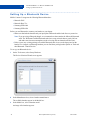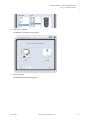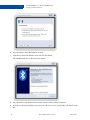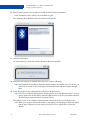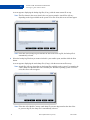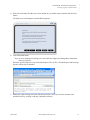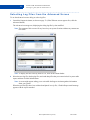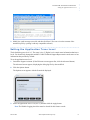
1
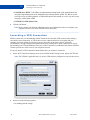
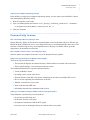
Release 2.3
March 2007
Copyright © 2007 Bell, Inc.
All rights reserved.
The information in this document is subject to change without notice. The statements, configurations, technical data,
and recommendations in this document are believed to be accurate and reliable, but are presented without express or
implied warranty. Users must take full responsibility for their applications of any products specified in this document.
The information in this document is proprietary to Bell.
The software described in this document is furnished under a license agreement and may only be used in accordance
with the terms of that license.
Third-Party Trademarks
Product trademarks and registered trademarks are the property of their respective owners.
Statement of Conditions
In the interest of improving internal design, operational function, and/or reliability, Bell reserves the right to make
changes to the products described in this document without notice.
Bell does not assume any liability that may occur due to the use or application of the product(s) or circuit layout(s)
described herein.
In addition, the program and information contained herein are licensed only pursuant to a license agreement that
contains restrictions on use and disclosure (that may incorporate by reference certain limitations and notices imposed
by third parties).
PER-KILOBYTE DATA TRANSPORT CHARGES
USING YOUR HANDHELD DEVICE FOR “TETHERED” DATA TRANSMISSION (E.G. USING YOUR
DEVICE AS A MODEM FOR YOUR PC), INCLUDING TO DOWNLOAD APPLICATIONS OR
CONTENT, OR FOR GAMING, WILL RESULT IN PER-KILOBYTE DATA TRANSPORT CHARGES AT
BELL MOBILITY’S THEN CURRENT RATES.
You will be charged for data transmissions from or to your PC or other device through your Bell Mobility handheld
device. Data transmissions include automated security updates to your PC, Internet gaming, sending and receiving
emails including attachments, and downloading music or other content. If you subscribe to a data plan, you will be
charged additional per kilobyte rates as set out in the plan, for any data transport usage in excess of the data transport
included in the monthly data plan fee.
Data roaming charges may also apply if you are transmitting data through your device on one of Bell Mobility’s
roaming partners’ networks.
Note to subscribers of Bell Mobility’s Unlimited Mobile BrowserTM: in tethering your Bell Mobility handheld
device to your PC or other device, data transmission does NOT occur through the Unlimited Mobile Browser. You
will be charged for data transport usage in addition to the monthly charge for the browser.
We encourage you to minimize these charges by subscribing to an appropriate price plan or feature. Visit www.bell.ca
or call 1-888-4-MOBILE to subscribe. Be sure to check the Connection Details and Session Log in Mobile Connect to
keep track of your data usage.
March 2007
Bell Confidential & Proprietary
C ONTENTS
....
.....................................
1
Getting Started
1
What is Mobile Connect? . . . . . . . . . . . . . . . . . . . . . . . . . . . . . . . . . . . . . . . . . . . . . . . . 1
System Requirements . . . . . . . . . . . . . . . . . . . . . . . . . . . . . . . . . . . . . . . . . . . . . . . . . . . 2
Supported Devices . . . . . . . . . . . . . . . . . . . . . . . . . . . . . . . . . . . . . . . . . . . . . . . . . . . . . . 2
Contacting Us . . . . . . . . . . . . . . . . . . . . . . . . . . . . . . . . . . . . . . . . . . . . . . . . . . . . . . . . . 2
Installing Mobile Connect . . . . . . . . . . . . . . . . . . . . . . . . . . . . . . . . . . . . . . . . . . . . . . . . 2
Setting Up Mobile Connect . . . . . . . . . . . . . . . . . . . . . . . . . . . . . . . . . . . . . . . . . . . . . . . 7
Incompatible Application Warning . . . . . . . . . . . . . . . . . . . . . . . . . . . . . . . . . . . . . 8
Importing Windows XP Wi-Fi Profiles . . . . . . . . . . . . . . . . . . . . . . . . . . . . . . . . . . 8
Device Selection Wizard . . . . . . . . . . . . . . . . . . . . . . . . . . . . . . . . . . . . . . . . . . . . 10
Navigating the Main Screen . . . . . . . . . . . . . . . . . . . . . . . . . . . . . . . . . . . . . . . . . . . . . 11
Navigating the Menus . . . . . . . . . . . . . . . . . . . . . . . . . . . . . . . . . . . . . . . . . . . . . . . . . . 12
Using the System Tray Icon. . . . . . . . . . . . . . . . . . . . . . . . . . . . . . . . . . . . . . . . . . . . . . 13
Exiting from Mobile Connect . . . . . . . . . . . . . . . . . . . . . . . . . . . . . . . . . . . . . . . . . . . . 14
Starting Mobile Connect . . . . . . . . . . . . . . . . . . . . . . . . . . . . . . . . . . . . . . . . . . . . . . . . 14
2
3
4
5
Managing Your Network Connection
15
Connecting to a Network . . . . . . . . . . . . . . . . . . . . . . . . . . . . . . . . . . . . . . . . . . . . . . . .
Customizing a New Network Connection . . . . . . . . . . . . . . . . . . . . . . . . . . . . . . . . . . .
Finding a Hotspot . . . . . . . . . . . . . . . . . . . . . . . . . . . . . . . . . . . . . . . . . . . . . . . . . . . . .
Viewing the Network Connection Details . . . . . . . . . . . . . . . . . . . . . . . . . . . . . . . . . . .
Viewing Your Connection History . . . . . . . . . . . . . . . . . . . . . . . . . . . . . . . . . . . . . . . .
15
16
20
23
25
Configuring a Cellular Device
27
Setting Up a Bluetooth Device . . . . . . . . . . . . . . . . . . . . . . . . . . . . . . . . . . . . . . . . . . .
Setting Up a Tethered Device . . . . . . . . . . . . . . . . . . . . . . . . . . . . . . . . . . . . . . . . . . . .
Setting Up a PC Card. . . . . . . . . . . . . . . . . . . . . . . . . . . . . . . . . . . . . . . . . . . . . . . . . . .
Activating Your PC Card . . . . . . . . . . . . . . . . . . . . . . . . . . . . . . . . . . . . . . . . . . . . . . . .
Swapping PC Cards . . . . . . . . . . . . . . . . . . . . . . . . . . . . . . . . . . . . . . . . . . . . . . . . . . . .
28
33
37
41
42
Configuring a Profile
43
Adding a New Wi-Fi Network. . . . . . . . . . . . . . . . . . . . . . . . . . . . . . . . . . . . . . . . . . . .
Specifying When to Connect to a Network . . . . . . . . . . . . . . . . . . . . . . . . . . . . . . . . . .
Specifying a Wi-Fi Security Key. . . . . . . . . . . . . . . . . . . . . . . . . . . . . . . . . . . . . . . . . .
Changing Your Wi-Fi Username and Password . . . . . . . . . . . . . . . . . . . . . . . . . . . . . .
Launching a VPN Connection . . . . . . . . . . . . . . . . . . . . . . . . . . . . . . . . . . . . . . . . . . . .
Launching an Application . . . . . . . . . . . . . . . . . . . . . . . . . . . . . . . . . . . . . . . . . . . . . . .
Setting Up a Cellular Connection . . . . . . . . . . . . . . . . . . . . . . . . . . . . . . . . . . . . . . . . .
45
46
47
49
50
51
52
Configuring the System Preferences
53
Enabling or Disabling a Wi-Fi Adapter. . . . . . . . . . . . . . . . . . . . . . . . . . . . . . . . . . . . . 53
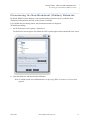
Prescanning for Non-Broadcast (Hidden) Networks. . . . . . . . . . . . . . . . . . . . . . . . . . . 55
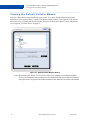
Viewing the Default Cellular Modem . . . . . . . . . . . . . . . . . . . . . . . . . . . . . . . . . . . . . . 56
v
Bell Confidential & Proprietary
March 2007
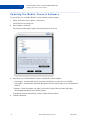
Updating the Hotspot Directory. . . . . . . . . . . . . . . . . . . . . . . . . . . . . . . . . . . . . . . . . . .
Updating the Mobile Connect Software . . . . . . . . . . . . . . . . . . . . . . . . . . . . . . . . . . . .
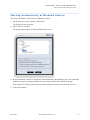
Starting Automatically at Windows Startup . . . . . . . . . . . . . . . . . . . . . . . . . . . . . . . . .
Indicating when Wireless Networks are Available . . . . . . . . . . . . . . . . . . . . . . . . . . . .
Handling Incompatible Applications . . . . . . . . . . . . . . . . . . . . . . . . . . . . . . . . . . . . . . .
57
58
59
60
61
Sending a Text Message
63
Displaying the SMS Viewer . . . . . . . . . . . . . . . . . . . . . . . . . . . . . . . . . . . . . . . . . . . . .
Managing the SMS Phone Book . . . . . . . . . . . . . . . . . . . . . . . . . . . . . . . . . . . . . . . . . .
Sending a New Message . . . . . . . . . . . . . . . . . . . . . . . . . . . . . . . . . . . . . . . . . . . . . . . .
Importing Contacts from Outlook . . . . . . . . . . . . . . . . . . . . . . . . . . . . . . . . . . . . . . . . .
63
64
65
66
7
Customizing Mobile Connect
67
8
Using the Support Assistant
69
Launching the Support Assistant . . . . . . . . . . . . . . . . . . . . . . . . . . . . . . . . . . . . . . . . . .
Selecting Log Files with the Wizard . . . . . . . . . . . . . . . . . . . . . . . . . . . . . . . . . . . . . . .
Selecting Log Files from the Advanced Screen. . . . . . . . . . . . . . . . . . . . . . . . . . . . . . .
Setting the Application Trace Level . . . . . . . . . . . . . . . . . . . . . . . . . . . . . . . . . . . . . . .
Hiding the Wizard at Startup . . . . . . . . . . . . . . . . . . . . . . . . . . . . . . . . . . . . . . . . . . . . .
Disabling Logging . . . . . . . . . . . . . . . . . . . . . . . . . . . . . . . . . . . . . . . . . . . . . . . . . . . . .
Setting the Email Options . . . . . . . . . . . . . . . . . . . . . . . . . . . . . . . . . . . . . . . . . . . . . . .
Displaying the Version Information. . . . . . . . . . . . . . . . . . . . . . . . . . . . . . . . . . . . . . . .
70
71
74
75
76
77
77
79
Troubleshooting
81
Installation Issues. . . . . . . . . . . . . . . . . . . . . . . . . . . . . . . . . . . . . . . . . . . . . . . . . . . . . .
Connection Issues . . . . . . . . . . . . . . . . . . . . . . . . . . . . . . . . . . . . . . . . . . . . . . . . . . . . .
Connectivity Issues . . . . . . . . . . . . . . . . . . . . . . . . . . . . . . . . . . . . . . . . . . . . . . . . . . . .
Uninstalling Issues. . . . . . . . . . . . . . . . . . . . . . . . . . . . . . . . . . . . . . . . . . . . . . . . . . . . .
81
81
83
84
6
9
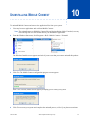
10 Uninstalling Mobile Connect
85
A Glossary
87
B Index
93
March 2007
Bell Confidential & Proprietary
vi
G ETTING S TARTED
....
.....................................
1
This guide will help you install and configure Mobile Connect software on your Windows laptop.
This guide introduces each of the features, tools, and services that complete your new wireless solution and
gets you up and running easily, quickly, and securely.
• What is Mobile Connect?
• System Requirements
• Supported Devices
• Contacting Us
• Installing Mobile Connect
• Setting Up Mobile Connect
• Navigating the Main Screen
• Navigating the Menus
• Using the System Tray Icon
• Exiting from Mobile Connect
• Starting Mobile Connect
..............................................................................................
What is Mobile Connect?
Mobile Connect is a client application that runs on your Wi-Fi-enabled laptop. It enhances your roaming
experience, increases security, and extends the universe of services and support offered by your service
provider. Using Mobile Connect, you can connect easily to your corporate network, send email, and access
the internet (as well as any other applications that you can access through the Wi-Fi connection).
Mobile Connect lets you connect easily to WLAN (Wi-Fi) Hotspots, but it also allows a true mobile
broadband experience over available WAN (cellular) CDMA networks (1xRTT and 1xEVDO) using a
tethered handset or one of the many currently available WAN PC cards from leading vendors. You can
manage a cellular profile, connect to the network, and launch applications automatically.
Mobile Connect is compatible with the broadest range of end-user device and Wi-Fi network hardware and
software components. It supports all commonly deployed Wi-Fi network interface cards (NICs), embedded
components (including Centrino), access points, and access controllers.
March 2007
Bell Confidential & Proprietary
1
1
G E T T I N G ST A R T E D
System Requirements
..............................................................................................
System Requirements
Mobile Connect supports the following laptop operating systems:
• Windows 2000 Professional (Service Pack 3 or higher)
• Windows XP Home and Professional (Service Pack 1 and 2)
• Windows Tablet 2005 (Service Pack 2)
• Windows Media Center (Service Pack 2)
Mobile Connect also requires the following:
• Intel Processors (II, III, IV, Celeron, Centrino, Mobile) 500Mhz and above
• 128MB of system memory
• 150MB of free hard disk space
• Internet Explorer 6.0 (Service Pack 1) or higher
• A video display capable of 256 colors and 800x600 resolution
..............................................................................................
Supported Devices
Mobile Connect Version 2.0 supports any NDIS 5.1 wireless adapter that is currently certified by the Wi-Fi
Alliance. Hardware device manufacturers usually display the Wi-Fi Alliance logo (“Wi-Fi Certified”) on
their products and websites (or, alternatively, at http://www.wi-fi.org). Additionally, the hardware device
manufacturer must have a driver supported by Windows 2000 or XP (SP2). You are required to have the
latest device driver installed on your laptop.
..............................................................................................
Contacting Us
If you have any questions or comments about Mobile Connect, please contact us.
• Phone: 1-877 DATA-123
• Web site: http://www.businessonthego.ca/mobileconnect
..............................................................................................
Installing Mobile Connect
The installer is available as a download from the web site, or on a Mobile Connect CD. The InstallShield
Wizard steps you through the installation process.
Note: Windows 2000 and XP require that you have Administrator privileges. Please see your system
administrator for more information.
To install Mobile Connect
1
Verify that you have Administrator rights on your computer.
Note: Only the Local Administrator is able to install Mobile Connect.
2
Insert the software installation CD into the CD-ROM drive, or download and run the installer
executable file (such as mp_setup.exe) from the Mobile Connect web site.
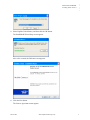
The Choose Setup Language screen appears.
2
Bell Confidential & Proprietary
March 2007
Installing Mobile Connect
3
.....
G E T T I N G ST A R T E D
Select English (United States), and then click the OK button.
The InstallShield Wizard Setup screen appears.
After a few seconds, the Welcome screen appears.
4
Click the Next button.
The License Agreement screen appears.
March 2007
Bell Confidential & Proprietary
3
1
5
G E T T I N G ST A R T E D
Installing Mobile Connect
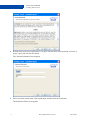
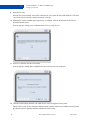
Read the terms of the license agreement. If you agree with the terms of the agreement, select the “I
accept” option and click the Next button.
The Customer Information screen appears.
6
Enter a user name and the name of the organization, and then click the Next button.
The Destination Folder screen appears.
4
Bell Confidential & Proprietary
March 2007
Installing Mobile Connect
7
.....
G E T T I N G ST A R T E D
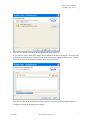
Click the Next button to accept the default destination folder displayed.
If you click the Change button, the Change Current Destination Folder screen appears. You can specify
an alternate destination folder from this screen. After choosing the appropriate Folder name, click the
OK button to return to the Destination Folder screen (as shown above).
Click the Next button on the Destination Folder screen to accept the destination folder displayed.
The Ready to Install the Program screen appears.
March 2007
Bell Confidential & Proprietary
5
1
8
G E T T I N G ST A R T E D
Installing Mobile Connect
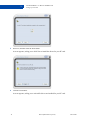
Click the Install button.
The Installing Mobile Connect screen appears.
After a few seconds, the Mobile Connect InstallShield Wizard Completed screen appears.
6
Bell Confidential & Proprietary
March 2007
9
.....
G E T T I N G ST A R T E D
Setting Up Mobile Connect
Click the Finish button.
Note: If you do not want to create a desktop shortcut for the application, clear the check box before
you click the Finish button.
..............................................................................................
Setting Up Mobile Connect
When Mobile Connect launches for the first time, it takes you through a series of screens designed to make
subsequent launches of Mobile Connect more efficient.
• Incompatible Application Warning
• Importing Windows XP Wi-Fi Profiles
• Device Selection Wizard
Note: These screens might not appear in the order shown here.
March 2007
Bell Confidential & Proprietary
7
1
G E T T I N G ST A R T E D
Setting Up Mobile Connect
INCOMPATIBLE APPLICATION WARNING
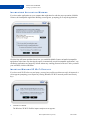
If you have other applications on your computer that might interfere with the proper operation of Mobile
Connect, the Incompatible Application Warning screen appears, prompting you to stop the applications.
Click the Stop All button and then choose how you would like Mobile Connect to handle incompatible
applications in the future. By choosing the option “Automatically stop all incompatible applications”, any
conflicting applications are stopped by default without any warning presented to the user. After you make
your selections, click the OK button.
IMPORTING WINDOWS XP WI-FI PROFILES
If you have used Wi-Fi before on your laptop, you may have profiles saved that can easily be imported. A
screen appears prompting you to import any existing Windows XP Wi-Fi network profiles and security
keys.
1
Click the Yes button.
The Windows XP Wi-Fi Profiles import complete screen appears.
8
Bell Confidential & Proprietary
March 2007
2
.....
G E T T I N G ST A R T E D
Setting Up Mobile Connect
Click the Next button.
The Windows XP Wi-Fi Profiles Import Status screen appears.
3
Click the Finish button.
March 2007
Bell Confidential & Proprietary
9
1
G E T T I N G ST A R T E D
Setting Up Mobile Connect
DEVICE SELECTION WIZARD
The Device Selection Wizard launches automatically the first time you install Mobile Connect. It helps you
install a digital cellular (CDMA) device, which can be either a wide-area datacard or a tethered handset
(cell phone).
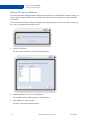
The Device Selection Wizard starts by displaying a message that instructs you not to attach or insert your
device to your laptop until instructed to do so.
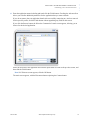
1
Click the OK button.
The first screen of the Device Selection Wizard appears.
2
In the Manufacturer box, select a manufacturer.
The available cards or handsets appear in the Model box.
3
In the Model box, select a model.
An image of the card or handset appears.
10
Bell Confidential & Proprietary
March 2007
4
.....
G E T T I N G ST A R T E D
Navigating the Main Screen
Click the Next button and follow the prompts on the subsequent screens.
Note: The additional screens that appear may include Windows screens for installing the drivers for
your device. For more information, see Configuring a Cellular Device on page 27.
..............................................................................................
Navigating the Main Screen
When you complete the set-up screens, the main screen appears.
Note: If you provided the proper authentication and are near a valid hotspot, Mobile Connect
attempts to connect you to the network. For more information, see Customizing a New
Network Connection on page 16.
You are now ready to start using Mobile Connect.
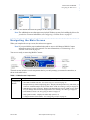
The main screen includes several components that let you easily manage your network connection, as
shown in the table below.
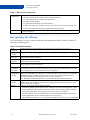
Table 1-1. Main Screen Components
Signal Meter
The light blue bar increases or decreases according to the signal strength.
Connection
• Connect/disconnect
Configuration • show/hide available networks - See Connecting to a Network on page 15.
Buttons
• Hotspot Directory Search (magnifying glass) - Displays the Hotspot Directory, which lets you
search for available Hotspots at any location in the world. See Finding a Hotspot on page 20.
• SMS Message Center (envelope) - Displays the Short Message Service (SMS) viewer, which
lets you manage email and text message transfers. See Sending a Text Message on page 63.
• Tools Menu (wrench) - See Navigating the Menus on page 12.
• Help (question mark) - Displays the online help system (F1).
• Configure Profiles (stacked bars) - See Configuring a Profile on page 43.
March 2007
Bell Confidential & Proprietary
11
1
G E T T I N G ST A R T E D
Navigating the Menus
Table 1-1. Main Screen Components
Connection
Status Panel
After you connect, it includes the following information:
• The name of the network to which you are currently connected
• The time elapsed since you connected to the network
• The signal strength in Mbps
• Any prepaid time remaining (if less than 24 hours)
• A link to the VPN screen, if VPN is used. See Launching a VPN Connection on page 50.
• An inverted triangle that links to the Available Networks Pop-up List.
Custom Buttons You can customize each button to link to any available application. See Customizing Mobile
Connect on page 67.
..............................................................................................
Navigating the Menus
The Tools menu lets you access all the configuration and management features of Mobile Connect, as
shown in the following table.
Table 1-2. Tools Menu Options
Setup
Hardware
Activation
Wizard
Hotspot
Directory
Update
Software
Profiles
Change
Username/
Password
Change
WEP/WPA
Settings
Connection
Details
Options
12
Launches the Device Selection Wizard. See Configuring a Cellular Device on page 27.
Displays the Manual Provisioning screen. See Activating Your PC Card on page 41.
Displays the Hotspot Directory screen, which is a searchable directory of Bell and roaming hotspots.
See Finding a Hotspot on page 20.
Enables automated Mobile Connect software updates. This feature is enabled only when an Internet
connection has been established.
Displays the Profiles screen, which lets you edit your Wi-Fi connection and cellular profile settings.
See Configuring a Profile on page 43.
Displays the User/Password tab of the Wi-Fi Connection Settings screen, which lets you change
your user name and/or password for networks to which you connect automatically via a profile.
See Changing Your Wi-Fi Username and Password on page 49.
If you are working within a user-defined profile for a roaming or personal Wi-Fi network, this option
displays the WEP/WPA tab of the Wi-Fi Connection Settings screen, which lets you change the
WEP/WPA settings for WEP-secured networks to which you connect automatically via a
user-defined profile. See Specifying a Wi-Fi Security Key on page 47.
Note: WEP options within the network service provider-defined network are grayed out.
Displays the Details screen, which includes information about the network connection, such as the
SSID, security type, IP address, network type, link speed, and so on. See Viewing the Network
Connection Details on page 23.
Displays a pop-up menu with the following options:
• Preferences - Displays the Preference screen, which lets you select a Wi-Fi adapter or cellular
modem, update the hotspot directory and client software, enable system prompts, and handle
incompatible applications. See Configuring the System Preferences on page 53.
• Customize Buttons - Lets you configure up to four shortcut buttons for quick access to your
favorite applications. See Customizing Mobile Connect on page 67.
• Import Windows XP Profiles - Lets you import any Windows profiles that you have configured.
Bell Confidential & Proprietary
March 2007
.....
G E T T I N G ST A R T E D
Using the System Tray Icon
Table 1-2. Tools Menu Options
Help
Close
Exit
Displays a pop-up menu with the following options:
• Help - Displays the online help system (F1).
• Log - Displays the Session/Event Log screen, which includes your connection history and any
events associated with these sessions. See Viewing Your Connection History on page 25.
• System Information - Displays information about the Windows operating system on which
Mobile Connect is installed. This screen is generated by Microsoft Windows.
• Change Phone Number - Displays the Enter Your Mobile Number screen, which lets you enter or
change your mobile phone number.
• About - Displays version and copyright information for Mobile Connect.
Closes the client application without disconnecting. You can still access it with the system tray icon.
Disconnects and exits from the application. You will need to relaunch Mobile Connect in order to
attempt a connection to a wireless network.
..............................................................................................
Using the System Tray Icon
You can also right-click the Mobile Connect icon in the system tray to display a menu.
This menu offers the following options:
• Mobile Connect - Displays the Mobile Connect main screen.
• Connection Details - Displays connection details for the active wireless network connection.
• HotSpot Directory - Displays the Mobile Connect searchable directory of Hotspots.
• Help - Displays the help system.
• About - Displays version and copyright information for Mobile Connect as well as the versions of
the wireless adapter and driver.
• Exit - Exits from Mobile Connect.
March 2007
Bell Confidential & Proprietary
13
1
G E T T I N G ST A R T E D
Exiting from Mobile Connect
..............................................................................................
Exiting from Mobile Connect
To exit from Mobile Connect:
1
If you are connected to a network, click the disconnect button.
2
After disconnecting, right-click on the system tray icon and select Exit.
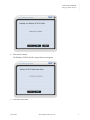
A screen appears asking if you want to exit Mobile Connect.
3
Click the Yes button to exit from Mobile Connect.
Note: If you have an open wireless connection, Mobile Connect prompts you to disconnect now.
Click the OK button.
The application closes and the Mobile Connect icon disappears from the system tray.
Note: You can also exit Mobile Connect with the Exit option from the Tools menu.
..............................................................................................
Starting Mobile Connect
Mobile Connect is configured to start automatically each time that you restart your computer.
To launch Mobile Connect from the Start menu, select Programs > Bell > Mobile Connect > Mobile
Connect. You can also double-click the Mobile Connect shortcut icon on your desktop.
Note: To configure Mobile Connect NOT to start automatically at Windows startup, display the
Tools menu and select Options > Preference. In the General > Prompts screen, clear the Start
automatically at Windows Startup check box.
14
Bell Confidential & Proprietary
March 2007
M ANAGING Y OUR N ETWORK C ONNECTION
....
.....................................
2
This chapter helps you complete the following tasks:
• Connecting to a Network
• Customizing a New Network Connection
• Finding a Hotspot
• Viewing the Network Connection Details
• Viewing Your Connection History
..............................................................................................
Connecting to a Network
Mobile Connect lets you choose from a list of available networks.
Click the Show Available Networks button on the main screen to display the Available Networks screen.
Available Wi-Fi and cellular networks are shown, based on the profile order defined on the Profiles screen.
You can resize the width of each column as needed.
To connect to a network, select the network name and click the Connect button, or double-click the
network name.
A screen appears prompting you to confirm the connection. Click the OK button.
• If the network is locked, the Security Key screen appears. For more information, see Specifying a
Wi-Fi Security Key on page 47.
• If you are connecting to a cellular network for the first time, you may be prompted to enter the
mobile number for the device.
• If you are connecting to a cellular network and have more than one profile configured, you are
prompted to select a profile to use for the connection.
• If you are attempting to connect to an 802.1x wireless network, the Authentication screen appears,
prompting you to enter your username and password. Enter a valid username and password, and then
click the OK button.
March 2007
Bell Confidential & Proprietary
15
2
M A N A G I N G YO U R N E T W O R K C O N N E C T I O N
Customizing a New Network Connection
Note: Smart Card authentication is a feature of 802.1x wireless networks. Your Wi-Fi adapter and
the network to which you are connecting must support 802.1x. The first time you connect to a
Wi-Fi network using a smart card, make sure your smart card and reader are inserted in your
laptop.
..............................................................................................
Customizing a New Network Connection
When you connect for the first time to a new network, the New Network Connection Options screen
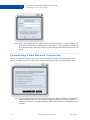
appears, prompting you to select the action to be taken when the network is encountered in the future.
Note: For Bell and Roaming Partner Hotspot profiles, the only option available is “Automatically
connect and log into service”. The “Do not remember settings for this network” option is
enabled only for home or enterprise networks. Both of these options are disabled for service
providers.
16
Bell Confidential & Proprietary
March 2007
Customizing a New Network Connection
1
.....
M A N A G I N G YO U R N E T W O R K C O N N E C T I O N
On the New Network Connection Options screen, select the desired option and click the Next button.
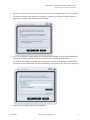
The Internet Explorer Proxy Settings screen appears, prompting you to disable Internet Explorer’s
manual proxy settings while connected to this network.
2
If you are connecting to a Bell Hotspot or a Roaming Partner Hotspot, select the check box and then
click the Next button. (Otherwise, leave the check box clear and click the Next button.)
The VPN Launch Settings screen appears, prompting you to select a virtual private network (VPN)
connection to start automatically. For more information, see Launching a VPN Connection on page 50.
3
Select one of the options and click the Next button.
March 2007
Bell Confidential & Proprietary
17
2
M A N A G I N G YO U R N E T W O R K C O N N E C T I O N
Customizing a New Network Connection
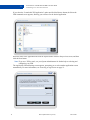
If you select the “Launch this VPN application” option and click the Browse button, the Select the
VPN command screen appears, allowing you to browse for the desired application.
Select the name of the application and click the Open button to return to the previous screen, and then
click the Next button.
Note: If you use a VPN at work, see your System Administrator for further help on selecting and
configuring your VPN.
The Application Launch Settings screen appears, prompting you to select another application to start
automatically. For more information, see Launching an Application on page 51.
18
Bell Confidential & Proprietary
March 2007
Customizing a New Network Connection
4
.....
M A N A G I N G YO U R N E T W O R K C O N N E C T I O N
Enter the application name (including path) and click the Finish button. Checking the Advanced box
allows you to define additional parameters for the application that you want to launch.
If you do not want to have an application launch after successfully connecting to a wireless network
for this specific profile, click the Finish button without populating any fields on this screen.
If you click the Browse button, the Select the Command to Launch screen appears, allowing you to
browse for the desired application.
Select the file name of the application and click the Open button to return to the previous screen, and
then click the Finish button.
Note: If a Welcome screen appears, click the OK button.
The main screen appears, with the Disconnect button replacing the Connect button.
March 2007
Bell Confidential & Proprietary
19
2
M A N A G I N G YO U R N E T W O R K C O N N E C T I O N
Finding a Hotspot
..............................................................................................
Finding a Hotspot
When Mobile Connect is started, it scans the air for Wi-Fi network signals and displays the preferred
Hotspot name in the main screen's connection status panel.
Note: If you are in an area without Wi-Fi service, Mobile Connect displays No Wireless LAN
network is available. Also, if a lock icon appears to the right of the connection time, the
Hotspot is using WEP (Wired Equivalent Privacy) or WPA (Wi-Fi Protected Access) security.
Mobile Connect also lets you search for available Hotspots at any location within the Canadian Hotspot
Roaming Agreement (CHRA) network. This search function helps you find a variety of venues such as
airports, hotels, and cafes that offer access to Hotspots. You will need to establish an active Internet
connection in order to update the Hotspot Directory. After the Hotspot Directory has been updated in
Mobile Connect, it will be viewable without an active Internet connection.
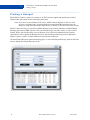
Click the Hotspot Directory button (magnifying glass), or select the Hotspot Directory option on the Tools
menu to display the Hotspot Directory screen.
20
Bell Confidential & Proprietary
March 2007
Finding a Hotspot
.....
M A N A G I N G YO U R N E T W O R K C O N N E C T I O N
You can search for hotspots using any combination of the following criteria:
• Location Name: enter a location
• City: enter a city name
• Province: choose a province from the drop-down menu
• Service Provider: choose a provider from the drop-down menu
• Postal Code: enter a postal code
• Country: select a country from the drop-down menu.
• Category: choose a category from the drop-down menu, such as Airport, Convention, Hotel, Other,
or Restaurant.
Note: Mobile Connect supports command completion in fields with a drop-down menu. For
example, enter A in the City field and Alberta appears.
After you specify the search criteria, click the Search button. If Mobile Connect cannot find a location
based on your search criteria, it displays the message Sorry! No matching locations found. Modifying the
search criteria can sometimes improve the search results.
You can click on any of the columns to order the search data. For example, you can click on the city
column to order the results alphabetically by city name.
To display the full list of Bell and Roaming Partner Hotspots in the directory, click the Reset button.
To display details about the selected Hotspot, click the Details button.
The Hotspot Details screen displays more information about the Hotspot. If you are connected to the
Internet, this screen also includes a map link.
Hotspot Directory updates are available periodically. In order to update the Hotspot Directory, click the
Update Directory button.
March 2007
Bell Confidential & Proprietary
21
2
M A N A G I N G YO U R N E T W O R K C O N N E C T I O N
Finding a Hotspot
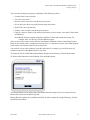
When new Hotspot Directory updates are available, a dialog appears.
Click the Yes button if you want to update your Hotspot Directory.
If the update is successful, a pop-up window appears to confirm that the Hotspot Directory has been
updated.
Click the OK button.
22
Bell Confidential & Proprietary
March 2007
Viewing the Network Connection Details
.....
M A N A G I N G YO U R N E T W O R K C O N N E C T I O N
..............................................................................................
Viewing the Network Connection Details
Mobile Connect provides details for your active network connections.
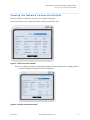
On the Tools menu, select Connection Details to display the Details screen.
Figure 2-1. Wi-Fi Connection Details
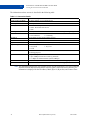
Note: For a cellular connection, the information displayed on the Details screen is slightly different
from the information displayed for Wi-Fi connections.
Figure 2-2. Cellular Connection Details
March 2007
Bell Confidential & Proprietary
23
2
M A N A G I N G YO U R N E T W O R K C O N N E C T I O N
Viewing the Network Connection Details
The information on these screens is described in the following table.
Table 2-1. Connection Details
SSID (Wi-Fi)
Phone Number (WWAN)
Access point
Security (Wi-Fi)
Roaming Status (WWAN)
Status
IP Address
Mask
Type
Signal strength
Connect Time
Speed
Bytes In
Bytes Out
The selected Hotspot’s service set identifier (network name)
The phone number of your cellular device.
The Hotspot’s MAC address
• WEP - Wired Equivalent Privacy
• WPA - Wi-Fi Protected Access
• none
Whether your cellular connection is local (Home) or incurring roaming charges.
• Connected
• Connected with Internet access
• Not Connected
• Connecting
The IP address for the current wireless session.
The subnet mask obtained for the current wireless session.
The network type, such as 802.11 (Wi-Fi) or 1XRTT (WWAN).
• Excellent
• Low
• Very Good
• Very Low
• Good
The duration of the connection in hours, minutes and seconds. This data is not intended
for billing purposes.
• up to 11Mbps for 802.11b networks
• up to 54Mbps for 802.11a or 802.11g networks
• xxx Kbps for cellular networks (such as 28Kbps)
The number of bytes received. This data is not intended for billing purposes.
The number of bytes sent. This data is not intended for billing purposes.
Note: The information displayed is only available for the current connection. If you select a Hotspot
from the Network drop-down list and the network signal is detected but not connected, no
information is displayed for the IP Address, Mask, Bytes In, Bytes Out, and Connect Time.
24
Bell Confidential & Proprietary
March 2007
Viewing Your Connection History
.....
M A N A G I N G YO U R N E T W O R K C O N N E C T I O N
..............................................................................................
Viewing Your Connection History
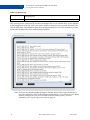
Mobile Connect lets you view a log of all your sessions and the associated statistics and events.
On the Tools menu, select Help > Log to display the Session/Event Log screen.
• The Sessions tab displays the connection history and the statistics associated with each session.
• The Events tab displays events associated with these sessions.
The fields on the Sessions tab are described in the following table.
Table 2-2. Session Log
Network Name
Date/Time
Duration
NAI
SIP/MIP
IP address
Bytes Received
Bytes Sent
March 2007
Networks to which you were connected.
Date and time when the session began.
Connection duration in hours, minutes and seconds. This data is not for billing purposes.
Network Access Identifier or username.
Simple IP or Mobile IP.
IP address obtained for the given session.
Number of bytes received during the session. This data is not intended for billing purposes.
Number of bytes sent during the session. This data is not intended for billing purposes.
Bell Confidential & Proprietary
25
M A N A G I N G YO U R N E T W O R K C O N N E C T I O N
2
Viewing Your Connection History
Table 2-2. Session Log
Total Bytes
Termination Reason
Total number of bytes sent and received during the session. This data is not intended for
billing purposes.
Reason why the session ended.
The data displayed in the Event Log includes the version of Mobile Connect, operating system being used,
NIC card used for the connection (in case there are multiple NICs in use), and the driver version supplied
by the manufacturer of the NIC card. It also shows whether a connection was successful, the name of the
network SSID used, and information about the bytes transmitted and received. This information provides
useful real-time diagnostics when troubleshooting a problem.
Note: The Email Log button launches the Support Assistant Wizard. This feature should only be
used when advised by a Bell Technical Support Representative. You will need to have Email
software configured on your device in order to use this feature properly. For more
information, see Using the Support Assistant on page 69.
26
Bell Confidential & Proprietary
March 2007
C ONFIGURING A C ELLULAR D EVICE
....
.....................................
3
Before you can connect to or access wireless data services such as internet or e-mail, you need to use the
Device Selection Wizard to set up your digital cellular (CDMA) device, which can be either a wide-area
datacard (PC card) or a tethered handset (cell phone). The Device Selection Wizard guides you through the
setup process, providing step-by-step instructions, clear graphics, and easy-to-use forward and back
controls. A separate Activation Wizard lets you manually provision your PC card.
Note: Every time you launch the Device Selection Wizard, it displays a message that instructs you
not to attach or insert your device to your laptop until instructed to do so. To continue, click
the OK button.
This chapter helps you complete the following tasks:
• Setting Up a Bluetooth Device
• Setting Up a Tethered Device
• Setting Up a PC Card
• Activating Your PC Card
• Swapping PC Cards
March 2007
Bell Confidential & Proprietary
27
3
CONFIGURING A CELLULAR DEVICE
Setting Up a Bluetooth Device
..............................................................................................
Setting Up a Bluetooth Device
Mobile Connect 2.0 supports the following Bluetooth handsets:
• Motorola E815
• Motorola Razr V3c
• Samsung SPH-A900
• Samsung SPH-A920
Before you use Bluetooth to connect your handset to your laptop:
• Make sure that both the handset and your laptop have Bluetooth enabled and discovery turned on.
Note: If you are using a Bluetooth dongle, we recommend one that contains the Microsoft Bluetooth
stack. The Widcomm/Toshiba Bluetooth stacks have setup wizards that are poorly laid out
and make some incorrect assumptions (such as leaving dial-on-demand on all the time).
• Delete (erase) any existing pairings on both the Bluetooth stack in use (on the laptop) and on the
handset. For example, on Samsung handsets you can find these pairings under Options or Tools and
then Bluetooth: Trusted Devices.
To set up your Bluetooth device:
1
On the Tools menu, select Setup Hardware.
The Device Selection Wizard screen appears.
2
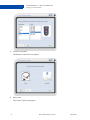
In the Manufacturer box, select a handset manufacturer.
The available handsets appear in the Model box.
3
In the Model box, select a handset model.
An image of the handset appears.
28
Bell Confidential & Proprietary
March 2007
Setting Up a Bluetooth Device
4
.....
CONFIGURING A CELLULAR DEVICE
Click the Next button.
The Handset Connection screen appears.
5
Select Bluetooth.
The Enable Bluetooth screen appears.
March 2007
Bell Confidential & Proprietary
29
3
CONFIGURING A CELLULAR DEVICE
Setting Up a Bluetooth Device
6
On your handset, enable Bluetooth as directed.
7
In the Device Selection Wizard screen, click the Next button.
The Add Bluetooth Device Wizard screen appears.
8
On your handset, turn on Bluetooth and make it discoverable (visible) as directed.
9
In the Device Selection Wizard screen, select the “My device is set up and ready to be found” check
box.
30
Bell Confidential & Proprietary
March 2007
Setting Up a Bluetooth Device
.....
CONFIGURING A CELLULAR DEVICE
10 Click the Next button.
The Add Bluetooth Device Wizard screen prompts you to select the Bluetooth device that you want to
add.
11 Select the device and then click the Next button.
The Add Bluetooth Device Wizard screen prompts you to enter a passkey.
March 2007
Bell Confidential & Proprietary
31
3
CONFIGURING A CELLULAR DEVICE
Setting Up a Bluetooth Device
12 Select a passkey option, enter a passkey if needed, and then click the Next button.
Note: If prompted, enter a passkey on your handset keypad.
The Completing the Add Bluetooth Device Wizard screen appears.
13 Click the Finish button.
You are prompted to wait for the Add New Hardware Wizard to complete.
14 When your new hardware is installed and ready to use, click the OK button.
Note: Some handsets require that you manually add the computer as a trusted device. To do this, you
must scan for trusted devices on the phone itself and then bond with the computer through
there.
15 Follow the prompts on any subsequent Device Selection Wizard screens.
Note: If the Device Selection Wizard fails to find the handset, go to “My Bluetooth Places” on your
laptop, double-click on the dial-up connection that has been set up for your handset, and then
click the Retry button in the Device Selection Wizard.
The handset is ready for use when the cellular network is shown in the list of available networks.
Note: When you reconnect a Bluetooth handset to your laptop, you must plug the Bluetooth dongle
into the same USB port you used when you set up the device with the Device Selection
Wizard.
32
Bell Confidential & Proprietary
March 2007
Setting Up a Tethered Device
.....
CONFIGURING A CELLULAR DEVICE
..............................................................................................
Setting Up a Tethered Device
Mobile Connect 2.0 supports the following tethered handsets:
•
•
•
•
•
•
•
•
Audiovox 8930
LG 325
LG 3300
LG 6200
Motorola E815
Motorola Q Phone
Motorola Razr V3c
Palm Treo 700p
•
•
•
•
•
•
•
•
•
•
•
RIM Blackberry 7130e
RIM Blackberry 7250
RIM Blackberry 8703e
Samsung SPH-A580
Samsung SPH-A640
Samsung SPH-A740
Samsung SPH-A860
Samsung SPH-A900
Samsung SPH-A920
Samsung SPH-m500 (Allegro)
Samsung SPH-m610 (Glint)
•
•
•
•
•
•
•
•
•
Sanyo Katana 6600
Sanyo SCP-2300
Sanyo SCP-2400
Sanyo SCP-3100
Sanyo SCP-4920
Sanyo SCP-7000
Sanyo SCP-7300
Sanyo SCP-7500
Sanyo SCP-8300
To set up your tethered handset:
1
On the Tools menu, select Setup Hardware.
The Device Selection Wizard screen appears.
2
In the Manufacturer box, select a handset manufacturer.
The available handsets appear in the Model box.
3
In the Model box, select a handset model.
An image of the handset appears.
March 2007
Bell Confidential & Proprietary
33
3
4
CONFIGURING A CELLULAR DEVICE
Setting Up a Tethered Device
Click the Next button.
The Handset Connection screen appears.
5
Select Cable.
The Connect Cable screen appears.
34
Bell Confidential & Proprietary
March 2007
Setting Up a Tethered Device
6
.....
CONFIGURING A CELLULAR DEVICE
Connect your handset to the laptop with the cable as directed.
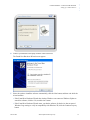
The Found New Hardware Wizard screen appears.
7
Select the option to install the software automatically, click the Next button, and then wait while the
wizard searches.
• If the Found New Hardware Wizard asks whether Windows can connect to Windows Update to
search for software, click the “No, not this time” button.
• If the Found New Hardware Wizard warns you that the software for the device has not passed
Windows Logo testing to verify its compatibility with Windows XP, click the Continue Anyway
button.
March 2007
Bell Confidential & Proprietary
35
3
CONFIGURING A CELLULAR DEVICE
Setting Up a Tethered Device
The Completing the Found New Hardware Wizard screen appears.
8
Click the Finish button.
Note: You may be prompted to repeat the previous two steps for additional device software.
9
When your new hardware is installed and ready to use, click the Next button on the current screen of
the Device Selection Wizard.
A screen appears, stating that a compatible handset was found on your computer.
10 Click the Finish button, and then wait while the handset is configured in the system.
The handset is ready for use when the cellular network is shown in the list of available networks.
Note: When you reconnect a tethered handset to your laptop, you must plug the cable into the same
USB port you used when you set up the device with the Device Selection Wizard.
36
Bell Confidential & Proprietary
March 2007
Setting Up a PC Card
.....
CONFIGURING A CELLULAR DEVICE
..............................................................................................
Setting Up a PC Card
To set up a Kyocera PC card:
1
On the Tools menu, select Setup Hardware.
The Device Selection Wizard screen appears.
2
In the Manufacturer box, select Kyocera.
The available card appears in the Model box.
3
In the Model box, select 650.
An image of the card appears.
4
Click the Next button.
A screen appears, asking if this PC card has been installed and recognized before on your laptop.
March 2007
Bell Confidential & Proprietary
37
3
5
CONFIGURING A CELLULAR DEVICE
Setting Up a PC Card
Select No, and then click the Next button.
A screen appears, asking you to click Next to install the drivers for your PC card.
6
Click the Next button.
A screen appears, asking you to wait while drivers are installed for your PC card.
38
Bell Confidential & Proprietary
March 2007
Setting Up a PC Card
.....
CONFIGURING A CELLULAR DEVICE
The Pre-install INF files screen appears.
7
Click the OK button.
8
On the Device Selection Wizard screen, click the Next button.
A screen appears, asking you to insert the PC card.
March 2007
Bell Confidential & Proprietary
39
3
9
CONFIGURING A CELLULAR DEVICE
Setting Up a PC Card
Insert the PC card.
Once the PC card is inserted, it may take some time for your system to detect and initialize it. The time
varies from card to card and is based on network coverage.
10 When the PC card is installed and recognized by your laptop, click the Next button on the Device
Selection Wizard screen.
A screen appears, asking you to confirm that the device is ready for use.
11 Select Yes, and then click the Next button.
A screen appears, stating that a compatible PC card was found on your computer.
12 Click the Finish button, and then wait while the PC card is configured in the system.
The PC card is ready for use when the cellular network is shown in the list of available networks. Some
PC cards also have a light that indicates whether the card is ready.
40
Bell Confidential & Proprietary
March 2007
Activating Your PC Card
.....
CONFIGURING A CELLULAR DEVICE
..............................................................................................
Activating Your PC Card
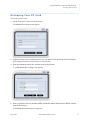
To activate your PC card:
1
On the Tools menu, select Activation Wizard.
The Manual Provisioning screen appears.
2
Contact Customer Care to obtain the unlock key. You must provide the Electronic Serial Number
(ESN) displayed on the screen in order to receive this key.
3
Enter the appropriate unlock key, and then click the Next button.
A second Manual Provisioning screen appears.
4
Enter your Mobile Directory Number (MDN) and Mobile Station Identification (MSID), and then
click the Next button.
A third Manual Provisioning screen appears.
March 2007
Bell Confidential & Proprietary
41
3
5
CONFIGURING A CELLULAR DEVICE
Swapping PC Cards
Click the Finish button.
..............................................................................................
Swapping PC Cards
To swap PC cards:
1
Disconnect and exit from Mobile Connect.
2
Use the Microsoft “Safely Remove Hardware” feature to stop the PC card currently in your laptop.
3
Eject the PC card from your laptop.
4
Insert the second PC card.
5
Start Mobile Connect and run the Device Selection Wizard to select the second PC card.
Note: If you do not follow this procedure, Mobile Connect may be slow in detecting your second PC
card.
42
Bell Confidential & Proprietary
March 2007
C ONFIGURING A P ROFILE
....
.....................................
4
You connect to a Wi-Fi Hotspot or cellular network by creating a profile using information obtained from
the service provider. This profile stores information associated with a specific connection, such as the
authentication type, user credentials, and so on. You can edit these profiles as needed. You can also create
additional profiles for each network that requires a different information set, such as different user names
or passwords. You cannot, however, remove a profile defined by the service provider.
The first time you connect to a given Hotspot, Mobile Connect automatically creates a profile using the
Hotspot’s name as the profile name. Mobile Connect creates this Hotspot profile by prompting you for
information via a series of screens. When you connect to this Hotspot again, Mobile Connect uses the
information stored in the profile to determine how it should handle the connection.
Note: For security reasons, some networks do not broadcast their network name (SSID). Mobile
Connect allows you to create a profile for connecting to these hidden networks.
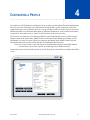
On the main screen, click the Profiles button (or, on the Tools menu, select Profiles) to display the Profiles
screen.
March 2007
Bell Confidential & Proprietary
43
4
CONFIGURING A PROFILE
If you select a Wi-Fi profile and click the Edit button, the Wi-Fi Connection Settings screen appears.
Figure 4-1. Wi-Fi Connection Settings
If you select Cellular and click the New button, the Cellular Profile Settings screen appears.
Figure 4-2. Cellular Profile Settings
44
Bell Confidential & Proprietary
March 2007
Adding a New Wi-Fi Network
.....
CONFIGURING A PROFILE
This chapter helps you complete the following tasks:
• Adding a New Wi-Fi Network
• Specifying When to Connect to a Network
• Specifying a Wi-Fi Security Key
• Changing Your Wi-Fi Username and Password
• Launching a VPN Connection
• Launching an Application
• Setting Up a Cellular Connection
..............................................................................................
Adding a New Wi-Fi Network
To create a user-defined network profile for a Hotspot:
1
On the Profiles screen, select Wi-Fi and click the New button.
The Enter New Network Details screen appears.
2
Enter a name for this connection using the network’s Service Set Identifier (SSID). The SSID is a
32-character unique identifier associated with a particular Wi-Fi Hotspot or provider. SSIDs are
normally case-sensitive, so if configuring Mobile Connect for use with a home network, be sure to use
the exact SSID. The SSID differentiates one network from another, so all access points and all devices
attempting to connect to a specific network must use the same SSID.
Note: If the network is secured by WEP/WPA, select the check box.
3
Click the OK button.
If you selected the WEP/WPA check box, the Wi-Fi Connection Settings screen appears with the
WEP/WPA tab displayed. See Specifying a Wi-Fi Security Key on page 47.
If you cleared the check box, the Wi-Fi Connection Settings screen appears with the User/Password
tab displayed. See Changing Your Wi-Fi Username and Password on page 49.
Note: If the network is hidden (does not broadcast its SSID), be sure to select the check box at the
top of the Wi-Fi Connection Settings screen. However, you will have to connect manually to
the network.
March 2007
Bell Confidential & Proprietary
45
4
CONFIGURING A PROFILE
Specifying When to Connect to a Network
..............................................................................................
Specifying When to Connect to a Network
When you are connected to the network but not logged in, you can access any free services offered by the
service provider. When you log in, all of the services and benefits of your account are available to you,
such as email and Internet access.
To specify when the client should connect to a Wi-Fi or cellular network:
1
On the Wi-Fi Connection Settings screen or the Cellular Profile Settings screen, display the General
tab.
Figure 4-3. Wi-Fi Connection Settings
2
If the network is hidden (does not broadcast its SSID), select the check box at the top of the Wi-Fi
Connection Settings screen. You will then have to connect manually to this network. For more
information, see Prescanning for Non-Broadcast (Hidden) Networks on page 55.
Note: If the network is hidden and you do not select this check box, the SSID will never appear in
the list of available networks.
3
Select one of the connection options.
• I will connect to it manually
• Automatically connect and log into service (This option is not available for cellular profiles.)
If you are attempting to connect to a Bell or Roaming Partner Hotspot, this option is applied by
default.
• Automatically connect to this network
• Prompt me to connect
46
Bell Confidential & Proprietary
March 2007
Specifying a Wi-Fi Security Key
4
.....
CONFIGURING A PROFILE
If needed, select the check box that disables Internet Explorer’s manual proxy settings while
connected. You may want to use this option if you configured Internet Explorer to connect to the
Internet through a proxy server available only on your corporate network.
Note: In some instances, you must manually enable your Internet Explorer proxy settings to access
corporate data; please contact your System Administrator. It is recommended that you disable
the proxy setting for any Wi-Fi connections to a Bell or Roaming Partner Hotspot.
5
If needed, select the check box that designates that this is a private or enterprise network. This option
disables the autochecking for new directories and software, and is not available for cellular profiles.
6
Click the OK button.
..............................................................................................
Specifying a Wi-Fi Security Key
Mobile Connect lets you specify the security mode used by a private Wi-Fi network:
• Wired Equivalent Privacy (WEP) - a security protocol for wireless local area networks defined in
the 802.11b standard. WEP security is based on a shared key encryption process. All access points
and Service Managers on a particular Wi-Fi network use the same encryption key. Each sending
station encrypts the body of each frame with a WEP key before transmission, and the receiving
station decrypts it using an identical key upon reception. This process reduces the risk of someone
passively monitoring the transmission and gaining access to the information that the frames are
carrying.
• Wi-Fi Protected Access (WPA) - a Wi-Fi standard that improves upon the security features of WEP
by enhancing data encryption and adding user authentication.
To specify a security key:
1
On the Wi-Fi Connection Settings screen, display the WEP/WPA tab.
March 2007
Bell Confidential & Proprietary
47
4
2
CONFIGURING A PROFILE
Specifying a Wi-Fi Security Key
Select WEP or WPA and enter the security key.
A valid WPA key must be between 8 and 63 characters in length. For WEP, Mobile Connect supports
both hexadecimal and ASCII key formats. Hexadecimal keys are limited to the letters A–F (both
uppercase and lowercase) and the numbers 0–9. ASCII keys can include any combination of letters or
numbers. Mobile Connect automatically detects the format (ASCII or hexadecimal) and bit length (64or 128-bit) of your WEP key upon entry. The length of the WEP key depends on the format and bit
length, as shown in the following table.
Bit
Length
64
128
Max Key Length
ASCII Hexadecimal
5
10
13
26
If you do not know the security key, contact your service provider or System Administrator.
Note: For WEP, the Shared Mode Network Authentication check box indicates that a network key is
used for authentication to this network. When disabled, Mobile Connect uses the network key
only to encrypt/decrypt packets to/from the Wi-Fi access point. By default, this feature is
disabled. Do not enable it unless you are sure that shared mode authentication is required.
3
Click the OK button.
If no security key is configured and you try to connect to a network that is locked, the Security Key screen
appears. Enter your security key and click the Connect button.
Figure 4-4. Security Key
Note: If you enable 802.1x authentication, a drop-down list appears in the field on the right, letting
you select from the following options:
• PEAP MS CHAPV2
• EAP MS CHAPV2
• PEAP MD5
• EAP MD5
• EAP-SIM (Use SIM Smart Card)
48
Bell Confidential & Proprietary
March 2007
.....
CONFIGURING A PROFILE
Changing Your Wi-Fi Username and Password
..............................................................................................
Changing Your Wi-Fi Username and Password
Mobile Connect lets you change your username and password at any time.
To change your username and password:
1
On the Wi-Fi Connection Settings screen, display the User/Password tab. (Or, on the Tools menu,
select Change Username/Password and then select the client application.)
2
Enter a new user name and password as needed.
3
From the drop-down list, select an 802.1x authentication method:
• HTTP Based - Hypertext Transfer Protocol (HTTP) is the protocol that carries requests from a
browser to a web server and transports pages from a web server back to the requesting browser.
• PEAP MS CHAPV2 - Protected Extensible Authentication Protocol (PEAP) employs server-side
Public Key Infrastructure (PKI) authentication. PKI is an authentication method based on
asymmetric encryption keys. A PKI user has two keys: one public and one private. For Service
Manager-side authentication, PEAP can use any other extensible authentication protocol (EAP)
type. Because PEAP establishes a secure tunnel via server-side authentication, non-mutually
authenticating EAP types can be used for Service Manager-side authentication, such as EAP generic
token card (GTC) for one-time passwords (OTP).
• EAP MS CHAPV2 - The Extensible Authentication Protocol (EAP) - Challenge Handshake
Authentication Protocol (CHAP) authentication method depends on a secret key known only to the
authenticator and the peer. The secret is not sent over the link.
• PEAP MD5 - Password-based authentication.
• EAP MD5 - Password-based authentication.
• SIM/IMSI
March 2007
Bell Confidential & Proprietary
49
4
CONFIGURING A PROFILE
Launching a VPN Connection
• EAP-SIM Over HTTP - EAP-SIM is an authentication method based on the authentication and
encryption algorithms stored on the GSM Subscriber Identity Module (SIM). The SIM is a smart
card chip for use in GSM equipment. A GSM mobile phone cannot make or receive any calls except
emergency calls without a SIM.
• EAP-SIM (Use SIM Smart Card)
4
Click the OK button.
Note: Please contact your Network Administrator for more information on how to configure your
corporate wireless Local Area Network (LAN) connection.
..............................................................................................
Launching a VPN Connection
Mobile Connect lets you automatically launch Virtual Private Network (VPN) software after making a
successful wireless connection. A VPN creates a secure connection between your laptop and your
company’s network, making it appear as if you are physically on the same network. It provides
confidentiality, message integrity, and authentication using virtual point-to-point connections or tunnels.
By launching your VPN automatically when your wireless connection is established, this feature of Mobile
Connect provides one-click access to your corporate network.
To specify whether a VPN connection should launch after you connect to a network:
1
On the Wi-Fi Connection Settings screen or the Cellular Profile Settings screen, display the VPN tab.
Note: The VPN tab is applicable only if you have VPN software configured on your wireless device.
2
Select one of the following options:
• Do nothing (default setting)
50
Bell Confidential & Proprietary
March 2007
Launching an Application
.....
CONFIGURING A PROFILE
• Launch this VPN - The pull-down menu displays the VPN client software that Mobile Connect can
find on the laptop. If this menu does not display the VPN client that you would like to launch, use
the option below to browse for the correct VPN client application.
• Launch this VPN Client application
Note: The Browse button launches a screen that lets you select a VPN application.
3
Select the Advanced check box if you want to enter command line parameters.
4
Click the OK button.
..............................................................................................
Launching an Application
Mobile Connect lets you automatically launch an application immediately after establishing a connection.
For example, you can define Mobile Connect to open your Internet Explorer home page. If you also define
a specific URL as a command line parameter, Mobile Connect can open the browser directly at that
internet site.
To specify an application that should launch after you connect to a network:
1
On the Wi-Fi Connection Settings screen or the Cellular Profile Settings screen, display the App
Launch tab.
2
Enter the program you want to launch, such as C:\Program Files\Internet Explorer\iexplore.exe.
Note: The Browse button launches a screen that lets you select a command to launch.
3
Select the Advanced check box if you want to enter command line parameters, such as a URL.
4
Click the OK button.
March 2007
Bell Confidential & Proprietary
51
4
CONFIGURING A PROFILE
Setting Up a Cellular Connection
..............................................................................................
Setting Up a Cellular Connection
To set up a cellular connection:
1
On the Tools menu, select Profiles.
The Profiles screen appears.
2
Select Cellular and click the New button.
The Cellular Profile Settings screen appears.
3
Display the Connection Settings tab.
4
Enter the following information:
• Username - normally your ten-digit Mobile Directory Number @1x.bell.ca.
• Password - normally your four-digit initial voicemail password.
5
Click the OK button.
Note: If you attempt to connect to a cellular modem without specifying the connection settings, a
warning message appears explaining why you failed to authenticate and prompting you to fix
the problem. Click the Yes button to display the Connection Settings tab of the Cellular
Profile Settings screen, and then enter a valid user name or password as needed.
For information about:
• The General tab - See Specifying When to Connect to a Network on page 46.
• The VPN tab - See Launching a VPN Connection on page 50.
• The App Launch tab - See Launching an Application on page 51.
52
Bell Confidential & Proprietary
March 2007
C ONFIGURING THE S YSTEM P REFERENCES
....
.....................................
5
This chapter helps you complete the following tasks:
• Enabling or Disabling a Wi-Fi Adapter
• Prescanning for Non-Broadcast (Hidden) Networks
• Viewing the Default Cellular Modem
• Updating the Hotspot Directory
• Updating the Mobile Connect Software
• Starting Automatically at Windows Startup
• Indicating when Wireless Networks are Available
• Handling Incompatible Applications
..............................................................................................
Enabling or Disabling a Wi-Fi Adapter
Mobile Connect automatically detects and uses the proper Wi-Fi adapter. However, if you need to disable
or enable an adapter manually, use the following procedure.
1
On the Tools menu, select Options > Preferences.
The Preferences screen appears. By default, the Wi-Fi options appear on the bottom half of the screen.
March 2007
Bell Confidential & Proprietary
53
5
2
CONFIGURING THE SYSTEM PREFERENCES
Enabling or Disabling a Wi-Fi Adapter
Select a default Wi-Fi adapter and click the Enable/Disable button.
The Enable/Disable Adapters screen appears.
3
54
Select an adapter from the list, then click the Enable (or Disable) button.
Bell Confidential & Proprietary
March 2007
Prescanning for Non-Broadcast (Hidden) Networks
.....
CONFIGURING THE SYSTEM PREFERENCES
..............................................................................................
Prescanning for Non-Broadcast (Hidden) Networks
By default, Mobile Connect displays a non-broadcast (hidden) network only if a profile has been
configured for that network, and only if the network is available.
If you disable this prescanning feature, only broadcast networks are displayed.
To disable prescanning:
1
On the Tools menu, select Options > Preferences.
The Preferences screen appears. By default, the Wi-Fi options appear on the bottom half of the screen.
2
Clear the check box, and then click the OK button.
Note: To edit the profile for a hidden network, see Specifying When to Connect to a Network on
page 46.
March 2007
Bell Confidential & Proprietary
55
5
CONFIGURING THE SYSTEM PREFERENCES
Viewing the Default Cellular Modem
..............................................................................................
Viewing the Default Cellular Modem
Only one cellular device can be installed on your system. To view the default cellular modem on the
Preferences screen, select Cellular > Options. The default cellular modem, if any, appears on the bottom
half of the screen. To launch the Device Selection Wizard, click the Select button. For more information,
see Configuring a Cellular Device on page 27.
Figure 5-1. Default Cellular Modem Setting
Note: Please refer to the Mobile Connect Release Notes for a complete list of supported cellular
devices. The installation and activation must be completed and the device must be connected
to the laptop for it to appear as the default cellular modem. Otherwise, this field will be blank.
56
Bell Confidential & Proprietary
March 2007
Updating the Hotspot Directory
.....
CONFIGURING THE SYSTEM PREFERENCES
..............................................................................................
Updating the Hotspot Directory
To specify how you would like Mobile Connect to handle Hotspot directory updates:
1
On the Tools menu, select Options > Preferences.
The Preferences screen appears.
2
Select Updates > Hotspot Directory.
The Hotspot Directory Updates options appear on the bottom half of the screen.
3
Select how you would like Mobile Connect to handle the directory updates:
• Auto inquire - Automatically checks for updates and informs you when they are available.
• Auto update - Automatically downloads the updated list of hotspots and prompts you when
complete.
• Manual - Checks for updates only when you click the Update Directory button, and immediately
begins downloading any available updates.
To update the Hotspot directory immediately, click the Update Directory button.
4
Click the OK button.
Note: For more information, see Finding a Hotspot on page 20.
March 2007
Bell Confidential & Proprietary
57
5
CONFIGURING THE SYSTEM PREFERENCES
Updating the Mobile Connect Software
..............................................................................................
Updating the Mobile Connect Software
To specify how you would like Mobile Connect to handle software updates:
1
On the Tools menu, select Options > Preferences.
The Preferences screen appears.
2
Select Updates > Software.
The software update options appear on the bottom half of the screen.
3
Select how you would like Mobile Connect to handle the software updates:
• Auto inquire - Automatically checks for updates and informs you when they are available.
• Auto update - Automatically downloads the updated software and prompts you for confirmation to
install it.
• Manual - Checks for updates only when you click the Update Software button, and begins
downloading immediately any available updates.
To update the software immediately, click the Update Software button.
4
58
Click the OK button.
Bell Confidential & Proprietary
March 2007
Starting Automatically at Windows Startup
.....
CONFIGURING THE SYSTEM PREFERENCES
..............................................................................................
Starting Automatically at Windows Startup
To specify how Mobile Connect behaves at Windows startup:
1
On the Tools menu, select Options > Preferences.
The Preferences screen appears.
2
Select General > Prompts.
The prompt options appear on the bottom half of the screen.
3
By default, Mobile Connect is configured to start automatically when Windows starts. You can disable
automatic startups by clearing the check box next to Start automatically at Windows Startup.
If this check box is already cleared and you want to enable this feature, select the check box now.
4
Click the OK button.
March 2007
Bell Confidential & Proprietary
59
..............................................................................................
Indicating when Wireless Networks are Available
To indicate when a wireless network is detected or becomes available:
1
On the Tools menu, select Options > Preferences.
The Preferences screen appears.
2
Select General > Prompts.
The prompt options appear on the bottom half of the screen.
3
Select or clear the desired check box to enable or disable the following options:
• Notify me when wireless networks are available: When not connected or logged in, a system tray
icon pop-up appears informing you that a wireless network is available.
• Notify me if a higher priority network is available after connected.
• Prompt me when new wireless networks are detected: Mobile Connect displays a pop-up message
indicating that it detected a new wireless network.
4
Click the OK button.
Handling Incompatible Applications
.....
CONFIGURING THE SYSTEM PREFERENCES
..............................................................................................
Handling Incompatible Applications
To specify how Mobile Connect handles incompatible applications:
1
On the Tools menu, select Options > Preferences.
The Preferences screen appears.
2
Select General > Incompatible Applications.
The relevant options appear on the bottom half of the screen.
3
Select the desired option:
• Automatically stop incompatible applications
• Ignore all incompatible applications
• Prompt me about incompatible applications - The next time you launch the software, you will see a
warning message for each incompatible application.
Note: If you previously disabled all subsequent warning messages by checking the box on the
Incompatible Application Warning message (see Setting Up Mobile Connect on page 7), you
can use the Re-enable button to re-enable the warning messages.
4
Click the OK button.
March 2007
Bell Confidential & Proprietary
61
5
62
CONFIGURING THE SYSTEM PREFERENCES
Handling Incompatible Applications
Bell Confidential & Proprietary
March 2007
S ENDING A T EXT M ESSAGE
....
.....................................
6
Mobile Connect offers an easy-to-use Short Message Service (SMS) viewer that lets you send, receive, and
organize your SMS messages, as well as edit and save drafts.
Note: There is no support for managing SMS messages on tethered handsets. Also, the SMS feature
may not be available with all service providers or data cards. Contact your service provider
for details.
This chapter helps you complete the following tasks:
• Displaying the SMS Viewer
• Sending a New Message
• Managing the SMS Phone Book
• Importing Contacts from Outlook
..............................................................................................
Displaying the SMS Viewer
On the main screen, click the envelope button to display the SMS viewer.
For the most part, the menu options are self explanatory. For example, in the View menu, the Preview Pane
check box toggles whether the Preview Pane appears on the bottom of the screen.
March 2007
Bell Confidential & Proprietary
63
6
S E N D I N G A TE X T M E S S A G E
Managing the SMS Phone Book
..............................................................................................
Managing the SMS Phone Book
The SMS Phone Book lets you add, edit, and delete contact names and phone numbers.
In the Tools menu, select Phone Book to display the SMS Phone Book screen.
Select a contact and click the OK button. The contact information appears in the To field of the New
Message screen.
To add a new contact, click the New button. To edit an existing contact, select the contact name and click
the Edit button. In both cases, the Contact Details screen appears.
Enter or edit the name and phone number as needed, then click the OK button.
64
Bell Confidential & Proprietary
March 2007
Sending a New Message
.....
S E N D I N G A TE X T M E S S A G E
..............................................................................................
Sending a New Message
To send a new text message:
1
In the menu bar at the top of the SMS viewer, click the New option (or, in the SMS menu, click the
New Message option). The New Message screen appears.
2
Enter a recipient in the To field.
If you click the To button, the SMS Phone Book screen appears. Select a contact and click the OK
button. The contact information appears in the To field of the New Message screen.
3
Enter your text in the Message field.
4
Click the Send Now button.
The message is sent out and a copy is saved in the Sent Items folder.
If you click the Save button instead, the message is saved in the Drafts folder and is NOT sent out.
Note: If you are not connected to a network, the Send Now button is grayed out. However, you can
still create and save a message by forwarding or replying to an existing message.
March 2007
Bell Confidential & Proprietary
65
..............................................................................................
Importing Contacts from Outlook
You can import contacts from the following versions of Outlook and Outlook Express:
• Outlook 2000
• Outlook XP
• Outlook 2003
• Outlook Express (minimum version that comes with IE 5.5 SP2)
To import a contact:
1
In the Tools menu, select Import contacts from Outlook (or Outlook Express).
A status screen appears listing the number of contacts imported from Outlook.
2
Click the OK button.
Note: Only the name and first mobile number of a contact are imported.
C USTOMIZING M OBILE C ONNECT
....
.....................................
7
Mobile Connect lets you configure up to four shortcut buttons for quick access to your favorite
applications.
Click one of the custom buttons (or, on the Tools menu, select Options > Customize Buttons) to display the
Customization Tool screen.
To create a shortcut to a program:
1
Select the button that you are defining, such as Button 1.
2
In the Name field, enter the name of the program you want to launch when the button is clicked. You
can also choose a program from the drop-down list.
3
In the Program field, enter the path and filename of the program.
For example, to have the button open a web site, enter the full directory path to the browser
application. For example, you could choose C:\Program Files\Internet Explorer\iexplore.exe, then
select the Advanced check box and enter the site URL in the Arguments field that appears.
You can also click the Browse button to display a screen that lets you search through all the programs
on your computer.
4
After entering your data, click the OK button.
March 2007
Bell Confidential & Proprietary
67
7
68
CUSTOMIZING MOBILE CONNECT
Bell Confidential & Proprietary
March 2007
U SING THE S UPPORT A SSISTANT
....
.....................................
8
If you are having performance issues with Mobile Connect, the Support Assistant helps you select the
appropriate debug log files to send to a Bell Technical Support Representative for analysis. You can select
trace log files, backup log files, and crash dump files, as shown in the following table.
Table 8-1. Debug Log Files
Trace Logs
Auth1x_trace.txt
HAT_trace.txt
tsc_log.xml
tsc_trace.txt
802.1x Authentication: log messages regarding various flavors of the Extensible Authentication
Protocol (EAP), such as EAP-MD5, PEAP-MD5, and EAP-SIM.
Smart HTTP Authentication (HAT): log messages regarding advanced HTTP authentication,
standard HTTP-based authentication using the WISPr Smart Client Specification, and HTTP
connection monitoring.
Event messages regarding connectivity with Mobile Connect.
Log messages regarding connectivity with Mobile Connect.
Backup Logs
trace-log_bkp.txt
A backup file is created each time a trace log exceeds its maximum size.
Crash Dumps
filename.dmp
Dump files are created when an error occurs (such as internal control blocks) for which there is
additional information for diagnosing the problem. The Mobile Connect crash dump file is
called tscuser.dmp.
By default, the Support Assistant sends two additional files to the Technical Support Representative.
config.txt
SA-SysInfo-mmddyyyy-hhmm.txt
The Mobile Connect configuration file.
A system information report is created using output from the Microsoft System
Information application. The filename includes the month, day, and year of the
file modification date, as well as the hour and minute.
Note: If you do not have email software configured on your device, the files are not automatically
sent to [email protected]. Instead, they are saved to a zip file on your system.
This chapter helps you complete the following tasks:
• Launching the Support Assistant
• Selecting Log Files with the Wizard
• Selecting Log Files from the Advanced Screen
• Setting the Application Trace Level
• Hiding the Wizard at Startup
• Disabling Logging
• Setting the Email Options
• Displaying the Version Information
March 2007
Bell Confidential & Proprietary
69
8
USING THE SUPPORT ASSISTANT
Launching the Support Assistant
..............................................................................................
Launching the Support Assistant
By default, when you first launch the Support Assistant, the Support Assistant Wizard appears. You can
use this wizard to help you select the debug log files, or you can click the Advanced button to display a
screen showing all the debug log files. You can also click the Submit button at any time to accept the
default or configured application settings.
To launch the Support Assistant from the Start menu, click Start > Programs > Bell > Mobile Connect >
Support Assistant.
To launch the Support Assistant from within Mobile Connect:
1
On the Tools menu, select Help > Log to display the Session/Event Log screen.
2
Click the Email Log button on the bottom of the screen.
The Support Assistant Wizard Welcome screen appears.
From this screen you can complete the following tasks:
• Selecting Log Files with the Wizard
• Selecting Log Files from the Advanced Screen
70
Bell Confidential & Proprietary
March 2007
Selecting Log Files with the Wizard
.....
USING THE SUPPORT ASSISTANT
Note: If you clear the check box (Always start with this wizard interface), the Advanced screen
appears automatically the next time you launch the Support Assistant.
..............................................................................................
Selecting Log Files with the Wizard
To use the wizard to help you select log files:
1
Launch the Support Assistant, as shown on page 70.
2
On the Welcome screen, click the Next button.
A screen appears displaying the trace log files by date modified, with the most current file on top.
Note: All trace log files are selected by default.
3
Deselect the trace log files that you do not want to include in your trouble report, and then click the
Next button.
March 2007
Bell Confidential & Proprietary
71
8
USING THE SUPPORT ASSISTANT
Selecting Log Files with the Wizard
A screen appears displaying the backup log files (if any), with the most current file on top.
Note: The files shown in the screen show below are just an example. Actual files will vary
depending on the logs available on the system. If no files exist, this screen will not appear.
Note: If the date of the backup log file matches the date of the trace log file, the backup file is
automatically selected.
4
Select the backup log files that you want to include in your trouble report, and then click the Next
button.
A screen appears displaying the crash dump files (if any), with the most current file on top.
Note: Actual files will vary depending on the dump files available on the system. For example, the
“mini” dump files shown below were created by the Windows operating system. If no files
exist, this screen will not appear.
Note: If the date of the Mobile Connect crash dump file (tscuser.dmp) matches the date of the
tsc_trace.txt log file, the dump file is automatically selected.
72
Bell Confidential & Proprietary
March 2007
Selecting Log Files with the Wizard
5
.....
USING THE SUPPORT ASSISTANT
Select the crash dump files that you want to include in your trouble report, and then click the Next
button.
The final screen of the Support Assistant Wizard appears.
6
Click the Submit button.
Note: A screen might appear asking you to wait while the Support Assistant gathers information
about your system.
When the specified files have been collected and placed in a zip file, a Trouble Report email message
appears with the zip file attached.
7
Modify the email message as needed, and then click Send. (You can review the contents of the
attached zip file by opening it with any compatible software.)
March 2007
Bell Confidential & Proprietary
73
8
USING THE SUPPORT ASSISTANT
Selecting Log Files from the Advanced Screen
..............................................................................................
Selecting Log Files from the Advanced Screen
To use the advanced screen to help you select log files:
1
Launch the Support Assistant, as shown on page 70. (If the Welcome screen appears first, click the
Advanced button.)
The Advanced screen appears, displaying the debug log files by date modified.
Note: The contents of this screen will vary based on your system. Sections without any contents are
not visible.
Note: To display the files sorted by name or size, click on the column header.
2
Select the trace log files, backup log files, and crash dump files that you want to include in your trouble
report, and then click the Submit button.
Note: A screen might appear asking you to wait while the Support Assistant gathers information
about your system.
When the specified files have been collected and placed in a zip file, a Trouble Report email message
appears with the zip file attached.
74
Bell Confidential & Proprietary
March 2007
Setting the Application Trace Level
3
.....
USING THE SUPPORT ASSISTANT
Modify the email message as needed, and then click Send. (You can review the contents of the
attached zip file by opening it with any compatible software.)
..............................................................................................
Setting the Application Trace Level
The default debug trace level is 3. The range is 0 to 5. Higher levels contain more information than lower
levels. You should only change this attribute if a Bell Technical Support Representative needs more or less
information than provided by default.
To set the application trace level:
1
Launch the Support Assistant. (If the Welcome screen appears first, click the Advanced button.)
The Advanced screen appears, displaying the debug log files by date modified.
2
Click the Options button.
The Options screen appears with the General tab displayed.
3
Select an Application Trace Level (0 to 5), and then click the Apply button.
Note: The Disable Logging check box must be cleared for this feature to work.
March 2007
Bell Confidential & Proprietary
75
8
USING THE SUPPORT ASSISTANT
Hiding the Wizard at Startup
..............................................................................................
Hiding the Wizard at Startup
By default, when you first launch the Support Assistant, the Support Assistant Wizard Welcome screen
appears. The alternative is to have the advanced screen appear instead.
To hide the wizard and display the advanced screen at startup:
1
Launch the Support Assistant.
2
On the Welcome screen, clear the check box (Always start with this wizard interface).
You can also clear this check box from the General tab of the Options screen:
1
Launch the Support Assistant. (If the Welcome screen appears first, click the Advanced button.)
The Advanced screen appears, displaying the debug log files by date modified.
2
Click the Options button.
The Options screen appears with the General tab displayed.
3
76
Clear the Show Wizard at Startup check box, and then click the Apply button.
Bell Confidential & Proprietary
March 2007
Disabling Logging
.....
USING THE SUPPORT ASSISTANT
..............................................................................................
Disabling Logging
You can disable the creation of debug log files at any time.
Note: When logging is disabled, you cannot modify the application trace level.
To disable logging:
1
Launch the Support Assistant. (If the Welcome screen appears first, click the Advanced button.)
The Advanced screen appears, displaying the debug log files by date modified.
2
Click the Options button.
The Options screen appears with the General tab displayed.
3
Select the Disable Logging check box, and then click the Apply button.
..............................................................................................
Setting the Email Options
The Support Assistant has the following email options:
• Automatically create an Email message
• Include a system information report when submitting logs
• Include the Mobile Connect configuration file (config.txt) when submitting logs
Note: By default, all the email options are enabled.
To disable an email option:
1
Launch the Support Assistant. (If the Welcome screen appears first, click the Advanced button.)
The Advanced screen appears, displaying the debug log files by date modified.
2
Click the Options button.
The Options screen appears with the General tab displayed.
March 2007
Bell Confidential & Proprietary
77
8
3
USING THE SUPPORT ASSISTANT
Setting the Email Options
Select the Email Options tab.
The Email Options tab is displayed.
4
Clear the check box by each option as needed, and then click the Apply button.
Note: When email is not available, the Support Assistant saves the selected log files to a zip file on
your system. When you click the Submit button, a message appears stating that the file is
located in a SupportAssistant folder in your current TEMP directory.
Click OK to close this message and automatically open the temporary folder containing the
zip file. You can then use email or any other method to submit this zip file to a Bell Technical
Support Representative.
Email may not be available for one of the following reasons:
• the first option (Automatically create Email message) is disabled
• an email error occurred
• a default email (MAPI) client is not configured on your system
78
Bell Confidential & Proprietary
March 2007
Displaying the Version Information
.....
USING THE SUPPORT ASSISTANT
If a default email (MAPI) client is not configured on your system, the following message
appears: “A default Email client is not configured on your system. Automatic Email
generation has been disabled. Use the Options button in Advanced mode to re-enable it in the
future.” (To select a default email client in Internet Explorer, display the Tools menu and
click Internet Options. Click the Programs tab, and then follow the instructions on your screen
for specifying default Internet programs.)
..............................................................................................
Displaying the Version Information
You can view the version of Support Assistant and any copyright information about the product.
To display the version information:
1
Launch the Support Assistant. (If the Welcome screen appears first, click the Advanced button.)
The Advanced screen appears, displaying the debug log files by date modified.
2
Click the Options button.
The Options screen appears with the General tab displayed.
3
Select the About tab.
The About tab is displayed.
March 2007
Bell Confidential & Proprietary
79
8
80
USING THE SUPPORT ASSISTANT
Displaying the Version Information
Bell Confidential & Proprietary
March 2007
T ROUBLESHOOTING
....
.....................................
9
This chapter provides solutions to some common problems you may encounter when installing and using
Mobile Connect.
• Installation Issues
• Connection Issues
• Connectivity Issues
• Uninstalling Issues
..............................................................................................
Installation Issues
What should I do if conflicting applications prevent Mobile Connect from managing my Network Interface
Card (NIC) properly?
Some NIC applications (such as Cisco ACU) lock down the NIC so that other applications cannot manage
the NIC. You can configure Cisco ACU to allow other applications to manage the NIC, but some
applications may need to be deactivated or uninstalled for it to be managed by Mobile Connect.
Can I import my existing hotspot connection profiles from Microsoft XP, including those that require a Wired
Equivalent Privacy (WEP) key?
Mobile Connect has the capability upon installation to import existing Windows XP wireless network
profiles, including WEP keys. This feature was included to make it easier for a client who had previously
been using the Windows XP client to begin using Mobile Connect.
..............................................................................................
Connection Issues
Why is Mobile Connect unable to find my current Network Interface Card (NIC)?
• If the interface is disabled in Windows/Network Connections, then Mobile Connect will not
recognize that there is a NIC in the PC that is available to use.
• If there are NIC driver conflicts, or the drivers for the NIC are not loaded properly, Mobile Connect
cannot manage the NIC.
• If a NIC in the supported NIC list is using a driver that is older than the current version, the
subscriber is prompted to upgrade to the latest driver. If the user ignores the warning, Mobile
Connect still works as long as the older driver is supported.
• Devices being used on Mobile Connect require an NDIS 5.1 driver. Validate with the hardware
manufacturer's documentation and install the NDIS 5.1 driver if required.
March 2007
Bell Confidential & Proprietary
81
9
TR O U B L E S H O O T I N G
Connection Issues
Why is Mobile Connect not displaying an available list of networks to which I can connect?
Mobile Connect gets its information about which networks are available from the NIC. If networks are not
visible to the NIC, they are also not visible to Mobile Connect.
For security reasons, hidden networks that do not broadcast their network name (SSID) are displayed by
Mobile Connect but you may not be able to connect.
How do I determine the signal strength of the available networks to which Mobile Connect can connect?
The signal strength of the selected Hotspot is measured by opening the available networks display from the
main Mobile Connect screen. The signal strength ranges from Very Low to Excellent. The signal strength
of the current connection is graphically represented by a signal bar on the connection status panel.
After connecting with Mobile Connect, how do I determine the signal strength of the network to which I am
currently connected? How accurate is the signal strength reported by Mobile Connect?
If you prefer to see the signal strength readings in decibel meters (dBm), from the Tools menu select
Connection Details. There you will see the signal strength in dBm, as well as other information about the
connection. A signal strength of -40dBm is very good; -90dBm is very low.
What security does Mobile Connect perform when I make a connection?
There are a number of messages that can be seen in the course of making a connection. X.509 Certificates
are used to make sure the Hotspot to which you are connecting is legitimate. Mobile Connect checks the
validity of the Network Access Server (NAS) as well as the back-end server before allowing a connection.
In addition, the secure SSL connection used to provide broadcast messages and location directory updates
requires that the server present a valid certificate.
Why do I experience intermittent disconnections when using Mobile Connect?
Session drops usually happen due to a borderline signal from an access point. If Mobile Connect does not
see the signal for four consecutive polling periods (24-40 seconds), it declares the session down and forces
a disconnect. Some NIC drivers have been known to disconnect periodically even when the signal strength
is strong. Mobile Connect can quickly attempt a re-connect when the NIC sends the disconnect message. If
the re-connect fails, it is possible there is an actual signal strength problem as shown above. The first step
in troubleshooting disconnect problems is to check the signal strength. If the signal strength is good, make
sure that the driver for the NIC is up to date.
Why do I receive authentication warnings?
An authentication warning (usually indicating that, while you are able to detect a network, you cannot
connect to it) can appear when you attempt to establish a connection:
• Network connectivity is unavailable: Wait a short time and then try connecting again.
• User name or password is incorrect: Verify that you are entering each accurately.
• Unknown authentication protocol: Verify that you have selected the correct authentication method.
• Untrusted server certificate: As part of the NAS authentication, Mobile Connect received an
untrusted server certificate. If you do not recognize the certificate, it is inadvisable to accept
connection to the untrusted network.
82
Bell Confidential & Proprietary
March 2007
Connectivity Issues
.....
TR O U B L E S H O O T I N G
Why does my computer hang during startup?
In the unlikely event that your computer hangs during startup, you may want to prevent Mobile Connect
from starting during Windows startup:
1
Boot the computer in safe mode.
2
Open a command prompt and enter the service_manager_installation_path\tscui.exe –r command:
C:\Program Files\Bell\Mobile Connect\tscui.exe –r
3
Start your computer.
..............................................................................................
Connectivity Issues
How is the Hotspot Directory kept up to date?
Hotspot Directory updates are based on the location database stored on the back-end server. When a new
Hotspot location is added to the server, a new Hotspot Directory is created automatically on the server. The
next time a subscriber logs in, they are prompted that a new directory is available, and are given the
opportunity to download the new directory.
How is Mobile Connect software version kept up to date?
Software updates are prompted in the same way as the Hotspot Directory updates.
What session log information can Mobile Connect display?
The Session Log screen has two tabs:
• The Sessions tab displays the connection history and the statistics associated with each session.
• The Events tab displays events associated with each session.
The combined information for a typical connection includes:
• Version of Mobile Connect
• Operating system version of the device
• Network Interface Card (NIC) used for the connection (in case there are multiple NICs in use)
• Driver version supplied by the manufacturer of the NIC.
• Whether a connection was successful
• Name of the network SSID used
• Information about the bytes transmitted and received
What types of variables can impact Mobile Connect session performance?
The performance experienced by a user depends on:
• the wireless network being used
• the distance from the access point
• the amount of interference with the Wi-Fi signal.
• how many users are sharing the same space (and the same access point)
March 2007
Bell Confidential & Proprietary
83
Note: There is a dependence on the link between the Hotspot and the supporting network. An access
point shared by ten users with an uplink speed of 56K (same as dialup) results in slow
performance even if the subscriber’s connection to the access point is 54 Mbps.
..............................................................................................
Uninstalling Issues
Note: The uninstall removes all Mobile Connect files and the installation folder. If needed, save any
trace and log files to a safe location before you uninstall the application.
Why can’t I uninstall Mobile Connect?
In some instances, the uninstall tool will not uninstall Mobile Connect software. In this case, use the
OFF2000: Windows Installer CleanUp Utility provided by Microsoft at the following URL:
http://support.microsoft.com/default.aspx?scid=kb;en-us;238413
After installing this utility, select Mobile Connect and click the Remove button to clean up any traces of the
software.
U NINSTALLING M OBILE C ONNECT
....
.....................................
10
To uninstall Mobile Connect and remove the application files from your system:
1
Close any browser applications and exit from Mobile Connect.
Note: The uninstall removes all Mobile Connect files and the installation folder. If needed, save any
trace and log files to a safe location before you uninstall the application.
2
From the Windows Start menu, click Programs > Bell > Mobile Connect > Uninstall.
The Windows Installer screen appears and asks if you are sure that you want to uninstall this product.
3
Click Yes. The Mobile Connect configuration progress screen appears.
After a few seconds, another screen appears prompting you to restart your system.
4
Click Yes to restart your system and complete the uninstall process, or No if you plan to restart later.
March 2007
Bell Confidential & Proprietary
85
G LOSSARY
....
.....................................
This section defines terms that are commonly used when discussing Wi-Fi networks.
packet data network used by handsets and PC Connect modems for WAN access.
1X
CDMA
Access point
A device that acts as a data bridge between Wi-Fi devices and wired LANs.
Ad hoc
A network characterized by temporary, short-lived relationships between nodes.
APN
Access Point Number: the point at which a fixed line connects to the GPRS network. The
GPRS network and the GPRS phone must be programmed with the same APN before a
GPRS session can be automatically routed to the correct destination, without a dialup
connection being necessary.
ARP
Address Resolution Protocol: a TCP/IP protocol used to obtain a node's physical address.
A client station broadcasts an ARP request onto the network with the IP address of the
target node with which it wants to communicate; the node with that address responds by
sending back its physical address so that packets can be transmitted.
ATM
Asynchronous Transfer Mode: a network technology for both local and wide area
networks that supports real-time voice and video as well as data. The topology uses
switches that establish a logical circuit from end to end, which guarantees quality of
service (QoS); unused bandwidth in ATM logical circuits are appropriated when needed.
Authentication
The process of identifying an individual (usually based on a user name and password).
CA
Certificate Authority: a trusted third-party organization or company that issues digital
certificates used to create digital signatures and public/private key pairs. The CA
guarantees that the individual granted the unique certificate is, in fact, who he or she
claims to be. Typically, the CA has an arrangement with a financial institution, such as a
credit card company, which provides the CA with information to confirm an individual's
claimed identity. CAs are critical in data security and electronic commerce because they
guarantee that the two parties exchanging information are who they claim to be.
CDMA
Code Division Multiple Access: a digital cellular technology that uses spread-spectrum
technology.
Client
The client part of a client-server architecture. Typically, a client is an application that runs
on a personal computer or workstation and relies on a server to perform some operations.
For example, an e-mail client enables you to send and receive e-mail.
Download
To copy data (usually an entire file) from a main source to a peripheral device. The term
often describes the process of copying a file from an online service to one's own
computer. Downloading also refers to copying a file from a network file server to a
computer on the network.
Driver
A software routine that links a peripheral device to the operating system. The driver acts
like a translator between a device and the applications that use it. Each device has its own
set of specialized commands known only to its driver. In contrast, most applications
access devices using high-level, generic commands. The driver accepts these commands
and translates them into the low-level specialized commands required by the device.
DSL
Digital Subscriber Line: a family of technologies that provide a digital connection over
the copper wires of the local telephone network.
March 2007
Bell Confidential & Proprietary
87
GLOSSARY
DTMF
Dual Tone Multi-Frequency (DTMF): the system used by touch-tone telephones to assign
a specific frequency (consisting of two separate tones) to each key so that it can easily be
identified by a microprocessor.
EAP
Extensible Authentication Protocol: A flexible authentication framework that lets wireless
adapters communicate with back-end authentication servers such as RADIUS. The most
common EAP types are EAP-TLS (EAP–Transport Layer Security), EAP–TTLS
(EAP–Tunneled Transport Layer Security), and PEAP (Protected EAP). EAP-SIM is an
implementation of an EAP authentication method used in GSM-based mobile phone
networks. It provides mutual authentication of the client device to the network, and the
network to the client device, to ensure that only valid user devices gain access to the
mobile telephony network.
EDGE
Enhanced Data GSM Environment: enables data to be delivered at rates up to 384 Kbps on
a broadband. The standard is based on the GSM standard and uses TDMA technology.
ETSI
European Telecommunications Standards Institute
EVDO
Evolution Data Only: a 3G CDMA network used to offer broadband performance in a
WAN.
FTP
File Transfer Protocol: the protocol used on the Internet for sending files.
GPRS
General Packet Radio Service: a popular 2.5G technology that is being implemented in
GSM networks. This IP-based packet-data switching system more closely resembles the
Internet than a direct line. It is ideal for sending bursty packets of data through an open
channel and uses the network only when sending data. All standard Internet protocols can
operate over GPRS.
GSM
Global System for Mobile Communications: a leading digital cellular system. GSM uses
narrowband TDMA, which allows eight simultaneous calls on the same radio frequency.
HiperMAN
High Performance Radio Metropolitan Area Network: a standard created by the ETSI
Broadband Radio Access Networks (BRAN) group to provide a wireless network
communication in the 2 - 11 GHz bands across Europe and other countries that follow the
ETSI standard. HIPERMAN is a European alternative to WiMAX.
HLR
Home Location Register: the primary database of permanent subscriber information for a
mobile network. Maintained by the subscriber's home carrier (or the network operator
where the user initiated the call), the HLR contains pertinent user information, including
address, account status, and preferences.
Hotspot
A specific geographic location in which an access point provides public wireless
broadband network services to mobile visitors through a WLAN. Hotspots typically have a
short range of access.
HSS
Home Subscriber Service: manages a user's subscription-related information, such as the
user identification and the user profile.
HTTP
Hypertext Transfer Protocol: the protocol that carries requests from a browser to a web
server and transports pages from a web server back to the requesting browser.
HTTPS
Secure HTTP: an extension to the HTTP protocol; sends data securely over the World
Wide Web using the secure socket layer (SSL).
Hub
In a network, a device joining communication lines at a central location, providing a
common connection to all devices on the network.
ICMP
Internet Control Message Protocol: an extension to the Internet Protocol (IP); supports
packets containing error, control, and informational messages. For example, the PING
utility uses ICMP to test connectivity.
88
Bell Confidential & Proprietary
March 2007
.....
GLOSSARY
IEEE 802.X
A set of specifications for local area networks (LAN) from The Institute of Electrical and
Electronic Engineers (IEEE).
IMS
Interface Management Services
IMSI
International Mobile Station Identifier: A number assigned to a mobile station by the
wireless carrier uniquely identifying the mobile station nationally and internationally.
Infrastructure mode
An 802.11 networking framework in which devices communicate with each other by first
going through an access point (AP). In infrastructure mode, wireless devices can
communicate with each other or can communicate with a wired network. When one AP is
connected to wired network and a set of wireless stations, it is referred to as a Basic
Service Set (BSS). An Extended Service Set (ESS) is a set of two or more BSSs that form
a single subnetwork. Most corporate wireless LANs operate in infrastructure mode
because they require access to the wired LAN in order to use services such as file servers
or printers.
IP address
An identifier for a computer or device on a TCP/IP network. Networks using the TCP/IP
protocol route messages based on the IP address of the destination. The format of an IP
address is a 32-bit numeric address written as four numbers separated by periods. Each
number can be zero to 255. For example: 1.160.10.240.
ISDN
Integrated Services Digital Network: ISDN lines typically contain two carrier or bearer
(B) channels that carry the user's data, and one data (D) channel that carries the signaling
information to connect or disconnect the B channels.
ISP
Internet Service Provider
LAN
Local Area Network: a computer network that spans a relatively small area. Most LANs
connect workstations and personal computers. Each node (individual computer) in a LAN
has its own central processing unit (CPU) with which it executes programs, but it can also
access data and devices anywhere on the LAN, allowing users to share devices and data.
LBS
Location Based Services: provides information specific to your current location, such as
local restaurants or the nearest cinema.
LDAP
Lightweight Directory Access Protocol: an Internet protocol used by E-mail programs to
look up contact information from a server.
LIF
Location Interoperability Forum: the LIF has consolidated into the Open Mobile Alliance
(OMA) and no longer exists as an independent organization.
MAC address
Media Access Control Address: a hardware address that uniquely identifies each node of
a network. In IEEE 802.X networks, the Data Link Control (DLC) layer of the OSI
Reference Model is divided into two sublayers: the Logical Link Control (LLC) layer and
the Media Access Control (MAC) layer. The MAC layer interfaces directly with the
network media.
MAN
Metropolitan Area Network
MAP
Mobile Application Part: allows for the implementation of a carrier-grade, mobile
network signaling infrastructure targeted to the GSM network. GSM MAP connects the
MSCs with the HLR.
MIN
Mobile Identification Number: A semi-fixed number assigned by the wireless carrier to a
customer's telephone, which can be changed if the customer transfers the telephone to
another customer or moves to another city.
MMSC
Multimedia Messaging Service Center: allows mobile device users to send and receive
messages with a combination of text, image, sound, and video.
MSC
Mobile Switching Center: a switch used for call control and processing.
March 2007
Bell Confidential & Proprietary
89
GLOSSARY
MSISDN
Mobile Station Integrated Services Digital Network: a country code, a national destination
code, and a subscriber number. The MSISDN is the telephone number of a GSM cell
phone, stored in the SIM card inside the phone.
NAS
Network Access Server: a device designed to provide remote access to a network. Almost
all NAS systems authenticate users before allowing access to a network. Common
protocols used for NAS authentication include TACACS and RADIUS.
Network name
A name that identifies a wireless network.
NIC
Network Interface Card
NTP
Network Time Protocol: an Internet standard protocol (built on top of TCP/IP) that assures
accurate synchronization to the millisecond of computer clock times in a computer
network. Based on UTC, NTP synchronizes client workstation clocks to the U.S. Naval
Observatory Master Clocks in Washington, DC and Colorado Springs CO. Running as a
continuous background client program on a computer, NTP sends periodic time requests
to servers, obtaining server time stamps and using them to adjust the client's clock.
OMA
Open Mobile Alliance: the leading industry forum for developing market driven,
interoperable mobile service enablers (www.openmobilealliance.org).
Parlay
The Parlay Group (www.parlay.org) aims to intimately link IT applications with the
capabilities of the telecommunications world, by specifying and promoting application
programming interfaces (APIs) that are secure, easy to use, rich in functionality, and
based on open standards.
PDC
Personal Digital Cellular: a TDMA-based Japanese standard operating in the 800 and 1500
MHz bands.
PEAP
Protected Extensible Authentication Protocol: employs server-side PKI authentication. For
Service Manager-side authentication, PEAP can use any other extensible authentication
protocol (EAP) type. Because PEAP establishes a secure tunnel via server-side
authentication, non-mutually authenticating EAP types can be used for Service
Manager-side authentication, such as EAP generic token card (GTC) for one-time
passwords (OTP), and EAP MD5 for password-based authentication.
PKI
Public Key Infrastructure: an authentication method that is based on asymmetric
encryption keys. A PKI user has two keys: one public and one private.
Port
1) An interface on a computer to which you can connect a device.
2) In TCP/IP networks, an endpoint to a logical connection. The port number identifies the
port type. For example: port 80 is used for HTTP traffic.
Protocol
An agreed-upon format for transmitting data between two devices.
QoS
Quality of Service: a guaranteed throughput level. QoS lets ATM providers guarantee to
their customers that end-to-end latency will not exceed a specified level.
RADIUS
Remote Authentication Dial-In User Service: an authentication and accounting system
used by many ISPs. When you dial in to the ISP you must enter your username and
password. This information is passed to a RADIUS Server, which checks that the
information is correct and then authorizes access to the ISP system.
Server
A computer or device on a network that manages network resources. For example: a
network server is a computer that manages network traffic.
SIM
Subscriber Identity Module: a smart card chip for use in GSM equipment. A GSM mobile
phone cannot make or receive any calls except emergency calls without a SIM. A SIM
smart card contains user information for accounting/billing procedures, as well as data
used in the encryption of transmitted voice and data. SIM cards are also used with laptops,
notebooks, PDA handhelds, and other devices to integrate the wireless LAN (WLAN) and
GSM-capable intelligent networks.
90
Bell Confidential & Proprietary
March 2007
.....
GLOSSARY
SIP
Session Initiation Protocol: a signaling protocol for Internet conferencing, telephony,
presence, events notification, and instant messaging. SIP initiates call setup, routing,
authentication, and other feature messages to endpoints within an IP domain.
SMPP
Short Message Peer to Peer: a messaging protocol designed to simplify integration of data
applications with wireless mobile networks such as GSM, TDMA, CDMA, and PDC.
SMS
Short Message Service: a service for sending messages of up to 160 characters (224
characters if using 5-bit mode) to cellular receivers that use GSM communication. SMS is
similar to paging; however, SMS messages do not require the cellular receiver to be
active and within range. The messages are held for a number of days until the receiver is
active and within range. SMS messages are transmitted within the same cell or to anyone
with roaming service capability.
SMSC
Short Message Service Center: regulates text message transfers between mobile phones.
SOAP
Simple Object Access Protocol: a standard format for Web Services messaging.
SS7
Common Channel Signaling System No. 7. A global standard for telecommunications
defined by the International Telecommunication Union (ITU) Telecommunication
Standardization Sector (ITU-T). The standard defines the procedures and protocol by
which network elements in the public switched telephone network (PSTN) exchange
information over a digital signaling network to effect wireless (cellular) and wireline call
setup, routing, and control.
SSID
Service Set Identifier: a 32-character unique identifier attached to the header of packets
sent over a WLAN and used as a password when a mobile device tries to connect to the
Basic Service Set. The SSID differentiates one WLAN from another, so all access points
and all devices attempting to connect to a specific WLAN must use the same SSID.
SSL
Secure Sockets Layer: a secure connection between a Service Manager and a server over
which you can send any amount of data securely (using a public key for encryption).
TCL
Tool Command Language: a scripting tool that lets you automate CLI commands.
TCP/IP
Transmission Control Protocol/Internet Protocol: enables two hosts to establish a
connection and exchange streams of data. TCP/IP guarantees delivery of data and also
guarantees that packets will be delivered in the same order in which they were sent.
TDMA
Time Division Multiple Access: a technology for delivering digital wireless service using
time division multiplexing (TDM). TDMA works by dividing a radio frequency into time
slots and then allocating slots to multiple calls.
UDP
User Datagram Protocol: a connectionless protocol that runs on top of IP networks.
Unlike TCP/IP, UDP/IP provides very few error recovery services, offering instead a
direct way to send and receive datagrams such as broadcast messages.
UMTS
Universal Mobile Telecommunications System: a 3G mobile technology that delivers
broadband information at speeds up to 2Mbit s/sec. Besides voice and data, UMTS
delivers audio and video to wireless devices anywhere in the world through fixed,
wireless, and satellite systems.
UTC
Coordinated Universal Time: a time scale that couples Greenwich Mean Time (GMT),
which is based on the Earth's inconsistent rotation rate, with highly accurate atomic time.
When atomic time and Earth time approach a one-second difference, a leap second is
calculated into UTC. Like GMT, UTC is set at 0 degrees longitude on the prime meridian.
March 2007
Bell Confidential & Proprietary
91
GLOSSARY
VLR
Visiting Location Register: a database of temporary user information (such as current
location) used to manage requests from subscribers who are in an area not covered by
their home system. When a user initiates a call, the switching equipment determines
whether the call is coming from the device's home area. If not, the area VLR sends out a
request for information required to process the call. An MSC queries the HLR identified by
the call for information, which it relays to the appropriate MSC, which in turn relays it to
the VLR. The VLR sends routing information back to the MSC, which allows it to find the
station where the call originated, and the mobile device to connect. Communications
between these elements are based on SS7 protocols and signaling.
VPN
Virtual Private Network: A private communications network, usually within a company,
or by several different companies or organizations, to communicate over a public
network. VPN message traffic is typically carried over the internet using standard
communication protocols.
WAN
Wide Area Network: a computer network that spans a relatively large geographical area.
Typically, a WAN consists of two or more LANs.
WEP
Wired Equivalent Privacy: a security protocol for wireless local area networks defined in
the 802.11b standard. WEP security is based on a shared key encryption process. All
access points and Service Managers on a particular WLAN use the same encryption key.
Each sending station encrypts the body of each frame with a WEP key before
transmission, and the receiving station decrypts it using an identical key upon reception.
This process reduces the risk of someone passively monitoring the transmission and
gaining access to the information that the frames are carrying.
WISPr
Wireless Internet Service Provider roaming: a framework that allows subscribers with
Wi-Fi compliant devices to roam on roaming partner hotspots and be billed by their home
network operator.
Wi-Fi
Wireless Fidelity: any 802.11 network, including 802.11b, 802.11a, and dual-band.
WiMAX
Worldwide Interoperability for Microwave Access: the IEEE 802.16 standard specializing
in point-to-multipoint broadband wireless access. WiMAX is the North American
alternative to HiperMAN.
WLAN
Wireless Local Area Network: a LAN that sends and receives data via radio, infrared
optical signaling, or some other technology that does not require a physical connection
between individual nodes and the hub.
WPA
Wi-Fi Protected Access: a Wi-Fi standard that improves upon the security features of WEP
by enhancing data encryption and adding user authentication.
WWAN
Wireless Wide Area Network: provides wireless access over a cellular interface.
92
Bell Confidential & Proprietary
March 2007
I NDEX
....
.....................................
Numerics
N
802.1x authentication 48
non-broadcast 55
A
O
access point 24
Advanced check box 67
Arguments field 67
authentication failures
network connectivity is unavailable 82
unknown authentication protocol 82
untrusted server certificate 82
username or password is incorrect 82
Authentication screen 15
operating systems
supported 2
B
Bluetooth 28
bytes in 24, 25
bytes out 24, 25
C
changing your mobile phone number 13
client
exiting 14
installing 2
starting 14
connect time 24
connection history 25
contacting us 2
D
Details screen 23
E
exiting from the client 14
H
hidden network 43, 45, 46, 55, 82
hotspots 20
I
P
Profiles screen 43
S
security 24
session log 25, 83
signal strength 24
SMS Phone Book 64
speed 24
SSID 24, 46
starting the client 14
status 24
supported operating systems 2
system requirements 2
T
type 24
U
User/Password tab 49
V
VPN tab 50
W
WiFi connection settings
General tab 46
VPN tab 50
WEP/WPA tab 47
Wi-Fi Protected Access 20
Wired Equivalent Privacy 20
WPA 20
installing the client 2
M
main screen
tools 12
menus
Tools 12
93
Bell Confidential & Proprietary
March 2007