1
|
3
Security in the dLAN
15
Security in the dLAN
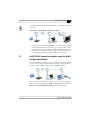
Data communication via the household power grid is encrypted to ensure the
privacy of your dLAN 200 AV network. The following section describes data
encryption options – either using the encryption button or the dLAN Configuration Wizard.
Please note the following basic principle when choosing your encryption
method:
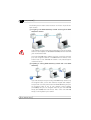
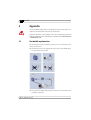
In dLAN 200 AV networks, data encryption is as simple as touching a button, since all corresponding dLAN 200 AV devices are equipped with an
encryption button.
For dLAN 200 AV networks that include devices with and without encryption buttons, data encryption must be set up using the dLAN Configuration Wizard.
3.1
dLAN 200 AV network encryption at the touch of
a button
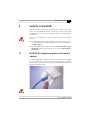
To encrypt a dLAN 200 AV network, in which all associated devices are equipped
with an encryption button, simply press the encryption button that is located on
the device. Pressing this button will encrypt your dLAN 200 AV network with a
randomly generated password.
Adapters cannot be configured while in Standby mode.
| devolo dLAN 200 AVeasy |