1
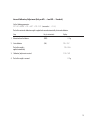
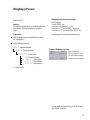
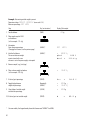
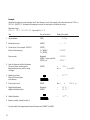
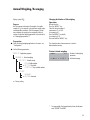
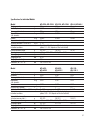
Troubleshooting Guide
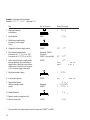
Error codes are shown on the main display for approx. 2 seconds.
The program then returns automatically to the previous mode.
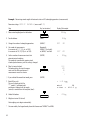
Display
No segments appear
on the display
high
low or Err 54
err 54, typical
App.err.
dis.err.
prt.err.
err 02
err 10
err 11
The weight readout
changes constantly
The weight readout
is obviously wrong
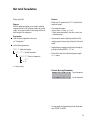
Cause
No AC power is available
Solution
Check the AC power supply
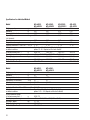
The power supply is not
plugged in
The load exceeds the balance capacity
Something is touching
the weighing pan
Weighing system defect
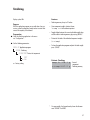
Cannot store data:
Load on weighing pan too light or no
sample on pan while application is active
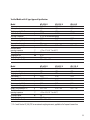
Data output not compatible
with output format
Interface port for printer
output is blocked
Plug in the power supply
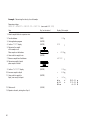
Calibration parameter
not met; e.g.:
– balance not tared
– load on weighing pan
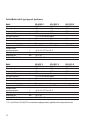
The [Tare] key is blocked when
there is data in the second tare
memory (net-total); only 1 tare
function can be used at a time
Tare memory not allowed
Unstable ambient conditions
(excessive vibration or draft)
at the place of installation
A foreign object is caught between
weighing pan and balance housing
The balance was not
calibrated/adjusted
Balance not tared
before weighing
Unload the balance
Move the object that is
touching the weighing pan
Contact Acculab dealer
Increase load
Change the configuration in
the operating menu
Reset the menu factory settings,
or
Contact Acculab dealer
Calibrate only when zero
is displayed
– Press [Tare] to tare the balance
– Unload the balance
Press [Clear] to clear the tare
memory and release the tare key
Press [Tare]
Set up the balance in another area
Remove the foreign object
Calibrate/adjust the balance
Tare or zero the balance
before weighing
47