1
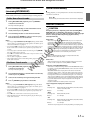
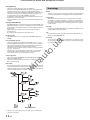
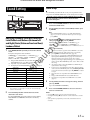
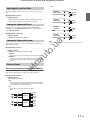
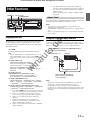
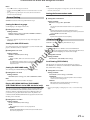
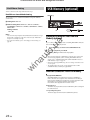
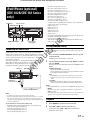
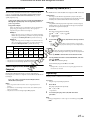
Online-store car audio and autogoods Winauto CD/MP3/WMA/AAC (CDE-182R/CDE-181 Series/ CDE-180 Series only) • During CD/MP3/WMA/AAC playback, press r, and then you can quickly return to the hierarchy level selected last time in the search mode. Repeat and Random Play 1 During playback, Press z 4 or 5 x repeatedly until the setting appears. RPT ONE a: Track/file is played back repeatedly. RPT FOLDER a*: Files in a folder are played back repeatedly. MIX FOLDER s*: Files in a folder are played back randomly. MIX ALL g: All files in the disc or USB Memory are played back randomly. SOURCE/ Rotary encoder /ENTER * When MP3/WMA/AAC files are played back. 5 4 Preset buttons (1 through 6) 2 To cancel repeat or M.I.X. play, select (off) with the above procedure. .u a / II Searching for CD Text (concerning Audio CD) 1 On discs utilizing CD Text, songs can be searched and played by using their recorded titles. For discs without CD Text, searches are made using the track numbers associated with each song. in au to Playback Insert a disc with the label side facing up. The disc will be pulled into the unit automatically. 1 Press ENTER during play. This will set the search mode, and the “” indicator lights up. 2 Turn the Rotary encoder to select the desired track, and then press ENTER. This will play the selected track. Note w Notes • When a disc is already inserted, press SOURCE to switch to the DISC mode. 2 While playing back MP3/WMA/AAC, press or to select the desired folder. Pressing and holding or will change folders continuously. 3 Press or to select the desired track (file). Pressing and holding or will fast backward/fast forward track continuously. 4 To pause playback, press . Pressing again will resume playback. 5 To eject the disc, press . Notes • Do not remove a CD during its eject cycle. Do not load more than one disc at a time. A malfunction may result from doing either. • The “” indicator lights up when a disc is inserted. • Three-inch (8 cm) CDs cannot be used. • Any file protected by DRM (Digital Rights Management) copy protection, cannot be played back on this unit. • The track display for MP3/WMA/AAC data playback is the file numbers recorded on the disc. • The playback time may not be correctly displayed when a VBR (Variable Bit Rate) recorded file is played back. 12-EN • Press r in the search mode to cancel. Or, the search mode is cancelled if no operation is performed for 10 seconds. • When CD Text Search is made during M.I.X. play, the M.I.X. play mode will be cancelled. • Press any of the preset buttons (1 through 6) during a search to skip over a calculated percentage of tracks. For details, refer to “Direct Search Function” on page 25.