1
Special Function Keys
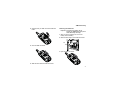
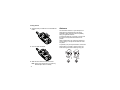
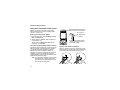
Adding Words to the Database
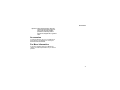
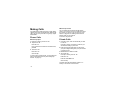
Capitalization
1
2
3
4
When you press and hold the # key, it acts as a
3-way toggle. Press and hold # to make the next
letter typed uppercase (shift), to make all
subsequent letters typed uppercase (caps lock), or
to go back to lowercase letters.
Select Alpha as your text input mode.
Type the word using Alpha mode.
Select Word as your text input mode.
Press #.
The word you typed in Alpha text entry mode is
now in the database.
Note: You cannot store alphanumeric
combinations, such as Y2K.
Choosing a Language
To change the language of the database:
1 At a screen that requires you to enter text, press
m.
2 Select Languages.
3 Select the language you want for your database.
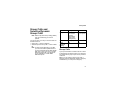
Special Function Keys
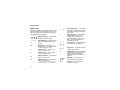
Some of the phone’s keys assume different
functions while in Alpha or Word mode.
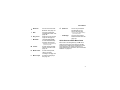
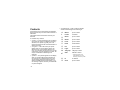
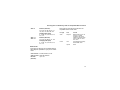
These icons appear:
m or X Shift is on.
n or W Caps lock is on.
When neither of these icons appear, letters typed
are lowercase. Scrolling up after typing a letter
makes that letter uppercase.
Note: When creating a text message, you may
not be able to make a letter uppercase by
scrolling up, depending on the type of text
message and the text entry mode.
Your phone automatically makes the first letter of a
sentence uppercase.
Spaces
Press # for a space.
51