1
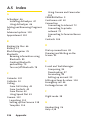
Section 4 Synchronizing ................................................. 45
4.1 Using ActiveSync ....................................................................46
4.2 Synchronizing Information ..................................................47
4.3 Synchronizing Via Infrared and Bluetooth .......................50
4.4 Synchronizing Music, Video, and Pictures ........................51
Section 5 Managing Your PPC-6700 .............................. 53
5.1 Personalizing Your Sprint PCS Vision Smart Device ...........54
5.2 Adding and Removing Programs ........................................63
5.3 Managing Memory ................................................................64
5.4 Backing Up Files ......................................................................66
5.5 Protecting Your Sprint PCS Vision Smart Device ............68
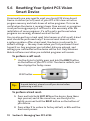
5.6 Resetting Your Sprint PCS Vision Smart Device ..............70
Section 6 Getting Connected ......................................... 71
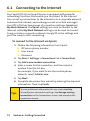
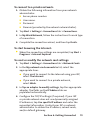
6.1 Connecting to the Internet ..................................................72
6.2 Internet Explorer Mobile ......................................................74
6.3 Using Bluetooth ......................................................................77
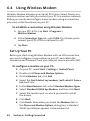
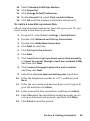
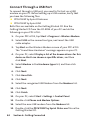
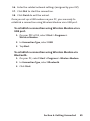
6.4 Using Wireless Modem .........................................................82
6.5 Using Wireless Manager.......................................................86
6.6 Using Terminal Services Client ............................................89
Section 7 Exchanging Messages .................................... 91
7.1 E-mail and Text Messages ....................................................92
7.2 Pocket MSN Messenger ........................................................99
7.3 Calendar................................................................................. 102
7.4 Contacts ................................................................................. 104